Firewall, Malware Scanner, Two Factor Auth, and Comprehensive Security Features, powered by our 24-hour team. Make security a priority with Wordfence.

WP 2FA – Two-factor authentication for WordPress
Hospedagem WordPress com plugin WP 2FA – Two-factor authentication for WordPress
Onde hospedar o plugin WP 2FA – Two-factor authentication for WordPress?
Este plugin pode ser hospedado em qualquer servidor que tenha WordPress configurado. Recomendamos utilizar um provedor de hospedagem seguro, com servidores especializados para WordPress, como o serviço de hospedagem da MCO2.
Hospedando o plugin WP 2FA – Two-factor authentication for WordPress em uma empresa de hospedagem confiável
A MCO2, além de configurar e instalar o WordPress na versão mais nova para seus clientes, disponibiliza o plugin WP SafePress, um mecanismo exclusivo que protege e aumenta a performance do seu site ao mesmo tempo.
Por que a Hospedagem WordPress funciona melhor na MCO2?
A Hospedagem WordPress funciona melhor pois a MCO2 possui servidores otimizados para WordPress. A instalação de WordPress é diferente de uma instalação trivial, pois habilita imediatamente recursos como otimização de imagens, proteção da página de login, bloqueio de atividades maliciosas diretamente no firewall, cache avançado e HTTPS ativado por padrão. São recursos que potencializam seu WordPress para a máxima segurança e o máximo desempenho.
A free and easy-to-use two-factor authentication plugin for WordPress
Add an extra layer of security to your WordPress website login and protect your users. Enable two-factor authentication (2FA), the best protection against password leaks, automated password guessing, and brute force attacks.
Use the WP 2FA plugin to enable two-factor authentication for your WordPress administrator, enforce 2FA for all your website users, or for users with specific roles. This plugin is very easy to use; everything can be configured via wizards with clear instructions, so even non-technical users can set up 2FA without requiring technical assistance.
Features | Getting Started | Get the Premium!
🔒 WP 2FA key plugin features and capabilities
- Passkeys support for passwordless logins
- Free two-factor authentication (2FA) for all users
- Multiple 2FA methods supported, including authenticator app (TOTP) and code over email
- Developer API to integrate any alternative 2FA method (WhatsApp, OTP Token, etc.)
- Universal 2FA app support – works with Google Authenticator, Authy, and any TOTP-compatible app
- Backup codes (16 digits) for recovery access
- Wizard-driven setup – no technical knowledge required
- 2FA policies to enforce setup with grace periods or instant activation
- REST API endpoints for custom integrations and headless WordPress setups
- Dashboard-free setup – users can configure 2FA without WP admin access
- Editable email templates for full customization
- Much more!
💎 Upgrade to WP 2FA Premium and get even more benefits
The premium version of WP 2FA comes bundled with even more features to take your WordPress website login security to the next level.
With the premium edition of WP 2FA, you get more 2FA methods, 1-click integration with WooCommerce, trusted devices feature, extensive white labeling capabilities, and much more!
Premium features list
- Everything in the free version
- Full white labeling capabilities to change all text and visuals in the wizards, emails, SMS, and 2FA pages
- Support for multiple passkeys per user for flexible passwordless logins
- Zero-setup email 2FA that automatically enrolls users without manual configuration
- YubiKey hardware key support for enterprise-grade security
- Additional 2FA methods such as SMS, email link, and more
- Trusted devices so users can log in without 2FA for a configured period
- Require 2FA on password reset to strengthen account protection
- Allow next user login without 2FA to help recover accounts locked out of authentication
- One-click WooCommerce integration to enable 2FA for customers and store admins
- And much more!
Refer to the WP 2FA plugin features and benefits page to learn more about the benefits of upgrading to WP 2FA Premium.
🛠️ Free and premium support
Support for the free edition of WP 2FA is free on the WordPress support forums. Premium world-class support via one-to-one email is available to the Premium users – upgrade to premium to benefit from email support.
For any other queries, feedback, or if you simply want to get in touch with us, please use our contact form.
MAINTAINED & SUPPORTED BY MELAPRESS
Melapress develops high-quality WordPress management and security plugins, such as Melapress Login Security, Melapress Role Editor, and WP Activity Log; the #1 user-rated activity log plugin for WordPress.
Browse our list of WordPress security and administration plugins to see how our plugins can help you better manage and improve the security and administration of your WordPress websites and users.
Installing WP 2FA
From within WordPress
- Navigate to ‘Plugins’ > ‘Add New’
- Search for ‘WP 2FA’
- Install & activate WP 2FA from your Plugins page
Manually
- Download the plugin from the WordPress plugins repository
- Unzip the zip file and upload the folder to the ‘/wp-content/plugins/ directory’
- Activate the WP 2FA plugin through the ‘Plugins’ menu in WordPress
As featured on:
Capturas de tela
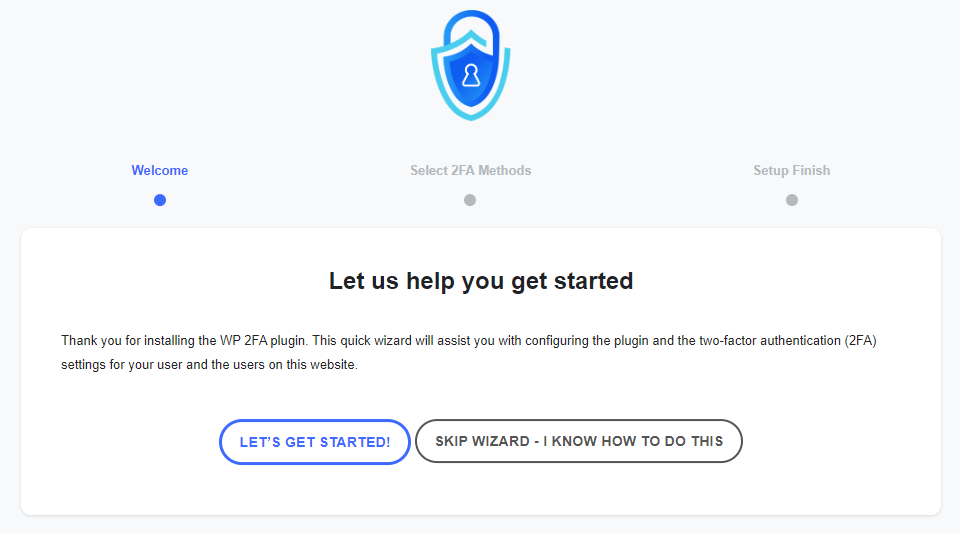
The first-time install wizard allows you to set up 2FA on your website and for your users within seconds.
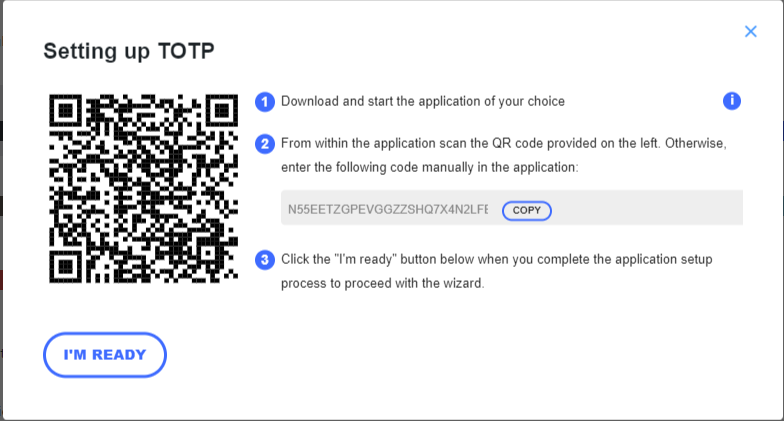
The wizards make setting up 2FA very easy, so even non-technical users can set up 2FA without requiring help.
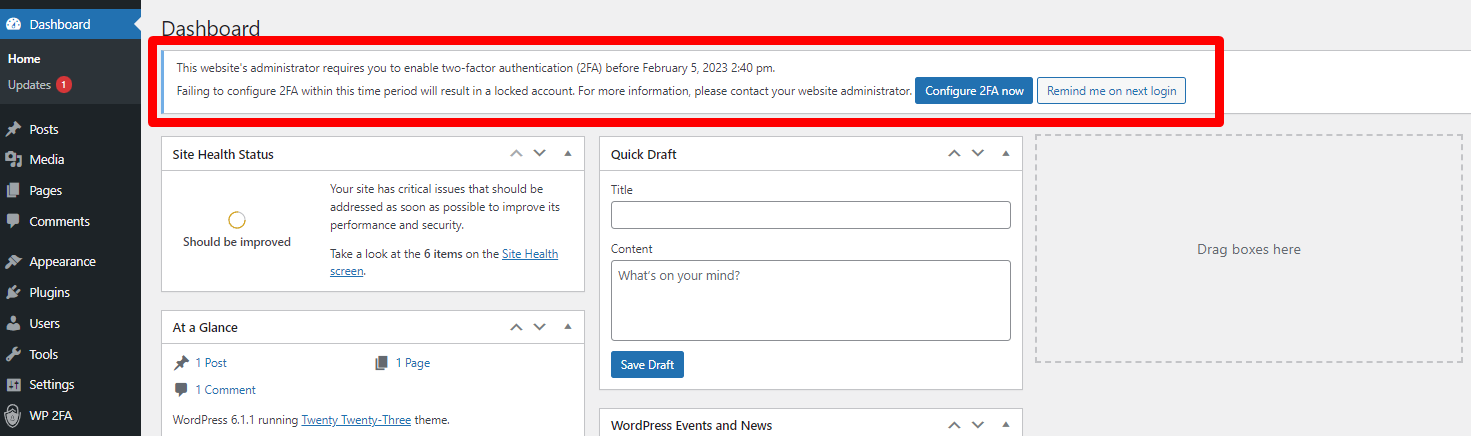
You can require users to enable 2FA and also give them a grace period to do so.
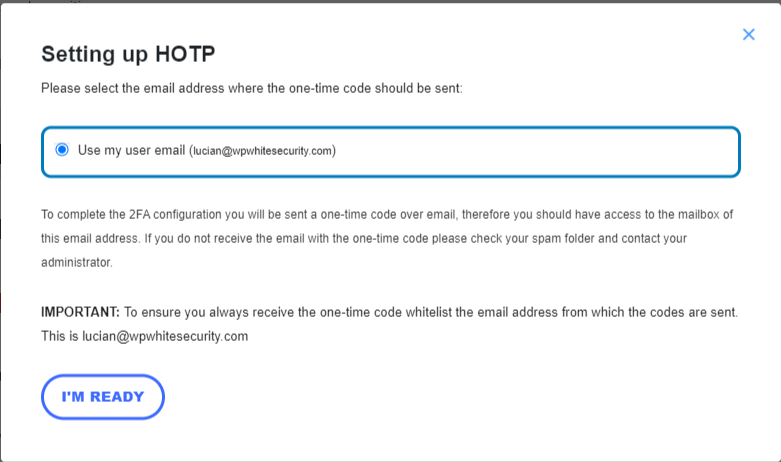
Users can also use one-time codes via email as a two-factor authentication method.
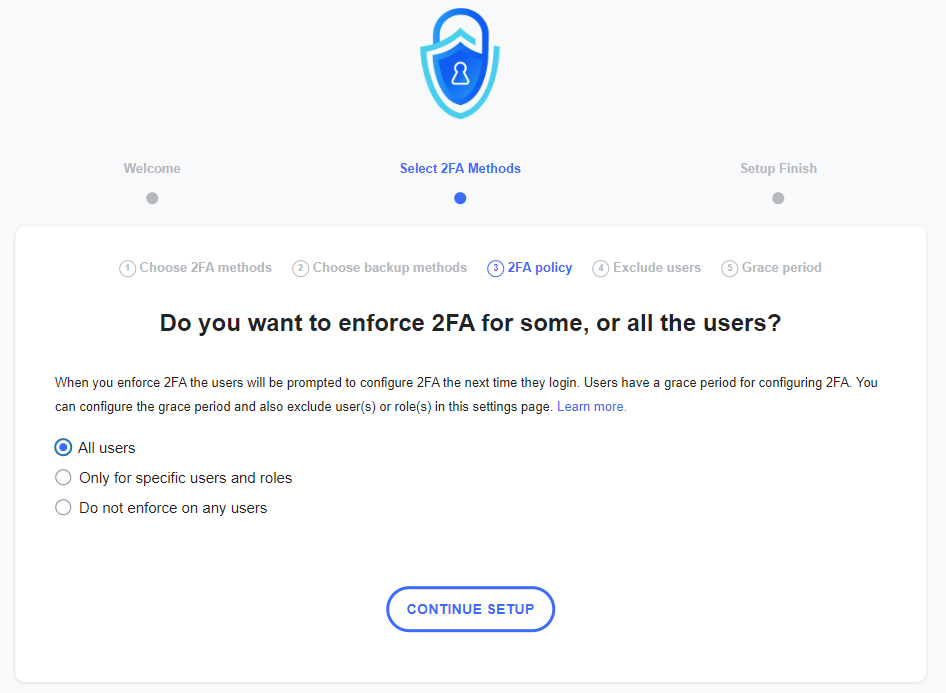
You can use policies to require users to instantly set up and use 2FA, so the next time they log in, they will be prompted with this.
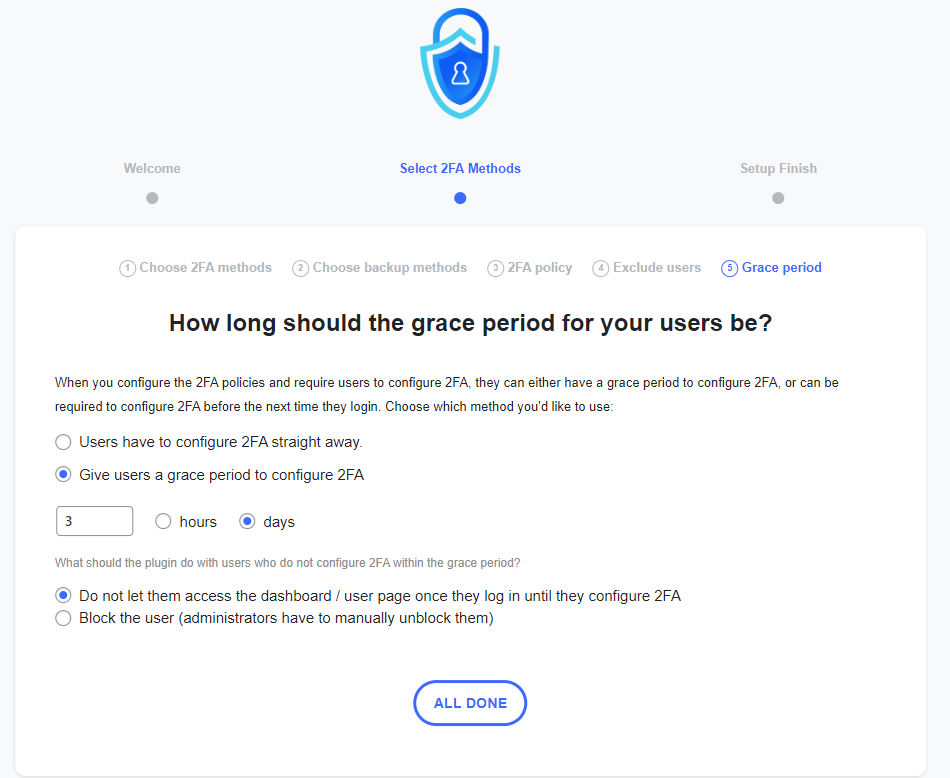
You can give users a grace period until they configure 2FA. You can also specify what the plugin should do once the grace period is over.
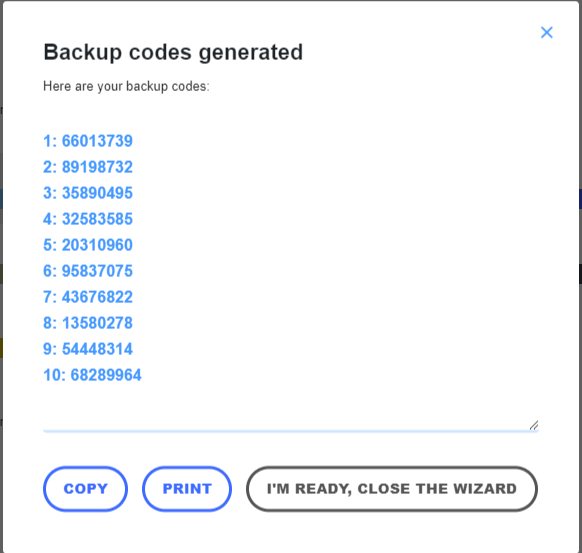
It is recommended for all users to also generate backup codes, in case they cannot access the primary device.
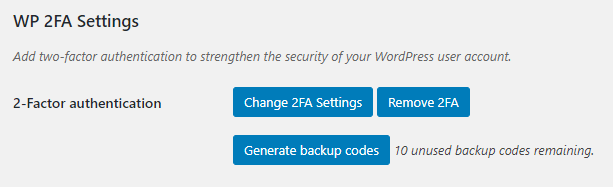
In the user profile, users only have a few 2FA options, so it is not confusing for them, and everything is self-explanatory.
Plugins semelhantes


Protect your website investment with All-In-One Security (AIOS) – a comprehensive and easy to use security plugin designed especially for WordPress.

Secure your WordPress site from brute-force attacks, threats, malware, and bots. Free to use and easy to set up.

Harden your site security with Login Security, Two-Factor Authentication (2FA), Vulnerability Scanner, Firewall, and more. Formerly iThemes Security.

Secure your website with Wordfence Login Security, providing two-factor authentication, login and registration CAPTCHA, and XML-RPC protection.

Shield stops bot attacks before they hack your site. Bots CAN be stopped. Shield stops them.
Do mesmo author (Melapress)

The #1 user-rated activity log plugin for event logging, activity monitoring and change tracking.

Use CAPTCHA to stop spam and allow customers & users to interact with your website easily. Block fake accounts and orders. Avoid false positives.