Firewall, Malware Scanner, Two Factor Auth, and Comprehensive Security Features, powered by our 24-hour team. Make security a priority with Wordfence.

miniOrange 2FA – Two Factor Authentication for WordPress (OTP, SMS, Email, Google Authenticator)
Hospedagem WordPress com plugin miniOrange's Google Authenticator – WordPress Two Factor Authentication – 2FA , Two Factor, OTP SMS and Email | Passwordless login
Onde devo hospedar o plugin miniOrange's Google Authenticator – WordPress Two Factor Authentication – 2FA , Two Factor, OTP SMS and Email | Passwordless login?
Este plugin pode ser hospedado em qualquer provedor que possua WordPress configurado. Recomendamos escolher uma hospedagem de confiança, com servidores adaptados para WordPress, como o serviço de hospedagem WordPress da MCO2.
Hospedando o plugin miniOrange's Google Authenticator – WordPress Two Factor Authentication – 2FA , Two Factor, OTP SMS and Email | Passwordless login em uma empresa de hospedagem seguro
A MCO2, além de configurar e instalar o WordPress na versão mais atualizada para seus clientes, disponibiliza o plugin WP SafePress, um sistema exclusivo que salvaguarda e otimiza seu site simultaneamente.
Por que a Hospedagem WordPress funciona melhor na MCO2?
A Hospedagem WordPress funciona melhor pois a MCO2 possui servidores otimizados para WordPress. A instalação de WordPress é diferente de uma instalação trivial, pois habilita imediatamente recursos como otimização automática de imagens e fotos, proteção da página de login, bloqueio de atividades suspeitas diretamente no firewall, cache avançado e HTTPS ativado por padrão. São recursos que potencializam seu WordPress para a máxima segurança e o máximo desempenho.
WordPress Two-Factor Authentication (2FA)
WordPress websites are frequently targeted by brute force attacks, credential stuffing attacks, phishing attempts, and unauthorized login attempts. Passwords alone are no longer sufficient to protect administrator accounts, customer accounts, and sensitive website data. Which is exactly why 2FA has become essential.
What’s New in 6.2.9
- Unlimited users on the free plan — no user cap, no per-seat charge.
- Passkey (WebAuthn/FIDO2) — free — passwordless 2FA with Face ID, Touch ID, Windows Hello, or a hardware security key.
- Push Notification 2FA (Premium) — approve the login from your phone with one tap, no code to type.
The miniOrange 2-Factor Authentication plugin adds an additional layer of security to WordPress logins by requiring users to verify their identity using a second authentication factor. Even if a password is compromised, unauthorized users cannot access accounts without completing the 2FA verification process.
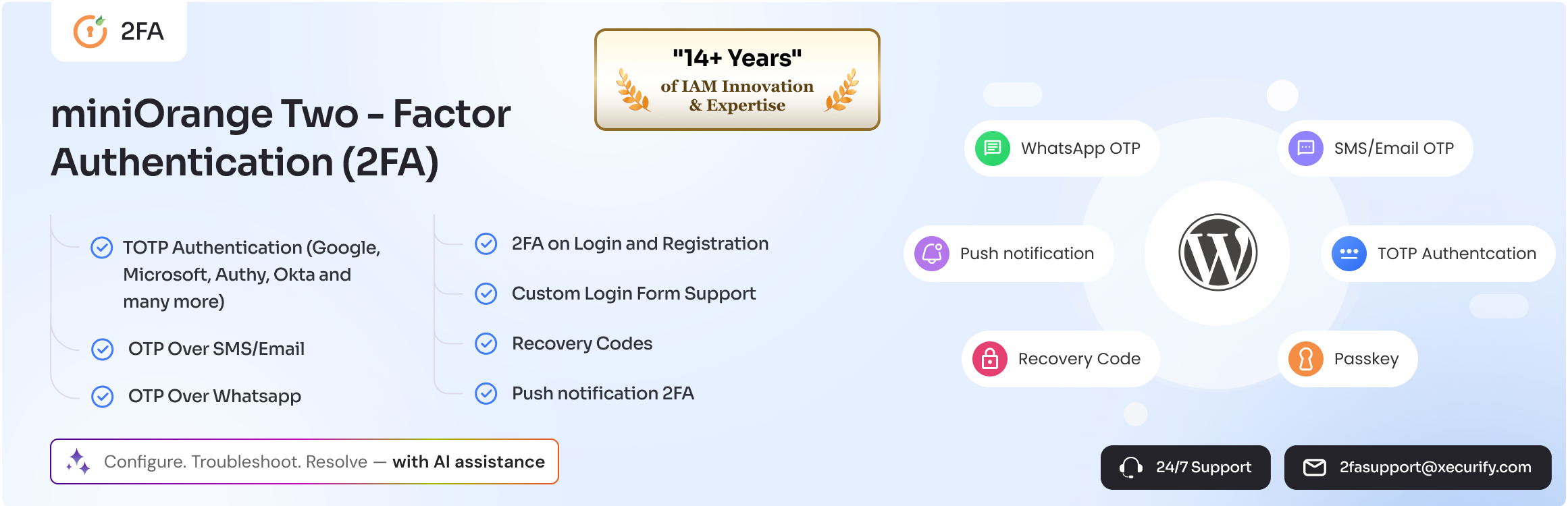
The 2FA plugin supports multiple Two-Factor Authentication (2FA) and Multi-Factor Authentication (MFA) methods, including Google Authenticator, Microsoft Authenticator, Authy, Passkey, Email OTP, SMS OTP, WhatsApp OTP, Telegram OTP, Push Notification, backup codes, security questions, and hardware token authentication.
Whether you manage a WooCommerce store, membership website, LMS platform, enterprise portal, educational institution, government website, or agency-managed environment, WordPress 2FA helps secure user accounts and reduce the risk of account compromise.
The free plan supports unlimited users with Google Authenticator (TOTP), Passkey, Email OTP, and Security Questions. Premium adds more 2FA methods (SMS OTP, WhatsApp OTP, Push Notification, email verification link, and more), enforcement policies, trusted devices, multisite support, custom branding, and more.
Why Use (2FA) Two-Factor Authentication for WordPress?
Protect Administrator Accounts
Administrator accounts are the primary target of attackers. WordPress Two-Factor Authentication (2FA) ensures that only verified users can access administrative dashboards.
Prevent Unauthorized Access
Even if passwords are stolen through phishing attacks or data breaches, additional authentication requirements help prevent unauthorized access.
Improve WordPress Login Security
WordPress MFA strengthens login security by combining passwords with additional verification methods.
Reduce Account Takeover Risks
Multi-factor authentication significantly reduces the likelihood of successful account takeover attempts.
Secure WooCommerce Customer Accounts
Protect customer profiles, order information, payment details, and store management accounts using WooCommerce Two-Factor Authentication (2FA).
Quick Links:
Setup Guide |
Features |
Pricing Plans |
Support
WordPress 2FA Plugin Explained in Minutes
Passkey 2FA — Free
Passkey replaces the password with a cryptographic key stored on the user’s device. Nothing is typed, so nothing can be phished — making Passkey one of the strongest 2FA methods available today, and it’s free in this plugin.
- Register a Passkey from the user profile in seconds
- Works with Face ID, Touch ID, Windows Hello, and Android biometrics
- Works with hardware security keys such as YubiKey, Titan, and SoloKey
- Use Passkey as passwordless login or as the second 2FA step
- Multiple passkeys per user, with backup codes as fallback
- No external calls — Passkey verification happens entirely on your own site
Push Notification 2FA — Premium
Push Notification 2FA sends a login approval request directly to the user’s phone. They tap Approve and the login completes — no six-digit code, no SMS delay, no copy-paste. It’s one of the fastest 2FA methods for teams that log in many times a day.
WordPress 2FA Core Features
miniOrange provides comprehensive WordPress Two-Factor Authentication (2FA) and Multi-Factor Authentication capabilities for websites of all sizes.
Google Authenticator and OTP Authentication for WordPress
Secure WordPress logins using multiple 2FA authentication methods:
- Google Authenticator (TOTP-based 2FA)
- Passkey Authentication (WebAuthn/FIDO2, passwordless & phishing-resistant)
- Email OTP Verification
- Security Questions (KBA)
- Backup Codes
- Microsoft Authenticator (Premium)
- Authy Authenticator (Premium)
- LastPass Authenticator (Premium)
- SMS OTP Verification (Premium)
- WhatsApp OTP Authentication (Premium)
- Telegram OTP Authentication (Premium)
- Push Notification Authentication (Premium)
- Email Verification Link (Premium)
- Hardware Token Authentication (Premium)
WordPress MFA Policies and User Authentication
- Enforce 2FA for all users
- Role-based authentication policies
- User-specific MFA settings
- Trusted device support
- Grace period configuration
- Backup authentication methods
- Force 2FA setup on login
WooCommerce Two-Factor Authentication (2FA)
Protect WooCommerce stores with enhanced login security and customer account protection.
- Secure customer accounts with WooCommerce 2FA
- Protect store managers and administrators
- Improve customer WooCommerce login security
- Compatible with WooCommerce login and account pages
Passwordless Login for WordPress
Allow users to securely access WordPress without traditional passwords.
- Passkey passwordless login
- Magic Link Login
- OTP Login (without password)
- Email Verification Login
Login Security and Account Protection
Improve overall WordPress login security using advanced authentication controls.
- Secure user verification
- Trusted device management
- Backup authentication options
- Account recovery methods
- Strong access control policies
- Login reports & IP alerts
- Custom redirects after login
- Custom SMS gateway integration (Premium)
- Custom branding & white labeling (Premium)
- Multisite support (Premium)
Works with Popular WordPress Plugins
Compatible with:
– WooCommerce
– Elementor
– Ultimate Member
– BuddyPress
– Theme My Login
– LoginPress
– Custom login forms
Free vs Premium
Free — unlimited users, Passkey, Google Authenticator (and other TOTP apps), Email OTP, backup codes, security questions, role-based 2FA, WooCommerce 2FA, passwordless login.
Premium — Push Notification 2FA, SMS OTP, WhatsApp OTP, Telegram OTP, hardware tokens, trusted devices, custom SMS gateway, custom branding & white-labelling, multisite 2FA, advanced reporting.
External Services
Some 2FA methods require communication with miniOrange services to send or verify OTP, SMS, email, push, or account-related requests. These services are used only when you configure or use the related 2FA method.
Passkey and Google Authenticator (TOTP) are verified entirely on your own site and make no external calls.
Service links:
miniOrange Terms |
miniOrange Privacy Policy
Capturas de tela
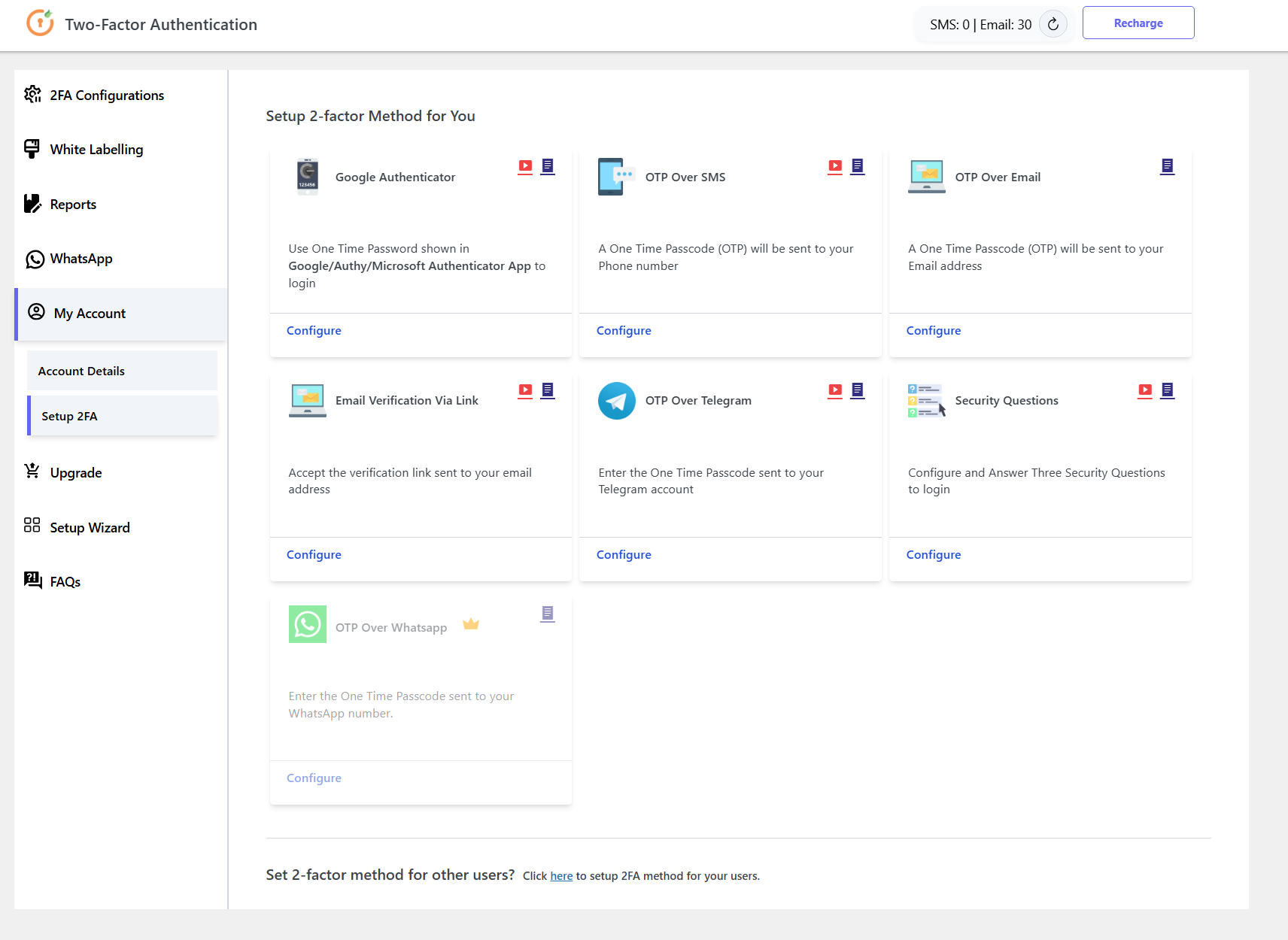
WordPress Two-Factor (2FA) Authentication Dashboard
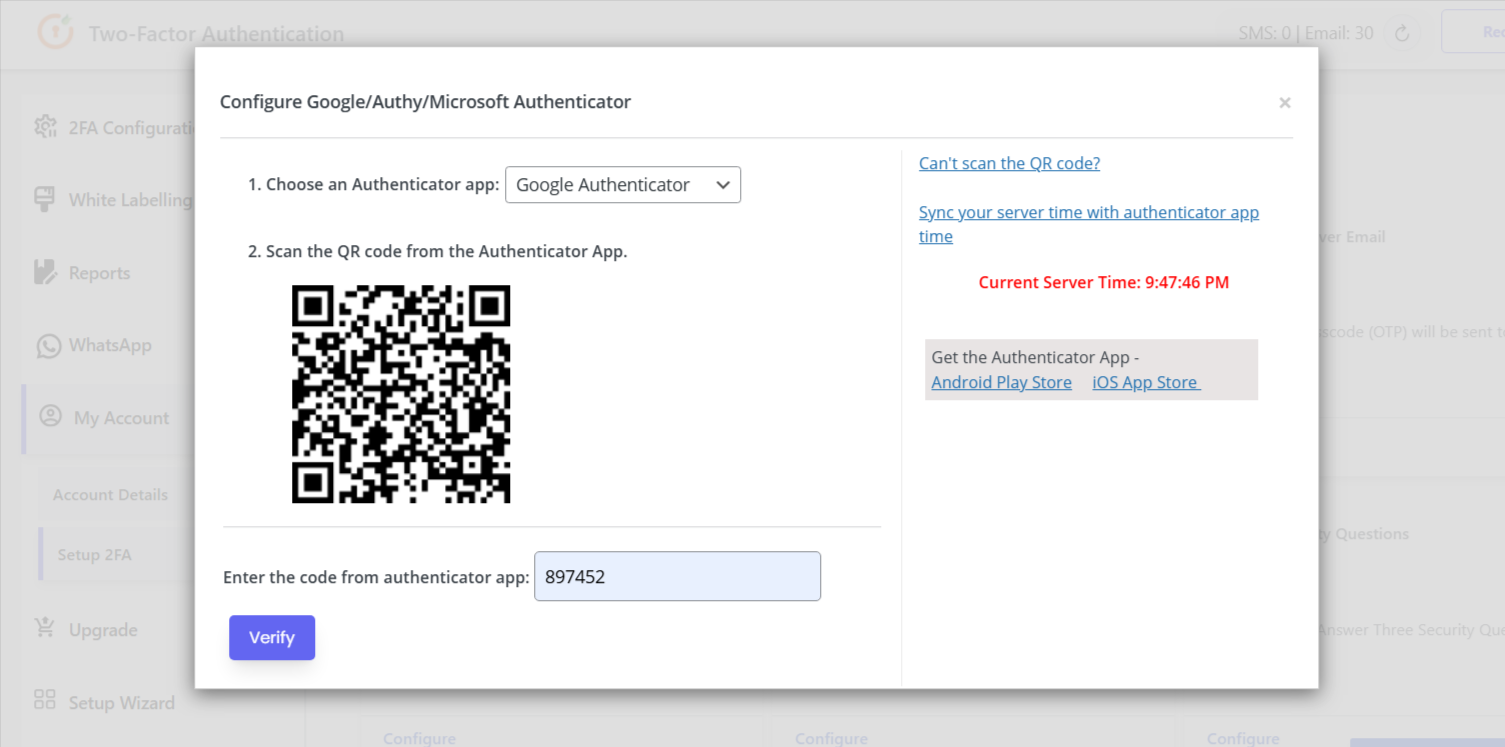
Google Authenticator setup as Two-step authentication (2FA)
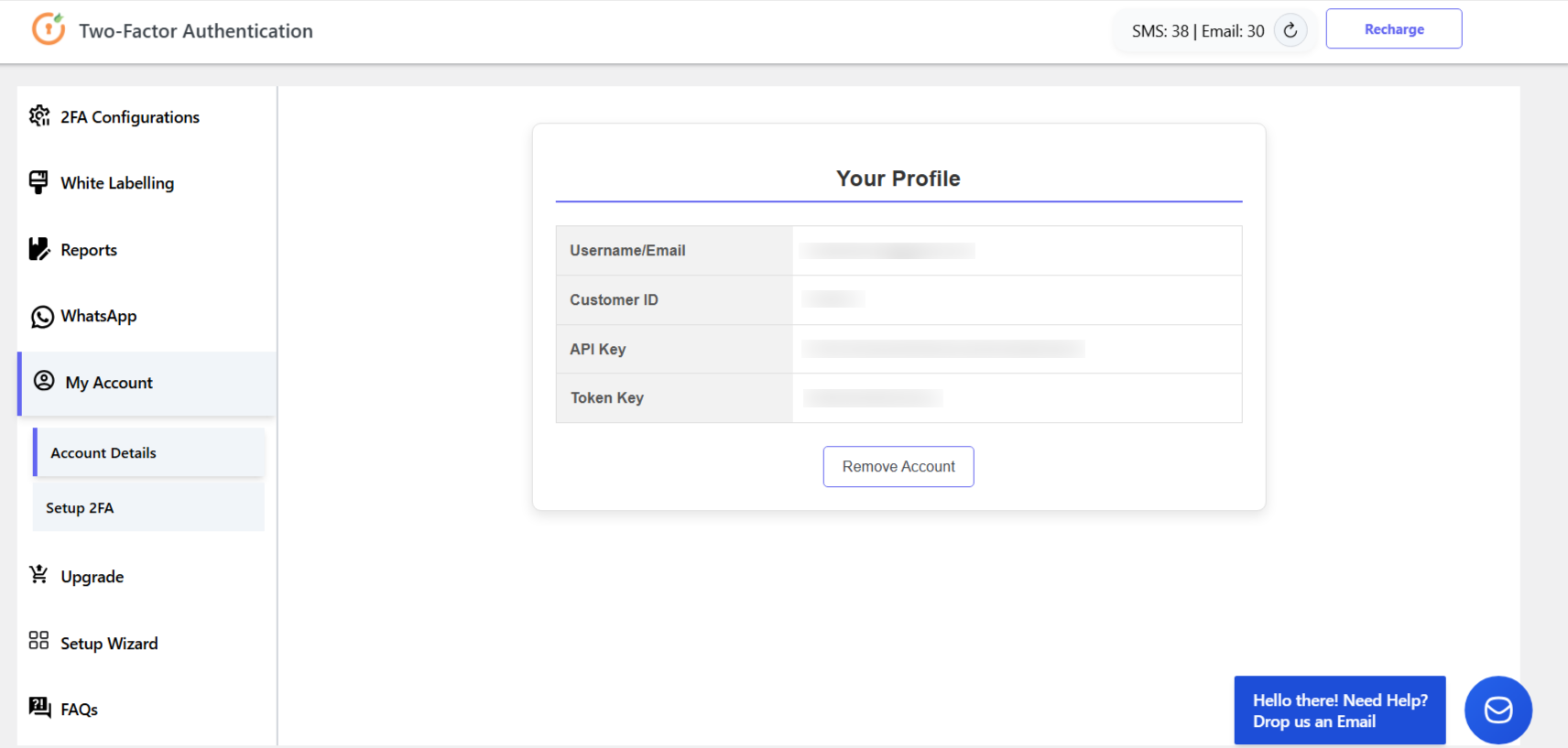
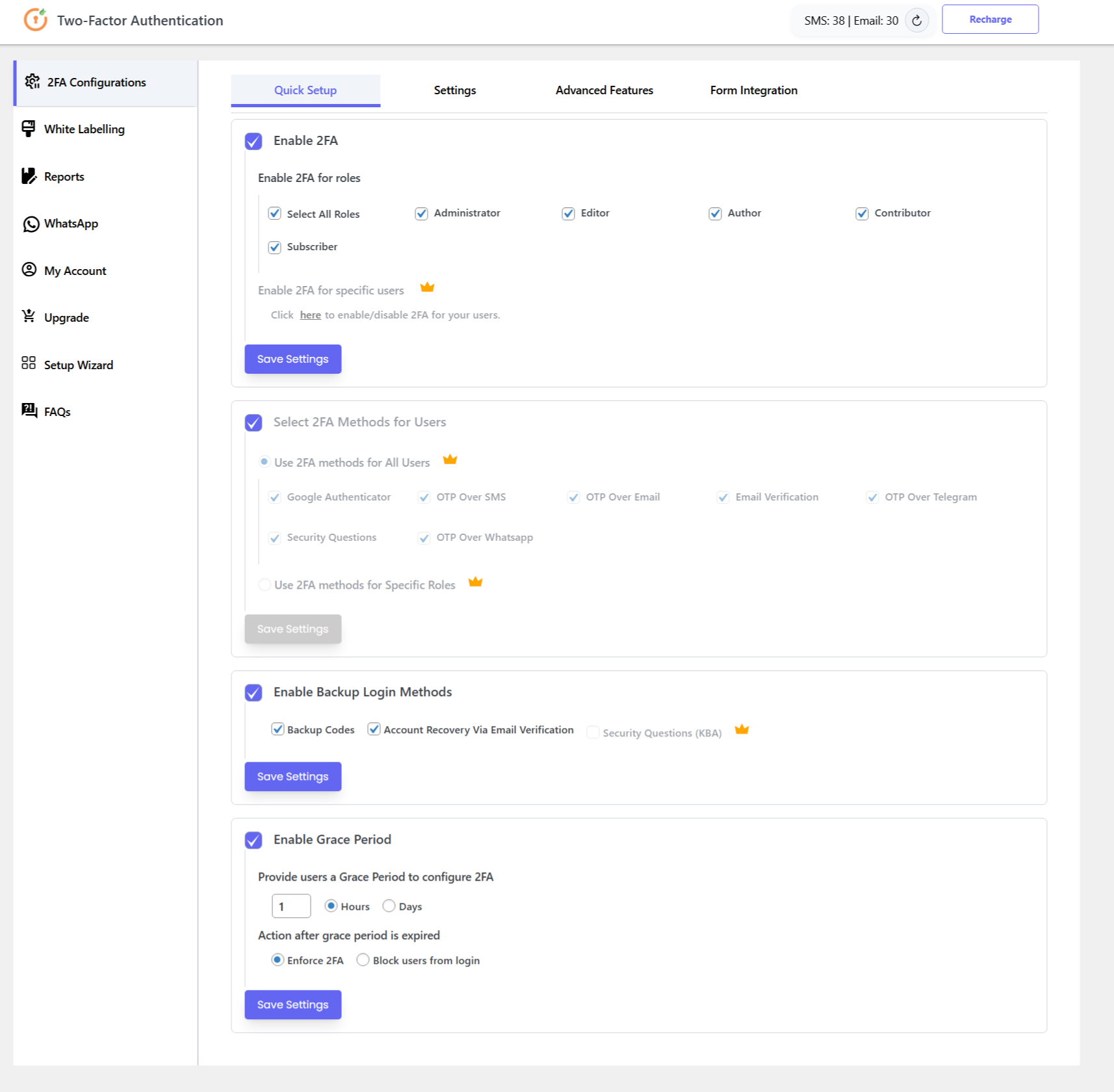
2-Factor Authentication (2FA) Plugin – Quick Settings
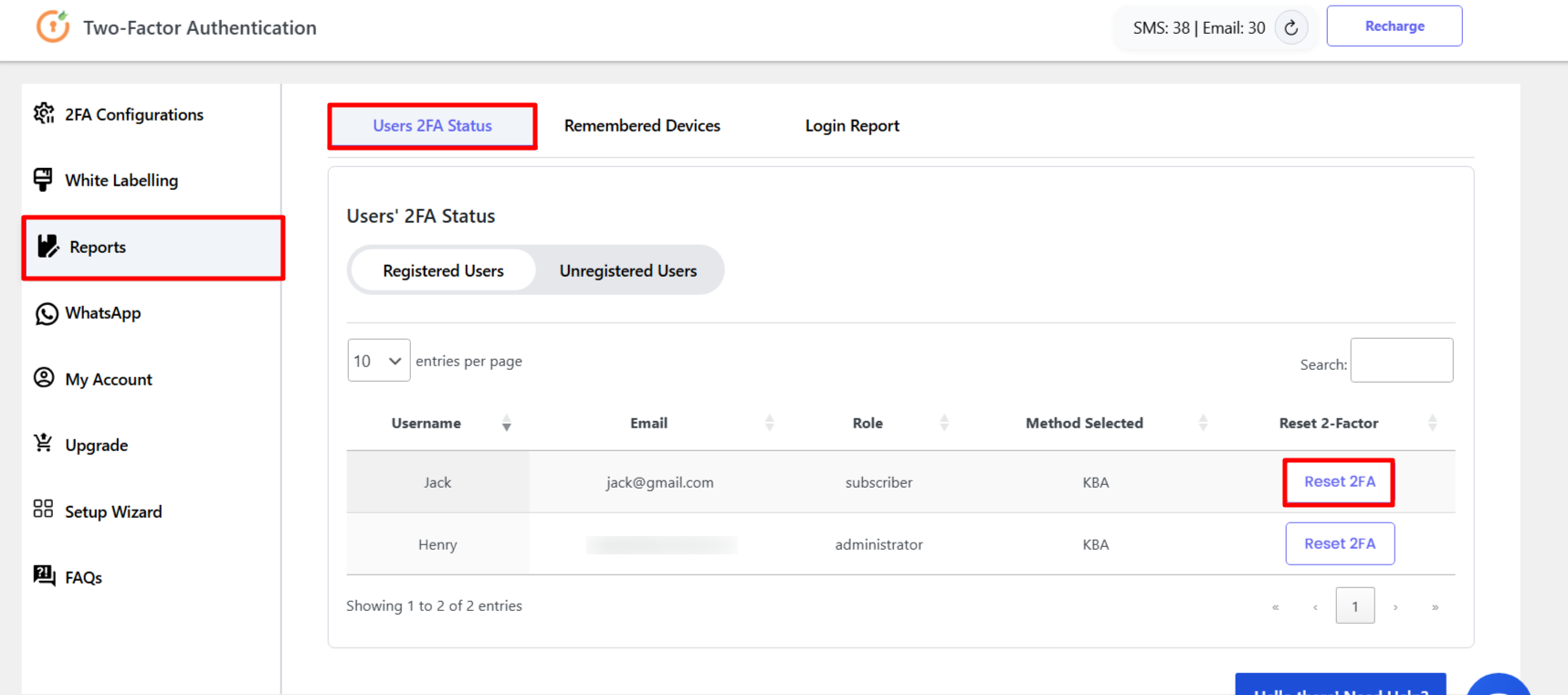
Reset User 2FA configuration from the 2FA Plugin
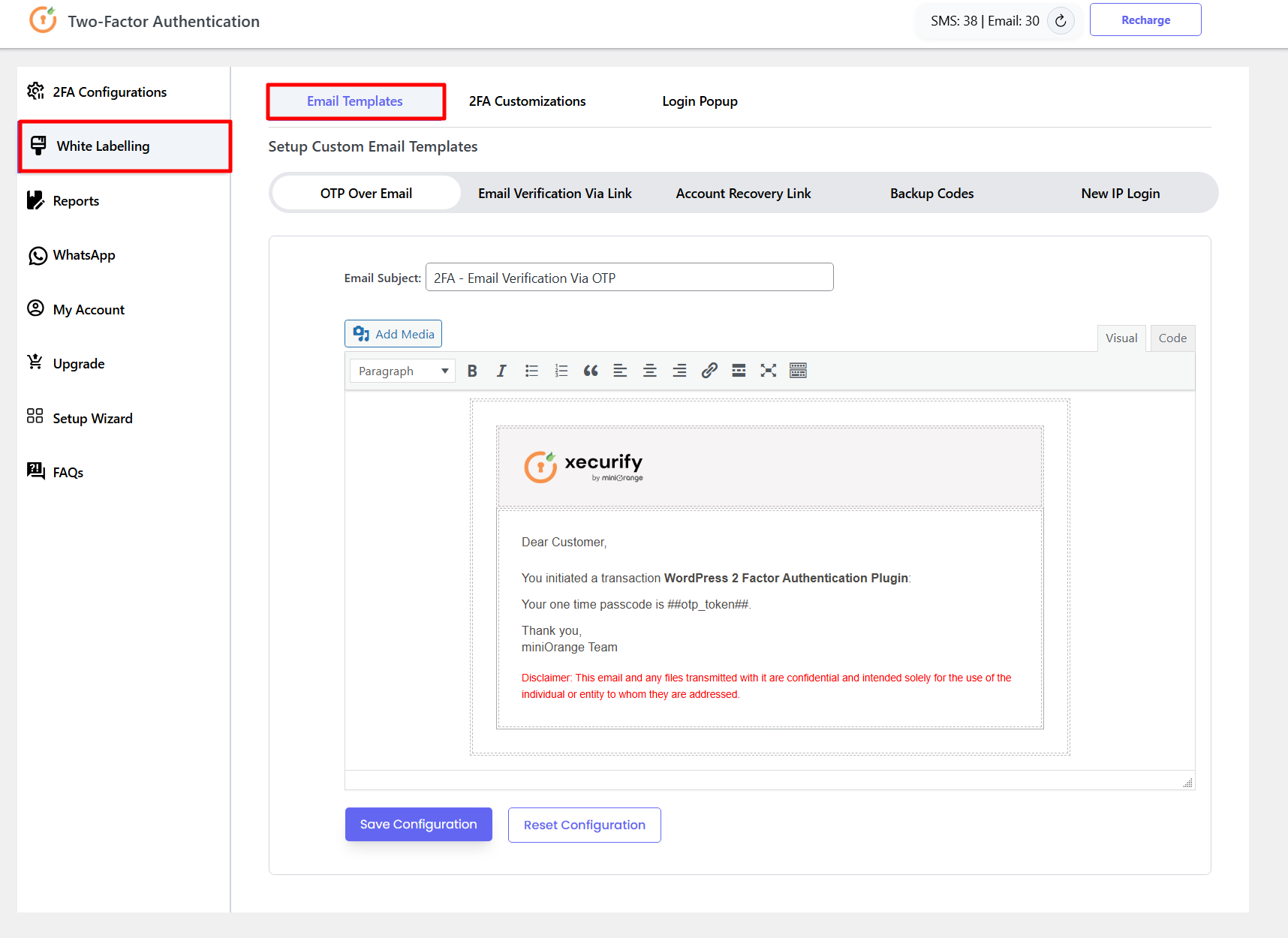
Custom Email Templates – Whitelabelling with your Brand | WP 2FA
Two-Factor setup for SMS Verification with OTP (WP 2FA Plugin)
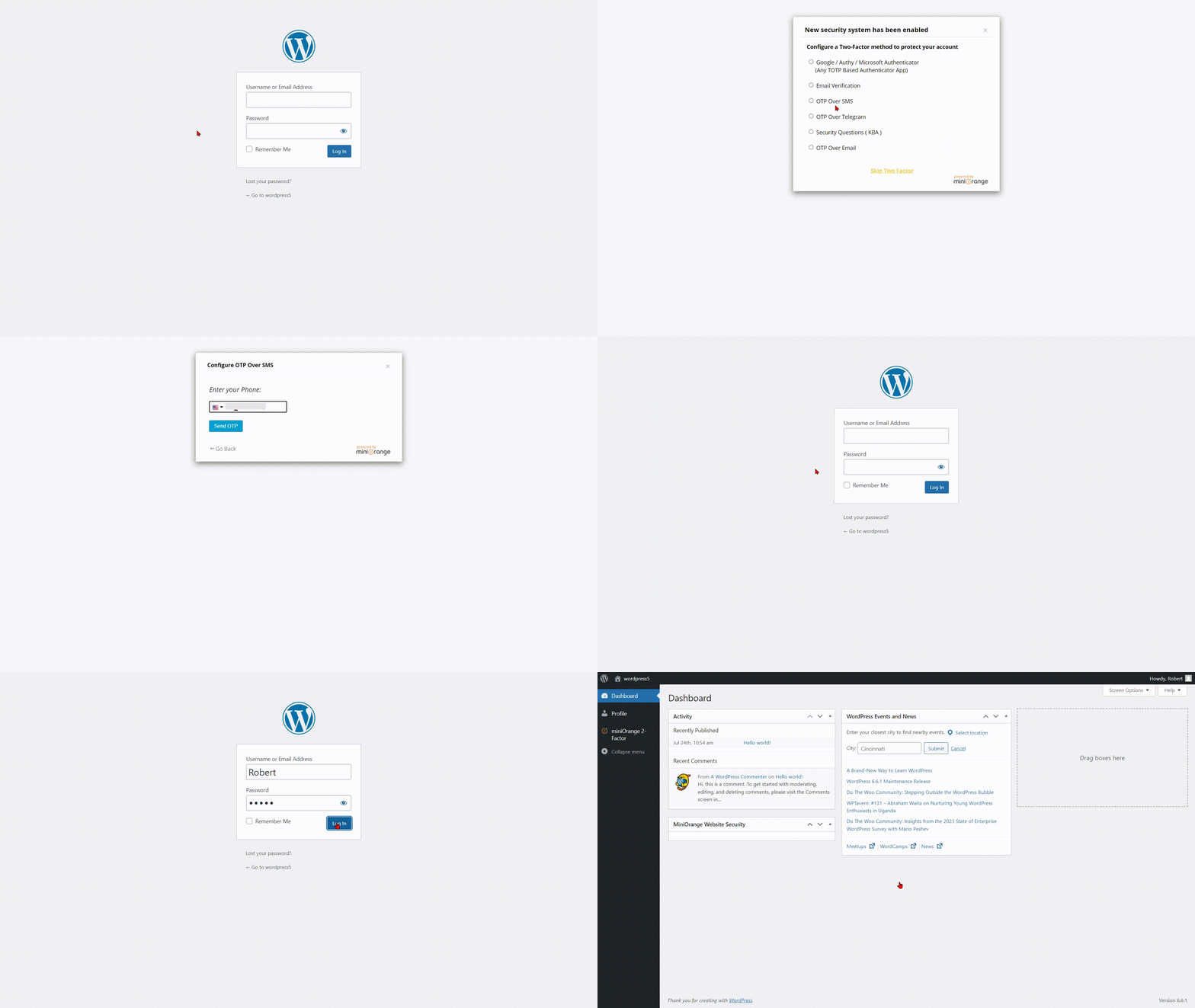
Test WP 2FA Plugin
Plugins semelhantes


Protect your website investment with All-In-One Security (AIOS) – a comprehensive and easy to use security plugin designed especially for WordPress.

Secure your WordPress site from brute-force attacks, threats, malware, and bots. Free to use and easy to set up.

Harden your site security with Login Security, Two-Factor Authentication (2FA), Vulnerability Scanner, Firewall, and more. Formerly iThemes Security.

Get better WordPress login security; add two-factor authentication (2FA) for all your users with this easy-to-use plugin.

Smart WordPress security that blocks bots automatically, guides you to what matters, and repairs problems — without drowning you in noise.
Do mesmo author (miniOrange)

SAML SSO (Single Sign On) for WordPress Login with Okta, Entra ID/Azure AD, GSuite, Salesforce & All SAML IdPs. Free Unlimited SSO [24/7 Support]

Social Login with Discord, Facebook, Google, Twitter, LinkedIn and 40+ apps. Social share & comments. Free, fast & easy! WooCommerce Integration.

WordPress OAuth SSO (Single Sign On) with Azure, Okta, Cognito, Keycloak, OAuth & OpenID Providers. Free Unlimited SSO Authentication [24/7 Support]

Single Sign-On using WordPress - Login with WordPress to your application/sites using your WordPress account. [24/7 Support]

Prevent public access to WordPress files and folders. Protect downloads from public access. Role and user based folder access in premium plans only.