
Google Reviews Widget for WordPress. Display Google reviews in 1 minute with 45 professional layouts. Build trust, boost SEO, and increase sales.

3D Viewer – Turn Product Pages into Interactive 3D Experiences
Hospedagem WordPress com plugin 3D Viewer – Display Interactive 3D Models
Onde posso hospedar o plugin 3D Viewer – Display Interactive 3D Models?
Este plugin pode ser hospedado em qualquer hospedagem que possua WordPress configurado. Recomendamos utilizar uma empresa de hospedagem seguro, com servidores otimizados para WordPress, como o serviço de hospedagem da MCO2.
Hospedando o plugin 3D Viewer – Display Interactive 3D Models em um provedor seguro
A MCO2, além de configurar e instalar o WordPress na versão mais nova para seus clientes, fornece o WP SafePress, um sistema singular que assegura e otimiza seu site ao mesmo tempo.
Por que a Hospedagem WordPress funciona melhor na MCO2?
A Hospedagem WordPress funciona melhor pois a MCO2 possui servidores otimizados para WordPress. A instalação de WordPress é diferente de uma instalação trivial, pois habilita imediatamente recursos como otimização automática de imagens, proteção da página de login, bloqueio de atividades maliciosas diretamente no firewall, cache avançado e HTTPS ativado por padrão. São recursos que potencializam seu WordPress para a máxima segurança e o máximo desempenho.
Turn flat product photos into interactive 3D experiences your visitors can rotate, zoom, and even place in their own room with Augmented Reality – no code required.
3D Viewer | Documentation | Pricing | Support | Live Demo
Why 3D Viewer?
Static images make visitors guess. 3D Viewer lets them explore. Embed interactive 3D models in posts, pages, widgets, and WooCommerce product pages – visitors can rotate, zoom, pan, and inspect every angle with a mouse or touchscreen, exactly like holding the product in their hands.
Built on the proven Three.js engine, 3D Viewer supports all major 3D formats (GLB, GLTF, OBJ, STL, FBX, DAE, PLY, 3DS) and renders them responsively on every device. Lazy loading keeps your pages fast, and native Gutenberg and Elementor integration means you place a model the same way you place an image.
Selling online? Show your WooCommerce products in 3D and let customers interact before they buy – interactive product views build the confidence that turns browsers into buyers.
Augmented Reality is free. AR is part of the free plugin – no upgrade, no add-on. Switch it on for any model and visitors on supported phones can place it in their own room, while desktop visitors scan a QR code to open the same model in AR on their phone.
Free Features – Everything You Need to Get Started
- Embed Anywhere: Place 3D models in posts, pages, and widgets with a shortcode or Gutenberg block.
- Augmented Reality (AR) – now free: Let mobile visitors view models in their real environment via WebXR, Scene Viewer, and Quick Look – including QR code access from desktop. Set the AR placement (floor or wall) and add an optional iOS
.usdzsource. - All Popular 3D Formats: Upload and display .GLB, .GLTF, .OBJ, .STL, and more.
- WooCommerce Integration: Show interactive 3D product views right on your product pages.
- Touch, Pan, Zoom & Rotate: Full mouse and touchscreen gesture support out of the box.
- Environment & Skybox Images – now free: Add an environment image for realistic lighting and reflections, or set an HDR skybox as the model’s background.
- Elementor Compatible: Drop 3D models into Elementor layouts with ease.
- Lazy Loading for Performance: Models load only when visible, keeping pages fast and SEO-friendly.
- Live Editor Preview: See your 3D model directly in the editor while you configure it.
- Optional Download Button: Let visitors download the 3D file straight from the viewer – off by default, one toggle to enable.
- Guided Setup: A short walkthrough on first activation that gets your first 3D model on the page.
Pro Version – Unlock More Control & Customization
Want even more flexibility? 3D Viewer Pro adds powerful features that let you fine-tune the viewer, improve performance, and streamline your workflow.
Pro features include:
- Drag-and-drop Elementor widget with full viewer settings.
- External model URLs (Amazon S3, Google Drive, CDNs, and more).
- Fine-grained lighting, shadow intensity, and exposure controls.
- Poster image shown while the model loads, plus a loading progress bar.
- Auto-rotate, fullscreen, and autoplay toggles.
- Custom camera angle for the perfect first impression.
- WooCommerce 3D gallery with multiple models per product.
- Hotspots and annotations to highlight product details.
How to Use 3D Viewer – Quick Start
Add your first model in under a minute:
- Go to 3D Viewer Add New in your WordPress dashboard.
- Upload your 3D model or paste a URL.
- Customize the viewer (lighting, rotation, background, and more).
- Click Save to generate a shortcode.
- Paste the shortcode into any post, page, or widget.
Embed in a WooCommerce product:
- Edit or create a WooCommerce product.
- Scroll to the 3D Viewer Settings metabox.
- Upload the model file or paste an external link.
- Publish – the 3D model appears on the product page.
Prefer the block editor? Add the 3D Viewer block to any post or page, choose your model, and hit Publish. That’s it – your 3D model is live!
Use Cases
- WooCommerce Stores: Let customers rotate and inspect products in 3D before buying.
- Education & Training: Embed anatomical models, mechanical parts, or scientific visuals.
- Architecture & Engineering: Present 3D building plans and prototypes to clients.
- Gaming & Digital Assets: Showcase characters, assets, and environments interactively.
- Art & Design Portfolios: Highlight sculpture, product design, and creative work.
- Research & Prototyping: Share experimental models for collaborative feedback.
- Packaging & Mockups: Let stakeholders explore packaging in real time before production.
Supported 3D File Formats
.GLB, .GLTF, .OBJ, .STL, .FBX, .DAE, .PLY, .3DS
Optimized for All Devices
- Fully responsive and mobile-friendly
- Touch gesture support (rotate, zoom, pan)
- Retina-ready rendering
- Compatible with popular WordPress themes
What Users Say
❛❛It’s the most valid plugin I have found for viewing 3D models. The support is also very good and an issue I reported was immediately corrected.❜❜
– diegoparoni
❛❛Fantastic plugin. The main feature that I like is the 3D model is perfectly loaded and you can adjust the light. I am using the PRO version.❜❜
– blunoa
Like the plugin? Missing a feature? Send your feedback – we ship improvements every month.
Check Out Our Other WordPress Plugins
Html5 Video Player – Display videos as single and playlist in multiple skins.
Html5 Audio Player – Listen to audio with awesome visuals.
PDF Poster – Display and embed PDF files with different styles.
StreamCast – Customizable radio player with different skins.
Advanced Post Block – Show posts and custom posts in different layouts.
Source Code
You can find the source code, report bugs, and contribute to the development of this plugin on our GitHub repository:
3D Viewer on GitHub
External Services
This plugin connects to the following external services. Connections are made only from the plugin’s admin dashboard pages and are not triggered for your site’s visitors on the front end.
bPlugins API
- Service: bPlugins product API –
https://api.bplugins.com - What it does: When you open the plugin’s dashboard, the plugin requests product information (such as the plugin’s own details and other plugins by bPlugins) so it can display product cards, version information, and upgrade options.
- What data is sent: A request is made to the bPlugins API endpoint with the product identifier (e.g.
https://api.bplugins.com/wp-json/bpl/v1/products/{id}). No personal data or site content is sent as part of this request. - When: Only while an administrator is viewing the plugin’s dashboard in wp-admin.
- Terms of Service: https://bplugins.com/terms-of-service/
- Privacy Policy: https://bplugins.com/privacy-policy/
WordPress.org Plugins API
- Service: WordPress.org Plugins Info API –
https://api.wordpress.org - What it does: The dashboard queries the public WordPress.org Plugins API to list other plugins published by the author (titles, icons, ratings, active installs, etc.).
- What data is sent: A public, read-only query request (e.g.
https://api.wordpress.org/plugins/info/1.2/?action=query_plugins&request[author]=bplugins). No personal data is sent. - When: Only while an administrator is viewing the plugin’s dashboard in wp-admin.
- Terms of Service: https://wordpress.org/about/privacy/
- Privacy Policy: https://wordpress.org/about/privacy/
Third-Party Libraries
This plugin bundles the following third-party JavaScript/PHP libraries.
Codestar Framework
- Source: http://codestarframework.com/
- GitHub: https://github.com/Codestar/codestar-framework
- License: GPLv2 or later – https://github.com/Codestar/codestar-framework/blob/master/LICENSE.md
- Purpose: Provides the options framework for the plugin’s settings and shortcode generator.
Freemius SDK
- Source: https://freemius.com/
- GitHub: https://github.com/Freemius/wordpress-sdk
- License: GPLv3 – https://github.com/Freemius/wordpress-sdk/blob/master/LICENSE.txt
- Purpose: Provides opt-in usage tracking and analytics to help improve the plugin.
Online 3D Viewer (o3dv)
- File:
public/js/o3dv.min.js - Source: https://github.com/kovacsv/Online3DViewer
- License: MIT – https://github.com/kovacsv/Online3DViewer/blob/master/LICENSE.md
- Purpose: Provides the “Advanced” 3D viewer engine, supporting GLB, GLTF, OBJ, STL, and other 3D file formats.
The bundle also includes the following sub-dependencies:
- Three.js r163 – MIT – https://github.com/mrdoob/three.js
- fflate 0.8.2 – MIT – https://github.com/101arrowz/fflate
- Chevrotain 9.0.1 – Apache-2.0 – https://github.com/Chevrotain/chevrotain
Google Model Viewer
- File:
public/js/model-viewer.latest.min.js - Source: https://github.com/google/model-viewer
- npm:
@google/model-viewer - License: Apache-2.0 (code) / BSD-3-Clause (some components) – https://github.com/google/model-viewer/blob/master/LICENSE
- Purpose: Provides the
<model-viewer>web component used for the “Lite” viewer and WooCommerce product display.
The bundle also includes the following sub-dependencies:
- Three.js r174 – MIT – https://github.com/mrdoob/three.js
- Lit 3.2.1 / LitElement 4.1.1 – BSD-3-Clause – https://github.com/lit/lit
bpl-tools
- Source / GitHub: https://github.com/bPlugins/bpl-tools
- License: GPL-2.0-or-later – https://www.gnu.org/licenses/gpl-2.0.html
- Purpose: Shared utility library providing admin dashboard components and common Gutenberg editor controls.
- External Services: The library may connect to bPlugins, WordPress.org, and Freemius services for product data and checkout functionality. See full details: https://github.com/bPlugins/bpl-tools#external-requests–why-they-are-made
bp-extension-manager
- Source / GitHub: https://github.com/bPlugins/bp-extension-manager
- License: GPL-2.0-or-later – https://www.gnu.org/licenses/gpl-2.0.html
- Purpose: Shared library that discovers, gates, licenses, and administers the plugin’s add-on extensions from the “Extensions” admin page.
- External Services: The library may connect to bPlugins, WordPress.org, and Freemius services to list available add-ons, resolve download URLs, and manage licenses. Connections are made only from the plugin’s admin dashboard.
Capturas de tela
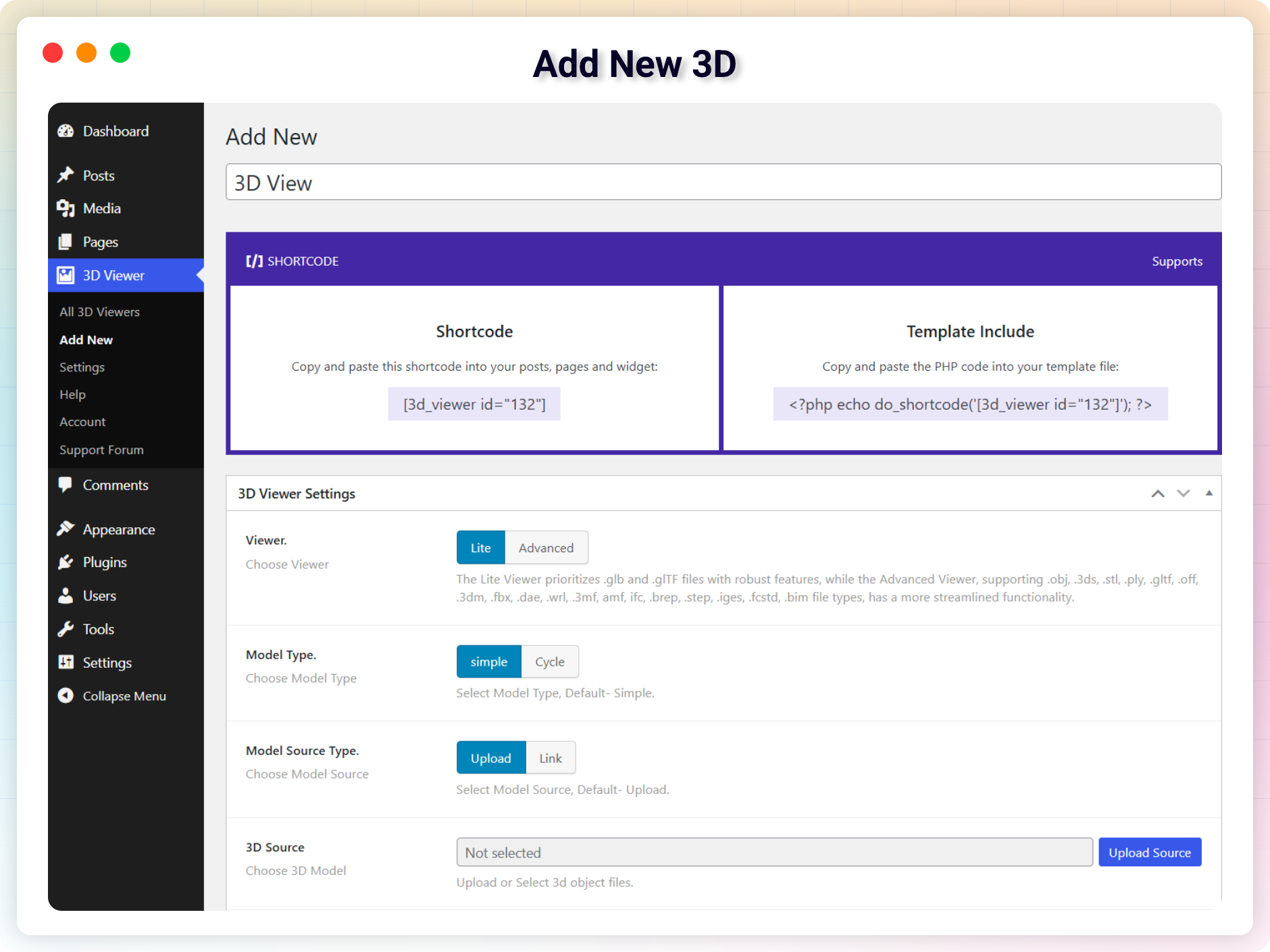
Add New 3D
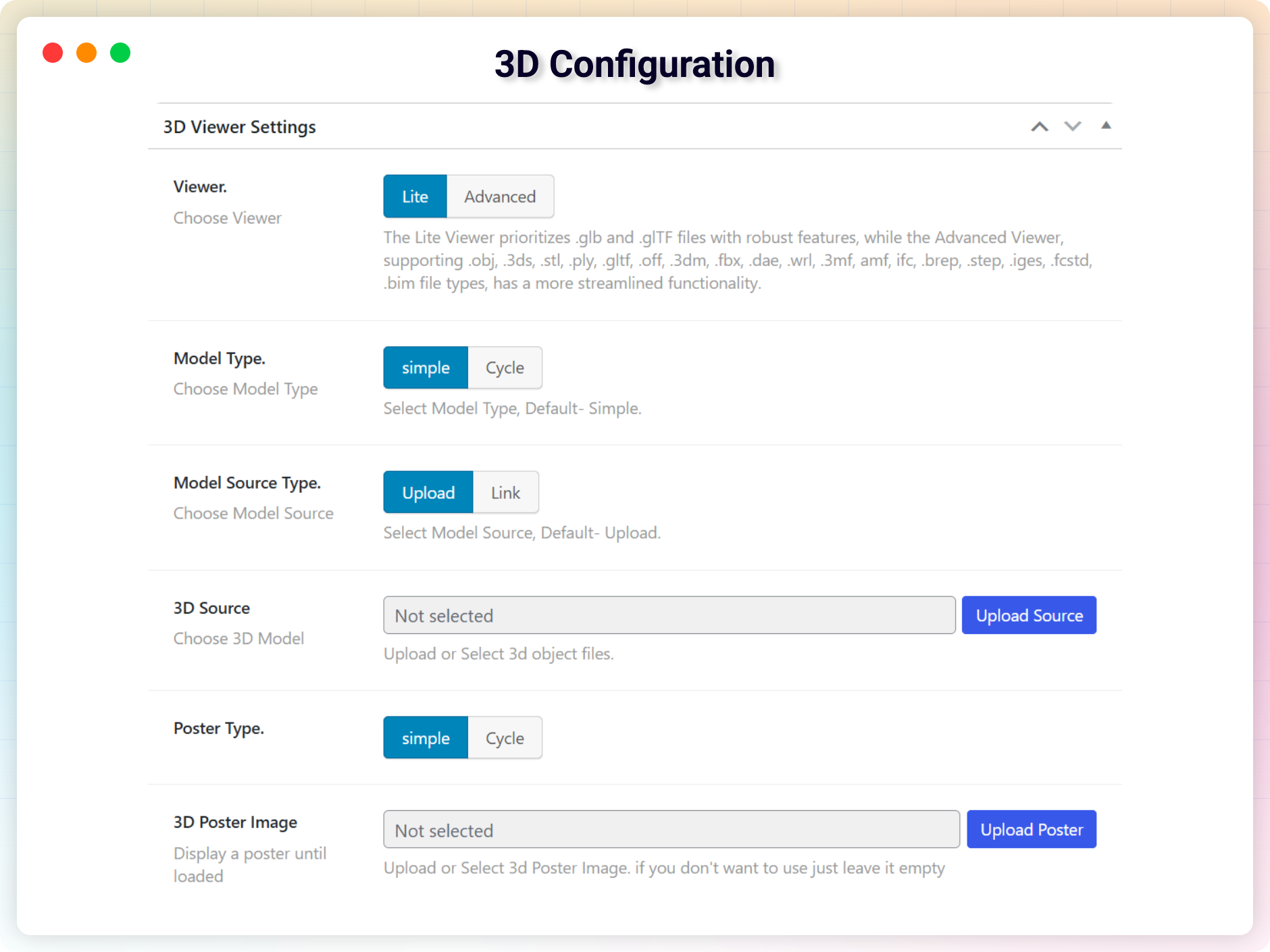
3D Configuration
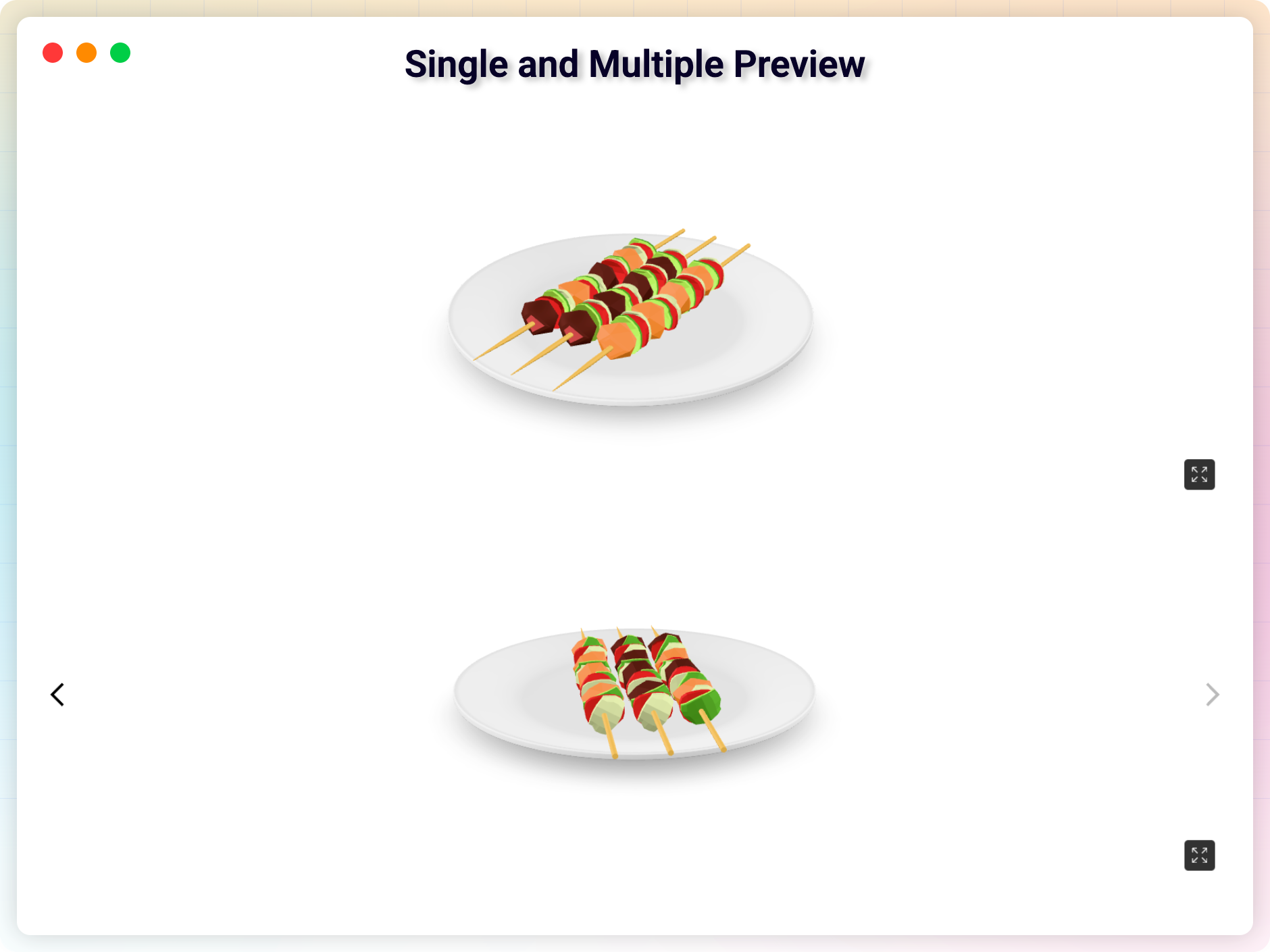
Single and Multiple Preview
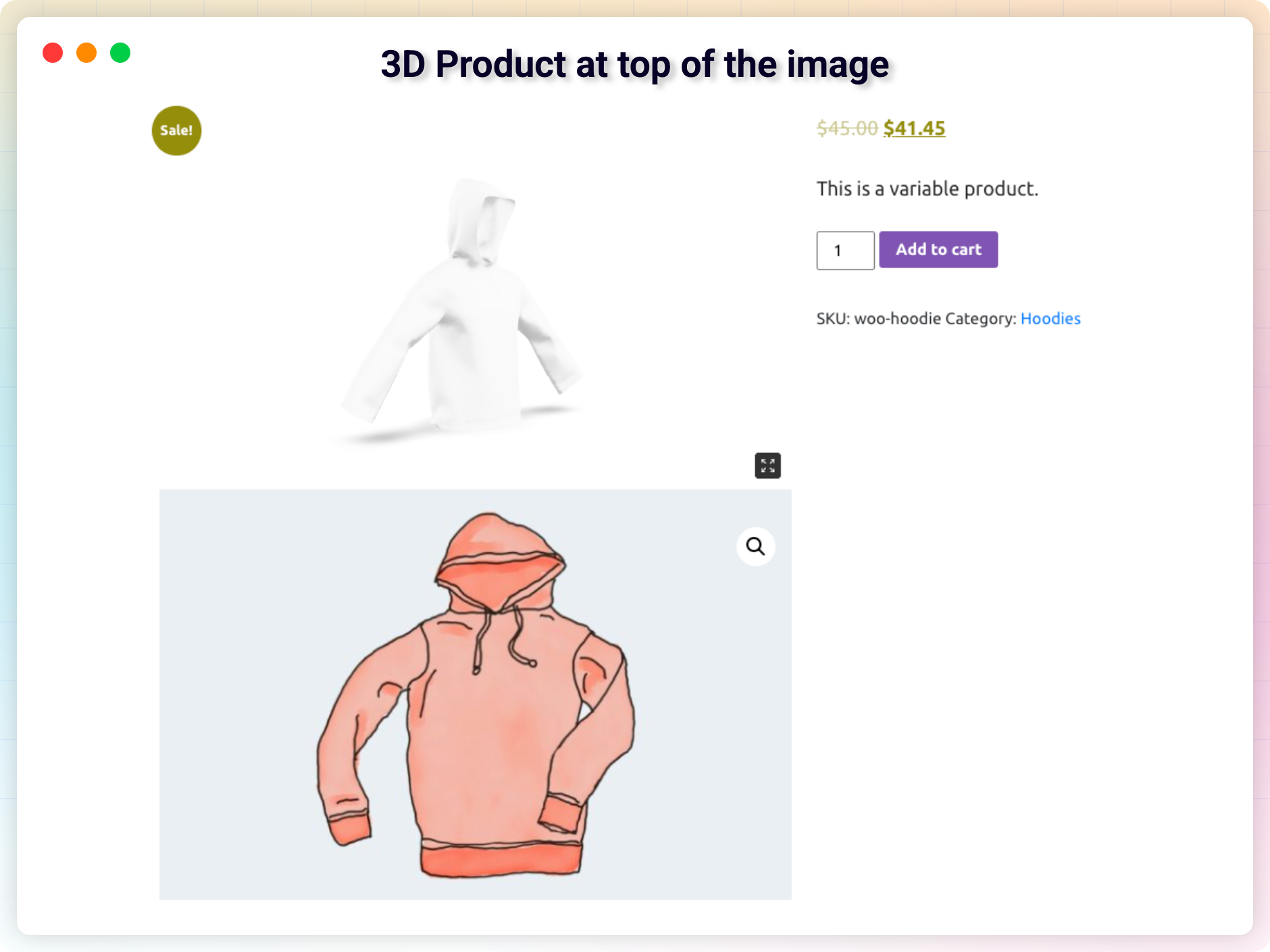
3D Product at top of the image
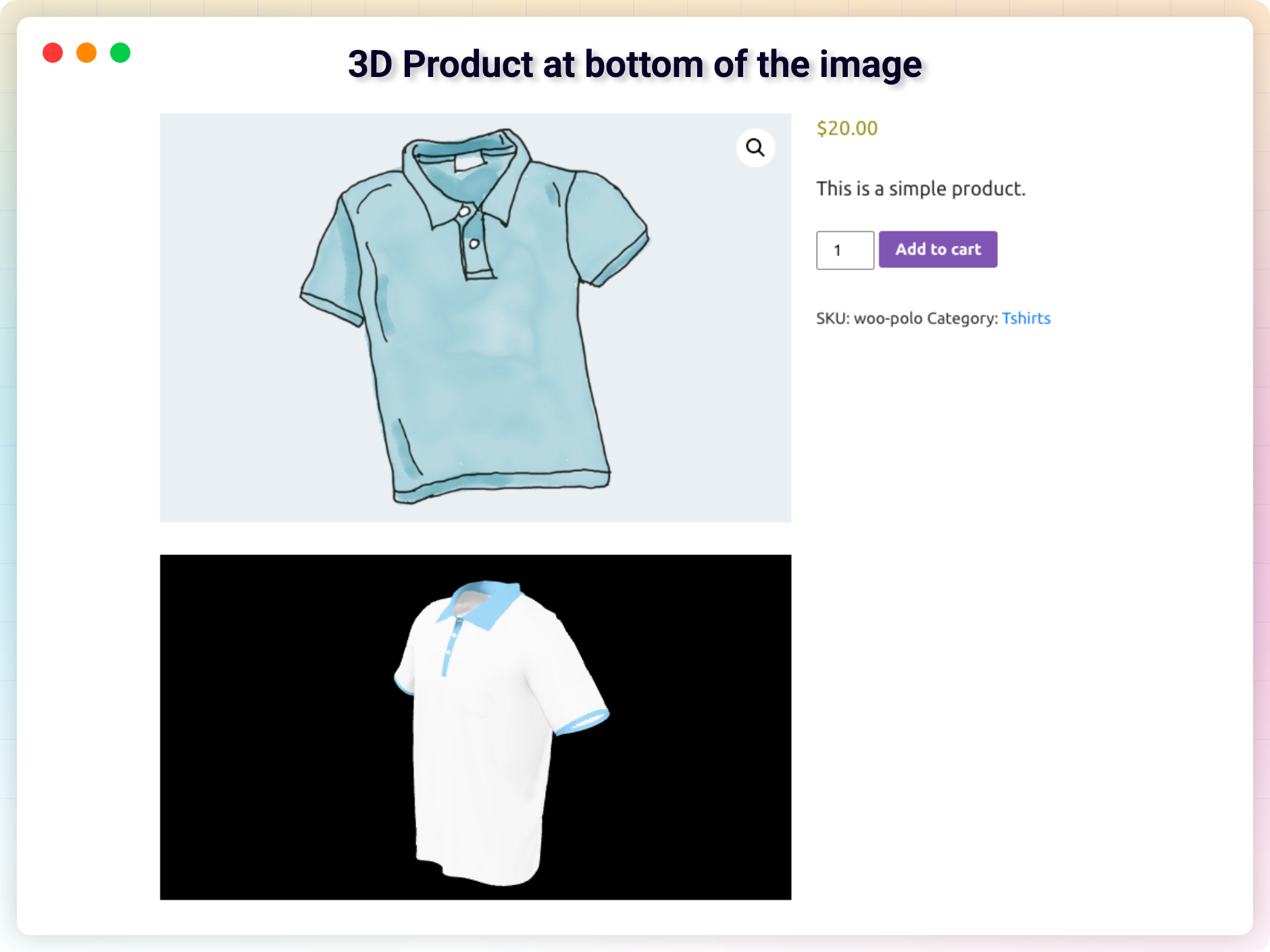
3D Product at bottom of the image
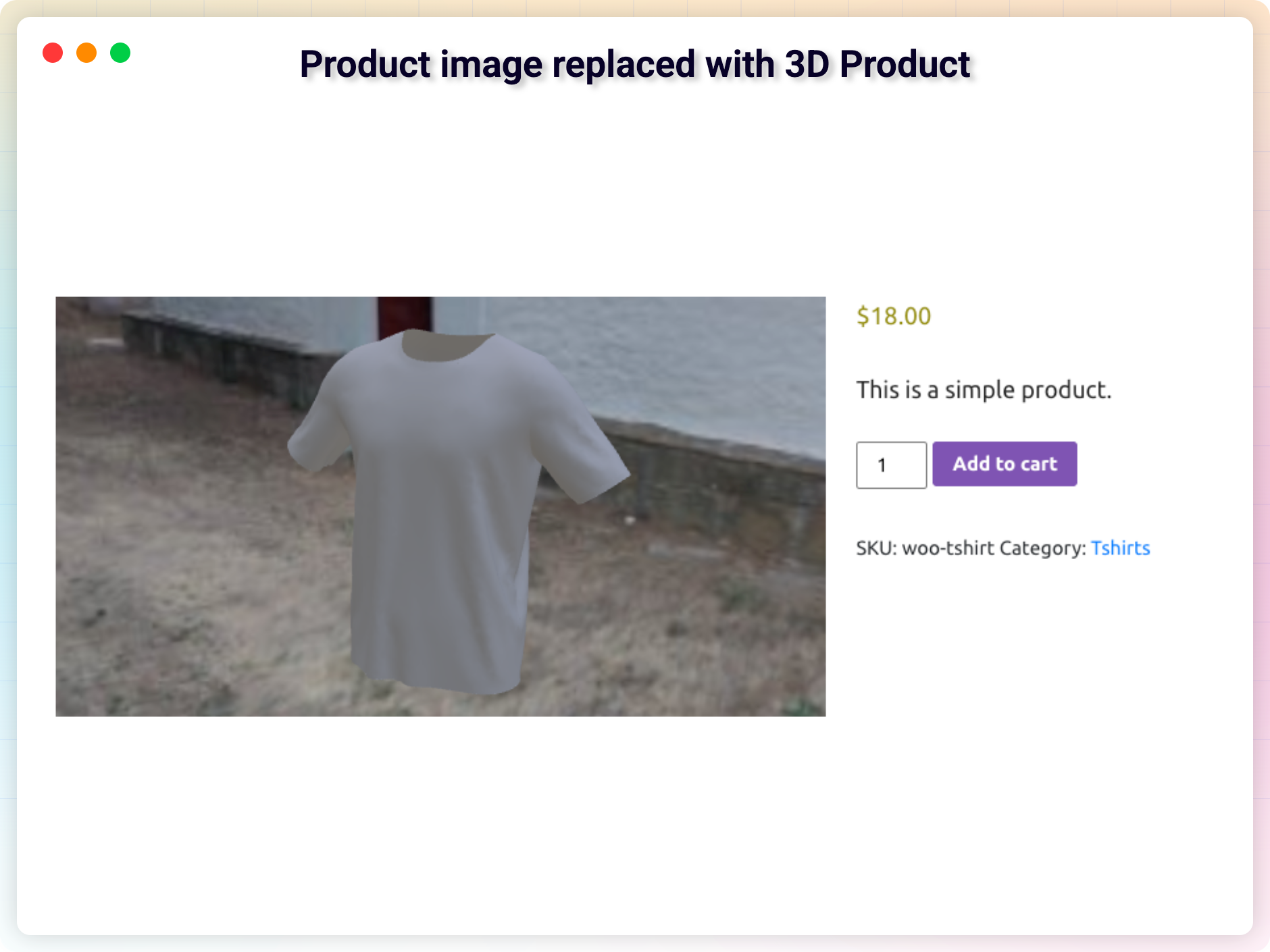
Product image replaced with 3D Pro
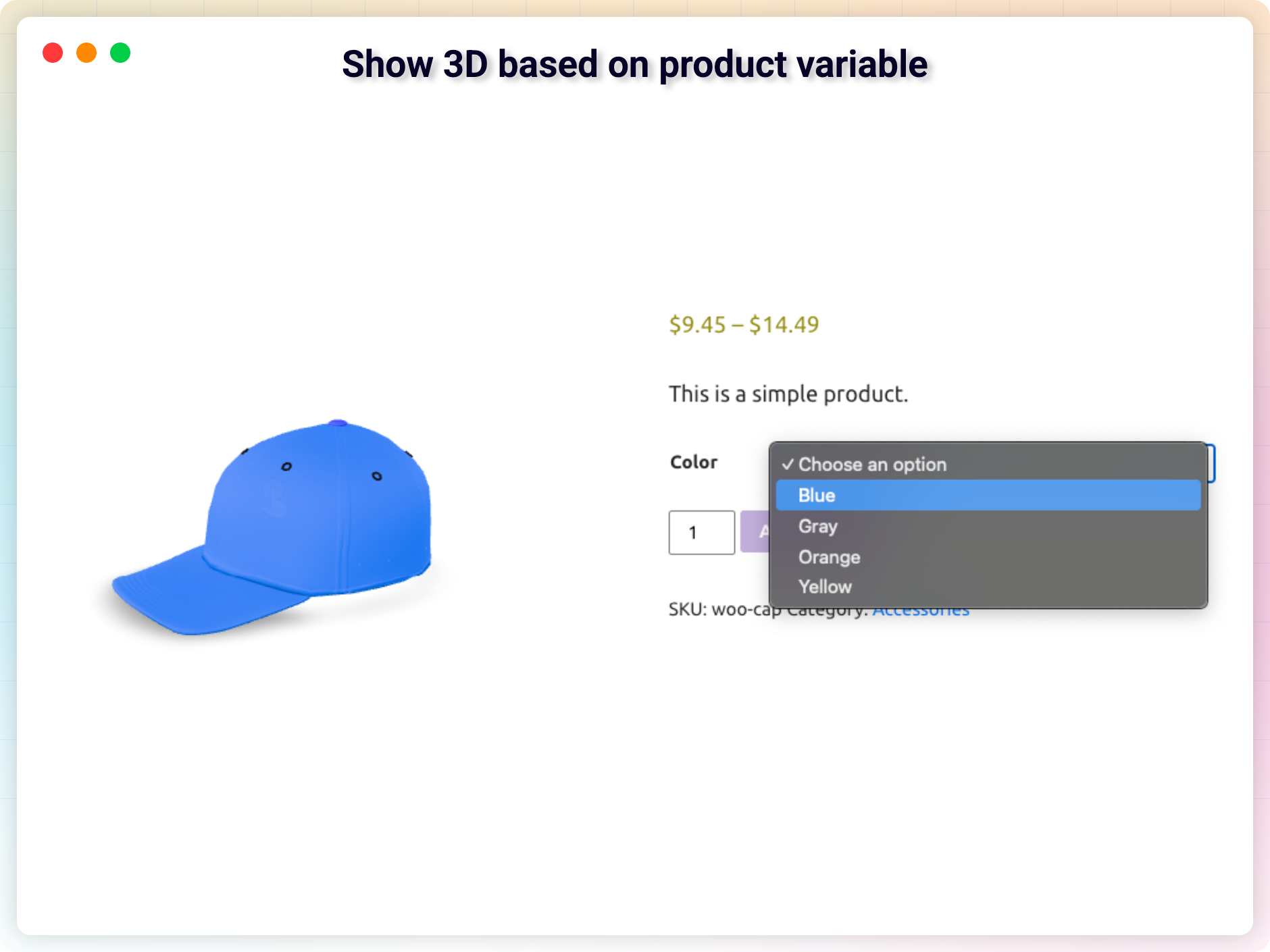
Show 3D based on product variable
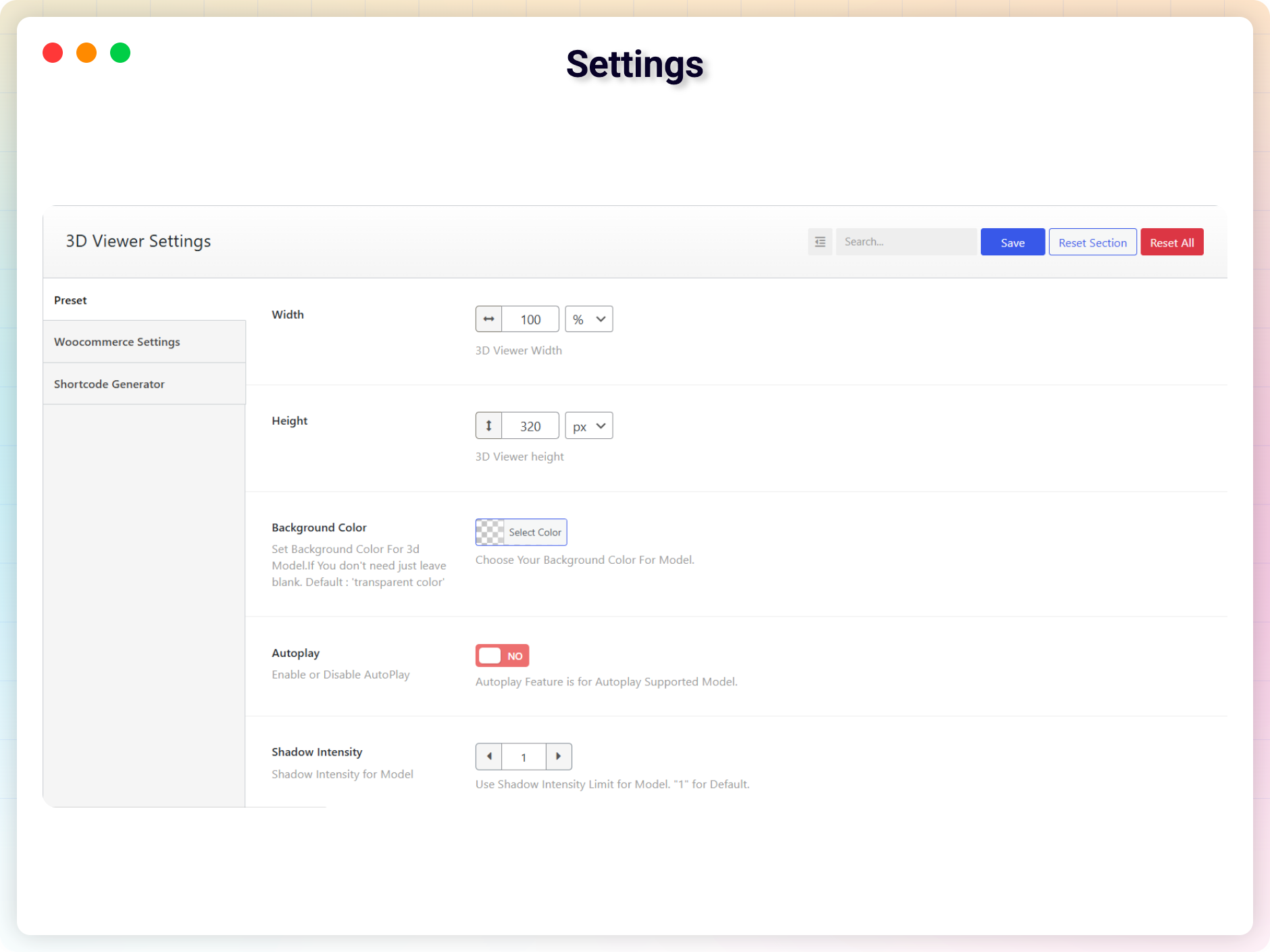
Settings
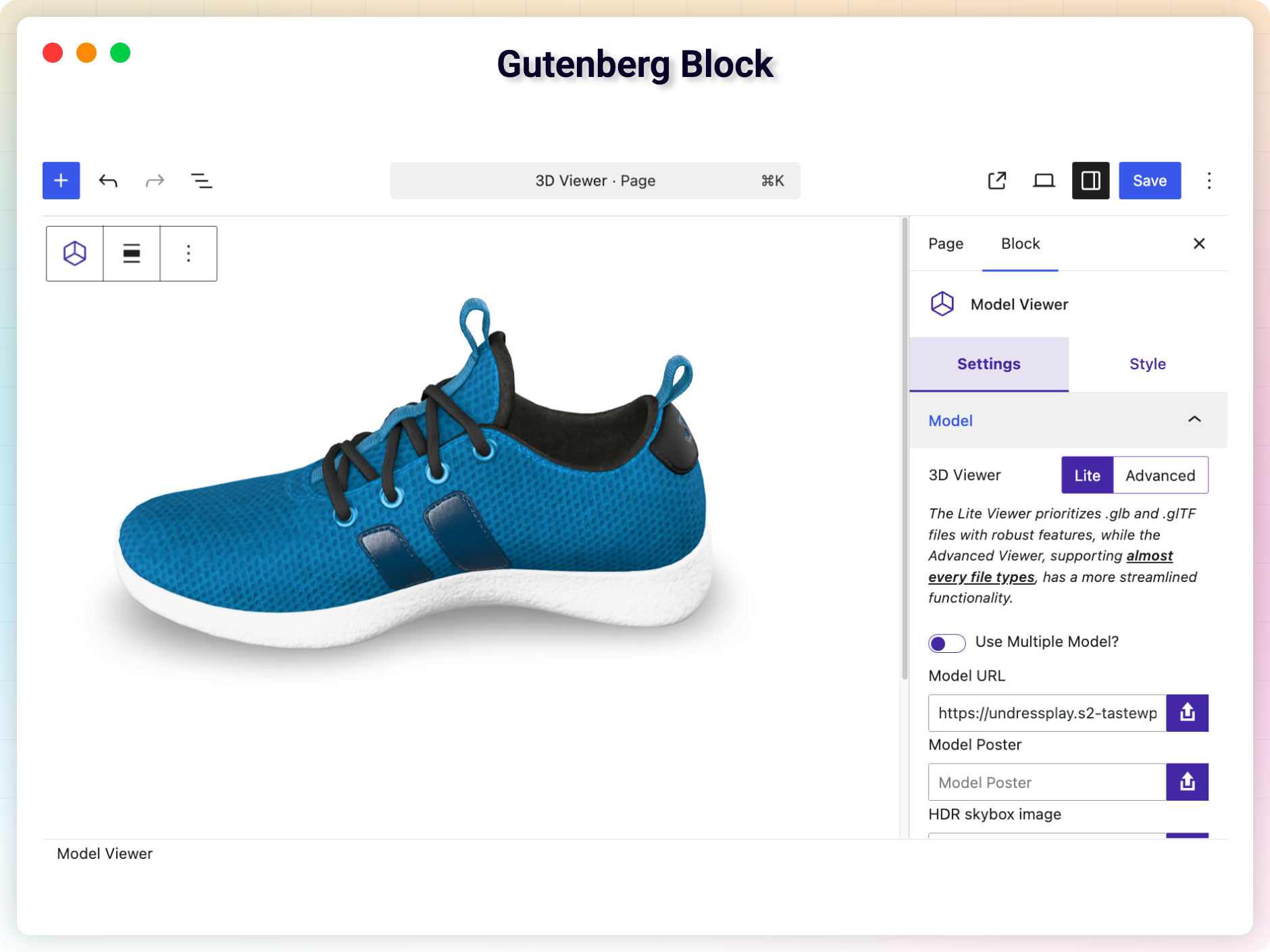
Gutenberg Block
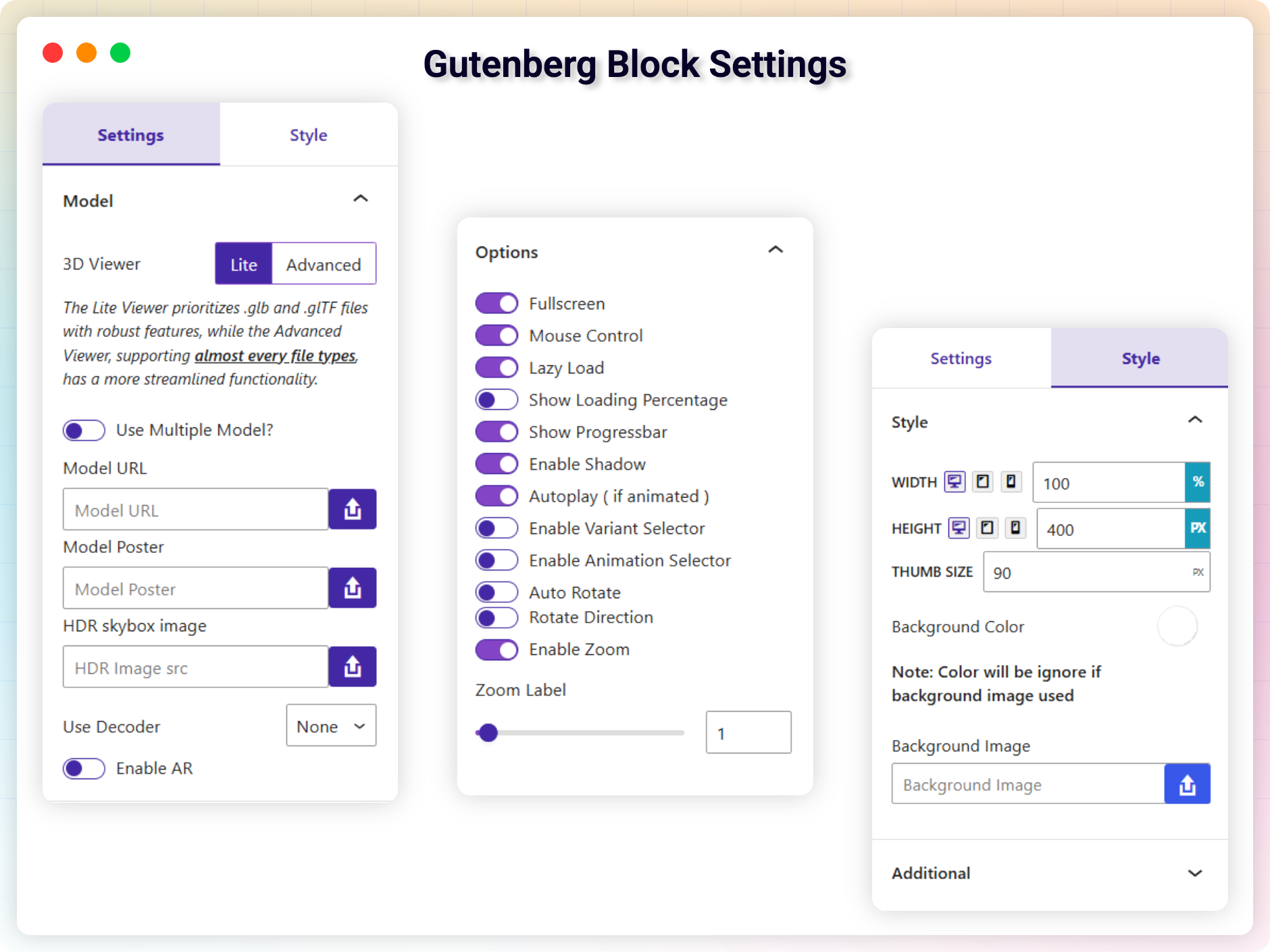
Gutenberg Block Settings
Plugins semelhantes


Essential elements for modern websites. Add buttons, sliders, heroes, maps, images, carousels, features, icons, more. Create dynamic pages easily.

The official companion plugin for Blocksy theme, packed with starter sites, extra features, and integrations.

Extend Elementor with 68+ widgets, 114 prebuilt demos, Mega Menu Builder, Theme Builder, and advanced interactive effects.

The visual editor widget for WordPress.

Import and export your widgets.
Do mesmo author (bPlugins)

Responsive HTML5 video player for WordPress. Embed MP4, WebM, OGG, YouTube & Vimeo with shortcodes or blocks – customizable, fast, SEO-friendly.

Embed PDF files in WordPress with a responsive PDF viewer, flipbook, shortcode and Gutenberg block, plus print, download and view analytics.

Maximize your WordPress site's potential with our versatile HTML5 Audio Player plugin. Seamlessly play .mp3, .wav, .ogg, and more audio files.

Advanced Post Block lets you add dynamic post grids, lists, sliders, and tickers. Filter content by category, tag, author, or custom post type.

Embed PDF, Word, Excel, PowerPoint and 16+ file types in WordPress with a responsive viewer, FlipBook mode, download button and document library.

bSlider is a WordPress slider plugin that lets you create responsive image, post, product, and video carousels using the Gutenberg block & shortcode.