
Firewall, Malware Scanner, Two Factor Auth, and Comprehensive Security Features, powered by our 24-hour team. Make security a priority with Wordfence.

XO Security
Hospedagem WordPress com plugin XO Security
Onde devo hospedar o plugin XO Security?
Este plugin pode ser hospedado em qualquer hospedagem que tenha WordPress configurado. Recomendamos escolher um provedor de hospedagem confiável, com servidores especializados para WordPress, como o serviço de hospedagem de sites da MCO2.
Hospedando o plugin XO Security em um provedor de confiança
A MCO2, além de configurar e instalar o WordPress na versão mais atual para seus clientes, fornece o plugin WP SafePress, um sistema singular que assegura e melhora seu site simultaneamente.
Por que a Hospedagem WordPress funciona melhor na MCO2?
A Hospedagem WordPress funciona melhor pois a MCO2 possui servidores otimizados para WordPress. A instalação de WordPress é diferente de uma instalação trivial, pois habilita imediatamente recursos como otimização automática de imagens, proteção da página de login, bloqueio de atividades suspeitas diretamente no firewall, cache avançado e HTTPS ativado por padrão. São plugins que potencializam seu WordPress para a máxima segurança e o máximo desempenho.
XO Security is a plugin to enhance login related security.
This plugin does not write to .htaccess file. Besides Apache, LiteSpeed, Nginx and IIS also work.
Funções
- Record login log.
- Limit login attempts.
- Add Captcha to the login form and comment form.
- Change the URL of the login page.
- Enable two-factor authentication (2FA) for login.
- Login Alert.
- Disable login by mail address.
- Disable login by user name.
- Change login error message.
- Disable XML-RPC and XML-RPC Pingback.
- Disable REST API.
- Disable author archive page.
- Remove comment author class of comments list.
- Remove the username from the oEmbed response data.
- WooCommerce login page protection.
- Anti-spam comment.
- Hide WordPress version information.
- Edit the author slug.
- Disable RSS and Atom feeds.
- Activate maintenance mode.
- Delete the readme.html file.
WordPress multisite considerations
If you set the login page separately for the main site and the subsite, you will not be able to use the password loss function of the subsite. We recommend that you set the login page to be common to all sites.
Capturas de tela
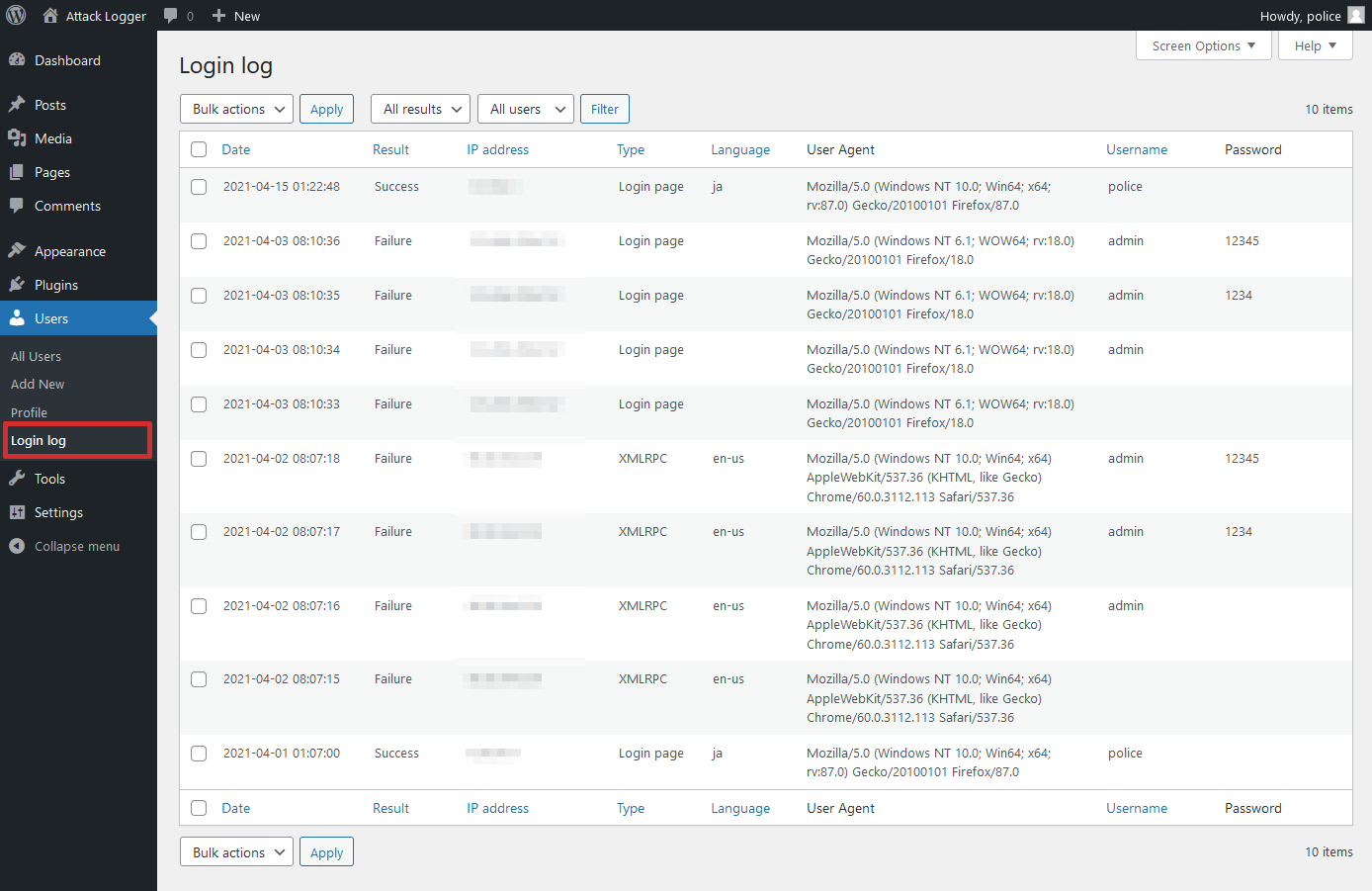
Login log page.

Status page.
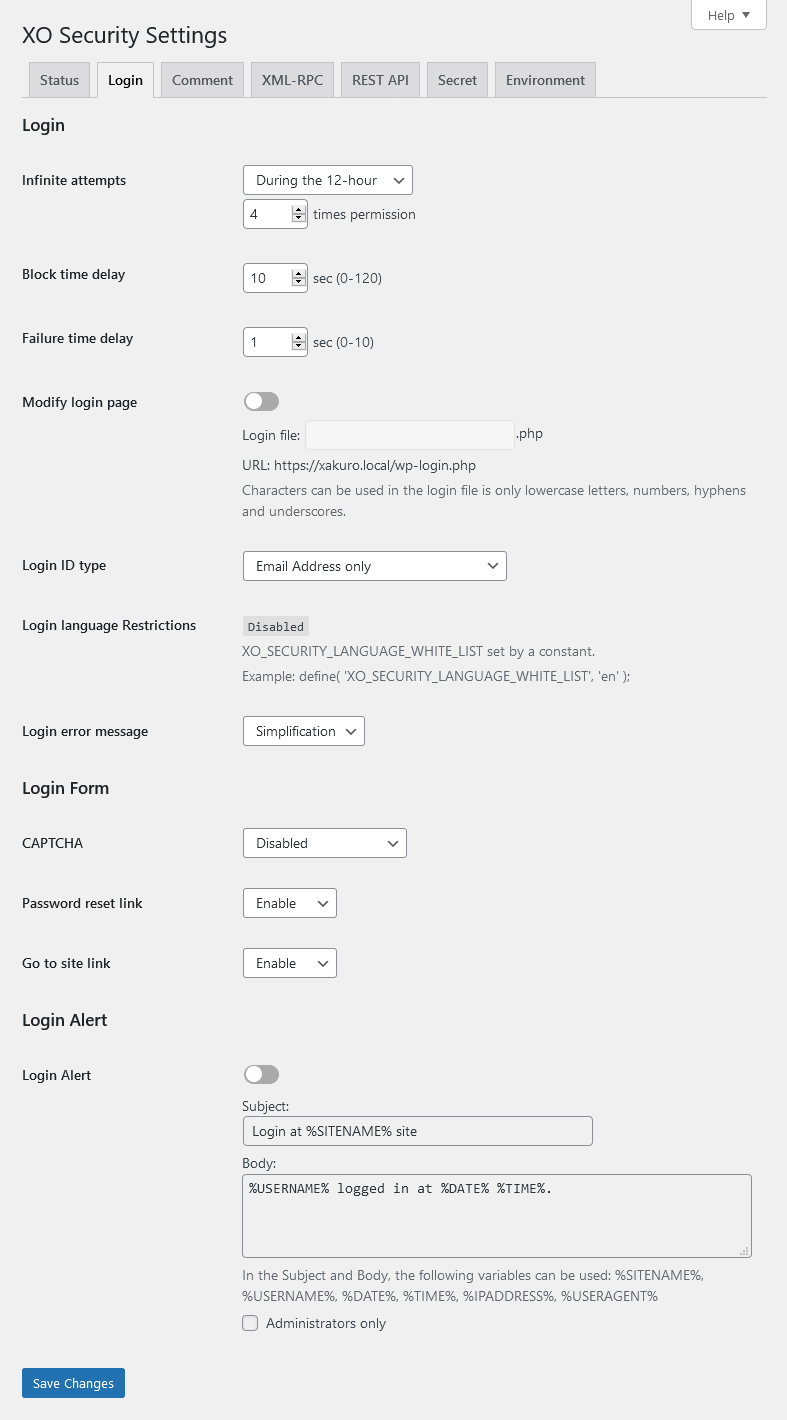
Login setting page.

Profile page.
Plugins semelhantes


Melhore facilmente a segurança do site com o reforço de segurança do WordPress, autenticação de dois fatores (2FA), proteção de acesso, detecção de vulnerabilidades e geração de certificados SSL.

Aprimore sua segurança no WP com ferramentas avançadas de um clique, como backup, WAF e verificação de malware. Inclui as ferramentas essenciais gratuitas como estatísticas, CDN e compartilhamento em redes sociais.

WordPress login security with brute force protection, Two-factor authentication (2FA/MFA), firewall, IP/country blocking, and login monitoring

Loginizer is a WordPress security plugin which helps you fight against bruteforce attacks.

Protect your website investment with All-In-One Security (AIOS) – a comprehensive and easy to use security plugin designed especially for WordPress.