
Real-time SEO guidance, schema, and AI built in. Help search engines and AI systems understand your content. All AI tools included, no hidden fees.

Local Business Schema Lite
Hospedagem WordPress com plugin Local Business Schema Lite
Onde hospedar o plugin Local Business Schema Lite?
Este plugin pode ser hospedado em qualquer provedor que tenha WordPress configurado. Recomendamos fortemente utilizar uma hospedagem seguro, com servidores otimizados para WordPress, como o serviço de hospedagem de sites da MCO2.
Hospedando o plugin Local Business Schema Lite em um provedor confiável
A MCO2, além de configurar e instalar o WordPress na versão mais nova para seus clientes, disponibiliza o plugin WP SafePress, um sistema singular que assegura e melhora seu site simultaneamente.
Por que a Hospedagem WordPress funciona melhor na MCO2?
A Hospedagem WordPress funciona melhor pois a MCO2 possui servidores otimizados para WordPress. A instalação de WordPress é diferente de uma instalação trivial, pois habilita imediatamente recursos como otimização automática de imagens, proteção da página de login, bloqueio de atividades suspeitas diretamente no firewall, cache avançado e HTTPS ativado por padrão. São plugins que potencializam seu WordPress para a máxima segurança e o máximo desempenho.
People looking for your business want to know a few simple things: where you are, when you’re open, and how to get in touch.
Local Business Schema Lite makes it easy to share those details with search engines. Add your business information in WordPress, and the plugin prepares LocalBusiness structured data for your website. There’s no code to write and no separate service to sign up for.
Good structured data gives Google a clearer picture of the business behind your website. It brings your address, contact details, opening hours, and business type together in a format search engines can read. It’s a useful part of a well-kept local SEO setup. AI tools that use structured data can also interpret these details more easily.
What can you add?
- Business details: name, description, address, phone, email, and website.
- Business type: choose from 21 familiar categories, including restaurants, shops, clinics, and local services.
- Opening hours: set a weekly schedule or mark your business as open 24/7.
- Location: add a map link, service area, and coordinates.
- Photos and profiles: choose a logo or image and add your Facebook and Instagram pages.
- Price range: give visitors and search engines a little more context about your business.
Easy to set up, easy to check
The dashboard shows what you’ve entered and suggests a sensible next step. You can preview the schema before publishing it, then choose whether it appears on your homepage or throughout your website.
When your business needs more
Local Business Schema PRO builds on the easy Lite setup with more options for businesses that have a lot to share. Whether you run one busy shop or several locations, you can give search engines a fuller picture of what you do.
- More business types: choose from a much wider range of business categories.
- Up to five locations: manage addresses and opening hours for each location.
- Services and specialties: describe the services you offer, with extra fields for different kinds of businesses.
- WooCommerce support: add more detail to product schema, including brands and product identifiers.
- Smarter setup tools: discover business details with Entity Autopilot, review your connected schema with Schema Brain, and check for possible overlaps with Conflict Shield.
- Easy upgrade from Lite: bring your saved business details into PRO with a guided import.
Take a look at Local Business Schema PRO to see the features and choose the license that suits your website.
Capturas de tela
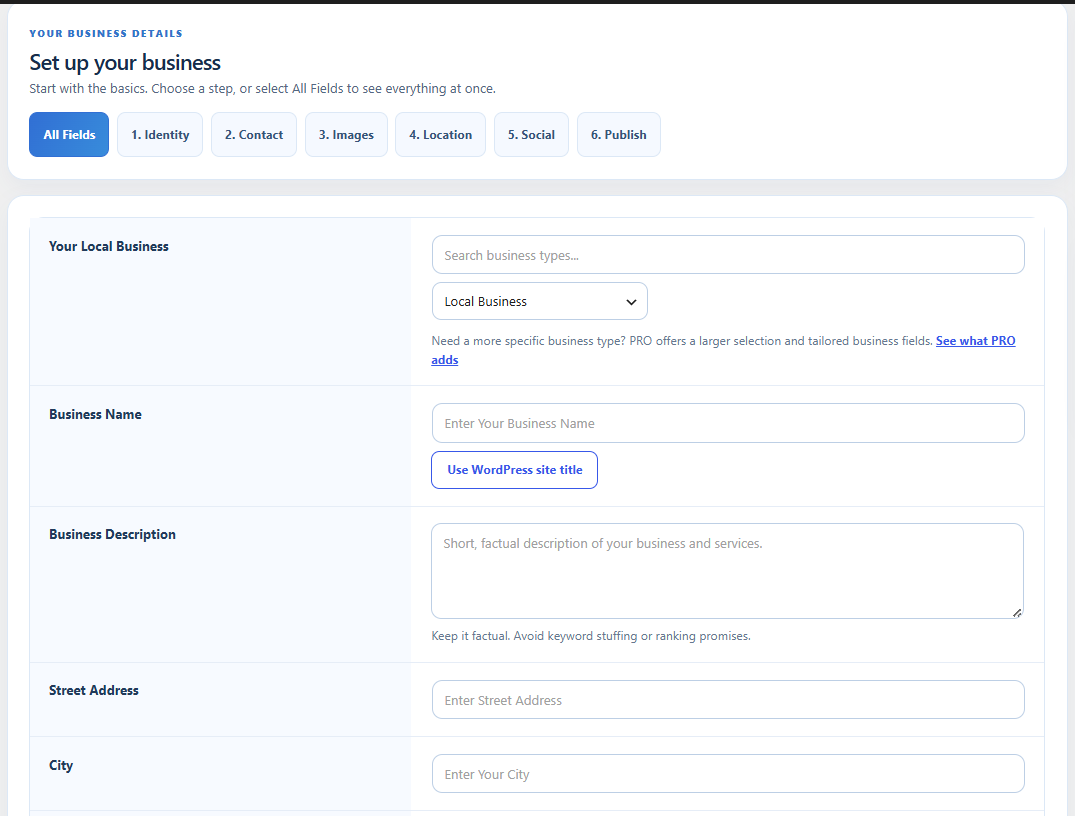
The Lumiverse dashboard with your business setup at a glance.
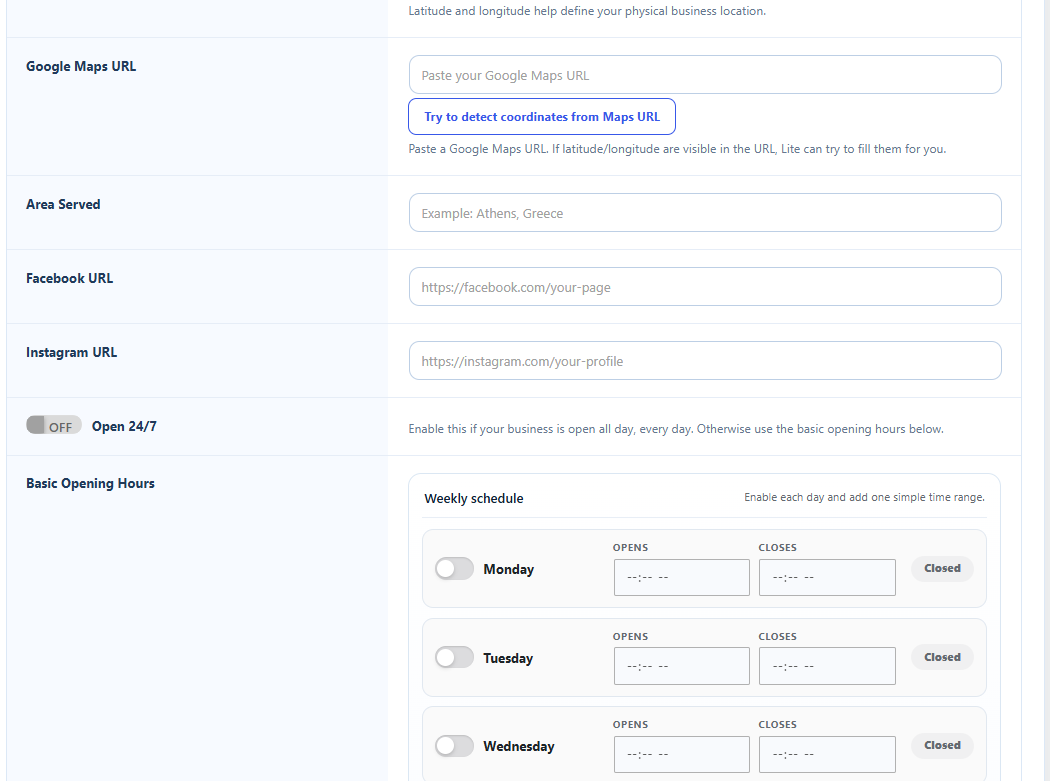
Business details, categories, and opening hours.
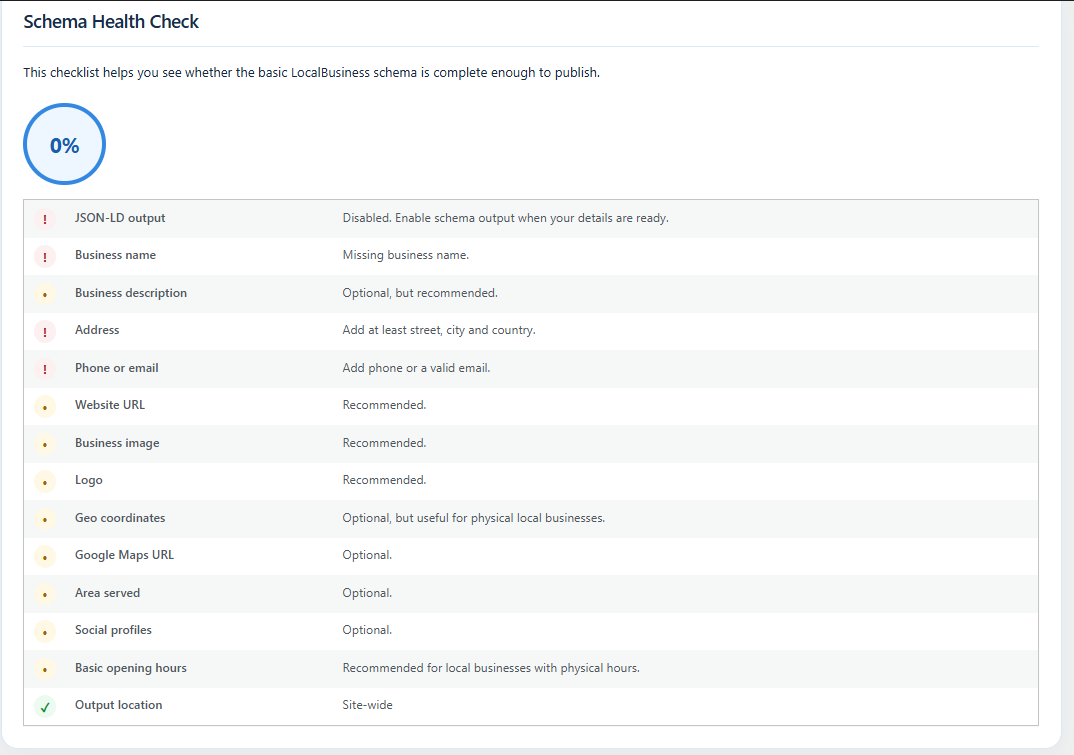
The schema checklist and suggestions for what to add next.
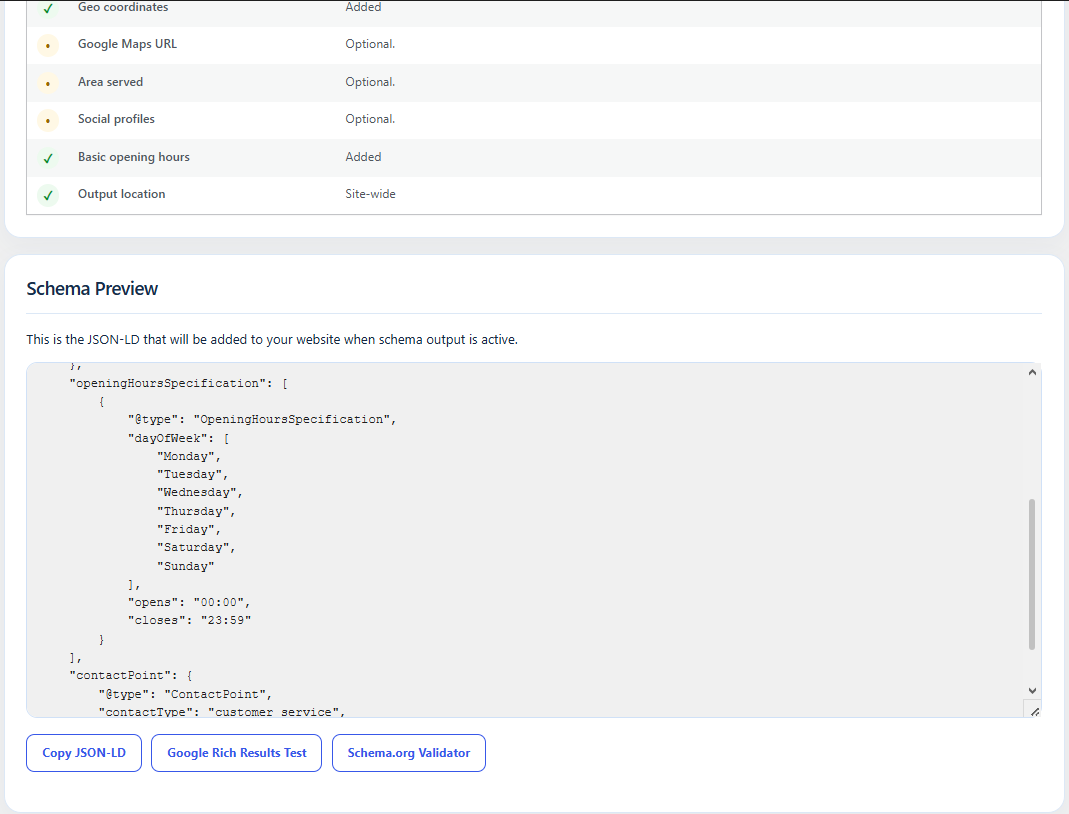
The schema preview and links to useful testing tools.
Plugins semelhantes


Aumente seu tráfego orgânico e sua visibilidade com IA, usando ferramentas poderosas de SEO, sitemaps XML, automação de dados estruturados (schemas) e SEO com IA integrado, tudo em um só lugar.

AIOSEO is the WordPress SEO plugin. Boost SEO rankings with AI SEO tools, schema, meta descriptions, XML sitemaps & rank tracking.

Gerencie redirecionamentos 301, monitore erros 404 e melhore seu site, sem precisar entender de Apache ou Nginx.

Generate multiple types of sitemaps to improve SEO and get your website indexed quickly.

Search Engine (SEO) & Performance Optimization (WPO) via caching. Integrated caching: CDN, Page, Minify, Object, Fragment, Database support.