
O Elementor Website Builder tem tudo: construtor de páginas com recurso de arrastar e soltar, editor atômico, design com precisão em pixels, sistemas de estilo globais e reutilizáveis, compatibilidade com dispositivos móveis…

WP MyLinks
Hospedagem WordPress com plugin WP MyLinks
Onde posso hospedar o plugin WP MyLinks?
Este plugin pode ser hospedado em qualquer servidor que possua WordPress instalado. Recomendamos fortemente utilizar um provedor de hospedagem seguro, com servidores otimizados para WordPress, como o serviço de hospedagem de sites da MCO2.
Hospedando o plugin WP MyLinks em um provedor seguro
A MCO2, além de instalar o WordPress na versão mais atual para seus clientes, disponibiliza o plugin WP SafePress, um sistema exclusivo que protege e melhora seu site simultaneamente.
Por que a Hospedagem WordPress funciona melhor na MCO2?
A Hospedagem WordPress funciona melhor pois a MCO2 possui servidores otimizados para WordPress. A instalação de WordPress é diferente de uma instalação trivial, pois habilita imediatamente recursos como otimização automática de imagens, proteção da página de login, bloqueio de atividades suspeitas diretamente no firewall, cache avançado e HTTPS ativado por padrão. São recursos que potencializam seu WordPress para a máxima segurança e o máximo desempenho.
Build a fully customizable micro landing page for your business and personal brand.
WP MyLinks can help you create a micro landing page that contains all the links you want to share to your audience with the tool you’re currently using and the domain name that reflects your own brand.
One link that holds everything you share.
Every social profile gives you a single link in the bio, and fitting more than one link into it usually means renting a page on someone else’s platform. WP MyLinks turns that one link into a page you own, holding every link, video, and product your audience needs, on your own domain.
Stop renting your most-clicked link.
A link-in-bio page is often the busiest URL you have, and on a hosted service that URL, its analytics, and its search value belong to the platform.
WP MyLinks builds the same page inside your WordPress site, at an address like yoursite.com/me, with your branding and no subscription. Every feature is free.
Keep 100% of your traffic.
Put your MyLink URL in every bio and profile, and drive all of that traffic to a page on your own domain instead of a platform’s. Clicks are counted in your own dashboard, and no visitor data ever leaves your site.
The Awesome Features You’ll Love
- [New in 1.1.0]: Section headings. Group your links under headings like “Store” or “Upcoming Events”, add a row, set its type to Heading, and drag it into place. Headings adapt to every theme.
- [New in 1.1.0]: Search / filter bar. Turn on a search box above the links so visitors can filter a long list by typing. Section headings hide automatically when their links are filtered out.
- [New in 1.1.0]: HTML blocks. Add a row for a newsletter form, a table, or any embed, right between your links. Raw scripts and iframes are kept only for users allowed to post unfiltered HTML.
- [New in 1.1.0]: Custom font family. Name any font already available on your site, globally or per page. WP MyLinks never loads fonts from third parties, so your visitors’ data stays private.
- [New in 1.1.0]: Icon-font classes for social links. Use an icon class from an icon font your site already loads (e.g.
fa-brands fa-github) instead of uploading an image. - [New in 1.1.0]: Google Tag Manager friendly. Every link click pushes a
wp_mylinks_clickevent to the dataLayer when GTM is present, no custom JavaScript needed. - [New in 1.1.0]: Per-link click counter. See how many times each link gets clicked, with a Clicks column right on the MyLinks list, no external analytics required, no visitor data collected.
- [New in 1.1.0]: QR code for every page. A QR Code box on the editor generates a scannable code for your page’s URL, entirely in your browser, with one-click PNG download, perfect for business cards, menus, and posters.
- [New in 1.1.0]: Accent colors. Override any theme’s page background, button colors, and text color, globally or per page, with simple color pickers. Every one of the 16 themes respects them.
- [New in 1.1.0]: Crisp SVG social icons. The 8 default social icons are now scalable brand-colored SVGs that look sharp on every screen and every theme. Your custom uploaded icons keep working unchanged.
- [New in 1.1.0]: Pick your Link URL sources. Choose which post types the Link URL search pulls from, Posts, Pages, and WooCommerce Products by default, and it searches your whole site so any of them is one click away. Link Collections are always included.
- [New in 1.1.0]: Lighter and faster. The bundled CMB2 framework has been replaced by the plugin’s own fields system, the download shrank from 4.3 MB to under 1 MB, with zero migration and no data changes.
- [New in 1.0.8]: Schema.org JSON-LD output. Pick
PersonorOrganizationschema globally or per page so search engines can identify you. Defers to Yoast SEO automatically when Yoast is handling schema. - [New in 1.0.8]: Open Graph & Twitter Card meta tags. Share previews on Facebook, X (Twitter), LinkedIn, and Discord now look correct. Configure a default 1200×630 share image globally, or override it per page.
- [New in 1.0.8]: Additional Social Platforms metabox. Add Threads, Bluesky, GitHub, Mastodon, WhatsApp, Telegram, Signal, or any other platform via a flexible repeater, alongside the existing 8 hardcoded platforms.
- [New in 1.0.8]: WCAG 2.2 accessibility. Skip-to-content link, ARIA labels on every social icon and link button, “opens in new tab” hints for screen readers, and graceful avatar alt fallbacks.
- [Feature]: Enhanced Media Embedding (oEmbed). In addition to embedding YouTube videos, you can seamlessly embed media from any site supported by WordPress.
- [Feature]: Organized Link Collections. Easily save and access important links in a dedicated collections page, eliminating the need to repeatedly enter the same links manually.
- [Feature]: Searchable Link Lists. The Link input field includes a search function, allowing you to find previously defined links from your Links Collection, existing posts, or pages by default.
- [Feature]: YouTube video embed. Easily embed any YouTube video on your MyLinks page. Demo here.
- [Feature]: Card layout. Transform any link into a card layout with the image as background. Demo here.
- One Link for Everything: Set a MyLink page and show all the important links. Get the MyLink page URL and place it anywhere.
- Unlimited Landing Pages: Easily target your audience by building unlimited custom landing pages for every channel wherever you want to engage them.
- Unlimited Links: Fill your landing page(s) with links to market your contents, products, or anything you want to build your own brands.
- Add Thumbnails: Add a thumbnail to each link that best represents it.
- And more awesome features to come!
For more info, please refer to WP MyLinks Introduction.
For Indonesian users, please refer to WP MyLinks instead.
New to WP MyLinks? Read the full documentation for setup guides and every feature.
Watch the Complete Overview and Tutorial
It’s really easy to get started. Here’s the complete overview and tutorial:
Theme Demos
- Default
- Merbabu
- Cikuray
- Ciremai
- Slamet
- Papandayan
- Sindoro
- Krakatau
- Bromo
- Prau
- Polos
- Datar
- Pastel
- Kopi Hitam
- Kopi Susu
- Klepon Viral
Further Questions and Feature Requests?
Premium-quality support without having to spend a dime. Just send your inquiry or feature request on Online Store Kit Support and I’ll gladly help you out.
Capturas de tela
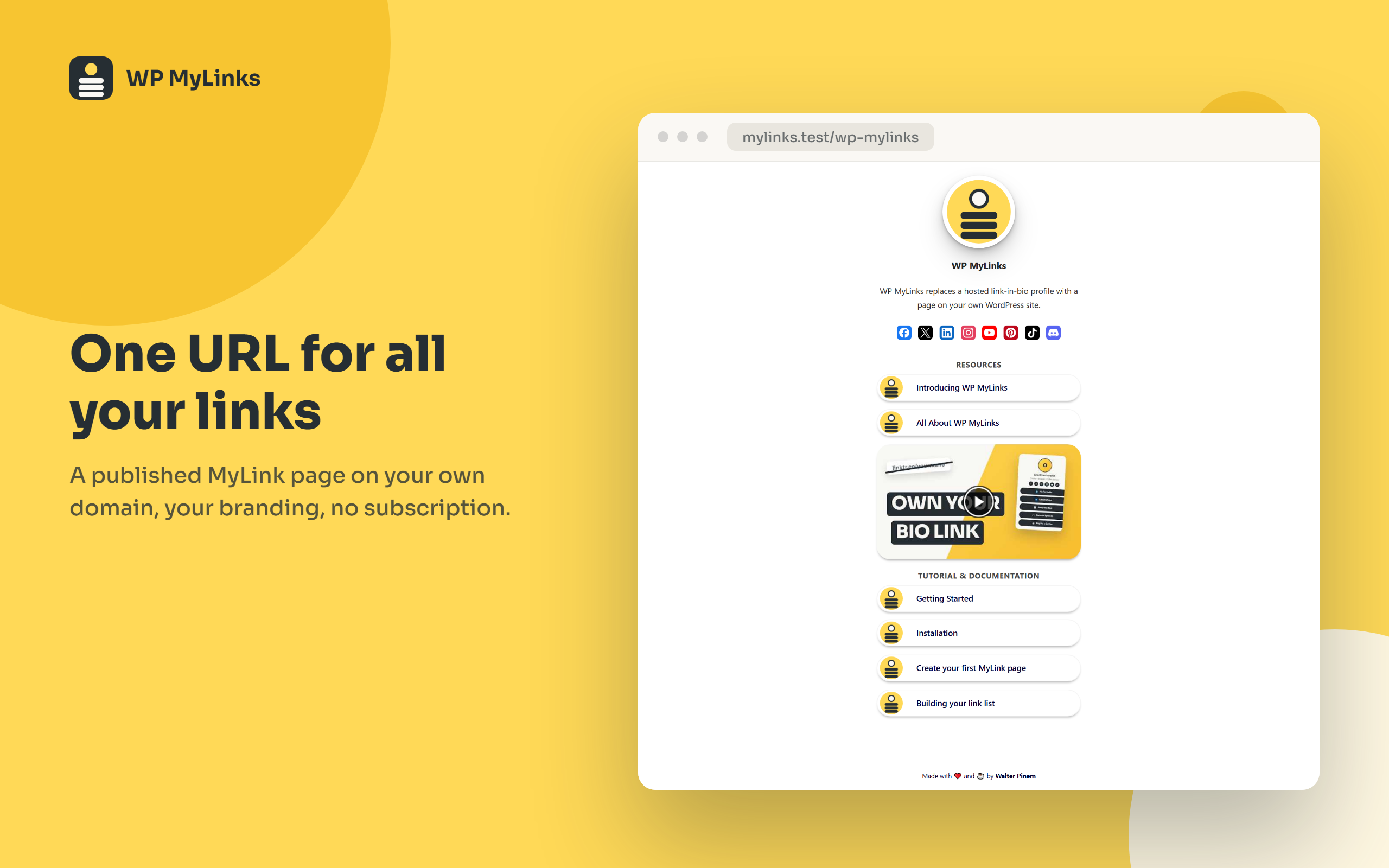
A published MyLink page, one URL for all your links, on your own domain
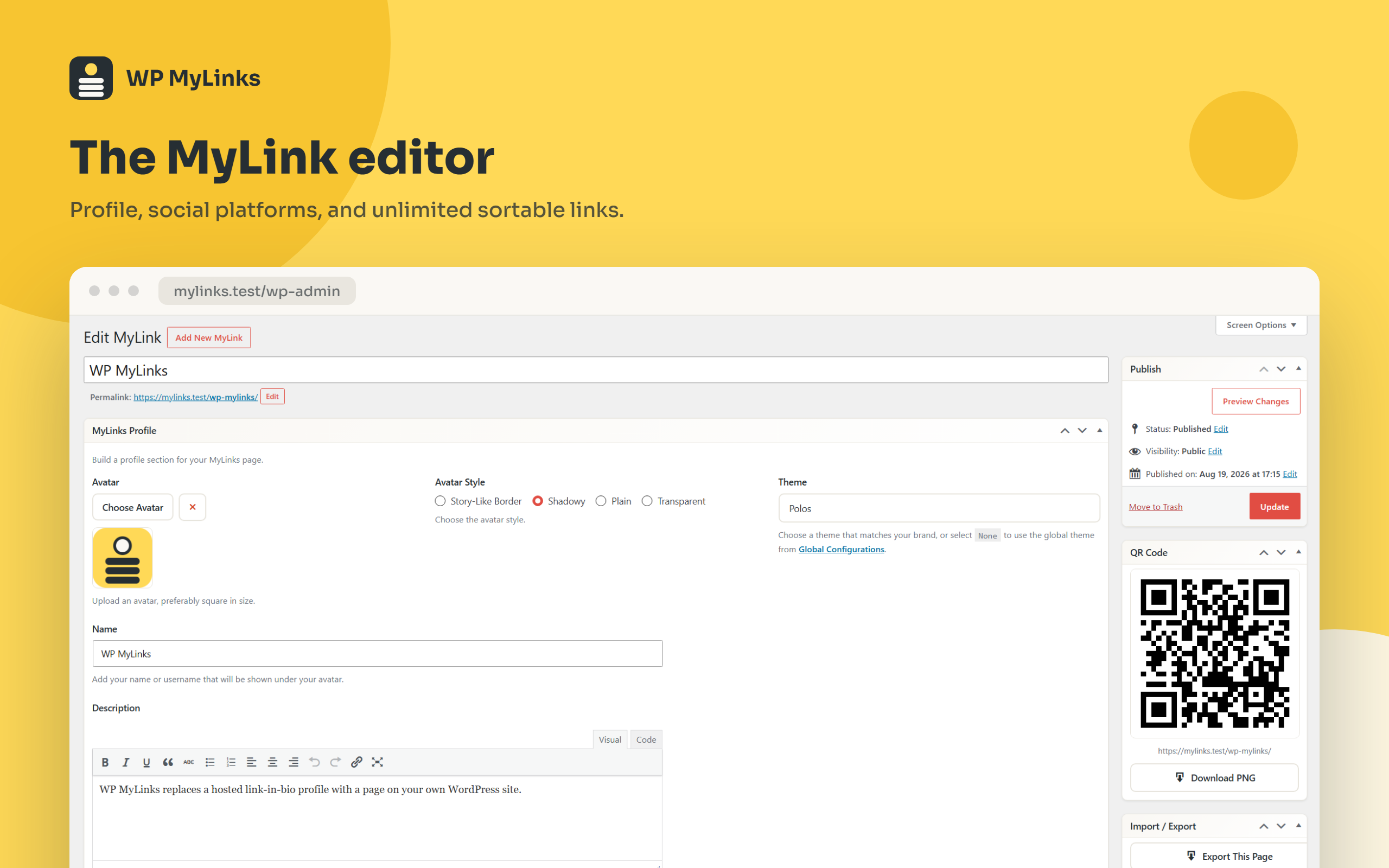
The MyLink editor: profile, social platforms, and unlimited sortable links
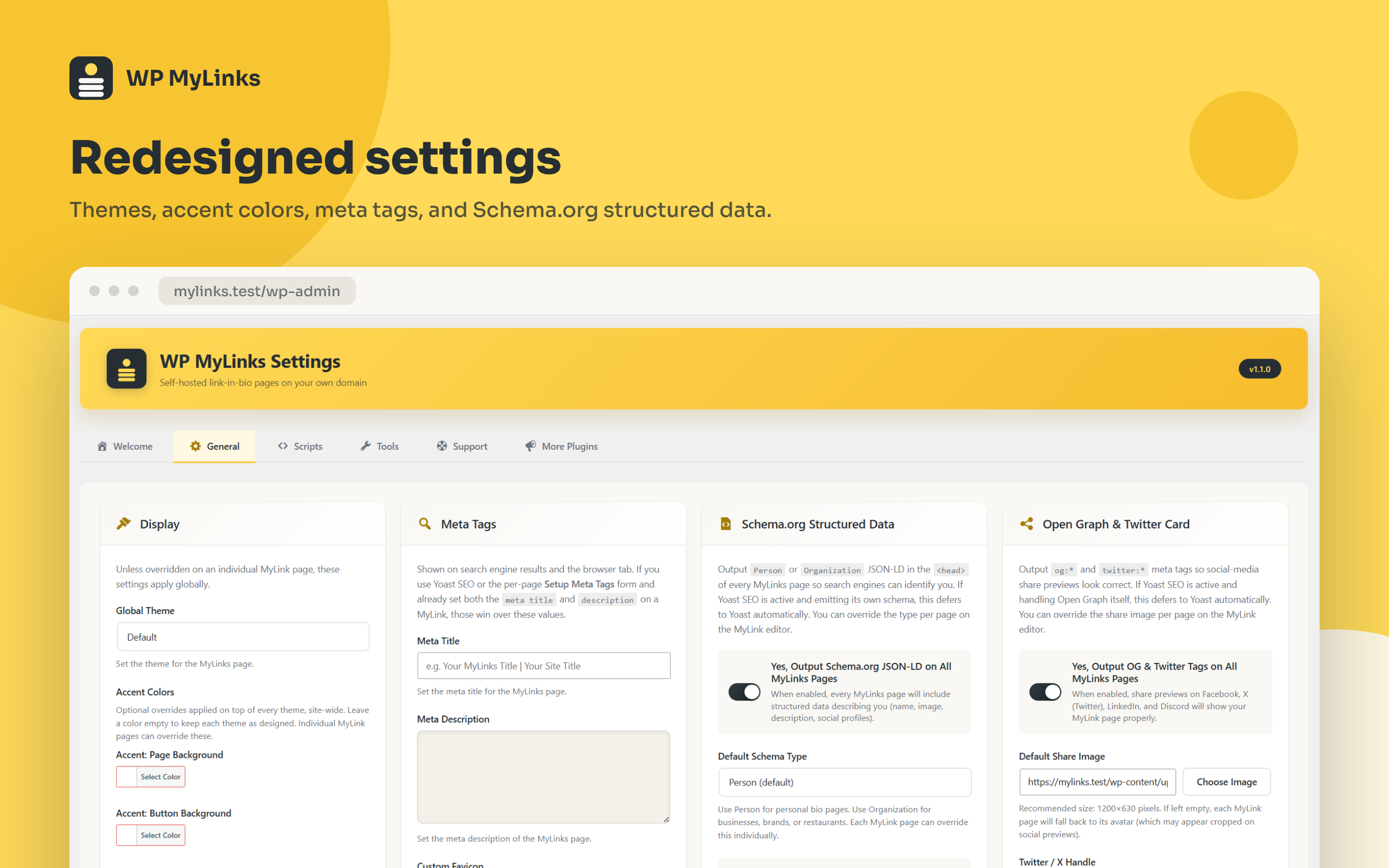
The redesigned settings, General tab with themes, accent colors, meta tags, and structured data
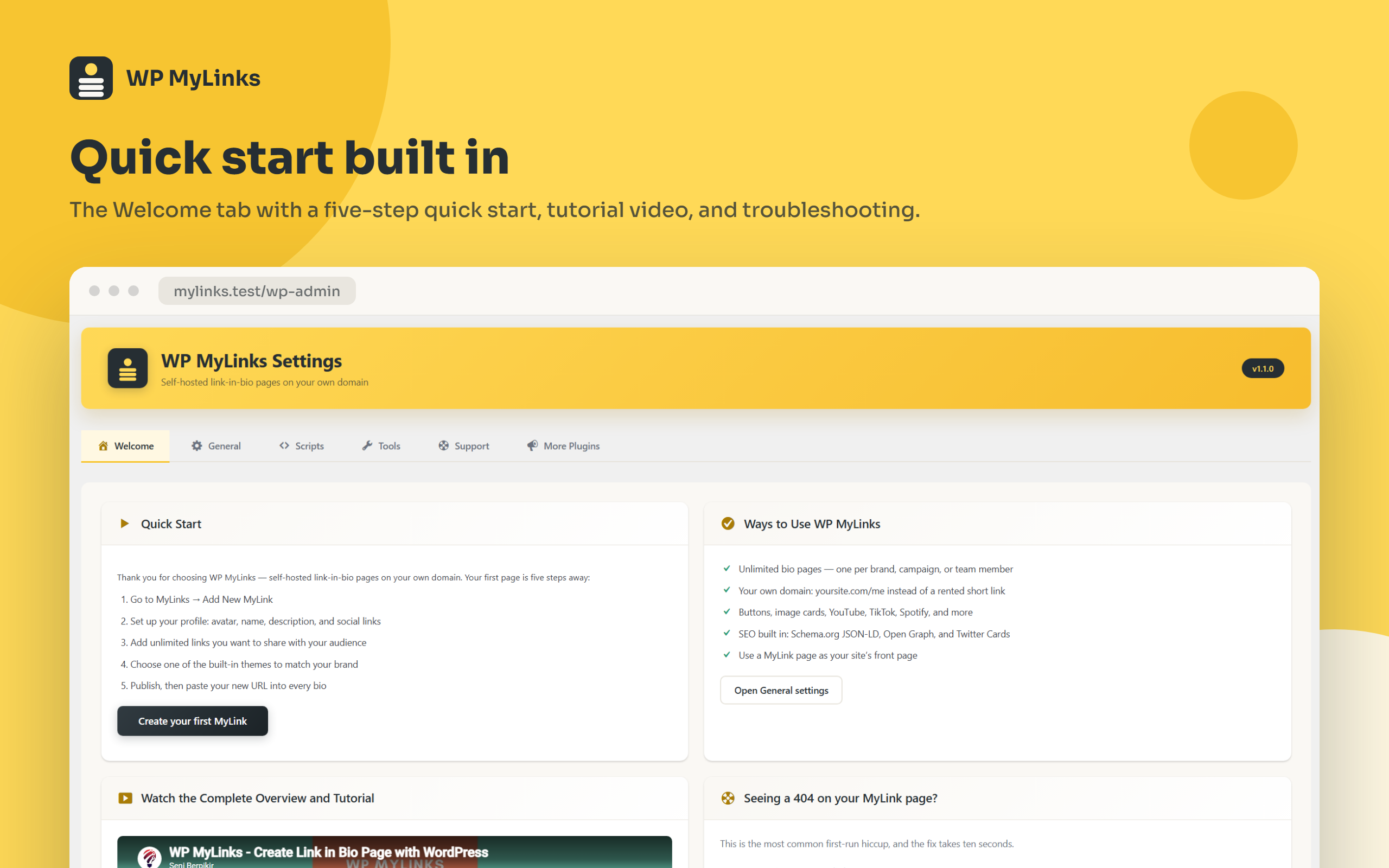
The Welcome tab with quick start, tutorial video, and troubleshooting
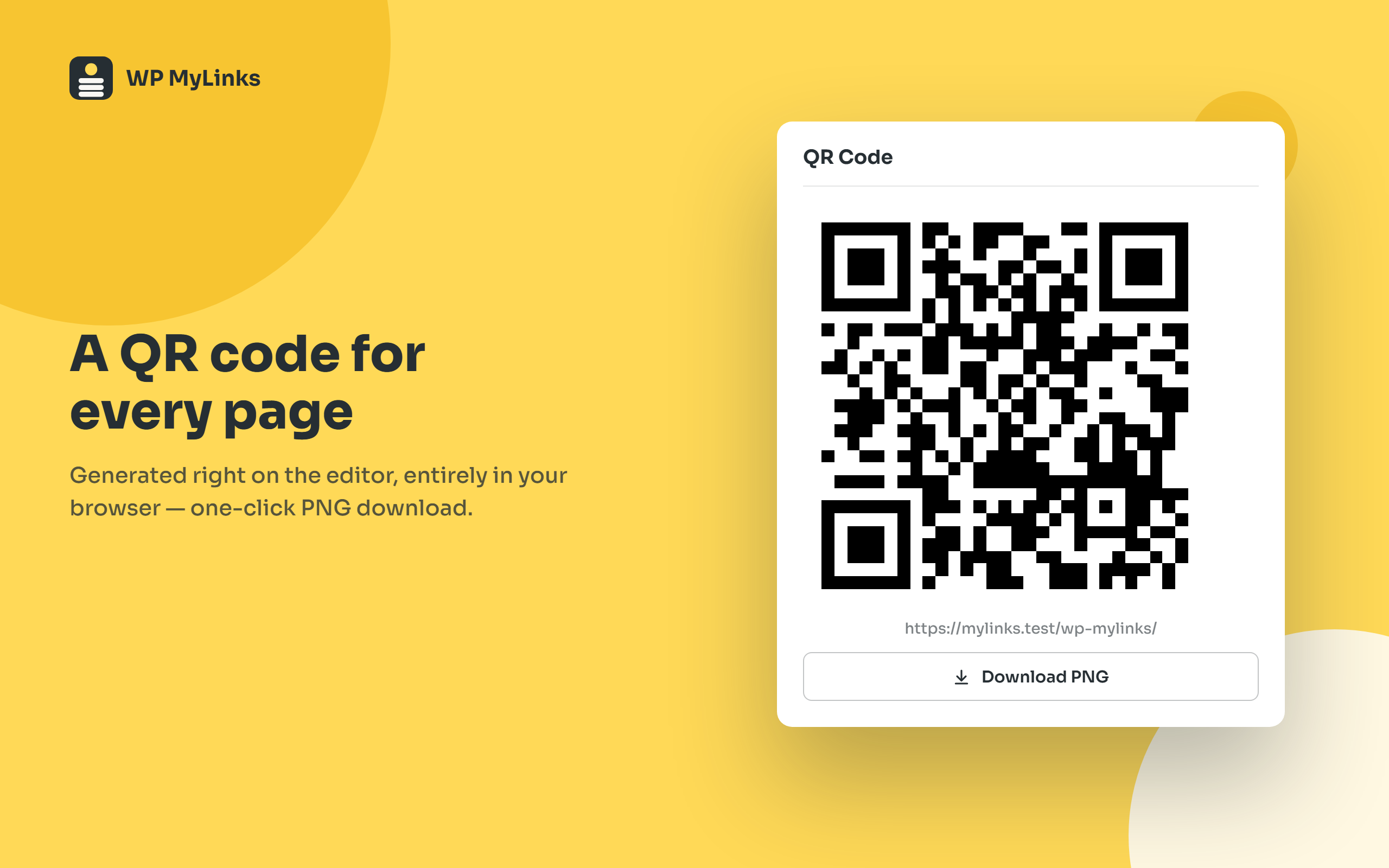
QR code generation right on the editor, with one-click PNG download
Plugins semelhantes


Anteriormente "Feed do Instagram". Exiba feeds do Instagram simples, personalizáveis e responsivo de várias contas. Suporta oEmbeds do Instagram.

Easy Drag & Drop Page Builder. A complete solution to create a WordPress Website, Custom Themes, Landing Pages, Coming Soon & Maintenance Mode Pages.

The most advanced frontend drag & drop page builder. Pagelayer is a light weight but extremely powerful Website Builder.
Edit the permalink of custom post type.

The Professional's Choice for Drag & Drop WordPress Page Building. Fast, Reliable, and Trusted since 2014.