
Adicione facilmente snippets de código no WordPress. Insira scripts de cabeçalho e rodapé, adicione trechos de código PHP com lógica condicional, insira código de pixel de anúncios e muito mais.

WP-Memory-Usage
Hospedagem WordPress com plugin WP-Memory-Usage
Onde posso hospedar o plugin WP-Memory-Usage?
Este plugin pode ser hospedado em qualquer hospedagem que possua WordPress configurado. Recomendamos fortemente escolher um provedor de hospedagem seguro, com servidores otimizados para WordPress, como o serviço de hospedagem de sites da MCO2.
Hospedando o plugin WP-Memory-Usage em um provedor de confiança
A MCO2, além de configurar e instalar o WordPress na versão mais atualizada para seus clientes, disponibiliza o WP SafePress, um sistema exclusivo que salvaguarda e aumenta a performance do seu site simultaneamente.
Por que a Hospedagem WordPress funciona melhor na MCO2?
A Hospedagem WordPress funciona melhor pois a MCO2 possui servidores otimizados para WordPress. A instalação de WordPress é diferente de uma instalação trivial, pois habilita imediatamente recursos como otimização de imagens e fotos, proteção da página de login, bloqueio de atividades maliciosas diretamente no firewall, cache avançado e HTTPS ativado por padrão. São recursos que potencializam seu WordPress para a máxima segurança e o máximo desempenho.
WP-Memory-Usage is a lightweight but powerful WordPress plugin that monitors and displays memory usage directly in your WordPress admin area.
It is essential for site administrators and developers who need to keep an eye on memory consumption, identify bottlenecks, and act before users are affected.
What the plugin shows:
In the admin footer (every admin page):
* Current memory usage vs. WordPress limit (with percentage)
* Current memory usage vs. PHP limit (with percentage)
* Server IP address and server name
* PHP version
In the Dashboard widget (“Memory Overview”):
* PHP version, architecture (32/64 bit), max execution time
* WordPress memory limit (WP_MEMORY_LIMIT), WordPress admin limit (WP_MAX_MEMORY_LIMIT), PHP memory limit
* Current peak memory usage with a visual progress bar (colour-coded: green / orange / red)
* Latest digest status summary (warn / danger / critical badges)
* Link to the Threshold Alerts settings page
Settings & Monitor — Tabs (since 2.0.0):
- Settings — thresholds, logging options, email alerts, log rotation
- History — latest logged requests with full context (URL, type, user, memory)
- Digest — aggregated summaries of past log intervals; browse, merge, and delete digest files
- ️Actions — practical guidance on what to do when you receive a memory alert
- Diagnose (new in 2.1.0) — full PHP/WordPress configuration snapshot with a ready-to-paste AI prompt for analysis
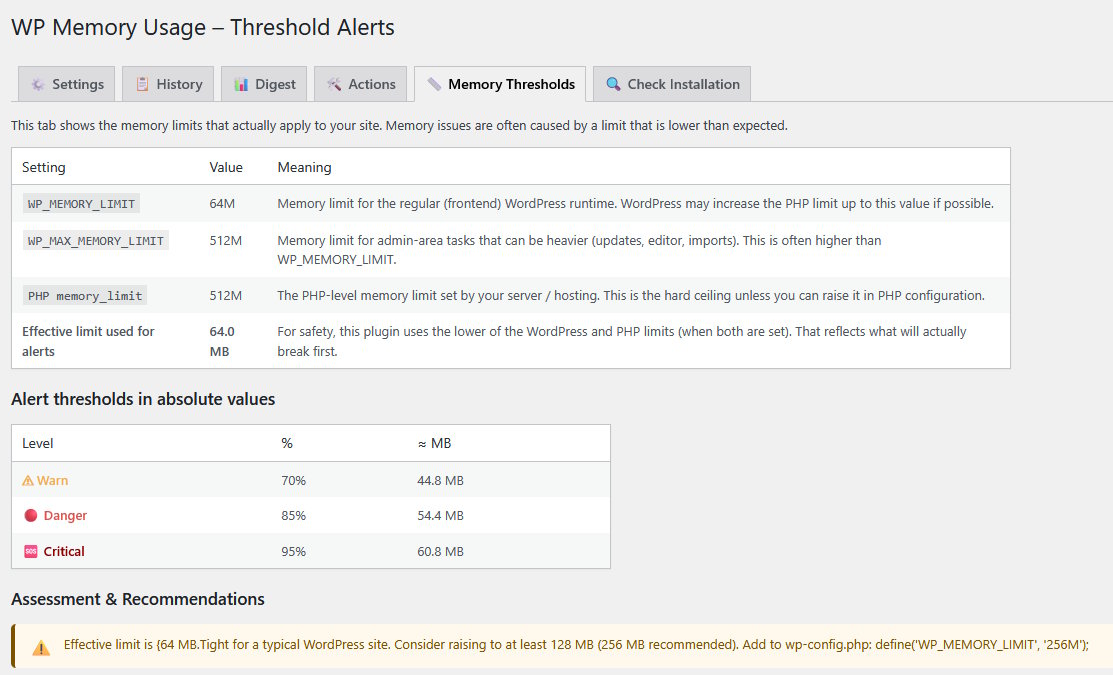
- Memory Thresholds — current limits, threshold assessment, and recommendations
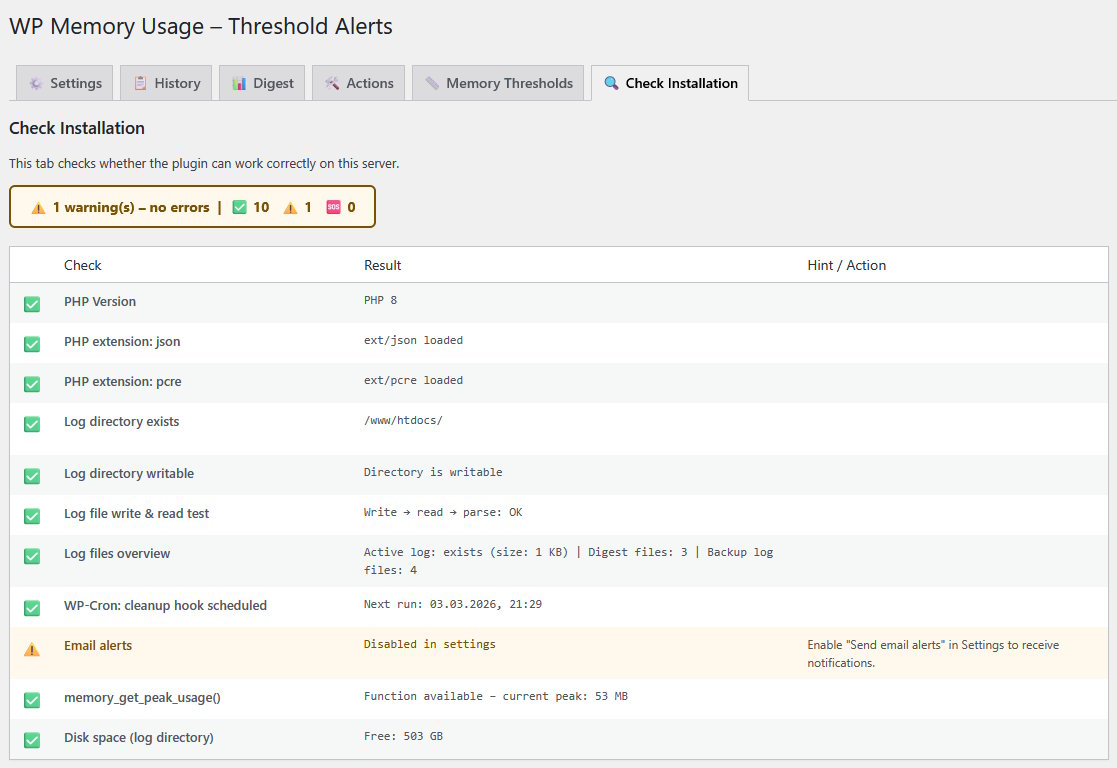
- Check Installation — verifies that the plugin can run correctly on your server
Why Use WP-Memory-Usage?
Excessive memory usage leads to slower sites, HTTP 500 errors, and failed background jobs (cron, imports, backups). WP-Memory-Usage gives you the information you need to act before users are affected — without overwhelming you with notifications.
Features
- Real-time memory display in the dashboard widget and every admin page footer
- Colour-coded progress bar (green / orange / red) for instant status recognition
- Three alert levels: Warning, Danger, Critical — each configurable as a percentage of the effective memory limit
- Flexible logging: Ajax, REST, Admin, Cron, favicon requests — log only what matters
- Email alerts with configurable recipient
- History tab: recent requests with full context (URL, type, admin screen, REST route, AJAX action, user)
- Digest tab: aggregated interval reports — browse, merge, and delete digest files
- Actions tab: plain-language guidance on resolving memory alerts, no developer skills required
- Diagnose tab (new in 2.1.0): full configuration snapshot + one-click AI prompt (English, copy & paste ready)
- Memory Thresholds tab: shows effective limits, threshold gaps, and concrete recommendations
- Check Installation tab: verifies log directory, WP-Cron, PHP functions, disk space, and email setup
- Admin bar indicator: quick status badge visible on every admin page
- Multisite compatible
- Clean uninstall: removes all options, cron jobs, database-tables and log files on deletion
PluginCheck-Plugin Status
Plugin is compatible with PluginCheck-Plugin. Note regarding “trademarked_term”: “WP-Memory-Usage” and “wp-memory-usage” are today considered restricted terms. This plugin entered the WordPress repository in 2009, when those terms were permitted.
Créditos
Copyright 2009–2013 by Alex Rabe, 2022– Bernhard Kux
Capturas de tela
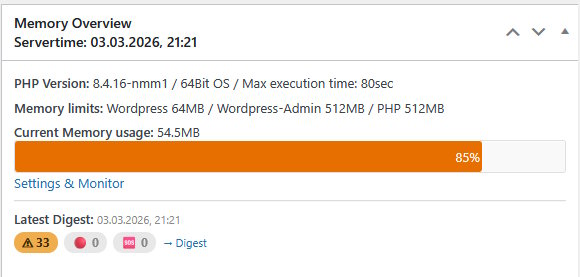
Dashboard widget – Memory Overview with progress bar and latest digest status badges (warn / danger / critical)
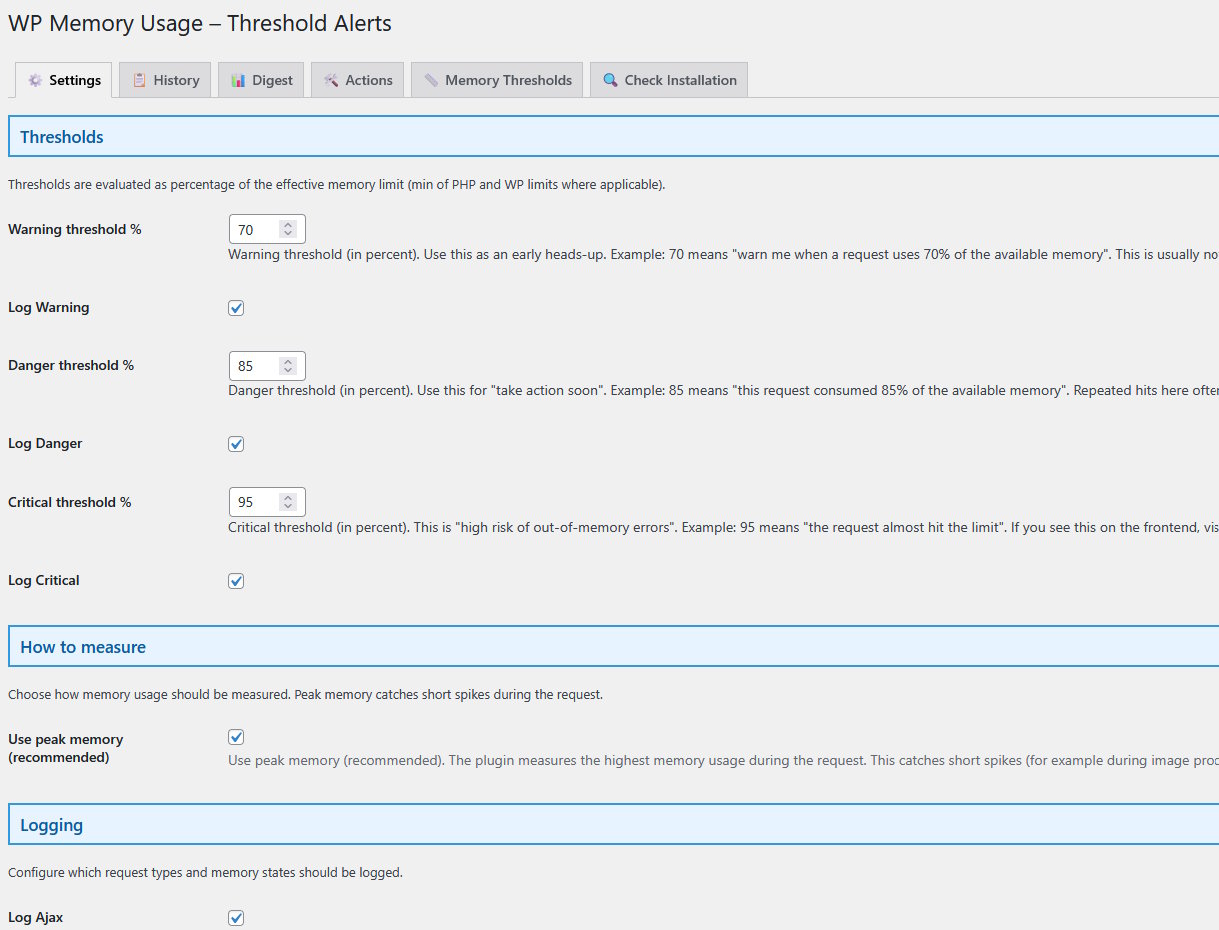
Settings tab – thresholds, logging options, email alert configuration
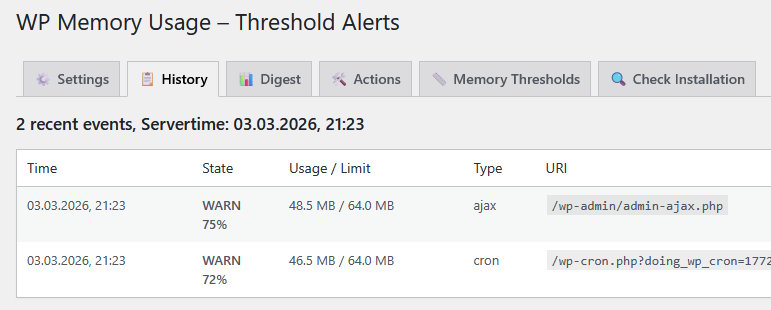
History tab – recent requests with context (URL, type, memory usage)
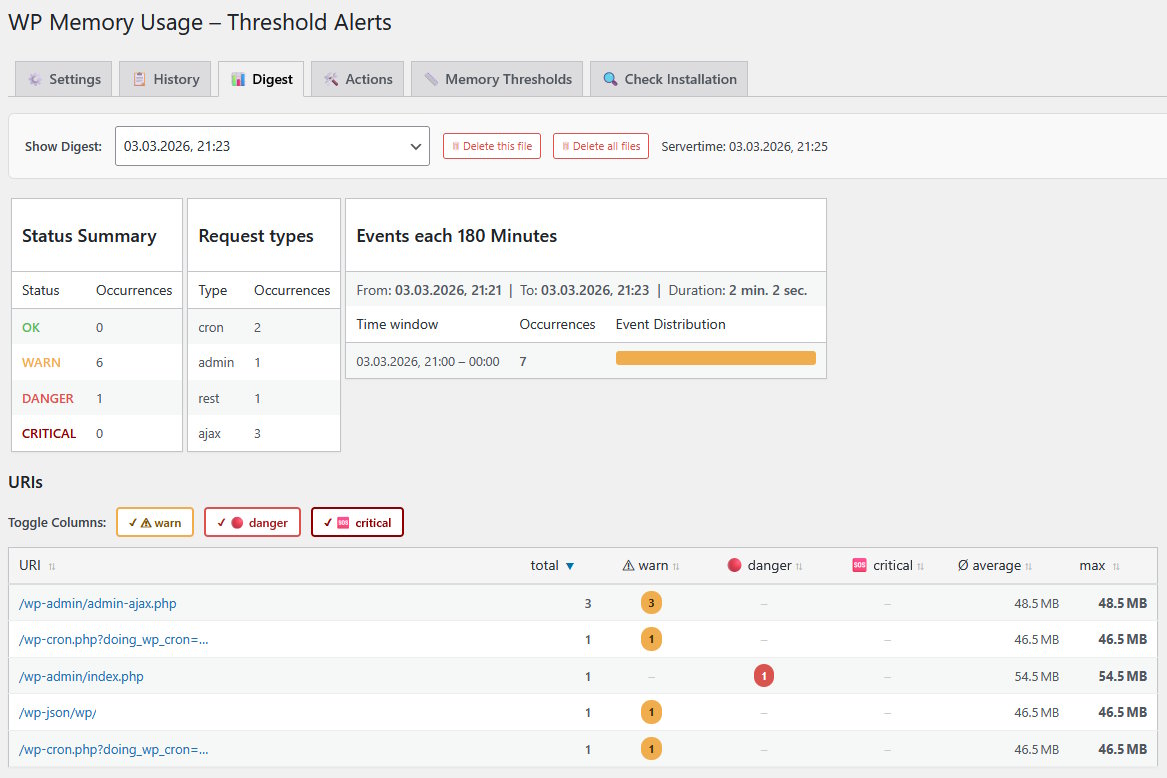
Digest tab – aggregated interval summaries
Diagnose tab – PHP/WordPress configuration snapshot with AI prompt (new in 2.1.0)
Memory Thresholds tab – effective limits, assessment and recommendations

Check Installation tab – server compatibility checks
Plugins semelhantes


Loginizer is a WordPress security plugin which helps you fight against bruteforce attacks.

An easy, clean, and simple way to enhance your site with code snippets.

Redux is a simple, truly extensible, and fully responsive options framework for WordPress themes and plugins. It ships with an integrated demo.

O MainWP Child estabelece uma ligação segura entre os seus sites WordPress e o seu painel dedo MainWP auto-hospedado, simplificando a gestão do site.

Easy Drag & Drop Page Builder that adds a splash page to your site that it's perfect for a coming soon page, maintenance or landing page.
Do mesmo author (berkux)

Connects an API to WordPress: Get API-data (JSON, XML, CSV...), show it with a Shortcode, a JCI Block or PHP. Generate a template with the JCI Block