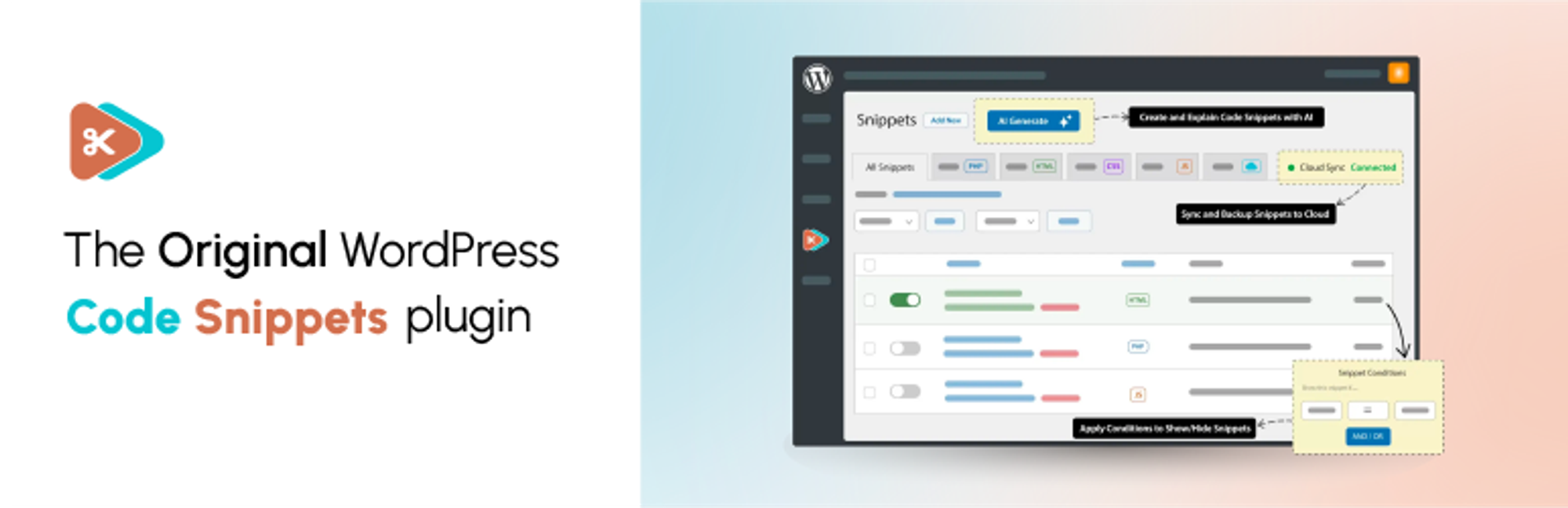
Adicione facilmente snippets de código no WordPress. Insira scripts de cabeçalho e rodapé, adicione trechos de código PHP com lógica condicional, insira código de pixel de anúncios e muito mais.

Code Snippets
Hospedagem WordPress com plugin Code Snippets
Onde devo hospedar o plugin Code Snippets?
Este plugin pode ser hospedado em qualquer hospedagem que tenha WordPress instalado. Recomendamos optar por uma empresa de hospedagem seguro, com servidores especializados para WordPress, como o serviço de hospedagem da MCO2.
Hospedando o plugin Code Snippets em uma empresa de hospedagem seguro
A MCO2, além de configurar e instalar o WordPress na versão mais atual para seus clientes, fornece o plugin WP SafePress, um sistema singular que salvaguarda e melhora seu site ao mesmo tempo.
Por que a Hospedagem WordPress funciona melhor na MCO2?
A Hospedagem WordPress funciona melhor pois a MCO2 possui servidores otimizados para WordPress. A instalação de WordPress é diferente de uma instalação trivial, pois habilita imediatamente recursos como otimização automática de imagens e fotos, proteção da página de login, bloqueio de atividades maliciosas diretamente no firewall, cache avançado e HTTPS ativado por padrão. São plugins que potencializam seu WordPress para a máxima segurança e o máximo desempenho.
Code Snippets gives you a dedicated WordPress dashboard for creating, organising and managing custom code. Add PHP functionality and reusable HTML content, choose where PHP snippets run, and activate or deactivate snippets individually.
Find snippets with search, tags and filters, switch between table and card views, and preview code without opening the editor. Lock important snippets to help prevent accidental changes, and use the Stats overview to see snippet totals and breakdowns.
Watch the Code Snippets 4.0 walkthrough
See the plugin in use, including features from both the free and Pro editions. The Pro features listed below require the relevant Pro access.
Want AI-assisted code creation and advanced controls? Code Snippets Pro adds the AI Agent, snippet revisions, visual display conditions, CSS and JavaScript snippets, and connected Cloud workflows.
Your snippets stay separate from your theme files. Browse Community Cloud for shared snippets, and use import and export to reuse your code across sites.
Code Snippets has been available on WordPress.org since 2012 and is active on 1 million+ WordPress installations.
Included in the free plugin
- PHP snippets without editing theme files. Add custom functions and WordPress hooks from your dashboard.
- Reusable HTML content. Create content snippets and insert them into posts and pages with shortcodes.
- Control where PHP runs. Choose everywhere, administration only or front end only. Run-once snippets are available for manually confirmed one-time tasks.
- A built-in code editor. Work with syntax highlighting, code checking and adjustable editor preferences.
- Organised snippet management. Use names, descriptions, tags, search, filters, sorting and bulk actions. Browse in table or card view, preview code without opening the editor, and lock important snippets to help prevent accidental edits or deletion.
- Stats overview. View snippet totals, active and inactive counts, and breakdowns by type, run location and tags.
- Import and export. Move snippets between sites using export files, or export PHP snippets as a PHP file for use without the plugin.
- Community Cloud browsing. Search community-shared snippets from inside WordPress and download supported snippet types.
- Optional file-based execution. Execute supported snippets from generated files instead of evaluating their code from the database.
- Multisite support. Manage network-wide snippets and separate snippets for individual sites.
- Safe Mode and feedback tools. Use Safe Mode to troubleshoot snippet-related failures. An optional feedback reporter can be enabled in settings.
PHP snippets execute code on your site. Only use code you trust, review it before activation and keep a current backup. Safe Mode helps with recovery; it does not make every snippet safe or guarantee that every error can be prevented.
Community-powered Code Snippets Cloud
Browse the community-powered Code Snippets Cloud library from inside WordPress. Search user-shared snippets, preview their code and download snippet types supported by your edition.
A Cloud account is not required to create and run local PHP and HTML snippets. Personal Cloud library, synchronisation and deployment workflows require a connected account and the relevant Pro access.
Code Snippets Pro
Code Snippets Pro extends the free plugin with additional code types, editing tools and connected workflows:
- CSS and JavaScript snippets, with dedicated integration for Gutenberg and Elementor.
- AI Agent. Describe the functionality you need, review and refine a proposed plan, then approve code generation. Review the generated snippets before activating them.
- Snippet revisions. Compare a previous version with the current code and restore an earlier revision.
- Display conditions. Define where and when snippets run through a visual condition editor.
- Form-based Blueprints. Generate PHP code for common tasks such as custom post types, taxonomies, shortcodes, settings pages and extra user profile fields.
- Role-based permissions. Control access to viewing, creating, editing and deleting snippets.
- Ran on this page. See which snippets executed or produced output on the current request through the admin bar.
- Performance and security insights. Optional PHP execution-time tracking and advisory checks for potentially risky code patterns. These checks are not a security audit or a guarantee that code is safe.
- Connected Cloud workflows. Manage your personal Cloud library, synchronise snippets and deploy snippets to connected sites, with drift reporting when site and Cloud copies differ.
Cloud-connected Pro features require the appropriate licence and a connected Code Snippets Cloud account. Local PHP and HTML snippets do not require a Cloud account. The free plugin includes interactive demos of selected Pro workflows; using the full tools requires Pro access.
Documentation and community
- Documentation
- WordPress.org support forum
- Facebook community
- Discord community
- Source code and feature requests
Share your experience
Find Code Snippets useful? Leave a review on WordPress.org to share your experience and help others decide whether the plugin suits their needs.
Translation Credits
Thank you to everyone who helps make Code Snippets available in different languages. See the translation contributors or contribute a translation.
Capturas de tela
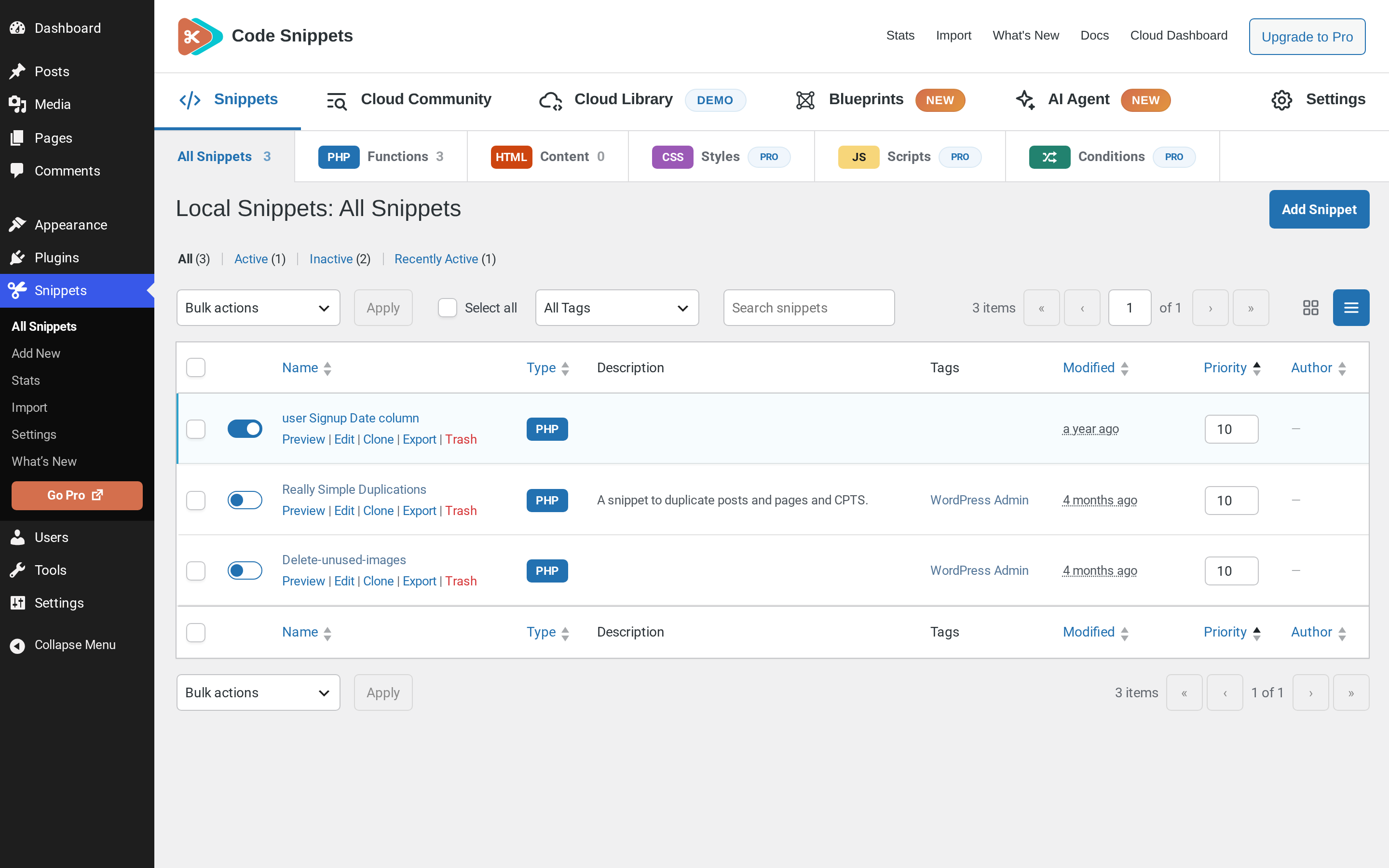
Managing local snippets in table view.
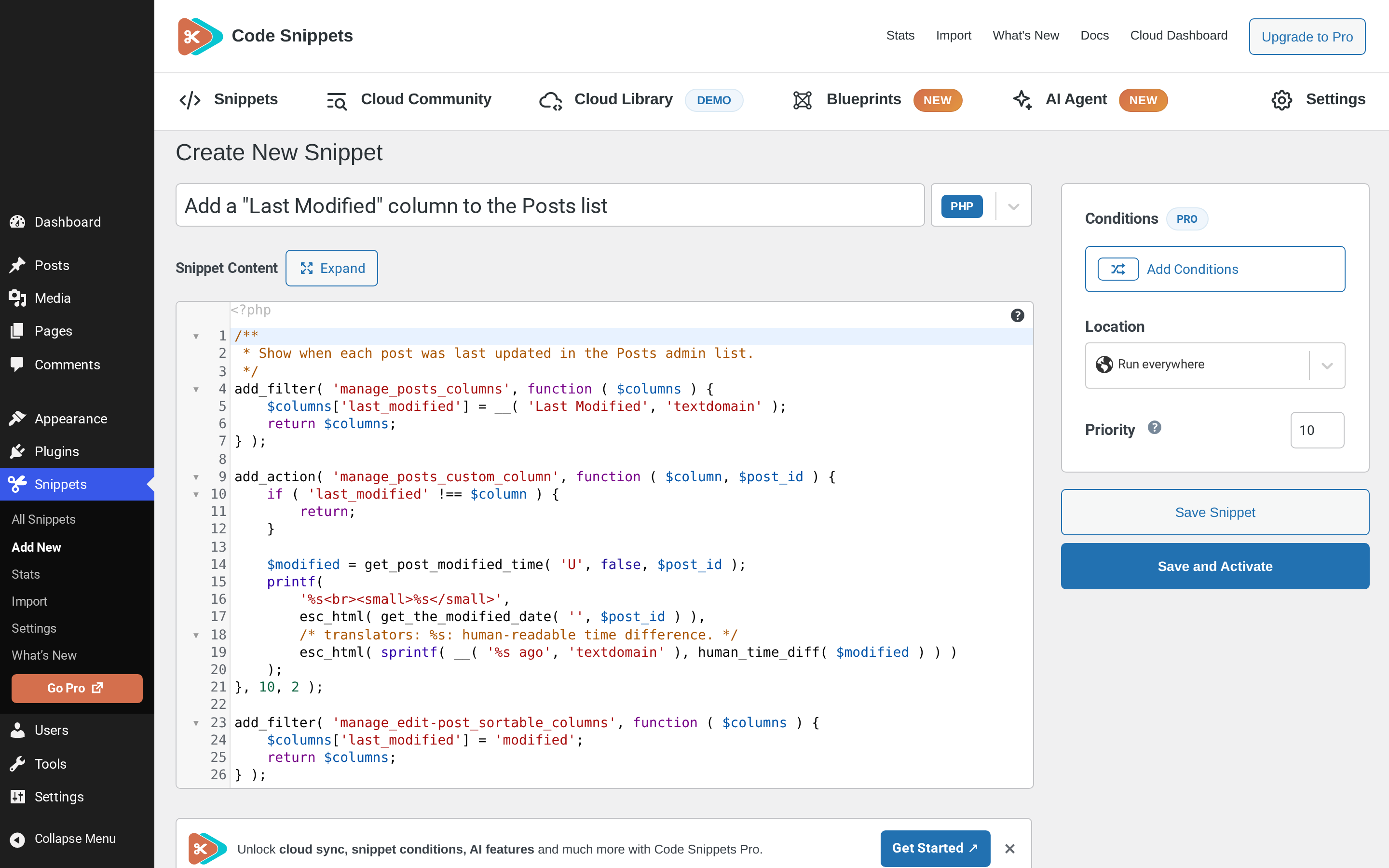
Creating a PHP snippet in the code editor.
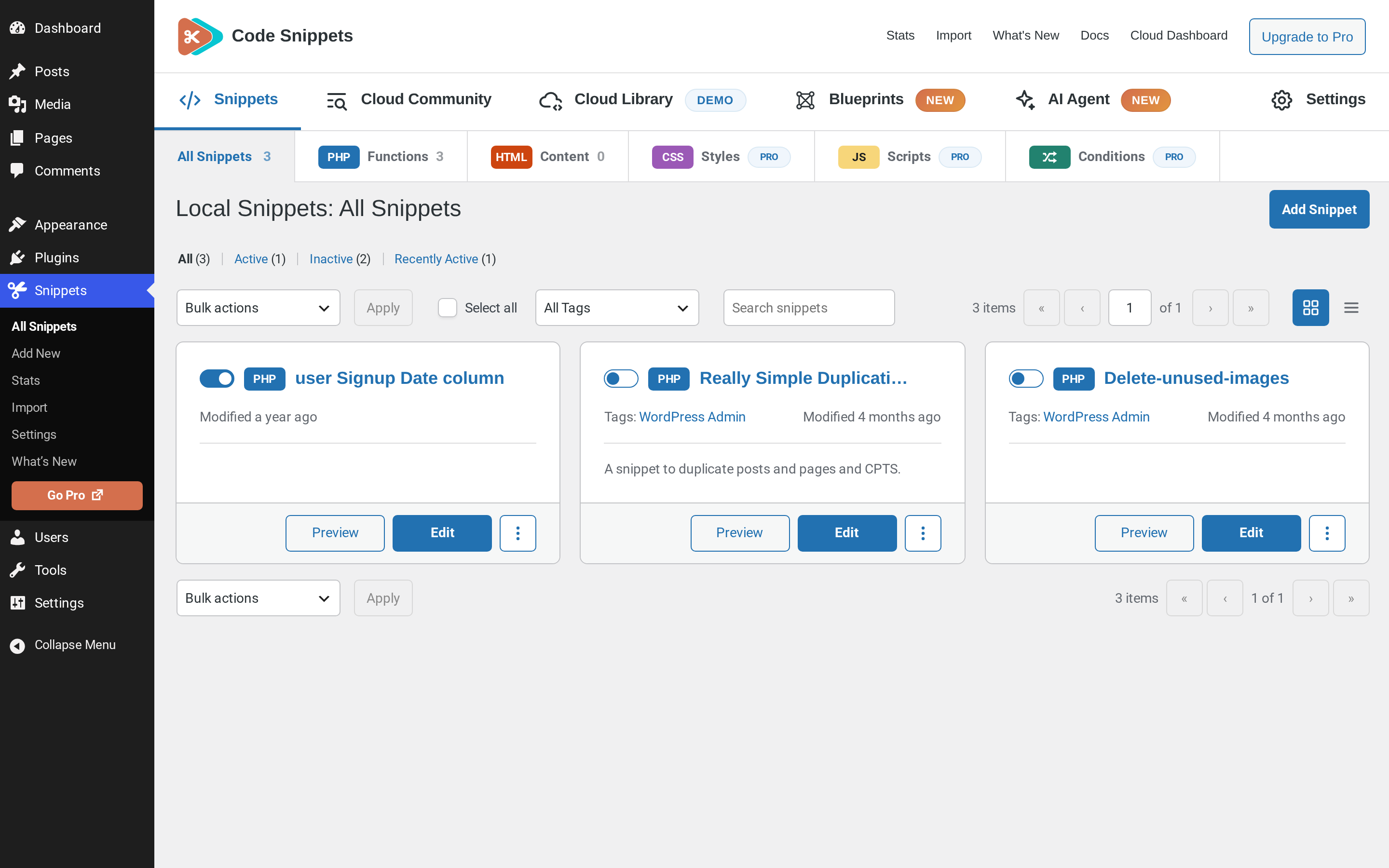
Browsing local snippets in card view.
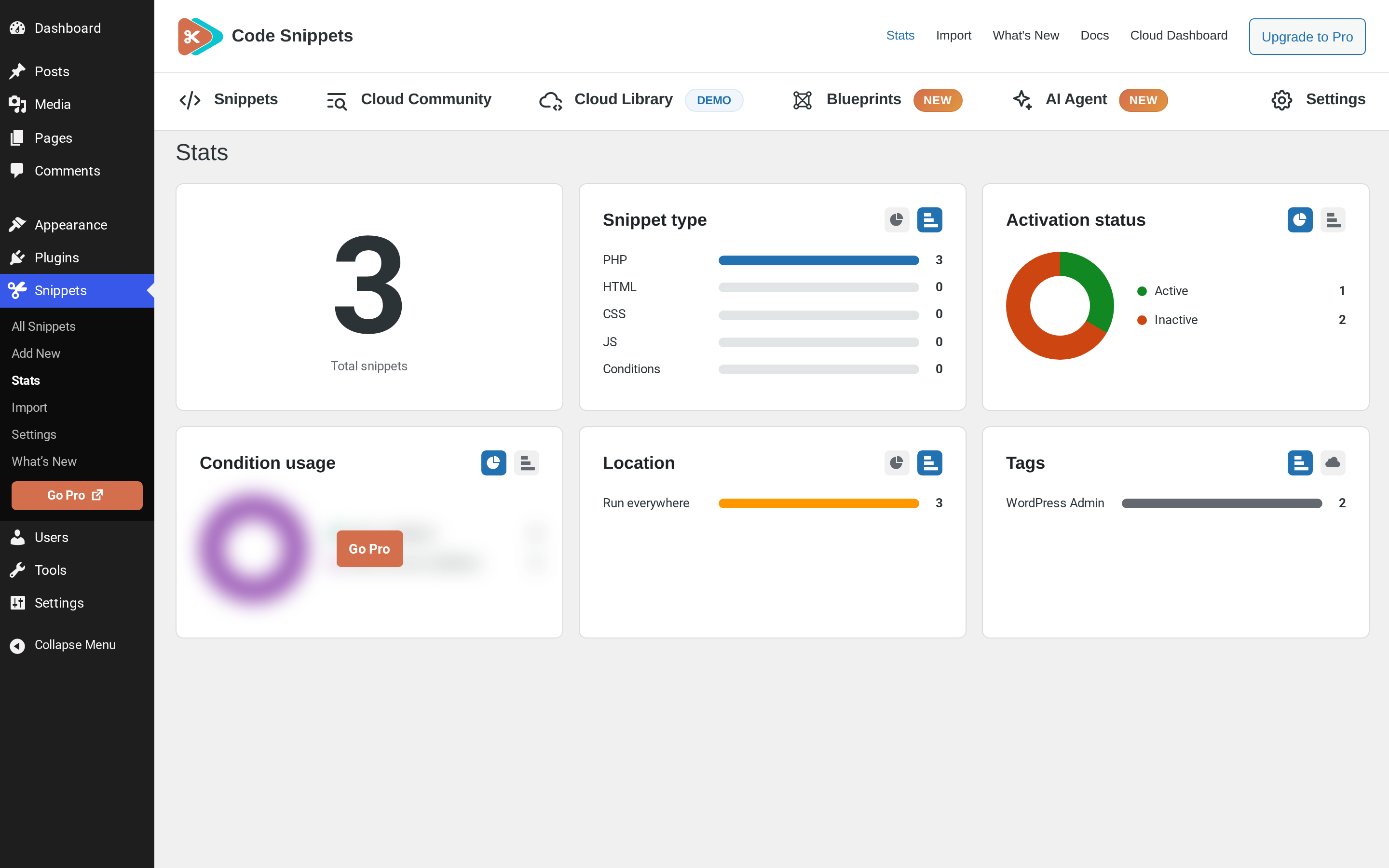
Stats overview with snippet totals and breakdowns.
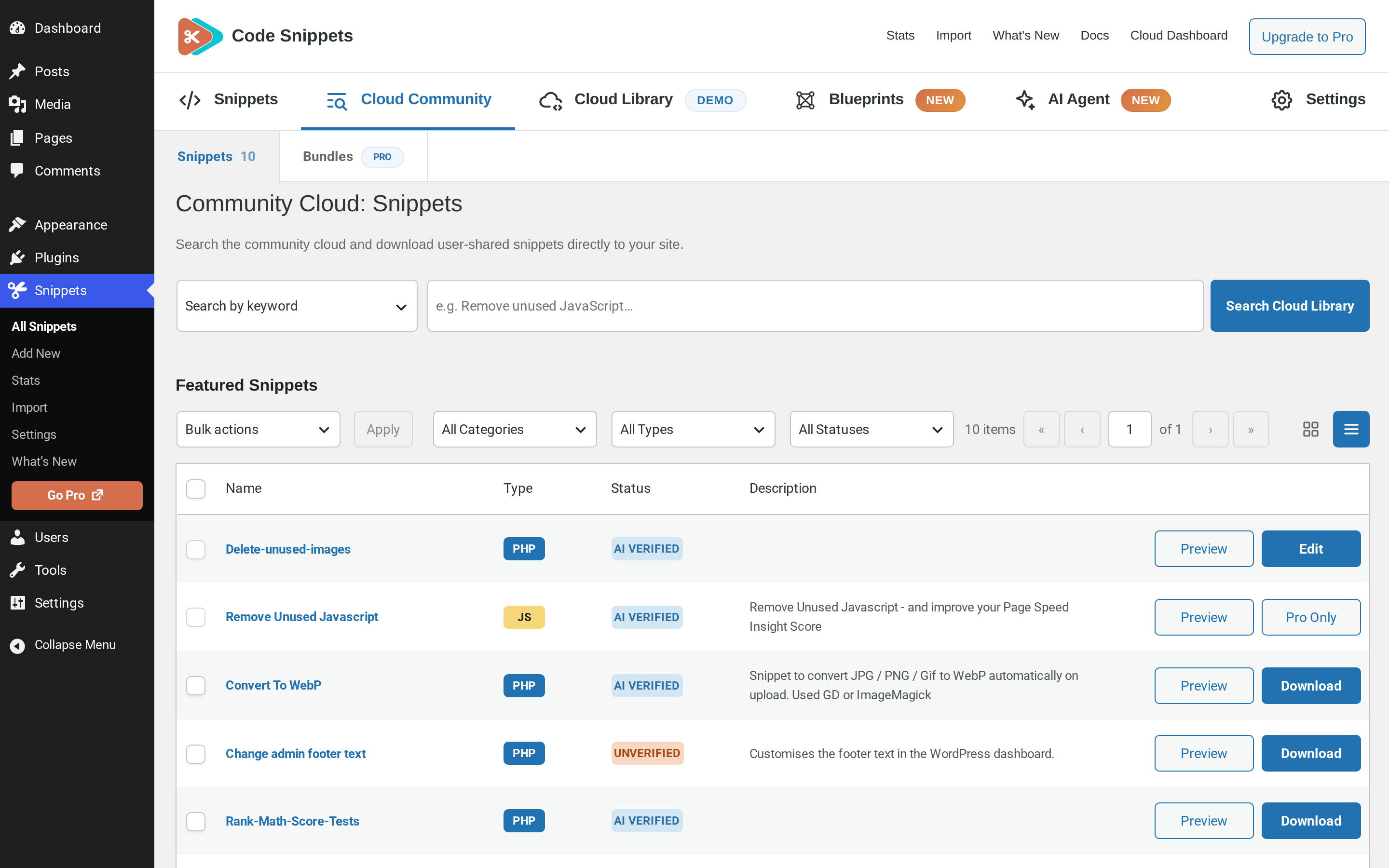
Browsing Community Cloud snippets, with Pro-only items clearly marked.
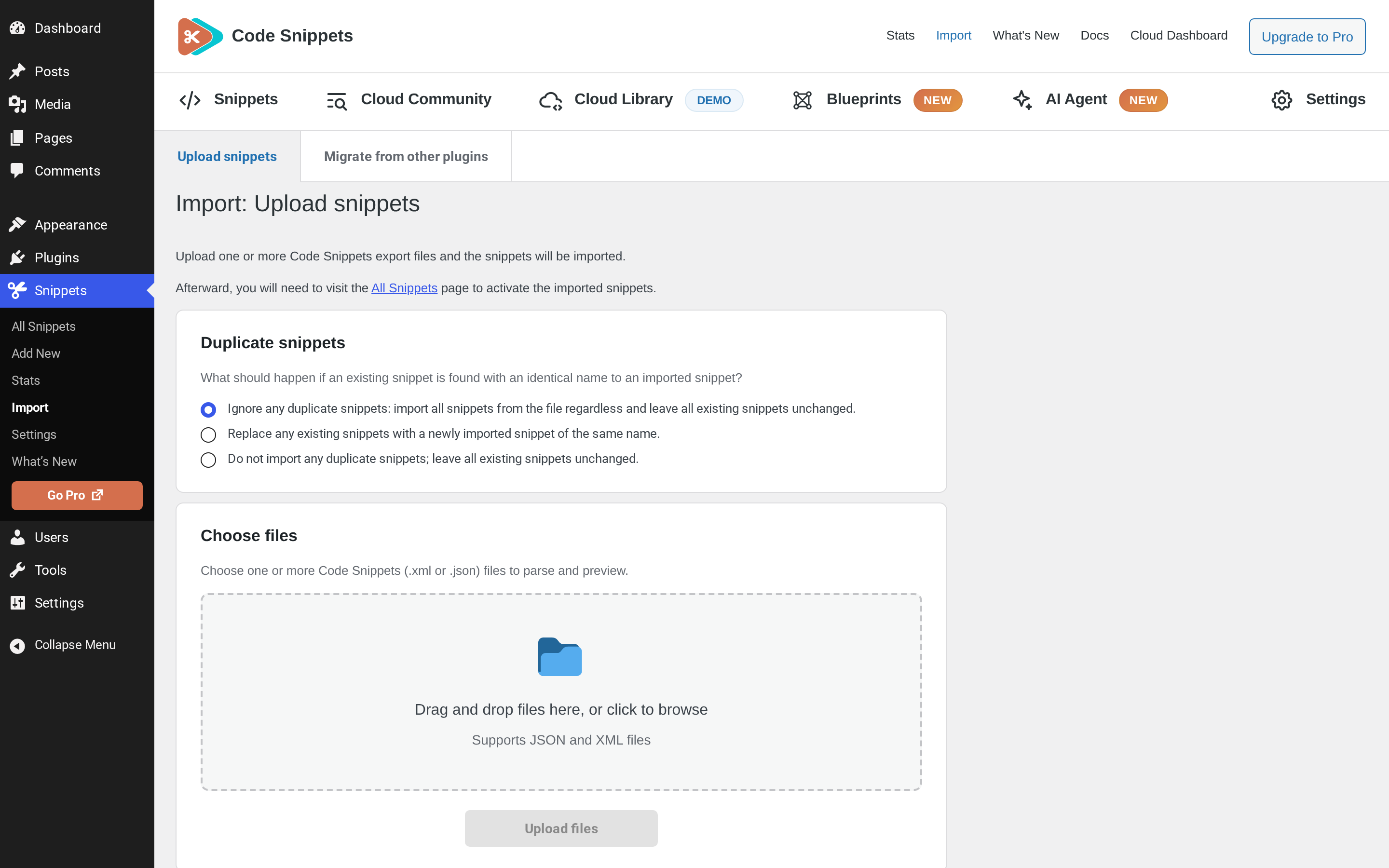
Importing snippet export files with duplicate-handling options.
Plugins semelhantes

Instant switching between user accounts in WordPress and WooCommerce.

Make sure your plugins and themes are compatible with newer PHP versions.

Create custom "Shortcodes" easily for HTML, JavaScript, CSS code snippets and use the shortcodes within posts, pages & widgets
Add Custom CSS to your WordPress site without any hassles.

Like the Text widget, but also allows working PHP code to be inserted.