
Adicione facilmente snippets de código no WordPress. Insira scripts de cabeçalho e rodapé, adicione trechos de código PHP com lógica condicional, insira código de pixel de anúncios e muito mais.

WP-Memory-Usage
Hospedagem WordPress com plugin WP-Memory-Usage
Onde posso hospedar o plugin WP-Memory-Usage?
Este plugin pode ser hospedado em qualquer hospedagem que possua WordPress configurado. Recomendamos fortemente escolher um provedor de hospedagem seguro, com servidores otimizados para WordPress, como o serviço de hospedagem de sites da MCO2.
Hospedando o plugin WP-Memory-Usage em um provedor de confiança
A MCO2, além de configurar e instalar o WordPress na versão mais atualizada para seus clientes, disponibiliza o WP SafePress, um sistema exclusivo que salvaguarda e aumenta a performance do seu site simultaneamente.
Por que a Hospedagem WordPress funciona melhor na MCO2?
A Hospedagem WordPress funciona melhor pois a MCO2 possui servidores otimizados para WordPress. A instalação de WordPress é diferente de uma instalação trivial, pois habilita imediatamente recursos como otimização de imagens e fotos, proteção da página de login, bloqueio de atividades maliciosas diretamente no firewall, cache avançado e HTTPS ativado por padrão. São recursos que potencializam seu WordPress para a máxima segurança e o máximo desempenho.
WP-Memory-Usage is a lightweight but powerful WordPress plugin that monitors and displays memory usage directly in your WordPress admin area.
This tool is essential for site administrators and developers who need to keep an eye on the memory consumption of their WordPress installation, helping to identify potential issues and optimize performance.
What the plugin shows:
In the admin footer (every admin page):
* Current memory usage vs. WordPress limit (with percentage)
* Current memory usage vs. PHP limit (with percentage)
* Server IP address and server name
* PHP version
In the Dashboard widget (“Memory Overview”):
* PHP version, architecture (32/64 bit), max execution time
* WordPress memory limit (WP_MEMORY_LIMIT), WordPress admin limit (WP_MAX_MEMORY_LIMIT), PHP memory limit
* Current peak memory usage with a visual progress bar (colour-coded: green / orange / red)
* Link to the Threshold Alerts settings page
Memory Alerts Tabs (since 2.0.0):
Log events, set thresholds (Warning / Danger / Critical), monitor memory usage…
Why Use WP-Memory-Usage?
Excessive memory usage leads to slower sites, HTTP 500 errors, and failed background jobs (cron, imports, backups). WP-Memory-Usage gives you the information you need to act before users are affected — without overwhelming you with notifications.
Features
- Admin menu: See at settings “Memory Alerts”
- Real-time memory display in dashboard and every admin page footer
- Colour-coded progress bar (green / orange / red) for instant status recognition
- Set Thresholds: Set values for three threshold levels (Warning, Danger, Critical) and switch on/off logging
- Set how to measure: Use peak memory?
- Set Logging: Log Ajax, Rest, Admin, Cron, favicon, OK
- Set how to alert: Mailadress, intervals for rotating and deleting logfiles
- History tab: show latest logged requests
- Digest tab: browse and review past aggregated requests
- Actions tab: practical guidance on what to do when you receive an alert
- Memory Thresholds tab: current settings and assessment & recommendations
- Check Installation tab: all ok for using this plugin?
- Clean uninstall: removes all options, cron jobs, and log files on deletion
- New Logo for the Plugin
PluginCheck-Plugin Status
Plugin is compatible with PluginCheck-Plugin. Note regarding “trademarked_term”: “WP-Memory-Usage” and “wp-memory-usage” are today considered restricted terms. This plugin entered the WordPress repository in 2009, when those terms were permitted.
Créditos
Copyright 2009–2013 by Alex Rabe, 2022– Bernhard Kux
Capturas de tela
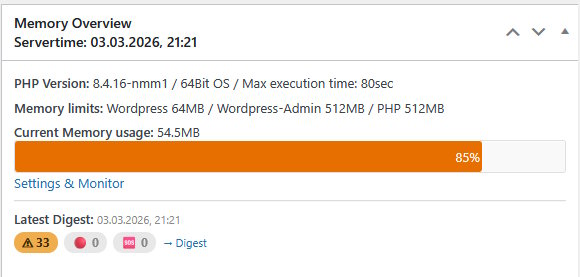
Dashboard widget – Memory Overview with progress bar and digest summary,show latest digest status badges (warn / danger / critical)
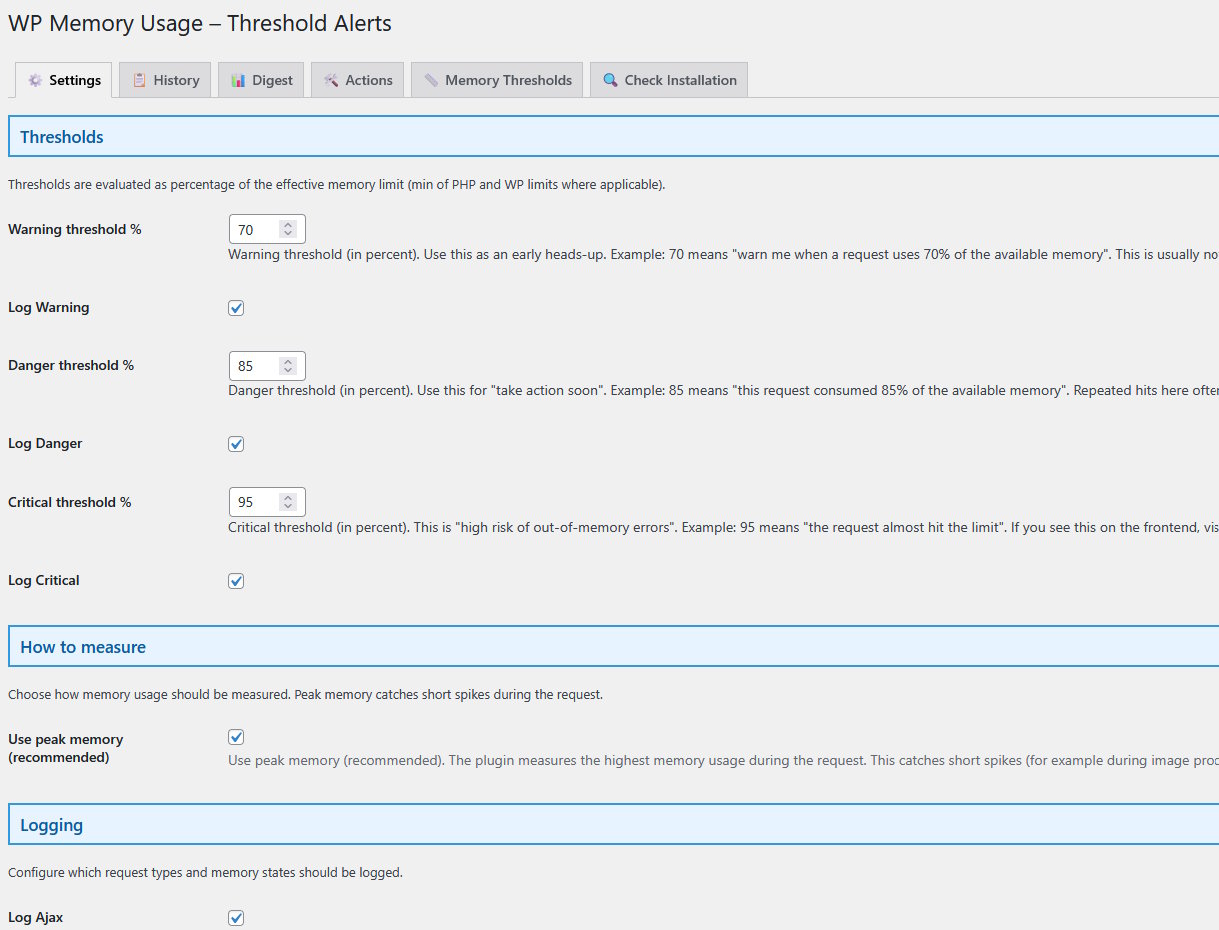
Threshold Alerts settings tab – thresholds, logging options, email options...
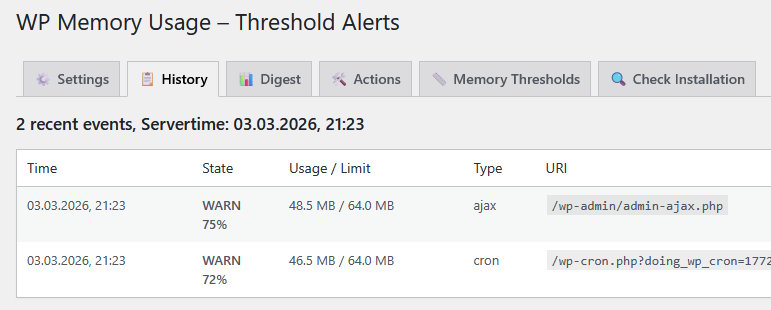
History tab – recent requests with context
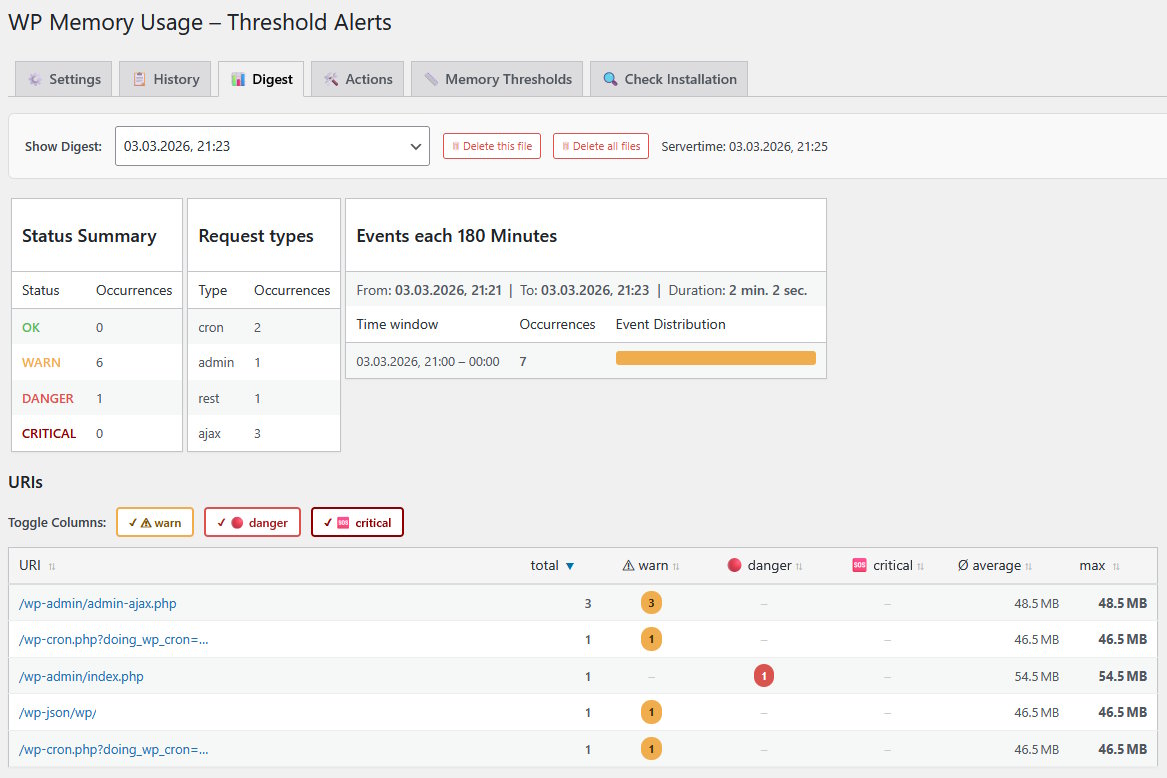
Digest tab – summary review
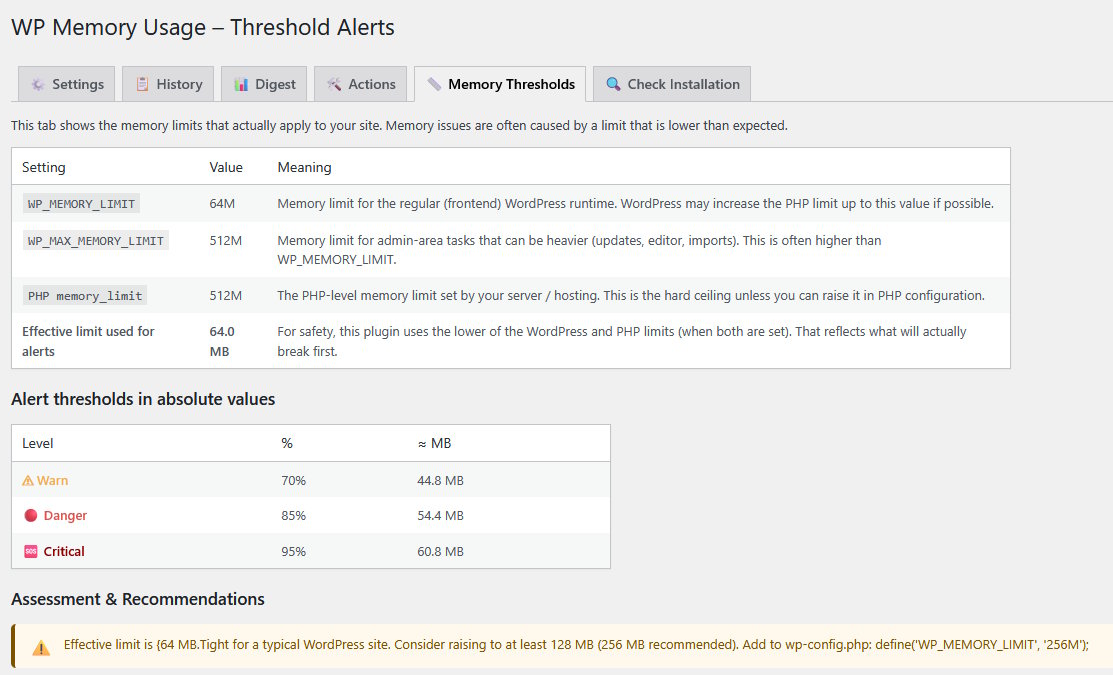
Memory Thresholds tab - show current settings, assessment & recommendations
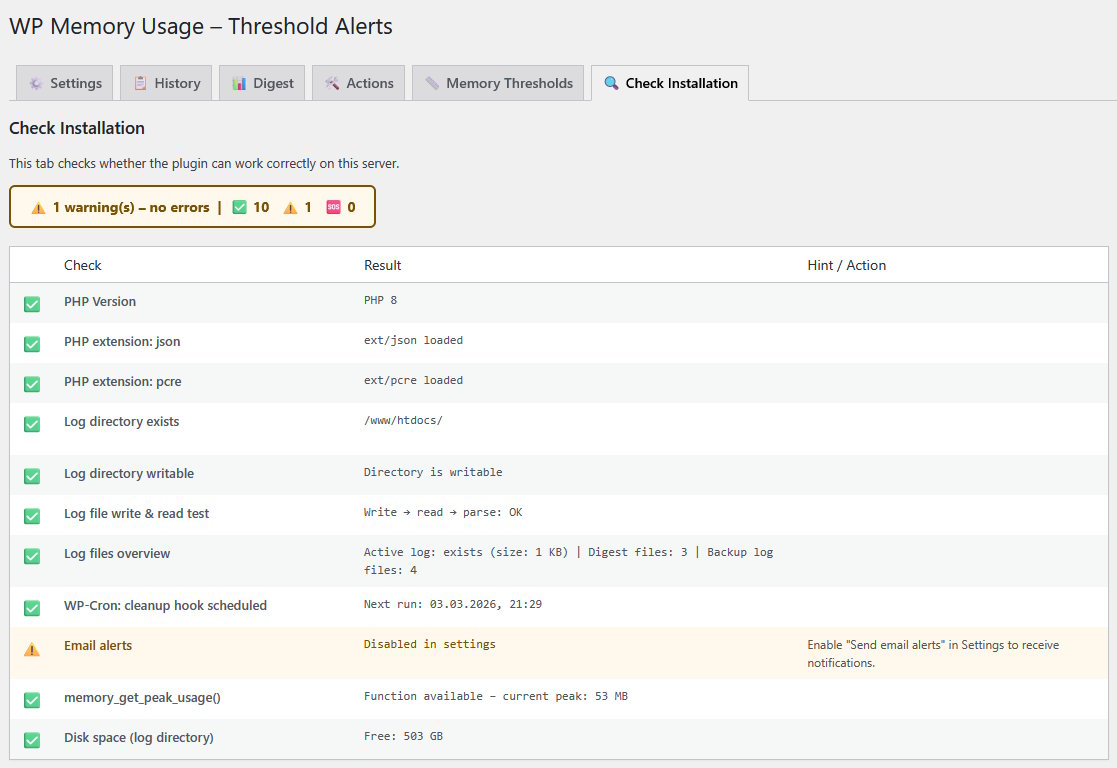
Check Installation tab - can the plugin work correctly?

Admin footer – memory usage, PHP version, and IP address on every admin page
Plugins semelhantes


Loginizer is a WordPress security plugin which helps you fight against bruteforce attacks.

Uma maneira fácil, limpa e simples de aprimorar seu site com code snippets.

Redux is a simple, truly extensible, and fully responsive options framework for WordPress themes and plugins. It ships with an integrated demo.

MainWP Child establishes a secure link between your WordPress sites and your self-hosted MainWP Dashboard, simplifying site management.

Easy Drag & Drop Page Builder that adds a splash page to your site that it's perfect for a coming soon page, maintenance or landing page.