
Translate WordPress plugins and themes directly in your browser. Versatile PO file editor with integrated AI translation providers.

Hyyan Integration for WooCommerce and Polylang
Hospedagem WordPress com plugin Hyyan Integration for WooCommerce and Polylang
Onde posso hospedar o plugin Hyyan Integration for WooCommerce and Polylang?
Este plugin pode ser hospedado em qualquer hospedagem que tenha WordPress instalado. Recomendamos utilizar um provedor de hospedagem de confiança, com servidores especializados para WordPress, como o serviço de hospedagem WordPress da MCO2.
Hospedando o plugin Hyyan Integration for WooCommerce and Polylang em uma empresa de hospedagem de confiança
A MCO2, além de configurar e instalar o WordPress na versão mais atualizada para seus clientes, disponibiliza o plugin WP SafePress, um sistema singular que protege e aumenta a performance do seu site conjuntamente.
Por que a Hospedagem WordPress funciona melhor na MCO2?
A Hospedagem WordPress funciona melhor pois a MCO2 possui servidores otimizados para WordPress. A instalação de WordPress é diferente de uma instalação trivial, pois habilita imediatamente recursos como otimização de imagens e fotos, proteção da página de login, bloqueio de atividades suspeitas diretamente no firewall, cache avançado e HTTPS ativado por padrão. São plugins que potencializam seu WordPress para a máxima segurança e o máximo desempenho.
Build a multilingual WooCommerce store with Polylang. Translate products and store pages, synchronize shared product data, and let customers shop in their chosen language.
Documentation: WordPress admin Tools WooPoly Documentation | Getting started: Settings WooPoly | Report an issue
For bug reports and feature requests, please use GitHub issues and include your plugin versions and steps to reproduce. Remove private data from any logs you share.
Features
- [√] Auto Download Woocommerce Translation Files
- [√] Page Translation
- [√] Endpoints Translation
- [√] Product Translation
- [√] Categories
- [√] Tags
- [√] Attributes
- [√] Shipping Classes
- [√] Meta Synchronization
- [√] Variation Product
- [√] Product Gallery
- [√] Order Translation
- [√] Stock Synchronization
- [√] Cart Synchronization
- [√] Coupon Synchronization
- [√] Emails
- [√] Reports
- [√] Filter by language
- [√] Combine reports for all languages
What you need to know about this plugin
The plugin requires WordPress 5.4+, PHP 8.3+, WooCommerce 3.0+, and Polylang 2.0+. Your installed dependencies may require newer WordPress or PHP versions.
Version 1.7.0 has been tested with WordPress 7.1.3, WooCommerce 11.1.2, Polylang 3.8.10, and PHP 8.5.11. Older supported versions have not all been retested. Back up your store and test updates on a staging site first.
Choose your default language before creating variable products; changing it afterward is unsupported. Polylang’s “The language is set from content” URL mode is also unsupported.
Setup your environment
- Install and activate this plugin, WooCommerce, and Polylang in any order.
- Open Settings > WooPoly. Follow the checklist to activate dependencies, choose languages, and create or link your store pages.
- Translate product categories and attributes as needed, then create and link product translations.
- Test product selection, stock, cart, checkout, and emails in every store language before going live.
A note from Hyyan
I started WooPoly in 2015 to help shop owners sell in more than one language. WooPoly has been free from day one. My commitment is to keep it free and open source.
If WooPoly has helped you run your shop, would you star it on GitHub? It lets me know the work is useful. If you prefer WordPress.org, a review about what worked for your store helps the next shop owner decide. Thank you for giving WooPoly a place in your shop.
Translations
- Arabic by Hyyan Abo Fakher
- Spanish by nunhes
Contributing
Everyone is welcome to help contribute and improve this plugin. There are several
ways you can contribute:
- Reporting issues (please read issue guidelines)
- Suggesting new features
- Writing or refactoring code
- Improving the bundled documentation
- Fixing issues
Capturas de tela
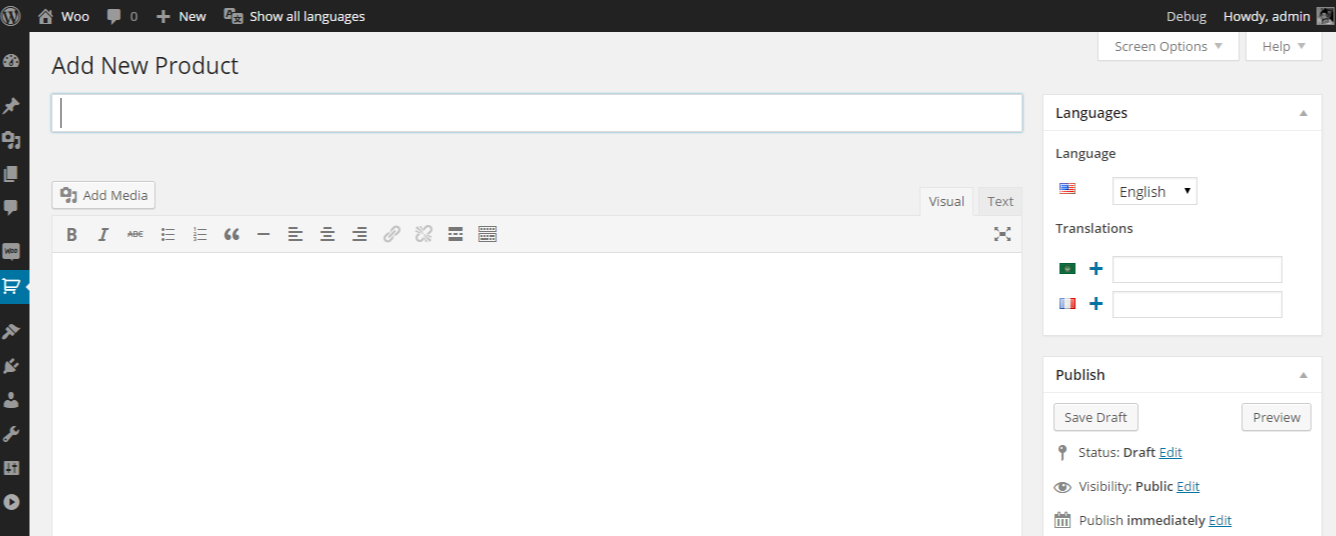
Add and translate products from the same interface you love
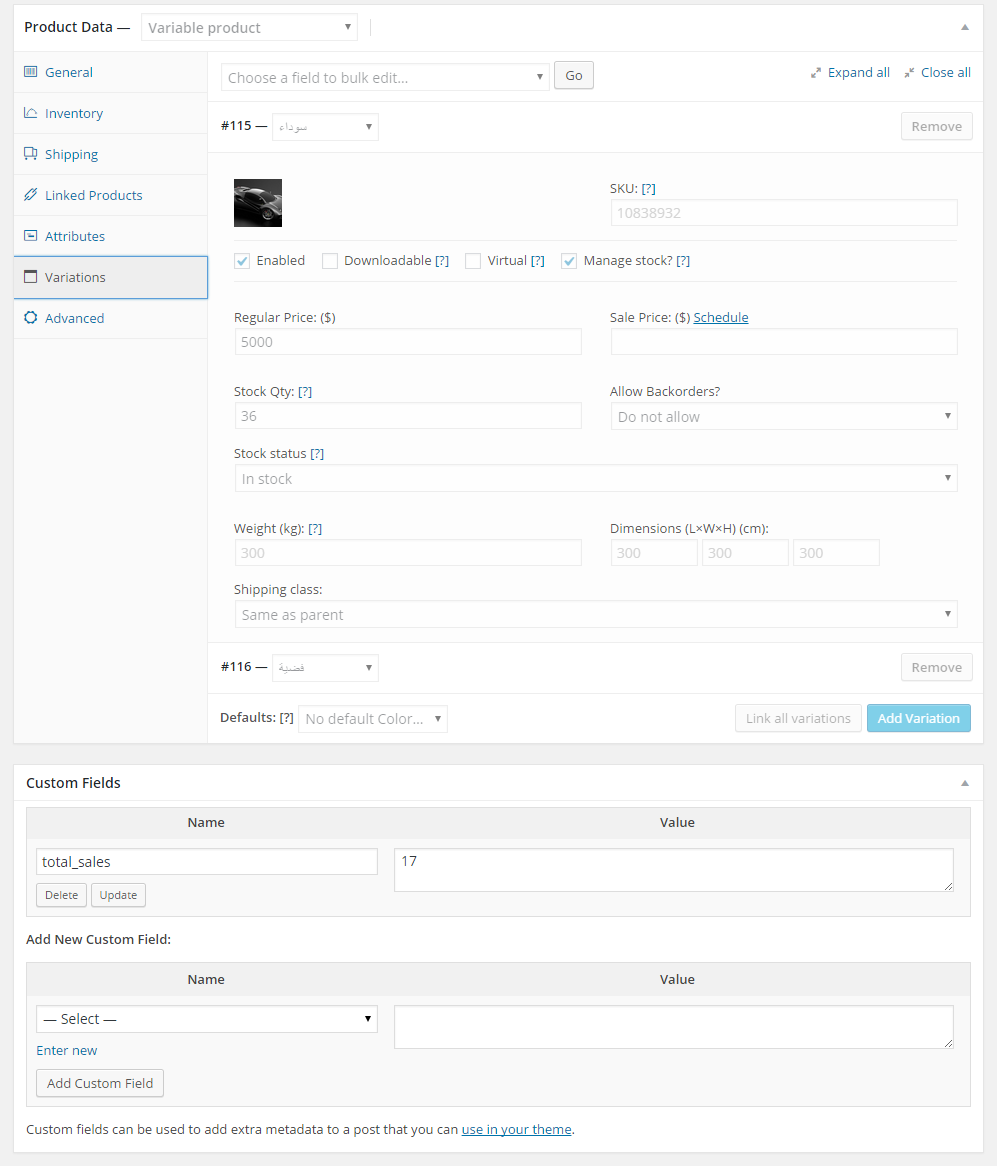
Products meta is synced , no need to do anything by your own
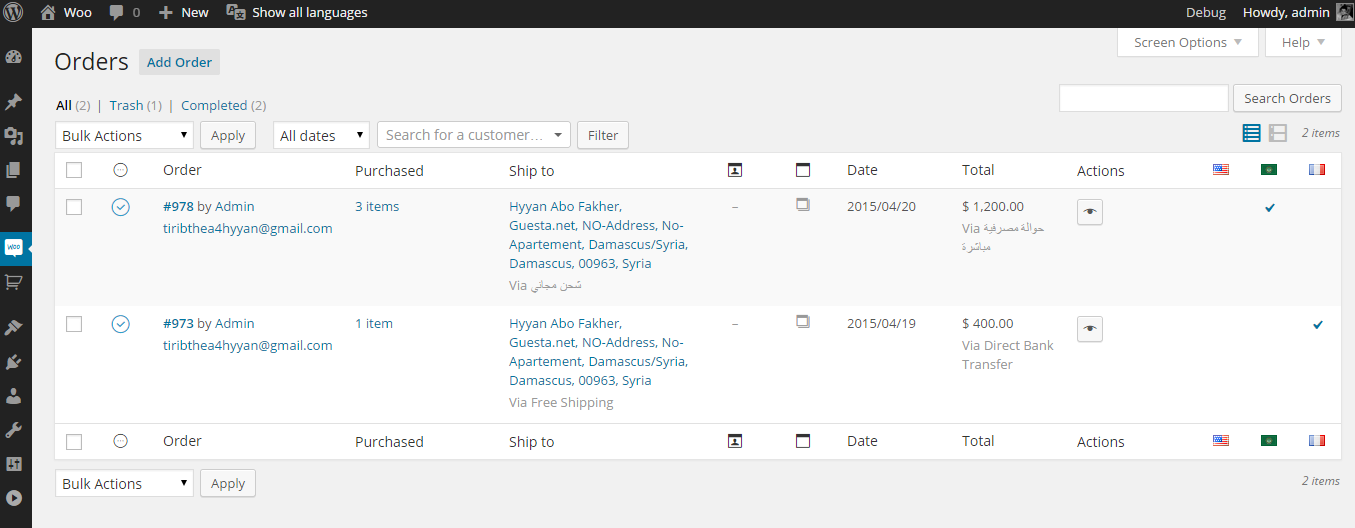
Orders use the customer chosen language
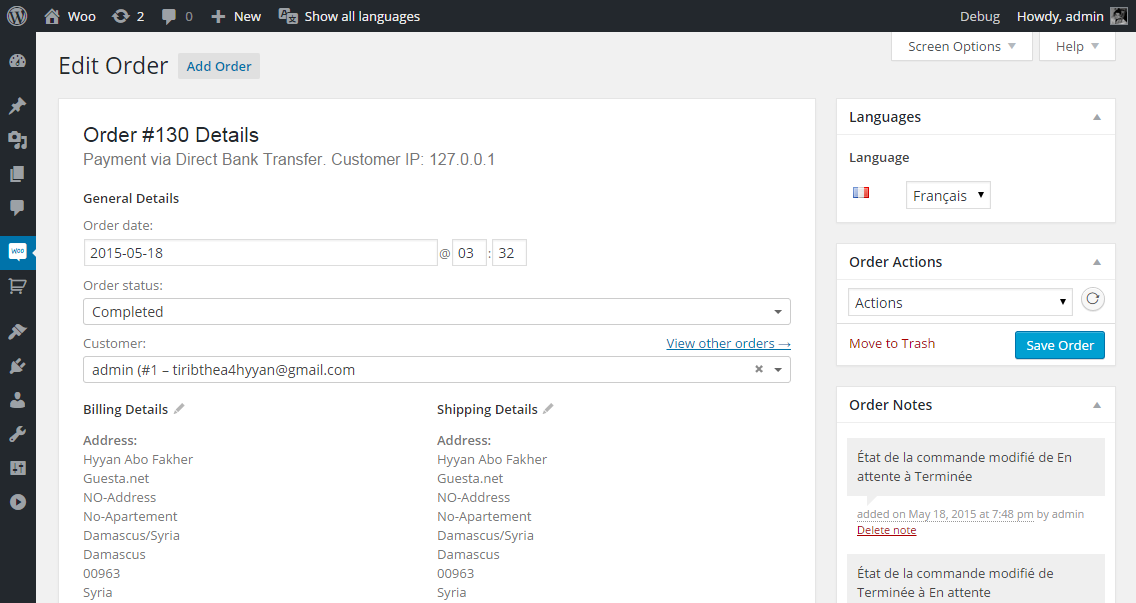
Orders language can be changed
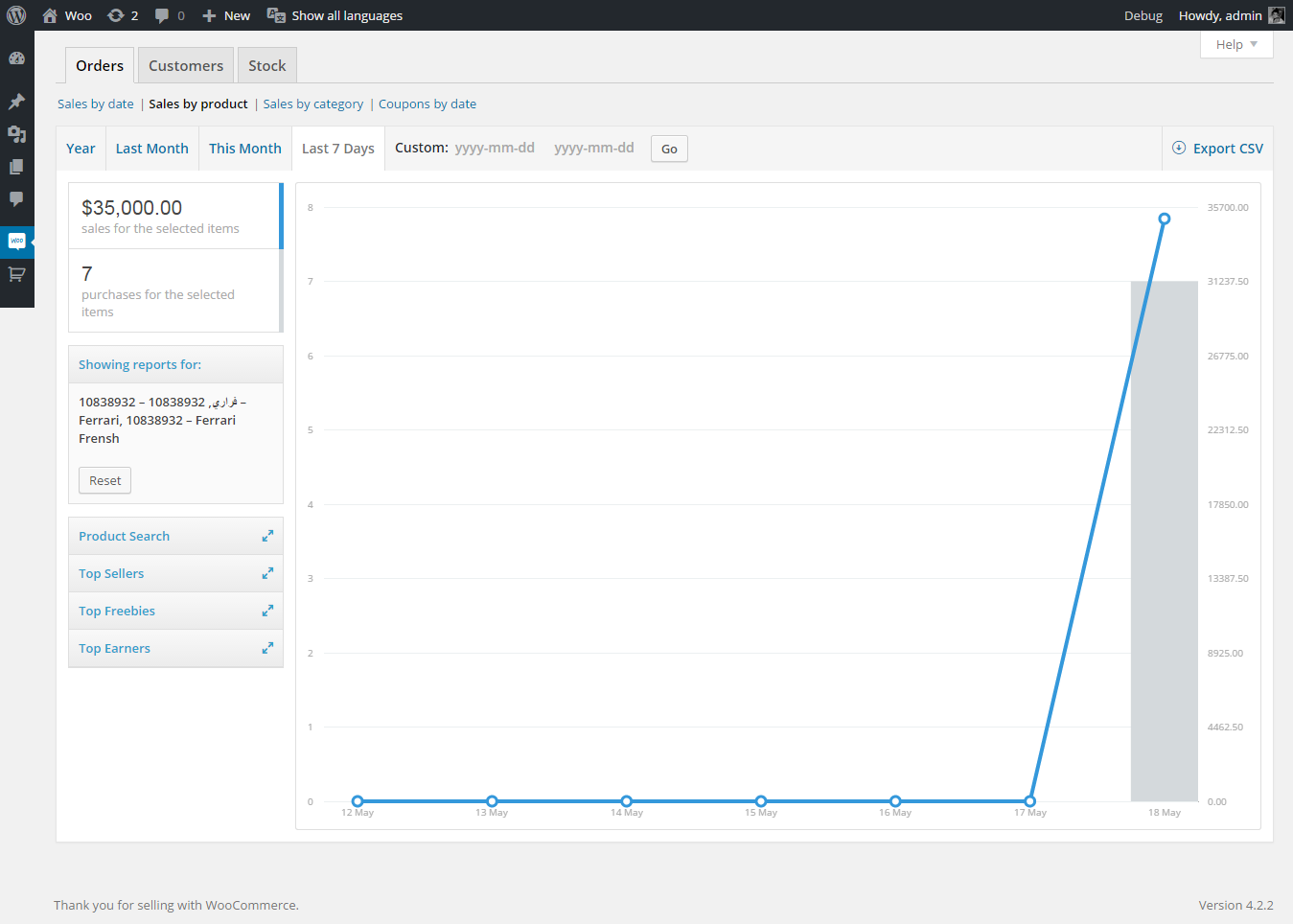
Get reports in specific language and combine reports for all langauges
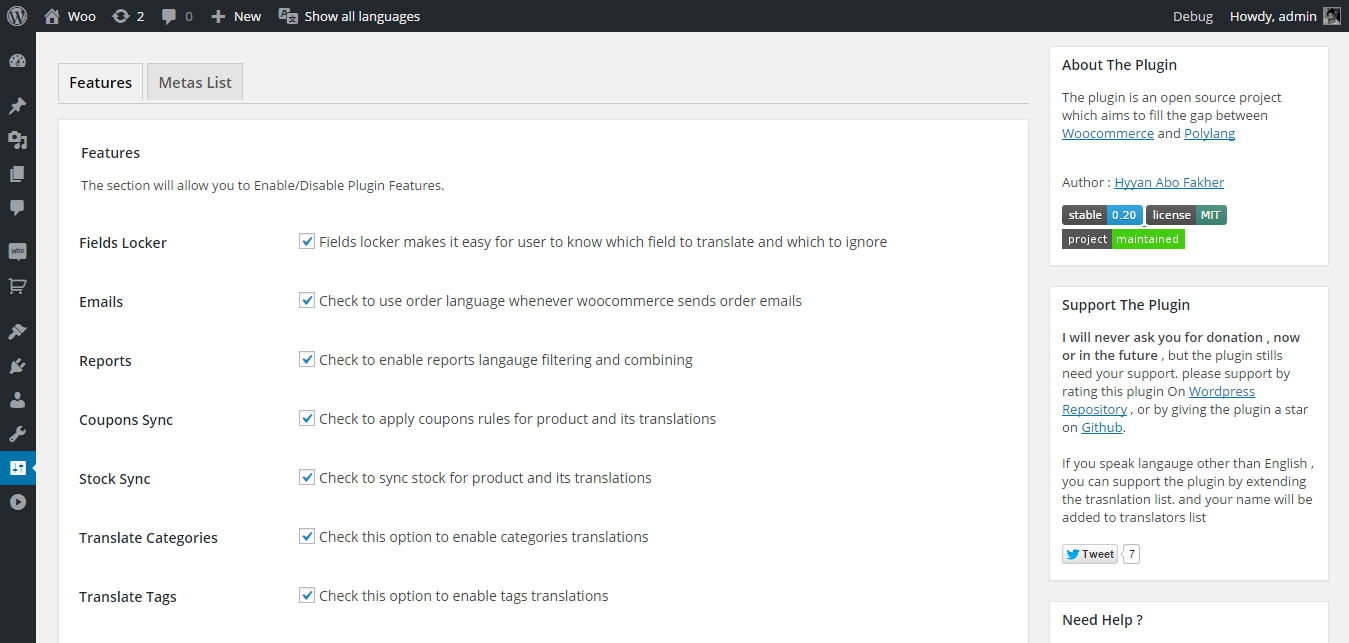
Control plugin features from its admin page
Plugins semelhantes


Translate WordPress with Google Translate multilanguage plugin using AI translation. Complete multilingual SEO solution, WooCommerce compatible.

Torne-se multilíngue de maneira simples e eficiente. Continue escrevendo posts e termos de taxonomia normalmente enquanto define seus idiomas de uma só vez.

PayPal's latest payment processing solution. Accept PayPal, Pay Later, credit/debit cards, alternative digital wallets and bank accounts.

Native integration with Google that allows merchants to easily display their products across Google’s network.

We’re here to help with tax rates: collect accurate sales tax, automatically.