Translate WordPress with Google Translate multilanguage plugin using AI translation. Complete multilingual SEO solution, WooCommerce compatible.

Loco Translate
Hospedagem WordPress com plugin Loco Translate
Onde posso hospedar o plugin Loco Translate?
Este plugin pode ser hospedado em qualquer servidor que possua WordPress instalado. Recomendamos escolher uma empresa de hospedagem confiável, com servidores otimizados para WordPress, como o serviço de hospedagem de sites da MCO2.
Hospedando o plugin Loco Translate em um provedor seguro
A MCO2, além de configurar e instalar o WordPress na versão mais atualizada para seus clientes, disponibiliza o WP SafePress, um mecanismo exclusivo que assegura e melhora seu site simultaneamente.
Por que a Hospedagem WordPress funciona melhor na MCO2?
A Hospedagem WordPress funciona melhor pois a MCO2 possui servidores otimizados para WordPress. A instalação de WordPress é diferente de uma instalação trivial, pois habilita imediatamente recursos como otimização automática de imagens e fotos, proteção da página de login, bloqueio de atividades maliciosas diretamente no firewall, cache avançado e HTTPS ativado por padrão. São recursos que potencializam seu WordPress para a máxima segurança e o máximo desempenho.
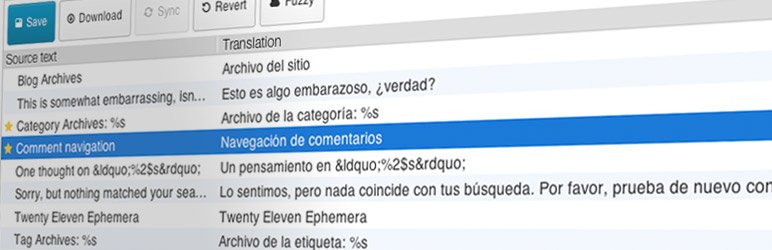
Loco Translate provides in-browser editing of WordPress translation files and integration with automatic translation services.
It also provides Gettext/localization tools for developers, such as extracting strings and generating templates.
Recursos incluem:
- Built-in translation editor within WordPress admin
- Integration with translation APIs including DeepL, Google, Lecto, Microsoft and OpenAI.
- Create and update language files directly in your theme or plugin
- Extraction of translatable strings from your source code
- Native MO file compilation without the need for Gettext on your system
- JSON (Jed) file compilation compatible with WordPress script localization
- Support for standard PO features including comments, references and plural forms
- PO source view with clickable source code references
- Protected language directory for saving custom translations
- Configurable PO file backups with diff and restore capability
- Códigos de localização do WordPress incorporados
Official Loco WordPress plugin by Tim Whitlock.
For more information please visit our plugin page.
Atalhos de teclado
The PO file editor supports the following keyboard shortcuts for faster translating:
- Feito e próximo:
Ctrl
- Próxima string:
Ctrl ↓ - String anterior:
Ctrl ↑ - Próxima não traduzida:
Shift Ctrl ↓ - Anterior não traduzida:
Shift Ctrl ↑ - Copiar do texto original:
Ctrl B - Limpar tradução:
Ctrl K - Alternar incerta:
Ctrl U - Salvar PO / compilar MO:
Ctrl S - Toggle invisibles:
Shift Ctrl I - Suggest translation:
Ctrl J
Os usuários de Mac podem utilizar ⌘ Cmd em vez de Ctrl.
Capturas de tela
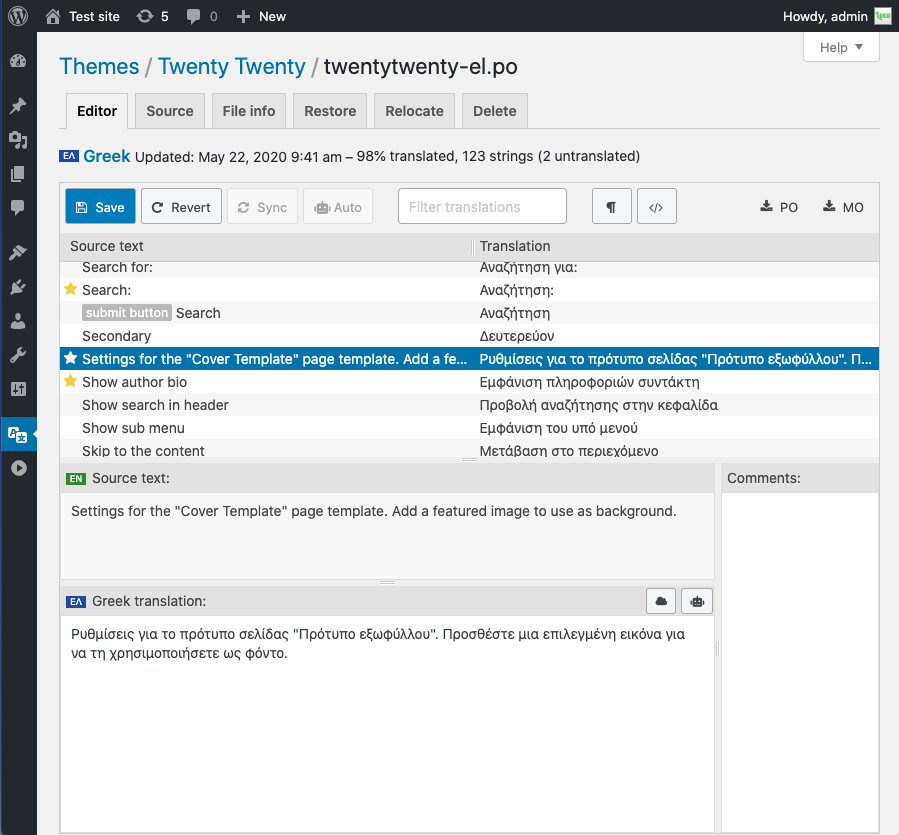
Translating strings in the browser with the Loco PO Editor
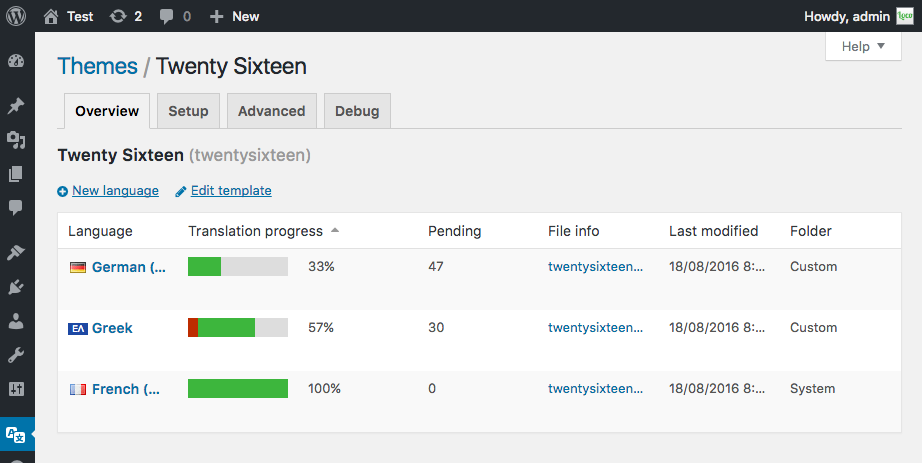
Mostrar o progresso da tradução para arquivos de idiomas de temas
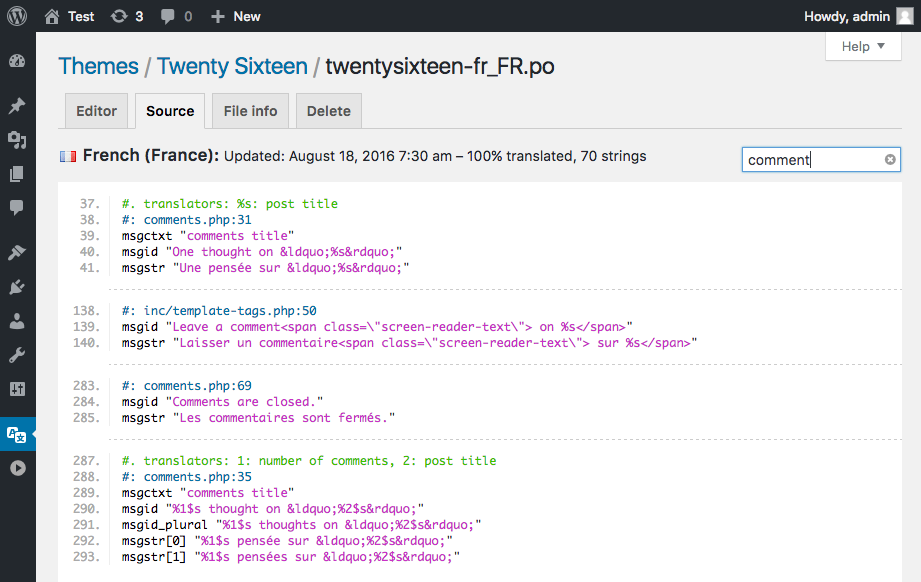
PO source view with text filter and clickable file references
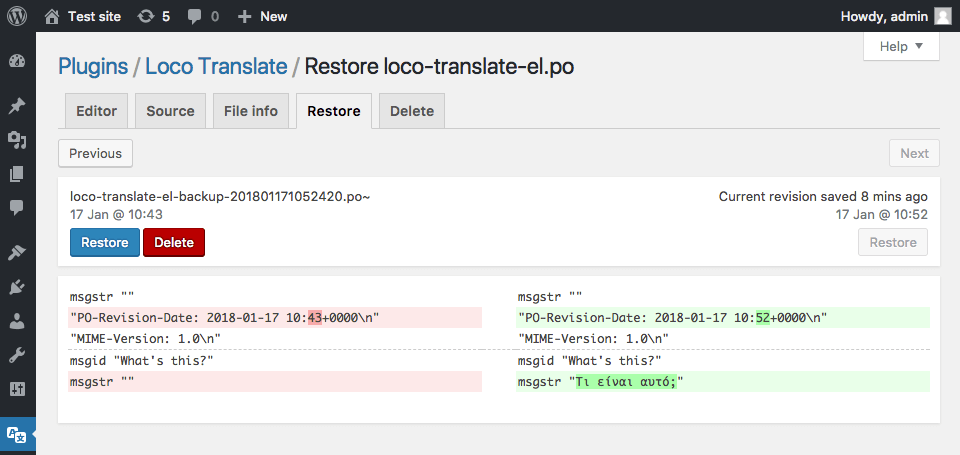
Restore tab showing PO diff view with revert function
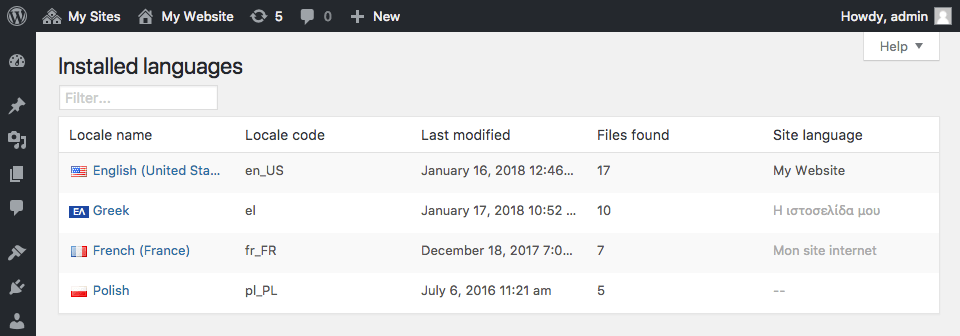
Showing access to translations by installed language
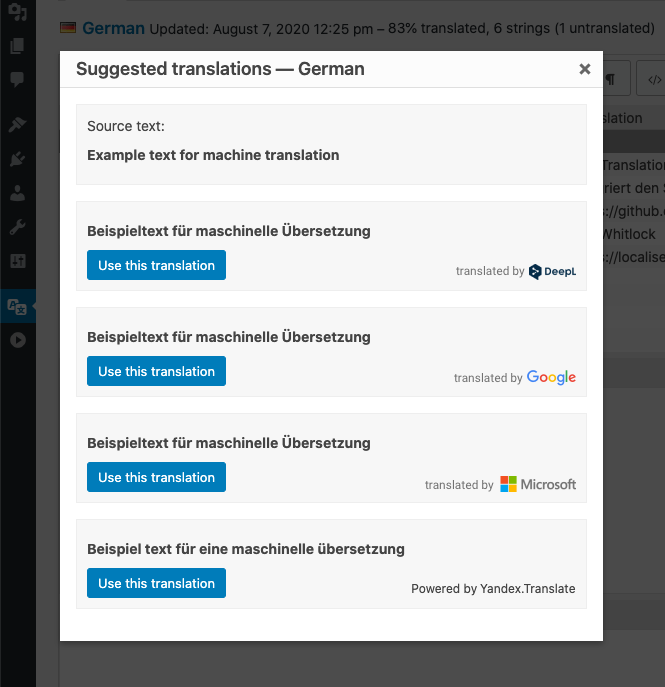
Suggestion feature showing results from several providers
Plugins semelhantes


Torne-se multilíngue de maneira simples e eficiente. Continue escrevendo posts e termos de taxonomia normalmente enquanto define seus idiomas de uma só vez.

Traduza seu site visualmente, diretamente pela interface. Torne-o multilíngue em poucos minutos, usando a tradução automática por IA. Funciona com qualquer tema ou plugin.

Translate WordPress with Google Language Translator multilanguage plugin which allows to insert a language selector widget anywhere on your website.

Converts Cyrillic, European and Georgian characters in post, term slugs and media file names into Latin characters.

LocoAI - Auto Translate For Loco Translate is a powerful tool for developers looking to quickly translate their WordPress plugins and themes.