PayPal's latest payment processing solution. Accept PayPal, Pay Later, credit/debit cards, alternative digital wallets and bank accounts.

Better Usability for WooCommerce
Hospedagem WordPress com plugin Better Usability for WooCommerce
Onde devo hospedar o plugin Better Usability for WooCommerce?
Este plugin pode ser hospedado em qualquer servidor que possua WordPress instalado. Recomendamos optar por uma empresa de hospedagem de confiança, com servidores especializados para WordPress, como o serviço de hospedagem da MCO2.
Hospedando o plugin Better Usability for WooCommerce em uma empresa de hospedagem de confiança
A MCO2, além de instalar o WordPress na versão mais nova para seus clientes, oferece o plugin WP SafePress, um mecanismo exclusivo que salvaguarda e otimiza seu site simultaneamente.
Por que a Hospedagem WordPress funciona melhor na MCO2?
A Hospedagem WordPress funciona melhor pois a MCO2 possui servidores otimizados para WordPress. A instalação de WordPress é diferente de uma instalação trivial, pois habilita imediatamente recursos como otimização de imagens, proteção da página de login, bloqueio de atividades maliciosas diretamente no firewall, cache avançado e HTTPS ativado por padrão. São plugins que potencializam seu WordPress para a máxima segurança e o máximo desempenho.
Better Usability for WooCommerce removes the small but persistent friction points that cause shoppers to abandon: waiting for full page reloads, hunting for quantity controls, and navigating an unnecessary cart step before checkout. It covers four areas — Shop, Product, Cart, and Checkout — with settings you can mix and match to fit your store.
Free features:
Cart
- Auto-refresh cart totals via AJAX when quantity changes — no “Update cart” click required
- Show a confirmation prompt before quantity is reduced to zero
- Hide the “Update cart” button
Shop
- Change product quantity directly on the shop/archive page before adding to cart
- AJAX “Add to cart” on individual product pages (same as the shop-loop behaviour)
- Skip the cart page and go straight to checkout after adding a product
- Customise the “Add to cart” and “View cart” button labels
Product
- Low-stock urgency badge (“Only 3 left in stock!”) near the Add to Cart button on both single product and shop/archive pages — it reads WooCommerce’s own per-product stock quantity and low-stock threshold, shows only for stock-managed products at or below that threshold, and is fully customisable (badge text with a
{stock}placeholder, optional custom threshold), giving hesitant shoppers a scarcity nudge with zero configuration beyond a toggle
Checkout
- Allow shoppers to delete items directly from the checkout page
- Allow shoppers to change quantities from the checkout page
- Display the unit price next to each product name
General
- Show −/+ buttons around the quantity field — choose where: Shop, Product page, Cart, Checkout
- Show the quantity as a dropdown select instead of a numeric input — choose where: Shop, Product page, Cart
- Lock the numeric input so shoppers can only use the +/− buttons (prevents accidental typing)
- One “Updating…” text for the cart and price refreshes
- Convert simple-product “Add to Cart” buttons to AJAX site-wide
- Hide the “Added to cart” notice after adding a product
- Hide the “View cart” link after adding a product
- Set a global maximum quantity per product
- Decimal quantity support for +/− buttons
- Accessible, WCAG-friendly quantity controls — the −/+ buttons carry proper “Decrease quantity” / “Increase quantity” labels, work with the keyboard (Enter/Space), and announce the new quantity (and the cart refresh) to screen readers
PRO features:
- Sticky Add to Cart bar — a floating bar slides in when the shopper scrolls past the Add to Cart button, keeping purchase intent alive without hunting for the button (view demo)
- Quick View modal — shoppers open a full product preview in a lightbox (image, price, description, Add to Cart) without leaving the Shop page; keyboard accessible (focus stays in the lightbox and returns to the button on close) (view demo)
- Synchronize cart quantities automatically when changed (view demo)
- Auto-update price on Product and Shop pages as quantity changes (view demo)
- Change product variations directly on the Shop page — fewer clicks to buy (view demo)
- Sync the MiniCart widget live from Shop or Product pages (view demo)
- AJAX delete on the checkout page — no full page reload (view demo)
- Change quantities inside the Mini-Cart widget, with −/+ buttons (view demo)
- Quantity as a dropdown select at checkout
- Block the screen while a quantity change is saved
Get the PRO version here.
Capturas de tela

Quantity −/+ buttons and AJAX "Add to cart" on the Shop page
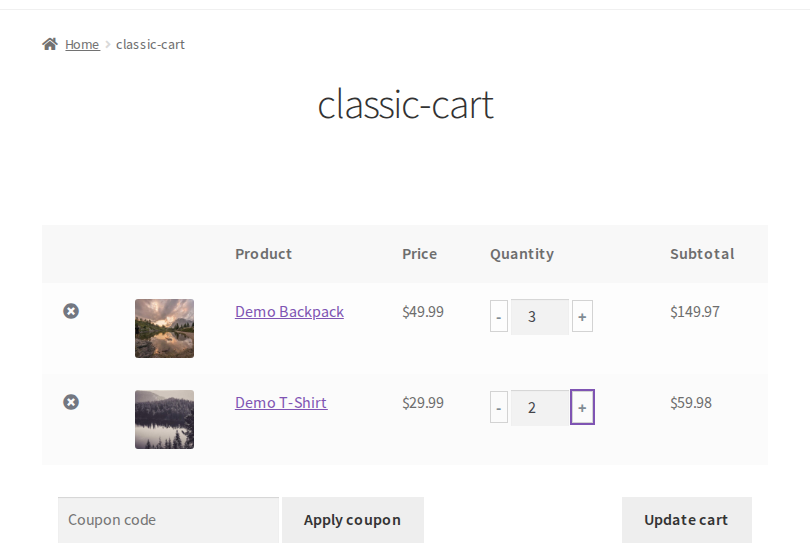
The cart recalculates by AJAX as soon as a quantity changes — no "Update cart" click

The same −/+ buttons in the WooCommerce Cart block
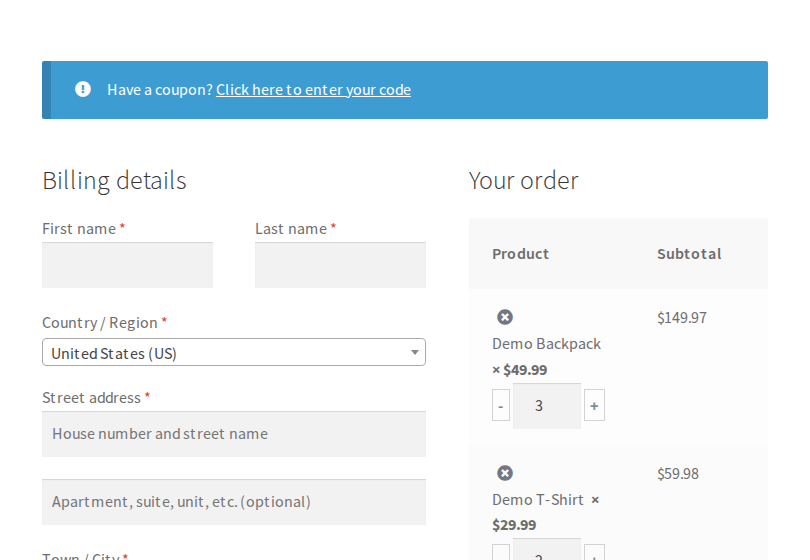
Change or remove items right on the checkout page

General settings — AJAX add to cart, quantity limit, where the −/+ buttons and the quantity select show, checkout quantities
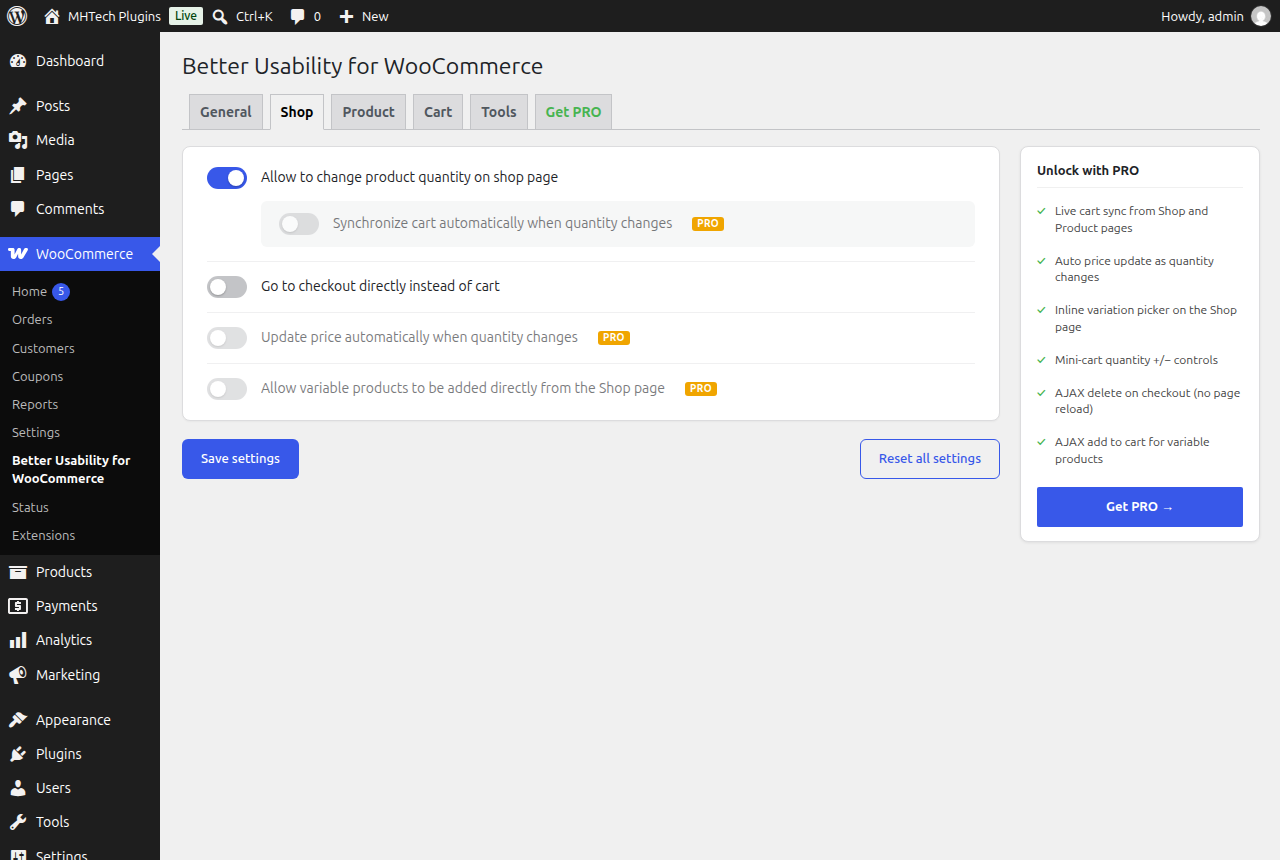
Shop settings — quantity on the shop page, Go to checkout shortcut
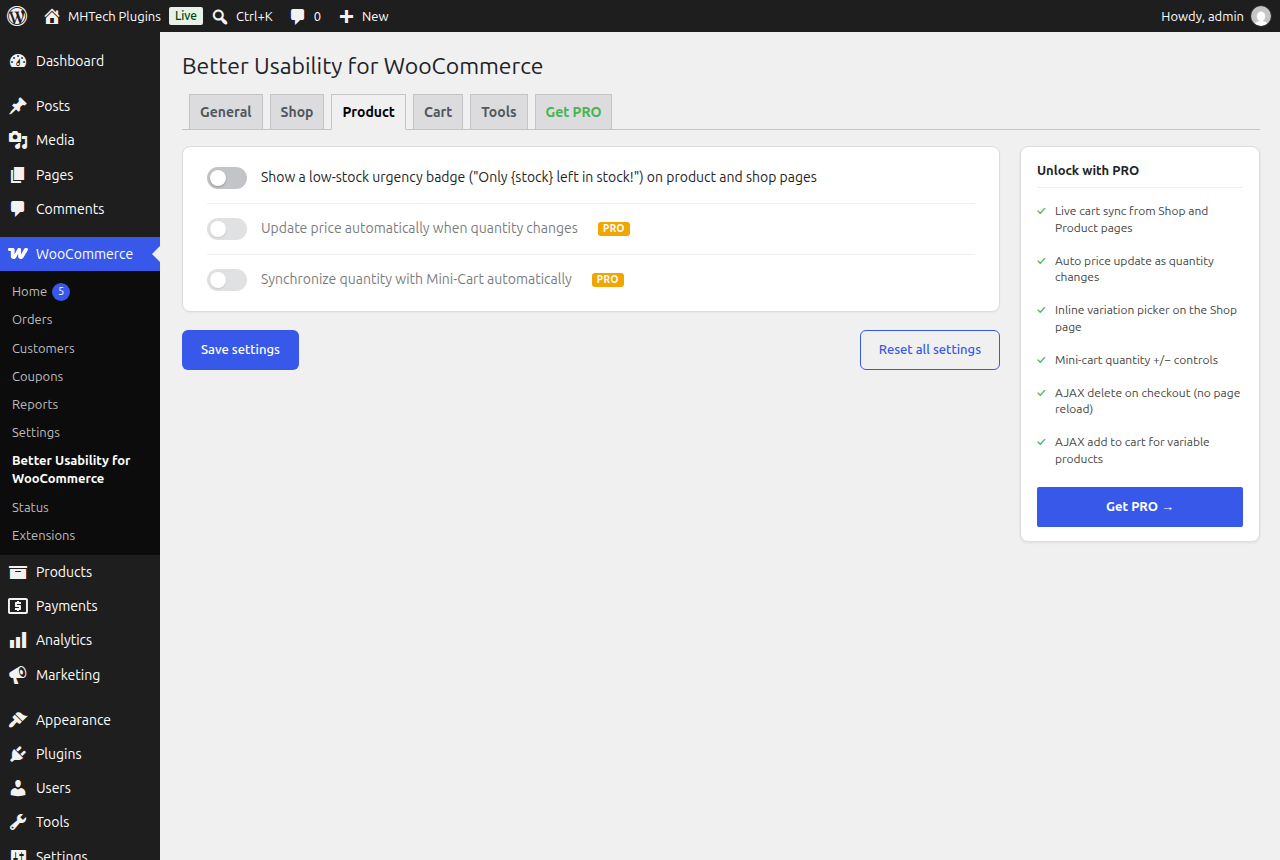
Product page settings — low-stock badge
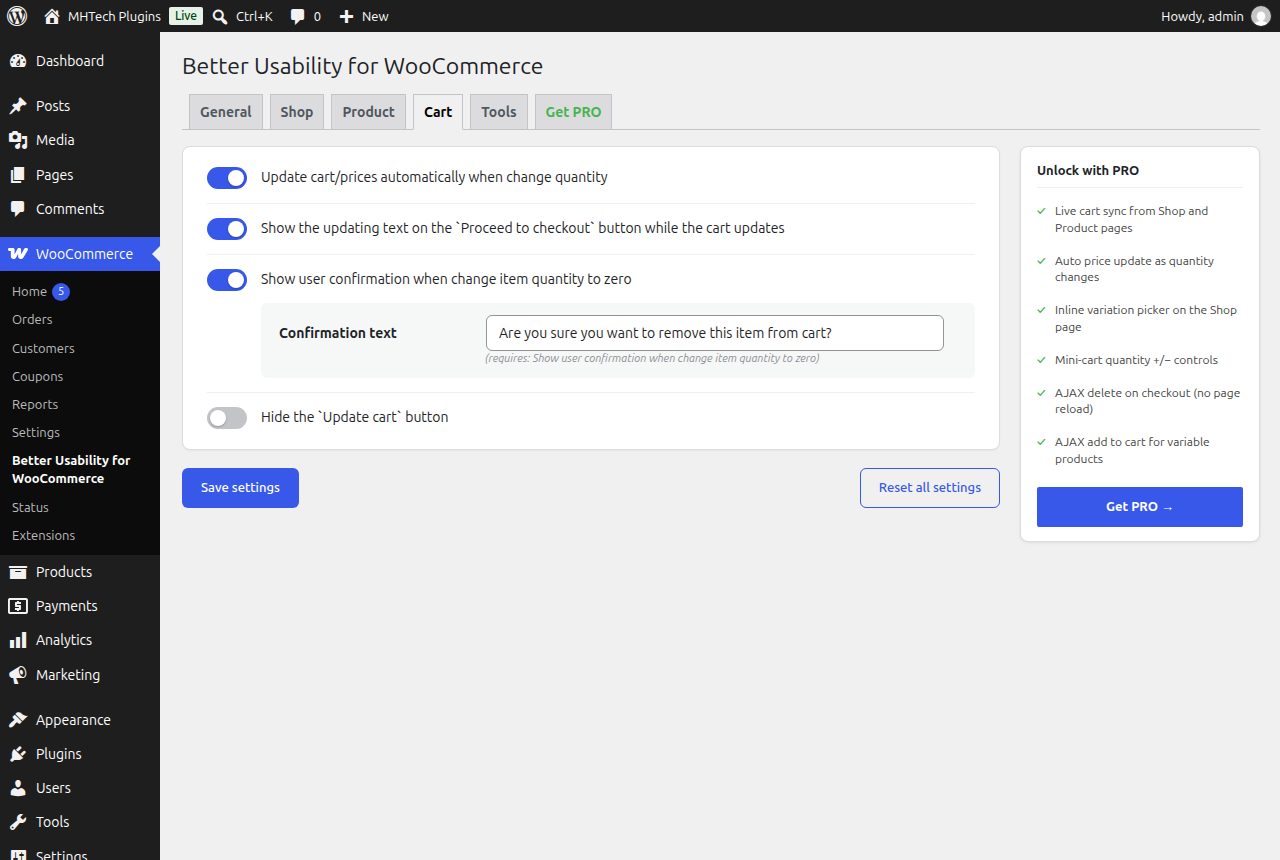
Cart settings — AJAX auto-update, confirmation prompt
Plugins semelhantes


Native integration with Google that allows merchants to easily display their products across Google’s network.

We’re here to help with tax rates: collect accurate sales tax, automatically.

YITH WooCommerce Wishlist add all Wishlist features to your website. Needs WooCommerce to work. WooCommerce 11.2.x compatible.

The WooCommerce Legacy REST API, which is now part of WooCommerce itself but will be removed in WooCommerce 9.0.

Crie, imprima & envie automaticamente por e-mail faturas em PDF ou XML & notas de embalagem em PDF para pedidos do WooCommerce.
Do mesmo author (moiseh)

AJAX cart for WooCommerce: totals update as soon as a quantity changes, plus a slide-in side cart that works with any theme.