Translate WordPress plugins and themes directly in your browser. Versatile PO file editor with integrated AI translation providers.

Translate WordPress with Weglot 2.0 – Multilingual AI Translation
Hospedagem WordPress com plugin Translate WordPress and go Multilingual – Weglot
Onde devo hospedar o plugin Translate WordPress and go Multilingual – Weglot?
Este plugin pode ser hospedado em qualquer hospedagem que tenha WordPress configurado. Recomendamos utilizar um provedor de hospedagem de confiança, com servidores especializados para WordPress, como o serviço de hospedagem de sites da MCO2.
Hospedando o plugin Translate WordPress and go Multilingual – Weglot em um provedor de confiança
A MCO2, além de instalar o WordPress na versão mais atualizada para seus clientes, oferece o plugin WP SafePress, um sistema singular que assegura e melhora seu site simultaneamente.
Por que a Hospedagem WordPress funciona melhor na MCO2?
A Hospedagem WordPress funciona melhor pois a MCO2 possui servidores otimizados para WordPress. A instalação de WordPress é diferente de uma instalação trivial, pois habilita imediatamente recursos como otimização de imagens e fotos, proteção da página de login, bloqueio de atividades maliciosas diretamente no firewall, cache avançado e HTTPS ativado por padrão. São recursos que potencializam seu WordPress para a máxima segurança e o máximo desempenho.
Weglot 2.0 is a website translation plugin that translates your WordPress site into 110+ languages, with AI translations built around your brand. Trusted by 110,000+ websites, Weglot detects and translates all of your content, from pages and posts to WooCommerce products, emails, and the text inside your images, then gives you full control to review and publish every translation. Weglot installs in 5 minutes, with no coding required.
What’s New in Weglot 2.0
Weglot 2.0 builds on the Weglot you know, with even better translations tailored to your brand that you can trust and publish: a new AI Translation Model, a redesigned translation experience, and built-in multilingual visibility.
- A new AI Translation Model shaped by your Brand Profile and Translation Guidelines, for more accurate, context-aware translations that sound like you.
- A redesigned translation experience with a new dashboard, publishing workflow, Visual Editor, and Translation List.
- Image Translation to localize text inside your images directly from the Visual Editor.
- Weglot MCP to connect Weglot to your favorite AI assistant and update translations without opening the dashboard.
- Built-in multilingual visibility with multilingual SEO and GEO foundations: automatic hreflang tags, translated metadata, and publish or unpublish per language.
- New collaboration and analytics tools, including a dedicated Agency Workflow.
AI Translation Built Around Your Brand
Weglot’s AI Translation Model combines leading AI models with your Brand Profile, Translation Guidelines, and page context. Your translated content reads like your brand in every language, so you can publish with confidence.
- AI Translation Model shaped by your Brand Profile and Translation Guidelines for accurate, consistent translations.
- In-context review in the Visual Editor: read and edit each translation on a live preview of your website.
- Translation List to search, filter, and manage every translation from one place.
- Full editing control: keep the AI translation, edit it yourself, or hand it to your team or your translators.
- 110+ languages available, including regional variants.
- Publishing workflow to control what gets translated and when each language goes live.
- Automatic content synchronization: when you publish new content, Weglot detects it and translates it, so your multilingual website stays up to date.
Multilingual SEO and GEO for WordPress
Weglot handles the technical foundations of multilingual SEO, so every translated page is ready to be discovered by search engines and by AI-powered answer engines.
- Language-specific URLs: subdirectories such as /es/ or /fr/, or subdomains, so each language is indexed separately.
- Automatic hreflang tags to tell search engines which language version to serve to which audience.
- Translated metadata, including page titles, meta descriptions, and translated slugs.
- Publish and unpublish per language to control exactly what is live in each market.
- Pages ready for indexing across search engines and AI-powered discovery experiences, in every market you localize for.
- Compatible with your SEO plugins, including Yoast SEO, Rank Math, and All in One SEO.
Image Translation and Weglot MCP
Not everything that needs translating is text on a page, and not every translation job starts in the dashboard.
- Image Translation: translate the text inside your images in one click from the Visual Editor while preserving the original design. Generate the translated image with AI or import your own.
- Weglot MCP: connect Weglot to your favorite AI assistant to review translations, manage projects, and update content using natural language.
Funcionalidades de tradução do WooCommerce
Translate and localize your entire WooCommerce store, so shoppers buy in their own language:
- Descrições, categorias e atributos dos produtos.
- Páginas do carrinho, finalização da compra e conta.
- Customer emails in the shopper’s own language.
- Metadados e taxonomias específicos do WooCommerce.
Built for Teams and Agencies
Weglot 2.0 adds the tooling teams and agencies need to run multilingual projects at scale.
- Agency Workflow to manage client websites and multilingual projects in one place.
- Word Count for clear visibility into how much content you translate.
- Team collaboration to invite members and assign translation work.
- Pro plans unlock unlimited languages, higher word counts, advanced multilingual SEO, multisite support, and priority support.
Why Teams Choose Weglot
Weglot’s AI Translation Model works from your brand, your guidelines, and your audience, because a good translation is one that fits the company it belongs to. Weglot 2.0 detects all of your content automatically, whether you run a blog, a marketing site, or a WooCommerce store, so you never duplicate pages or maintain PO files by hand. Your translations are served from the cloud, which keeps your database light and your WordPress site fast as you add languages and markets.
Resultados globais comprovados
- The Bradery: scaled their fashion ecommerce store to 500+ daily product translations while keeping their catalogue consistent in every language.
The biggest win for us is the time we’ve saved. It takes us about ten minutes twice a week to double-check everything is running how we want it. Everything else is done by Weglot.
Adèle Aubry, Ecommerce Manager at The Bradery
- REVIEWS.io: achieved a 120% increase in German traffic and a 20% conversion boost after localizing their website with Weglot.
We needed a product that dramatically increased the speed of website translation. Our clunky manual coding approach was time-consuming, but with Weglot, it’s fast and effortless.
Rich Ball, Marketing Manager, REVIEWS.io
- Ron Dorff: now generates 70% of their revenue from international markets with a fully localized customer experience.
Weglot interface is really friendly and easy to use. You can find all your content in a few clicks and then translate it quickly and efficiently.
Jamila Halloum, Digital Marketing Director at Ron Dorff.
Get Started
Install the plugin from your WordPress dashboard, connect your Weglot account, and select the languages you want. Weglot translates your website and puts every translation in front of you to review before you publish.
Create your free account: https://auth.weglot.com/register/wordpress?utm_source=wordpress.org&utm_medium=plugin-directory&utm_campaign=readme
Links importantes
- https://www.weglot.com/
- https://www.weglot.com/terms
- https://www.weglot.com/security
Ao usar este plugin, você concorda com os termos e políticas da Weglot. Revise estes documentos para entender como seus dados e conteúdo são gerenciados e protegidos.
If you decide to stop using Weglot, your website will no longer be translated. All translations are stored on Weglot’s servers. However, you can export all your translations using our import/export feature before discontinuing the service to save your translations. More details on how to do this can be found here: https://support.weglot.com/article/206-can-i-export-my-translations. If you do not have access to this feature, you can request support from Weglot to assist with the export before you leave.
Capturas de tela
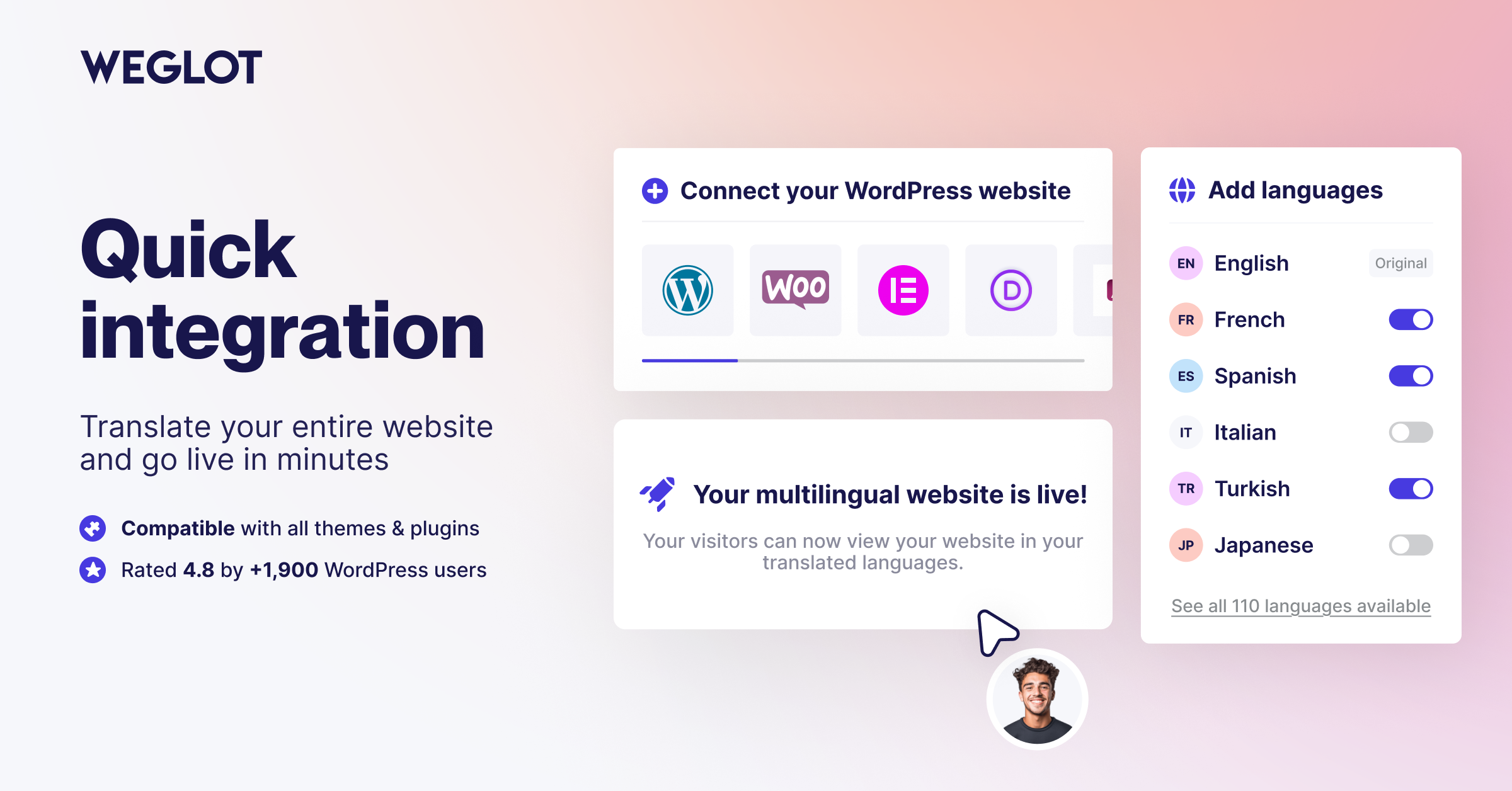
Install the plugin, connect your account, and translate your WordPress site into 110+ languages in minutes
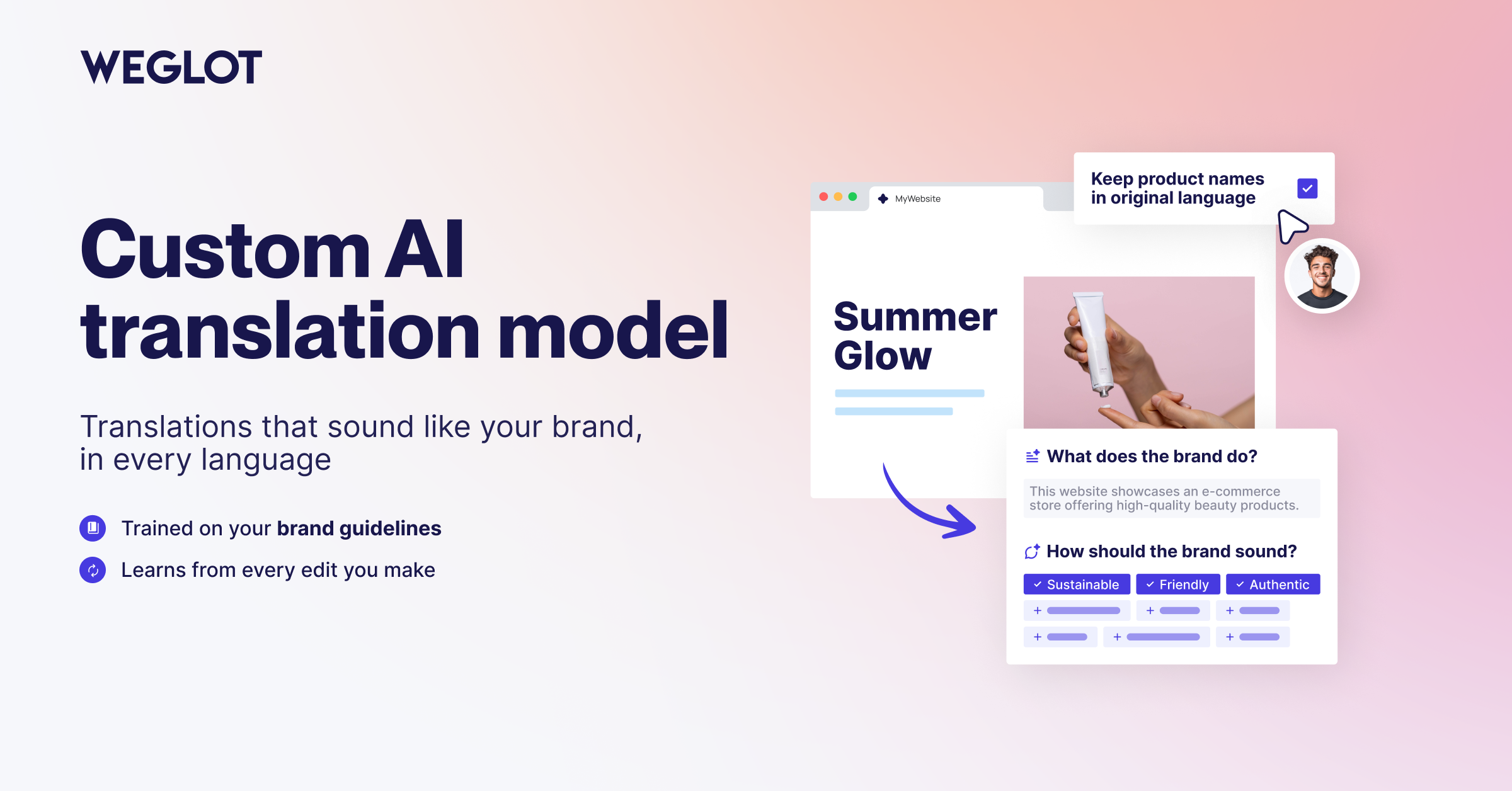
Translate your website with an AI Translation Model built around your brand
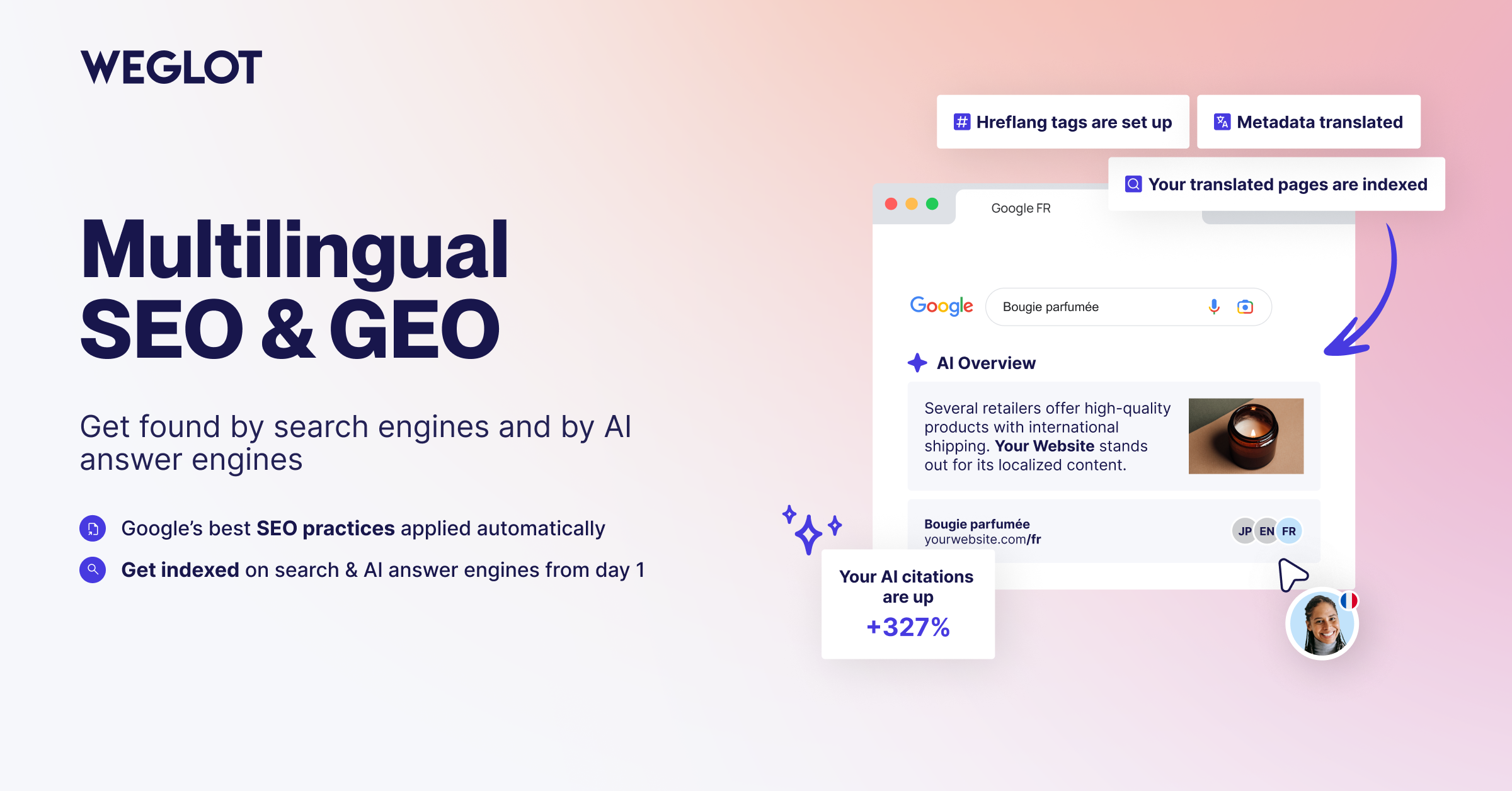
Get found in every market with multilingual SEO and GEO built in
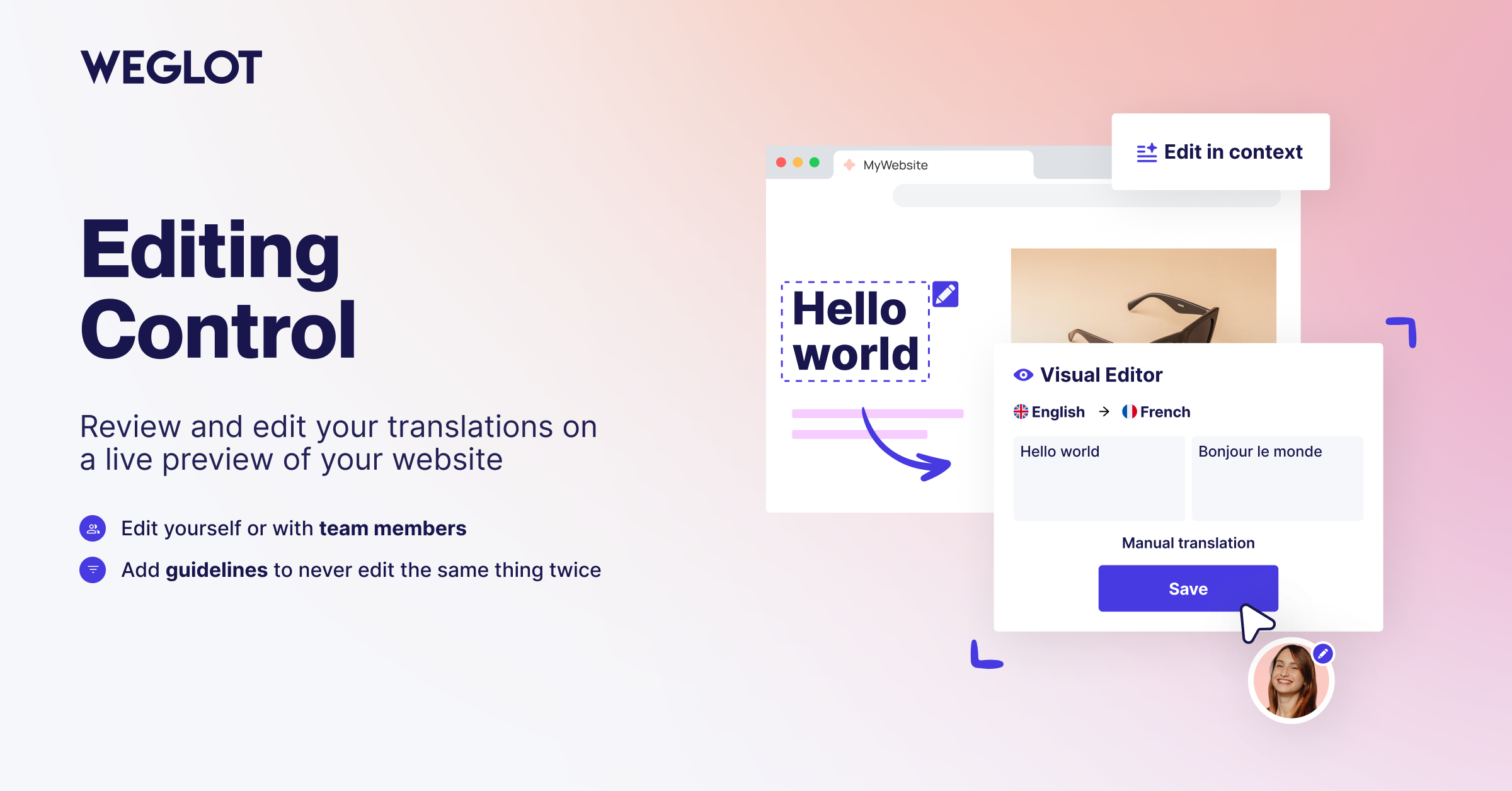
Review and edit your translations in context, on a live preview of your website
Plugins semelhantes


Translate WordPress with Google Translate multilanguage plugin using AI translation. Complete multilingual SEO solution, WooCommerce compatible.

Torne-se multilíngue de maneira simples e eficiente. Continue escrevendo posts e termos de taxonomia normalmente enquanto define seus idiomas de uma só vez.

Traduza seu site visualmente, diretamente pela interface. Torne-o multilíngue em poucos minutos, usando a tradução automática por IA. Funciona com qualquer tema ou plugin.

Translate WordPress with Google Language Translator multilanguage plugin which allows to insert a language selector widget anywhere on your website.

Connect Polylang with Elementor: translated templates, language switcher widget, language visibility conditions and more