Custom Fonts is a powerful WordPress plugin that allows you to upload your own custom fonts or choose from a vast collection of Google Fonts, all host …

Seed Fonts
Hospedagem WordPress com plugin Seed Fonts
Onde posso hospedar o plugin Seed Fonts?
Este plugin pode ser hospedado em qualquer provedor que possua WordPress configurado. Recomendamos fortemente escolher um provedor de hospedagem confiável, com servidores especializados para WordPress, como o serviço de hospedagem WordPress da MCO2.
Hospedando o plugin Seed Fonts em uma empresa de hospedagem seguro
A MCO2, além de configurar e instalar o WordPress na versão mais atualizada para seus clientes, oferece o WP SafePress, um mecanismo exclusivo que protege e otimiza seu site simultaneamente.
Por que a Hospedagem WordPress funciona melhor na MCO2?
A Hospedagem WordPress funciona melhor pois a MCO2 possui servidores otimizados para WordPress. A instalação de WordPress é diferente de uma instalação trivial, pois habilita imediatamente recursos como otimização automática de imagens e fotos, proteção da página de login, bloqueio de atividades suspeitas diretamente no firewall, cache avançado e HTTPS ativado por padrão. São plugins que potencializam seu WordPress para a máxima segurança e o máximo desempenho.
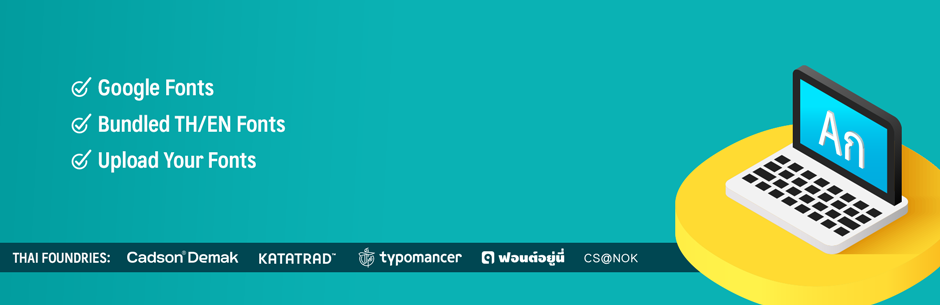
Seed Fonts is WordPress plugin that helps you use web fonts (@font-face embed) easier. You can use by
- Google Fonts
- Bundled Thai-English fonts
- Your own web fonts. (Upload to /wp-content/uploads/fonts/fontname/ or /wp-content/themes/ThemeName/vendor/fonts/fontname/ – lowercase is recommended.)
The GitHub repository can be found at https://github.com/SeedWebs/seed-fonts.
External services
This plugin can load fonts from Google Fonts, a web font service provided by Google LLC. It only does so if you turn on “Use Google Fonts?” for the heading font and/or the body font in Appearance -> Seed Fonts. This option is off by default. Bundled fonts and fonts you upload to your own site are always served from your own site.
When Google Fonts is turned on, every front-end page of your site (and the block editor screens) loads a stylesheet from fonts.googleapis.com, and the visitor’s browser then downloads the font files from fonts.gstatic.com. With these requests Google receives the visitor’s IP address and browser user agent, the address of your site (as the HTTP referrer), and the font family and weight you selected. The plugin does not send any other data to Google and makes no server-side requests.
- Google Fonts: https://fonts.google.com/
- Google Fonts privacy FAQ: https://developers.google.com/fonts/faq/privacy
- Google Terms of Service: https://policies.google.com/terms
- Google APIs Terms of Service: https://developers.google.com/terms
- Google Privacy Policy: https://policies.google.com/privacy
The settings screen also contains plain links to fonts.google.com (to look up font names) and to the plugin documentation at docs.seedwebs.com. These pages are only opened if you click the links; nothing is sent automatically.
Font credits
The following bundled fonts are used under open licenses. Each font folder contains its license file.
- Anuphan by Mike Abbink, Paul van der Laan, Pieter van Rosmalen and Mint Tantisuwanna: SIL Open Font License 1.1
- Boon by Sungsit Sawaiwan (FontUni): SIL Open Font License 1.1
- IBM Plex Thai by IBM Corp.: SIL Open Font License 1.1
- Noto Sans Thai and Noto Serif Thai by Google: SIL Open Font License 1.1
- Sarabun by The Sarabun Project Authors: SIL Open Font License 1.1
- CS PraJad and CS Chatthai UI by Chanok Samiti: Creative Commons Attribution 4.0 (https://creativecommons.org/licenses/by/4.0/), converted to WOFF2
Capturas de tela

Settings: Heading Font.

Settings: Body Font.
Plugins semelhantes


Upload custom fonts with custom font uploader. Auto converts to woff2 for better performance. Self-hosted, GDPR compliant, and easy custom font plugin

Supports the grammar rule for orphan words at the end of a line.
Do mesmo author (SeedThemes)

Minimal Social Sharing WordPress Plugin (Just Facebook, X and LINE)

Change output year to Buddhist year or Buddhist Era (BE).