
Ally: Torne seu site mais inclusivo, examinando as violações de acessibilidade, corrigindo-as facilmente e adicionando um widget de usabilidade e estatísticas de acessibilidade …

Rewrite Rules Inspector
Hospedagem WordPress com plugin Rewrite Rules Inspector
Onde posso hospedar o plugin Rewrite Rules Inspector?
Este plugin pode ser hospedado em qualquer hospedagem que tenha WordPress instalado. Recomendamos utilizar um provedor de hospedagem confiável, com servidores adaptados para WordPress, como o serviço de hospedagem da MCO2.
Hospedando o plugin Rewrite Rules Inspector em um provedor confiável
A MCO2, além de instalar o WordPress na versão mais nova para seus clientes, disponibiliza o WP SafePress, um mecanismo singular que protege e aumenta a performance do seu site simultaneamente.
Por que a Hospedagem WordPress funciona melhor na MCO2?
A Hospedagem WordPress funciona melhor pois a MCO2 possui servidores otimizados para WordPress. A instalação de WordPress é diferente de uma instalação trivial, pois habilita imediatamente recursos como otimização de imagens e fotos, proteção da página de login, bloqueio de atividades maliciosas diretamente no firewall, cache avançado e HTTPS ativado por padrão. São recursos que potencializam seu WordPress para a máxima segurança e o máximo desempenho.
A simple WordPress admin tool for inspecting rewrite rules. View a listing of all your rewrite rules, see which rewrite rules match a given URL (and the priorities they match in), or filter by different sources of rewrite rules. Perform a soft flush of your rewrite rules to regenerate them.
Developed on GitHub — pull requests are always welcome. Please leave feedback, questions, bug reports, and feature requests in the GitHub issues.
Where to find it
Go to Tools Rewrite Rules in the WordPress admin.
URL Tester
Quickly test any URL (or path) against your site’s rewrite rules:
- See whether the URL would be a 404 or which rule would match first (the one WordPress uses).
- View the list of all matching rules, in match priority order.
- Inspect the query variables extracted from the match and the resulting final query WordPress would run.
Works with full URLs or paths and automatically handles sites installed in a subdirectory.
Permastructs
Browse a table of all permastructs that WordPress is aware of, including:
- Name — the permastruct key (e.g. for posts, taxonomies, authors).
- Structure — the permalink structure pattern used to generate rules.
- Description — a human-friendly summary of what the permastruct controls.
Flush Rules
The “Flush Rules” button allows you to regenerate your site’s rewrite rules. Here’s exactly what happens when you click it:
What the Flush Rules Button Does
When you click the “Flush Rules” button, the following sequence occurs:
-
Security Check: The system verifies you have the proper permissions (
manage_optionscapability) and validates the security nonce to prevent unauthorized access. -
Cache Clearing: WordPress deletes the cached rewrite rules from the options cache using
wp_cache_delete('rewrite_rules', 'options'). -
Rule Regeneration: WordPress calls
flush_rewrite_rules(false)to regenerate all rewrite rules based on:- Current permalink structure settings
- Custom post types and taxonomies
- Any custom rewrite rules added by themes or plugins
-
Hook Execution: The
rri_flush_rulesaction hook is fired, allowing other plugins to perform additional cleanup or actions after the flush. -
Success Feedback: You’re redirected back to the Rewrite Rules Inspector page with a success message confirming the rules have been flushed.
When to Use Flush Rules
Use the “Flush Rules” button when:
- Missing Rules: You see rules marked as “missing” (red background) in the inspector
- Custom URLs Not Working: Your custom permalinks or post type URLs aren’t working properly
- After Plugin Changes: You’ve activated/deactivated plugins that register custom rewrite rules
- Permalink Structure Changes: You’ve modified your site’s permalink structure
- Custom Post Type Issues: New custom post types or taxonomies aren’t generating proper URLs
Important Notes
- Soft Flush: This performs a “soft” flush (using
flush_rewrite_rules(false)), which is safer than a hard flush as it doesn’t force regeneration of all rules unnecessarily. - Permissions Required: Only users with
manage_optionscapability can flush rules. - No Data Loss: Flushing rules doesn’t delete any content or settings, it only regenerates the URL routing rules.
- Immediate Effect: Changes take effect immediately after flushing.
Capturas de tela
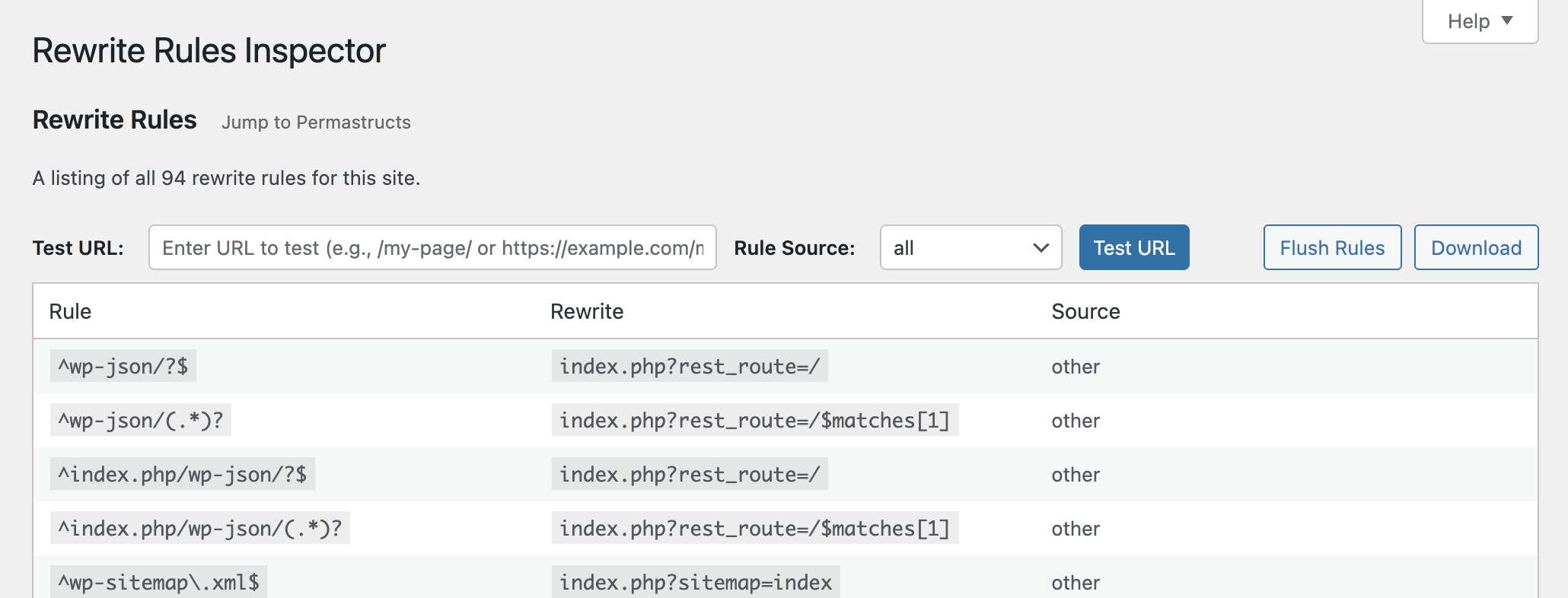
See all of the rewrite rules and flush them or download them.
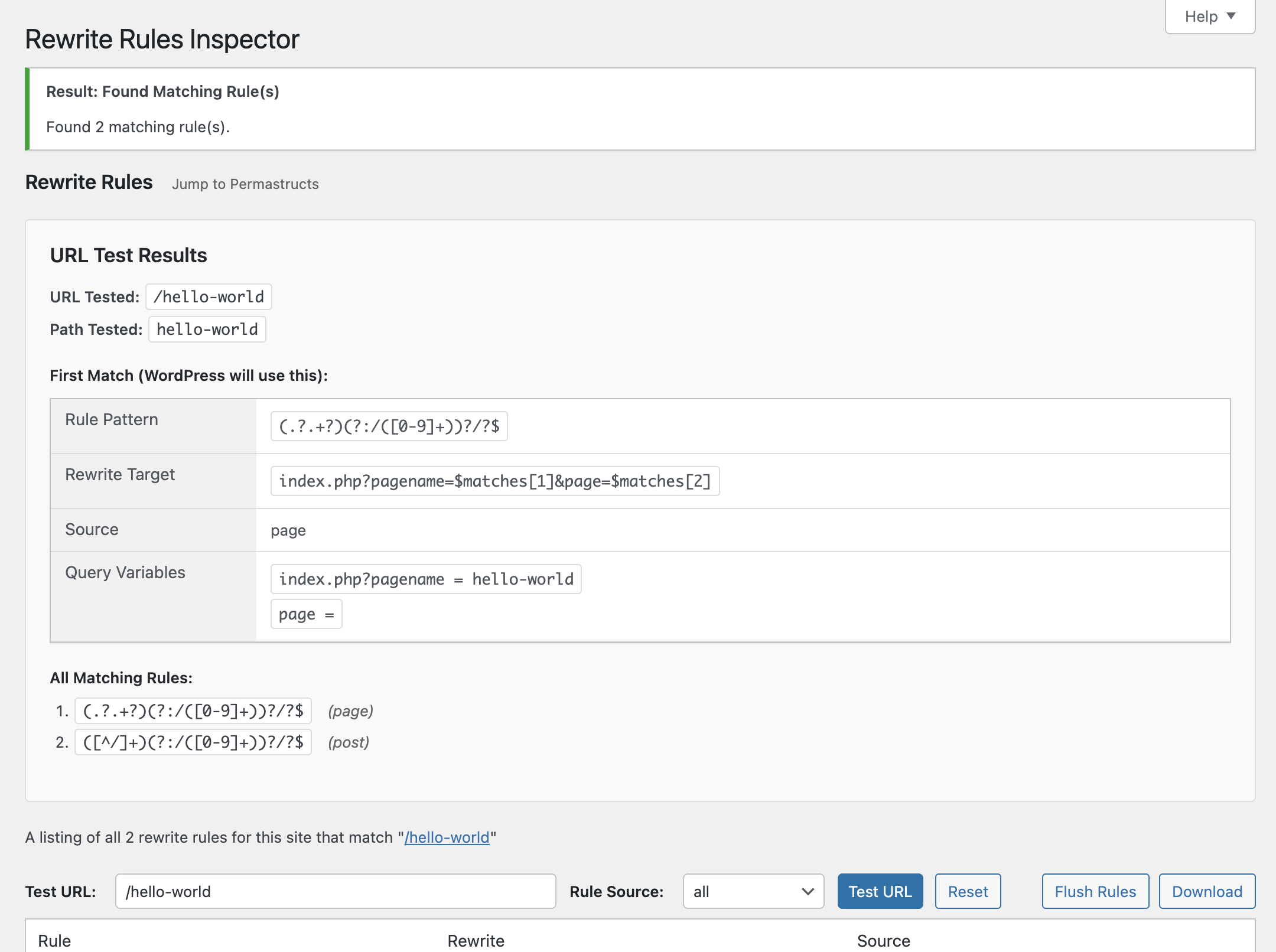
Test a URL against the rules to see which one(s) would match, and the priority they would match in.
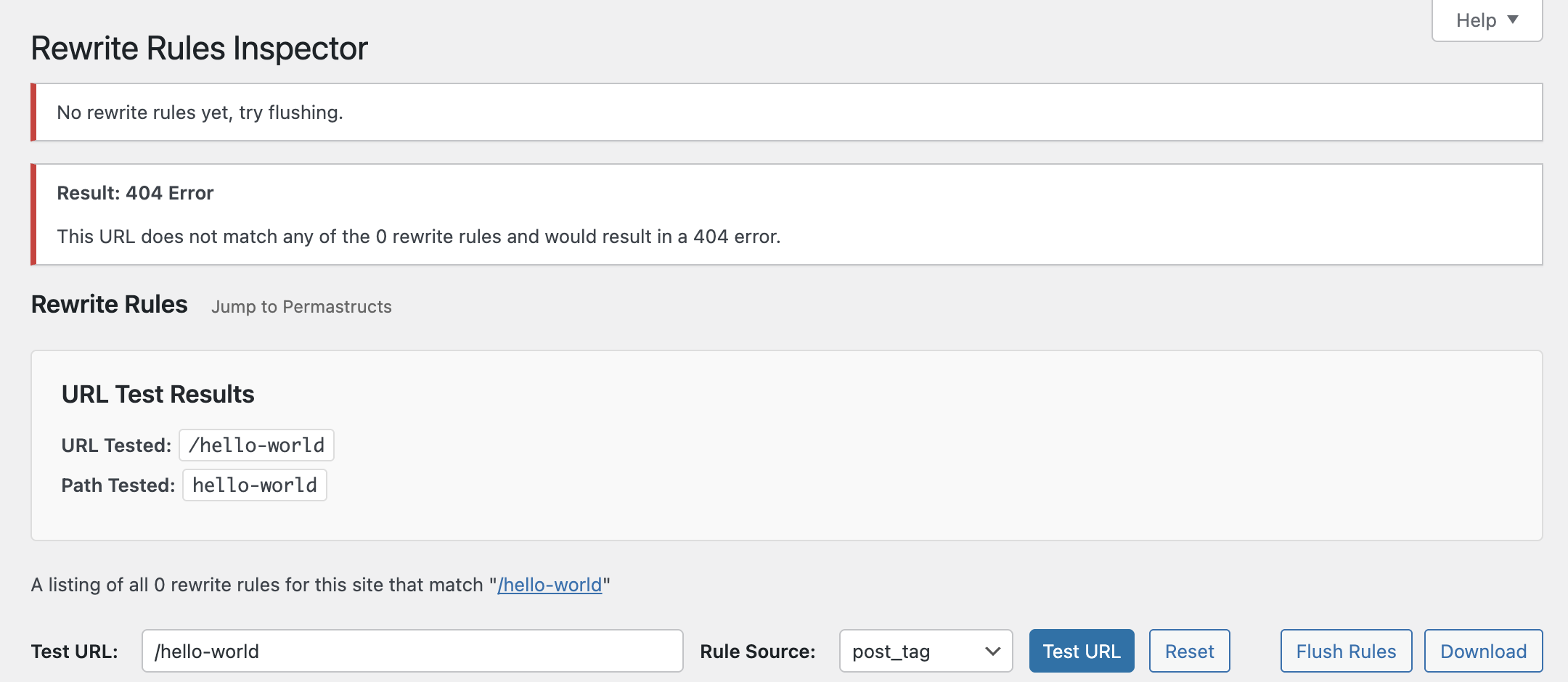
Limit rules and URL testing results down to specificrule sources.
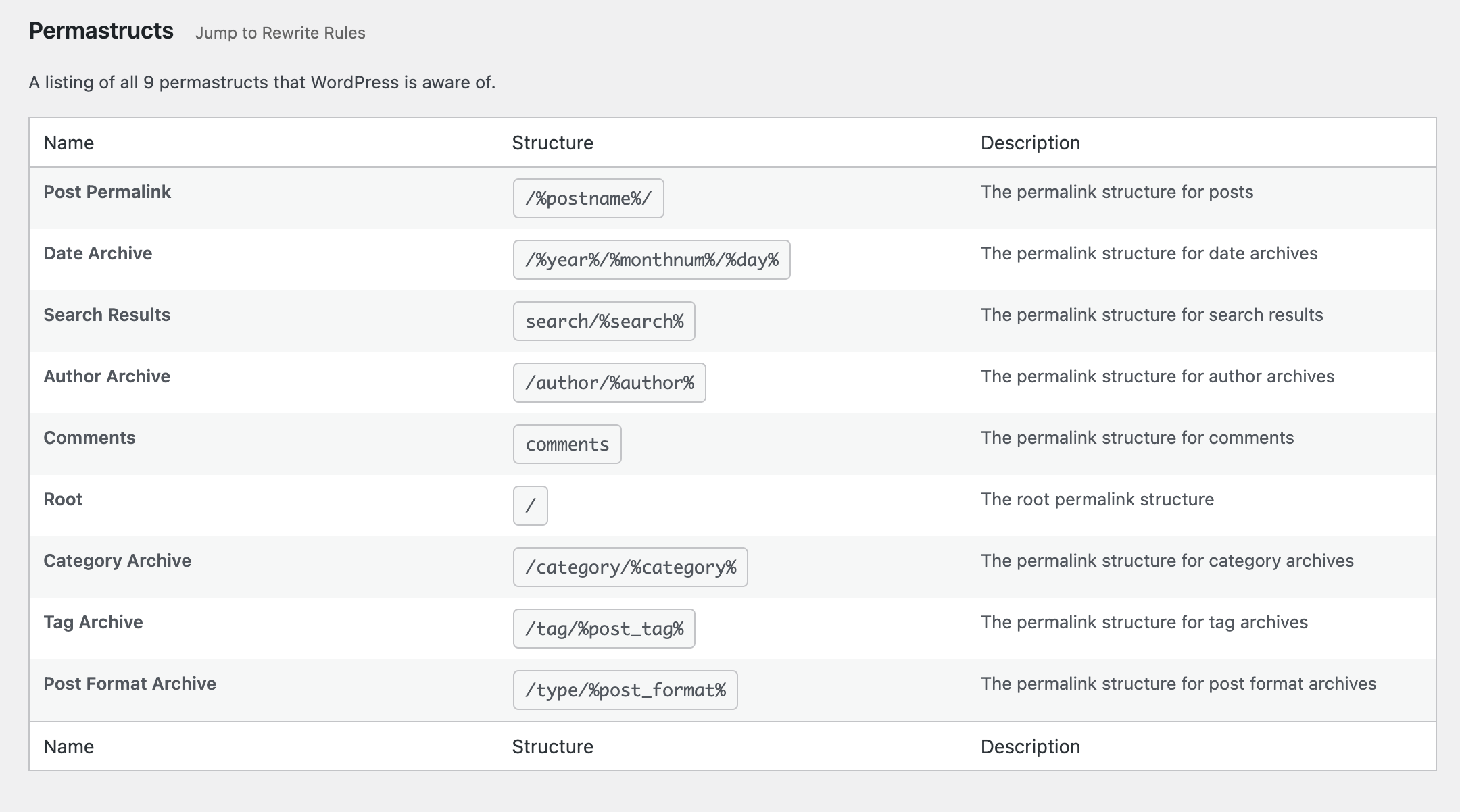
See which permastructs WordPress knows about.
Plugins semelhantes


Duplicação de posts, ordenação dos posts, redimensionamento de imagens, e-mail através de SMTP, editor do menu administrativo, CSS/código personalizado, desativação do Gutenberg e muito mais em um único plugin.

Change the domain on your site with one click.
Do mesmo author (Automattic)

Tudo o que você precisa para lançar uma loja on-line em poucos dias e mantê-la em crescimento por anos. Desde a sua primeira venda até milhões em receita, o Woo está com você.

The best anti-spam protection to block spam comments and spam in a contact form. The most trusted antispam solution for WordPress and WooCommerce.

Aprimore sua segurança no WP com ferramentas avançadas de um clique, como backup, WAF e verificação de malware. Inclui as ferramentas essenciais gratuitas como estatísticas, CDN e compartilhamento em redes sociais.

Uma ferramenta rápida para cache no WordPress que gera arquivos de HTML estático.

Limit rate of login attempts, including by way of cookies, for each IP. Fully customizable.

Acelere seu site do WordPress com otimizações em um clique, como Cache da página, CSS crítico e CDN da imagem, para melhorar o Core Web Vitals.