
The go-to tool for cloning posts and pages, including the powerful Rewrite & Republish feature.

Fast Page & Post Duplicator
Hospedagem WordPress com plugin Page and Post Clone
Onde posso hospedar o plugin Page and Post Clone?
Este plugin pode ser hospedado em qualquer servidor que possua WordPress instalado. Recomendamos fortemente escolher um provedor de hospedagem confiável, com servidores especializados para WordPress, como o serviço de hospedagem da MCO2.
Hospedando o plugin Page and Post Clone em uma empresa de hospedagem de confiança
A MCO2, além de configurar e instalar o WordPress na versão mais nova para seus clientes, fornece o WP SafePress, um mecanismo exclusivo que assegura e otimiza seu site simultaneamente.
Por que a Hospedagem WordPress funciona melhor na MCO2?
A Hospedagem WordPress funciona melhor pois a MCO2 possui servidores otimizados para WordPress. A instalação de WordPress é diferente de uma instalação trivial, pois habilita imediatamente recursos como otimização automática de imagens e fotos, proteção da página de login, bloqueio de atividades suspeitas diretamente no firewall, cache avançado e HTTPS ativado por padrão. São plugins que potencializam seu WordPress para a máxima segurança e o máximo desempenho.
The Fast Page & Post Duplicator plugin lets you make a copy of any post or page in WordPress with one click.
It makes a copy of the original content so you can use the same layouts, formatting and structure again without having to start from scratch.
This plugin is simple and fast. It makes managing content easier.
It is great for:
- Using the same page layouts
- Making versions of landing pages
- Copying posts to update or translate them
- Making copies of templates quickly
Features
✔ Duplicate posts with one click
✔ Duplicate pages with one click
✔ It copies the content, title and settings
✔ Keeps the structure and formatting as the original post
✔ Fast and simple
✔ With a simple interface in the WordPress post list
New things in recent versions:
✔ See what you have cloned recently
✔ View statistics on who is cloning what
✔ Check history of all the clones you have made
How it works
- Install and activate the Fast Page & Post Duplicator plugin.
- Go to Posts All Posts or Pages All Pages.
- Move your mouse over any item in the list.
- Click Clone.
- The copied content will open as a draft. You can edit and publish it.
Why use Fast Page & Post Duplicator?
Making pages from scratch can take a time.
With the Fast Page & Post Duplicator plugin you can make a copy of existing content. Change it which saves you time and makes sure your site looks consistent.
The Fast Page & Post Duplicator plugin works with the WordPress admin interface and does not need any special setup.
Capturas de tela
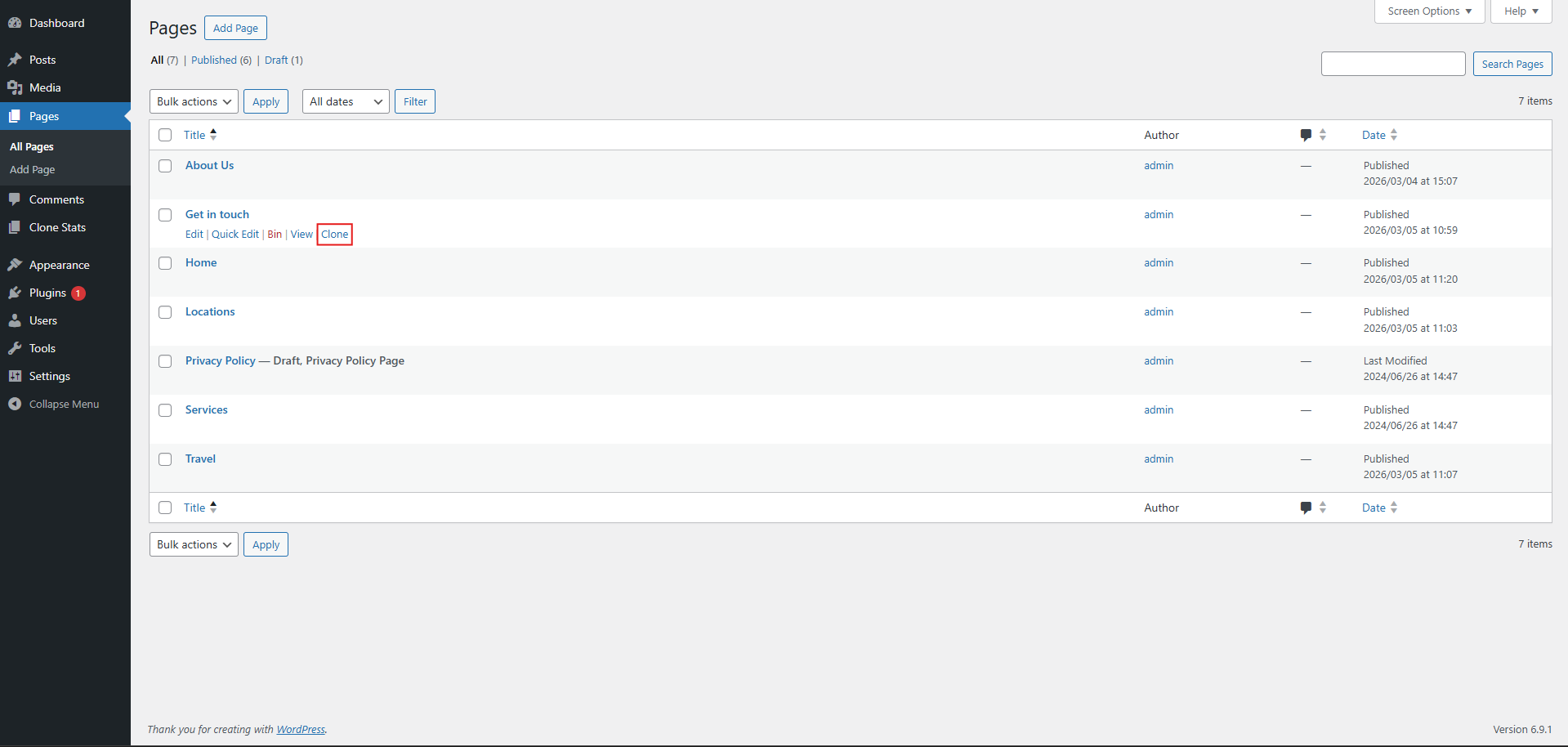
The clone button in the posts list
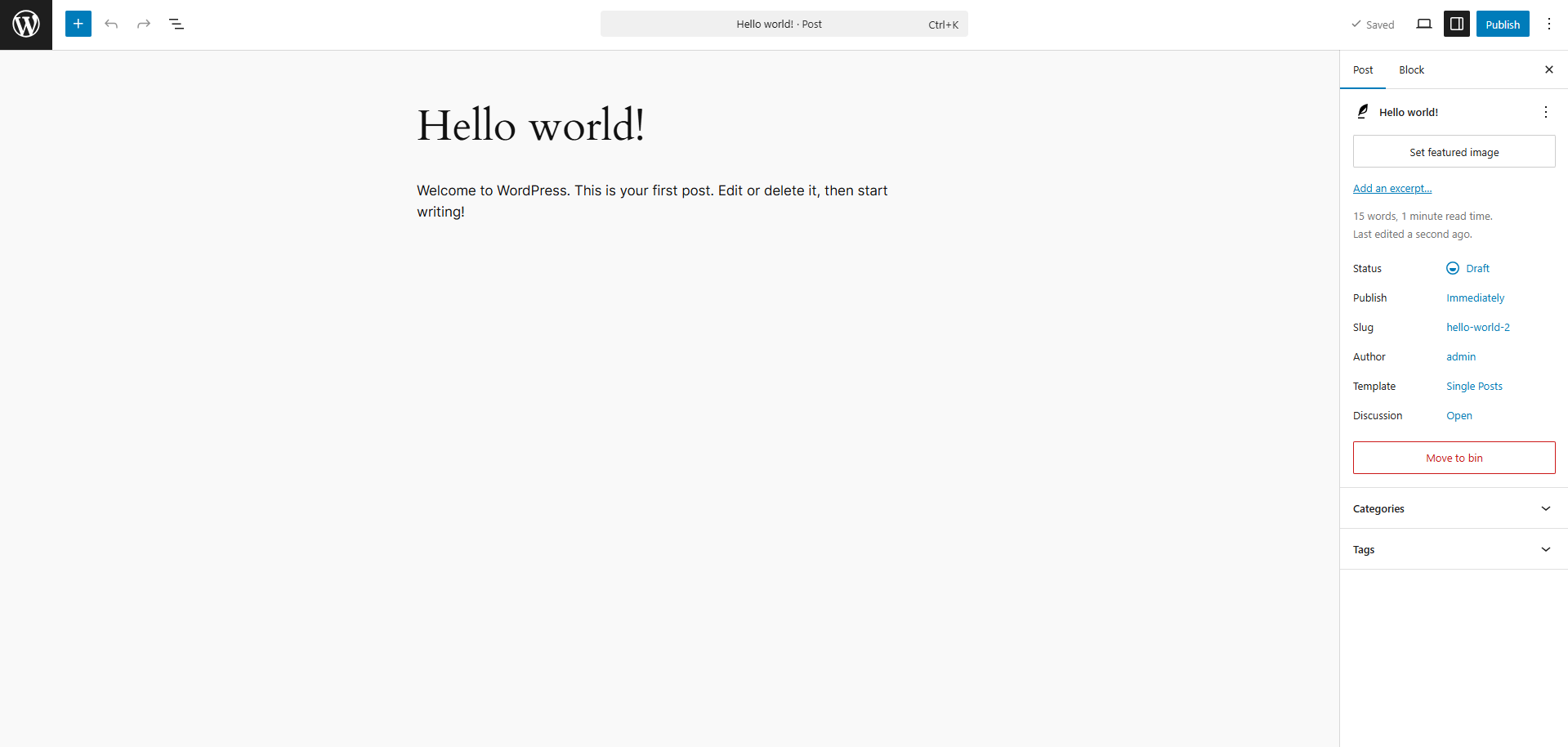
Editing the copied draft
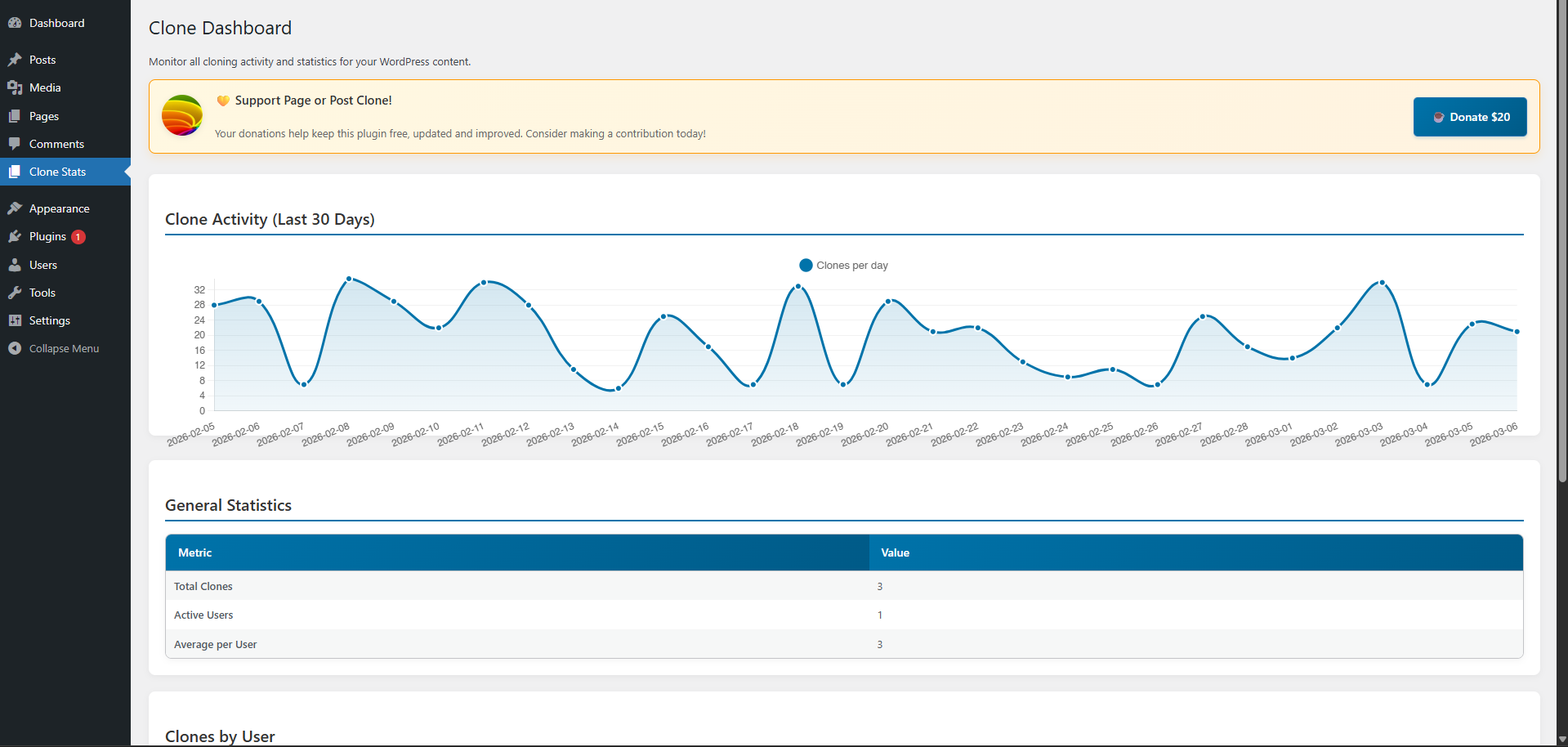
The clone activity dashboard
Plugins semelhantes

Plugin completo para backup, migração e ambiente de teste do WordPress. Agende backups automáticos, restaure com um clique e migre ou clone sites com segurança.

Effortlessly migrate, clone, or transfer your WordPress site to over 5,000 web hosts with Migrate Guru, trusted by Cloudways, Pantheon, and Dreamhost.

Um jeito simples de mudar o tipo de um post no WordPress

Migrate your database. Export full sites including media, themes, and plugins. Find and replace content with support for serialized data.

Creates functionality to duplicate any and all post types, including taxonomies & custom fields. Perfect for developers and content creators.