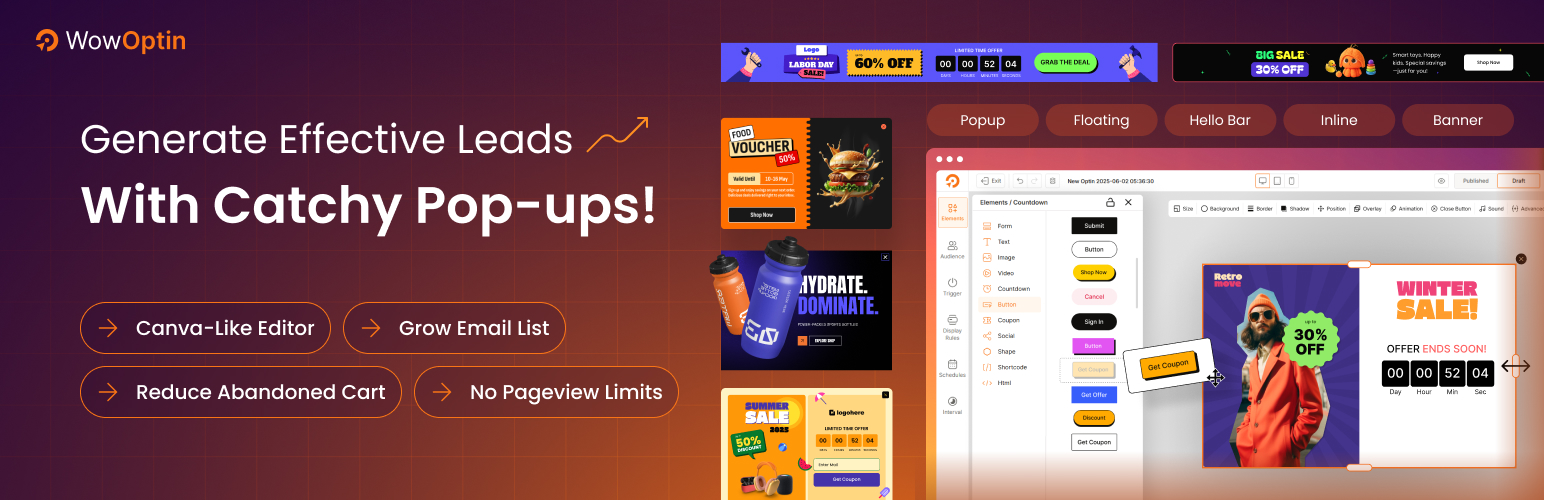
🤩 Crie pop-ups e formulários de adesão para obter mais assinantes de boletins informativos por e-mail, leads e vendas – mais usado plugin de edição de pop-ups🚀

WowOptin – Popup Maker and Optin Forms
Hospedagem WordPress com plugin WowOptin – Popup Maker and Optin Forms
Onde devo hospedar o plugin WowOptin – Popup Maker and Optin Forms?
Este plugin pode ser hospedado em qualquer provedor que possua WordPress instalado. Recomendamos fortemente utilizar uma hospedagem confiável, com servidores especializados para WordPress, como o serviço de hospedagem WordPress da MCO2.
Hospedando o plugin WowOptin – Popup Maker and Optin Forms em uma empresa de hospedagem seguro
A MCO2, além de instalar o WordPress na versão mais atual para seus clientes, fornece o plugin WP SafePress, um sistema exclusivo que salvaguarda e melhora seu site ao mesmo tempo.
Por que a Hospedagem WordPress funciona melhor na MCO2?
A Hospedagem WordPress funciona melhor pois a MCO2 possui servidores otimizados para WordPress. A instalação de WordPress é diferente de uma instalação trivial, pois habilita imediatamente recursos como otimização automática de imagens, proteção da página de login, bloqueio de atividades maliciosas diretamente no firewall, cache avançado e HTTPS ativado por padrão. São recursos que potencializam seu WordPress para a máxima segurança e o máximo desempenho.
WowOptin is a visual popup and opt-in builder for WordPress. Create newsletter subscription forms, lead magnets, announcements, coupon offers and promotional banners with flexible design and placement controls.
- Canva-like popup building flexibility with a visual, responsive editor.
- 700+ ready-made popup designs across the Free and [Pro] template collections. Premium designs are marked [Pro].
- Integrations with 10+ email marketing and analytics tools across Free and [Pro]. Mailchimp and owner-configured webhooks are included in Free; additional integrations require [Pro].
- [Pro] AI-powered copywriting with ChatGPT, Gemini and Grok.
- [Pro] Manual and automated A/B testing, advanced triggers and targeting.
- A plugin by WPXPO, whose plugins power 60K+ businesses.
[Pro] means a paid feature supplied by the separately purchased and installed WowOptin Pro add-on. Free works without a license key. The template and integration totals above cover both editions; they do not mean every design or integration is included in Free.
WowOptin Pro | Documentation | Support
Product overview: features marked [Pro] below require the separate add-on.
What can I create with WowOptin Free?
- Popups: collect newsletter subscribers, offer lead magnets, share announcements or display coupons and special offers.
- Banners / hello bars: place campaign announcements at the top or bottom of your pages.
- Slides: show a message or offer with adjustable placement.
- Inline forms: place opt-ins in supported post, page or widget content using a shortcode.
Free supports single-step campaigns. Multi-step forms and exit intent triggers require [Pro].
Visual builder and responsive design
Position elements visually and customize their appearance with Canva-like flexibility. Adjust layouts for desktop, tablet and mobile, and hide selected elements on specific devices.
Free includes heading, safe custom HTML, static countdown, image, video, coupon, social share, button, form, columns/group, shape and shortcode blocks. Use WordPress media-library uploads and ordinary design and placement controls.
Executable custom HTML (scripts, event attributes, srcdoc and executable URL protocols) is removed for every role. Stylesheet tags are removed; safe inline styles remain supported. Custom CSS entry is removed; use the design controls or WordPress’s built-in CSS tools. Public forms use signed campaign/form bindings and owner-saved destinations; cached stale forms ask visitors to reload.
Ready-made templates
Start with a free design from the online template and preset library, then customize its content and layout. The 700+ design collection includes both free designs and premium designs marked [Pro]; premium designs require the separate Pro add-on.
Triggers, audiences and display rules in Free
Choose when a campaign appears, who sees it and where it displays:
- Trigger: display after a chosen number of seconds, using one trigger group.
- Audience: devices, new or returning visitors, logged-in status, browser languages and operating systems.
- Display rules: entire site, front page, selected pages and parent pages, posts, categories, tags, built-in post types and authors, using one display-rule group.
Advanced triggers, location and traffic-source targeting, custom post types and advanced display conditions require [Pro].
Schedules and opt-in intervals in Free
Set ordinary start and end dates for a campaign. Choose repeat intervals in seconds, minutes or hours, and stop showing it after a visitor closes it or completes an action. Recurring schedules, intervals in days/weeks/months and view limits require [Pro].
Lead collection and analytics in Free
Connect forms to Mailchimp or owner-configured webhooks, manage saved leads and review local campaign analytics. External destinations receive submissions only after the site owner configures them. Additional mail/CRM integrations and Google Analytics require [Pro].
WowOptin Pro features [Pro]
The following features require the separately installed WowOptin Pro add-on and are not included in the Free plugin:
- [Pro] Multi-step forms: collect an email address, then display another message, offer or coupon.
- [Pro] Advanced triggers: scrolling, inactivity, exit intent and click/hover triggers, with additional trigger groups.
- [Pro] Advanced audience targeting: location and traffic sources.
- [Pro] Advanced display rules: additional rule groups, custom post types and WooCommerce/EDD conditions.
- [Pro] Recurring schedules: show campaigns on selected days and times.
- [Pro] Extended intervals and view limits: repeat in days, weeks or months, and limit campaign views.
- [Pro] Evergreen countdowns: create visitor-specific countdown offers.
- [Pro] AI-powered copywriting: generate or rewrite campaign messages with ChatGPT, Gemini or Grok, including multilingual prompts. A provider account/API key is required; provider charges may apply.
- [Pro] A/B testing: compare campaign variants and select a winner manually or automatically.
- [Pro] Additional integrations: connect providers such as MailerLite, Brevo, HubSpot, GetResponse and ActiveCampaign, and use Google Analytics. Provider accounts or companion plugins may be required.
- [Pro] Premium template access and stock image/video search and import through Pexels and Unsplash.
Pro requires compatible WowOptin Free with PHP extension interface version 2. Update Free and Pro together; older add-on releases using interface version 1 cannot supply campaign content to this renderer. Existing standalone Pro retains its replacement runtime during the Free-first upgrade transition. See the Pro readme for installation details and its additional external services.
Support, author and source code
Developed by WPXPO. Visit the documentation, ask for help through support, or contribute to the source on Bitbucket.
Other Wow Plugins
As you are considering WowOptin, make sure to check out our other plugins that can also help you make your business WOW.
📄 WowInvoice: A reliable PDF invoices & packing slips plugin for WooCommerce that keeps your order documents organized and ready.
🚚 WowShipping 🔥: The most advanced and flexible table rate shipping plugin for WooCommerce with live rates from UPS, USPS, FedEx, DHL Express, Australia Post, Canada Post, and Sendle.
➕ WowAddons 🔥: The best product addons plugin for WooCommerce with 25+ extra options, custom fields, and conditional logic, allowing you to sell customizable products with ease.
📃 PostX: The first ever Gutenberg dynamic site builder plugin specially designed & developed for News, Magazine, and Blogging sites.
🏪 WowStore: Give your WooCommerce store the look and professional style it deserves. On top of that enjoy exclusive features to increase conversion and boost sales.
🤑 WowRevenue: The most advanced and unique WooCommerce plugin that boosts your revenue by increasing the order value without any extra marketing costs.
📦 WholesaleX: The complete solution for creating and managing WooCommerce B2B or B2B + B2C hybrid stores without breaking your bank.
External services
Optional form integrations send subscriber data only after the site owner configures them and a visitor submits a valid form.
WPXPO templates, presets and recipes
The editor uses WPXPO’s template catalog, presets and recipes to browse designs and retrieve a selected design. WordPress sends the plugin version and development-mode flag, plus a cache key when checking catalog data or the design ID when retrieving a selection. These requests send no visitor form submissions. Free needs no service account or license key. Templates, presets and recipes may contain images hosted by WPXPO. When an editor imports a design or saves a campaign with these images, WordPress attempts to copy the images into the site’s Media Library. WPXPO receives the site server’s network IP address and request headers during the copy. Catalog previews and images still awaiting a local copy may load in the editor, where the editor’s browser sends standard request metadata. Public campaign output omits any remaining WPXPO upload URLs. Saving an older campaign retries the copy; the editor can also replace any unavailable image in the Media Library. Terms | Privacy.
WPXPO news, tutorials and support
Opening News or tutorial content loads posts, documentation and their media from the WowOptin content service. The browser sends its IP address, request headers and any referrer allowed by browser policy. No service account is required. Clicking Send in the support form sends the entered name, email, subject, message and optional attachment to the WPXPO support service via wpxpo.com/wp-json/v2/support_mail. Terms | Privacy.
IPinfo
IP Tracking is OFF for a new installation; existing saved values are preserved. When enabled, a non-preview campaign initializes a lookup only if the optn_user_info cookie has no saved visitor IP. The browser first requests the IPinfo lookup service directly at ipinfo.io/json, with up to five attempts. IPinfo receives the visitor’s network IP and ordinary browser request metadata (including headers and any referrer allowed by browser policy), and returns IP/country data. If this lookup fails, the browser calls this site’s get-ipinfo route; the server then requests https://ipinfo.io/{visitor-ip}/json using the validated public visitor address from REMOTE_ADDR. For that fallback, IPinfo receives the visitor IP in the URL plus the server’s network address and HTTP headers. A successful lookup stores IP/country in the optn_user_info cookie for 30 days; a saved IP skips further lookups until that cookie expires or is removed. No IPinfo account/key is configured by this plugin. Disabled tracking removes/ignores the location cookie, blocks geolocation and omits automatically collected IP/country metadata from analytics/lead forwarding. A short-lived salted address hash is used separately for submission rate limiting. Terms | Privacy.
Mailchimp
To use Mailchimp, add an account and API key, select its saved audience and map fields to a campaign form. Account setup and field/list refresh call the account’s *.api.mailchimp.com API with its credentials. A valid submission sends mapped email/name/custom fields, saved audience IDs and saved opt-in preference. Automatically collected IP metadata is sent only while IP Tracking is enabled. There is no default account or automatic subscription destination. Terms | Privacy.
Owner-configured webhooks
The webhook switch is enabled by default, but sends nothing until the site owner configures a form destination URL, GET/POST method and field mappings. A valid submission sends only the saved mappings’ visitor values to that saved public HTTP(S) URL. It does not accept destination URLs or adapters supplied by the visitor. The destination operator’s account requirements, terms and privacy policy depend on the owner’s chosen service; the owner must supply its applicable links.
Google Fonts
Google Fonts is OFF for a new installation and must be enabled in Settings before selected campaign/editor typography can load remote CSS/font files from fonts.googleapis.com and fonts.gstatic.com. Existing saved settings are preserved. Frontend preconnect hints are emitted only when an eligible rendered campaign has queued a Google Fonts stylesheet; pages without such typography emit no Google Fonts hints. Disabling Google Fonts blocks plugin font requests in the editor, font picker and frontend; system fonts remain available. Font-family/weight queries and the browser’s IP, request headers and any referrer allowed by browser policy are sent to Google; no account is required. Terms | Privacy.
YouTube and Vimeo
Opening video tutorials or displaying a campaign video or background configured with a YouTube or Vimeo URL loads the provider’s player (www.youtube.com/embed/ or player.vimeo.com/video/). The browser sends the chosen video ID, player options, IP, headers and referrer; player cookies/data processing are controlled by the provider. Video embeds need no viewer account and are not loaded unless that content is displayed. Locally uploaded videos do not use these services. YouTube: Terms | Privacy. Vimeo: Terms/legal | Privacy.
Social-share buttons and external links open the selected destination only when clicked, with the shared URL/text where applicable. Owner-entered remote images, videos and links load from their chosen hosts; those hosts receive ordinary browser requests and have their own policies.
Services belonging only to Pro (additional mail/CRM/AI, Google Analytics, stock media and license/update services) require the separately installed Pro plugin and are documented in its readme. They are not called by Free.
Translations
Translate WowOptin on translate.wordpress.org. First-party PHP and JavaScript use the optin text domain. The catalog includes authoring sources and is registered against the selected script handles.
Capturas de tela
Visual responsive builder
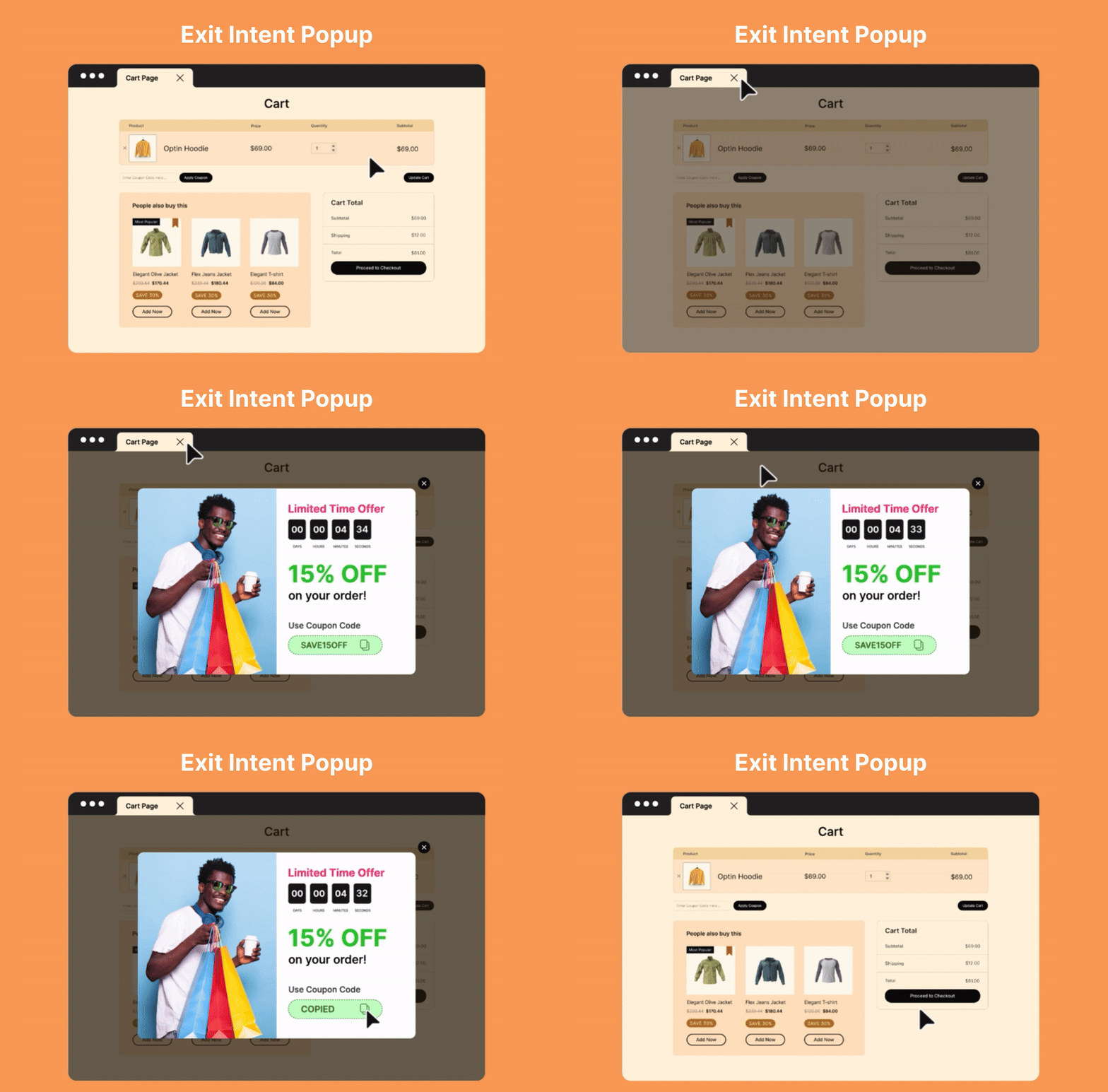
Popup design (exit intent trigger requires [Pro])

Banners/hello bars
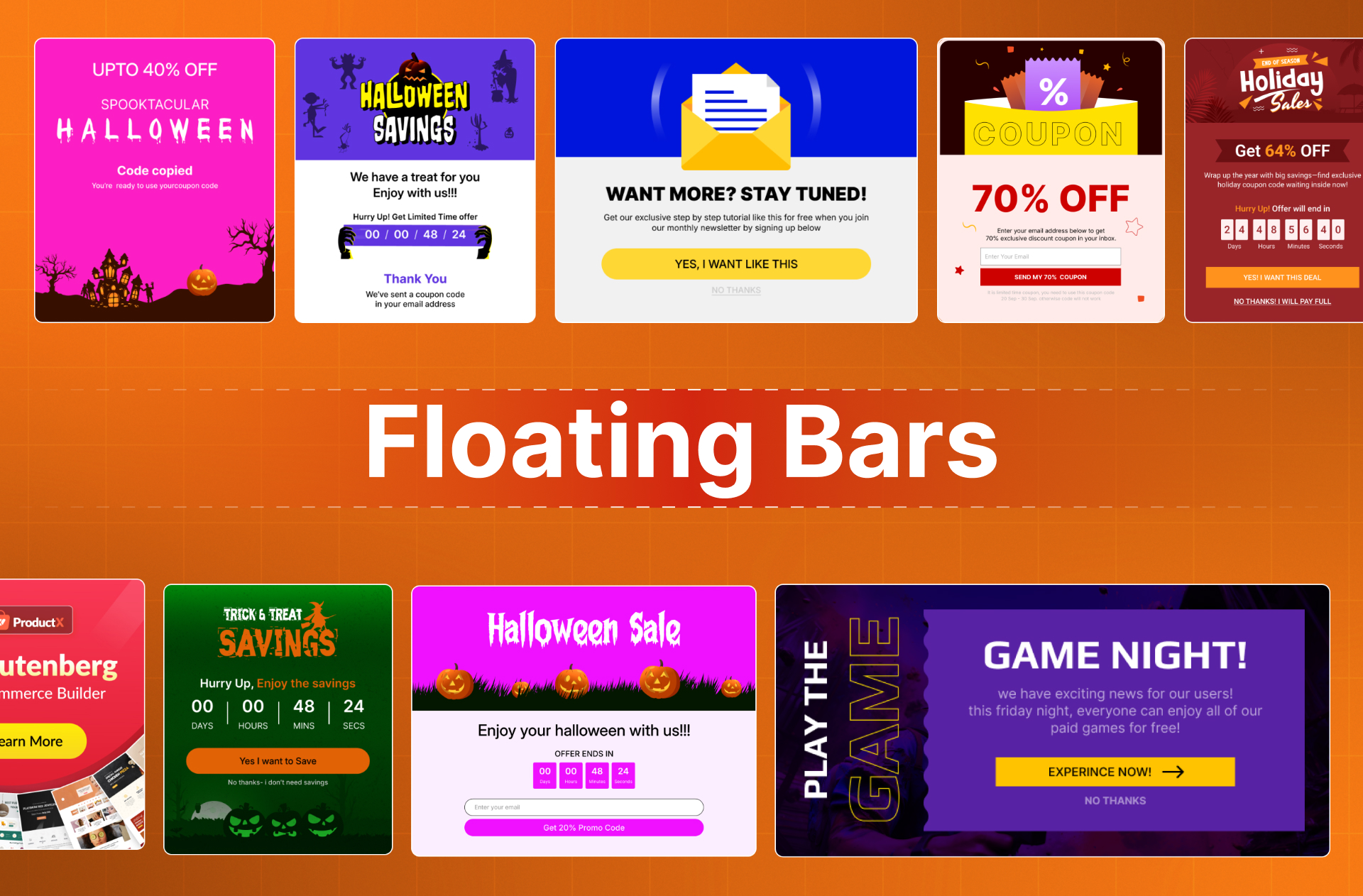
Slides

Audience controls (location/traffic targeting requires [Pro])

After-time trigger (advanced triggers require [Pro])

Display rules (advanced conditions require [Pro])

Templates (premium designs labeled [Pro])

Dashboard and local analytics
Plugins semelhantes


Lance e amplie suas campanhas de e-mail marketing com facilidade usando a Hostinger Reach. Colete contatos, gerencie assinantes e envie e-mails – tudo em um só lugar, com tecnologia de IA.

Want to boost sales & marketing efforts? Use your favorite forms & builder. Unlimited popups & impressions, keep your data, no monthly subscription.

An email marketing tool for your blog: subscription forms to create your lists with unlimited subscribers and newsletters.

A quick and easy way to create Popup layers inside the Divi Visual Builder!

A responsive image lightbox for WordPress galleries, WordPress attachments & FooGallery
Do mesmo author (WPXPO)

Design professional news and magazine sites with post grid, slider, list layouts, advanced post filters, and pagination.

Build eCommerce sites & boost your earnings with the WooCommerce Builder, WooCommerce Blocks, and more effective features.

Add custom fields, product options, uploads, and conditional choices to WooCommerce products.

AI-assisted wholesale plugin for WooCommerce with wholesale pricing, B2B user roles, registration forms, private store and MCP support.

AI-assisted table rate shipping plugin with weight-based shipping, conditional shipping rates and MCP support.

Create PDF invoices, packing slips and delivery notes with customizable templates, email attachments and AI-assisted MCP support.