O construtor de sites Elementor tem tudo: construtor de páginas do tipo arrastar e soltar, design perfeito em pixels, edição responsiva para dispositivos móveis e muito mais. Comece agora mesmo!
Multiple Page Generator Plugin – MPG
Hospedagem WordPress com plugin Multiple Page Generator Plugin – MPG
Onde posso hospedar o plugin Multiple Page Generator Plugin – MPG?
Este plugin pode ser hospedado em qualquer servidor que tenha WordPress instalado. Recomendamos fortemente utilizar uma hospedagem de confiança, com servidores adaptados para WordPress, como o serviço de hospedagem de sites da MCO2.
Hospedando o plugin Multiple Page Generator Plugin – MPG em uma empresa de hospedagem de confiança
A MCO2, além de instalar o WordPress na versão mais atualizada para seus clientes, disponibiliza o WP SafePress, um sistema exclusivo que assegura e otimiza seu site simultaneamente.
Por que a Hospedagem WordPress funciona melhor na MCO2?
A Hospedagem WordPress funciona melhor pois a MCO2 possui servidores otimizados para WordPress. A instalação de WordPress é diferente de uma instalação trivial, pois habilita imediatamente recursos como otimização de imagens e fotos, proteção da página de login, bloqueio de atividades suspeitas diretamente no firewall, cache avançado e HTTPS ativado por padrão. São plugins que potencializam seu WordPress para a máxima segurança e o máximo desempenho.
The #1 Bulk Page Creator & Programmatic SEO Plugin for WordPress
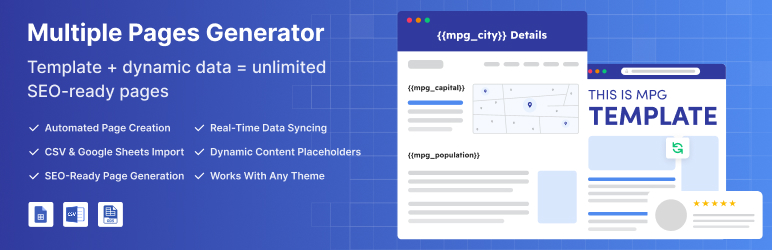
MPG is the all-in-one solution for mass page generation and large-scale content creation. Ideal for anyone looking for a mass page creator, mass content creator, or mass URL creator plugin, MPG helps you build thousands of SEO-ready landing pages with ease. Powered by your data and built for programmatic SEO, it eliminates manual work so you can scale faster.
Whether you’re building location-based pages, product catalogs, or directory listings, MPG empowers you to generate high-quality, fully optimized pages in minutes, boosting your organic traffic without compromising on performance.
⚡ Quick Links
⚡ How It Works: 3 Simple Steps
MPG makes bulk page creation fast and easy—ideal for beginners and scalable for agencies.
📋 Step 1: Upload Your Data
Import your spreadsheet (CSV, XLSX, ODS) or connect a live Google Sheet.
Each row = a unique page.
Example:
city: New York
service: Plumbing
price: $150
phone: (555) 123-0001
🎨 Step 2: Create Your Template
- Pick any Entity type, i.e., page or post.
- Design your page template.
- Insert placeholders like
{{mpg_city}},{{mpg_service}},{{mpg_price}}.
Example Template:
– Title: Professional {{mpg_service}} in {{mpg_city}}
– Content: Need reliable {{mpg_service}} in {{mpg_city}}? Call {{mpg_phone}} for a quote from {{mpg_price}}.
– Set URL patterns: /services/{{mpg_service}}/{{mpg_city}}/
🚀 Step 3: Generate & Go Live
- Click “Generate” to instantly build pages.
- Preview before publishing.
🔥 Core Features (Free Version)
✅ Automated Page Creation – Generate pages from CSV, XLSX, or ODS files
✅ 50 Data Rows – Perfect for testing and small-to-medium projects that need to create up to 50 pages
✅ Dynamic Content – Unlimited placeholders for personalized pages
✅ Google Sheets Integration – Direct link to public Google Sheets
✅ Custom URL Structures – SEO-friendly URL structure with preview
✅ Universal Compatibility – Works with any WordPress theme and page builder
✅ Search Integration – Built-in search functionality for generated pages
✅ Template Management – Choose pages or posts as templates
💎 MPG Pro – Unlimited Automation Power
📌 Unlimited Data Processing – No limits on data rows or page generation, unlimited pages
📌 Project Management – Import/export projects, duplicate/clone functionality
📌 Conditional Logic – Show/hide content based on data conditions (Gutenberg & Elementor)
📌 Automated Scheduling – Set periodicity for automatic content syncing
📌 Smart Notifications – Get notified about sync processes and errors
📌 Content Scheduling – Set first fetch date/time for automated updates
📌 Page Date Management – Update modified dates of generated pages
📌 Priority Support – Priority Email support + Live Chat
View Pro Pricing | Compare Free vs Pro
💡 Use Cases with Complete Guides
🏦 Currency Converter Website
Perfect for: Financial services, travel sites, e-commerce with international customers
What you’ll build: Automated currency conversion pages for every country pair (USD to EUR, etc.)
SEO benefit: Rank for “convert [currency] to [currency]” searches
📖 Complete Setup Guide
💼 Job Listings Portal
Perfect for: Recruitment agencies, job boards, local employment sites
What you’ll build: Individual job posting pages organized by location, category, and salary range
SEO benefit: Rank for “jobs in [city]” and “[job title] [location]” searches
📖 Complete Setup Guide
🏨 Hotel & Travel Booking
Perfect for: Travel agencies, booking sites, hospitality businesses
What you’ll build: Hotel listing pages with location-specific information, pricing, and amenities
SEO benefit: Rank for “hotels in [city]” and “[hotel type] [location]” searches
📖 Complete Setup Guide
🏡 Real Estate Listings
Perfect for: Real estate agents, property portals, local realtors
What you’ll build: Property listing pages with neighborhood guides and market data
SEO benefit: Rank for “homes for sale in [area]” and “[property type] [location]” searches
📖 Complete Setup Guide
🏆 Perfect For Every Business Type
Local Businesses & Service Providers
Generate “service in city” pages that rank for local search terms:
– Restaurants: Menu and location-specific pages
– Dental Clinics: “Dentist in [city]” for every service area
– HVAC Companies: “AC repair in [city]” landing pages
– Law Firms: Practice area pages for each location
E-commerce & Product Catalogs
- Local Shopping: “Buy [product] in [city]” pages
- Affiliate Marketing: Comparison and review pages at scale
- Category Pages: Automated product category and filter pages
Real Estate & Property
- Property Listings: Auto-generated detail pages from Google Sheet data
- Neighborhood Guides: Area-specific market reports and guides
- Agent Profiles: Location-specific agent pages with local expertise
Directories & Marketplaces
- Business Directories: Company and service provider profiles
- Job Boards: Individual job postings and category pages
- Event Calendars: Automated event detail and venue pages
⭐ What Our Users Say
★★★★★
“We use this plugin to get scale on our efforts to drive deeper into the marketplace. Lots and lots of good local pages, and unique…we’re seeing progress on google with this and we recommend it.”
– @bsheehan1066★★★★★
“A real must have for building a serious site and SEO strategy. Very powerful, and the support is quick and patient. RECOMMENDED 100%”
– @bgarlinski
MPG is backed by Themeisle, trusted by over 1 million WordPress users worldwide.
Capturas de tela
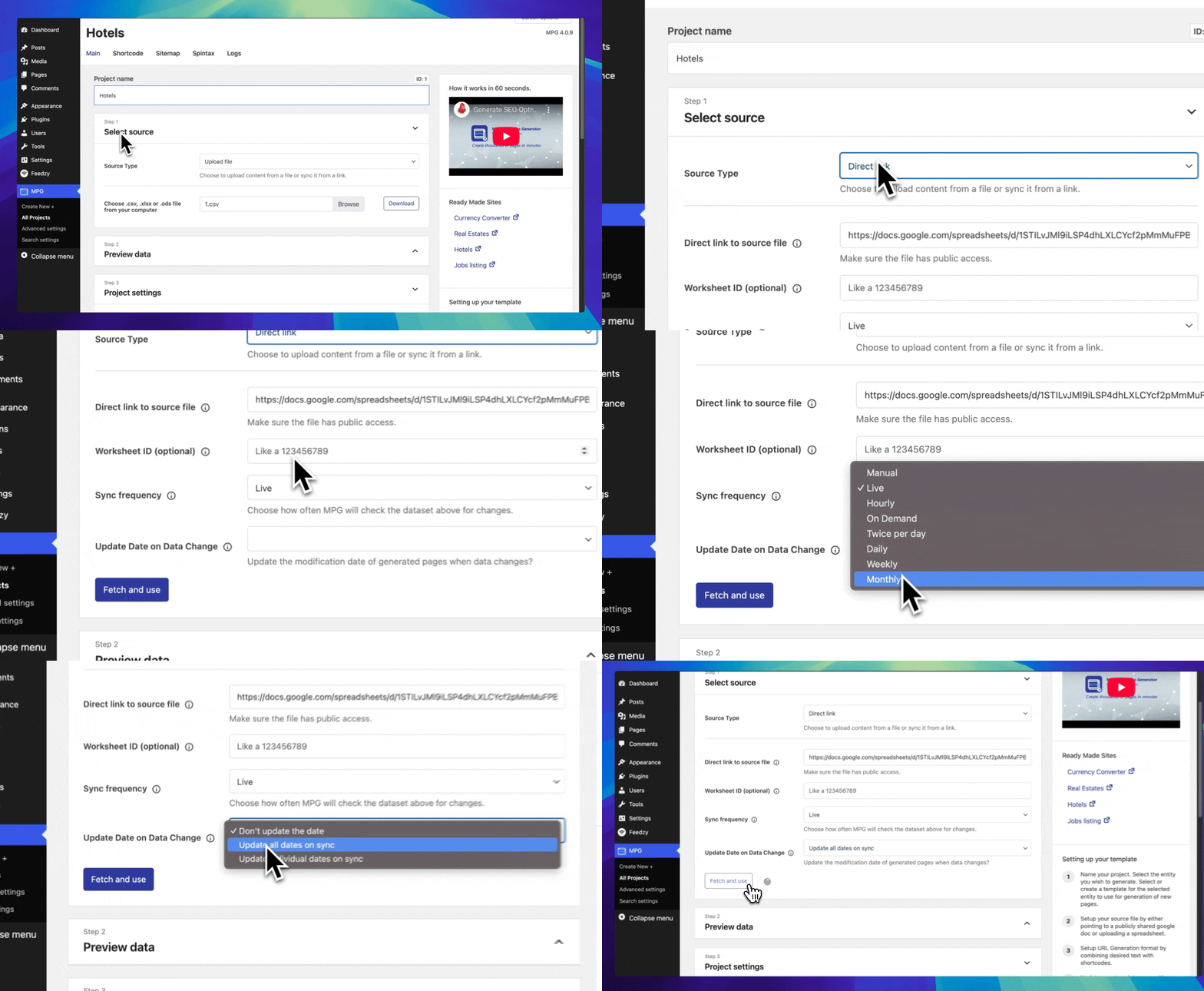
Project Setup: Connect and configure data sources.
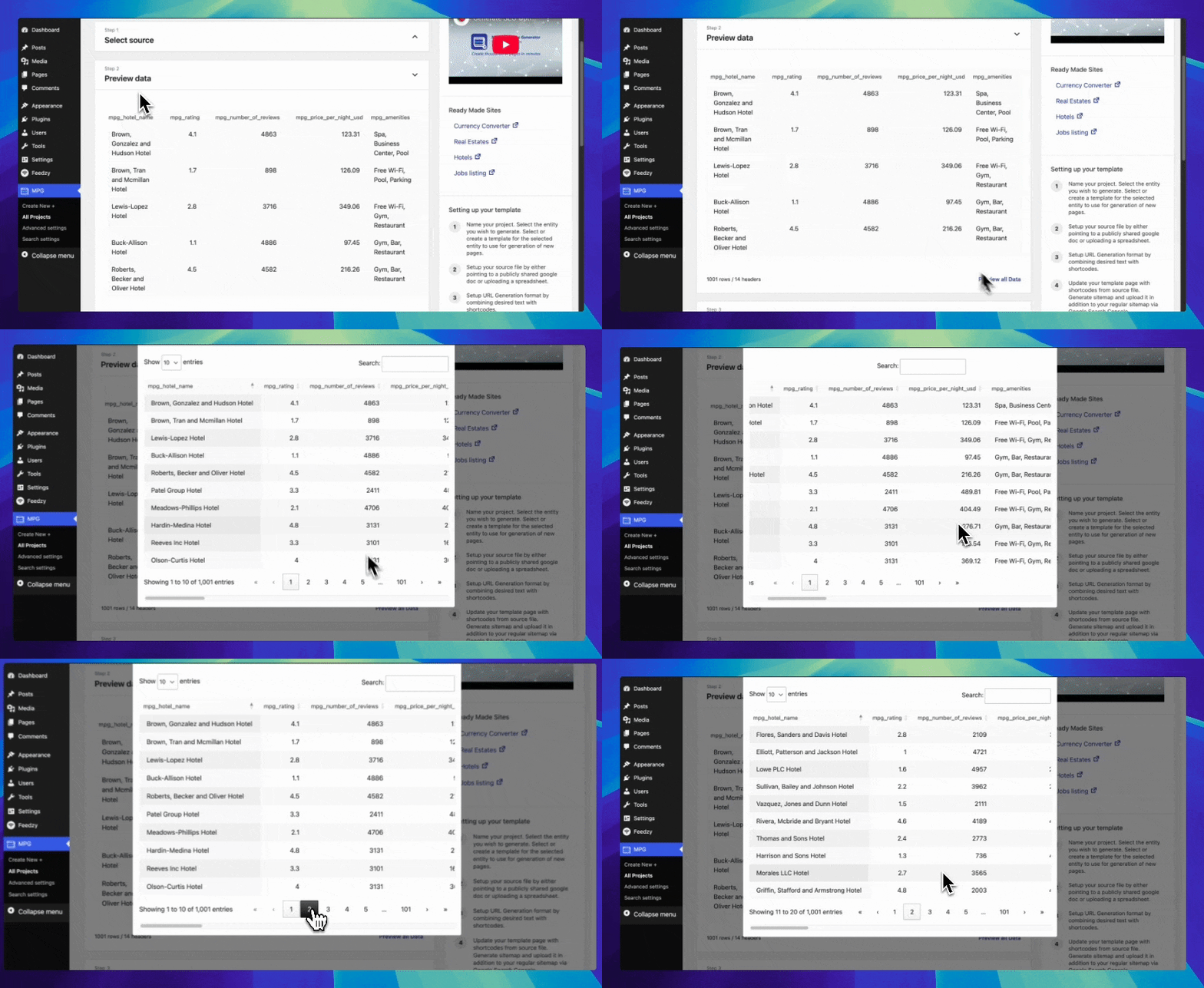
Preview Data: Review data before generating.
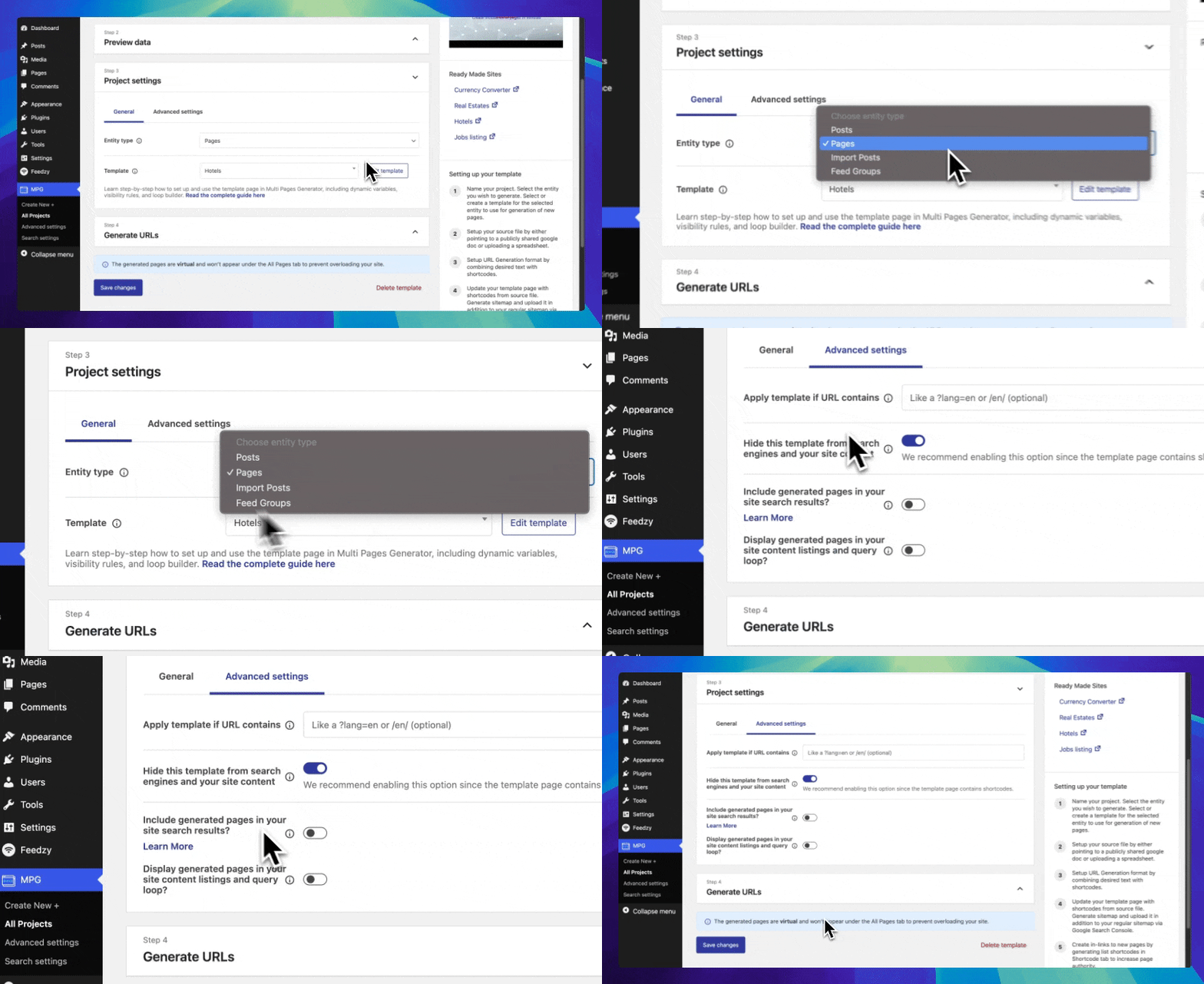
Project Settings: Configure entity type and templates.
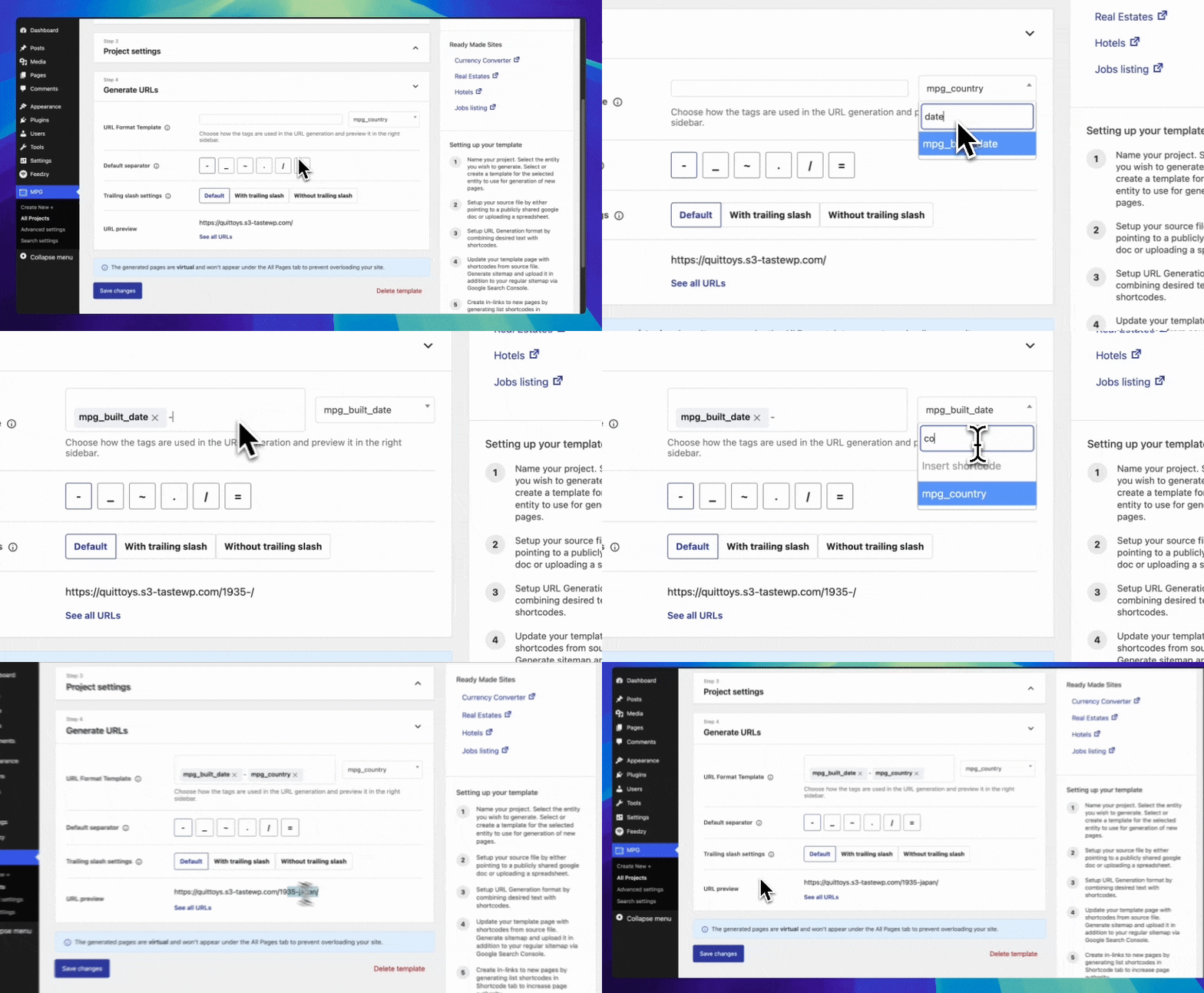
Generate URL: Build SEO-friendly URLs.
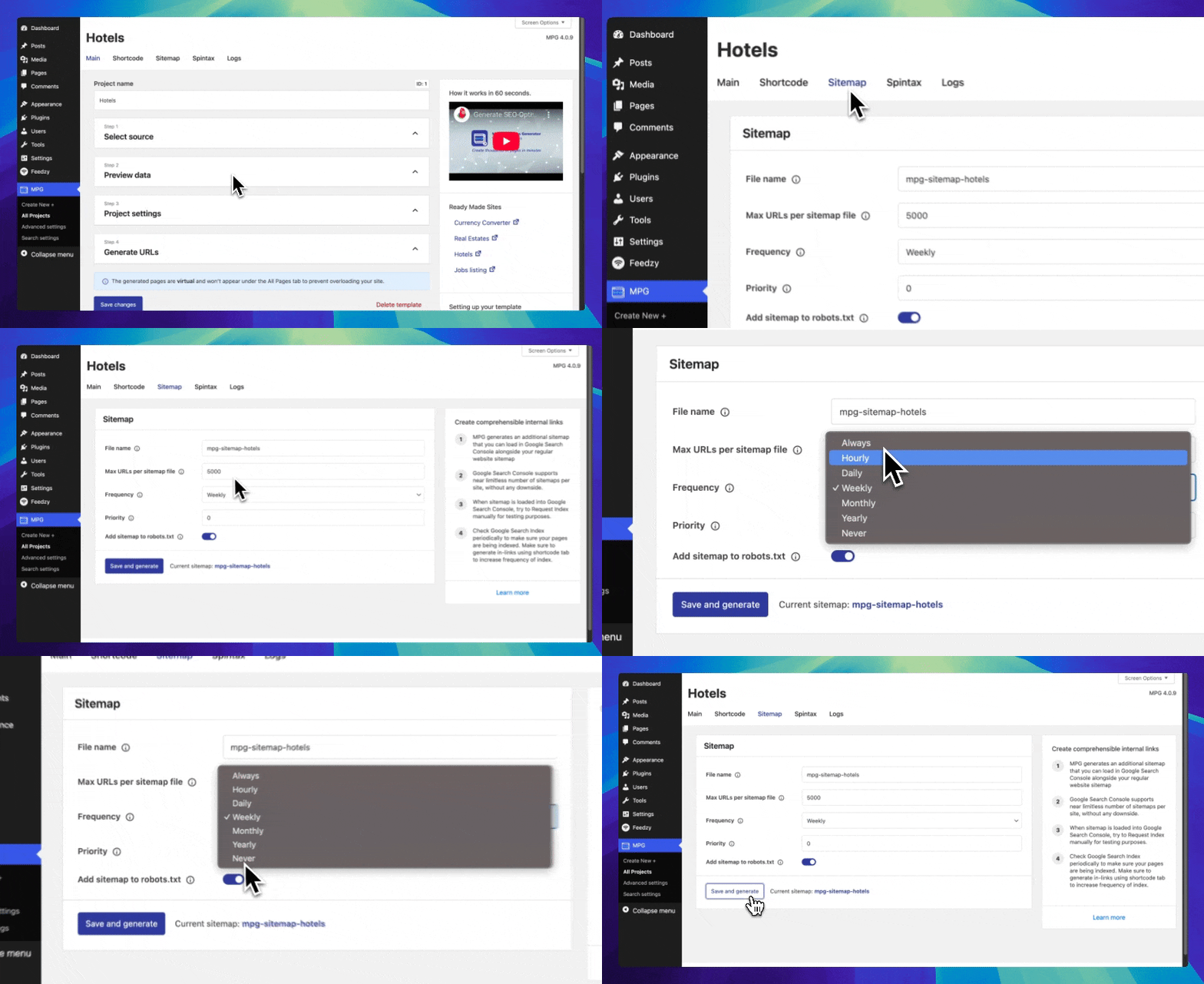
Sitemap Settings: Configure XML sitemap generation.
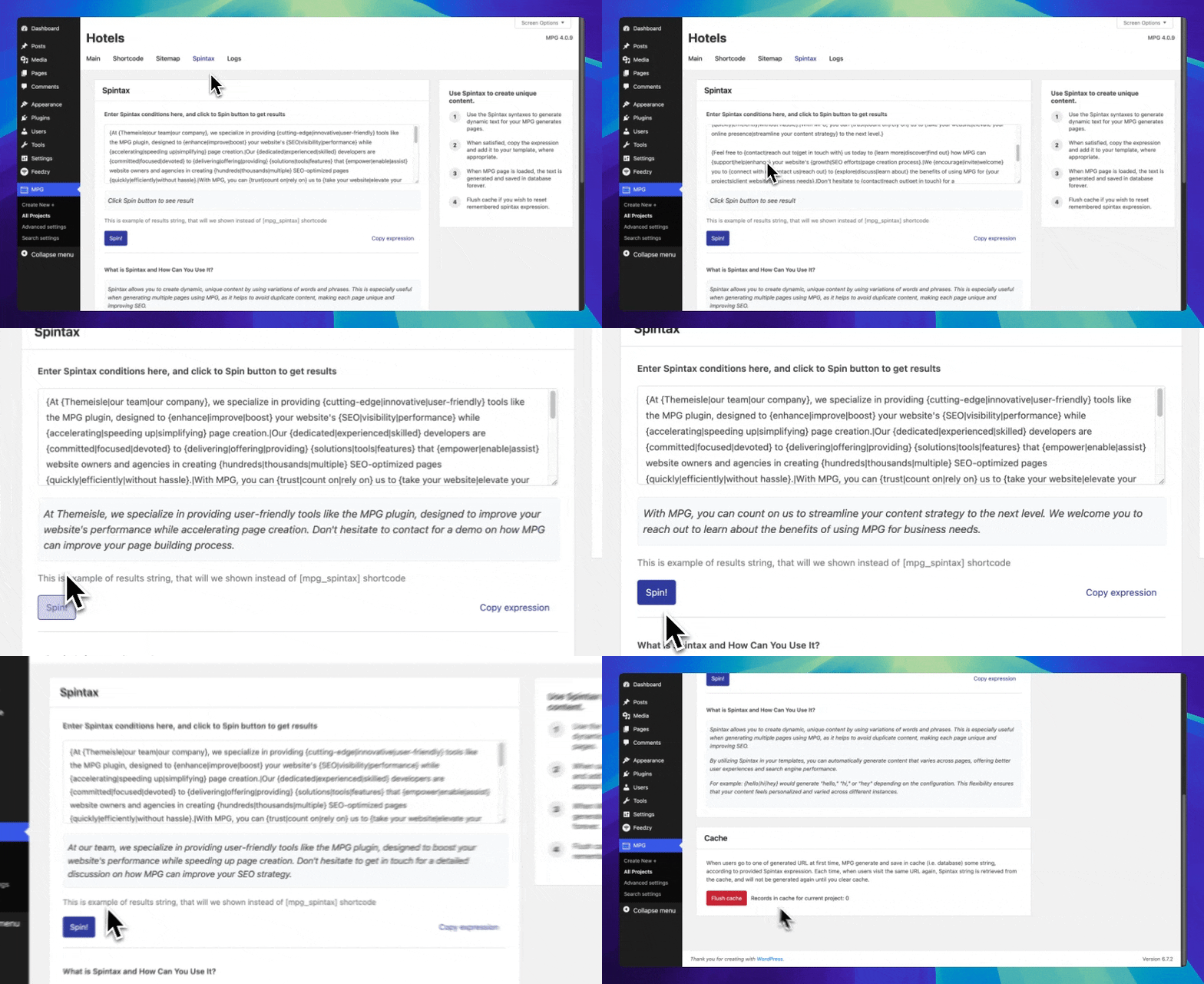
Spintax Editor: Create unique content variations.
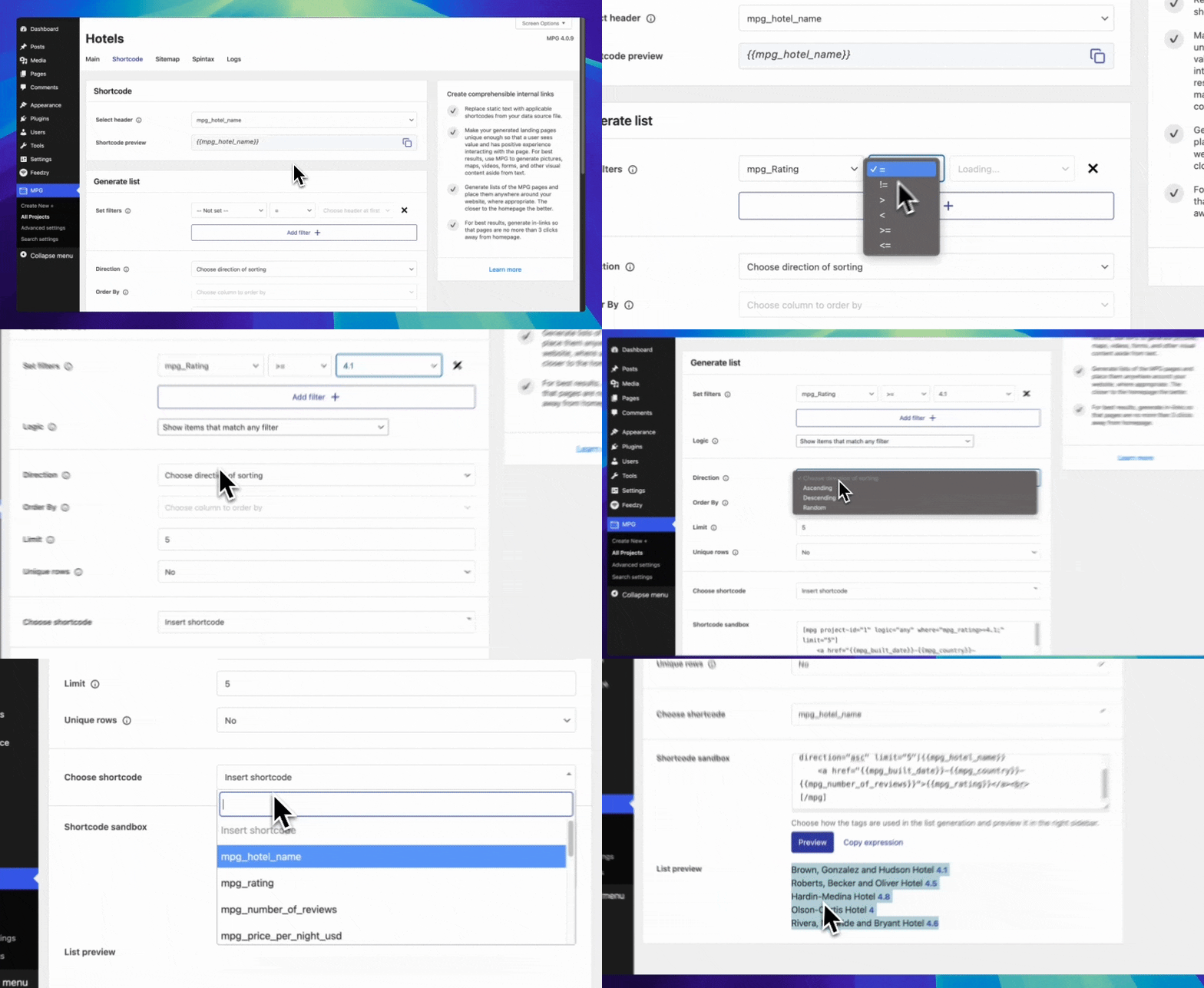
Generate Shortcode: Create data display shortcodes.
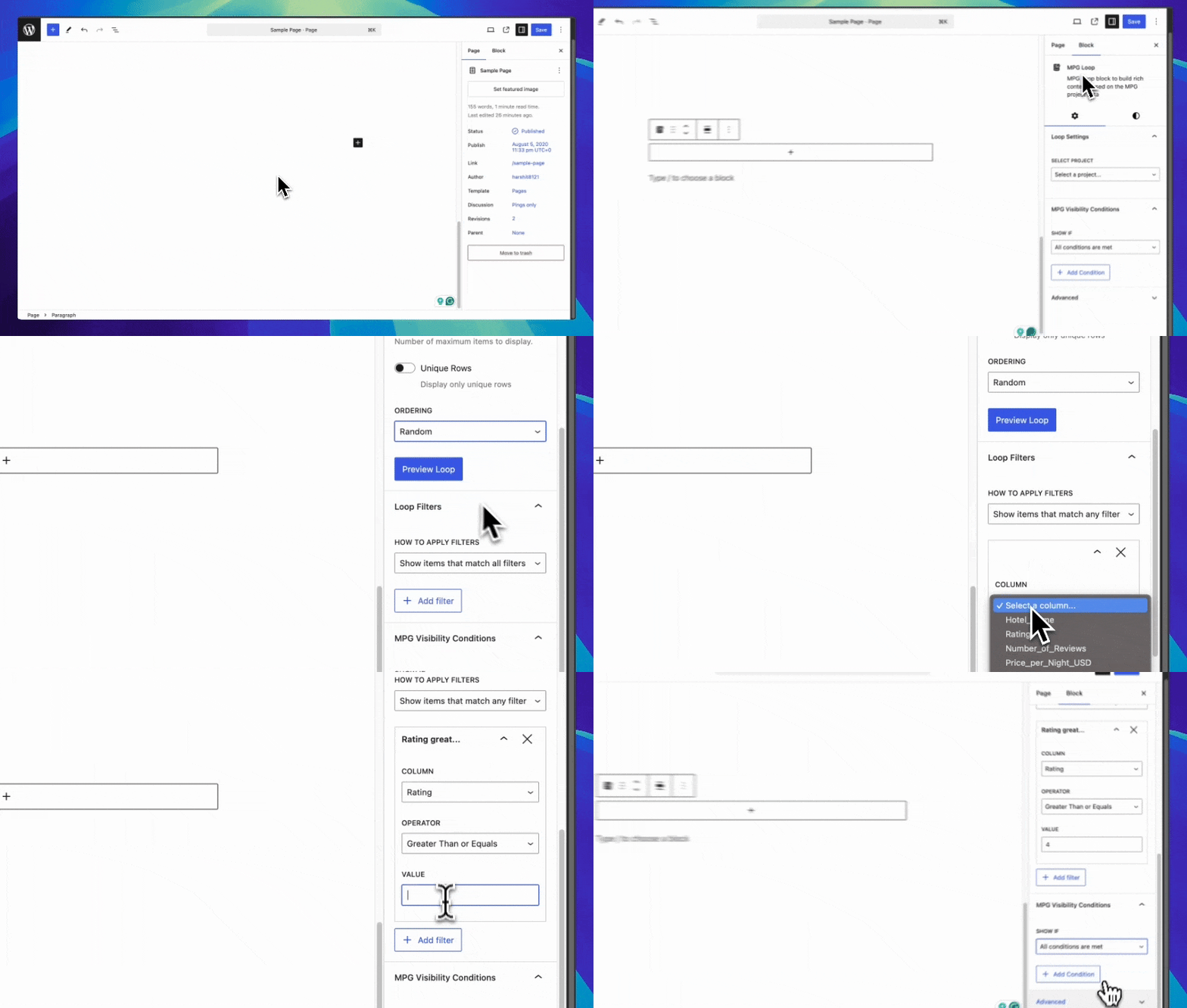
MPG Loop Block: Build content blocks with filtering.
Plugins semelhantes


Easy Drag & Drop Page Builder. A complete solution to create a WordPress Website, Custom Themes, Landing Pages, Coming Soon & Maintenance Mode Pages.

The most advanced frontend drag & drop page builder. Pagelayer is a light weight but extremely powerful Website Builder.

The Professional's Choice for Drag & Drop WordPress Page Building. Fast, Reliable, and Trusted since 2014.

Colibri Page Builder adds drag and drop page builder functionality to the ColibriWP theme.

Using the power of AI, Kubio gives you a head start by generating a first draft of your website, which you can further customize to your liking.
Do mesmo author (Themeisle)

Easy Drag & Drop Page Builder that adds a splash page to your site that it's perfect for a coming soon page, maintenance or landing page.

Quickly create WordPress pages with 20+ blocks, 100+ ready-to-import designs, and advanced editor extensions. It’s website building, Lego-style!
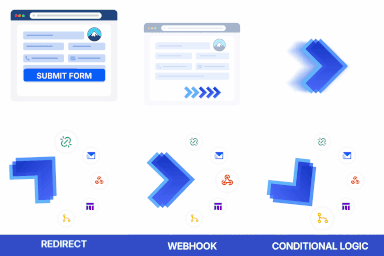
Redirect to any page or URL, execute scripts after submission, save data to the database, and unlock additional submission actions for Contact Form 7.

Adicione um tempero a mais nos seus menus com belos ícones, facilmente.

Add modules like share buttons, header & footer scripts, disable comments, reading progress bar, custom fonts, custom login page & more in one plugin.

Disable admin notices and hide dashboard notifications from plugins, themes and core. Hide all notices, selected ones, or show them in a single line.