Obtenha um plugin de formulário de contato rápido. Crie formulários avançados usando o construtor de formulários de arrastar e soltar com todos os recursos inteligentes.

LifterLMS – WP LMS for eLearning, Online Courses, & Quizzes
Hospedagem WordPress com plugin LifterLMS – WordPress LMS Plugin for eLearning
Onde posso hospedar o plugin LifterLMS – WordPress LMS Plugin for eLearning?
Este plugin pode ser hospedado em qualquer servidor que tenha WordPress instalado. Recomendamos fortemente optar por uma hospedagem seguro, com servidores otimizados para WordPress, como o serviço de hospedagem da MCO2.
Hospedando o plugin LifterLMS – WordPress LMS Plugin for eLearning em uma empresa de hospedagem confiável
A MCO2, além de configurar e instalar o WordPress na versão mais atualizada para seus clientes, oferece o plugin WP SafePress, um mecanismo singular que protege e melhora seu site ao mesmo tempo.
Por que a Hospedagem WordPress funciona melhor na MCO2?
A Hospedagem WordPress funciona melhor pois a MCO2 possui servidores otimizados para WordPress. A instalação de WordPress é diferente de uma instalação trivial, pois habilita imediatamente recursos como otimização de imagens e fotos, proteção da página de login, bloqueio de atividades maliciosas diretamente no firewall, cache avançado e HTTPS ativado por padrão. São plugins que potencializam seu WordPress para a máxima segurança e o máximo desempenho.
LifterLMS is a complete WordPress LMS plugin designed to make it easy to create, launch, and scale online courses from your own website.
- Build structured courses: Create courses with sections, lessons, and quizzes, and track every student’s progress.
- Sell and protect your content: Sell courses and memberships, take payments, and restrict access to members-only content.
- Engage and certify learners: Manage students, award certificates, and report on how they are doing.
- Grow with premium add-ons: Start with the free core plugin, then add extensions for advanced ecommerce, assignments, groups, social learning, private coaching, advanced video, PDFs, and more.
Try LifterLMS for $1: get a 30-day demo site with every premium add-on installed.
Use LifterLMS for course businesses, membership sites, coaching, schools, corporate training, compliance, continuing education, certifications, and client LMS projects.
Own your platform, content, and student data.
What You Can Build With LifterLMS
LifterLMS helps you create and manage many types of online learning websites, including:
- Online course websites
- Training portals
- Membership-based learning sites
- Coaching programs
- Corporate training platforms
- Continuing education websites
- Internal training systems
- Client LMS projects
- Multi-instructor learning platforms
- Course marketplaces
- Private student communities
Not sure which fits you? Explore LifterLMS solutions
A WordPress LMS You Own
Hosted course platforms often limit how you build, customize, price, and grow your learning business. With LifterLMS, you run your LMS on your own WordPress website: choose your hosting, control your content, connect the tools you use, and grow without platform fees based on your number of courses, students, instructors, or revenue. That gives creators, educators, developers, agencies, and organizations complete control over their online learning platform.
Free and Open Source WordPress LMS Plugin
The core LifterLMS plugin is free and open source, with no limits on courses, memberships, enrollments, or earnings. Use it to create courses, build quizzes, manage students, and protect members-only content. When your project needs more, extend it with official add-ons and bundles for payments, advanced quizzes, assignments, groups, social learning, advanced video, private areas, PDFs, notes, continuing education, and more. Start simple and expand as your courses, students, and training programs grow.
We believe in free, distributed learning for all. LifterLMS exists to democratize education in the digital classroom.
Get Started With LifterLMS
Install the free LifterLMS plugin from WordPress.org to start building your LMS, or get a temporary 30-day demo website with LifterLMS and all premium add-ons installed to test the course builder, learner experience, ecommerce settings, reporting tools, and add-ons before deciding which setup is right for your project.
Works With Your WordPress Theme, Block Editor, and Page Builder
LifterLMS works with modern WordPress themes, full-site editing themes, the Block Editor, and popular WordPress page builders, so you can use your existing WordPress site or build a new LMS website around the theme and tools you prefer.
LifterLMS works with:
- Elementor
- Beaver Builder
- Divi
- Custom WordPress themes
- WordPress plugins used for marketing, ecommerce, analytics, forms, automation, and community features
Premium Add-ons and Bundles
Some LMS projects need more than the free core plugin. LifterLMS offers official add-ons and bundles for advanced features, ecommerce, vouchers, student engagement, reporting, integrations, and business growth. See LifterLMS pricing.
See why so many people start with LifterLMS or switch from another WordPress LMS or hosted platform to LifterLMS for their successful online courses, membership sites, and remote schools.
Who LifterLMS Is For
Course creators: Create and sell courses, quizzes, certificates, and memberships from your own website instead of a hosted course platform.
Coaches and consultants: Turn your expertise into guided programs, private coaching offers, memberships, and premium learning experiences.
Schools and educators: Create online learning spaces for students, lessons, assessments, certificates, and course materials.
Training teams: Build internal training, employee onboarding, compliance training, professional development, and client education programs, with groups and group leaders.
Developers and agencies: Build WordPress LMS websites for clients who need courses, memberships, ecommerce, reporting, and custom design.
Membership site owners: Add structured courses to a membership website, restrict learning content, and bundle course access with membership plans.
Organizations and nonprofits: Deliver educational programs, community training, certification paths, or continuing education.
Meet the LifterLMS Team
The LifterLMS team is a diverse group of talented course creators, developers, designers, marketers, and entrepreneurs.
Before creating LifterLMS, we built high-end, custom WordPress learning and membership websites for clients worldwide. LifterLMS was born from that hands-on experience, with the goal of giving WordPress users the kind of LMS tools that previously required custom development.
The team continues to develop LifterLMS as an open-source project while supporting the people who use WordPress for online learning.
Learn more about the people behind LifterLMS.
LifterLMS by the Numbers
- 130 million+ Course & Membership Enrollments
- 151 million+ Courses & Lessons Completed
- 1.8 million+ Achievements Awarded
- 9.7 million+ Certificates Earned
- 308 5-star reviewers
funcionalidades
Make Money Teaching Online
Set up LifterLMS and add the Stripe or PayPal payment add-on, or use WooCommerce. That’s all you need to get started. As your business grows, free and premium add-ons help you create more value for your students and increase revenue.
- Pagamentos com cartão de crédito
- Pagamento único
- Pagamentos recorrentes
- Planos de pagamento
- Unlimited course and membership pricing models
- Finalizar compras
- Cursos gratuitos
- Pacotes de cursos
- Upsells de coaching privado
- Course and membership coupons
- Bulk course and membership sales
- Pronto para afiliados
- Native course and membership sales pages
- Offline course and membership sales
- Customizable course and membership enrollment
- País e moeda
- Ecommerce dashboard
- Gestão de cartões de crédito
- Troca de assinatura
- Troca de pagamento
Create Courses on Your WordPress LMS Website
Use LifterLMS to:
- Create multimedia lessons
- Build courses with sections and lessons
- Add quizzes and quiz question banks
- Create assignments
- Use course tracks
- Set course and lesson prerequisites
- Drip lesson content over time
- Add quiz time limits
- Support multiple instructors
- Add lesson downloads
- Import and export courses
- Create discussion areas
- Add course reviews
- Manage group enrollments for courses and memberships
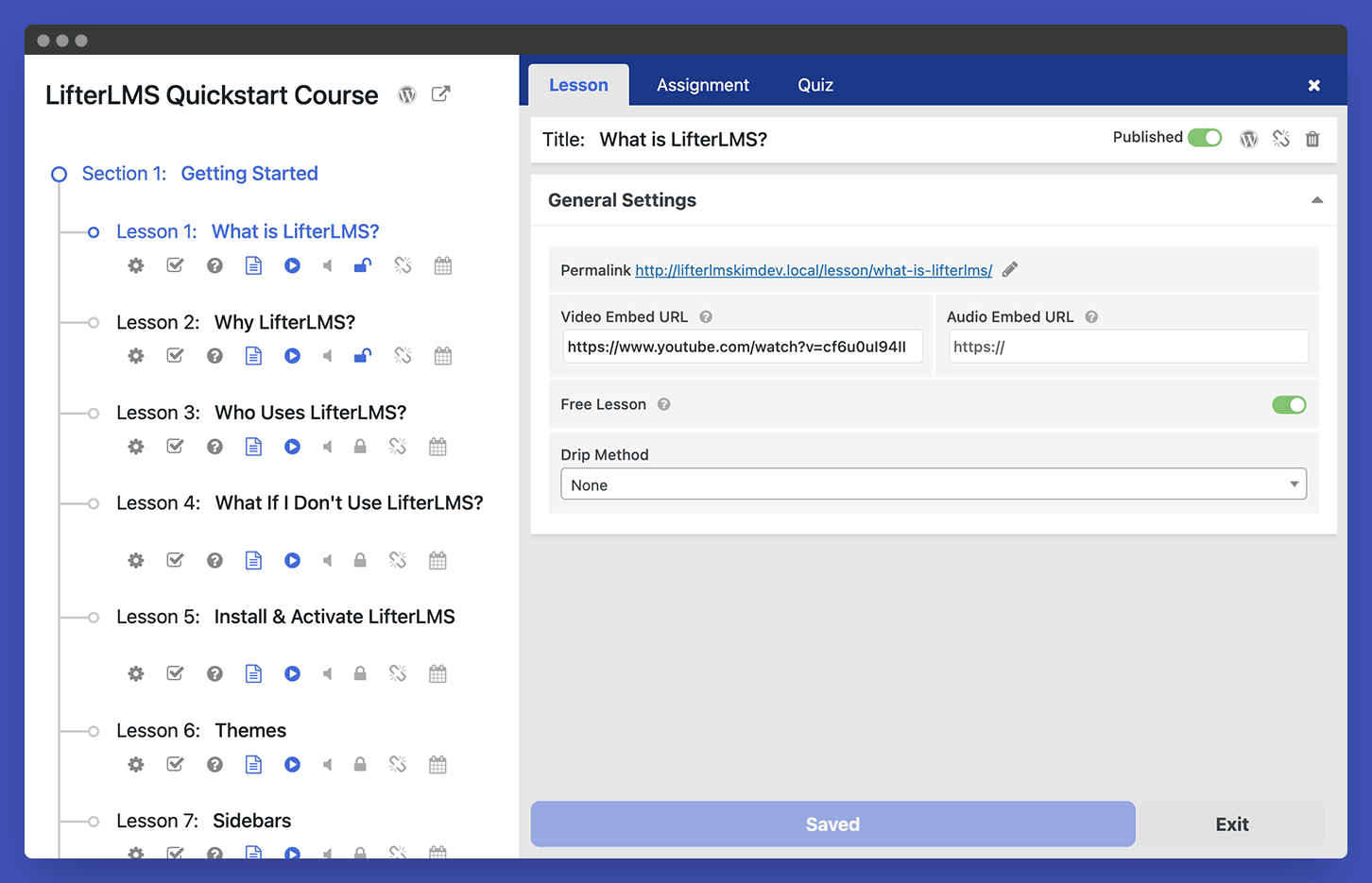
The Course Builder lets you manage sections, lessons, quizzes, and other course elements from one place, without losing sight of how the learning path fits together. Focused lesson and quiz layouts and clear course navigation help students move through course content with fewer distractions.
Engage Your Students
Use LifterLMS to:
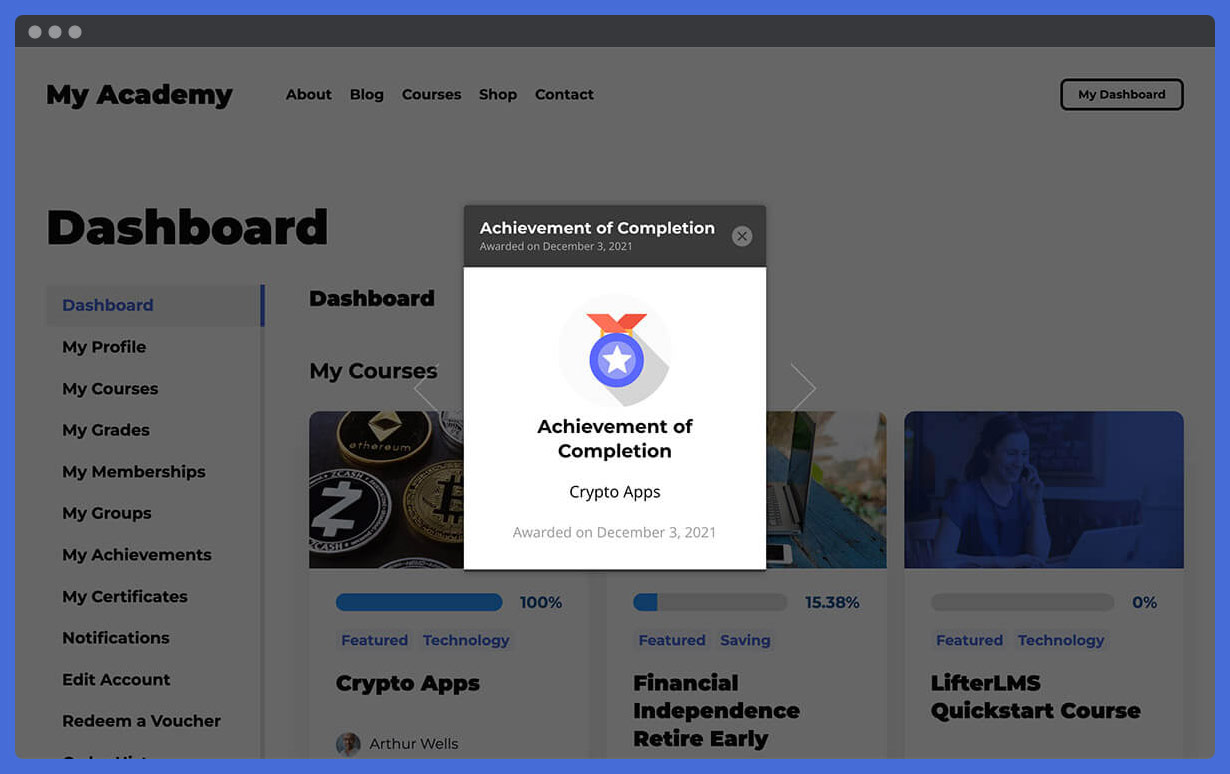
- Award achievement badges
- Issue certificates
- Send personalized emails
- Support social learning
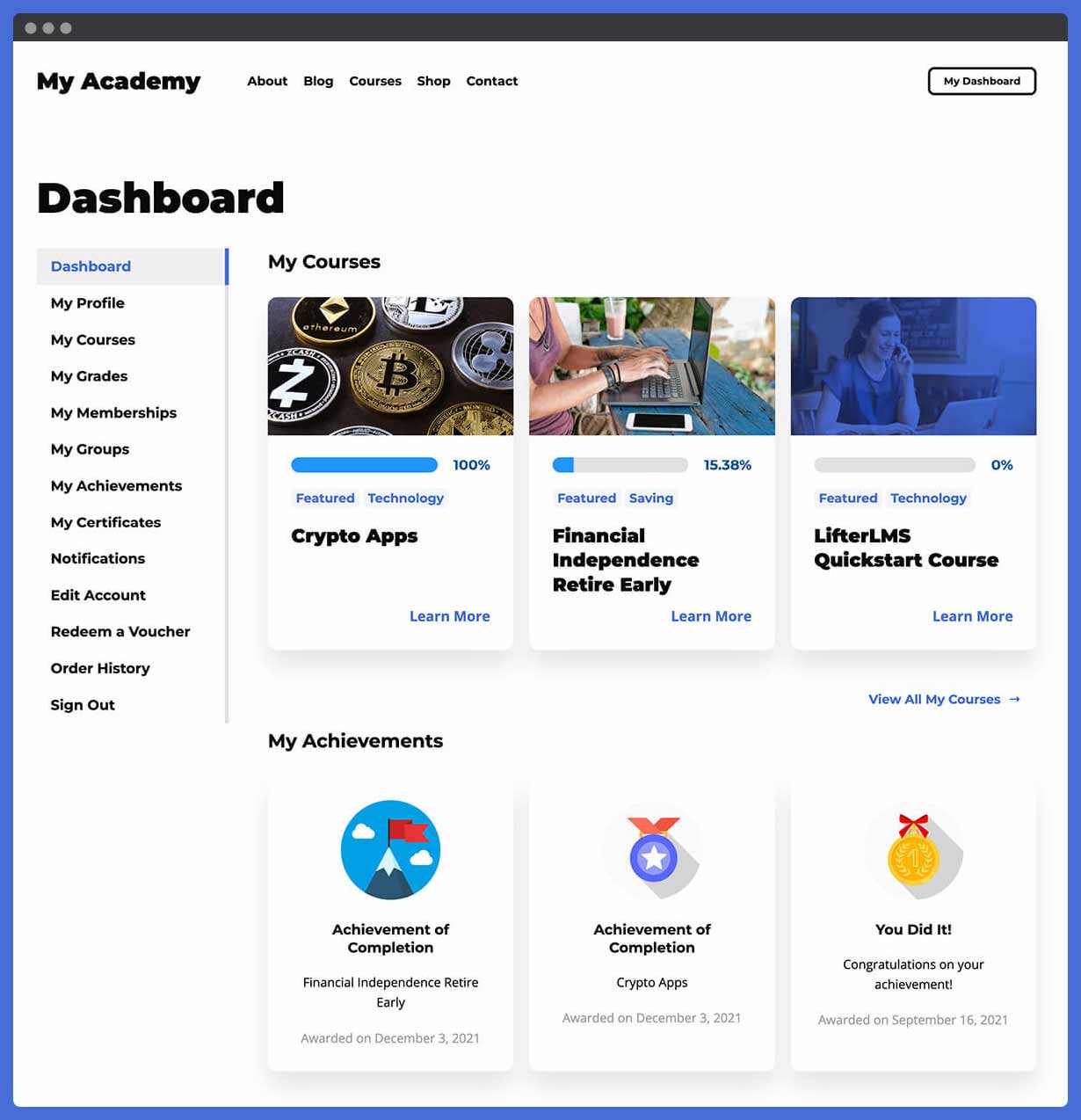
- Use student dashboards
- Show learner progress
- Track lesson and course completion
These tools help students understand where they are, what they have completed, and what to do next, and let you follow learner activity. For training programs, that supports completion rates, accountability, and clearer learner progress; for course businesses, a better student experience without manually guiding every learner.
Offer Memberships
LifterLMS includes membership tools, so you can sell more than individual courses: protect content, bundle courses, create members-only areas, and give learners access to a wider learning experience.
Use LifterLMS to:
- Create sitewide memberships
- Create traditional membership plans
- Automatically enroll members into courses
- Restrict non-course content
- Offer members-only payment plans
- Create private group discussions
- Build members-only forums
- Create learning paths for different member levels
Own and Manage Your WordPress LMS Platform
LifterLMS gives you LMS management tools inside the WordPress admin, from registration, student accounts, and passwords to reporting.
Use LifterLMS to:
- View course, membership, ecommerce, and student reporting
- Use a course gradebook
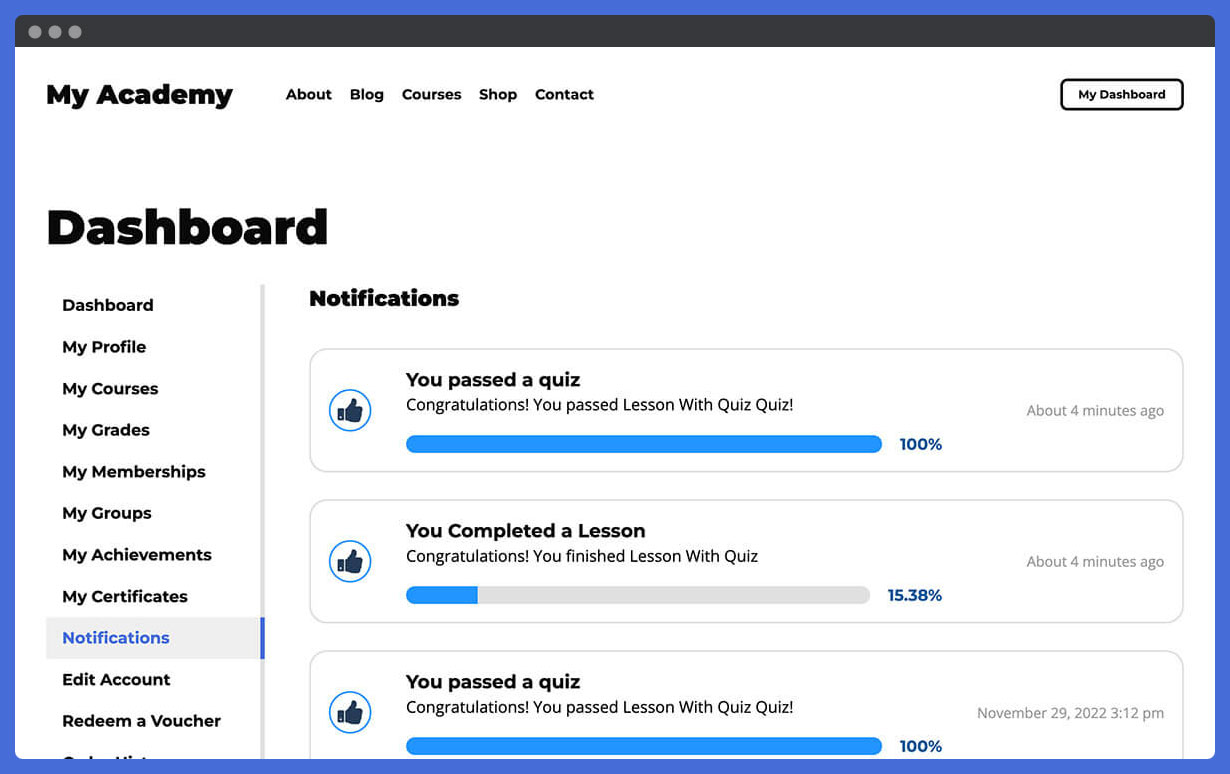
- Send email and SMS notifications
- Manage bulk course and membership enrollments
- Manage course capacity
- Use WordPress LMS user roles
- Manage branding and typography through your WordPress setup
- Test and troubleshoot your LMS
- Use the system analyzer
Get Support for Your WordPress LMS Project
LifterLMS includes documentation, training, setup tools, and support resources to help you build and manage your LMS.
- Suporte técnico
- 30 Days of live weekly onboarding calls called Liftoff Sessions
- Live Office Hours
- Free training courses
- Free training webinars
- Assistente de configuração
- Documentação detalhada
- Recursos dinâmicos
- Curso de demonstração
- REST API
- Developer ecosystem
- Recommended Resources for course creators
More Resources
Enhance Your LMS With LifterLMS Add-ons
When your course, membership, or training website needs more advanced tools, extend LifterLMS with official add-ons for assessment, ecommerce, groups, media, private student support, reporting, and learning design.
Advanced LMS add-ons include:
- LifterLMS Advanced Quizzes
- LifterLMS Assignments
- LifterLMS Groups
- LifterLMS Private Areas
- LifterLMS Private Site
- LifterLMS Social Learning
- LifterLMS Advanced Videos
- PDFs do LifterLMS
- LifterLMS Notes
- LifterLMS Cart Abandonment Recovery
- LifterLMS Name Your Price
- LifterLMS Course Cohorts
- LifterLMS Continuing Education
- Campos personalizados do LifterLMS
- LifterLMS Advanced Coupons
- LifterLMS Events
- LifterLMS Gifts
Connect LifterLMS With Your Payment, Email, and Business Tools
Official LifterLMS extensions include:
- LifterLMS Stripe
- LifterLMS PayPal
- LifterLMS Authorize.Net
- LifterLMS WooCommerce
- LifterLMS Kit
- LifterLMS Mailchimp
You can also connect LifterLMS with WordPress plugins for SEO, forms, CRM, forums, page building, analytics, security, caching, backups, community features, affiliates, and marketing automation. It also supports xAPI / Tin Can API workflows and learning authoring tools, and connects to thousands of apps through automation tools such as Zapier.
Run LifterLMS From Any AI Tool You Already Use
LifterLMS is built to work with AI assistants, agents, and automation tools.
Core LMS resources are exposed as WordPress Abilities, so compatible AI and automation tools can discover what your LMS can do and act on it through the same permissions and safeguards used by logged-in WordPress users.
The free core plugin includes AI-ready abilities for:
- Courses, sections, and lessons
- Memberships and access plans
- Students, enrollments, and student progress
- Quizzes, quiz questions, and quiz attempts
- Manual quiz grading
- Student grades and lesson-level progress
- Certificate templates and awarded certificates
- Orders and transactions in read-only mode
LifterLMS add-ons can extend this further.
With supported add-ons such as Assignments, Groups, and Events installed, AI-ready workflows can also cover assignments and submissions, group management, seats, invitations, and events.
LifterLMS can support AI and automation workflows through:
- WordPress Abilities API
- LifterLMS MCP Server
- LifterLMS CLI / WP-CLI
- LifterLMS REST API
- Webhooks for course, enrollment, quiz, order, and certificate activity
Learn more in the LifterLMS AI agent guide
LMS Website and User Experience Design Tools
Use LifterLMS with the modern LifterLMS Sky Pilot Theme for even more beautiful results. LifterLMS works with any well-coded WordPress theme, but check out Sky Pilot if you want to start with a modern, beautiful, full-site editing block-based theme. And consider using our Aircraft page builder plugin to make building beautiful web pages fast using our design template library.
Why People Switch to LifterLMS
The main reasons we hear from users switching to LifterLMS from plugins like LearnDash, Tutor LMS, LearnPress, Sensei LMS, WP Courseware, and MasterStudy LMS (see our shortlist of the best WordPress LMS plugins) are:
- The best most feature-complete customizable well-coded features
- Outstanding customer support including live calls
- The free LifterLMS plugin is amazing making the project affordable
- Memberships, ecommerce, and gamification included in LifterLMS without the need for 3rd party plugins
Hosted course platforms and other WordPress LMS plugins can suit different priorities; LifterLMS is designed for people who want to build and own a WordPress-based LMS they can truly grow with.
Save on LifterLMS With a Bundle
If your LMS project needs several add-ons, a bundle may be a better fit than buying individual extensions. LifterLMS bundles give you access to groups of tools for course creation, ecommerce, design, marketing, automation, student engagement, and advanced LMS features.
Explore:
Scaling LifterLMS
LifterLMS can support anything from a single paid course or a free training resource library to a multi-course academy, a client LMS build, or a larger learning website with multiple audiences. It is lightweight enough for small niche sites while powering huge universities and employee training in Fortune 500 corporations, and we’ve even worked with a site that has 8,019,355 course enrollments.
Because LifterLMS runs on WordPress, performance at scale depends on your hosting, caching, theme, and plugins, all of which you control.
LifterLMS in Action
Explore real LifterLMS websites and customer stories to see how course businesses, memberships, professional training, coaching, schools, and client LMS projects use WordPress for online learning.
What LifterLMS Users Say
“Now I host all my courses on LifterLMS. Totally different experience. I’m free to do things my way. I’ve never yet hit a wall where LifterLMS didn’t enable me to do things the way I wanted.”
Nick Usborne, Teacher and Entrepreneur
“As a former school teacher, professional user experience designer, and current online course creator, I can honestly attribute much of our success to LifterLMS and its consideration for multiple learning modalities, the LMS UI/UX out of the box, and natural student engagement opportunities. In less than 10 months we’ve gone from $0 to $300K in revenue with LifterLMS playing a huge part in that!!”
Sarah Lorenzen, Teacher and Entrepreneur
Join the LifterLMS Community
When you download LifterLMS, you join a thriving community of education entrepreneurs, course creators, developers, LMS professionals, and WordPress enthusiasts. Use it to see what others are building, ask questions, share ideas, and learn from other WordPress LMS projects.
Join the LifterLMS VIP Facebook group to connect with other LifterLMS users, or the LifterLMS Slack community if you prefer Slack.
Contribute to LifterLMS
Developers can review the code, report issues, and suggest improvements in the LifterLMS GitHub repository, helping improve the plugin for the wider WordPress LMS community. Start with the contributing guidelines. You can also help translate LifterLMS for more users around the world through translate.wordpress.org.
What Should You Do Next?
If you are building an LMS with WordPress, start with the free LifterLMS plugin to create your first course, test the learner experience, and see how LifterLMS fits your website. Then choose the next step that matches your project:
Capturas de tela

Infinitely customizable course catalog layouts: shown with course title, featured image, and instructor information.
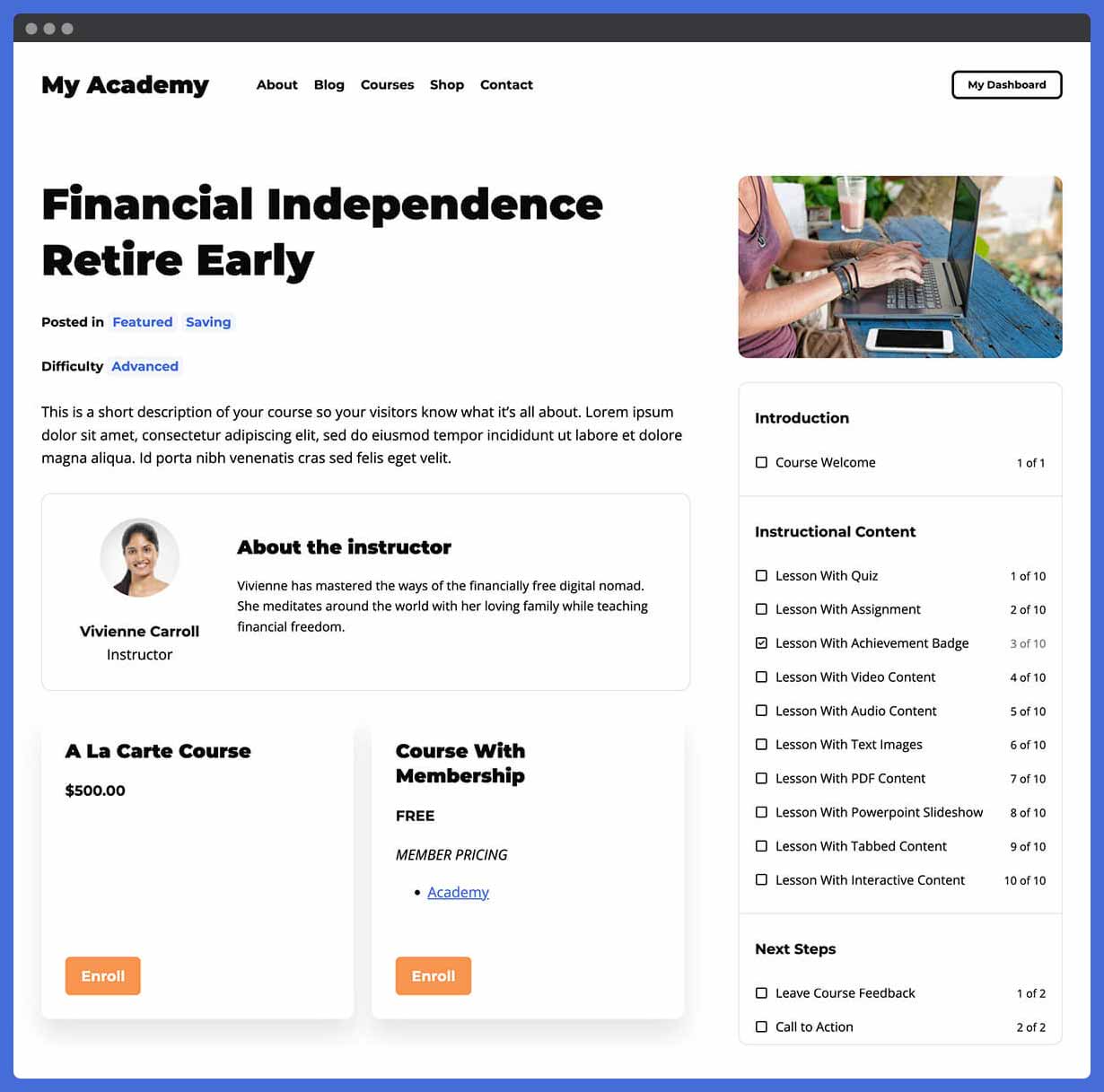
View a single course with customizable content including access plans, difficulty, instructor, and lesson syllabus.
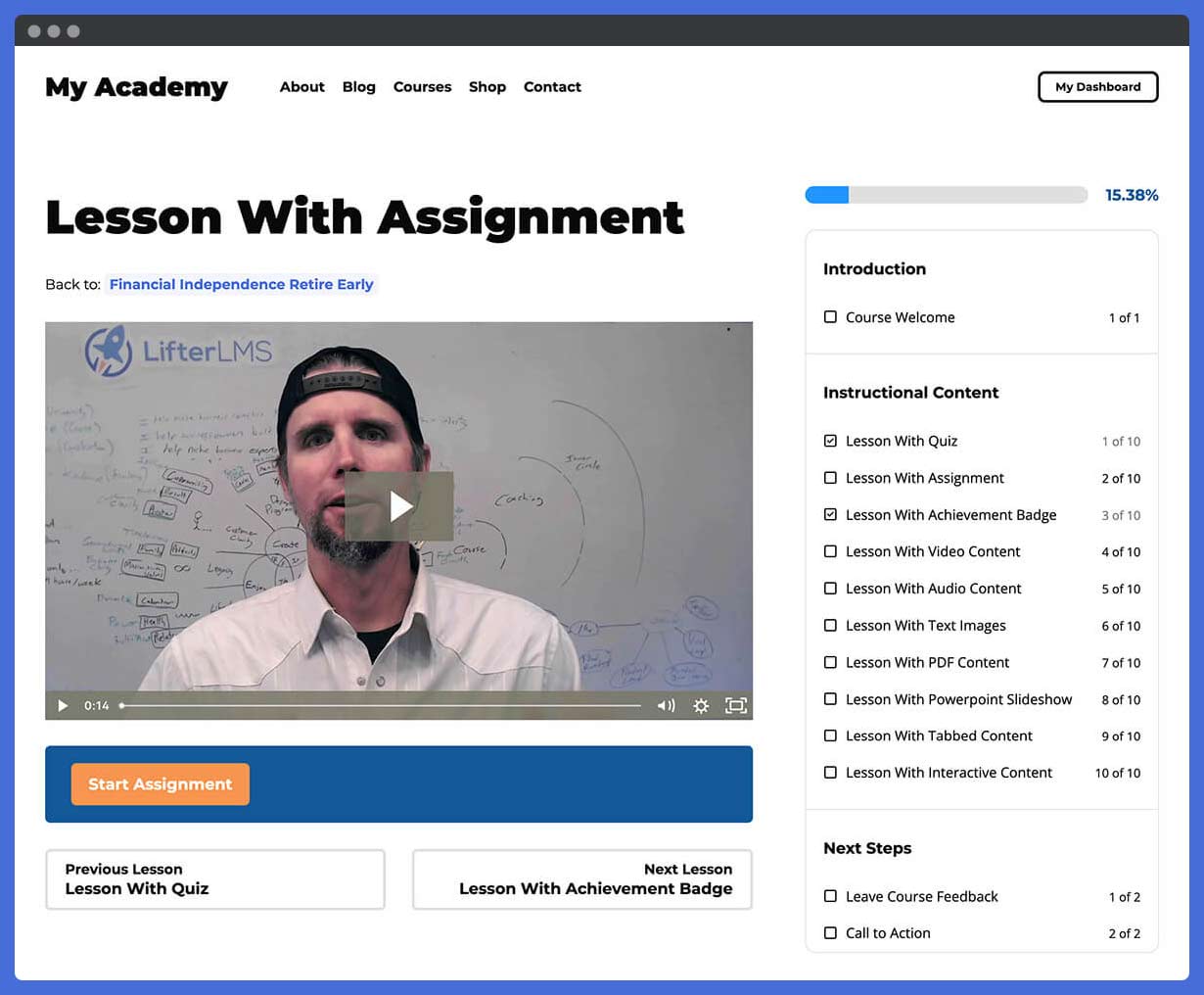
Edit courses in the WordPress block editor to add pricing tables, progress, outline, and more content.
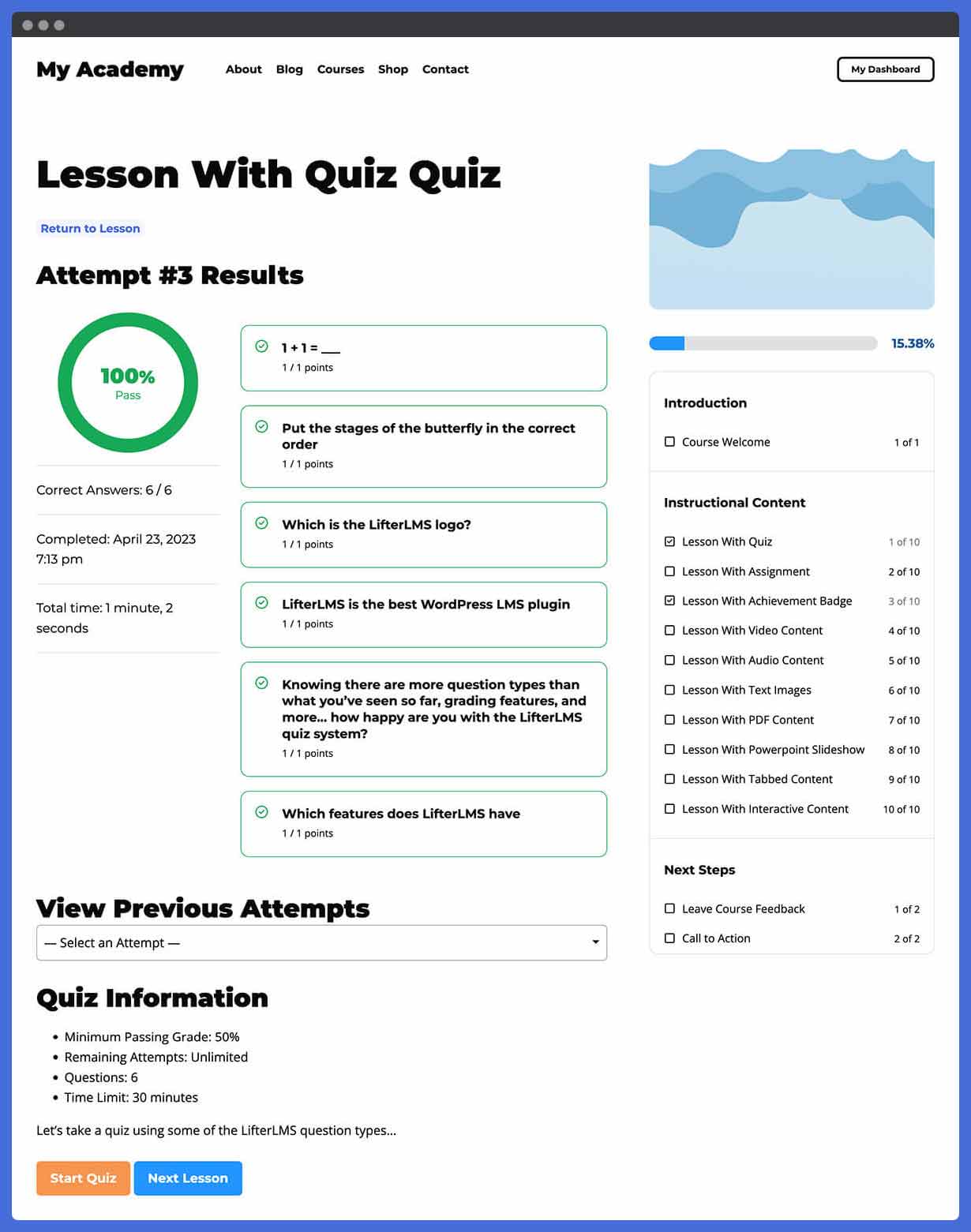
Use the interactive Course Builder to structure your course, sections, lessons, quizzes, assignments and more.
Dashboard for course creators in the WordPress admin: an overview of recent statistics and quick links to common admin screens.
Advanced reporting for every learner so admins can track an individual students's course progress, membership, engagements, and achievements.
Clean and organized plugin settings to help you quickly and easily set up your course or membership site.

Detailed sales and enrollment reporting with built-in time periods or custom fields to filter by term, student, course, and membership.
Assistente de configuração to help you install and configure your new online course website with LifterLMS in 5 simple steps.


Plugins semelhantes


A modern video and audio player for courses, landing pages, marketing, and testimonials — with captions, branding, and page-builder support.

A complete WordPress LMS plugin to create any eLearning website easily.

A WordPress LMS Plugin to create WordPress Learning Management System. Turn your WordPress to LMS WordPress Website with Courses, Lessons, Quizzes &am …

Quiz maker & survey maker for WordPress. Build quizzes, surveys, exams & assessments with scoring, results pages & lead capture — free & easy.

O plugin QUIZ MAKER permite que você faça um número ilimitado de questionários, exames e testes