Google Reviews Widget for WordPress. Display Google reviews in 1 minute with 45 professional layouts. Build trust, boost SEO, and increase sales.
Kaya QR Code Generator
Hospedagem WordPress com plugin Kaya QR Code Generator
Onde hospedar o plugin Kaya QR Code Generator?
Este plugin pode ser hospedado em qualquer provedor que tenha WordPress instalado. Recomendamos fortemente optar por uma empresa de hospedagem seguro, com servidores otimizados para WordPress, como o serviço de hospedagem da MCO2.
Hospedando o plugin Kaya QR Code Generator em uma empresa de hospedagem confiável
A MCO2, além de configurar e instalar o WordPress na versão mais atual para seus clientes, disponibiliza o WP SafePress, um mecanismo singular que protege e otimiza seu site simultaneamente.
Por que a Hospedagem WordPress funciona melhor na MCO2?
A Hospedagem WordPress funciona melhor pois a MCO2 possui servidores otimizados para WordPress. A instalação de WordPress é diferente de uma instalação trivial, pois habilita imediatamente recursos como otimização de imagens e fotos, proteção da página de login, bloqueio de atividades maliciosas diretamente no firewall, cache avançado e HTTPS ativado por padrão. São plugins que potencializam seu WordPress para a máxima segurança e o máximo desempenho.
Kaya QR Code Generator lets you create and display QR codes in your WordPress content using shortcodes, the built-in Gutenberg block or widget.
No external service, API or third-party dependency is required. The QR code generation library is included with the plugin.
You can encode any text, URL or other content, including Bitcoin addresses or the URL of the current page.
The QR code can be customized with different options such as size, error correction level, colors, alignment, title, alternative text, clickable links and a download button.
Three ways to add a QR code
- Shortcode – Add a QR code using the
[kaya_qrcode]shortcode or the dynamic[kaya_qrcode_dynamic]shortcode. - Gutenberg block – Add and configure a QR code directly in the WordPress block editor.
- Widget – Add a QR code to a widget area using the built-in widget.
Shortcode generator
The built-in Shortcode generator helps you create a shortcode without having to remember or enter its options manually.
The generator provides a live QR code preview and generated shortcode that can be copied and inserted into your content.
It is available:
- On the plugin settings page.
- In the editor meta box for supported post types.
The generator can also be configured to be displayed collapsed by default in the editor, showing only the generated shortcode and QR code preview until the full generator is opened.
QR code features
- Add an optional title and choose its heading level and horizontal alignment.
- Encode static or dynamic content.
- Automatically use the current page URL when no content is specified.
- Add a query string to the automatic current page URL.
- Add an anchor to the automatic current page URL.
- Select the error correction level.
- Set the QR code image size.
- Set the QR code border width.
- Customize the QR code and background colors.
- Align the QR code image horizontally.
- Add a shadow to the QR code image.
- Disable the default plugin styles.
- Set custom alternative text for the QR code image.
- Add a clickable link to the QR code image.
- Support non-standard URL schemes for clickable links.
- Open clickable links in a new browser tab.
- Add a download button with custom text and alignment.
Error correction levels
The QR code supports four error correction levels:
- Low – Approximately 7% of the codewords can be restored.
- Medium – Approximately 15% of the codewords can be restored.
- Quartile – Approximately 25% of the codewords can be restored.
- High – Approximately 30% of the codewords can be restored.
Higher error correction levels make the QR code more resistant to damage or obstruction, but require more space within the QR code.
Dynamic content
Dynamic content allows the QR code content to be generated by another WordPress shortcode.
For example:
[kaya_qrcode_dynamic][example_shortcode][/kaya_qrcode_dynamic]
The shortcode contained between the opening and closing tags is processed before the QR code is generated.
Settings
The plugin settings allow you to configure:
- Which user roles can access the Shortcode generator.
- Which post types display the Shortcode generator.
- Whether the generator is collapsed by default in the editor.
- The meta box location and priority in the editor.
- The default QR code color.
- The default background color.
The plugin is compatible with WordPress Multisite and WooCommerce.
Basic shortcode examples
Static content:
[kaya_qrcode content="https://example.com"]
If no content is specified, the URL of the current page is used automatically:
[kaya_qrcode]
Dynamic content:
[kaya_qrcode_dynamic][example_shortcode][/kaya_qrcode_dynamic]
Additional options can be added to either shortcode.
Privacy
Kaya QR Code Generator does not collect or send personal user data to the plugin author or any third-party service.
The plugin does not set cookies and does not connect to external services.
QR codes are generated from the content and settings provided by the user.
Available Languages
- English.
- French.
Feedback
Suggestions and feedback are welcome.
If you use Kaya QR Code Generator, please consider sharing your experience and rating the plugin. Your feedback helps improve the plugin and makes it easier for other users to discover it.
Capturas de tela
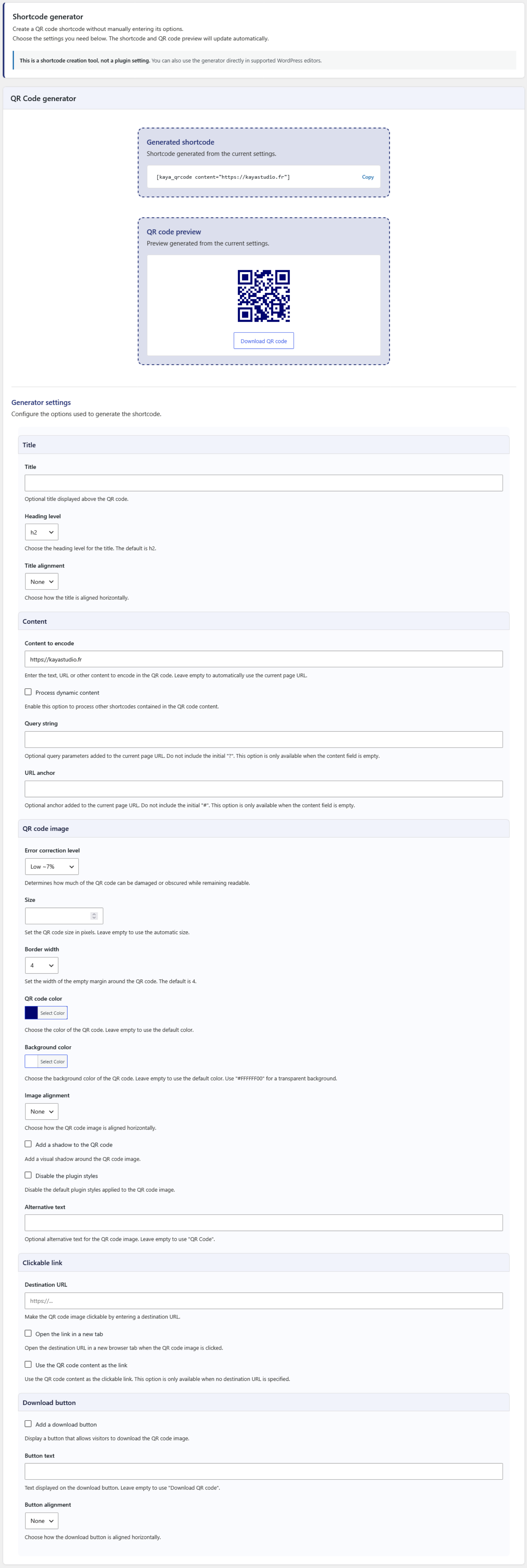
Kaya QR Code Generator: Shortcode generator.
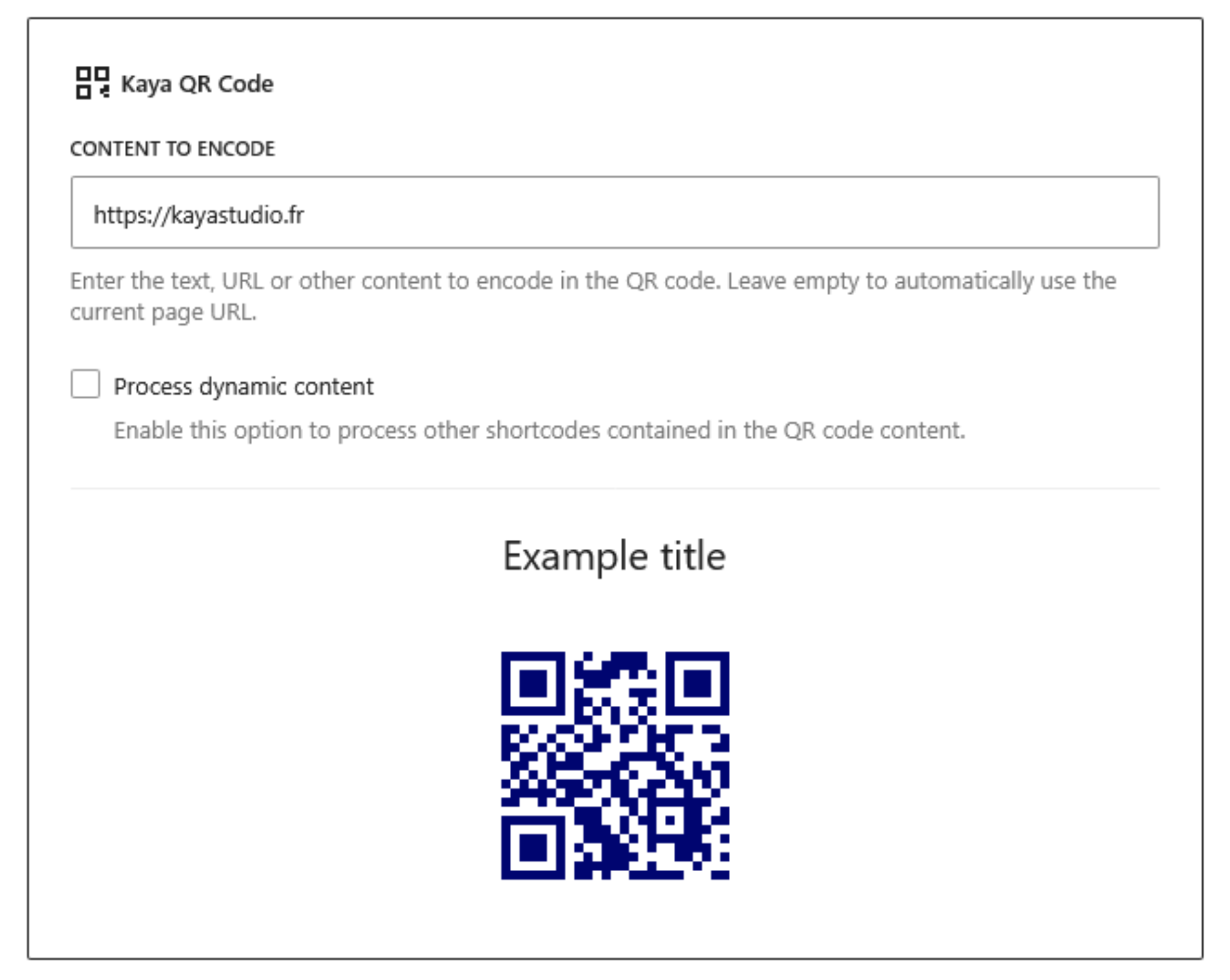
Kaya QR Code Generator: Gutenberg block.
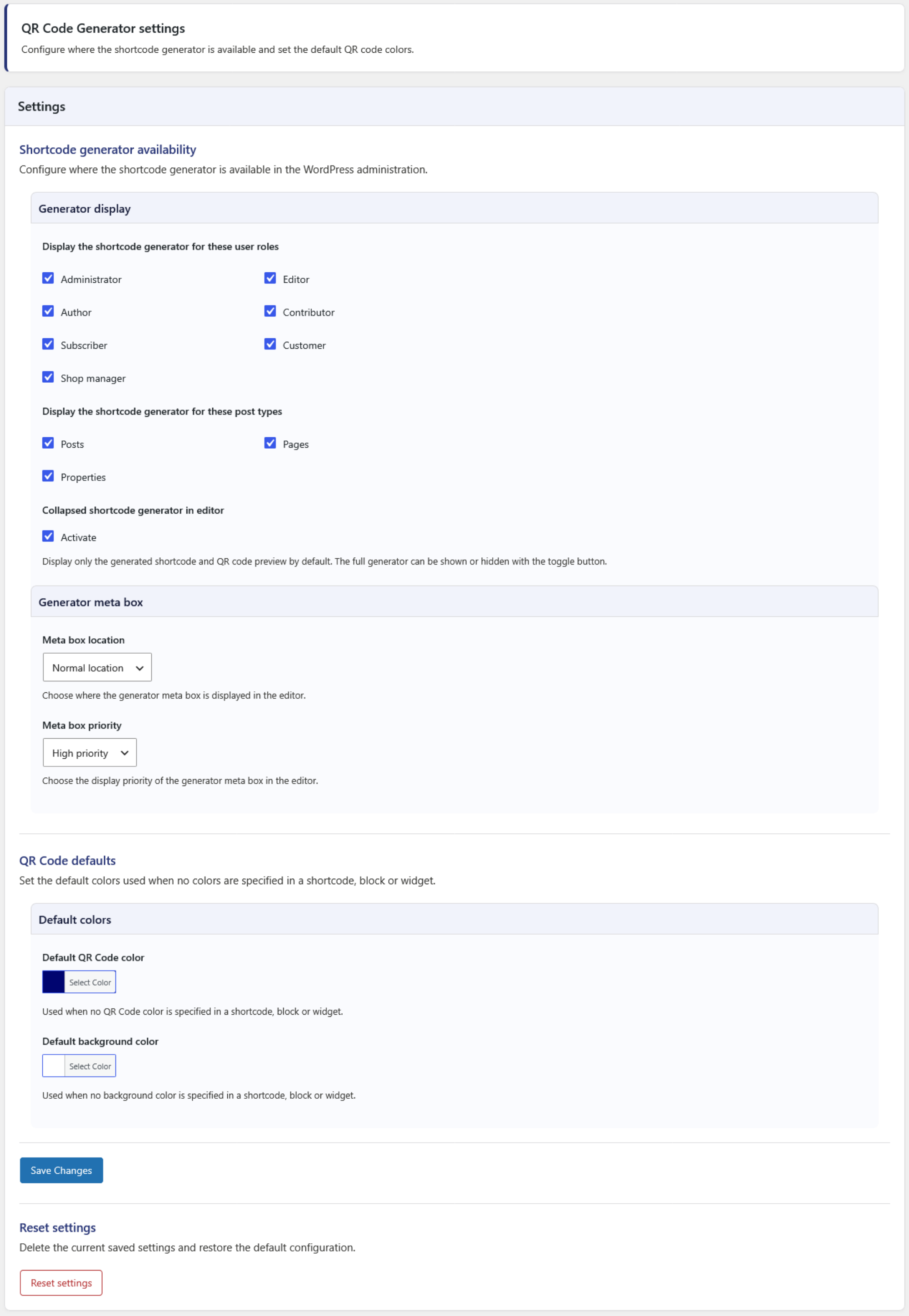
Kaya QR Code Generator: Settings page.

Kaya QR Code Generator: Custom QR code display examples.
Plugins semelhantes


PayPal's latest payment processing solution. Accept PayPal, Pay Later, credit/debit cards, alternative digital wallets and bank accounts.

Native integration with Google that allows merchants to easily display their products across Google’s network.

We’re here to help with tax rates: collect accurate sales tax, automatically.

The WooCommerce Legacy REST API, which is now part of WooCommerce itself but will be removed in WooCommerce 9.0.

Add 50+ shortcodes with live preview for tabs, accordions, buttons, FAQs, sliders and boxes. Works in Block Editor and Classic Editor.