O Elementor Website Builder tem tudo: construtor de páginas com recurso de arrastar e soltar, Editor Atômico, design com precisão em pixels, sistemas de estilo globais e reutilizáveis, compatibilidade com dispositivos móveis…

Gutenverse – WordPress Blocks, Page Builder & Site Editor
Hospedagem WordPress com plugin Gutenverse – Gutenberg Blocks – Page Builder for Site Editor
Onde devo hospedar o plugin Gutenverse – Gutenberg Blocks – Page Builder for Site Editor?
Este plugin pode ser hospedado em qualquer hospedagem que tenha WordPress instalado. Recomendamos optar por uma hospedagem seguro, com servidores otimizados para WordPress, como o serviço de hospedagem de sites da MCO2.
Hospedando o plugin Gutenverse – Gutenberg Blocks – Page Builder for Site Editor em uma empresa de hospedagem seguro
A MCO2, além de instalar o WordPress na versão mais atual para seus clientes, disponibiliza o plugin WP SafePress, um mecanismo exclusivo que salvaguarda e aumenta a performance do seu site conjuntamente.
Por que a Hospedagem WordPress funciona melhor na MCO2?
A Hospedagem WordPress funciona melhor pois a MCO2 possui servidores otimizados para WordPress. A instalação de WordPress é diferente de uma instalação trivial, pois habilita imediatamente recursos como otimização automática de imagens, proteção da página de login, bloqueio de atividades suspeitas diretamente no firewall, cache avançado e HTTPS ativado por padrão. São recursos que potencializam seu WordPress para a máxima segurança e o máximo desempenho.
Gutenverse is a WordPress blocks plugin, page builder, and website builder for the native Block Editor and Site Editor. Create fast, responsive websites without code using 57 blocks, 600+ templates, global styles, responsive controls, popup builder tools, and block theme support.
Build landing pages, business websites, blogs, portfolios, headers, footers, archive templates, single post templates, popups, and full site designs with WordPress blocks in the native Block Editor and Site Editor.
Use Gutenverse when you want a lightweight page builder experience that extends WordPress, Gutenberg, and the Site Editor instead of replacing the editor.
Why Choose Gutenverse
- Build pages and websites with WordPress blocks
- Use page builder controls inside the native Block Editor
- Create full site layouts with the WordPress Site Editor
- Start from 600+ starter templates, sections, and layouts
- Use block themes and Full Site Editing (FSE)
- Design responsive pages for desktop, tablet, and mobile
- Build popups, landing pages, headers, footers, and post templates
- Keep the editing workflow close to WordPress core
Key Features
- 57 WordPress blocks for the Block Editor
- 600+ ready-to-import starter templates and sections
- WordPress Site Editor and block theme support
- Page builder controls inside the native Block Editor
- Popup builder tools
- Responsive editing controls and custom breakpoints
- Global color and global font controls
- Flexible layout blocks for sections, containers, and columns
- Block management to enable or disable unused blocks
- Icon library with 100+ icons
- Advanced styling controls for spacing, background, border, typography, visibility, and animation
- Lightweight, performance-focused website building experience
WordPress Blocks Included
Gutenverse includes layout blocks, content blocks, design blocks, post blocks, and site building blocks for WordPress.
Block categories include:
- Layout and wrapper blocks: Container, Section, Column, Flexible Wrapper, and Popup Builder
- Content and design blocks: Heading, Button, Image, Gallery, Tabs, Accordion, Icon Box, Team, Testimonials, Google Maps, and more
- Post and site blocks: Post Block, Post Title, Post Content, Post Featured Image, Archive Title, and Search Result Title
Explore the full block list at Gutenverse Blocks.
Template Library
Gutenverse includes 600+ starter templates, layouts, and sections for faster website creation. Start from prebuilt designs, then customize each section with WordPress blocks, responsive controls, global colors, and global fonts.
Template types include landing pages, business websites, portfolio layouts, content sections, headers, footers, archive layouts, single post layouts, and full site templates.
Built For The WordPress Site Editor
Gutenverse works with the WordPress Site Editor, block themes, and Full Site Editing. You can create and customize site parts such as headers, footers, archive pages, and single post templates using WordPress blocks.
For a ready-made block theme, try Unibiz.
Free And Pro Features
The free version of Gutenverse includes the core WordPress blocks, template library access, responsive controls, global styles, layout tools, and popup builder features needed to build a complete WordPress website.
Gutenverse Pro adds advanced blocks, templates, form builder tools, popup options, dynamic data, display conditions, custom fonts, premium templates, and advanced site building features.
Use of 3rd-Party Services
Gutenverse may connect to the following third-party services when you enable or use related features.
Gutenverse.com
The Gutenverse dashboard may show optional links, template/library access, theme data, documentation, support, banners, license checks, or newsletter subscription features from gutenverse.com. Newsletter data is sent only when you manually submit your email address.
Website: https://gutenverse.com/
Terms: https://gutenverse.com/terms-and-conditions/
Google Maps
If you add the Google Maps block, the map may load content from Google Maps.
Service endpoint: https://maps.google.com/maps
Privacy Policy: https://policies.google.com/privacy
Terms of Service: https://policies.google.com/terms
Google Fonts
Some Gutenverse dashboard screens may load Google Fonts for dashboard typography.
Service endpoint: https://fonts.googleapis.com/
Privacy Policy: https://policies.google.com/privacy
Terms of Service: https://policies.google.com/terms
Social Share Links
If you use social sharing blocks, visitors may open external social sharing URLs when they click a share button.
Capturas de tela
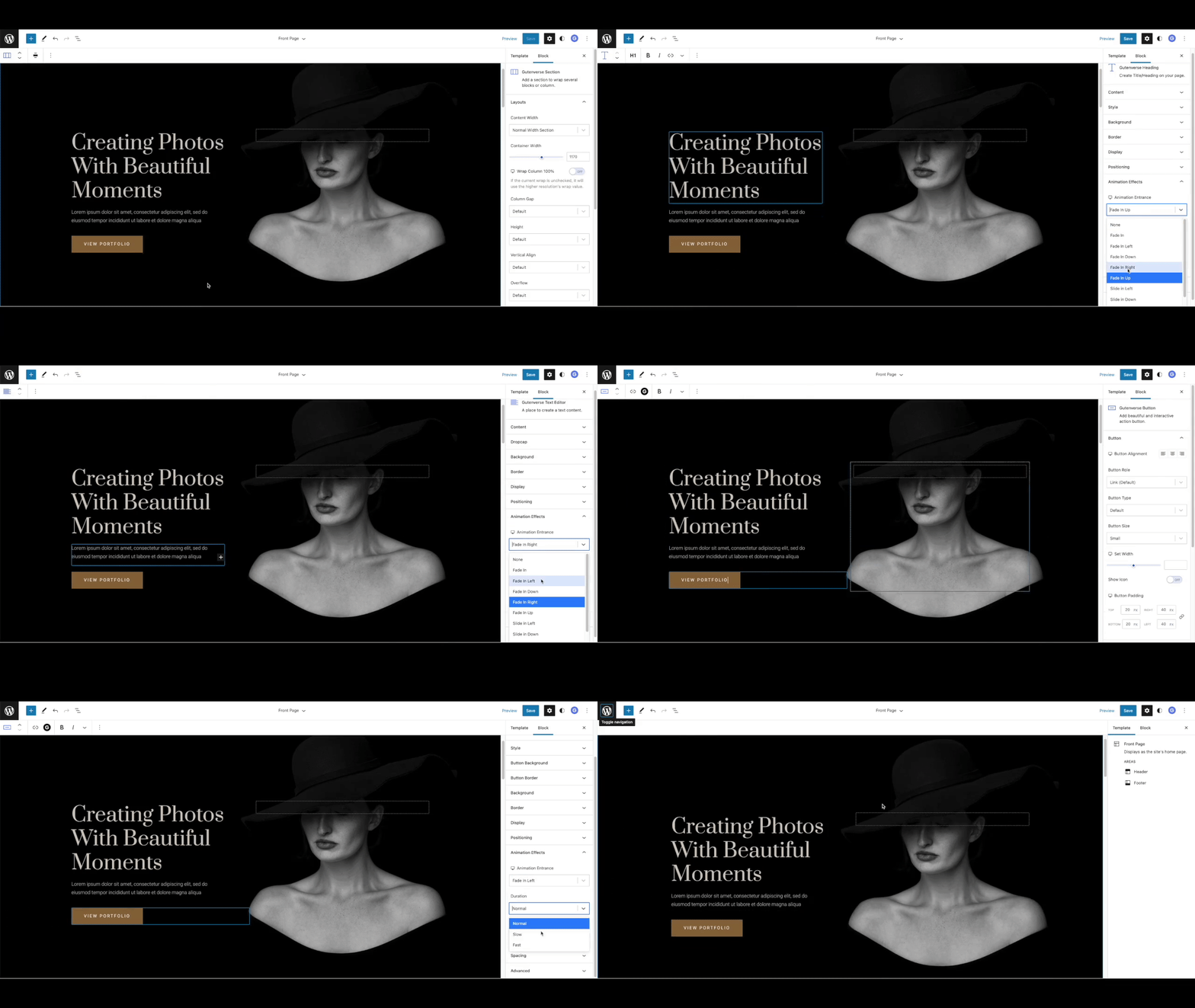
Animation Effects - Add animation effects to WordPress blocks.
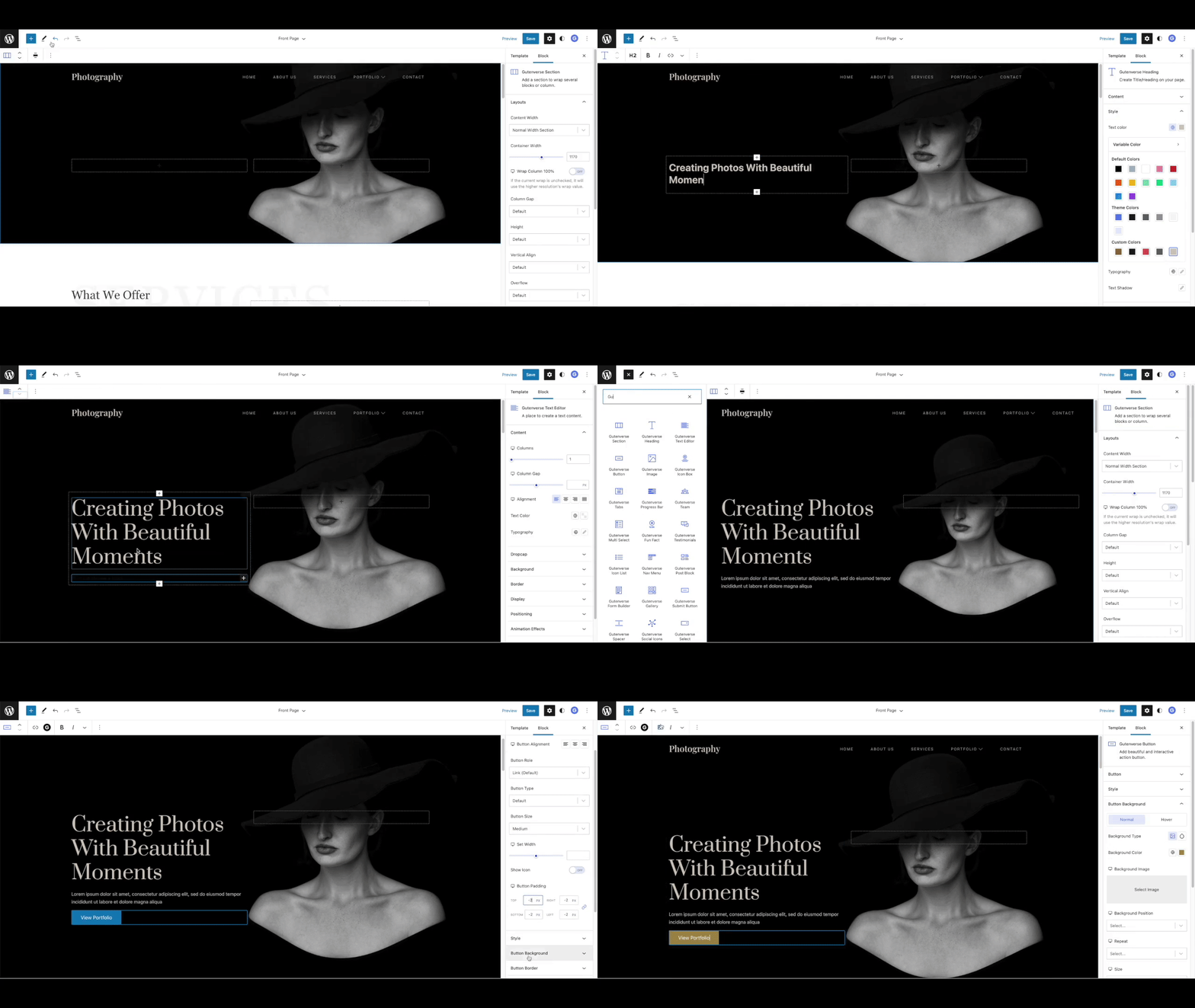
Drag And Drop Blocks - Search for Gutenverse blocks and start building pages.
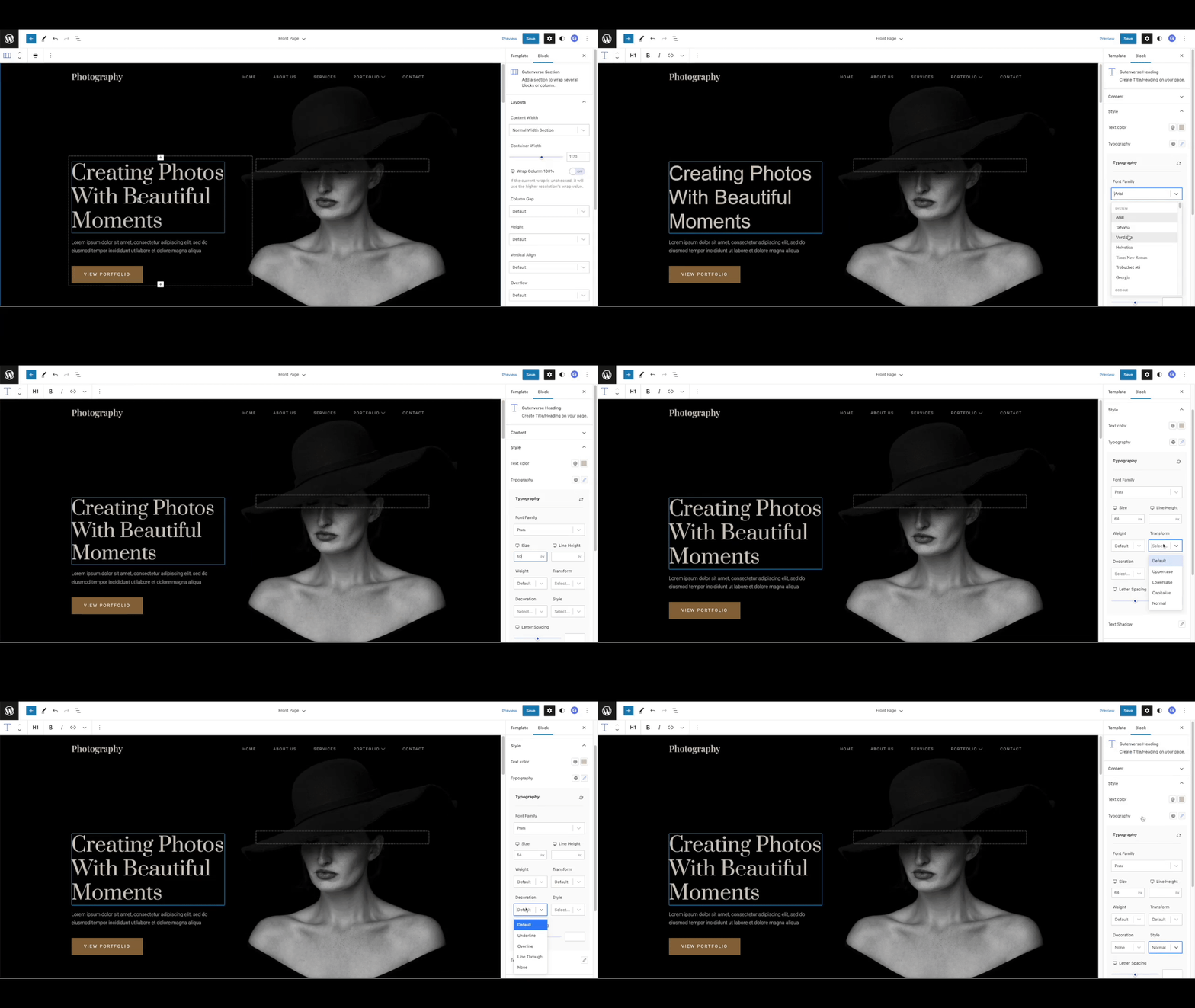
Font Styles - Customize typography with flexible font controls.
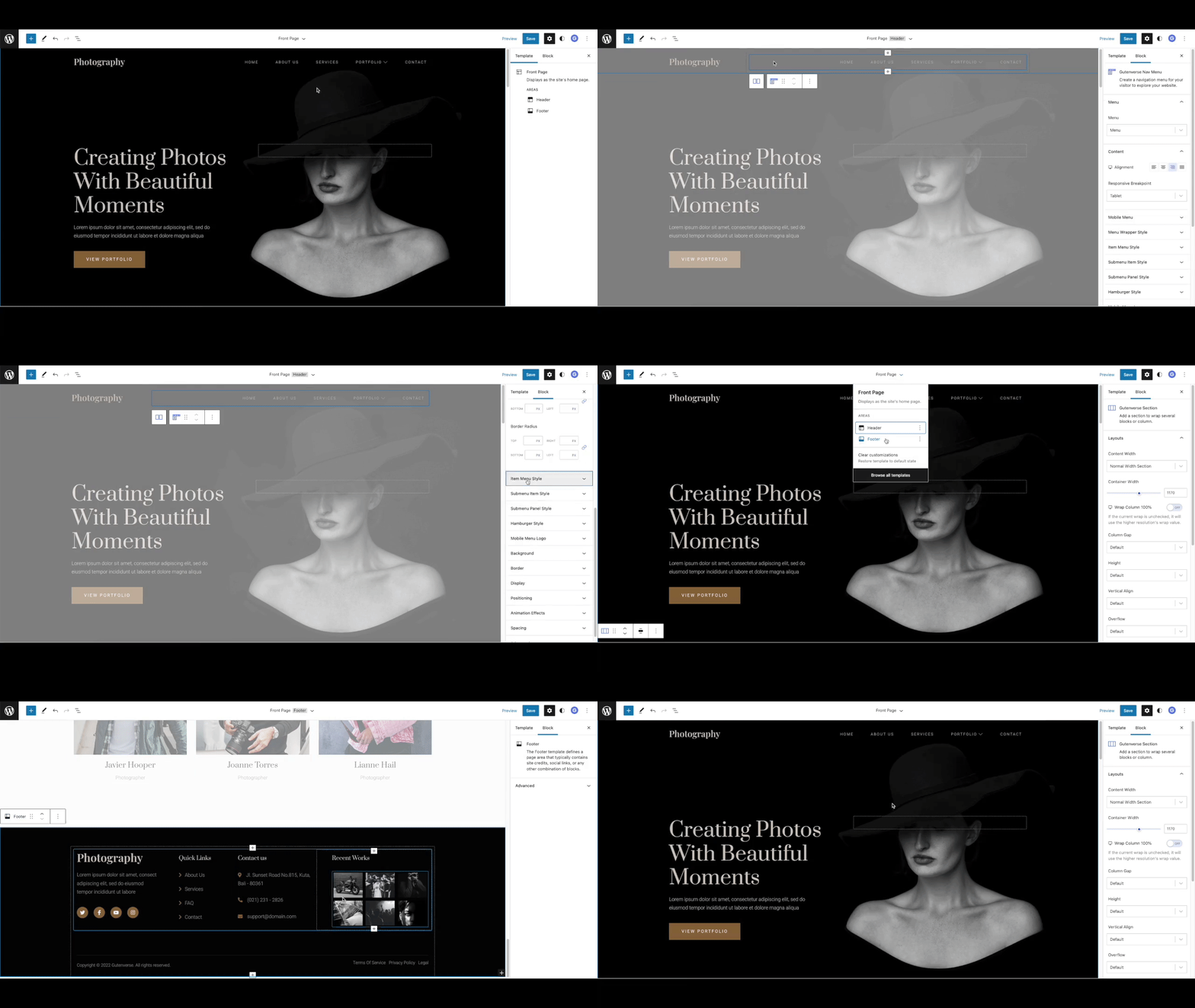
Full Site Editing - Build with Gutenverse blocks in the WordPress Site Editor.
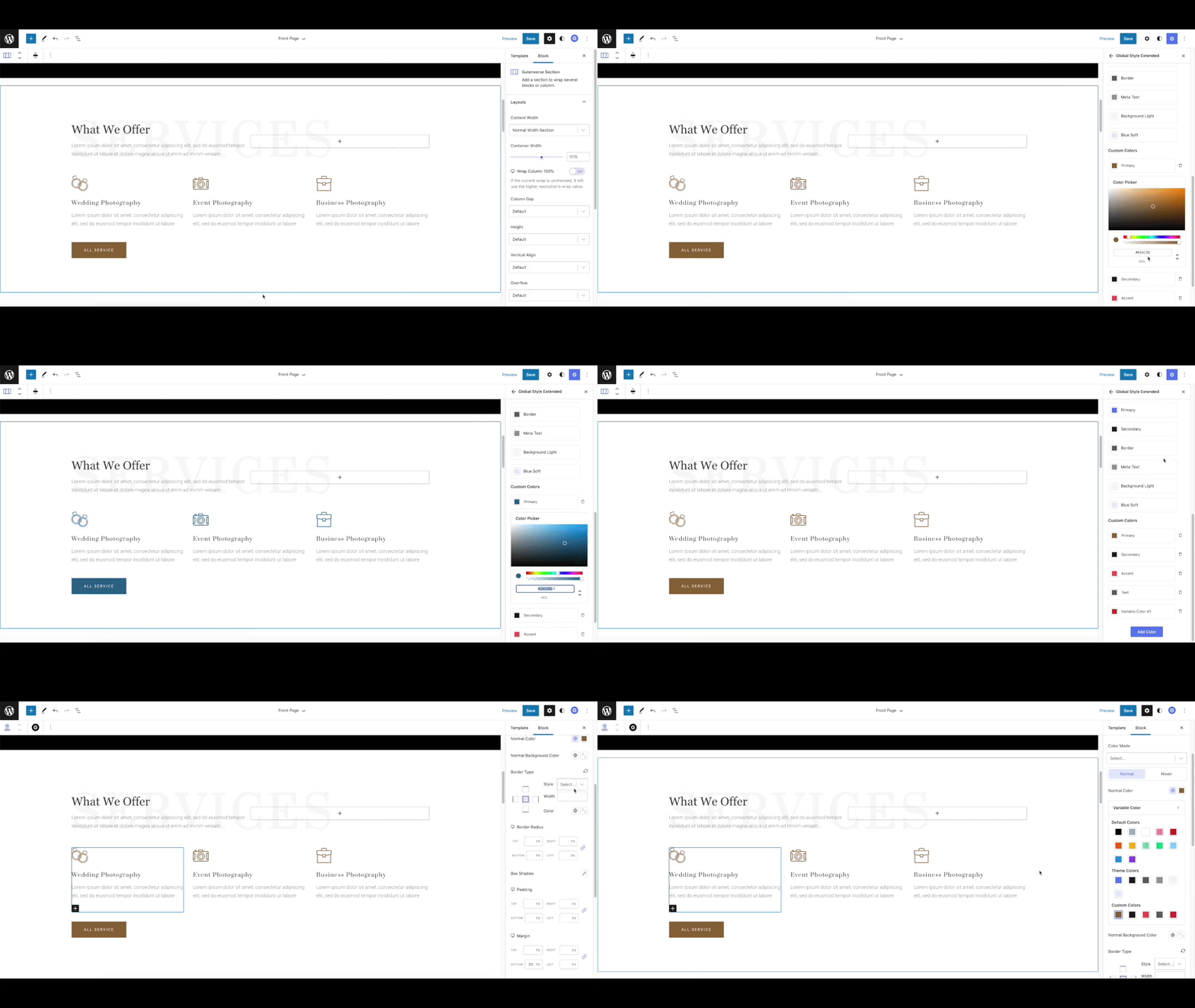
Global Color - Manage reusable global colors.

Global Font - Manage reusable global fonts.
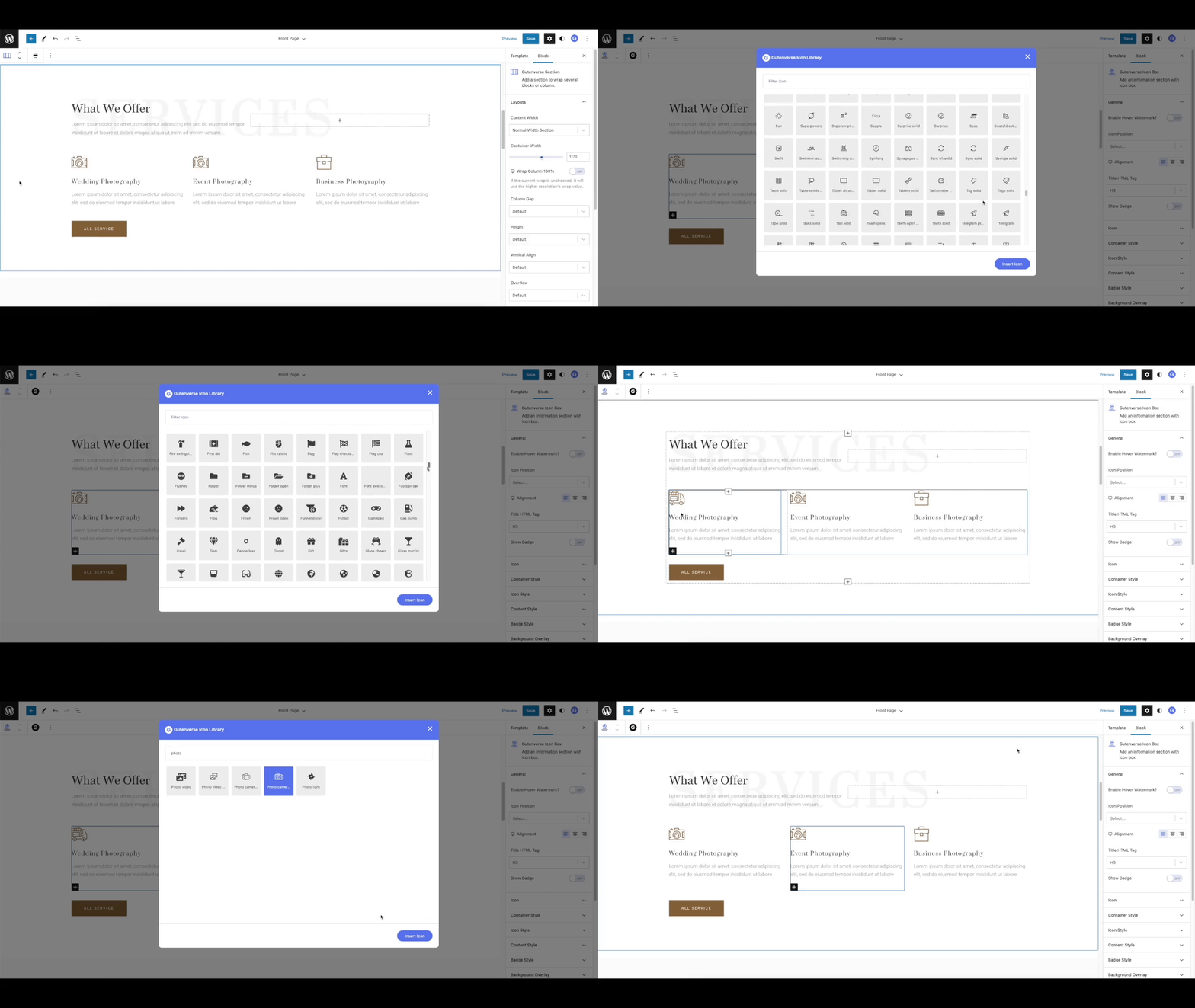
Icon Library - Choose from 100+ icons.
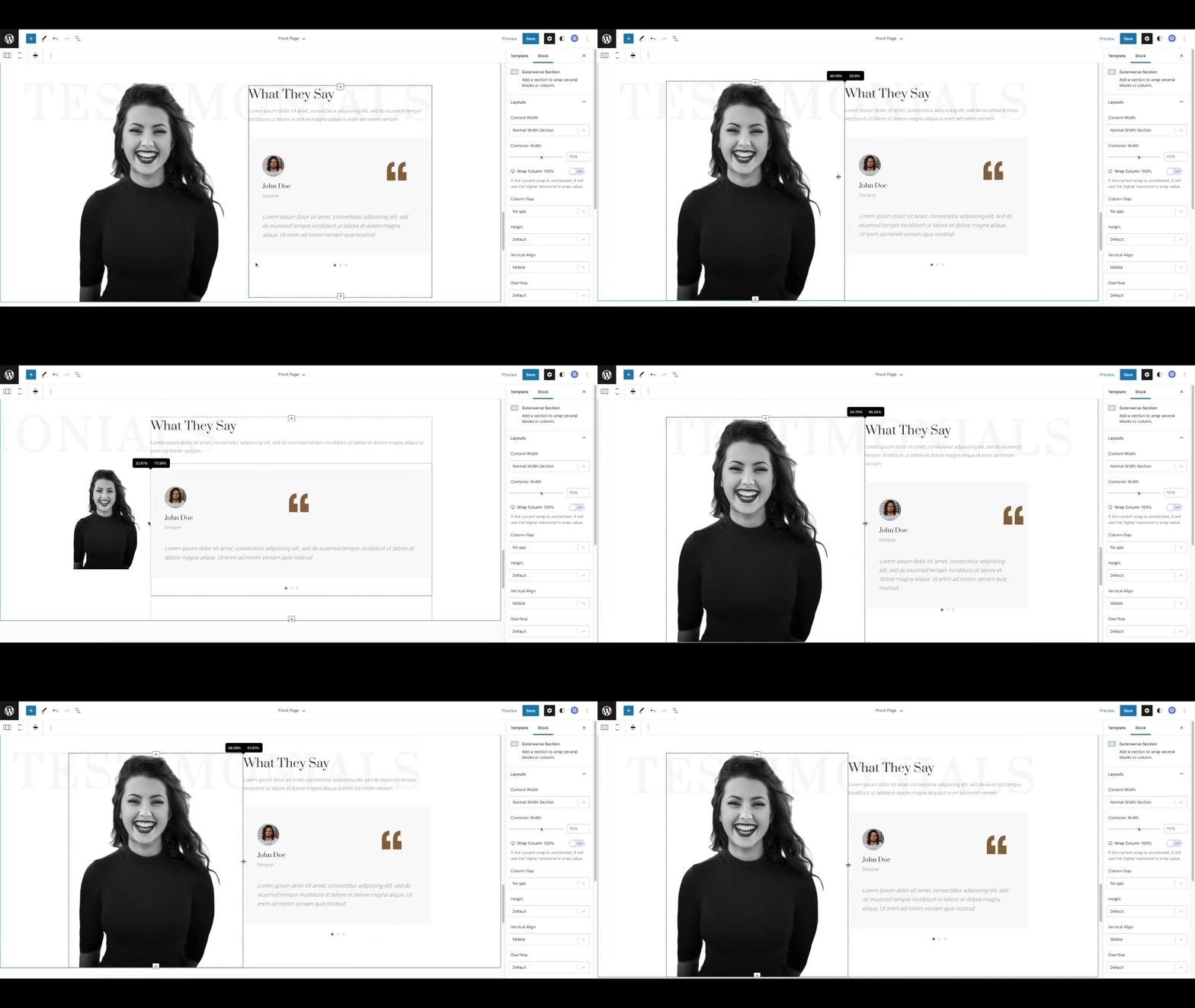
Resize Column - Resize columns with visual controls.
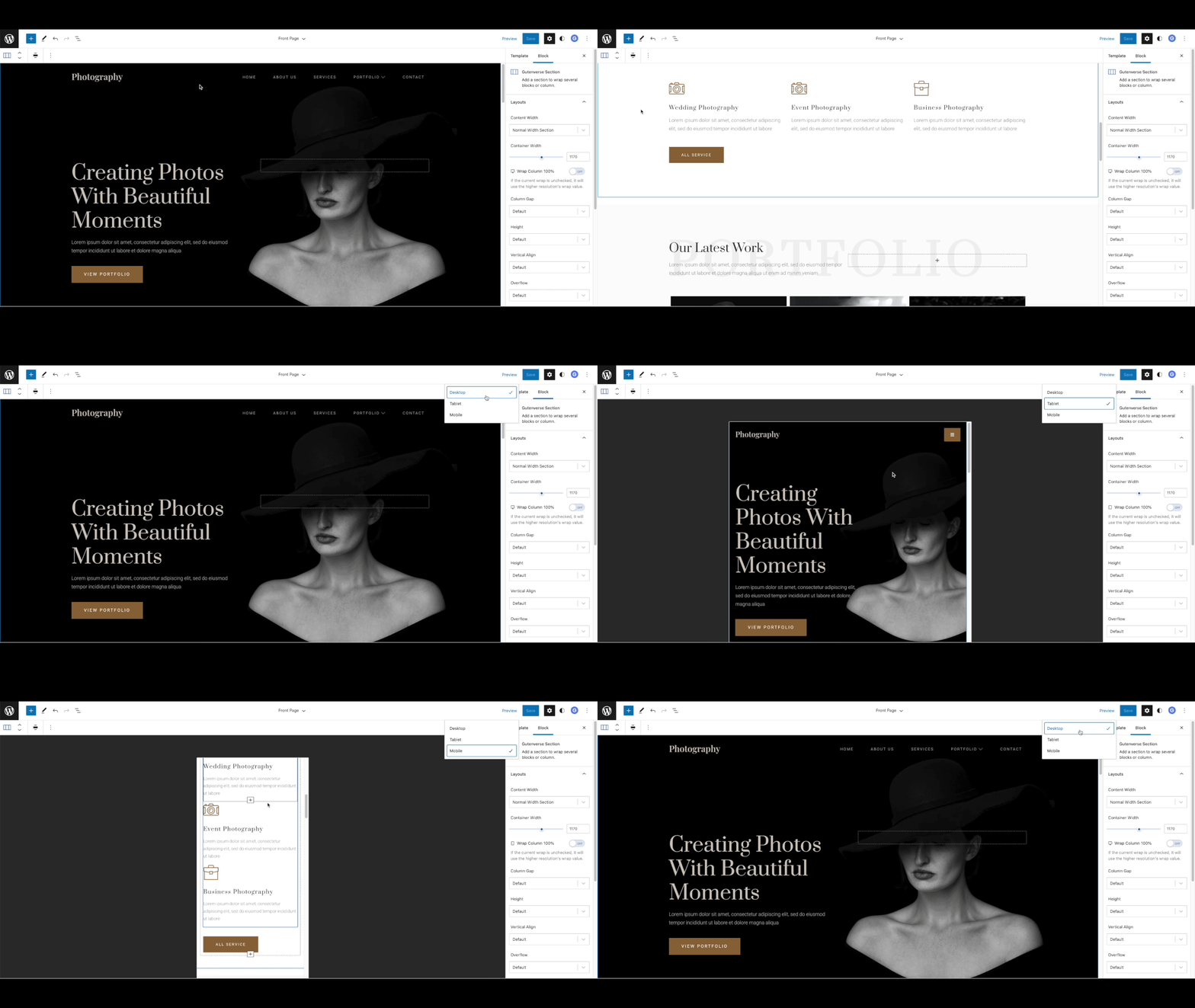
Responsive View - Adjust page design for desktop, tablet, and mobile.
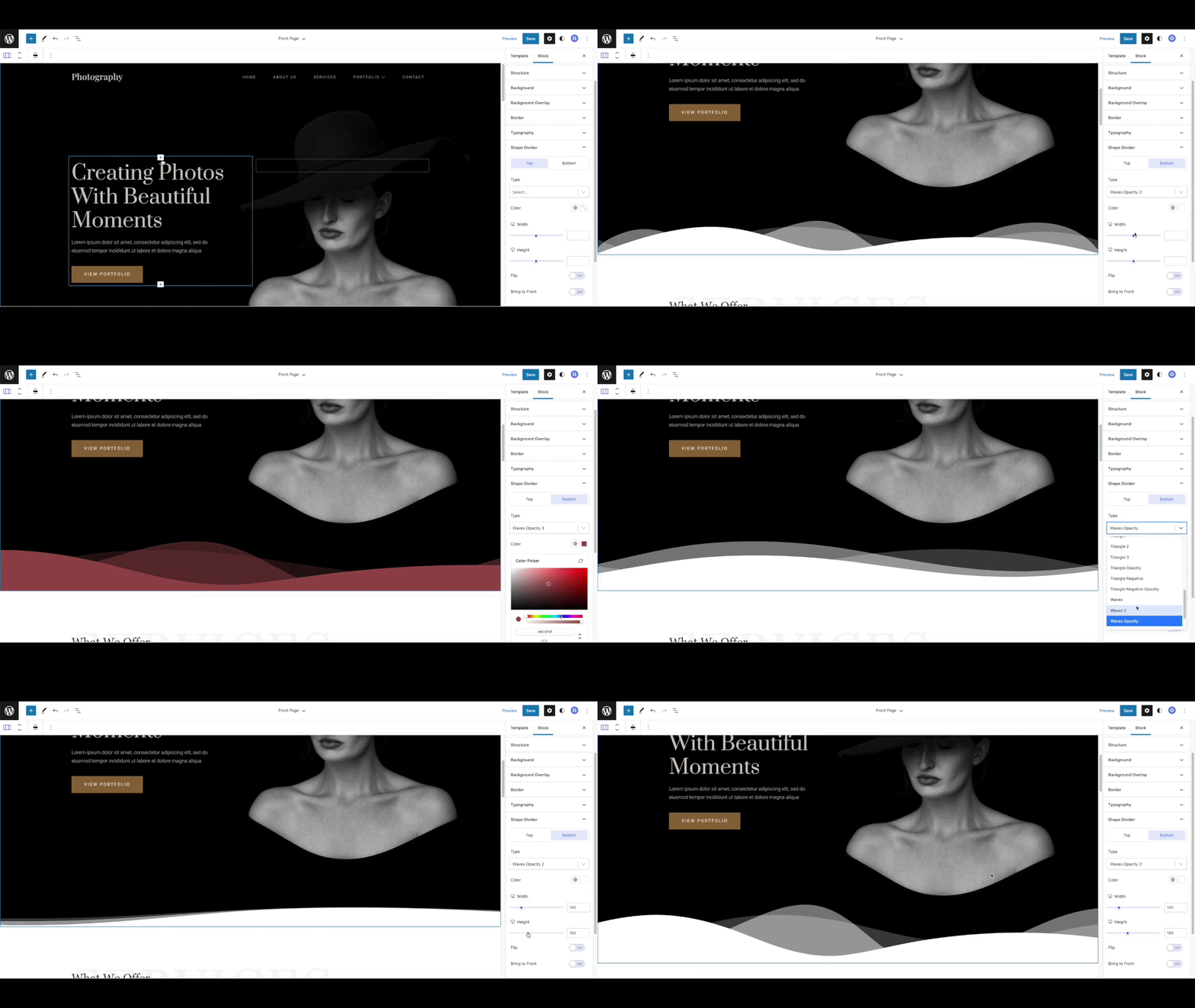
Shape Divider - Add section dividers to improve page design.
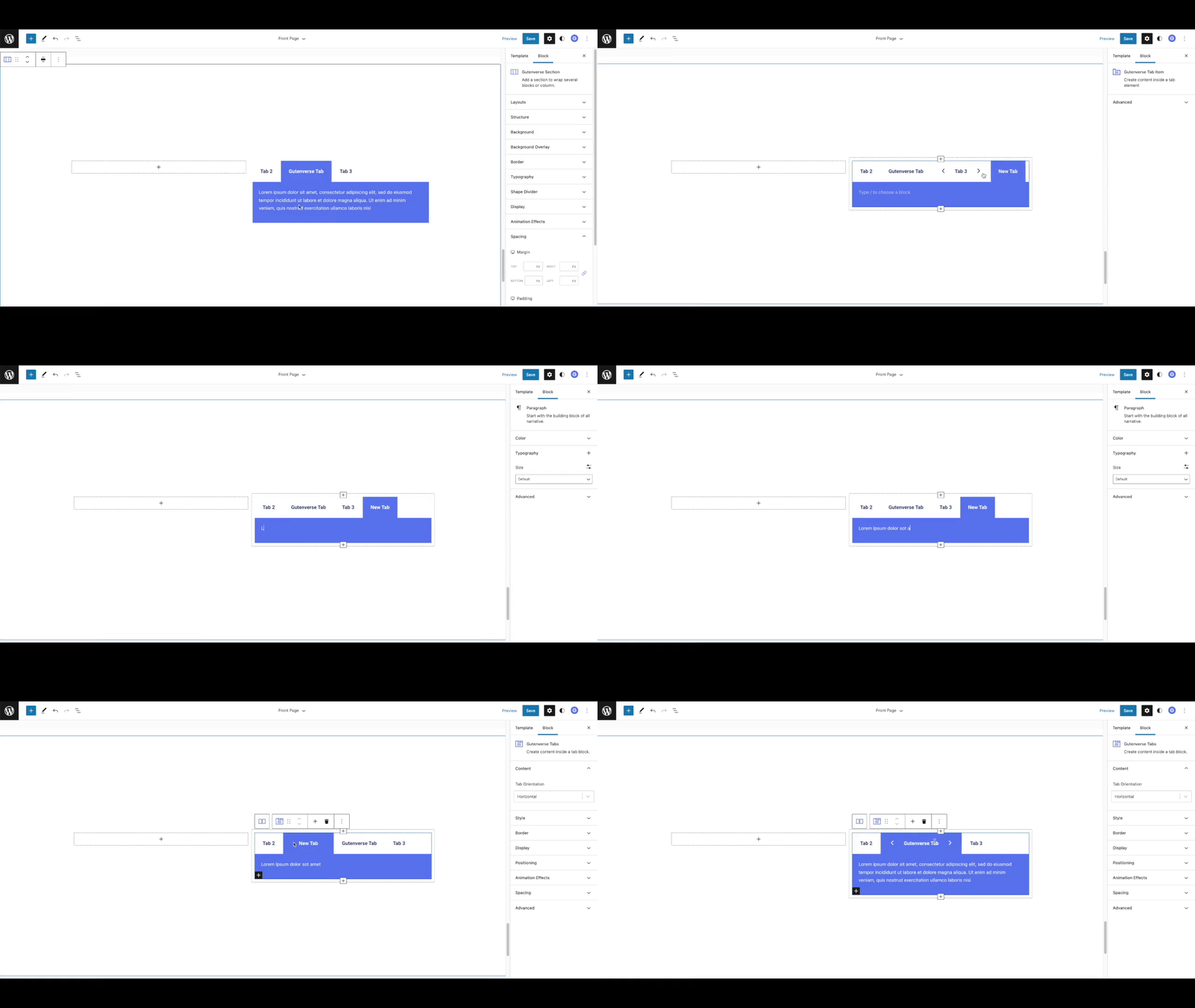
Tabs - Organize content with Gutenverse tab blocks.
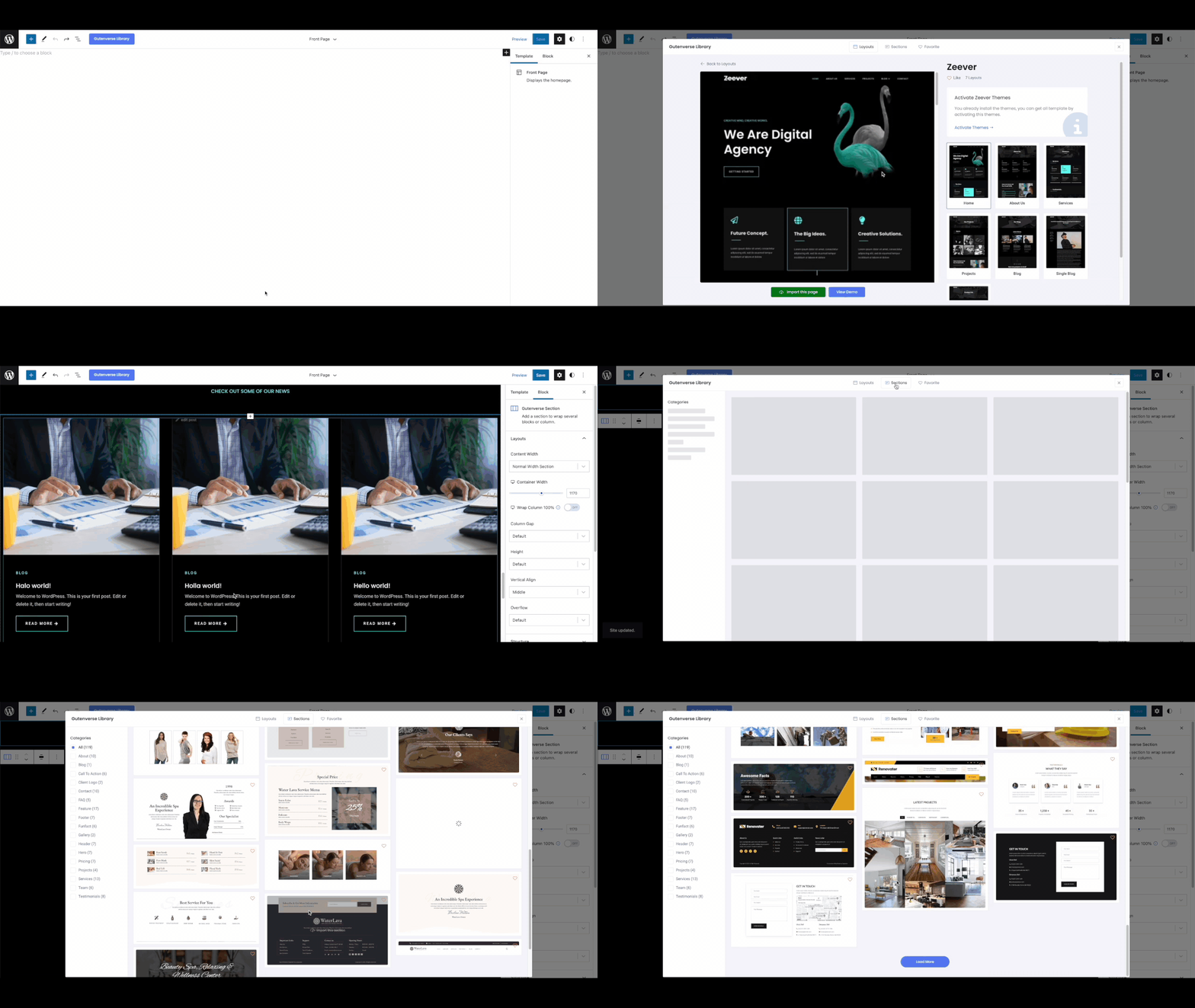
Template Library - Import prebuilt templates, layouts, and sections.
Plugins semelhantes


Apenas um outro plugin de formulário de contato. Simples, mas flexível.

Ativar o editor "clássico" anterior e o estilo antigo da tela Editar Post com TinyMCE, Meta Boxes, etc. Suporta todos os plugins que estendem esta tela.

The growing library of 300+ ready-to-use templates that work with all WordPress themes including Astra, Hello, OceanWP, GeneratePress and more

Ativa a tela clássica de configuração de widgets em Aparência > Widgets e em Personalizar. Desativa o editor de blocos ao gerenciar widgets.

Amplia e aprimora o editor de blocos (Gutenberg) e o editor clássico (TinyMCE).