
Seamlessly embed PDFs into your content, with customizations and intelligent responsive resizing, and no third-party services or iframes.
flowpaper
Hospedagem WordPress com plugin flowpaper
Onde hospedar o plugin flowpaper?
Este plugin pode ser hospedado em qualquer servidor que possua WordPress configurado. Recomendamos fortemente utilizar uma empresa de hospedagem de confiança, com servidores adaptados para WordPress, como o serviço de hospedagem WordPress da MCO2.
Hospedando o plugin flowpaper em uma empresa de hospedagem seguro
A MCO2, além de instalar o WordPress na versão mais nova para seus clientes, fornece o WP SafePress, um sistema exclusivo que assegura e otimiza seu site simultaneamente.
Por que a Hospedagem WordPress funciona melhor na MCO2?
A Hospedagem WordPress funciona melhor pois a MCO2 possui servidores otimizados para WordPress. A instalação de WordPress é diferente de uma instalação trivial, pois habilita imediatamente recursos como otimização automática de imagens e fotos, proteção da página de login, bloqueio de atividades maliciosas diretamente no firewall, cache avançado e HTTPS ativado por padrão. São recursos que potencializam seu WordPress para a máxima segurança e o máximo desempenho.
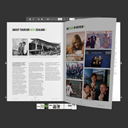
This is a PDF viewer plugin that allows you to embed your PDF catalogs, magazines and brochures as flipbooks on your web site in HTML5 format for free.
FlowPaper Home Page | Flipbook Maker | Examples
The plugin supports the majority of browsers and devices. It is currently limited to PDF documents that are 15 megabytes or smaller for PDFs that are not uploaded to FlowPaper cloud.
To publish larger PDF documents, customize the look and to show the viewer without FlowPaper branding, please visit our homepage. It supports both light and dark themes.
How to embed a PDF using a URL:
- Add a the plug in shortcode to a post like this:
[flipbook pdf="http://full-url/document.pdf"] - Change the PDF Url (“http://full-url/document.pdf”) to a PDF file you want to display. Voila!
How to embed a new PDF uploaded to WordPress:
- Click on the “Media” link in the left panel
- Upload your PDF document
- Click on the uploaded PDF document and copy the URL to the PDF file
- Create a new post and add the shortcode
[flipbook pdf="http://full-url/document.pdf"]to your post. Update the url in the shortcode to the URL you copied from your media library
How to embed a publication uploaded to FlowPaper Cloud:
- Make sure the publication is uploaded to FlowPaper cloud using the desktop publisher
- Copy the link that the desktop publisher created for you
- Create a new post and add the shortcode
[flipbook pdf="http://online.flowpaper.com/publication"]to your post. Update the url in the shortcode to the URL you copied from the desktop publisher
Customizing Theme
Style of the viewer theme (default: “dark”) by adding the “theme” parameter and setting it to either “light” or “dark” like this: [flipbook pdf="http://full-url/document.pdf" theme="light"]
Opening in a Lightbox overlay
You can display a cover of your publication and open it in a lightbox overlay by supplying the “lightbox” and “cover” parameters like this: [flipbook pdf="http://full-url/document.pdf" lightbox="true" cover="https://flowpaper.com/images/demo/[email protected]"]
Setting Header
You can modify the header that is displayed (default: “Loading viewer …”) by adding the “header” to the embed code like this: [flipbook pdf="http://full-url/document.pdf" header="Opening catalog..."]
Setting Publication Title
You can modify the publication title that is displayed (default: PDF title) by adding the “title” to the embed code like this: [flipbook pdf="http://full-url/document.pdf" title="Fashion catalog 2016"]
About FlowPaper
FlowPaper is a publishing platform that uses a number of technologies to bring your PDF documents to the web in the most beautiful friendliest ways possible.
For a full set of features and an unbranded viewer, please use the flipbook maker available at the FlowPaper home page. This plug in is built so that people can experience one of our pdf viewers as easy as possible.
Customizing
Parameters:
- pdf – source of the PDF you want to embed:
[flipbook pdf="http://flowpaper.com/example.pdf"]; - width – width in pixels or in percents:
[flipbook width="100%"]or[flipbook width="600"]; by default width=”100%”; - height – height in pixels:
[flipbook height="500"]; by default height=”500″; - theme – sets the theme for the viewer:
[flipbook theme="light"]; “dark” by default; - singlepage – lets you to force the viewer to only show one page at the time:
[flipbook singlepage="true"]; “auto” by default which selects single page if the publication uses landscape pages; - lightbox – opens the viewer in a lightbox overlay when clicked:
[flipbook lightbox="true"]; “false” by default; - cover – sets a image cover to be used for the viewer. Useful in combination with the lightbox setting:
[flipbook cover="http://domain.com/myimage.png"]; - header – sets the header for the viewer:
[flipbook header="Custom Header"]; “Loading viewer …” by default; - title – sets the title for the viewer:
[flipbook title="Custom Title"]; taken from the PDF by default; - id – allows to add the id of the flowpaper frame:
[flipbook id="custom_id"]; removed by default; - same_height_as – allows to set the height of flowpaper same as target element:
[flipbook same_height_as="div.sidebar"],[flipbook same_height_as="div#content"],[flipbook same_height_as="body"],[flipbook same_height_as="html"]; removed by default;
Capturas de tela

FlowPaper PDF flipbook
Plugins semelhantes


DearFlip creates a PDF Flipbook, 3D Flipbook, PDF viewer, PDF embed for WordPress sites. Create impressive and realistic 3D flipbooks with PDFs.

3D FlipBook is PDF Viewer, allowing to browse images, PDFs or HTMLs as flipbook. Flipbook attracts user attention and makes more impression on him.