Export WooCommerce orders to Excel, CSV, XML, JSON, PDF and HTML. Best free order export plugin for WooCommerce.

Export Media URLs
Hospedagem WordPress com plugin Export Media URLs
Onde posso hospedar o plugin Export Media URLs?
Este plugin pode ser hospedado em qualquer servidor que possua WordPress configurado. Recomendamos fortemente optar por um provedor de hospedagem de confiança, com servidores adaptados para WordPress, como o serviço de hospedagem WordPress da MCO2.
Hospedando o plugin Export Media URLs em um provedor seguro
A MCO2, além de configurar e instalar o WordPress na versão mais nova para seus clientes, fornece o plugin WP SafePress, um sistema singular que protege e otimiza seu site ao mesmo tempo.
Por que a Hospedagem WordPress funciona melhor na MCO2?
A Hospedagem WordPress funciona melhor pois a MCO2 possui servidores otimizados para WordPress. A instalação de WordPress é diferente de uma instalação trivial, pois habilita imediatamente recursos como otimização de imagens e fotos, proteção da página de login, bloqueio de atividades suspeitas diretamente no firewall, cache avançado e HTTPS ativado por padrão. São plugins que potencializam seu WordPress para a máxima segurança e o máximo desempenho.
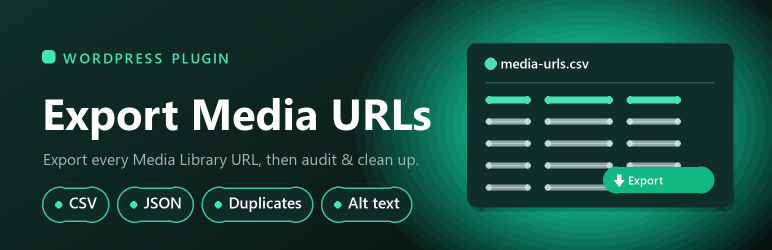
The fastest way to pull a complete inventory of your WordPress Media Library. Export every attachment’s details — pick exactly the columns you want from grouped, collapsible field sections with quick-select presets — then download a CSV or JSON file, or display the results in a paginated table right inside the dashboard. A separate Media Tools tab helps you audit and clean up the library. Invaluable for migrations, SEO and accessibility audits, and library cleanup.
Media Tools
Each tool lives on its own sub-tab and processes the library in pages (100, 250, 500, 1000 or All per page), so the scans stay fast and light even on libraries with thousands of items.
- Storage summary — attachment counts per media type
- Missing file detector — find attachments whose file is gone from disk (e.g. after a bad migration)
- Duplicate detection — find files that are byte-for-byte identical (matched by size and content hash; choose “All” for a complete cross-library scan)
- Heavy image flags — spot oversized images (large file size or pixel dimensions) that slow your pages
- Bulk alt-text editing — review and update alt text image by image, page by page, with missing alt text highlighted
You can export each media item’s:
- ID
- Title
- File Name
- URL
- File Size
- MIME Type
- Dimensions (width x height)
- Thumbnail / Medium / Large image URLs
- Caption
- Alt Text
- Alt Missing (flag — quickly find images with no alt text)
- Description
- Uploaded To (Parent) and Uploaded To URL — where the file was first uploaded
- Used In (count), Used In (posts) and Used In (URLs) — every post that actually references the item
- Unused (flag — items not found in any post’s content)
- Date Uploaded
The data can be filtered by media type (images, video, audio, documents, archives), by attachment status (attached vs. unattached/orphaned), by author, and between a date range before extraction. You can also export a specific item range to keep each request small on very large libraries.
When do we need this plugin?
- To check all Media URLs of your website
- During a migration (and to confirm everything moved across)
- During an SEO or accessibility audit (find images missing alt text)
- To clean up orphaned media imported by a theme demo
- During a security audit
Customizable Features
- Choose exactly which columns to export, grouped with quick-select presets (Migration, SEO/Accessibility, Cleanup, Full)
- Download as CSV or JSON, or display the results in a paginated table
- Filter by media type, attachment status, author and date range
- Export a specific item range (helpful on very large libraries)
- Custom or randomly generated download file name
- Remembers your last field selection
- CSV and JSON downloads stream straight to the browser, leaving nothing behind in wp-content/uploads
System requirements
- PHP version 5.4 or higher
- WordPress version 3.6 or higher
Feedback
If you like this plugin, then please consider leaving us a good rating.
Contact
For further information please send me an email.
Capturas de tela

The Export screen — pick fields from collapsible groups with quick-select presets, and filter by media type

Results shown right in the dashboard, in a paginated table

The Summary dashboard — library stats plus one-click access to every maintenance tool

Duplicate Files — byte-for-byte identical files grouped for easy cleanup

Bulk Alt-Text editing — fix missing alt text across the library, with missing rows highlighted
Plugins semelhantes


Easily export data from any post type, custom field, or taxonomy to a CSV, XML, or Excel file of any custom format. Supports WooCommerce products, ord …

Easily export or import your WordPress customizer settings!
Bulk import and export WordPress users and WooCommerce customers from CSV, including roles, passwords and any custom meta.
The best order export import plugin for WooCommerce. Easily import and export WooCommerce orders and WooCommerce coupons using CSV.
Drag & drop to export products to CSV, Excel, or XML files of any format. Supports variations, images, attributes, brands, and more with powerful …