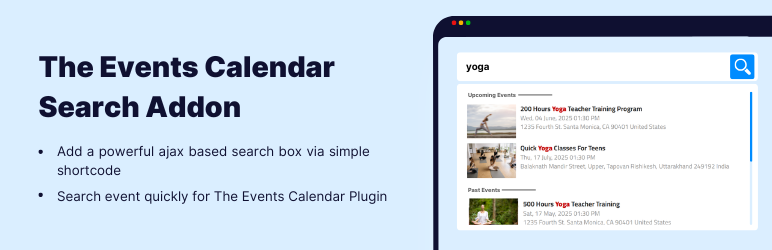
The Events Calendar: #1 calendar plugin for WordPress. Create/manage events (virtual too!) on your site with the free plugin.

The Events Calendar Search Addon
Hospedagem WordPress com plugin Events Search For The Events Calendar
Onde devo hospedar o plugin Events Search For The Events Calendar?
Este plugin pode ser hospedado em qualquer provedor que possua WordPress instalado. Recomendamos fortemente escolher um provedor de hospedagem confiável, com servidores otimizados para WordPress, como o serviço de hospedagem de sites da MCO2.
Hospedando o plugin Events Search For The Events Calendar em uma empresa de hospedagem seguro
A MCO2, além de configurar e instalar o WordPress na versão mais nova para seus clientes, oferece o WP SafePress, um mecanismo singular que protege e melhora seu site ao mesmo tempo.
Por que a Hospedagem WordPress funciona melhor na MCO2?
A Hospedagem WordPress funciona melhor pois a MCO2 possui servidores otimizados para WordPress. A instalação de WordPress é diferente de uma instalação trivial, pois habilita imediatamente recursos como otimização automática de imagens e fotos, proteção da página de login, bloqueio de atividades maliciosas diretamente no firewall, cache avançado e HTTPS ativado por padrão. São plugins que potencializam seu WordPress para a máxima segurança e o máximo desempenho.
Are you looking for a simple way to add a live events search bar to your website?
Events Search is an addon for The Events Calendar WordPress plugin that lets your visitors quickly search and find upcoming events using an AJAX-powered search box. Instead of browsing long event lists, users can type keywords like event name, venue, organizer, or date and instantly see matching results.
👉 View Demo: Events Search Bar
You can add a fast and responsive live search bar anywhere using a simple shortcode.
-
Search Box Shortcode:
[events-calendar-search placeholder=”Search Events” show-events=”5″ disable-past-events=”false” layout=”medium” content-type=”advance”] -
Shortcode Attributes:
You can control the search box functionality and display using these attributes:- placeholder – Change the default search text inside the input field.
- show-events – Set how many events appear in the search dropdown (example:
5). - disable-past-events – Set to
trueto show only upcoming events. - layout – Choose search box size:
small,medium, orlarge. - content-type – Choose result style:
basic – Shows only event title
advance – Shows event title, date, and extra details
More Addons To Enhance Your Events Website
If you are using The Events Calendar plugin to manage events, conferences, webinars, workshops, or local meetups, you can extend its functionality with professional addons built specifically for event websites. These addons help you improve event layout design, event listing display, search and filtering options, and overall event management experience on your WordPress website.
-
Event Single Page Builder for The Events Calendar:
Replace the default event template with a fully custom single event page. Design professional event pages using Elementor and showcase event schedule, venue details, maps, speakers, sponsors, ticket booking buttons, countdown timers, and call-to-action sections. You can also use it on non-Elementor websites using ready-made templates. -
Events Widgets for Elementor:
Looking for an event widget for Elementor? This addon provides widgets to show event list, grid, and carousel. You can display events in different layouts and customize event meta fields such as date, venue, organizer, and ticket links. -
Events Shortcodes for The Events Calendar:
Display events anywhere on your website using flexible shortcodes. Show upcoming events, past events, featured events, or category-based event listings in list, grid, slider, timeline, masonry, accordion, and more.
-
Events Speakers & Sponsors:
Add dedicated speakers and sponsors sections inside your event pages. Showcase keynote speakers, guest presenters, partners, and sponsors with structured layouts to increase credibility and improve event promotion. -
Events Calendar Modules for Divi:
Using Divi theme? Display The Events Calendar events inside Divi Builder using custom event modules and create stylish event list and grid layouts.
Some Other Cool Plugins
- Timeline Widget for Elementor: Create vertical and horizontal timelines inside Elementor.
- Cool FormKit: Add advanced fields and features to Elementor forms.
- AutoPoly: Polylang addon to automatically translate WordPress pages and posts using AI.
- LocoAI: Translate WordPress plugin strings inside Loco Translate using an AI translator.
- Cryptocurrency Widgets: Display live cryptocurrency prices, charts, and market data.
Third-Party Services: This plugin connects to the Cool Plugins server to display information about related plugins inside its dashboard. It also offers optional usage tracking only after explicit user consent (opt-in). No frontend visitor data is collected. For complete details, please review our Data Usage Policy, TOS, and Privacy Policy.
Disclaimer: Events Search Addon is developed by Cool Plugins and is not affiliated with or endorsed by the official team of The Events Calendar. Some links inside this plugin or its readme may be affiliate links, which means we may earn a small commission at no additional cost to you.
Special Thanks
Special thanks to the authors of The Events Calendar plugin for creating a powerful and widely used event management solution for WordPress.
Capturas de tela
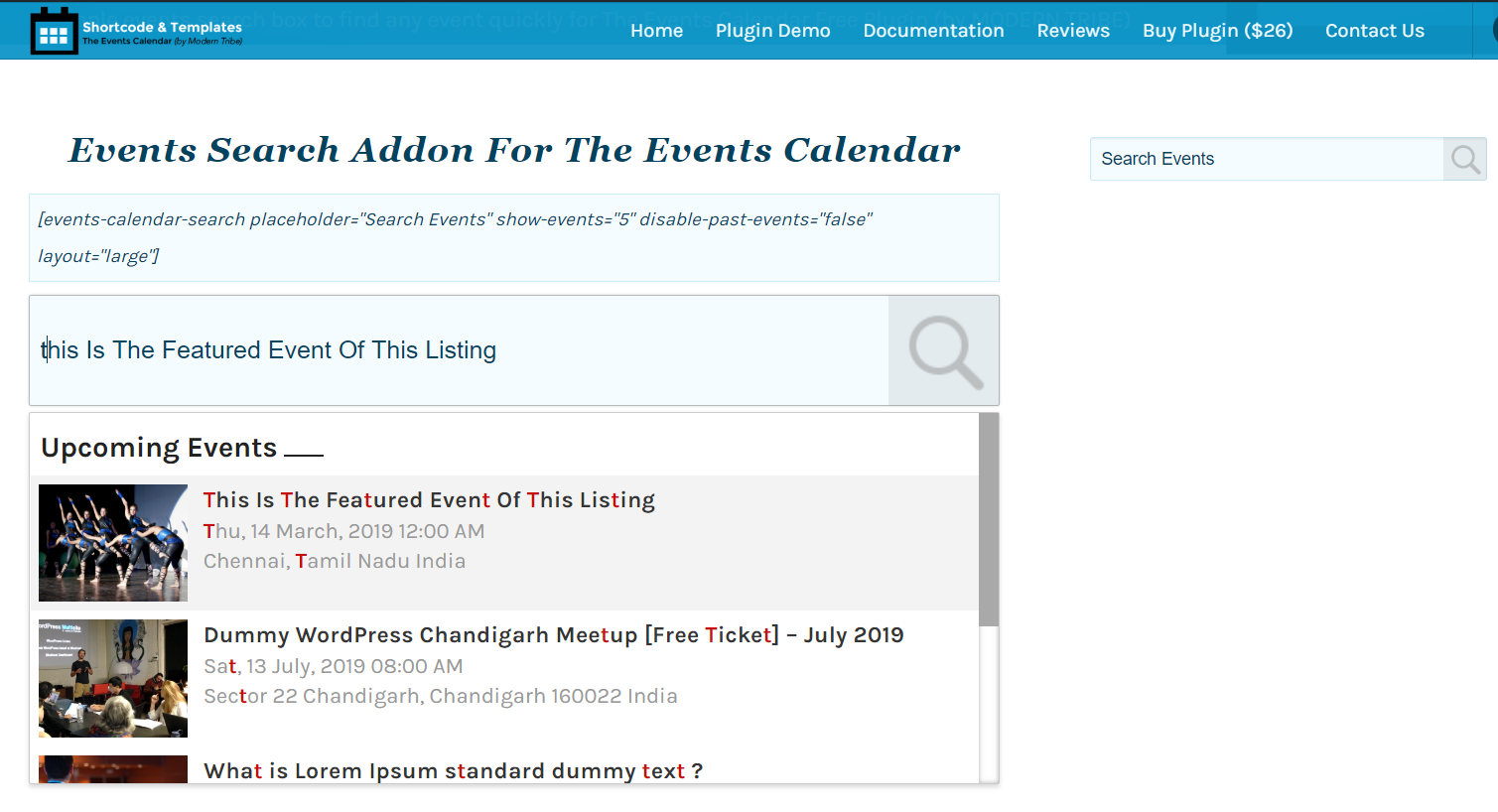
AJAX-based Events Search Bar for The Events Calendar
Plugins semelhantes


Advanced WordPress custom search plugin. Provides Search Form Customizer, WooCommerce Search, AJAX Search & Live Search support!

Relevanssi replaces the default search with a partial-match search that sorts results by relevance. It also indexes comments and shortcode content.

Search & Replace data in your database with WordPress admin, replace domains/URLs of your WordPress installation.

Find and edit code or texts in your themes and plugins

Search Regex adds a powerful set of search and replace functions to WordPress posts, pages, custom post types, and other data.
Do mesmo author (CoolHappy)

LocoAI - Auto Translate For Loco Translate is a powerful tool for developers looking to quickly translate their WordPress plugins and themes.

Highlight your company’s history, milestones, and key events directly inside Elementor using stunning vertical and horizontal timelines.

Showcase your story or company history, events, and roadmap in an interactive timeline using the powerful Cool Timeline plugin.

The Events Calendar shortcodes to display upcoming events list or event calendar on any page using shortcode or Gutenberg block.
Display cryptocurrency price ticker widget, coins live price list, table, labels & coin marketcap via shortcodes.

Show off your team members, staff, and employees in a visually appealing way. Make sure your team's profiles not only grab attention but also sti …