
Comprehensive image optimization that doesn't require a rocket science degree. Optimize images automatically for Faster Sites and Happy Visitors.

Embedly
Hospedagem WordPress com plugin Embedly
Onde hospedar o plugin Embedly?
Este plugin pode ser hospedado em qualquer servidor que tenha WordPress instalado. Recomendamos utilizar uma empresa de hospedagem confiável, com servidores otimizados para WordPress, como o serviço de hospedagem de sites da MCO2.
Hospedando o plugin Embedly em uma empresa de hospedagem de confiança
A MCO2, além de instalar o WordPress na versão mais atual para seus clientes, oferece o WP SafePress, um mecanismo exclusivo que assegura e melhora seu site conjuntamente.
Por que a Hospedagem WordPress funciona melhor na MCO2?
A Hospedagem WordPress funciona melhor pois a MCO2 possui servidores otimizados para WordPress. A instalação de WordPress é diferente de uma instalação trivial, pois habilita imediatamente recursos como otimização de imagens, proteção da página de login, bloqueio de atividades suspeitas diretamente no firewall, cache avançado e HTTPS ativado por padrão. São plugins que potencializam seu WordPress para a máxima segurança e o máximo desempenho.
Enhance the default WordPress embedding to get previews for any article,
including your own blog posts. You also get embeds for YouTube, Vimeo, Twitch,
Google Maps, and Embedly’s growing list of 1000+ supported
providers.
You can customize the style of the embeds, to optimize for darker WP themes,
alignment, and width. In addition, social buttons can be added around the embeds
to make it easier to share content from your blog posts.
If you have an Embedly Cards account, you can link it to the plugin with your Embedly API key. Not only does this remove branding from the cards, it also gives you access to analytics and viewer behaviors for most popular music and video player embeds (YouTube, Vimeo, Instagram, SoundCloud). Find out how many people viewed your embeds for how long. To learn more about Embedly Cards please visit our website.
Using it is as simple as the default WordPress embedding. Embed media by pasting its URL in a single line when writing a post.
The plugin automatically displays an embed of the media in the WordPress post editor.
Fair Warning: This plugin generates static HTML content for your posts. After you deactivate
the plugin, that HTML will still remain behind in all posts where the plugin was used to create
embeds.
Capturas de tela
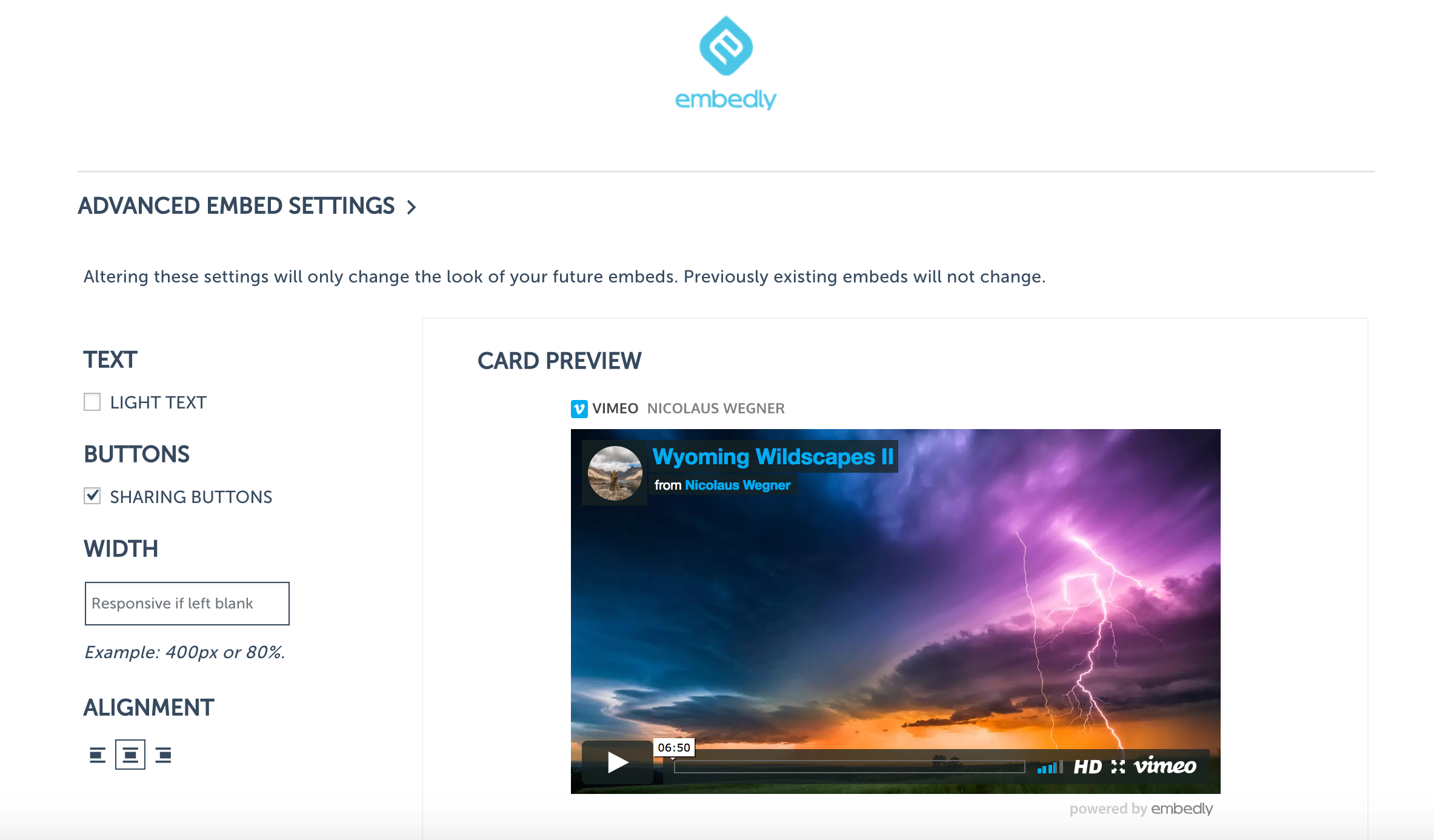
Advanced Embed Settings

Writing a post and embedding.

Sample Post.
Plugins semelhantes


Create, print & automatically email PDF or XML Invoices & PDF Packing Slips for WooCommerce orders.

Seamlessly embed PDFs into your content, with customizations and intelligent responsive resizing, and no third-party services or iframes.

Automatically optimize images: bulk compression, lazy loading, WebP/AVIF conversion. With CloudFront image CDN to boost Core Web Vitals & conversions!

Automatically resizes huge image uploads. Are contributors uploading huge photos? Tired of manually resizing your images? Imsanity to the rescue!

Formerly Easy Fancybox. The most popular WordPress lightbox plugin. Simple, fast, and responsive. Opens images, videos, PDFs, and custom popups.