
Crie, imprima & envie automaticamente por e-mail faturas em PDF ou XML & notas de embalagem em PDF para pedidos do WooCommerce.
Document Viewer – let visitors view files right in the browser
Hospedagem WordPress com plugin Document Viewer for Office
Onde posso hospedar o plugin Document Viewer for Office?
Este plugin pode ser hospedado em qualquer provedor que possua WordPress configurado. Recomendamos fortemente escolher uma empresa de hospedagem de confiança, com servidores adaptados para WordPress, como o serviço de hospedagem de sites da MCO2.
Hospedando o plugin Document Viewer for Office em um provedor seguro
A MCO2, além de configurar e instalar o WordPress na versão mais atualizada para seus clientes, oferece o WP SafePress, um sistema exclusivo que salvaguarda e aumenta a performance do seu site ao mesmo tempo.
Por que a Hospedagem WordPress funciona melhor na MCO2?
A Hospedagem WordPress funciona melhor pois a MCO2 possui servidores otimizados para WordPress. A instalação de WordPress é diferente de uma instalação trivial, pois habilita imediatamente recursos como otimização automática de imagens, proteção da página de login, bloqueio de atividades maliciosas diretamente no firewall, cache avançado e HTTPS ativado por padrão. São recursos que potencializam seu WordPress para a máxima segurança e o máximo desempenho.
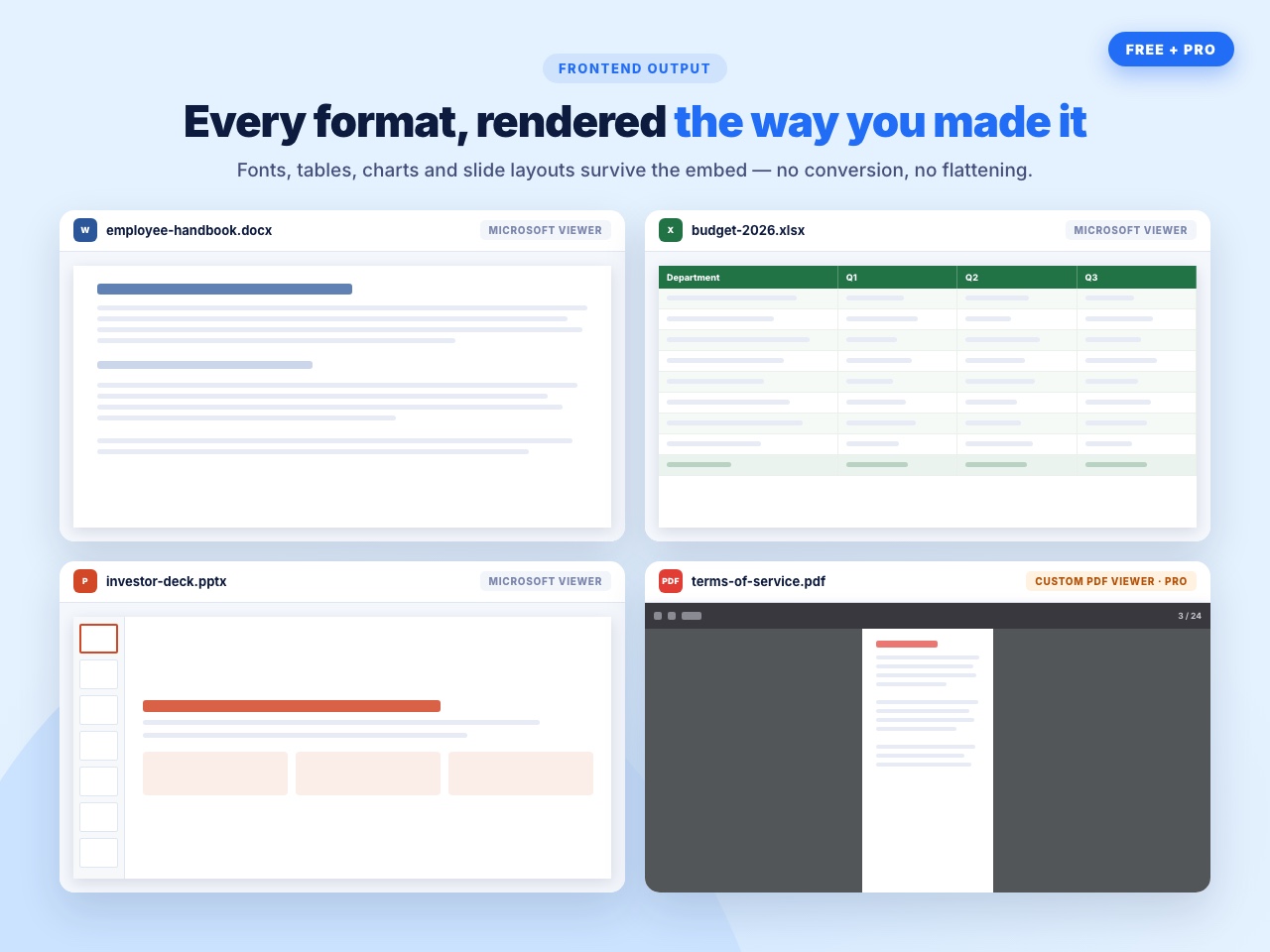
Office files rendered by Microsoft, not by a converter.
Most embed plugins push your Word and Excel files through a third-party converter, and complex layouts come out broken — tables collapse, fonts change, slide animations disappear. Document Viewer uses Microsoft’s own Office Web Viewer, the same engine behind Office Online, so a .docx looks like a .docx and an .xlsx keeps its columns.
Your visitors read the file on the page. No download, no Office installation, no conversion step for you.
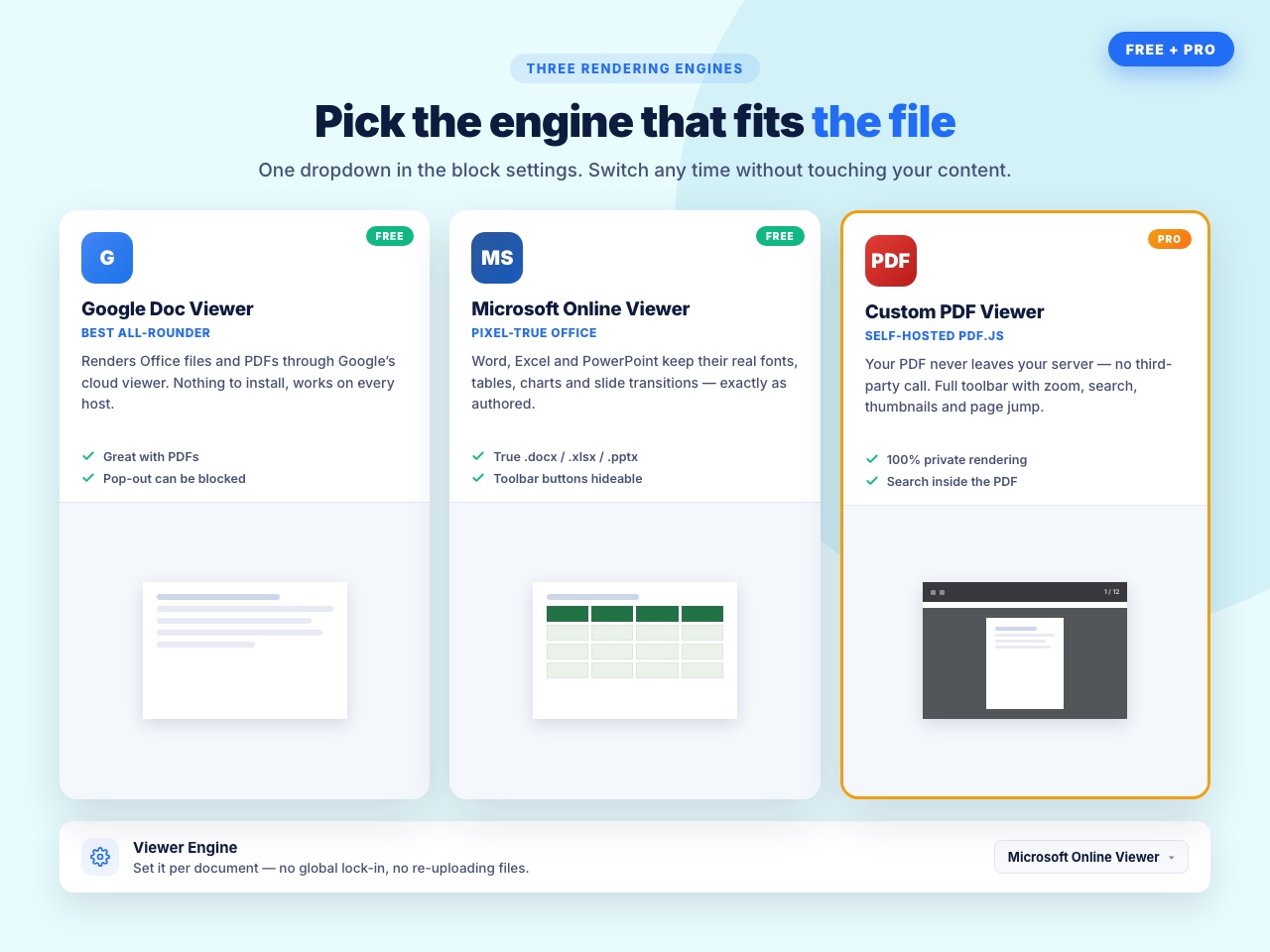
Two viewer engines, both free
- Microsoft Office Web Viewer — the best choice for Word, Excel and PowerPoint. Formatting, tables, charts and slide layouts stay intact because Microsoft renders them.
- Google Docs Viewer — a good fallback, and it handles PDF well.
Switch between them with a dropdown. No account and no API key for either.
What you can embed
Word — .doc, .docx
Excel — .xls, .xlsx
PowerPoint — .ppt, .pptx
PDF — .pdf
Files can come from your Media Library or from a direct URL.
Why people use this one
- A spreadsheet that still looks like a spreadsheet. Google’s viewer often flattens Excel formatting. Microsoft’s does not.
- No conversion. You do not turn a .docx into a PDF or an HTML table first. Upload the file you already have.
- Visitors do not need Office. They read it in the browser, on a phone as easily as a desktop.
- It stays small. One shortcode, one block, a handful of settings. If you want a document library, a flipbook and sixteen file formats, that is a different plugin.
Who uses it for what
- Schools and training sites — handouts and slide decks students read in the browser.
- Theatre, events and clubs — schedules and scripts shared with cast and crew.
- Accountants and consultants — rate cards and spreadsheets a client reads without downloading.
- Councils and associations — minutes, forms and policies published as the Word files they already keep.
- Internal pages — a price list or process document embedded on a members-only page.
How to add a document
Gutenberg block
- Open any post or page in the Block Editor.
- Add the Document Viewer block.
- Upload a file or paste a URL, choose the viewer, set the size.
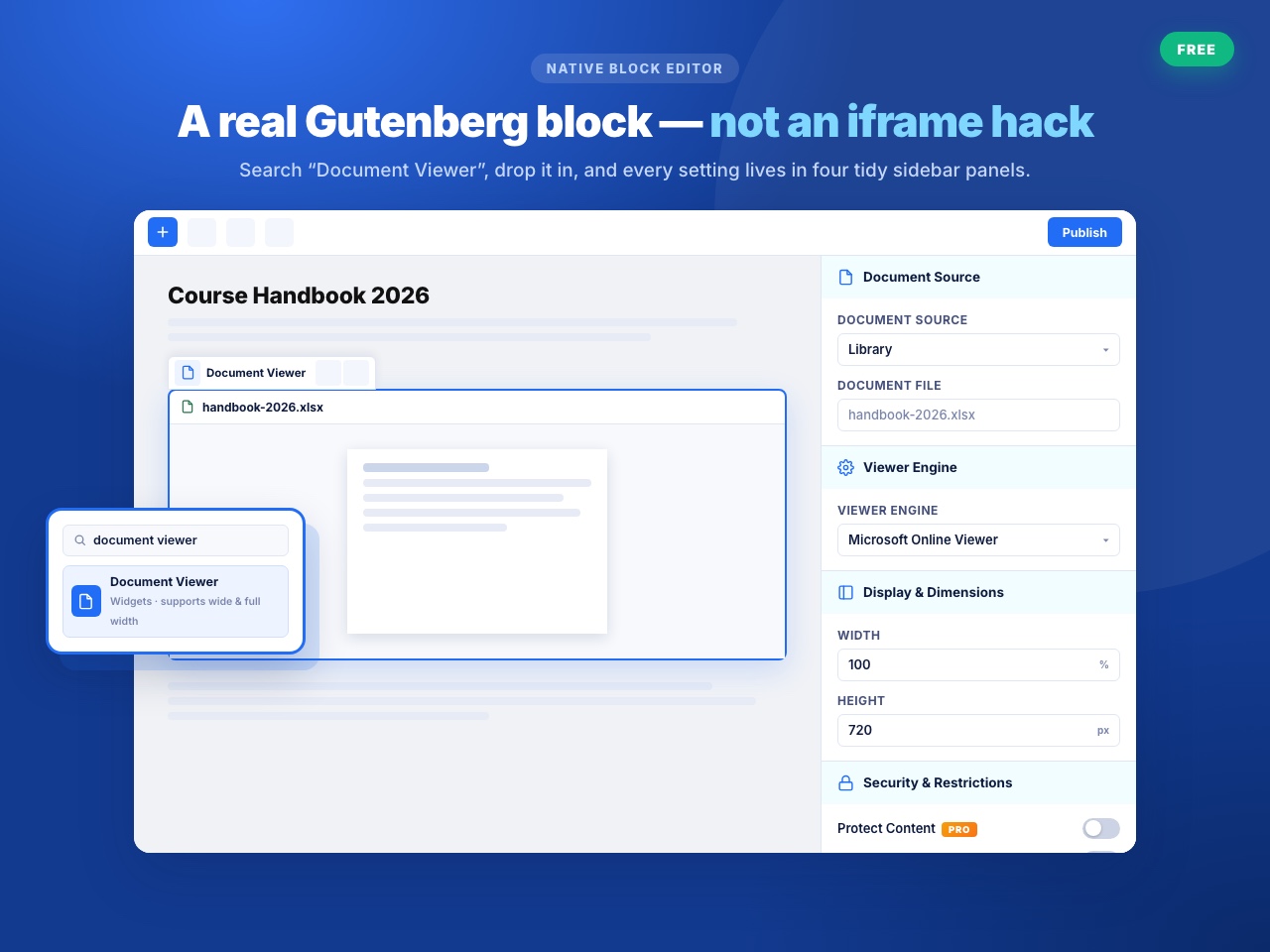
The block settings are grouped into four panels — Document Source, Viewer Engine, Display Dimensions, and Security Restrictions — so you are not hunting through one long sidebar.
Shortcode
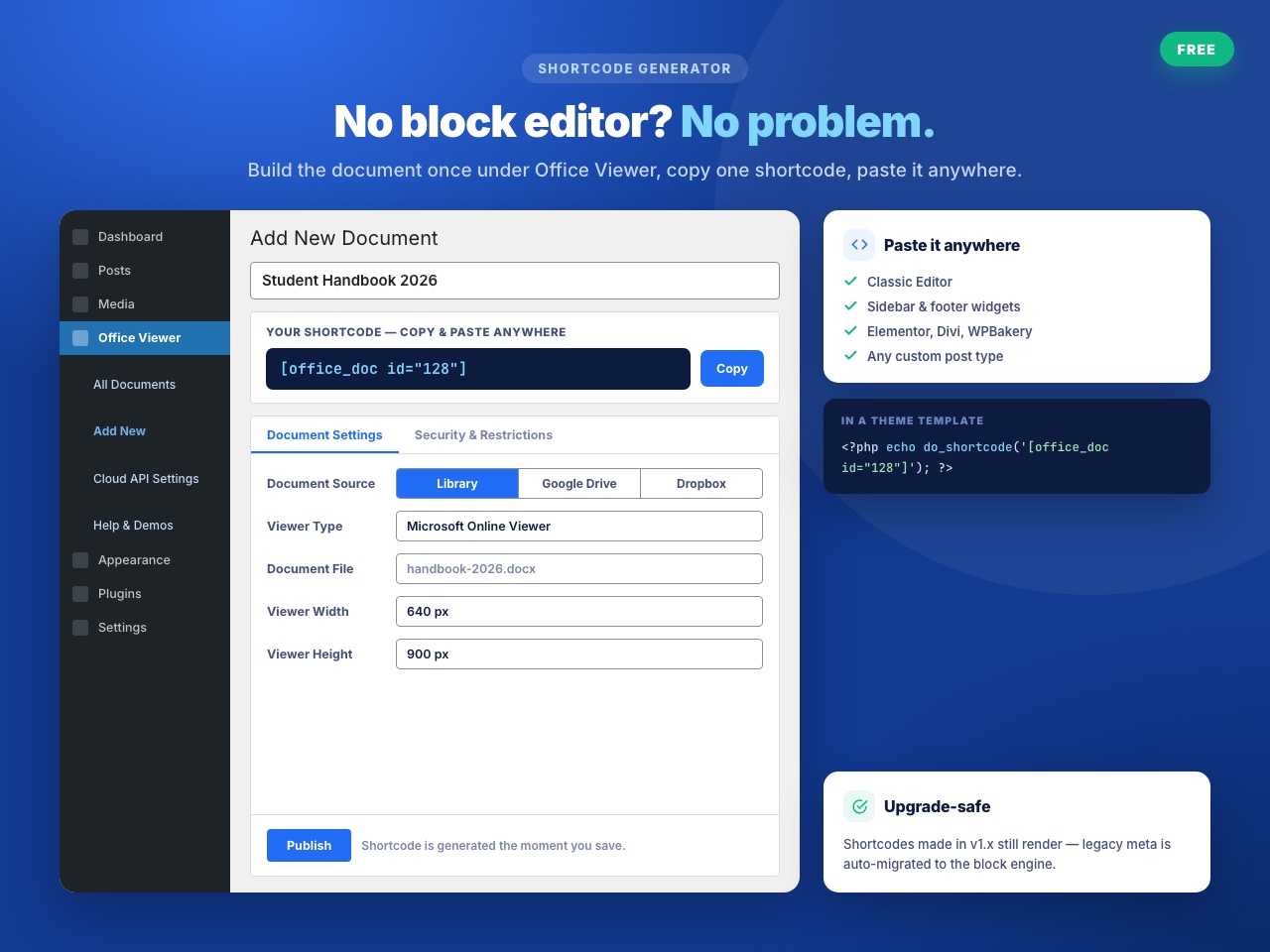
Use [office_doc] anywhere shortcodes run, including Elementor, Divi, Bricks, WPBakery, Beaver Builder and Oxygen. Generate one from the document’s edit screen and paste it in.
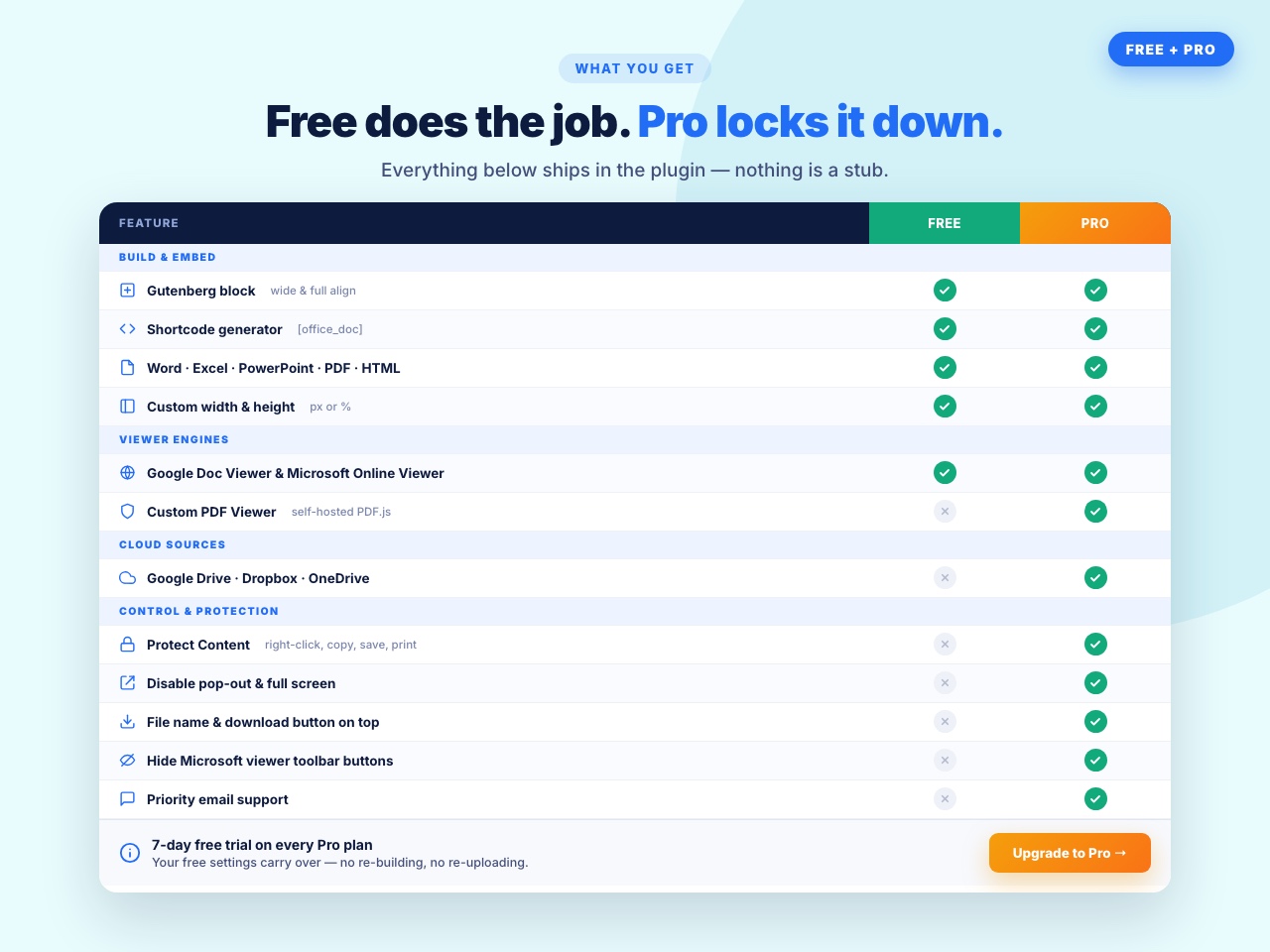
Free features
- Two viewer engines — Microsoft Office Web Viewer and Google Docs Viewer.
- Gutenberg block with grouped settings panels.
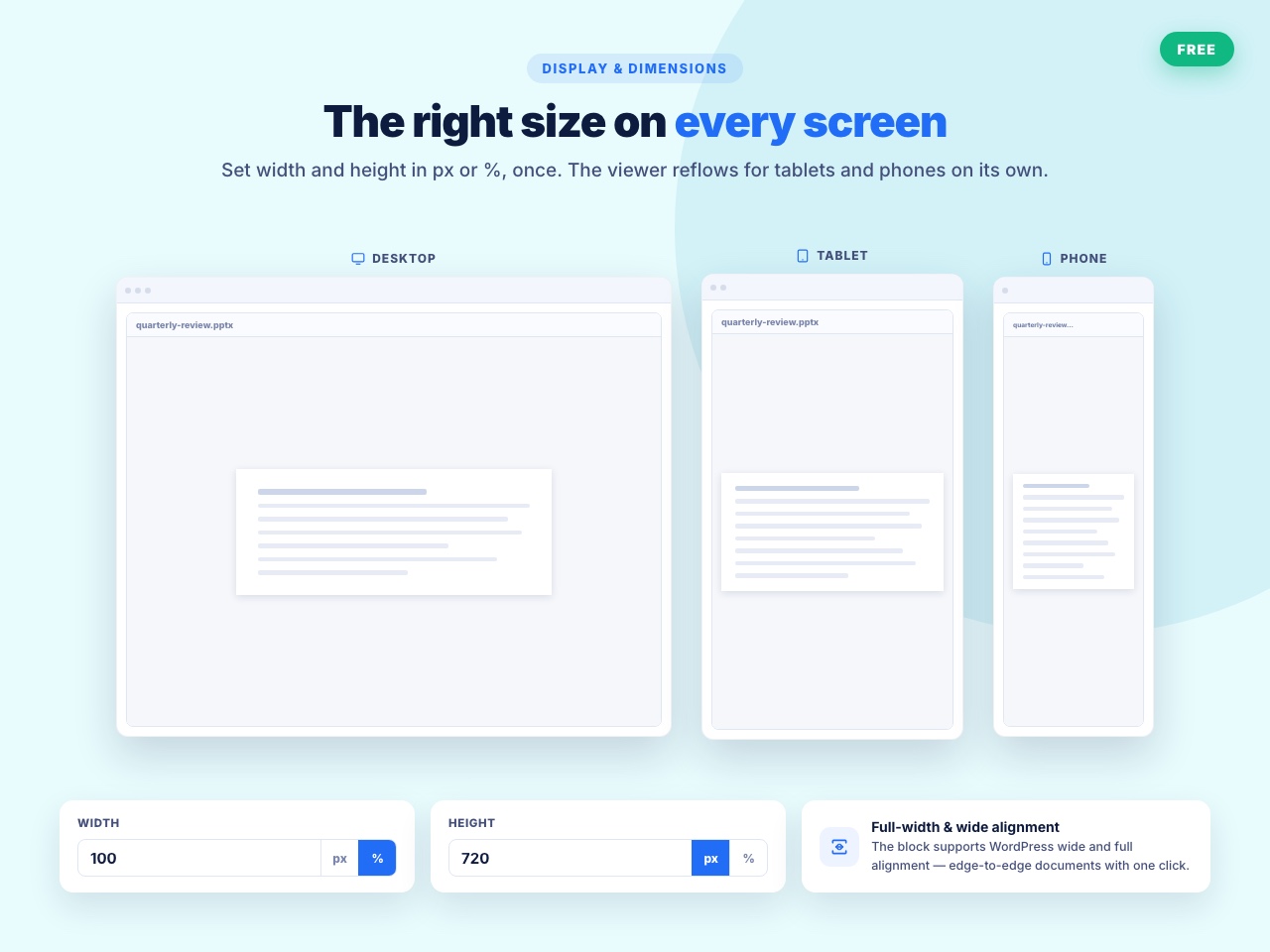
[office_doc]shortcode for the Classic Editor and page builders.- Custom width and height so the viewer fits your layout.
- Dedicated document screen for managing the files you embed.
Document Viewer Pro
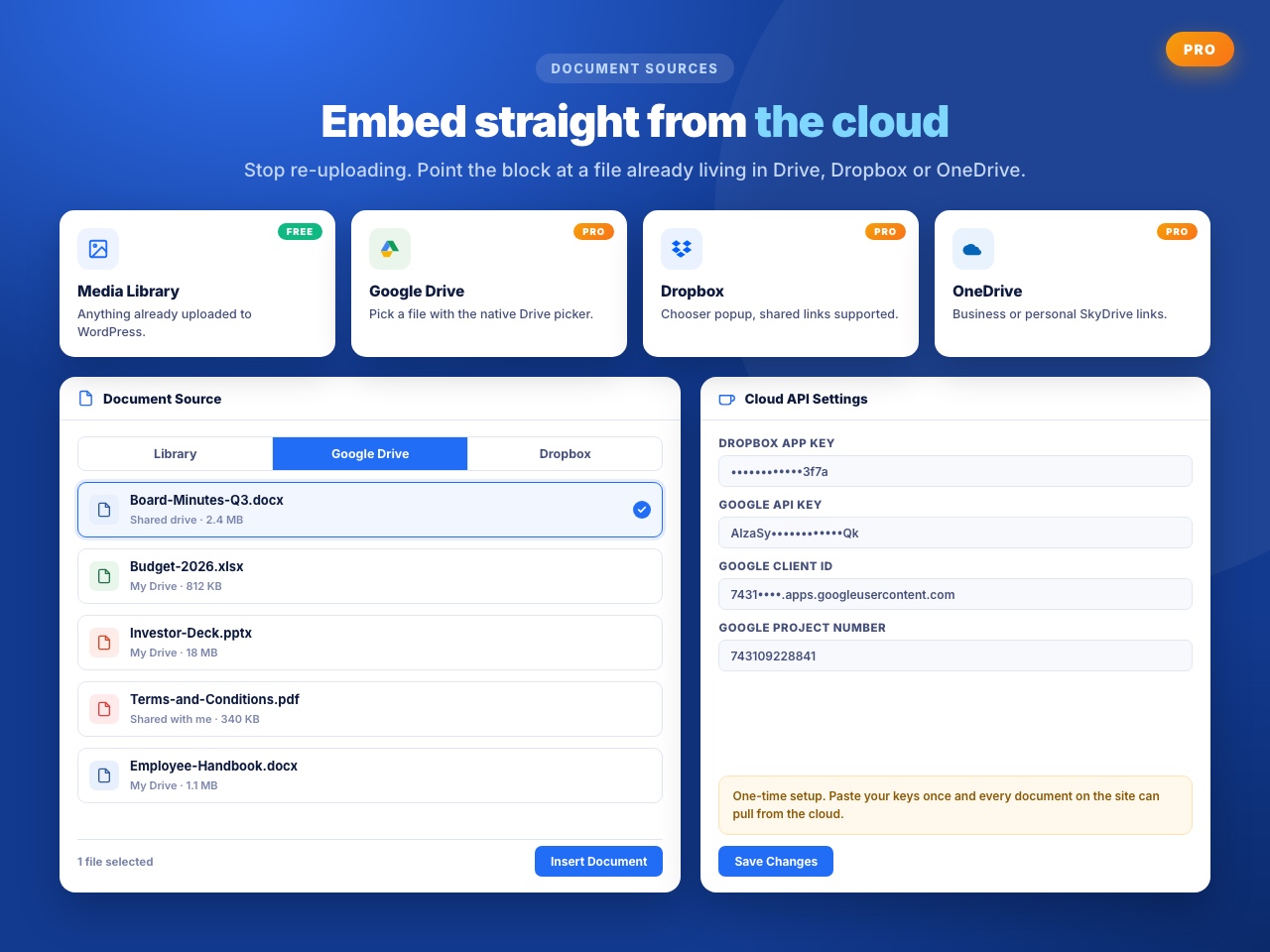
- Cloud sources — pick documents straight from Google Drive, OneDrive or Dropbox.
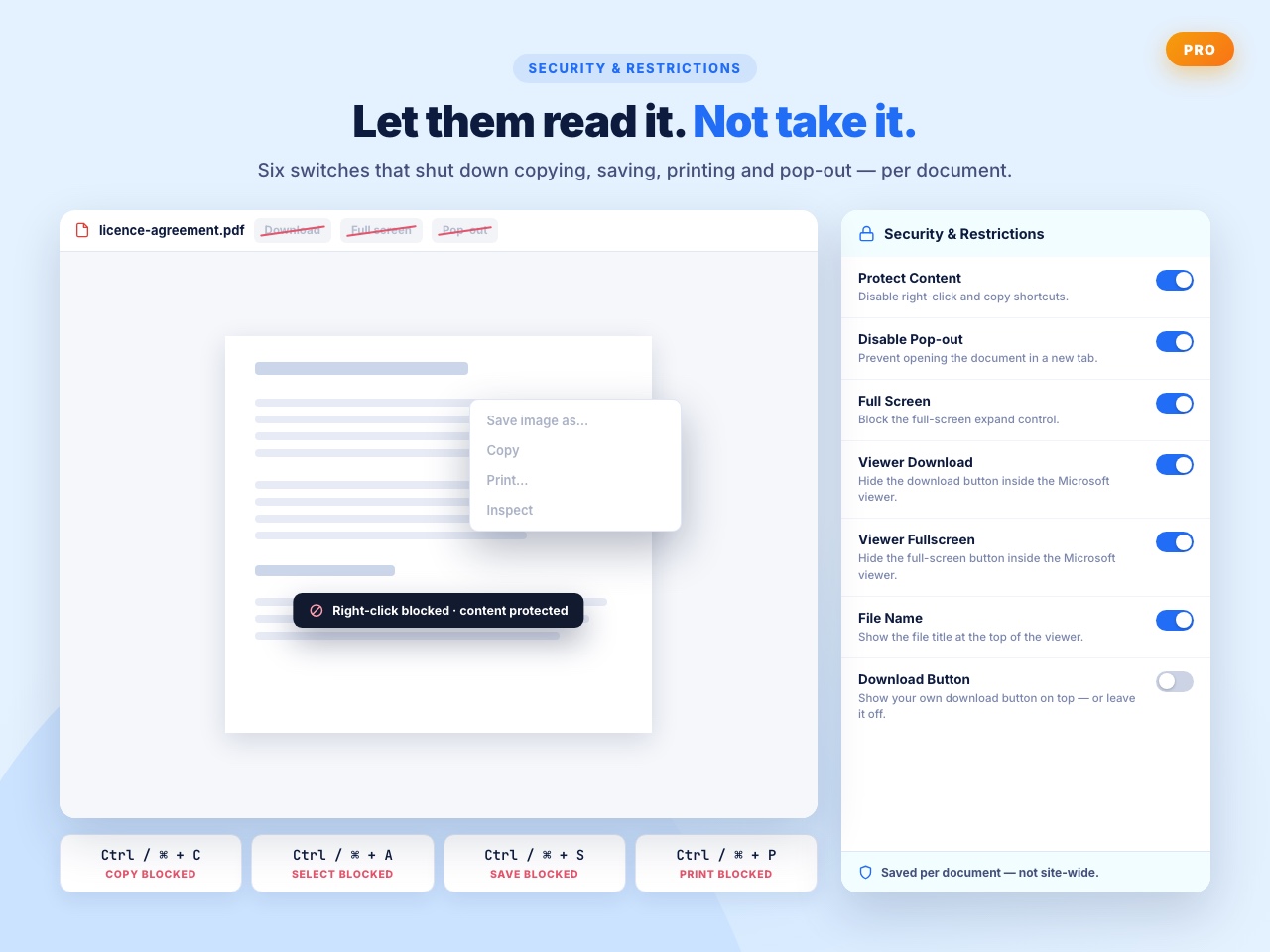
- Download button — show a download button on the toolbar, or leave it off.
- Filename display — show or hide the document title above the viewer.
- Pop-out control — stop visitors opening the document in a separate window.
- Content protection — disable right-click, text selection and the Ctrl/Cmd + C, A, S, P shortcuts.
- Full-screen control — allow or block full-screen viewing.
What users say
⭐⭐⭐⭐⭐ Exactly What I Need
“I am a theatre director and I use my website to communicate with my performers and technical crews. I wanted to SHOW them documents in situ as well as enable them to easily download them and, after looking at other solutions, this plugin is PERFECT for this. I am delighted with it and cannot recommend it highly enough.” — jfortune
⭐⭐⭐⭐⭐ Impressively Stable
“Nice wp plugin ever. I’ve use it for 4 years.” — aircess
⭐⭐⭐⭐⭐ Does the job well.
“This plugin works fine” — muhammadarooj
Liked it? Disliked it? Want a feature? Send us your feedback
Help translate this plugin
Document Viewer runs on sites around the world. If you speak another language, you can help — no coding needed:
https://translate.wordpress.org/projects/wp-plugins/embed-office-viewer/
New to translating? Start here: https://make.wordpress.org/polyglots/handbook/translating/first-steps/
Other plugins by bPlugins
- Document Embedder – 16+ file types, four viewers, 3D FlipBook and a searchable document library.
- PDF Poster – display and embed PDF files in different styles.
- HTML5 Video Player – single videos and playlists in multiple skins.
- HTML5 Audio Player – audio with visualisations.
- 3D Viewer – embed interactive 3D models and products.
External Services
This plugin relies on external services to render your documents. Please read this section before embedding anything confidential.
Microsoft Office Web Viewer
- Service: Microsoft Office Web Viewer –
https://view.officeapps.live.com - What it does: Renders Word, Excel and PowerPoint files in an iframe on your page.
- What data is sent: The public URL of the document you embed is passed to Microsoft, which then fetches and renders that file. Your visitor’s browser connects directly to Microsoft’s servers, so their IP address and browser details are visible to Microsoft. No WordPress user data is sent by the plugin.
- When: Every time a page containing an embedded document is viewed, if the Microsoft viewer is selected.
- Terms of Service: https://go.microsoft.com/fwlink/?LinkID=206977
- Privacy Policy: https://go.microsoft.com/fwlink/?LinkId=521839
Google Docs Viewer
- Service: Google Docs Viewer –
https://docs.google.com/viewer - What it does: Renders documents, including PDFs, in an iframe on your page.
- What data is sent: The public URL of the document you embed is passed to Google, which then fetches and renders that file. Your visitor’s browser connects directly to Google’s servers, so their IP address and browser details are visible to Google. No WordPress user data is sent by the plugin.
- When: Every time a page containing an embedded document is viewed, if the Google viewer is selected.
- Terms of Service: https://policies.google.com/terms
- Privacy Policy: https://policies.google.com/privacy
bPlugins API
- Service: bPlugins product API –
https://api.bplugins.com - What it does: When you open the plugin’s admin dashboard, the plugin requests product information so it can display product cards, version information and upgrade options.
- What data is sent: A request containing the product identifier. No personal data or site content is sent.
- When: Only while an administrator is viewing the plugin’s dashboard in wp-admin.
- Terms of Service: https://bplugins.com/terms-of-service/
- Privacy Policy: https://bplugins.com/privacy-policy/
WordPress.org Plugins API
- Service: WordPress.org Plugins Info API –
https://api.wordpress.org - What it does: The dashboard queries the public WordPress.org Plugins API to list other plugins published by the author.
- What data is sent: A public, read-only query. No personal data is sent.
- When: Only while an administrator is viewing the plugin’s dashboard in wp-admin.
- Privacy Policy: https://wordpress.org/about/privacy/
Third-Party Libraries
Freemius SDK
- Source: https://freemius.com/
- GitHub: https://github.com/Freemius/wordpress-sdk
- License: GPLv3 – https://github.com/Freemius/wordpress-sdk/blob/master/LICENSE.txt
- Purpose: Provides opt-in usage tracking, licensing and checkout functionality.
Capturas de tela
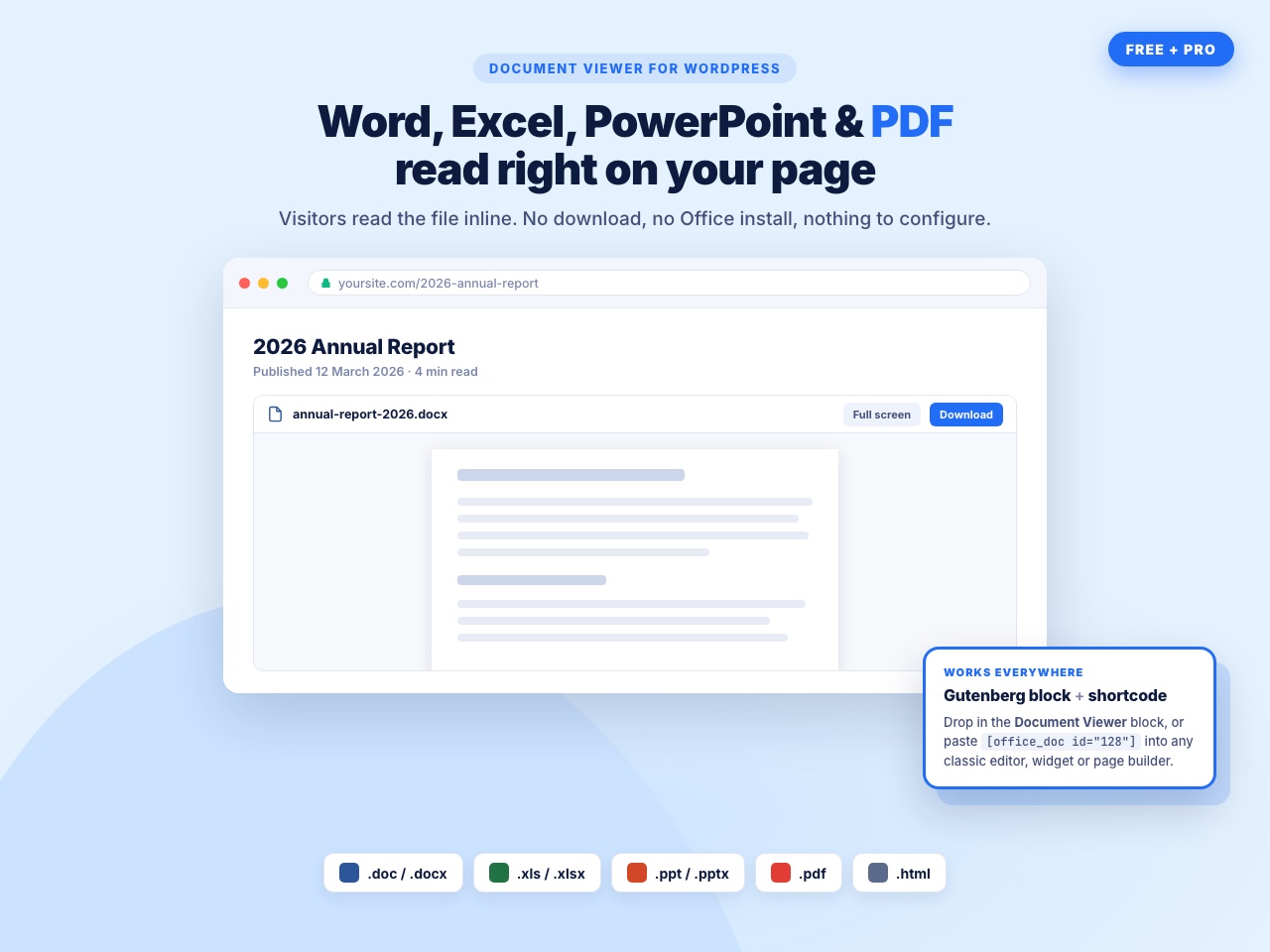
A Word document on the page — rendered by Microsoft's own Office Web Viewer, so tables, fonts and layout stay exactly as you saved them.
An Excel sheet embedded in a post, with columns and formatting intact.
The Document Viewer block — upload a file or paste a URL, pick a viewer, set the size, all in the sidebar.
Block settings grouped into four panels: document source, viewer engine, display dimensions and security restrictions.
Copy the shortcode from the document screen and paste it into any post, page or page builder.

Plugins semelhantes


DearFlip creates a PDF Flipbook, 3D Flipbook, PDF viewer, PDF embed for WordPress sites. Create impressive and realistic 3D flipbooks with PDFs.

O EmbedPress permite que você incorpore vídeos, páginas, feeds sociais, flipbooks em PDF 3D e outros conteúdos no WordPress sem codificação, além de melhorar a narrativa.
Embed PDF files in WordPress with a responsive PDF viewer, flipbook, shortcode and Gutenberg block, plus print, download and view analytics.
PDF Builder for CF7, Divi, Elementor Forms, Everest, Fluent, Formidable, Forminator, Gravity, JFB, Ninja, WPForms, WooCommerce, Post Meta, ACF, etc.

Watermark and password protect PDFs with WooCommerce, EDD, and Download Monitor. No Ghostscript required, PHP 8+ compatible. Since 2014 (FKA WaterWoo)
Do mesmo author (bPlugins)
Embed PDF files in WordPress with a responsive PDF viewer, flipbook, shortcode and Gutenberg block, plus print, download and view analytics.

Maximize your WordPress site's potential with our versatile HTML5 Audio Player plugin. Seamlessly play .mp3, .wav, .ogg, and more audio files.

Advanced Post Block lets you add dynamic post grids, lists, sliders, and tickers. Filter content by category, tag, author, or custom post type.

Embed PDF, Word, Excel, PowerPoint and 16+ file types in WordPress with a responsive viewer, FlipBook mode, download button and document library.

Responsive sliders from images, posts, WooCommerce, videos or blocks — or start from 50+ ready-made templates. Block editor & shortcode.

Easily showcase visual differences between two images with an interactive before-and-after slider – no coding required!