Recrie as miniaturas para um ou mais de suas imagens enviadas. Útil para quando você alterar seus tamanhos ou seu tema.

Document Gallery
Hospedagem WordPress com plugin Document Gallery
Onde posso hospedar o plugin Document Gallery?
Este plugin pode ser hospedado em qualquer provedor que tenha WordPress instalado. Recomendamos fortemente optar por uma empresa de hospedagem seguro, com servidores adaptados para WordPress, como o serviço de hospedagem de sites da MCO2.
Hospedando o plugin Document Gallery em um provedor de confiança
A MCO2, além de configurar e instalar o WordPress na versão mais atualizada para seus clientes, fornece o plugin WP SafePress, um mecanismo singular que assegura e melhora seu site ao mesmo tempo.
Por que a Hospedagem WordPress funciona melhor na MCO2?
A Hospedagem WordPress funciona melhor pois a MCO2 possui servidores otimizados para WordPress. A instalação de WordPress é diferente de uma instalação trivial, pois habilita imediatamente recursos como otimização de imagens, proteção da página de login, bloqueio de atividades suspeitas diretamente no firewall, cache avançado e HTTPS ativado por padrão. São recursos que potencializam seu WordPress para a máxima segurança e o máximo desempenho.
Display your documents beautifully! Document Gallery creates thumbnail galleries for PDFs, Word documents, PowerPoint presentations, and other file types—just like WordPress does for images.
Key Features
- WordPress Block Editor – Insert galleries with a single click, configure visually
- Automatic Thumbnails – Generates preview images for documents (PDF, Office files, etc.)
- Modern Image Formats – Full support for WebP and AVIF images (WordPress 6.5+)
- Flexible Display – Grid or list layout with optional descriptions
- Smart Filtering – Show all attachments, current post only, or specific documents
- Pagination Support – Handle large document libraries efficiently
- Fully Customizable – Control columns, sorting, links, and styling
- Classic Shortcode –
[dg]shortcode available for template use
Perfect For
- Document libraries and resource centers
- Portfolio and work sample galleries
- Publication and whitepaper collections
- Course materials and downloads
- Legal document repositories
Block Editor Integration
Click the ‘+’ button in the editor and search for “Document Gallery” to insert a gallery block. All configuration options appear in the sidebar—no shortcode knowledge required. Select specific documents or let the gallery auto-populate based on your criteria.
Shortcode Support
The classic [dg] shortcode continues to work perfectly for template files, widgets, and power users who prefer code-based configuration. See the Installation tab for all available options.
Developer Friendly
Document Gallery provides extensive filters and actions for customizing thumbnail generation, HTML output, and gallery queries. See the Installation tab for complete developer documentation.
Partners
- WP Real Media Library: Document Gallery seamlessly integrates with RML by way of a
helper plugin.
Translation
Document Gallery has to-date been translated into 6 languages, listed below.
- Finnish — Thanks, villevetela!
- French — Thanks, Marc Liotard and Traffic Influence!
- Russian — Thanks, demur!
- Spanish — Thanks, Andrew Kurtis and WebHostingHub!
- Swedish — Thanks, mepmepmep!
- Ukrainian — Thanks, demur!
Developers
Document Gallery includes features intended to make integration with other plugins
simple. See the bottom of the Installation tab for specific documentation on
the various features provided.
If this plugin has helped you, please take a moment to rate it!
Capturas de tela
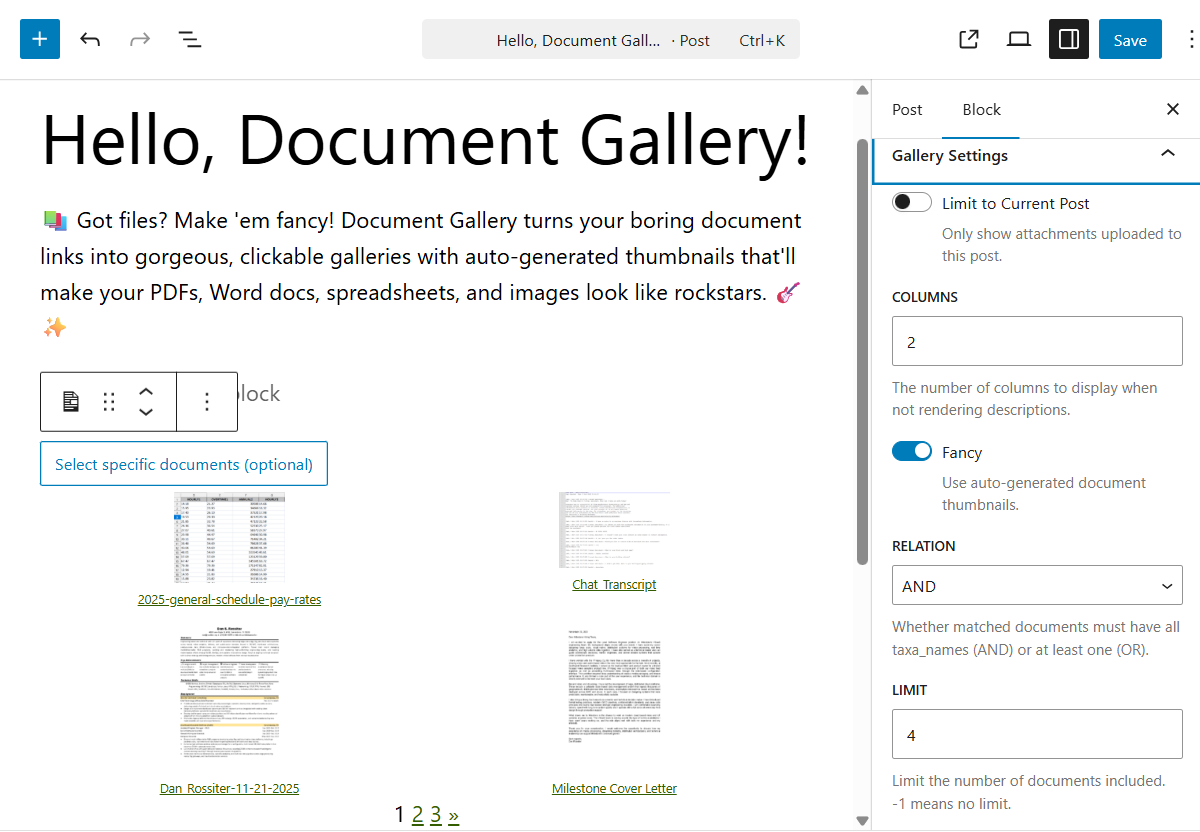
All gallery options are accessible through the block settings sidebar, with real-time preview updates as you make changes.
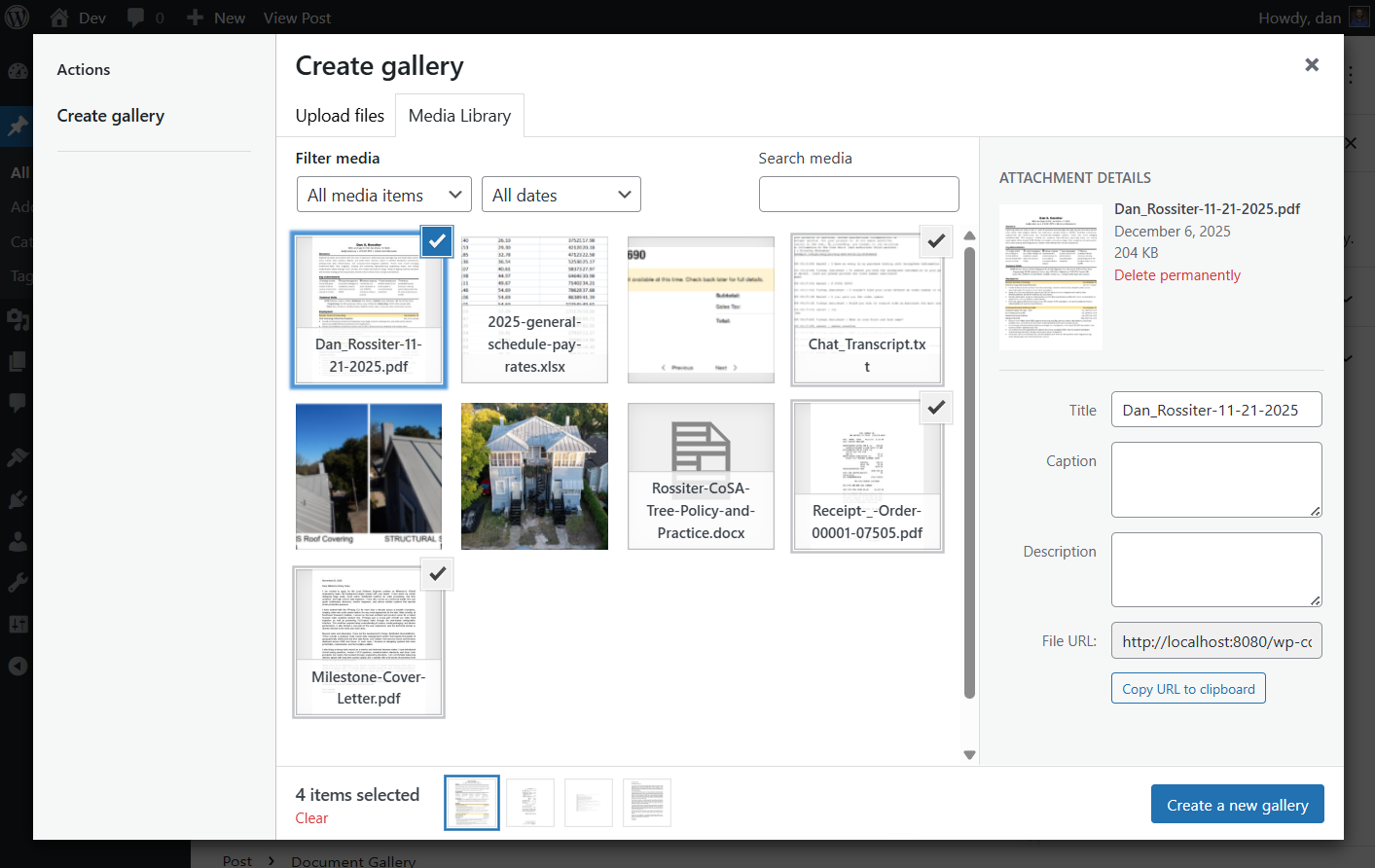
Document Gallery integrates seamlessly with the WordPress Block Editor, providing an intuitive interface for creating and configuring galleries.
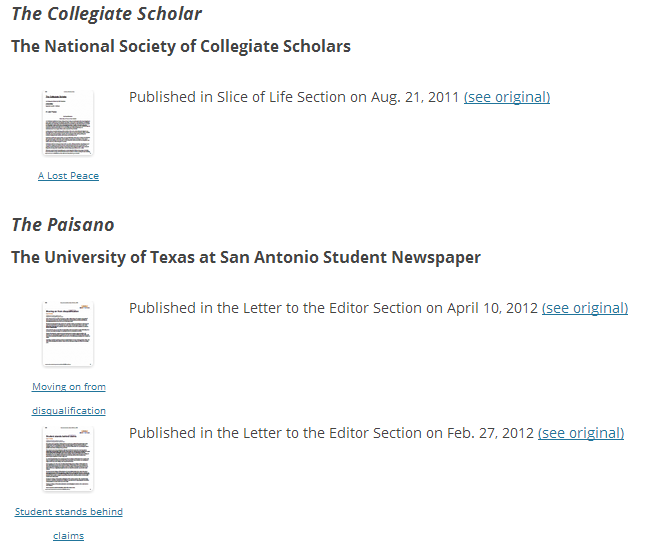
This is an example of "fancy" thumbnails. The images are a copy of the front page for each document.

This is an example of multiple Document Galleries on a single page (using
the ids attribute). It also shows how images will appear in a Document
Gallery. Note that the description field supports HTML markup, so the
possibilities are endless!

This is how the Document Gallery looks with descriptions=false (default).
Note that the display inherits styling from your active theme.
Plugins semelhantes


Slider, gallery, carousel plugin for WordPress. Build your image slider. Upgrade to Pro for video slider, post slider, YouTube slider, or WooCommerce …

The most popular gallery plugin that lets you create galleries and albums in seconds.

Delete and REALLY force thumbnail regeneration.

Photo Gallery is a powerful image gallery plugin with a list of advanced options for creating responsive image galleries with beautiful lightbox.

Formerly Easy Fancybox. The most popular WordPress lightbox plugin. Simple, fast, and responsive. Opens images, videos, PDFs, and custom popups.