Ativar o editor "clássico" anterior e o estilo antigo da tela Editar Post com TinyMCE, Meta Boxes, etc. Suporta todos os plugins que estendem esta tela.

Disable Admin Notices – Hide Dashboard Notifications
Hospedagem WordPress com plugin Disable Admin Notices individually
Onde posso hospedar o plugin Disable Admin Notices individually?
Este plugin pode ser hospedado em qualquer hospedagem que possua WordPress instalado. Recomendamos escolher uma hospedagem confiável, com servidores adaptados para WordPress, como o serviço de hospedagem de sites da MCO2.
Hospedando o plugin Disable Admin Notices individually em uma empresa de hospedagem confiável
A MCO2, além de configurar e instalar o WordPress na versão mais atual para seus clientes, oferece o plugin WP SafePress, um mecanismo exclusivo que salvaguarda e aumenta a performance do seu site ao mesmo tempo.
Por que a Hospedagem WordPress funciona melhor na MCO2?
A Hospedagem WordPress funciona melhor pois a MCO2 possui servidores otimizados para WordPress. A instalação de WordPress é diferente de uma instalação trivial, pois habilita imediatamente recursos como otimização automática de imagens e fotos, proteção da página de login, bloqueio de atividades maliciosas diretamente no firewall, cache avançado e HTTPS ativado por padrão. São plugins que potencializam seu WordPress para a máxima segurança e o máximo desempenho.
WordPress admin notices and dashboard notifications can quickly become overwhelming. Plugin alerts, theme warnings, update messages, and promotional notices often take up valuable space and disrupt your workflow. Disable Admin Notices gives you full control by letting you hide, remove, or disable admin notices across the entire dashboard.
You can hide all notifications, disable selected notices only, or move everything into a clean compact bar so messages no longer clutter your admin screen. The plugin also lets you disable plugin and theme update notifications, disable WordPress core update alerts, manage which items appear in the admin bar, and even block redirect URLs used by some plugins to show ads or promotional pages.
Whether you want a cleaner dashboard, fewer interruptions, or complete control over WordPress admin notifications, this plugin helps you keep your workspace organized and distraction-free.
Key Features
Disable Admin Notices
– Disable admin notices globally or hide selected notifications only
– Hide dashboard notices and show them in a single compact line
– Option to display all admin notifications in the WordPress admin bar
– Disable plugin update notifications
– Disable WordPress core update notifications
– Access all hidden notices anytime from the plugin dashboard
– Reset or restore hidden notices at any time
Disable Admin Bar Items
– Choose which items appear in the WordPress admin bar
– Hide or remove unnecessary plugin, theme, or tool menu items to reduce clutter
Block Ad Redirects
– Block specific redirect URLs to prevent plugins from sending you to ads or promotional screens
– Avoid unexpected admin redirects when activating or updating plugins
Support
We’re here to help. Feel free to open a new thread on the Support Forum.
Useful Resources
- If you like this plugin, you’re sure to love our other plugins as well.
- Our blog is a great place to learn more about WordPress.
- Get the most out of your website with our helpful WordPress YouTube Tutorials.
Capturas de tela
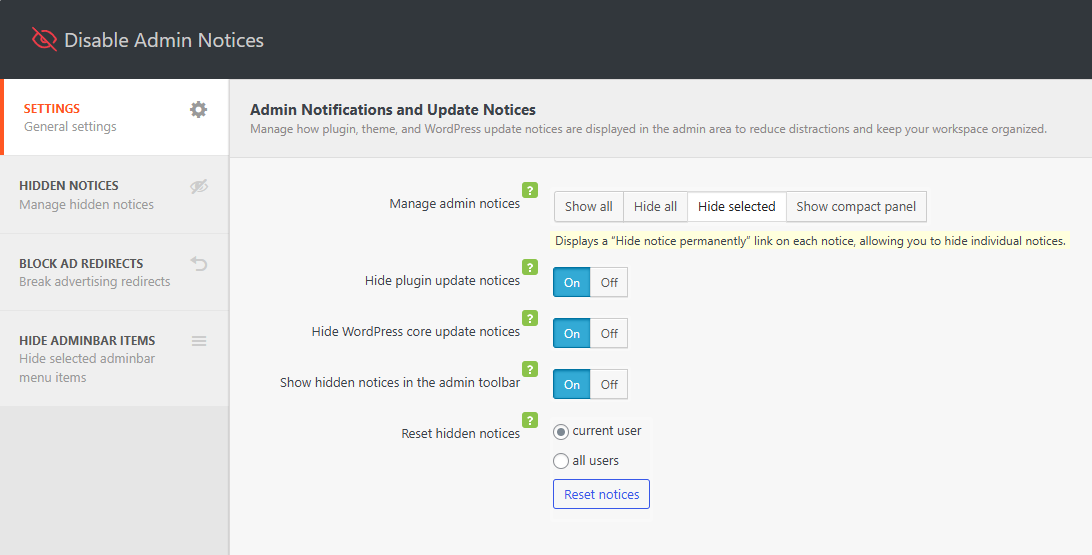
Plugin settings
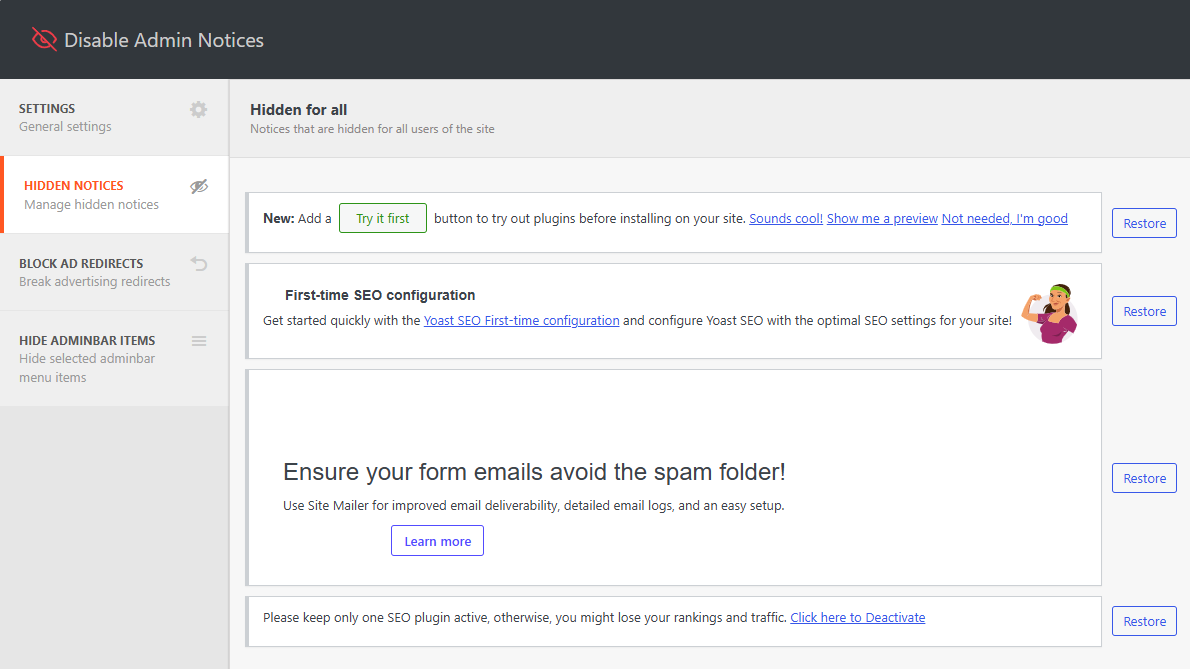
Access hidden admin notices
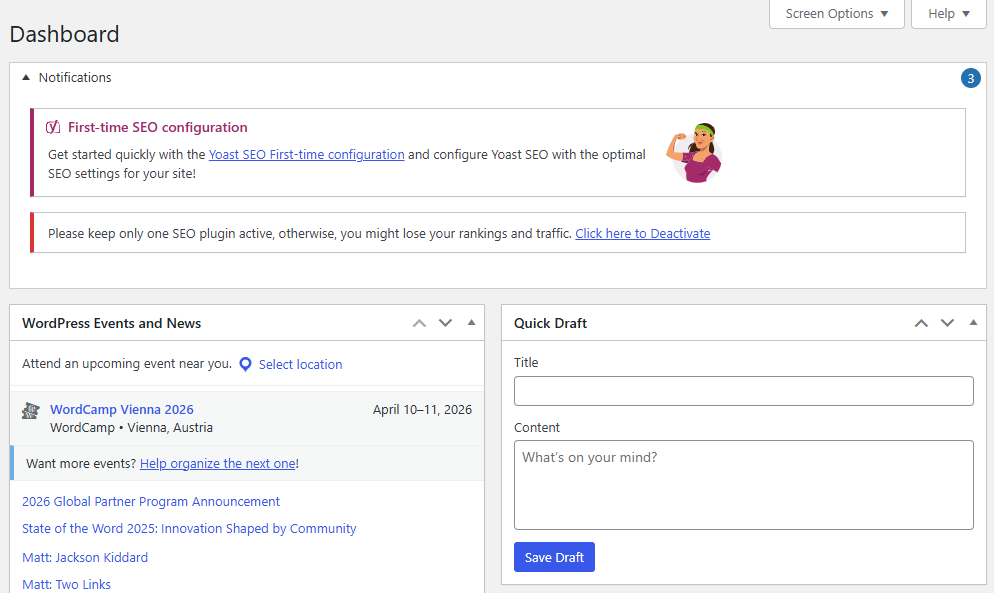
Group all admin notification in a compact panel
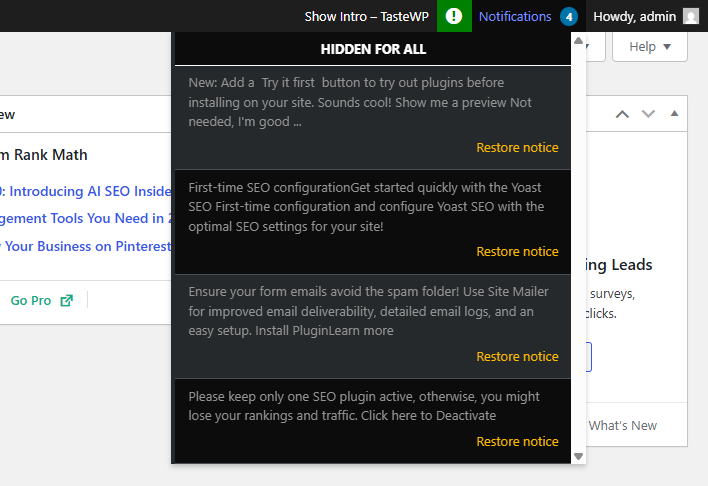
Display notification in the admin bar
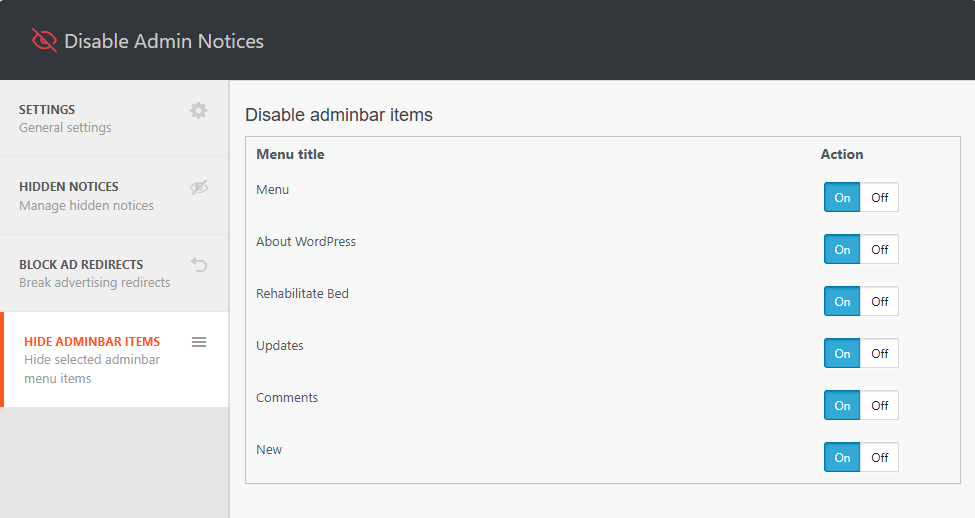
Disable admin bar items
Plugins semelhantes


Ativa a tela clássica de configuração de widgets em Aparência > Widgets e em Personalizar. Desativa o editor de blocos ao gerenciar widgets.
![Disable Comments – Remoção de comentários e interrupção de spam [compatível com multisite]](https://ps.w.org/disable-comments/assets/icon-128x128.png?rev=2509854)
Desative comentários em todo o site, ou por tipo de post, exclua comentários existentes em massa e bloqueie spam nos comentários, usando a API REST e o XML-RPC. Compatível com Multisite.

Atualize seus temas e plugins facilmente usando arquivos ZIP sem remover antes o tema ou plugin já instalado.

Enable and disable email notifications that WordPress sends to the admin and user. Works perfectly with many other plugins!

Disable Comments - easy tool to disable comments for your blog posts, and pages. Admin can disable comments in just a few clicks.
Do mesmo author (Themeisle)

Easy Drag & Drop Page Builder that adds a splash page to your site that it's perfect for a coming soon page, maintenance or landing page.

Crie páginas WordPress rapidamente com mais de 20 blocos, mais de 100 modelos prontos para importar e extensões avançadas para o editor. É como montar um site estilo Lego!
Redirect to any page or URL, execute scripts after submission, save data to the database, and unlock additional submission actions for Contact Form 7.

Add icons to WordPress navigation menus easily — pick from Font Awesome, Dashicons, image icons & more. Style menu items with custom colors & sizes.

Add modules: share buttons, header/footer scripts, disable comments, reading progress, custom fonts, custom login & more in one plugin.

Unlimited automatic image optimization for WordPress. Compress images, convert to WebP, and improve site speed without losing image quality.