
Adicione facilmente snippets de código no WordPress. Insira scripts de cabeçalho e rodapé, adicione trechos de código PHP com lógica condicional, insira código de pixel de anúncios e muito mais.
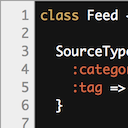
CodeColorer
Hospedagem WordPress com plugin CodeColorer
Onde devo hospedar o plugin CodeColorer?
Este plugin pode ser hospedado em qualquer provedor que tenha WordPress instalado. Recomendamos fortemente optar por uma empresa de hospedagem seguro, com servidores adaptados para WordPress, como o serviço de hospedagem da MCO2.
Hospedando o plugin CodeColorer em uma empresa de hospedagem seguro
A MCO2, além de instalar o WordPress na versão mais nova para seus clientes, fornece o plugin WP SafePress, um sistema singular que assegura e otimiza seu site ao mesmo tempo.
Por que a Hospedagem WordPress funciona melhor na MCO2?
A Hospedagem WordPress funciona melhor pois a MCO2 possui servidores otimizados para WordPress. A instalação de WordPress é diferente de uma instalação trivial, pois habilita imediatamente recursos como otimização de imagens, proteção da página de login, bloqueio de atividades maliciosas diretamente no firewall, cache avançado e HTTPS ativado por padrão. São recursos que potencializam seu WordPress para a máxima segurança e o máximo desempenho.
CodeColorer lets you insert syntax-highlighted code snippets into posts, comments, and feeds.
CodeColorer currently bundles GeSHi 1.0.9.0 from the upstream 1.0.x line, with a small set of project-local maintenance patches for current PHP and WordPress compatibility.
Plugin based on GeSHi library, which supports most languages. CodeColorer has various nice features:
- syntax highlighting in RSS feeds
- syntax highlighting of a single line of code (inline)
- syntax highlighting of code in comments
- line numbers
- automatic links to the documentation inserting
- code block intelligent scroll detection (short code would have a short block, for a long one the block height would be fixed and a scrollbar would appear)
- predefined color themes (Slush & Poppies, Blackboard, Dawn, Mac Classic, Twitlight, Vibrant Ink, Railscasts, Solarized Light, Solarized Dark)
- syntax colors customization in CSS file
- code protect from mangling by WordPress (for example, quotes, double-dashes, and others would look just right as you entered)
Support
If you have any suggestions, found a bug, wanted to contribute a translation to your language, or just wanted to say “thank you”, feel free to email me [email protected]. I will try my best to answer you.
If you want to contribute your code, see the Development section under the Other Notes tab.
Supported languages
Here is the list of languages supported by CodeColorer: 4cs, 6502acme, 6502kickass, 6502tasm, 68000devpac, abap, actionscript, actionscript3, ada, aimms, algol68, apache, applescript, apt_sources, arm, asm, asp, asymptote, autoconf, autohotkey, autoit, avisynth, awk, bascomavr, bash, basic4gl, batch, bf, biblatex, bibtex, blitzbasic, bnf, boo, c, c_loadrunner, c_mac, c_winapi, caddcl, cadlisp, ceylon, cfdg, cfm, chaiscript, chapel, cil, clojure, cmake, cobol, coffeescript, cpp-qt, cpp-winapi, cpp, csharp, css, cuesheet, d, dart, dcl, dcpu16, dcs, delphi, diff, div, dos, dot, e, ecmascript, eiffel, email, epc, erlang, euphoria, ezt, f1, falcon, fo, fortran, freebasic, freeswitch, fsharp, gambas, gdb, genero, genie, gettext, glsl, gml, gnuplot, go, groovy, gwbasic, haskell, haxe, hicest, hq9plus, html4strict, icon, idl, ini, inno, intercal, io, ispfpanel, j, java, java5, javascript, jcl, jquery, julia, kixtart, klonec, klonecpp, kotlin, latex, lb, ldif, lisp, llvm, locobasic, logtalk, lolcode, lotusformulas, lotusscript, lscript, lsl2, lua, m68k, magiksf, make, mapbasic, mathematica, matlab, mercury, metapost, mirc, mk-61, mmix, modula2, modula3, mpasm, mxml, mysql, nagios, netrexx, newlisp, nginx, nimrod, nsis, oberon2, objc, objeck, ocaml-brief, ocaml, octave, oobas, oorexx, oracle11, oracle8, oxygene, oz, parasail, parigp, pascal, pcre, per, perl, perl6, pf, phix, php-brief, php, pic16, pike, pixelbender, pli, plsql, postgresql, postscript, povray, powerbuilder, powershell, proftpd, progress, prolog, properties, providex, purebasic, pycon, pys60, python, q, qbasic, qml, racket, rails, rbs, rebol, reg, rexx, robots, rpmspec, rsplus, ruby, rust, sas, sass, scala, scheme, scilab, scl, sdlbasic, smalltalk, smarty, spark, sparql, sql, standardml, stonescript, swift, systemverilog, tcl, tclegg, teraterm, texgraph, text, thinbasic, tsql, twig, typoscript, unicon, upc, urbi, uscript, vala, vb, vbnet, vbscript, vedit, verilog, vhdl, vim, visualfoxpro, visualprolog, whitespace, whois, winbatch, xbasic, xml, xojo, xorg_conf, xpp, xyscript, yaml, z80, zxbasic.
Development
Sources of this plugin are available both in SVN and Git:
The GitHub repository includes local contributor tooling based on mise, Composer, pnpm, and wp-env. A typical setup is:
mise installmise run bootstrapmise run testmise run wp-start
Feel free to check them out, make your changes and send me patches or pull requests. Promise, I will apply every patch (of course, if they add a value to the product). Email for patches, suggestions, or bug reports: [email protected].
If you’re interested in translating CodeColorer to your language, please check out the translation page for the plugin.
Customization
Syntax coloring is highly customizable: you could change the color scheme for all languages or a specific language. You could find CodeColorer CSS in wp-content/plugins/codecolorer/codecolorer.css file. To change colors for all languages edit lines below Color scheme section.
There is a simple mapping between TextMate color themes and CodeColorer ones:
/* "Slush & Poppies" color scheme (default) */
.codecolorer-container, .codecolorer { color: #000000; background-color: #F1F1F1; }
/* Comment */
.codecolorer .co0, .codecolorer .co1, .codecolorer .co2, .codecolorer .co3, .codecolorer .co4, .codecolorer .coMULTI { color: #406040; font-style: italic; }
/* Constant */
.codecolorer .nu0, .codecolorer .re3 { color: #0080A0; }
/* String */
.codecolorer .st0, .codecolorer .st_h, .codecolorer .es0, .codecolorer .es1 { color: #C03030; }
/* Entity */
.codecolorer .me1, .codecolorer .me2 { color: #0080FF; }
/* Keyword */
.codecolorer .kw1, .codecolorer .kw2, .codecolorer .sy1 { color: #2060A0; }
/* Storage */
.codecolorer .kw3, .codecolorer .kw4, .codecolorer .kw5, .codecolorer .re2 { color: #008080; }
/* Variable */
.codecolorer .re0, .codecolorer .re1 { color: #A08000; }
/* Global color */
.codecolorer .br0, .codecolorer .sy0 { color: #000000; }
Check the codecolorer.css file to get more examples.
Capturas de tela

Ruby syntax highlighting without scrollbars (Vibrant theme).

Ruby syntax highlighting with scrollbars (Twitlight theme).

Inline code syntax highlighting.

Settings page.
Plugins semelhantes

Uma maneira fácil, limpa e simples de aprimorar seu site com code snippets.

Easily add tracking code snippets, conversion pixels, or other scripts required by third party services for analytics, marketing, or chat features.
Add Custom CSS to your WordPress site without any hassles.

Find and edit code or texts in your themes and plugins

Create WordPress custom snippets shortcodes and reusable content and insert them in into your posts and pages.