
Sticky Menu or Sticky Header sticks elements at the top of the screen when you scroll, or create a floating sticky menu or fixed widget.

All-in-One Sticky Anything – Click to Call, Fixed Widget, Sticky Header, Menu, Sidebar, Social Icons & Cookie Consent
Hospedagem WordPress com plugin All-in-One WP Sticky Anything
Onde posso hospedar o plugin All-in-One WP Sticky Anything?
Este plugin pode ser hospedado em qualquer servidor que possua WordPress configurado. Recomendamos fortemente escolher uma hospedagem seguro, com servidores especializados para WordPress, como o serviço de hospedagem de sites da MCO2.
Hospedando o plugin All-in-One WP Sticky Anything em um provedor de confiança
A MCO2, além de configurar e instalar o WordPress na versão mais atualizada para seus clientes, disponibiliza o plugin WP SafePress, um sistema singular que salvaguarda e otimiza seu site conjuntamente.
Por que a Hospedagem WordPress funciona melhor na MCO2?
A Hospedagem WordPress funciona melhor pois a MCO2 possui servidores otimizados para WordPress. A instalação de WordPress é diferente de uma instalação trivial, pois habilita imediatamente recursos como otimização automática de imagens e fotos, proteção da página de login, bloqueio de atividades maliciosas diretamente no firewall, cache avançado e HTTPS ativado por padrão. São recursos que potencializam seu WordPress para a máxima segurança e o máximo desempenho.
All-in-One Sticky Anything easily creates click to call, fixed widgets, sticky elements, sticky header, menu, sidebar, social icons & cookie consent.
All-in-One Sticky Anything – Click to Call, Fixed Widget, Sticky Header, Menu, Sidebar, Social Icons & Cookie Consent
All-in-One Sticky Anything on Scroll allows you to make any element sticky on your website, including click to call, sticky headers, sidebars, social icons, and cookie consent notices. The plugin also works seamlessly with the Elementor page builder.
Sometimes, creating sticky sections in Elementor can be challenging because the sticky feature is only available in Elementor Pro. Not everyone can afford Elementor Pro just for this functionality. Many users have limited budgets and need a free alternative. The All-in-One Sticky Anything plugin provides a free WordPress solution that enables you to make any element sticky in Elementor without upgrading to the Pro version.
This plugin is perfect for creating click to call, sticky headers, fixed navigation menus, floating sidebars, persistent social media icons, and cookie consent notices that remain visible as users scroll through your site.
You don’t need to worry about performance or loading speed. The plugin is built with lightweight and optimized code to ensure excellent speed and performance. Simply download, install, and activate the plugin to start making any element sticky with ease.
▶️ VIDEO OVERVIEW
🔥 Key Features of All-in-One Sticky Anything
- 📞 Click to Call (New ⚡)
- 🎯 Fixed Widget
- 🎯 Sticky Header & Menu
- 📌 Any Element Can Be Made Sticky
- 📍 Sticky Sidebar
- 📱 Sticky Social Icons
- 🍪 Sticky Cookie Consent (New ⚡)
- ✏️ Custom CSS
- ⏱️ Quick to Set Up
- ⚡ Blazing Fast
- 🌍 Works with Everything
- 🔑 Easy to use
📖 Feature Details
📞 Click to Call (New ⚡)
Allow your visitors to contact you instantly with a single tap or click! The Click to Call feature displays a floating call button on your website, making it easy for users especially on mobile devices to reach you.
This feature is ideal for businesses, support teams, and service providers who want to increase customer engagement and improve accessibility.
🎯 Fixed Widget
Make any widget in your sidebar a fixed widget. The fixed widget will stay visible while visitors scroll through your content. Works with any theme and any widget classic or block widget.
🎯 Sticky Header & Menu
Create fixed navigation headers and menus that stay at the top while visitors scroll. Boost navigation accessibility and keep your branding always visible. Works with any theme’s header or custom navigation menus.
📌 Any Element Can Be Made Sticky
The user can make any element sticky by using this plugin. When you want to create an element sticky, just pick CSS class name, class id, or CSS selector.
📍 Sticky Sidebar
Want your sidebar to stay visible while scrolling? You can enable this feature by going to Settings Sticky Sidebar and switching on “Enable Sticky Sidebar.”
After that, enter the CSS selector for your sidebar element (e.g. .sidebar or #sidebar-area) and the container element that wraps your main content (e.g. .site-content or .main-wrapper).
📝 The exact selectors you need depend on your active theme, so be sure to inspect your site using your browser’s developer tools to find the correct class or ID. Once set, the plugin will keep your sidebar fixed in view as users scroll.
📱 Sticky Social Icons
Keep your social media icons always visible to visitors! Enable the “Sticky Social Icons” option in the plugin settings, add your icons, and configure their position. This is perfect for boosting engagement and making your social links easily accessible while users scroll.
🍪 Sticky Cookie Consent (New ⚡)
Keep your cookie notice visible and compliant at all times! Enable the “Sticky Cookie Consent” option in the plugin settings, customize your consent message, and choose its position on the screen. This ensures visitors can easily review and manage their cookie preferences while browsing your site, helping you stay transparent and compliant as users scroll.
✏️ Custom CSS
All-in-One Sticky Anything allows you to customize the appearance of the website using custom CSS.
⏱️ Quick to Set Up
It doesn’t require any pro skills to download and install the plugin. You can download itself and install it on your WordPress dashboard.
⚡ Blazing Fast
Make anything sticky element in one or less time.
🌍 Works with Everything
All-in-One Sticky Plugin is compatible with most common themes, page builder’s plugin. We have tested it for many times and perfected it for you. It is perfectly working in Elementor page builder.
🔑 Easy to use
There are no complex settings for using it. You just pick class name or id and place it into fields and save it. There are other ways to sticky just use sticky class.
🌟 Benefits of All-in-One Sticky Anything
- Reduce Bounce Rate – Keep navigation accessible at all times
- Improve User Experience – Visitors find what they need faster
- Boost Social Engagement – Social buttons always within reach
- Stay Compliant – Cookie notices remain visible for legal requirements
📘 How to use ?
Just use sticky class to sticky anything.
Example: <div class="sticky">I am stikcy</div>
Create Sticky Header in Astra Theme – 3 Easy Method
Create Sticky Header in Neve Theme – 3 Easy Method
Create Sticky Header in Elementor
Open any page with Elementor Select a container or section Go to the Advanced Tab Sticky Anything Enable Sticky Settings.
Credits
Plugin integrates magnificent [Theia Sticky Sidebar][https://github.com/WeCodePixels/theia-sticky-sidebar] v1.7.0 javascript code (Released under the MIT license, Copyright 2013-2016 WeCodePixels and other contributors) with WordPress.
There are lots of features coming soon. We are updating it regularly. If you fetch any kind of problem just use the support feature. We will update solving you issues as soon as possible.
Capturas de tela
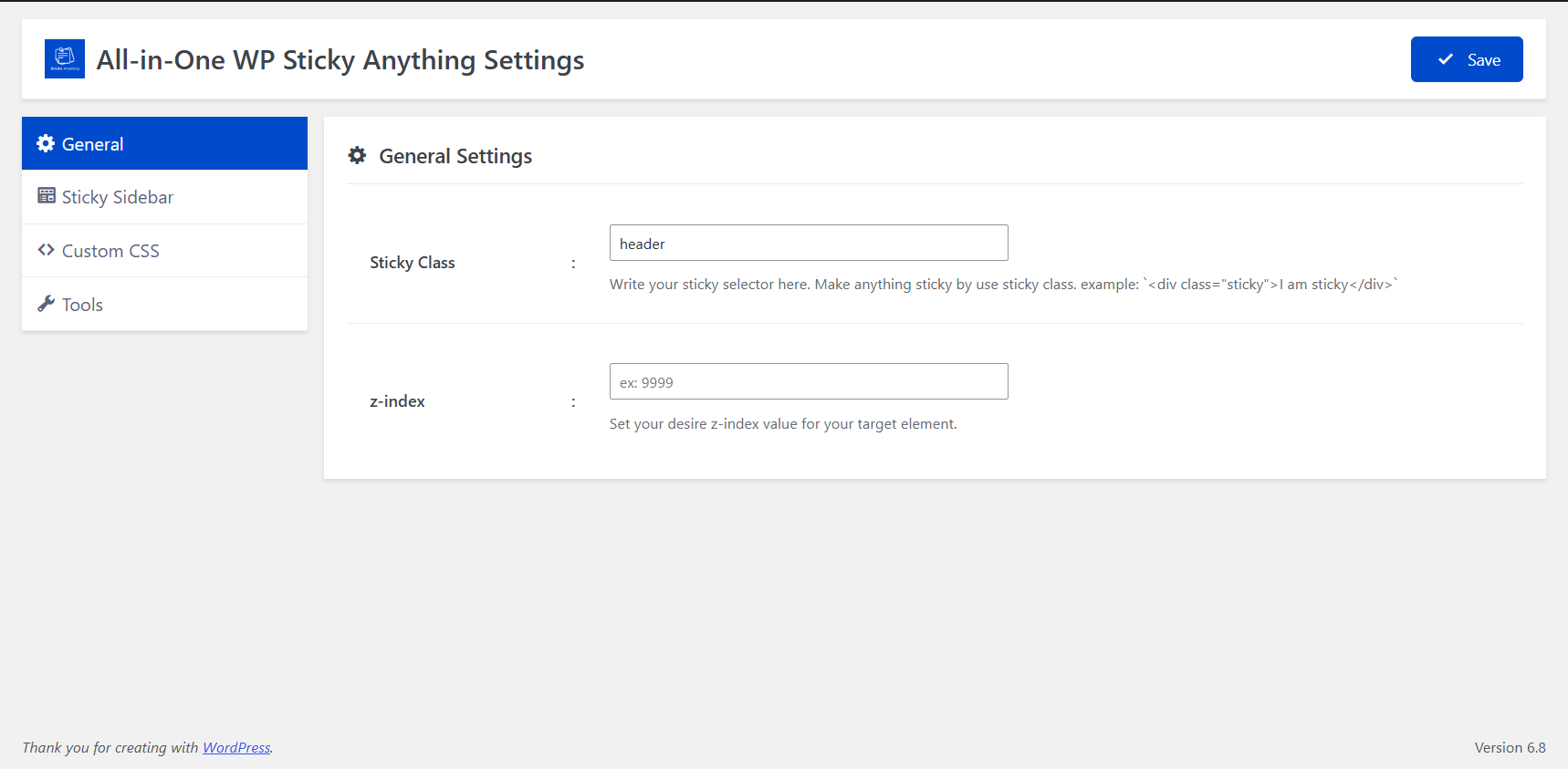
General Settings
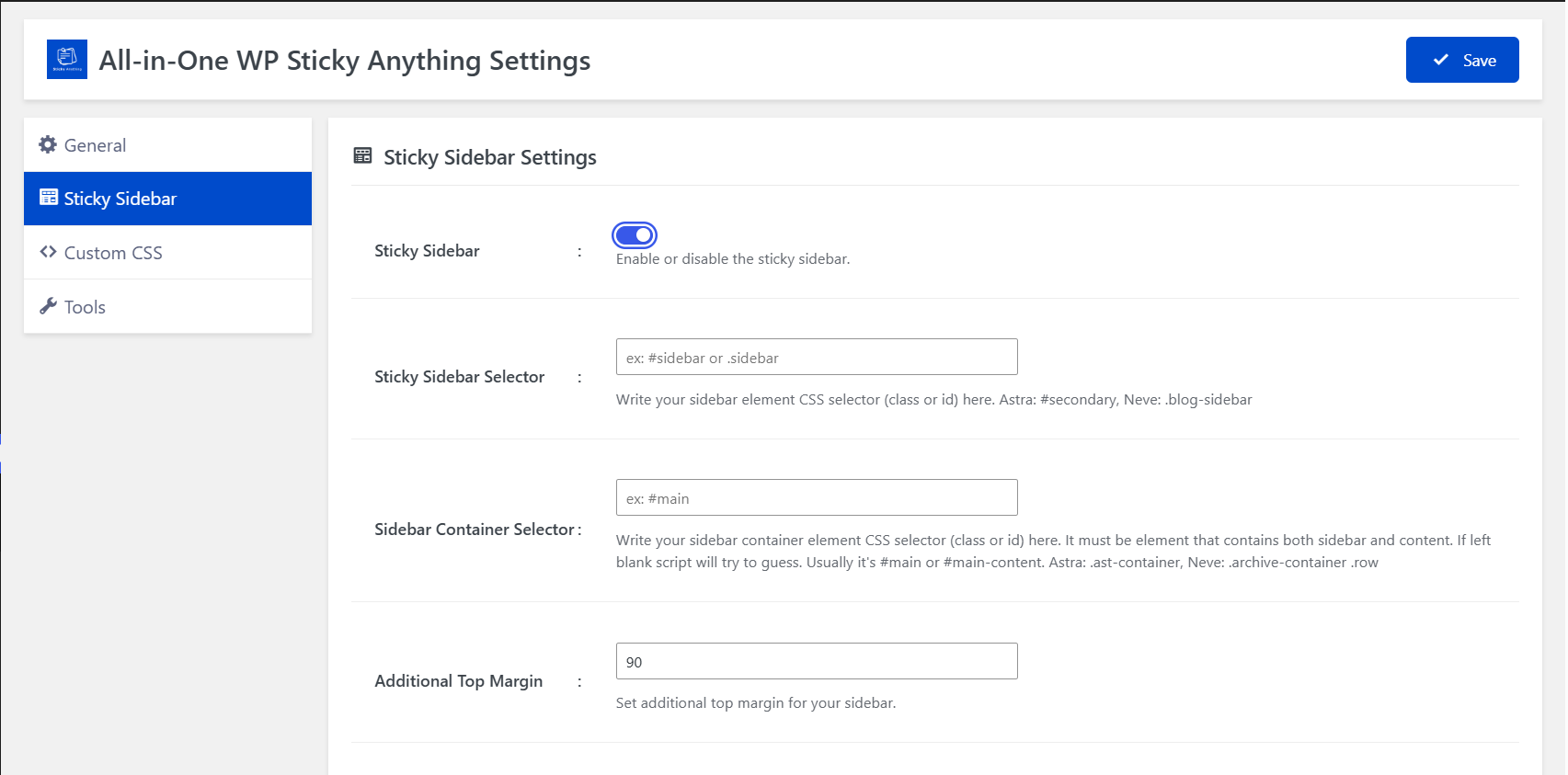
Sticky Sidebar Settings
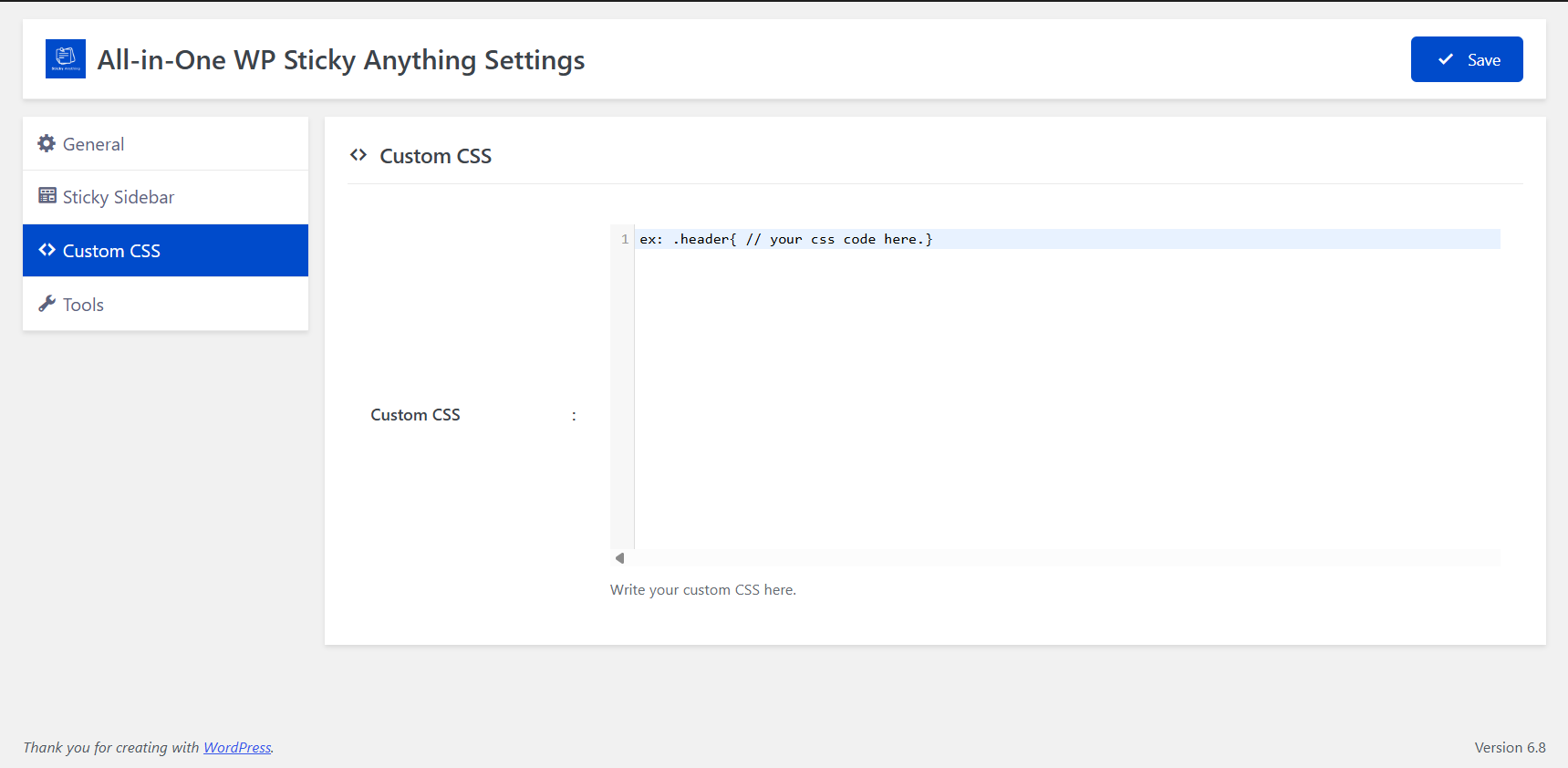
Custom CSS
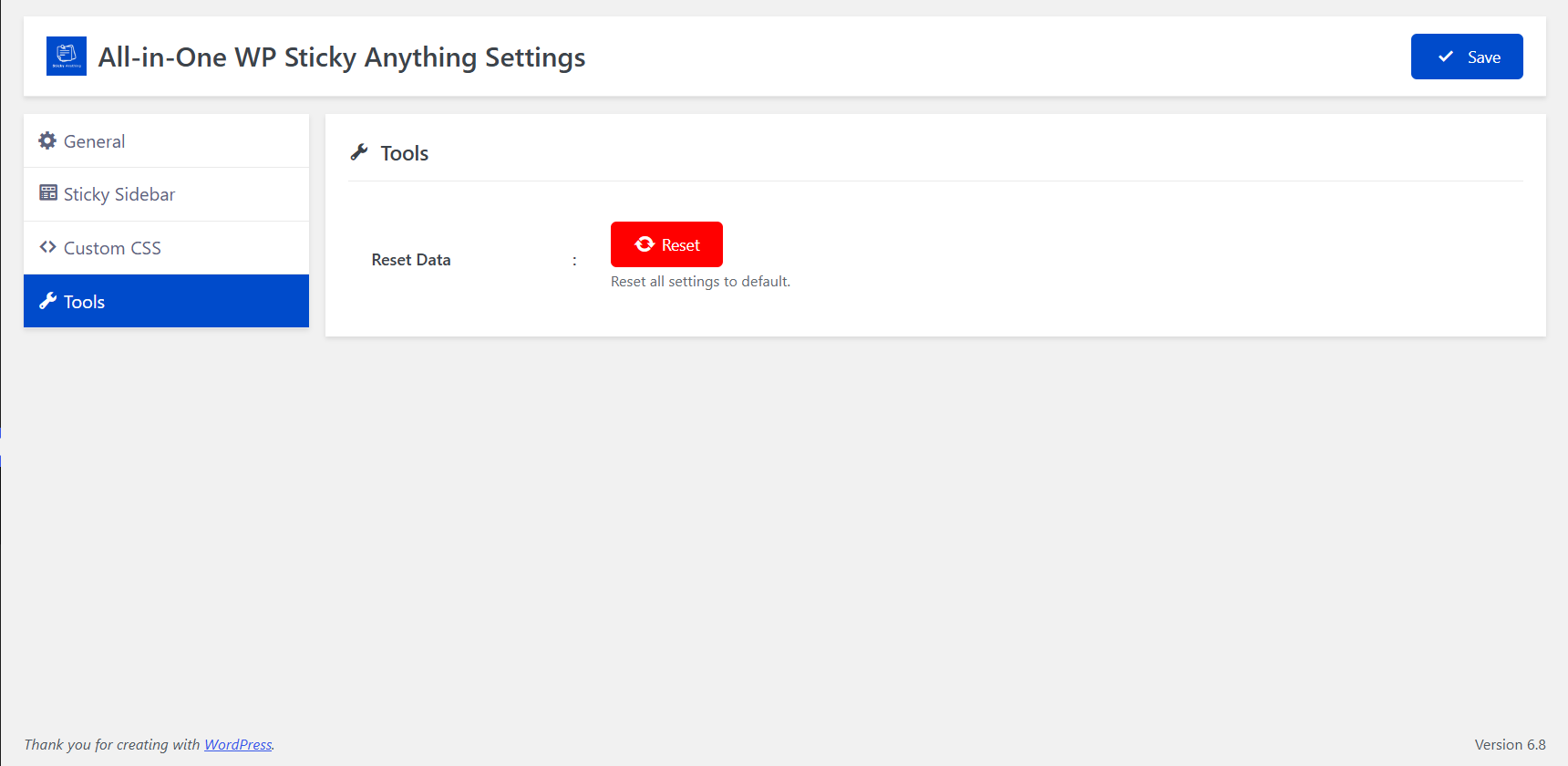
Tools
Plugins semelhantes

Um plugin simples para fixar o que você quiser.

WP Sticky Sidebar plugin will make your menu or header stick to the side of page, after desired number of pixels when scrolled 📌