Install this plugin on unlimited sites and manage them all from a central dashboard. This plugin communicates with your InfiniteWP Admin Panel.

Zoho Flow – No-Code Workflow Automation
Hospedagem WordPress com plugin Zoho Flow
Onde devo hospedar o plugin Zoho Flow?
Este plugin pode ser hospedado em qualquer provedor que possua WordPress configurado. Recomendamos optar por um provedor de hospedagem de confiança, com servidores otimizados para WordPress, como o serviço de hospedagem da MCO2.
Hospedando o plugin Zoho Flow em um provedor de confiança
A MCO2, além de configurar e instalar o WordPress na versão mais atual para seus clientes, fornece o plugin WP SafePress, um sistema exclusivo que protege e melhora seu site simultaneamente.
Por que a Hospedagem WordPress funciona melhor na MCO2?
A Hospedagem WordPress funciona melhor pois a MCO2 possui servidores otimizados para WordPress. A instalação de WordPress é diferente de uma instalação trivial, pois habilita imediatamente recursos como otimização automática de imagens e fotos, proteção da página de login, bloqueio de atividades suspeitas diretamente no firewall, cache avançado e HTTPS ativado por padrão. São recursos que potencializam seu WordPress para a máxima segurança e o máximo desempenho.
Integrate your plugins with hundreds of business applications and automate workflows between them using Zoho Flow.
With an intuitive drag-and-drop workflow builder, you can connect all your apps and customize data flow between them exactly the way you want. Build automations that save time and eliminate human error—no coding required.
Powerful tools to help you tailor detailed workflows
- Intuitive drag-and-drop flow builder
- Trigger from multiple sources, like app events, webhooks, schedules, emails, RSS/Atom feeds, and URLs
- Conditional logic using decisions, delays, and custom functions
- Deeper insights with dashboards and flow histories
- On-prem integrations to connect your apps with your on-premises system
- Team collaboration with Zoho Flow organizations
- Reduced margins of error with error branching and auto and manual reruns
Integrations for your favorite plugins:
Online Forms
- Lead capture: Transfer lead information from form builders like Ninja Forms, WPForms, and Contact Form 7 to popular apps like Zoho CRM, Salesforce, and Mailchimp instantly.
-
Feedback management: Move feedback form responses collected using Gravity Forms, Fluent Forms, and other online forms to customer support software (Zoho Desk, Zendesk) in seconds, for better customer satisfaction.
Explore integrations: Contact Form 7, WPForms, Ninja Forms, Gravity Forms, Forminator, Formidable Forms, Fluent Forms, Everest Forms, Gravity Forms, Bit Form, PlanSo Forms, Quiz Maker, WS Form, Happyforms, weForms, UserFeedback, JetFormBuilder, MetForm, Kali Forms, RomethemeForm, WPZOOM Forms, Snow Monkey Forms, Gutena Forms, WP-Polls, Quiz And Survey Master, SureForms, Form Maker, Quill Forms, ARForms, BuddyForms,
HTML Forms, AIO Forms
Email and Notifications
- Reliable email delivery: Use SMTP plugin integrations to ensure reliable email delivery from WordPress, especially transactional emails.
-
Automated notifications: Integrate email plugins with form builder plugins to add subscribers to your mailing lists automatically.
Explore integrations: WP Mail SMTP, FluentSMTP, Post SMTP
CRM & Marketing Automation
- Task management: Integrate CRM plugins with task management apps, such as Zoho Projects or Asana, to assign and manage deals, add tasks for new leads, and more.
-
Email/newsletter campaigns: Connect marketing plugins like Groundhogg and Mailster to Mailgun or Mailchimp to create and send newsletters to subscribers.
Explore integrations: FluentCRM, Groundhogg, Mailster, MailPoet, The Newsletter Plugin, Hustle, Jetpack CRM
Membership and Subscriptions
- Subscription services: Use membership plugins, such as Ultimate Member and Simple Membership, alongside WordPress to create subscription-based services and restrict access to premium content.
- Seamless payments: Integrate membership plugins with payment gateways for seamless payment processing.
-
User access control: Integrate user management plugins like User Registration with membership plugins, for comprehensive user access control.
Explore integrations: Ultimate Member, Paid Memberships Pro, User Registration, WP-Members, Simple Membership, Profile Builder, BuddyBoss, Login/Signup Popup, Super Socializer, UsersWP, Restrict User Access, New User Approve, Paid Member Subscriptions, RegistrationMagic, WP User Manager, Restrict Content, DigiMember, ARMember, SureMembers
Ecommerce
-
Order fulfillment: Integrate WooCommerce with finance-based apps, such as Zoho Books or QuickBooks, to instantly create invoices for new orders.
Explore integrations: WooCommerce, Download Manager, Easy Digital Downloads
LMS & eLearning
-
Online course management: Integrate plugins, such as LearnDash, with membership plugins like DigiMember to create and manage online courses with granular access controls.
Tables
-
Data records and backups: Integrate table plugins with your ecommerce or inventory applications to record and manage stock history, prices, and more.
Explore integrations: Ninja Tables, TablePress
Anti-spam & Security
-
Spam protection: Use anti-spam plugins to protect contact forms and comment sections in your WordPress pages from spam submissions.
Explore integrations: Akismet
Website & CMS
- Auto-generated WordPress posts: Integrate WordPress with ChatGPT to regularly post articles based on preset inputs and queries.
-
Scheduled WordPress posts: Automatically publish content to WordPress from word processing and note-taking tools like Zoho Writer or OneNote.
Explore integrations: WordPress.com (fully-hosted), WordPress.org (self-hosted), Elementor Pro, Divi, Spectra, SiteOrigin Widgets Bundle, Kadence Blocks, CoBlocks, Bricks, Otter Blocks, Essential Blocks,
PublishPress Blocks
Others
- Custom data fields: Use custom field plugins to add custom data fields to forms, posts, and more.
- Customer support management: Integrate form plugins with help desk tools for managing customer support tickets and inquiries.
-
Booking management: Connect your booking plugins with calendars, payment gateways, and CRM tools to manage travel bookings efficiently.
Explore integrations: Advanced Custom Fields, Code Snippets, JetEngine, Fluent Support, GiveWP, AffiliateWP, The Events Calendar, Event Tickets, Events Manager, Amelia, Bookly, WP Booking Calendar,Simply Schedule Appointments, Appointment Hour Booking, WP Simple Booking Calendar, WP Booking System, WP Travel Engine, BookingPress, Booking Package, Bookit, VikBooking, Fluent Booking, Popup Maker, FeedbackWP, Wappointment
External services
This plugin connects to external services provided by Zoho Corporation Pvt. Ltd. to enable integration and automation features using Zoho Flow.
Zoho Flow Widget Service (flow.zoho.com)
This plugin loads a widget from Zoho Flow (flow.zoho.com) to display integration templates and allow users to create automation workflows from the WordPress admin dashboard.
-
What the service does:
Displays Zoho Flow templates and provides a way to create flows. -
When data is sent:
A request is made when an admin user opens the Zoho Flow plugin page in the WordPress dashboard. -
What data is sent:
Selected service identifier (e.g., “contact_form_7” or other integration identifiers) -
Why data is sent:
To load and display relevant Zoho Flow templates and enable flow creation. -
Service provider:
Zoho Corporation Pvt. Ltd. -
Terms of Service:
https://www.zoho.com/legal/terms.html -
Privacy Policy:
https://www.zoho.com/privacy.html
Zoho TLS Test Service (tlstest.zoho.com)
This plugin performs a TLS capability check using Zoho’s test endpoint (tlstest.zoho.com).
-
What the service does:
Verifies that your server supports secure TLS/SSL connections required for Zoho services. -
When data is sent:
A request is made during plugin initialization or setup. -
What data is sent:
A standard HTTPS request
No personal user data or WordPress site content is transmitted -
Why data is sent:
To confirm that secure communication with Zoho services is possible. -
Service provider:
Zoho Corporation Pvt. Ltd. -
Terms of Service:
https://www.zoho.com/legal/terms.html -
Privacy Policy:
https://www.zoho.com/privacy.html
Capturas de tela
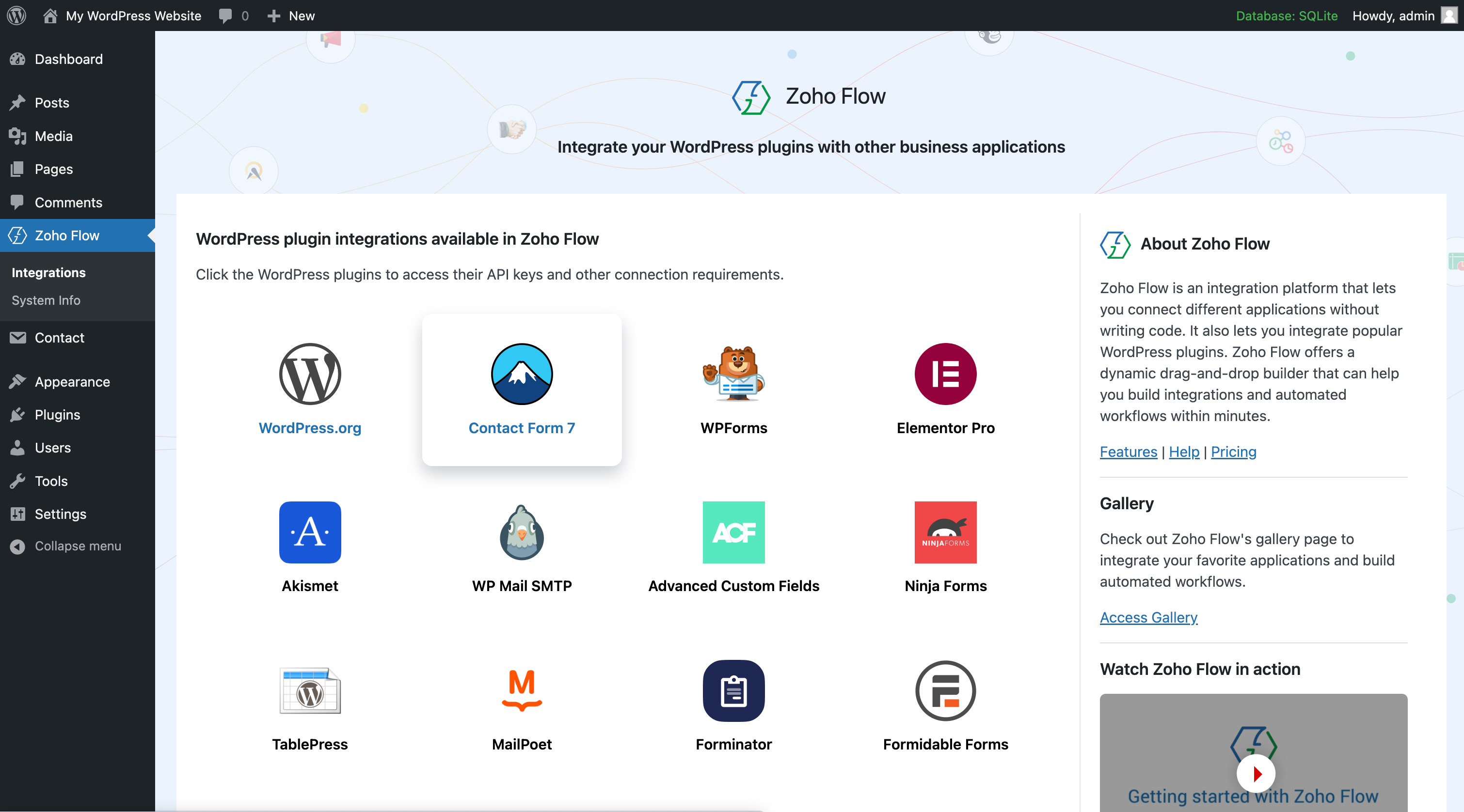
Explore all WordPress plugin integrations from one place.
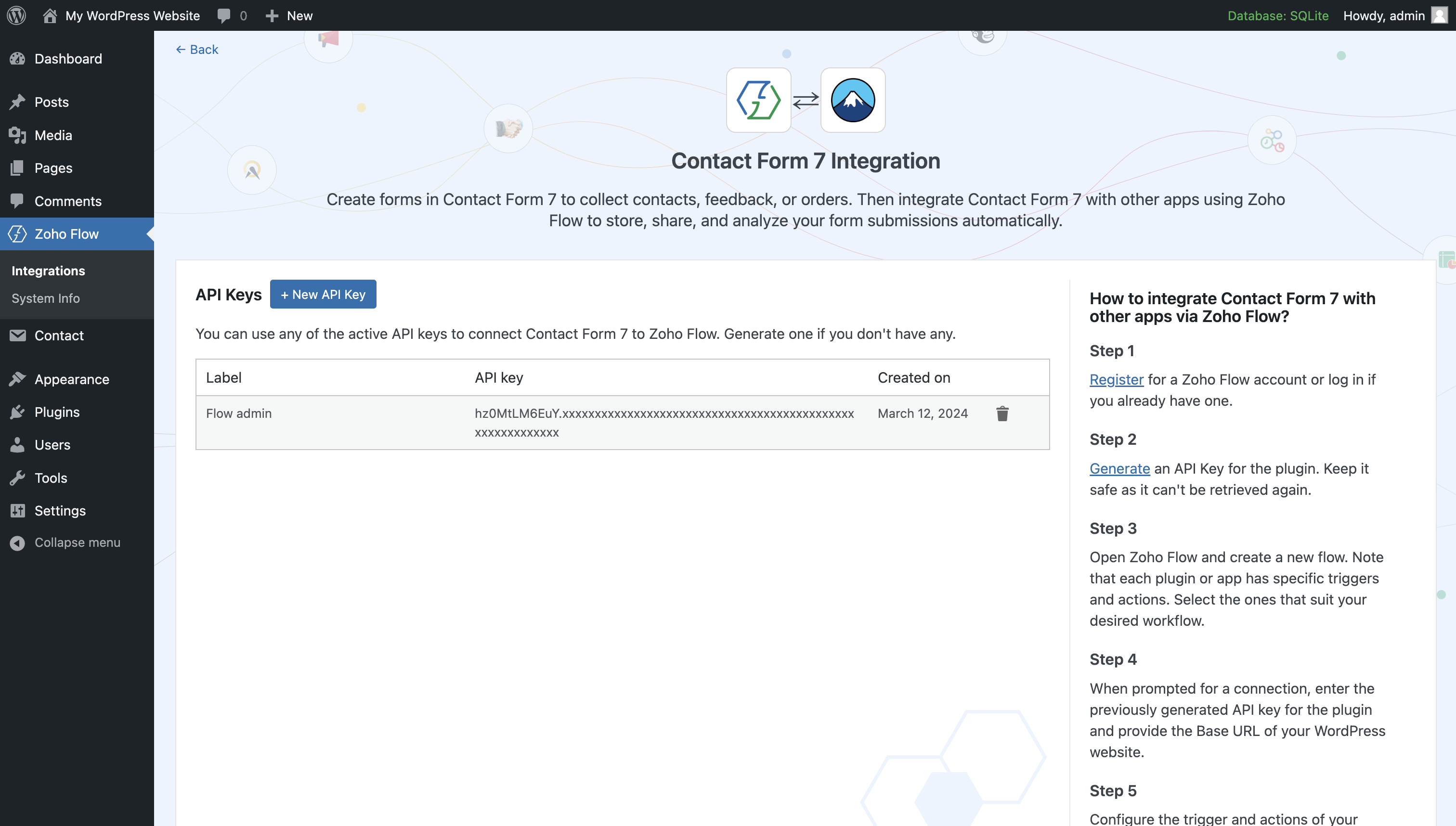
Generate and manage all your plugin API keys used in your connections.
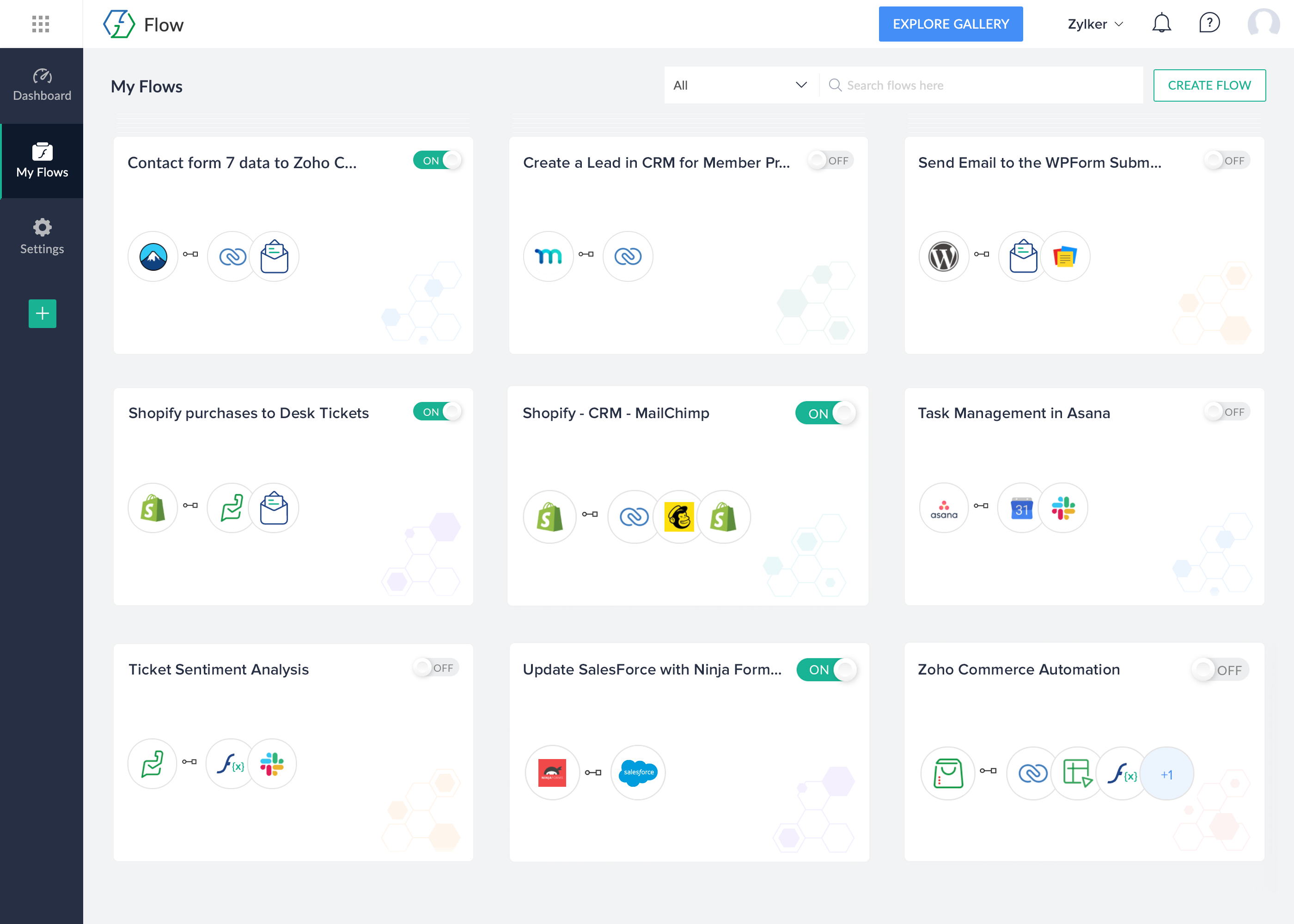
View all your workflows across apps and plugins from a single place.
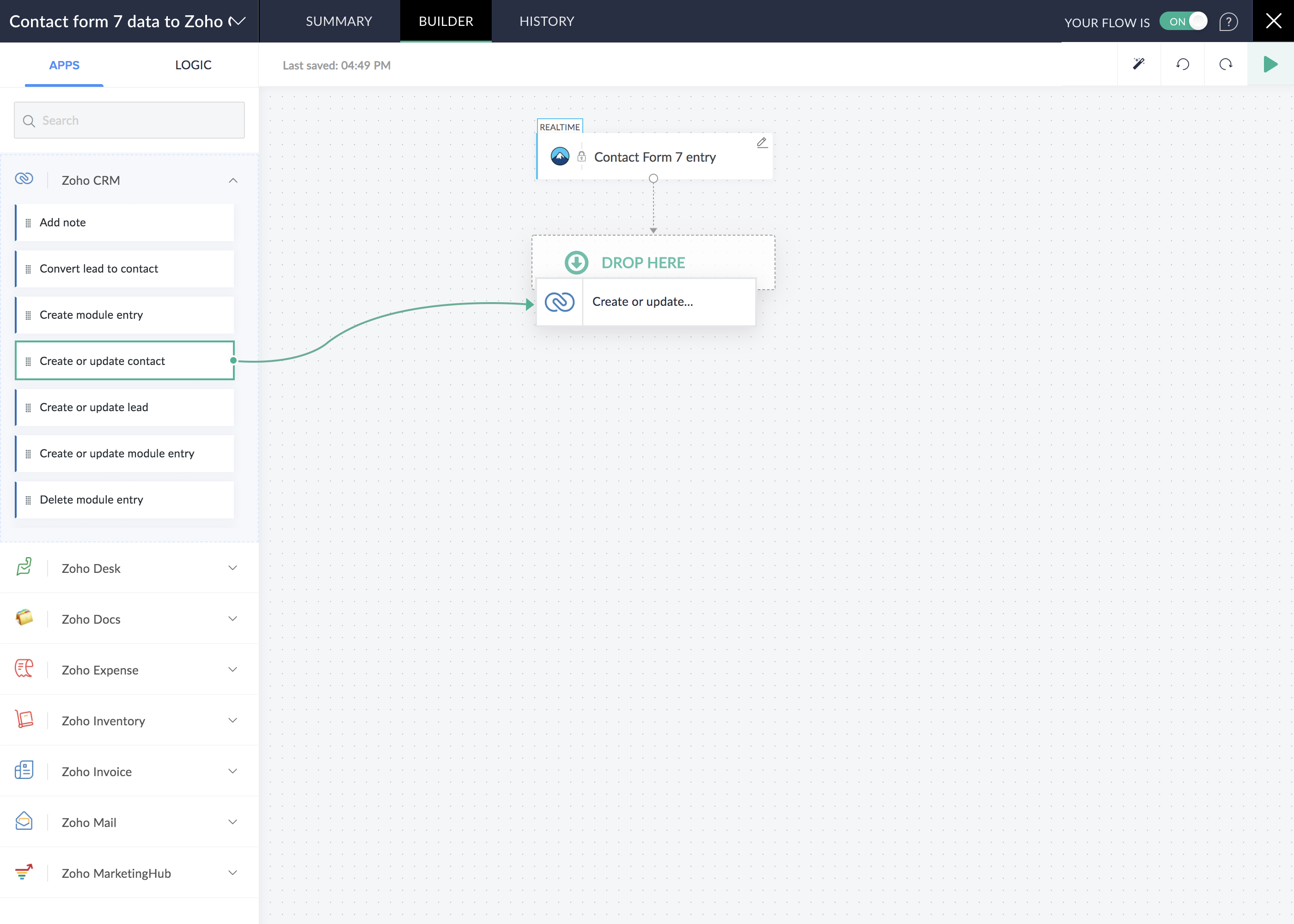
The drag and drop builder lets you create your workflows with ease and plan automations centrally.
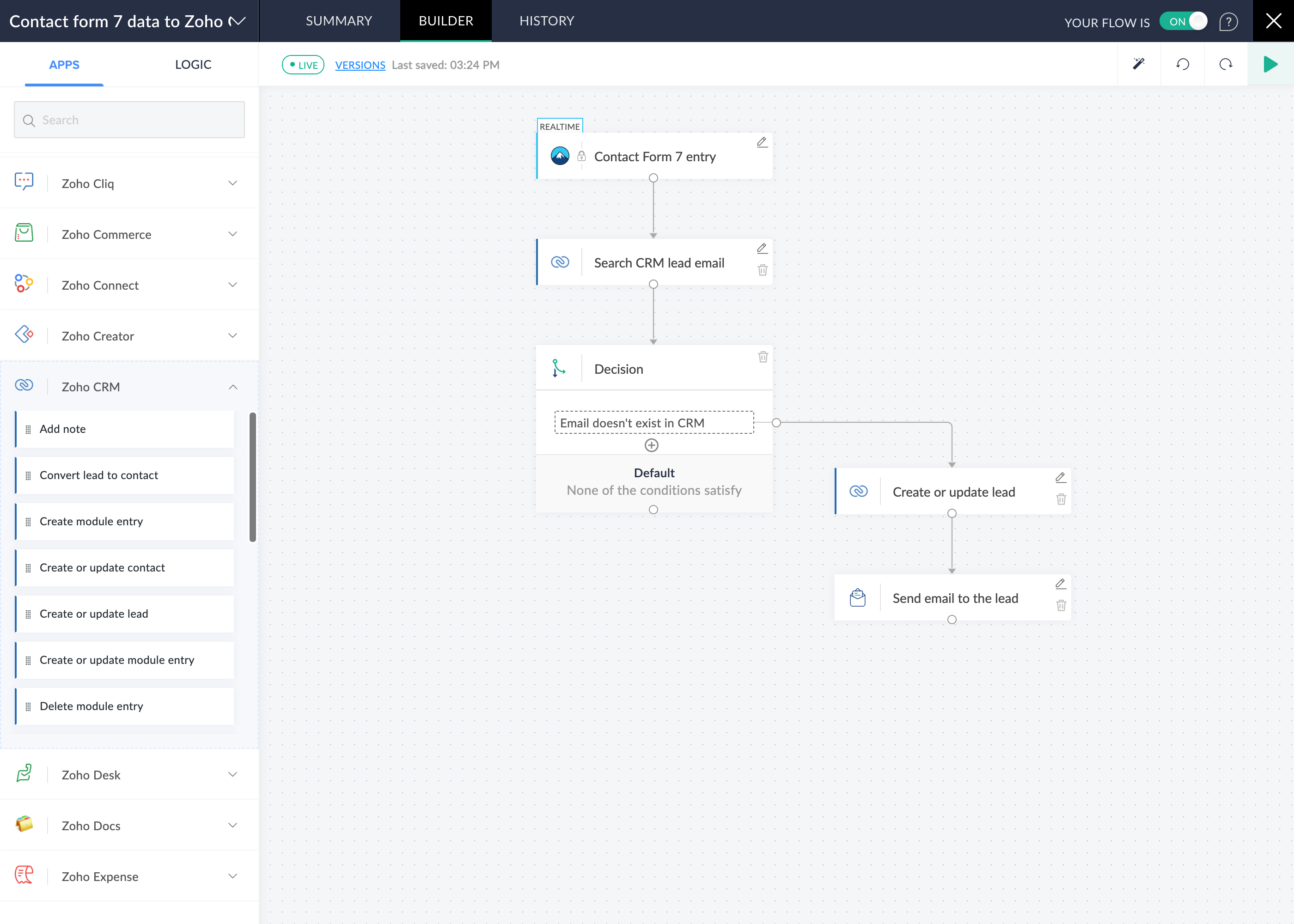
View the entire workflow in a centralized builder and adapt quickly as your process evolves.
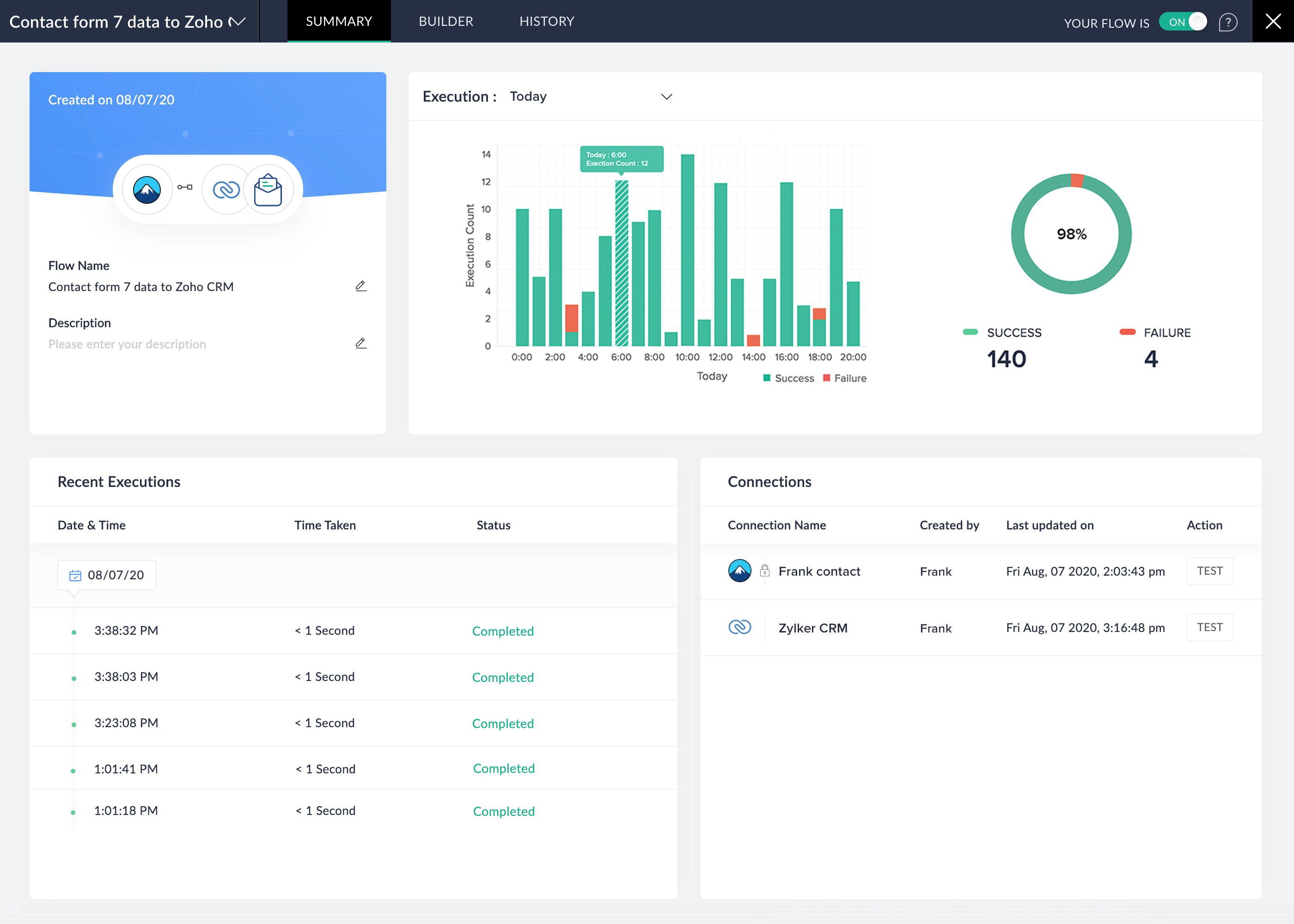
Analyze the performance of individual flows effortlessly in the flow summary.
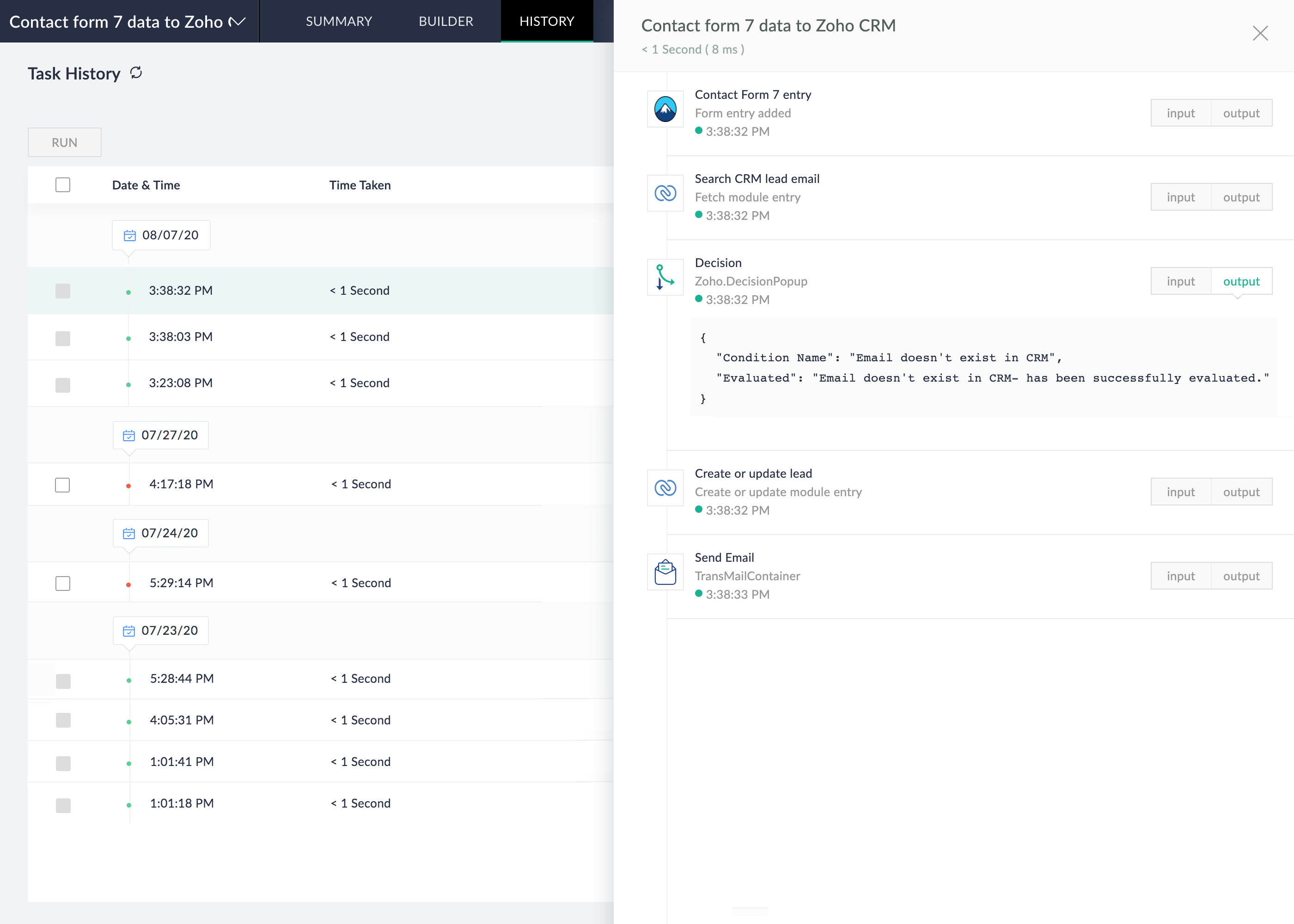
Know how your flows are running, track the progress of each task in detail.
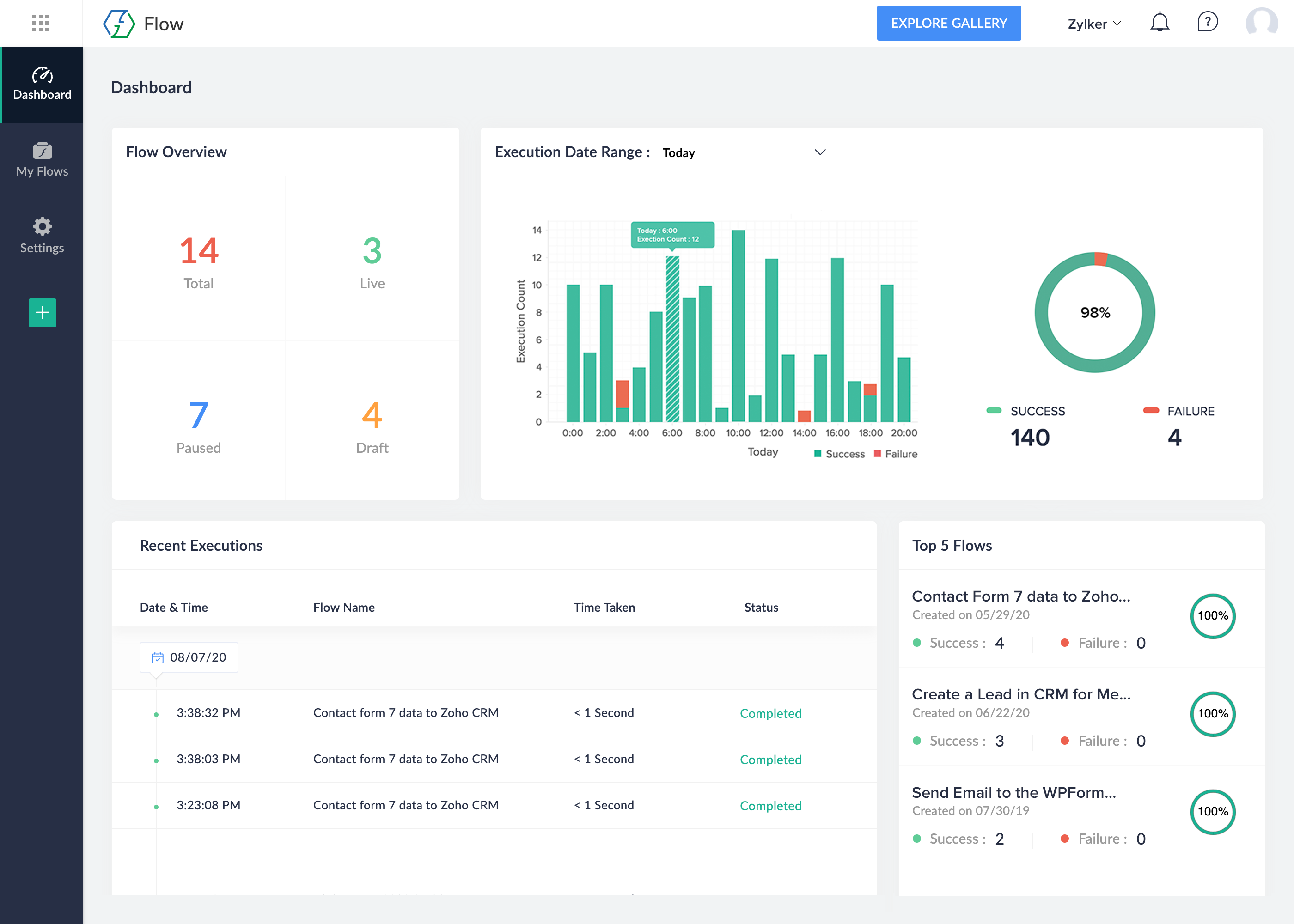
Get complete visibility of all your processes and metrics that help you decide when to update your flows.
Plugins semelhantes

API de consentimento simples para captar e registrar a atual categoria de consentimento.

Build anything your site needs. Manage it through an agentic AI conversation inside WordPress. No setup, configuration, or code required.

Experience the power of automation within WordPress: Connect 1,500+ apps, automate manual tasks, and unlock your full potential. Get started now!

Disable the use of the REST API on your website to site users. Now with User Role support!

Easily send email from your WordPress site through Mailgun using the HTTP API or SMTP.