
Import your demo content, widgets and theme settings with one click. Theme authors! Enable simple theme demo import for your users.

WP Subtítulo
Hospedagem WordPress com plugin WP Subtítulo
Onde hospedar o plugin WP Subtítulo?
Este plugin pode ser hospedado em qualquer hospedagem que possua WordPress configurado. Recomendamos fortemente optar por um provedor de hospedagem confiável, com servidores otimizados para WordPress, como o serviço de hospedagem de sites da MCO2.
Hospedando o plugin WP Subtítulo em uma empresa de hospedagem confiável
A MCO2, além de configurar e instalar o WordPress na versão mais atual para seus clientes, oferece o plugin WP SafePress, um sistema singular que assegura e melhora seu site ao mesmo tempo.
Por que a Hospedagem WordPress funciona melhor na MCO2?
A Hospedagem WordPress funciona melhor pois a MCO2 possui servidores otimizados para WordPress. A instalação de WordPress é diferente de uma instalação trivial, pois habilita imediatamente recursos como otimização de imagens, proteção da página de login, bloqueio de atividades suspeitas diretamente no firewall, cache avançado e HTTPS ativado por padrão. São plugins que potencializam seu WordPress para a máxima segurança e o máximo desempenho.
O plug-in WP Subtítulo permite que suas páginas e posts contenham um subtítulo. Também chamada de subcabeçalho ou sub-rubrica, esta breve linha de texto normalmente aparece logo abaixo do título do post (ou página), mas pode ser inserida onde você quiser em seu leiaute.
The subtitle can be inserted into your theme template files (or plugin) using the following API:
Display The Subtitle
All parameters are optional. If ‘post_id’ is omitted then the current post ID in the loop is used.
PHP Code:
do_action( 'plugins/wp_subtitle/the_subtitle', array(
    'before'        => '<p class="subtitle">',
    'after'         => '</p>',
    'post_id'       => get_the_ID(),
    'default_value' => ''
) );
Output:
<p class="subtitle">My Post Subtitle</p>
Get The Subtitle
All parameters are optional. If ‘post_id’ is omitted then the current post ID in the loop is used.
A default value can be supplied as the second parameter for apply_filters. This will be used if the post does not have a subtitle. Leave as an empty string to return an empty string if the post does not have a subtitle.
PHP Code:
$subtitle = apply_filters( 'plugins/wp_subtitle/get_subtitle', '', array(
    'before'  => '<p class="subtitle">',
    'after'   => '</p>',
    'post_id' => get_the_ID()
) );
Result:
$subtitle = '<p class="subtitle">My Post Subtitle</p>'
Parâmetros
The array of arguments accepted for the plugins/wp_subtitle/the_subtitle action and plugins/wp_subtitle/get_subtitle filter are:
before
(string) Text to place before the subtitle if one exists. Defaults to an empty string.
after
(string) Text to place after the subtitle if one exists. Defaults to to an empty string.
post_id
(integer) Post, page or custom post type ID.
default_value
(string) Only used by the plugins/wp_subtitle/the_subtitle action, allows you to specify a default subtitle to display if the post does not have one. For the plugins/wp_subtitle/get_subtitle filter the second parameter of apply_filters should be used instead. Defaults to to an empty string.
Post Type Support
By default, subtitle are supported by both posts and pages. To add support for custom post types add teh following to your theme functions file or plugin:
add_post_type_support( 'my_post_type', 'wps_subtitle' )
WooCommerce Plugin Support
Subtitles can automatically be added to your WooCommerce products without needing to make template changes. In the admin go to WooCommerce > Settings > Products where you can choose to:
- Enable Product Subtitles
- Display the subtitle on single product pages
- Display the subtitle on product archives (category pages)
Yoast SEO and SEOPress Plugin Support
The plugin allows you to include the subtitle in your meta titles and descriptions via the Yoast SEO and SEOPress plugins.
Similar to the Yoast %%title%% placeholder which inserts the post title, you can use %%wps_subtitle%%.
There are also addition placeholders and filters to allow to to customize seperators for the subtitle.
For more information, view the SEO support documentation here.
Capturas de tela

Edit post screen (WordPress 5.0+ and WP Title 3.1+)

Edit post screen (WordPress 3.5+ and WP Title 2.2+)

Edit post screen (for earlier versions of WordPress or using the 'wps_subtitle_use_meta_box' filter)
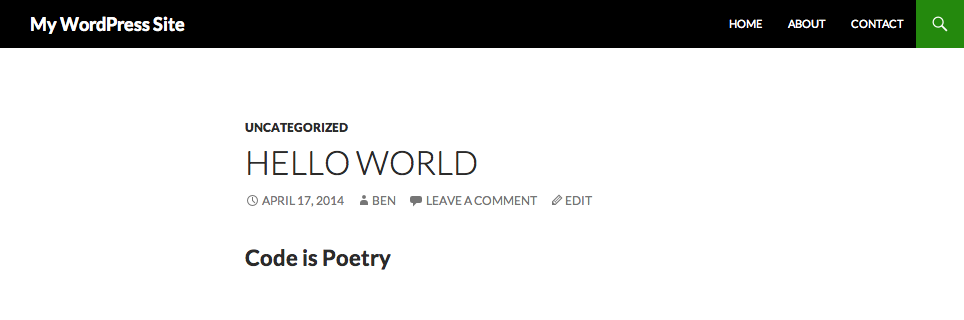
A single page showing a subtitle
Plugins semelhantes


This WP plugin protects posts from being copied (content copy protection). Keep your content safe from unauthorized distribution!

Gives you the ability to hide the title of any post, page or custom post type item without affecting menus or titles in the admin area.

Control the appearance of WordPress post excerpts

Allows authors to hide the title on single pages and posts via the edit post screen.

The original WordPress membership plugin with content restriction, user login, custom registration fields, user profiles, and more.