SAML SSO (Single Sign On) for WordPress Login with Okta, Entra ID/Azure AD, GSuite, Salesforce & All SAML IdPs. Free Unlimited SSO [24/7 Support]

JWT Authentication for WP REST APIs
Hospedagem WordPress com plugin WordPress REST API Authentication
Onde posso hospedar o plugin WordPress REST API Authentication?
Este plugin pode ser hospedado em qualquer provedor que possua WordPress instalado. Recomendamos optar por uma hospedagem seguro, com servidores adaptados para WordPress, como o serviço de hospedagem de sites da MCO2.
Hospedando o plugin WordPress REST API Authentication em um provedor seguro
A MCO2, além de configurar e instalar o WordPress na versão mais atualizada para seus clientes, fornece o plugin WP SafePress, um sistema exclusivo que protege e aumenta a performance do seu site simultaneamente.
Por que a Hospedagem WordPress funciona melhor na MCO2?
A Hospedagem WordPress funciona melhor pois a MCO2 possui servidores otimizados para WordPress. A instalação de WordPress é diferente de uma instalação trivial, pois habilita imediatamente recursos como otimização automática de imagens e fotos, proteção da página de login, bloqueio de atividades suspeitas diretamente no firewall, cache avançado e HTTPS ativado por padrão. São recursos que potencializam seu WordPress para a máxima segurança e o máximo desempenho.
WordPress REST API endpoints are open and unsecured by default which can be used to access your site data. Secure WordPress APIs from unauthorized users with our JWT Authentication for WP REST APIs plugin.
Our plugin offers below authentication methods to Protect WP REST API endpoints:
– JWT Authentication
– Basic Authentication
– API Key Authentication
– OAuth 2.0 Authentication
– External Token based Authentication 2.0/OIDC/JWT/Firebase provider’s token authentication methods.
You can authenticate default WordPress endpoints and custom-developed REST endpoints and third-party plugin REST API endpoints like that of Woocommerce, Learndash, Buddypress, Gravity Forms, CoCart, etc.
WP REST API Authentication Methods in our plugin
- JWT Authentication
Provides an endpoint where you can pass the user credentials, and it will generate a JWT (JSON Web Token), which you can use to access the WordPress REST APIs accordingly.
Additionally, to maintain a seamless user experience without frequent logins needed due to token expiry, you can use our Refresh and Revoke token mechanisms feature.
When the access token expires, instead of forcing the user to log in again, the client can request a new access token using a valid refresh token. - API Key Authentication
- Basic Authentication:
– 1. Username: Password
– 2. Client-ID: Client-Secret - OAuth 2.0 Authentication
– 1. Password Grant
– 2. Client Credentials Grant - Third Party Provider Authentication
Following are some of the integrations that are possible with WP REST API Authentication:
- Learndash API Authentication
- Custom Built REST API Endpoints Authentication
- BuddyPress API Authentication
- WooCommerce API Authentication
- Gravity Form API Authentication
- External/Third-party plugin API endpoints integration in WordPress
You can also disable the WP REST APIs with our plugin such that no one can make API calls to your WordPress REST API endpoints.Our plugin also provides Refresh and Revoke Token that can be used to improve the API security.
Benefits of Refresh Token
- Enhances security by keeping access tokens short-lived.
- Improves user experience with uninterrupted sessions.
- Reduces login frequency.
Benefits of Revoke Token
- Protects against token misuse if a device is lost or compromised.
- Enables admin-triggered logouts or session control.
- Useful for complying with stricter session policies.
With this plugin, the user is allowed to access your site’s resources only after successful WP REST API authentication. JWT Authentication for WP REST APIs plugin will make your WordPress endpoints secure from unauthorized access.
Plugin Feature List
FREE PLAN
- Authenticate only default core WordPress REST API endpoints.
- Basic Authentication with username and password.
- JWT Authentication (JSON Web Token Authentication).
- Enable Selective API protection.
- Restrict non-logged-in users to access REST API endpoints.
- Disable WP REST APIs
PREMIUM PLAN
- Authenticate all REST API endpoints (Default WP, Custom APIs,Third-Party plugins)
- JWT Token Authentication (JSON Web Token Authentication)
- Login, Refresh and Revoke token endpoints for token management
- API Key Authentication
- Basic Authentication (username/password and email/password)
- OAuth 2.0 Authentication
- Universal API key and User-specific API key for authentication
- Selective API protection.
- Disable WP REST APIs
- Time-based token expiry
- Role-based WP REST API authentication
- Custom Header support rather than just Authorization to increase security.
- Create users in WordPress based on third-party provider access tokens (JWT tokens) authentication.
Privacy
This plugin does not store any user data.
Capturas de tela
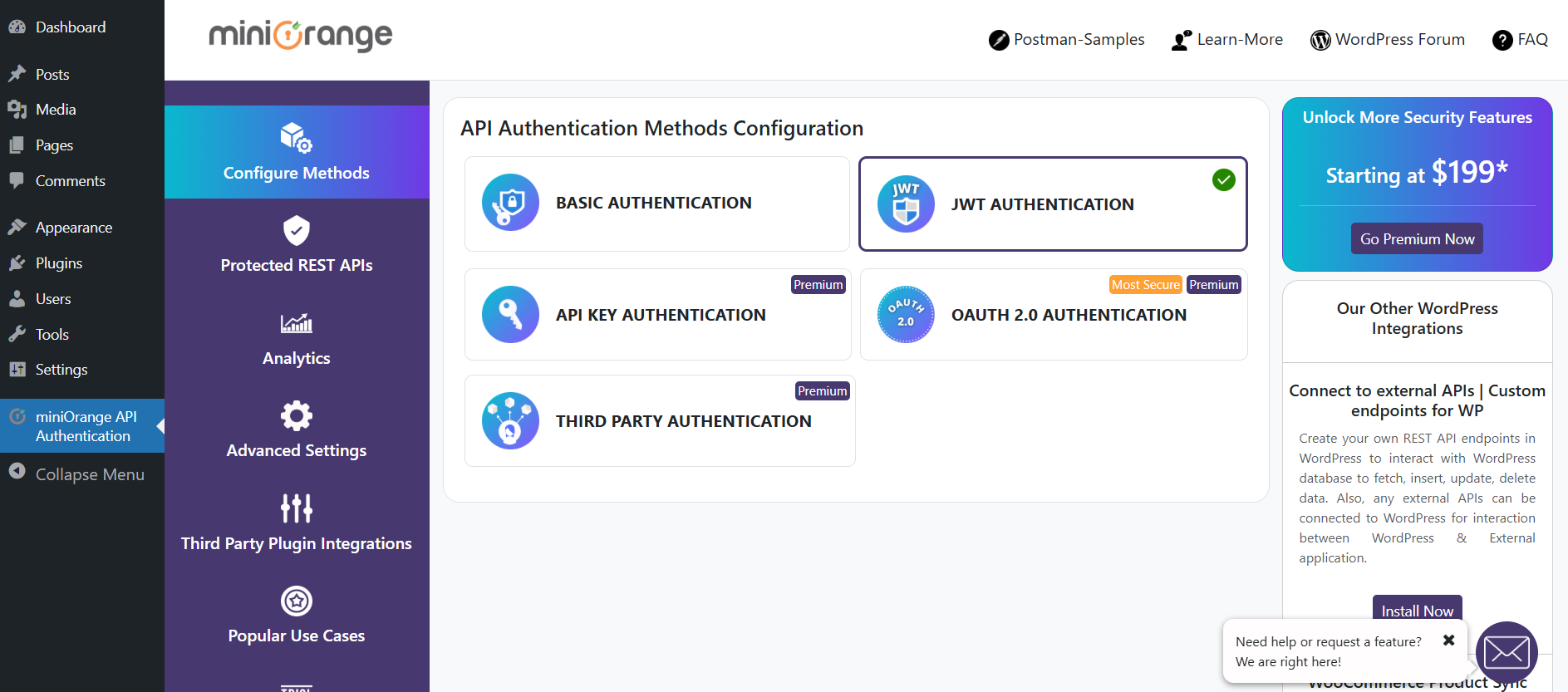
List of WP REST API Authentication Methods
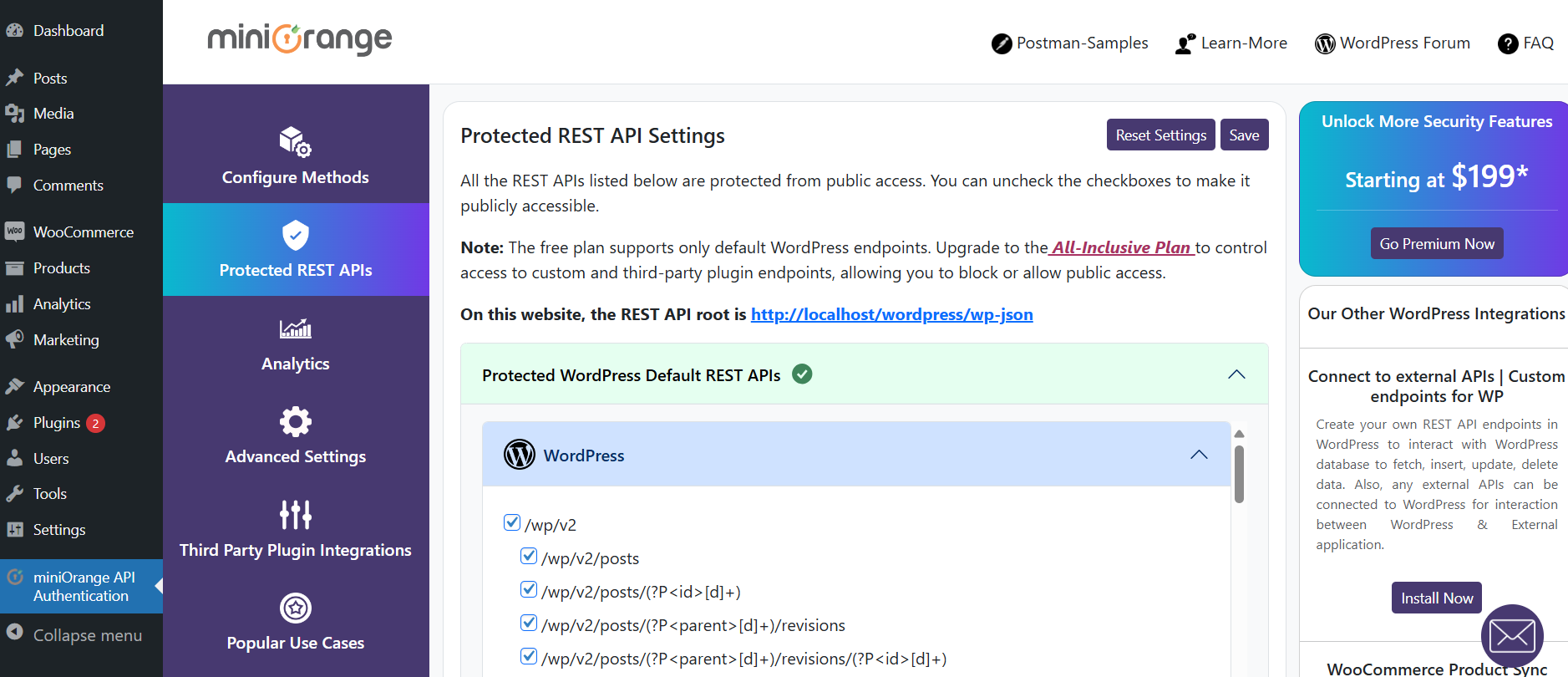
List of Protected WP REST APIs
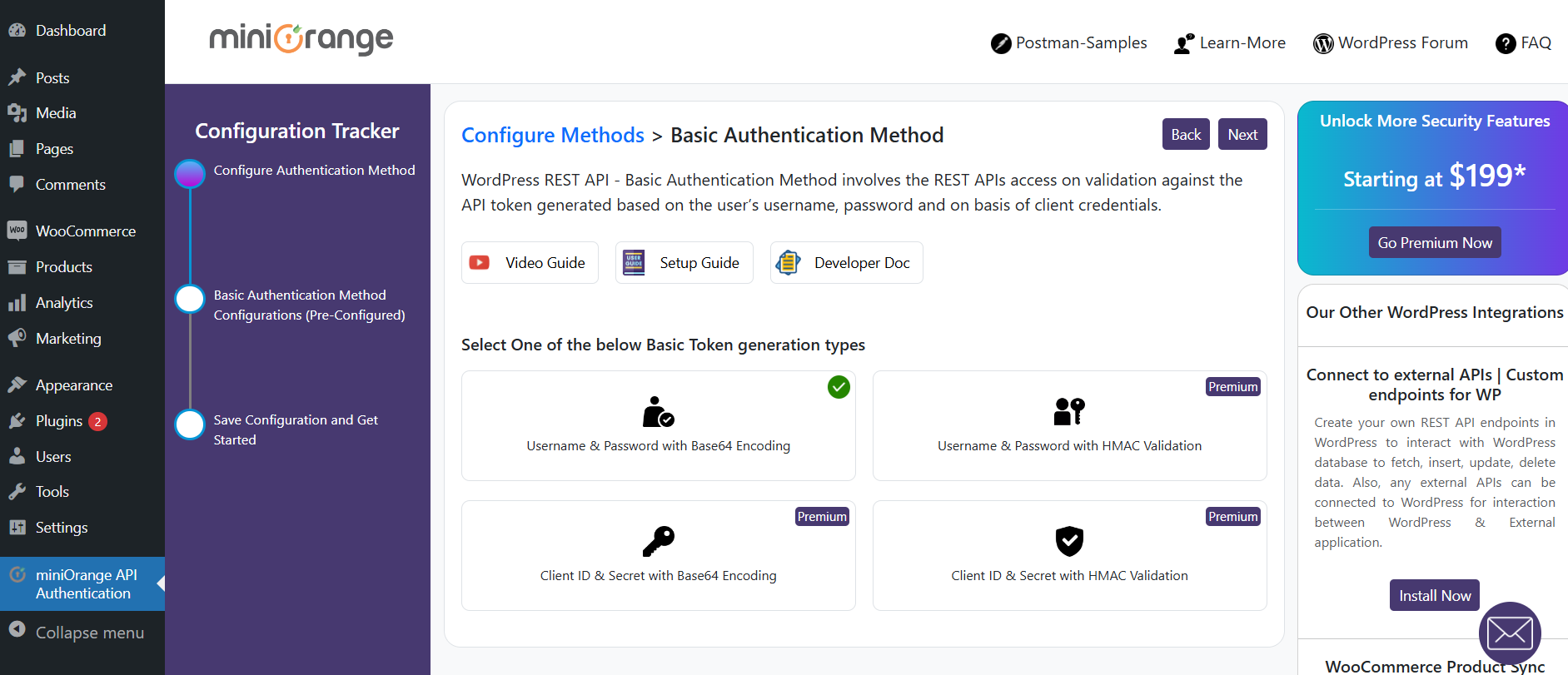
Basic Authentication method configuration
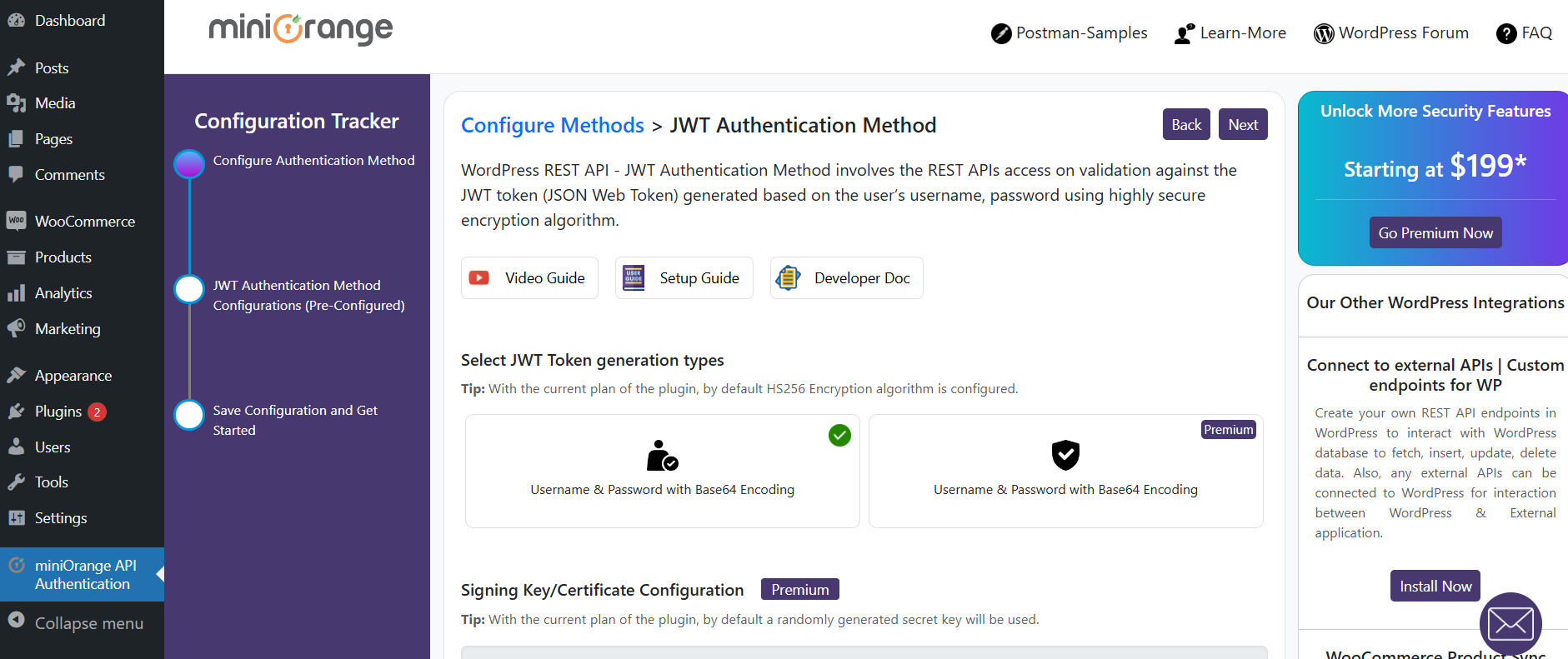
JWT Authentication method configuration
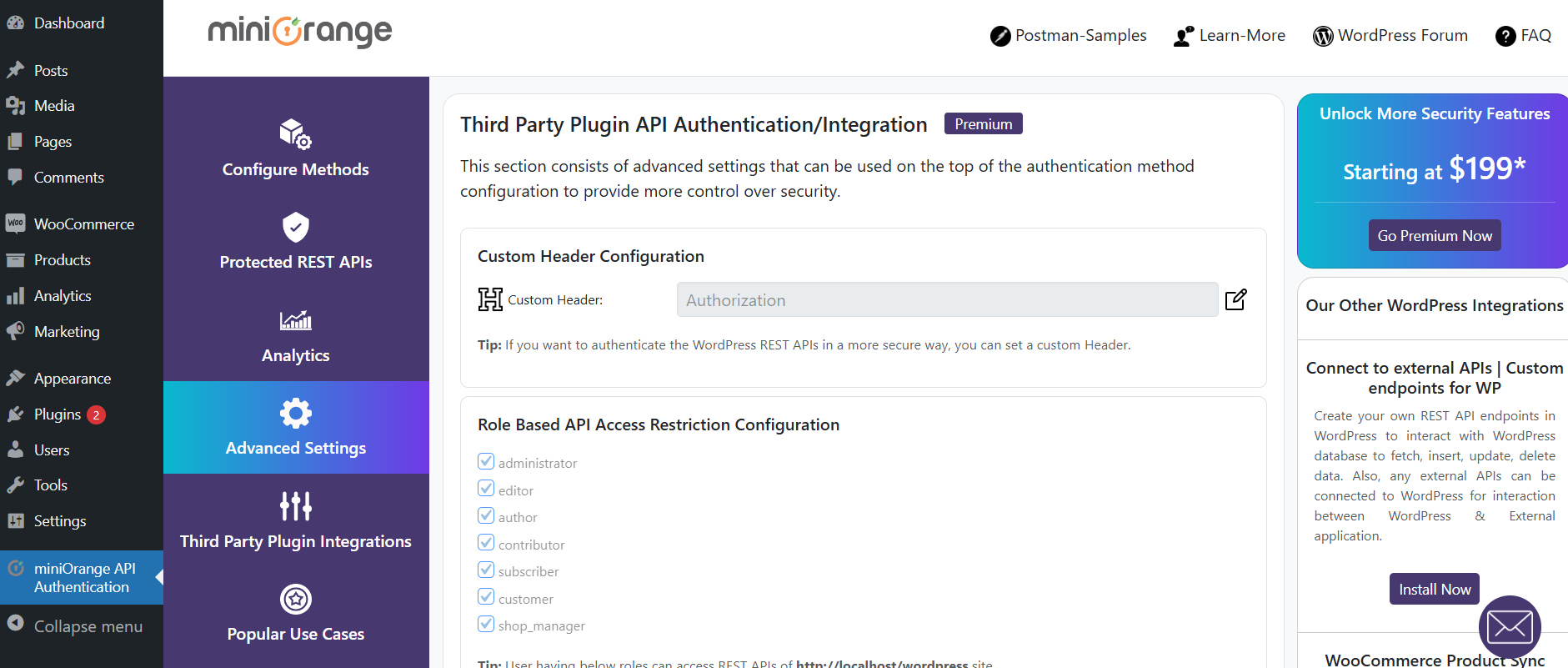
Advanced Settings
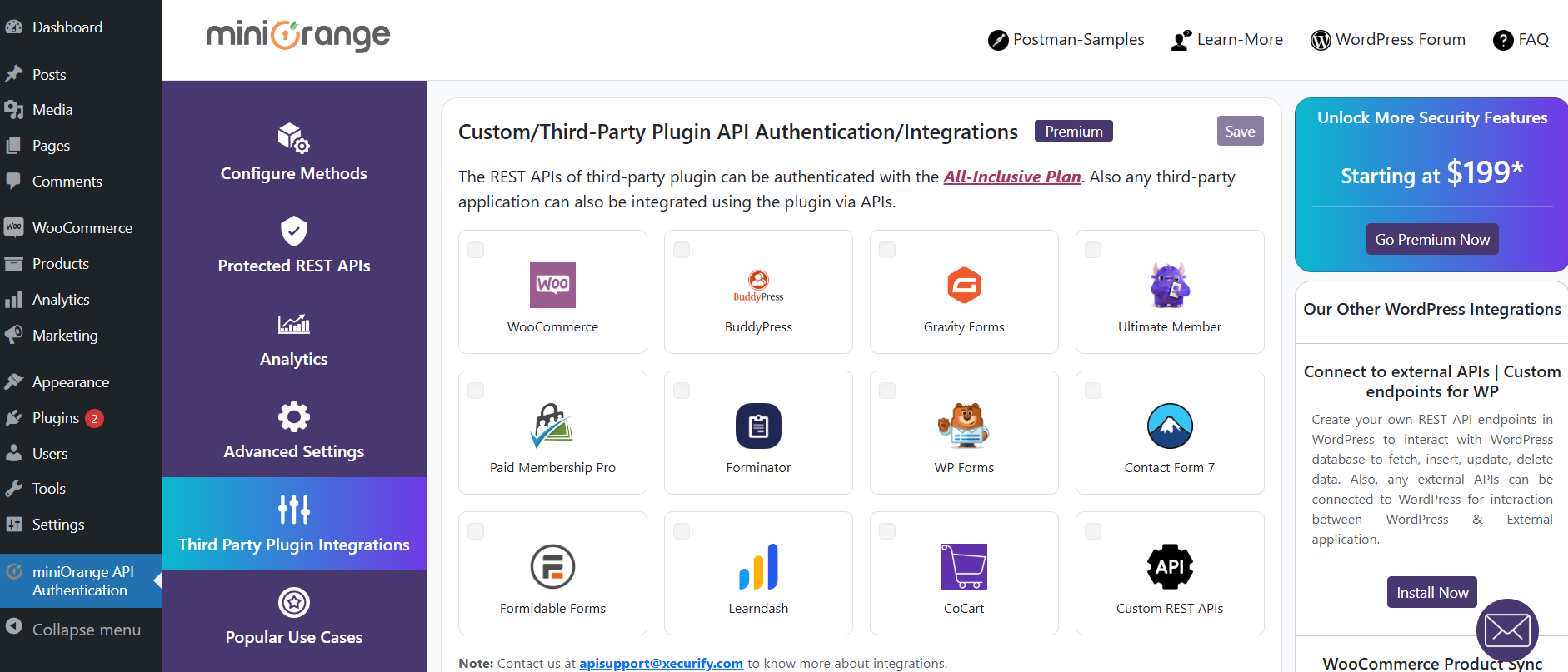
Custom API Integration
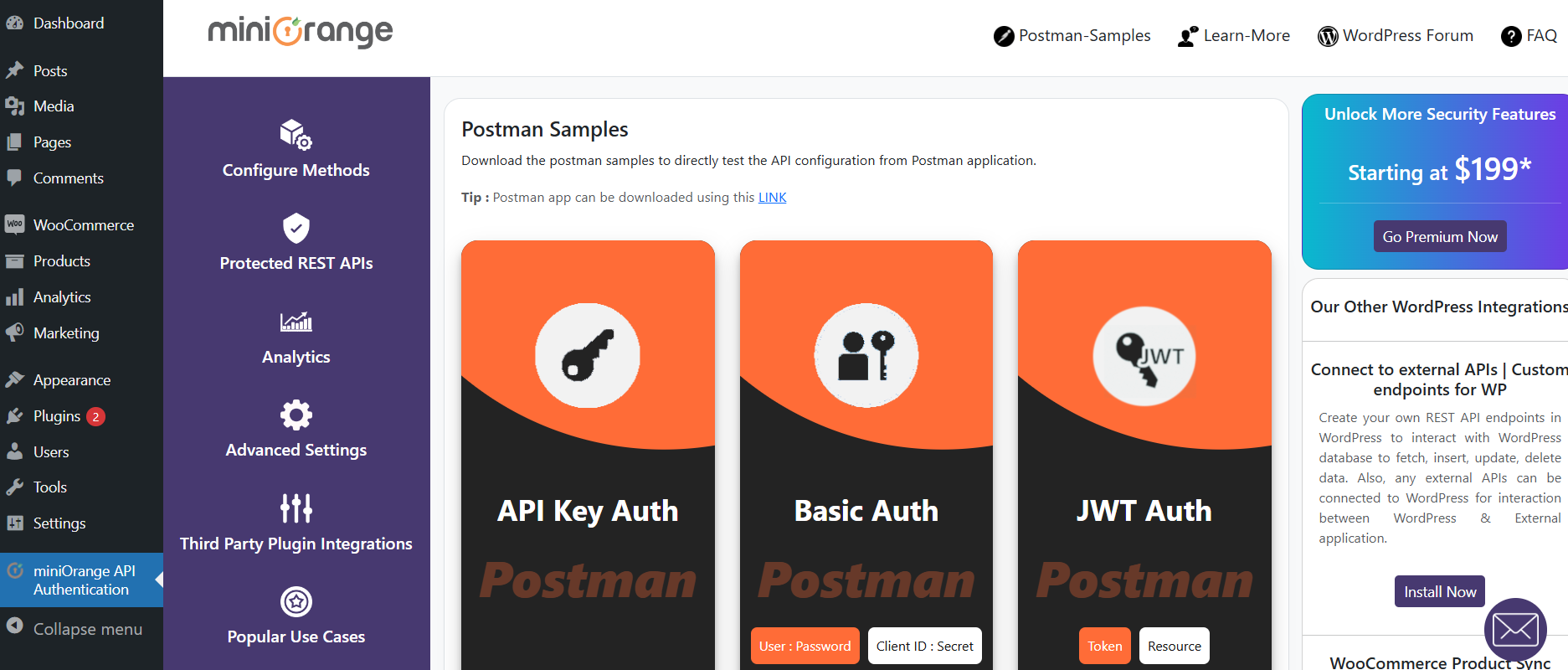
Postman Sample Settings
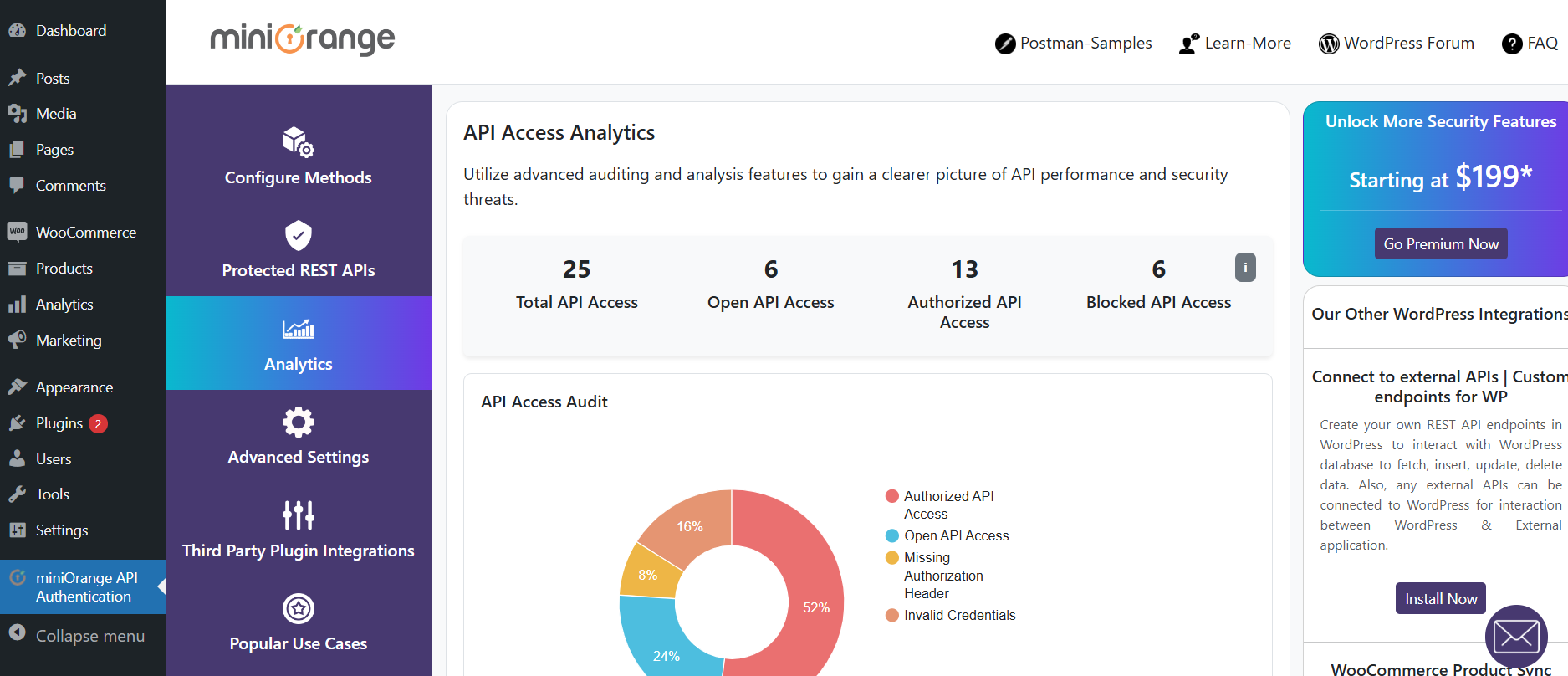
API Access Auditing analytics
Do mesmo author (miniOrange)


Social Login with Discord, Facebook, Google, Twitter, LinkedIn and 40+ apps. Social share & comments. Free, fast & easy! WooCommerce Integration.

Free 2FA plugin for unlimited users with Passkey, Google Authenticator, Email/SMS OTP, Push Notification & passwordless login.

WordPress OAuth SSO (Single Sign On) with Azure, Okta, Cognito, Keycloak, OAuth & OpenID Providers. Free Unlimited SSO Authentication [24/7 Support]

Enforce strong passwords with expiry, reset, score checks, inactive user lock, and user password management using Password Policy Manager.

OTP Verification via Email/SMS/WhatsApp,SMS Notifications for WooCommerce,OTP Login with Phone,PasswordLess Login.Custom Gateway for OTP Verification