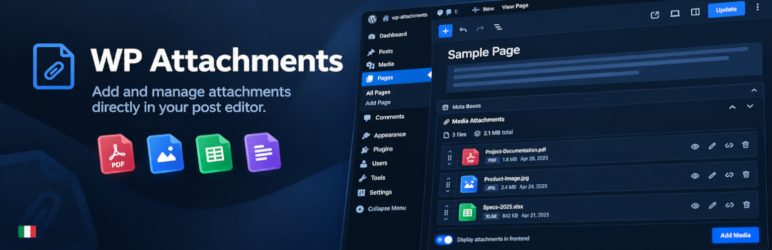
Easily replace any attached image/file by simply uploading a new file in the Media Library edit view - a real time saver!

WP Attachments
Hospedagem WordPress com plugin WP Attachments
Onde hospedar o plugin WP Attachments?
Este plugin pode ser hospedado em qualquer provedor que possua WordPress configurado. Recomendamos escolher uma hospedagem seguro, com servidores adaptados para WordPress, como o serviço de hospedagem WordPress da MCO2.
Hospedando o plugin WP Attachments em um provedor seguro
A MCO2, além de instalar o WordPress na versão mais atualizada para seus clientes, oferece o WP SafePress, um sistema singular que protege e aumenta a performance do seu site simultaneamente.
Por que a Hospedagem WordPress funciona melhor na MCO2?
A Hospedagem WordPress funciona melhor pois a MCO2 possui servidores otimizados para WordPress. A instalação de WordPress é diferente de uma instalação trivial, pois habilita imediatamente recursos como otimização automática de imagens e fotos, proteção da página de login, bloqueio de atividades suspeitas diretamente no firewall, cache avançado e HTTPS ativado por padrão. São plugins que potencializam seu WordPress para a máxima segurança e o máximo desempenho.
WP Attachments turns the files you upload to a post into a clean, automatic download list. Attach a file while editing, and it shows up under your content — no manual links, no shortcodes to remember.
It also fills the gaps in the WordPress Media Library, letting you attach, unattach and reattach files without leaving the screen you are on.
Key features
- 🤖 Lists attachments automatically after the post content
- ℹ️ Metabox for managing, previewing, renaming and reordering the files of a post
- 🔃 Attach, Unattach and Reattach actions in the Media Library
- 🔢 A Files column in the post and page lists: see the count, click through to the files
- 🔢 Download counter that ignores crawlers, prefetches and repeat clicks
- ♿ Reordering works with the mouse, the keyboard and screen readers
- 🧑💻 Filters for developers who want to change the markup
- 🛍️ WooCommerce compatible, including High-Performance Order Storage
- 🎨 Four icon packs for the frontend list
- 📜 Works with posts, pages and custom post types
- 🎢 Templates you can customise: title, date, size, caption, downloads and more
Contributions
- Part of WPGov.it, providing open source solutions for Italian Public Government websites.
- Thanks to the Italian community Porte Aperte sul Web for beta testing and ideas.
- Metabox based on IJ Post Attachments
- Some icons by Yusuke Kamiyamane.
Capturas de tela
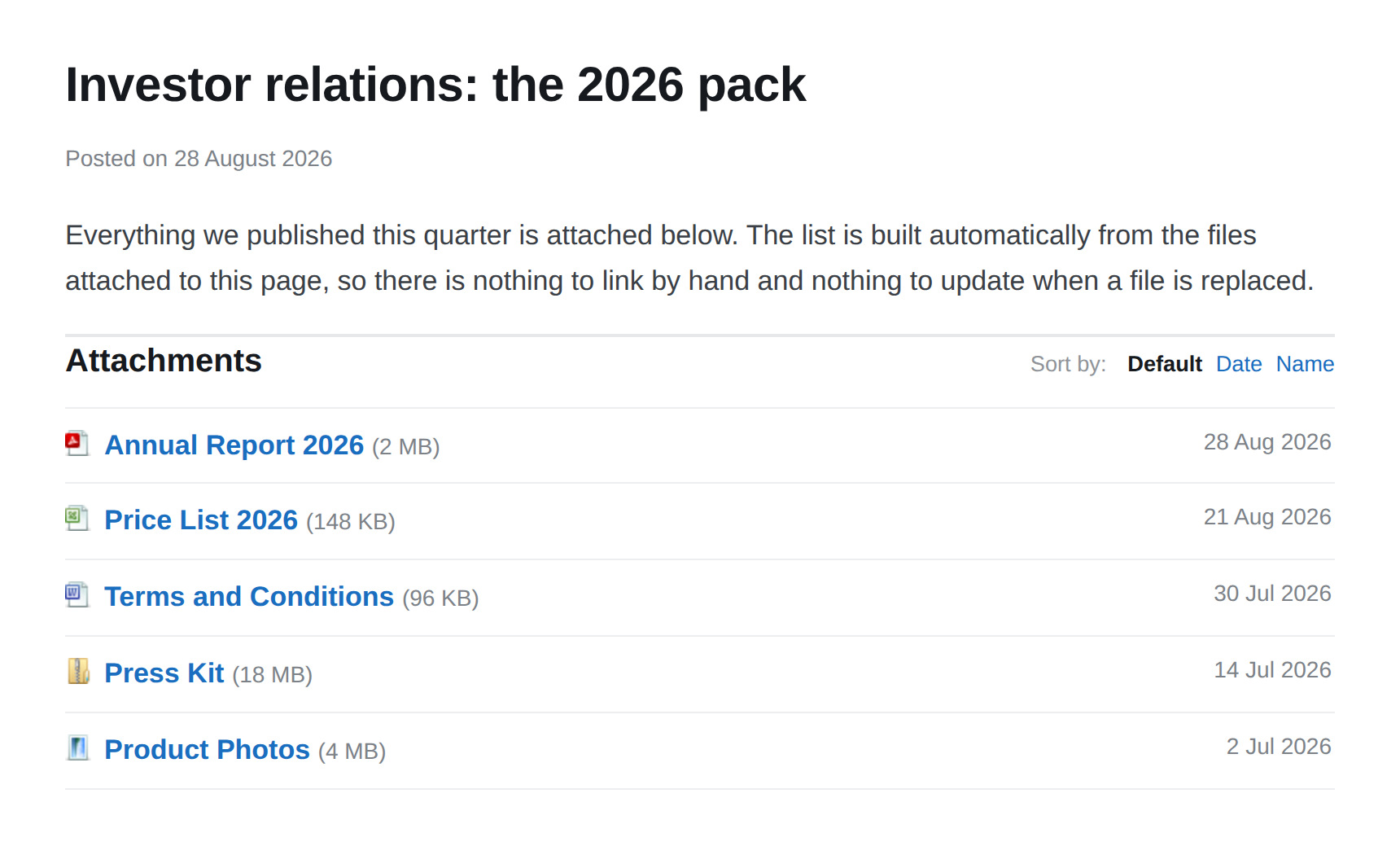
The attachment list, built automatically from the files attached to the post
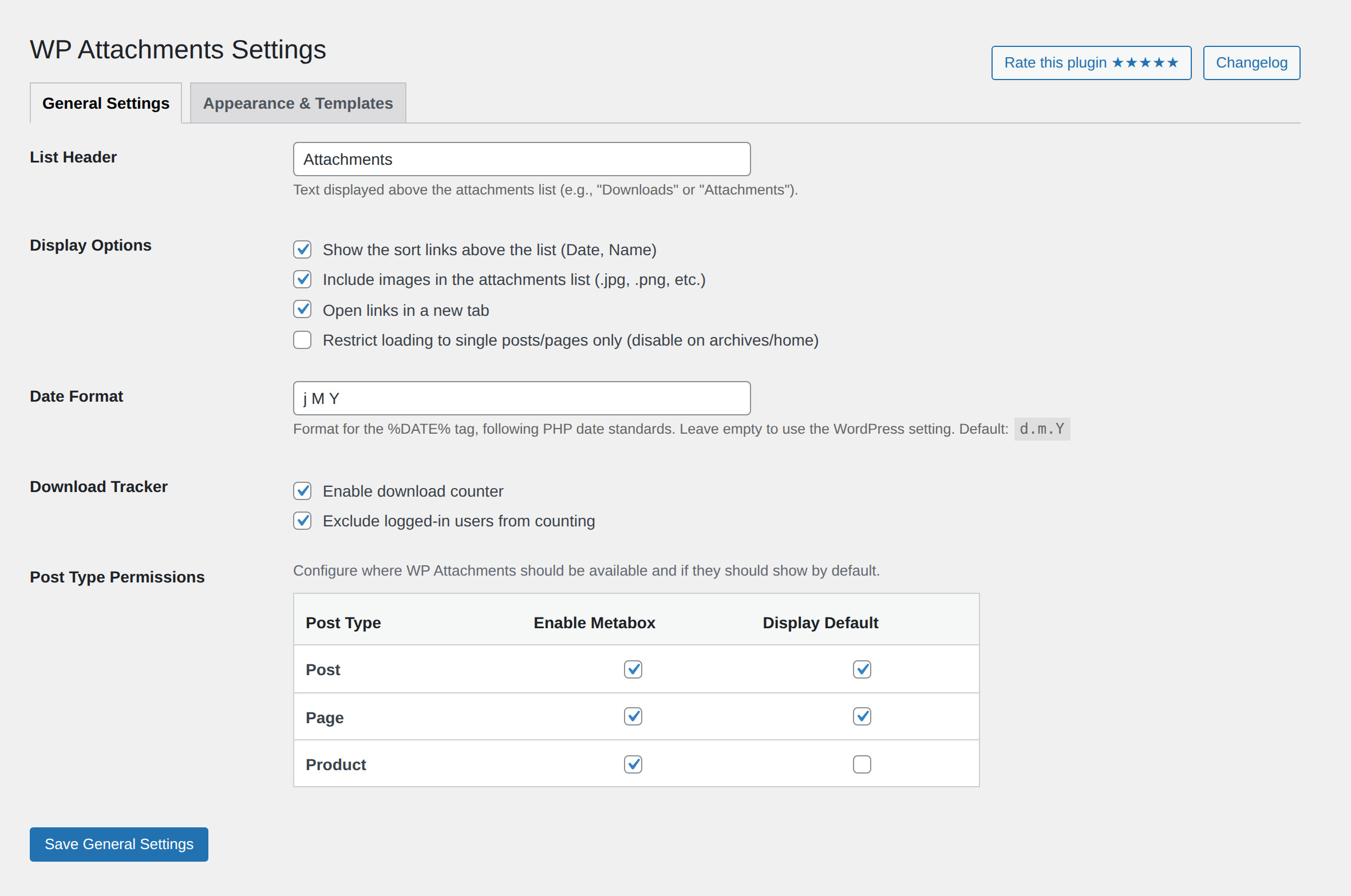
General settings: list header, display options, download tracker and per post type permissions
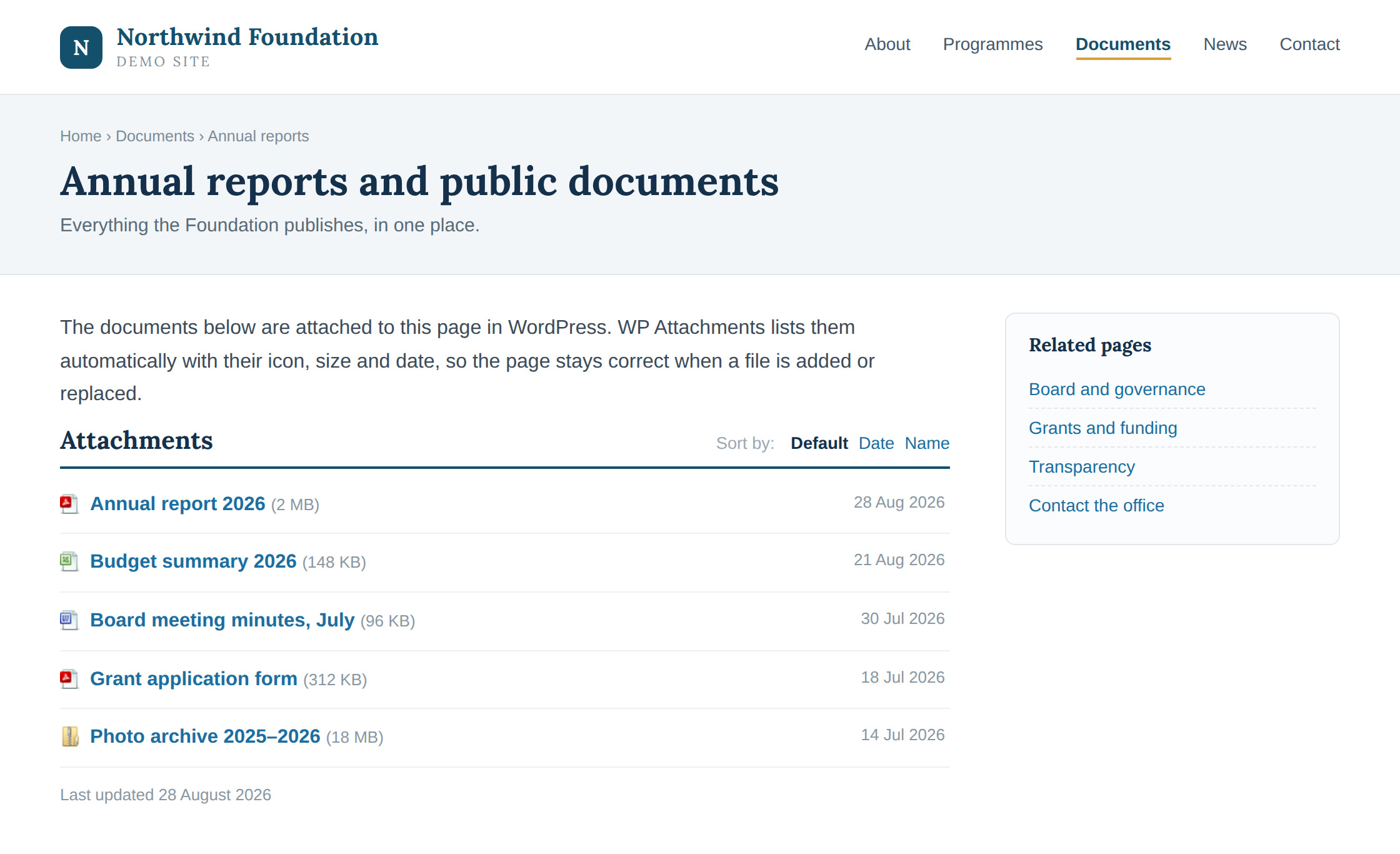
The same list in context, on a page of a demo site
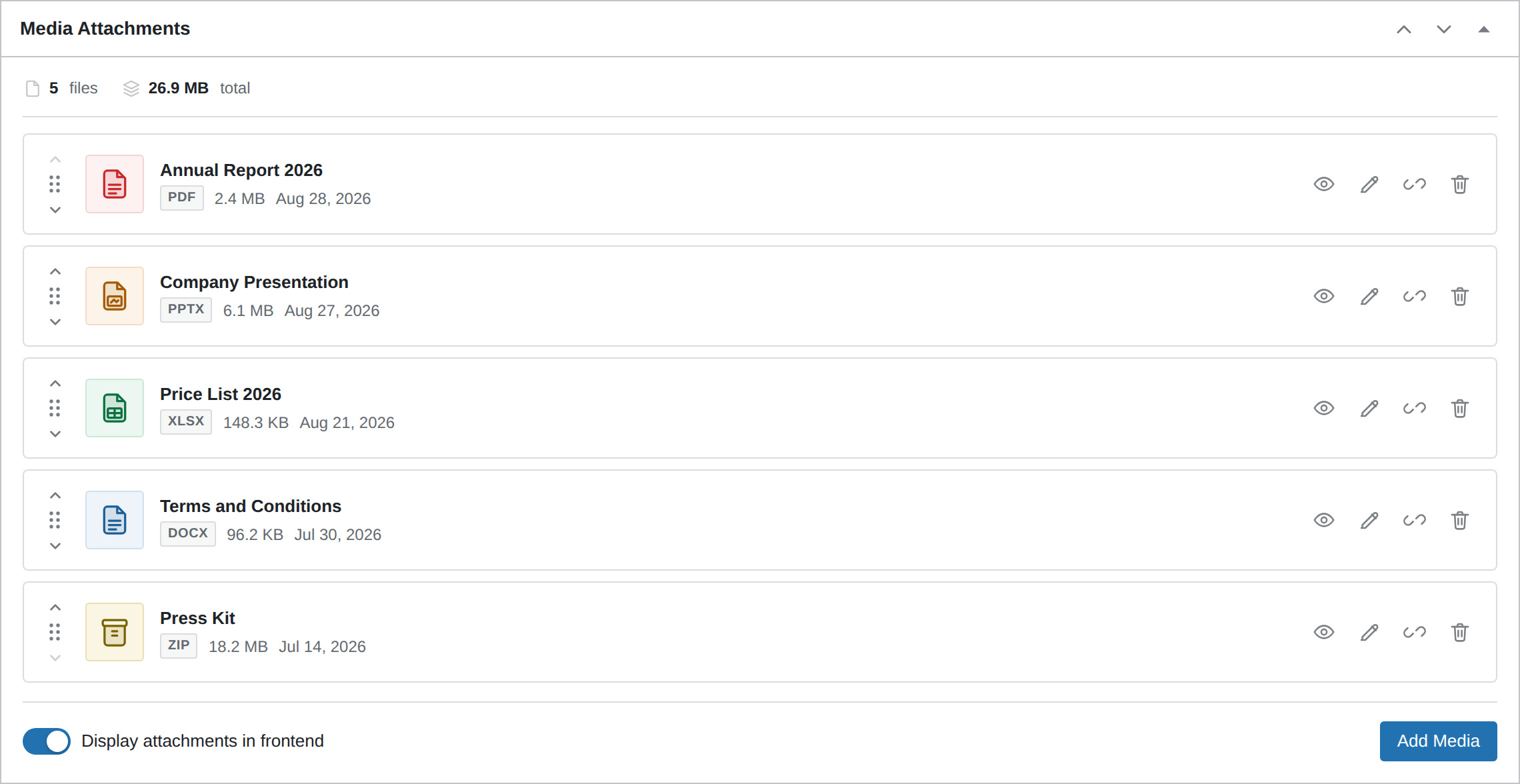
The Media Attachments metabox: manage, preview and reorder files without leaving the editor
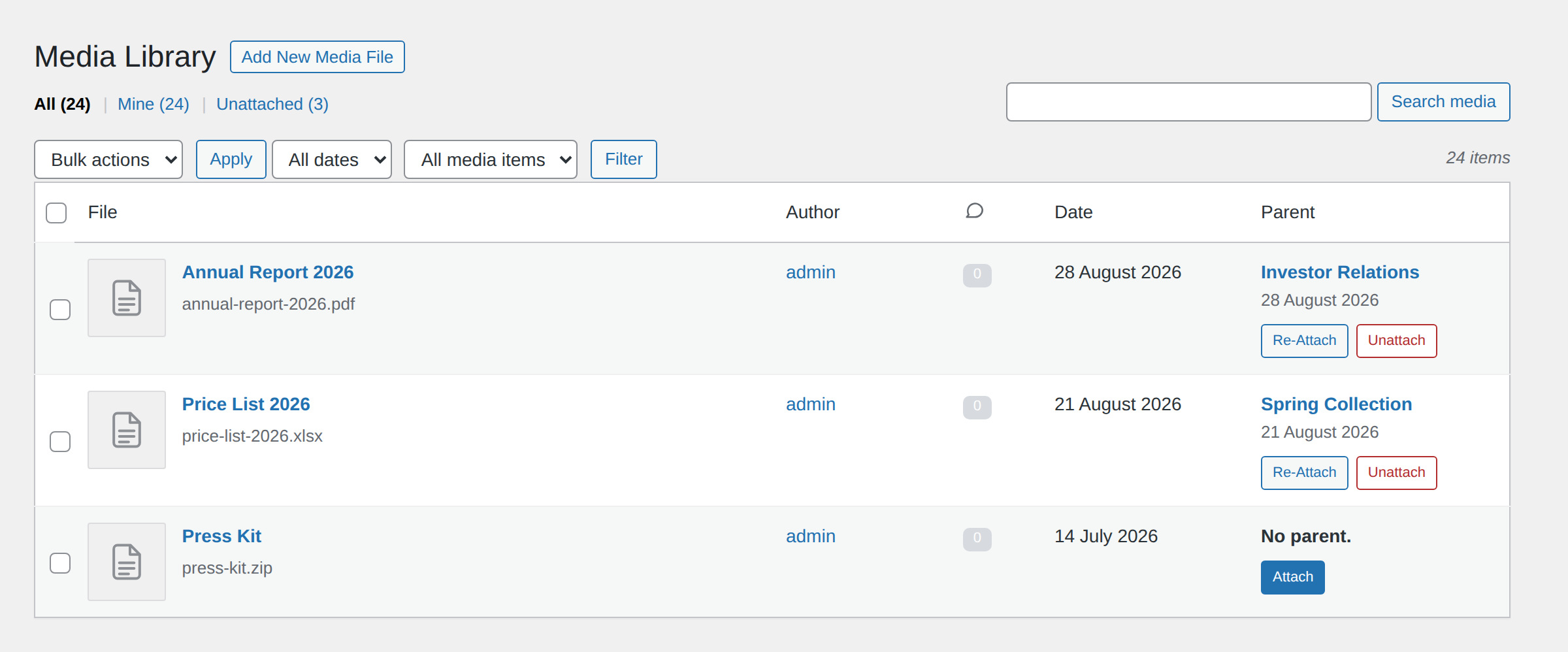
Attach, Unattach and Re-Attach files straight from the Media Library
Plugins semelhantes


Adicionar do servidor is designed to help ease the pain of bad web hosts, allowing you to upload files via FTP or SSH and later import them into WordPress.

Limpe seu WordPress! Elimine arquivos de mídia não usados e quebrados. Para ter um site mais rápido e melhor.

Very customizable plugin to list posts by category (or tag, author and more) in a post, page or widget. Uses the [catlist] shortcode to select posts.
Enhances the Media Library; powerful gallery and list shortcodes, full taxonomy support, IPTC/EXIF/XMP/PDF processing, bulk/quick edit.

Add a Default Featured Image for all posts & pages.