Plugin de automação e integração com formulários de contato, Google Sheets, MailChimp, Brevo, Webhook e Zoho CRM, conectando mais de 320 diferentes plataformas

Booster for WooCommerce – PDF Invoices, Abandoned Cart, Variation Swatches & 100+ Tools
Hospedagem WordPress com plugin Booster for WooCommerce
Onde hospedar o plugin Booster for WooCommerce?
Este plugin pode ser hospedado em qualquer hospedagem que possua WordPress configurado. Recomendamos fortemente optar por uma empresa de hospedagem seguro, com servidores otimizados para WordPress, como o serviço de hospedagem WordPress da MCO2.
Hospedando o plugin Booster for WooCommerce em uma empresa de hospedagem seguro
A MCO2, além de instalar o WordPress na versão mais atual para seus clientes, oferece o WP SafePress, um mecanismo singular que salvaguarda e melhora seu site simultaneamente.
Por que a Hospedagem WordPress funciona melhor na MCO2?
A Hospedagem WordPress funciona melhor pois a MCO2 possui servidores otimizados para WordPress. A instalação de WordPress é diferente de uma instalação trivial, pois habilita imediatamente recursos como otimização de imagens e fotos, proteção da página de login, bloqueio de atividades maliciosas diretamente no firewall, cache avançado e HTTPS ativado por padrão. São plugins que potencializam seu WordPress para a máxima segurança e o máximo desempenho.
New in 8.5.1 – Useful store updates, on your terms
Short Booster announcements stay on Booster pages, not across your WordPress dashboard. Dismiss a notice once and it stays dismissed for your account. Existing store settings are preserved.
New in 8.5.0 – Set up branded invoices with less guesswork
- Let customers keep a shopping shortlist: opt into retaining Wishlist items after adding them to the cart. Existing removal behavior stays the default after upgrade.
- Offer clearer shipping choices: setup guidance explains category OR minimum-order free shipping using separate methods, without automatically changing store rules.
- Preview before you switch on: add your business details and an optional local logo, then check a sample PDF without editing HTML.
- Stay in control: review the proposed settings before activation. Samples do not use real orders, consume invoice numbers or send customer emails. Existing templates and advanced settings stay available.
- Choose how invoices reach customers: the Free guide supports invoices generated manually or on completed orders, with an optional attachment to the customer completed-order email.
- Work in your preferred admin language: selected Booster screens and the new guide gain Dutch translations. Coverage is partial, with English fallback; saved content and PDF template labels are not automatically translated.
- Keep your store protected: this update includes security improvements for product details and document processing. Updating is recommended.
Existing stores are not enrolled automatically. Test your actual order and email workflow before enabling it; a sample does not verify inbox delivery or tax compliance.
New in 8.4.0 – Find delayed orders before they become customer problems
Booster Free 8.4.0 adds Order Health Light, a focused read-only view that helps store managers spot common delayed orders:
- Know what needs attention: a new WooCommerce > Order Health dashboard highlights common delayed payment, fulfillment, and on-hold workflow signals.
- Understand the wait: aging buckets and clear reasons show how long an order has been waiting and the safest merchant-controlled review step.
- Scan responsibly: the light experience reads at most 200 active candidates and displays the 20 oldest matches.
- Keep the boundary clear: advanced filters, custom-status and partial-refund reasons, Morning Store Briefing, and the Order Health Ability remain Elite-only.
- Read payment settings clearly: third-party gateways can now provide their admin names through standard WooCommerce methods, so configuration rows stay identifiable without changing checkout labels.
- Configure shipping rules with confidence: clearer Include and Exclude guidance explains when a method stays visible and warns when an Include rule narrows WooCommerce Free shipping.
- Keep private settings private: option-reading shortcodes now require WooCommerce management permission, blocking guests and lower-privilege accounts at the sensitive function itself.
Order Health never changes an order, issues a refund, sends a customer message, or makes an AI-generated business decision.
New in 8.3.0 – A stronger store today, an AI-ready foundation for tomorrow
Booster 8.3.0 is a reliability-and-readiness release designed to keep everyday store operations dependable as WooCommerce evolves:
- More confidence around orders and refunds: hardened order handling supports both HPOS and legacy storage, including partial refunds, scheduled order work, and download-permission regeneration.
- More consistent payment choices at checkout: product/category gateway rules now use the same supported server logic in Checkout Blocks and Classic Checkout, helping configured payment methods stay predictable during cart updates.
- Less repeated work: shared request-level Store API detection avoids re-checking the same request context while leaving your saved settings and storefront behavior unchanged.
- A safer path toward AI-assisted store operations: on WordPress 6.9 and later, authorized store managers can securely read concise summaries of available Booster modules, compatibility boundaries, and Booster-owned background jobs through three new WordPress abilities.
What the AI-ready foundation means: this is the first infrastructure layer for future Booster experiences such as guided store diagnostics, clearer operational summaries, and safer connections to AI and automation tools. It is intentionally read-only and permission-protected. Booster 8.3.0 does not add a chatbot, connect to an AI provider, send store data to AI services, expose customer or order records, or let an integration change store settings. Older WordPress versions continue normally without loading this integration.
Supercharge WooCommerce with powerful PDF Invoices, smart Dynamic Pricing, visual Product Variation Swatches, global Multi-Currency support, a flexible Checkout Field Editor, versatile Product Addons, and over 100+ more essential tools – all in one plugin! Booster offers a comprehensive suite, replacing dozens of individual extensions without the bloat. Activate only the modules you need, keeping your store fast, lean, and feature-rich. Many core features are completely free.
Trusted by more than 100,000 WooCommerce stores worldwide — including 40,000+ active installations of the free version on WordPress.org and tens of thousands of Booster Elite customers — Booster for WooCommerce is the #1 all‑in‑one toolkit for your store. Need branded PDF invoices that rival standalone solutions? Automatic multi‑currency with live FX? Advanced dynamic pricing rules and discounts? Or a drag‑and‑drop checkout‑field editor? Booster empowers you with single-click activation for each powerful, speed-optimized module.
Why Store‑Owners & Agencies Choose Booster’s Free & Elite Versions
- Comprehensive Toolkit: One install gives access to 110+ features – stop stacking $79 add‑ons.
- Zero Coding Needed: Clean UI, granular toggles, ready in minutes for everyone.
- Modular & Performant: Disabled modules never load, ensuring your site stays fast. (We encourage you to check out performance benchmarks on Booster.io!)
- Reliable & Supported: Regular updates & < 24 hr WordPress.org support forum replies.
New in 8.2.0 – Faster pricing and clearer checkout confidence
Booster now does less repeated work in six common WooCommerce hot paths, without changing your saved pricing rules:
- Role-based prices: identical price decisions are reused during the current page or cart request.
- Variable products: role, formula, and multi-currency context is prepared once and reused while WooCommerce builds variation prices.
- Order exports: price precision and additional-field settings are normalized once, while large exports continue in bounded batches.
- Payment recalculation: gateway-fee product context is reused for an unchanged cart and refreshed when products, variations, or quantities change.
- Product and category rules: pricing and payment conditions share safe request-local taxonomy context instead of repeating the same lookups.
- Earlier exits: empty prices, scalar currency conversions, unrestricted gateway rules, and irrelevant gateway screens skip work they do not need.
Payment-method fees are also more predictable as customers update their cart and choose a gateway. Store managers get a new read-only Booster Status page that explains active Checkout Blocks and HPOS boundaries in plain language and flags settings that still need Classic Checkout.
Order exports now process large order sets in smaller batches and reuse WooCommerce order objects under HPOS. Existing Free feature limits remain unchanged; the release improves the capabilities already included in Free.
New in 7.4.0 – Guided onboarding for faster wins
Spin up common store setups in minutes with 4 new one-click goals (Professional invoices • Boost conversions • Better checkout • Store essentials). A clear 3-step progress bar guides you, and the success screen points you to the next best action—no hunting through settings. It’s fully keyboard accessible and mobile friendly.
What the new goals do (free tier):
- Professional invoices (starter): turns on PDF Invoice generation (invoice only).
- Boost conversions: enables Product Add-ons (single) and Related Products.
- Better checkout (basics): enables Checkout Core Fields and More Button Labels.
- Store essentials: enables Sequential Order Numbers and Product Tabs (single).
New in 7.5.0 – Blueprints: real outcomes, faster
Skip the guesswork. Blueprints apply a sensible, free-tier setup in one click, then point you to the next best action:
- Recover Lost Sales: turn on Cart Abandonment (Lite: single email) and send a test; suggested next step—add a 10% coupon.
- Boost AOV: enable Product Add-ons (single) and tune Related Products to increase basket size.
- Sell Internationally: prep your store with essentials + checkout basics, then guided steps to add EU/UK shipping, taxes, and payments.
What you’ll notice:
- Quick Setup ⇄ Blueprints switcher in onboarding.
- A clear Choose Review Complete path with Next Steps and deep-link buttons.
- “Applied” badges and a dedicated Undo that only reverts what was changed.
- Smoother mobile and keyboard navigation with accessible status announcements.
All changes stay within Free limits; no paid features are toggled.
Key Free Features You Can Use Today
Unlock a wealth of functionality for your WooCommerce store with Booster’s powerful free modules. Here are some of the core solutions you can implement immediately:
Professional PDF Invoicing & Packing Slips (Free Core Functionality)
Automatically generate and attach customizable PDF invoices and packing slips to WooCommerce emails. Our free tools provide robust options for customization to match your brand, as powerful as many dedicated PDF invoice plugins!
Pro Tip: Upgrade to Booster Elite for proforma invoices, credit notes, and more advanced templating.
Learn more: PDF Invoicing & Packing Slips
Advanced Prices and Currencies (Free Foundational Tools)
Attract a global audience by displaying prices in different currencies with our basic multi-currency display. Set up site-wide global discounts and manage product price labels effectively. Need a bulk price editor? Booster has you covered.
Pro Tip: Booster Elite unlocks unlimited currencies, automatic exchange rate updates, and dynamic pricing by user role or country.
Learn more: Prices and Currencies
Customizable Cart and Checkout (Free Essentials)
Enhance the shopping cart and checkout experience. Add crucial custom checkout fields (e.g., for EU VAT numbers), manage basic additional fees, add custom buttons, and tailor the checkout flow with our free checkout field editor options to improve conversions.
Pro Tip: Get advanced conditional logic for checkout fields, file uploads, and more with Booster Elite.
Learn more: Cart and Checkout Customization
Basic Abandoned Cart Recovery (Free)
Start recovering lost sales! Our free tool tracks recently abandoned WooCommerce carts and allows you to send one automated email reminder after a user-selectable fixed time (e.g., 1, 3, or 24 hours) to encourage customers to complete their purchase. See a simple list of abandoned carts and identify which ones get recovered. A great way to experience the power of cart recovery!
Learn more: Abandoned Cart Recovery for WooCommerce
Product Input Fields & Addons (Free Basic Options)
Add essential custom input fields to your products, either globally or per-product. Offer simple product customizations with basic product addons. Allow customers to provide more information for personalized items.
Pro Tip: Booster Elite offers more addon types, conditional logic, and advanced input field options.
Learn more: Product Input Fields & Product Addons
Product Variation Swatches (Free Lite Version)
Replace standard WooCommerce dropdowns with basic button swatches. Our free “Swatches Lite” lets you enable this for up to 2 global product attributes (e.g., Color, Size), making product selection more visual and intuitive for your customers.
Pro Tip: To unlock powerful Image Swatches, Color Swatches, and advanced customization options, consider upgrading to Booster Elite.
Learn more: Product Variation Swatches
Basic Product Wishlist (Free)
Allow your customers to save their favorite products for later! Our free Wishlist Lite enables users to add items to a personal wishlist from product pages, easily accessible via their “My Account” page. A simple way to boost engagement and encourage return visits.
Learn more: Wish List for WooCommerce
Custom Button and Price Labels (Free)
Take control over your store’s calls to action and pricing display. Change default price labels and create custom buttons. The included WooCommerce Free Price Labels module lets you easily set custom labels for products without a price.
Learn more: Custom Button and Price Labels
Payment Gateways (Free Basic Setup)
Our foundational gateway tools allow you to set up basic custom WooCommerce payment gateways. Define visibility based on currency, shipping method, or location, and set minimum/maximum cart totals for gateways to appear.
Learn more: Payment Gateways
Emails, Reporting & Admin Tools (Free Core Utilities)
Improve your store administration with essential tools. Add custom emails and additional recipients for WooCommerce notifications. Generate basic sales and customer reports, and utilize user tracking features. Basic WPML support is also included for multilingual sites.
Learn more: Emails, Reporting & Admin Tools
Basic Sales Notifications (Free)
Show simple “recent purchase” pop-ups from confirmed orders (Completed by default; optional Processing). Fixed template and timing; choose bottom-left or bottom-right. Great for quick social proof.
Learn more: Sales Notifications
Basic Pre-Orders (Free for Limited Products)
Turn on pre-orders for up to 3 selected products (default 1). Fixed button text/message; orders flow through WooCommerce normally. A low-friction way to gauge demand.
Learn more: Pre-Orders
Why Upgrade to Booster Elite?
While the free version of Booster provides a massive toolkit, Booster Elite unlocks the full potential of your WooCommerce store, helping you increase sales, improve customer experience, and streamline operations.
- Unlock All 110+ Elite Features: Get advanced functionalities like unlimited currencies with auto-exchange rates, powerful conditional logic for checkout fields, proforma invoices, credit notes, automated PayPal tracking sync, and much more.
- Save Money: Replace 5-10+ individual premium plugins (each costing $49-$99+) with one comprehensive, affordable solution.
- Premium Support: Get faster, dedicated support from our expert team.
- Peace of Mind: One trusted, well-maintained plugin reduces compatibility issues and simplifies updates.
Compare Booster Free vs. Elite Features
Booster Elite comes with a 30-day no-questions-asked money-back guarantee. If you’re not completely satisfied, we will give you 100% of your money back!
Upgrade to Booster Elite Now & Grow Your Store!
Detailed List of Features
Due to new WordPress.org readme.txt standards, we have summarized our features and cannot be as detailed as before in identifying all paid and free features in the description. Reach out to us if you have specific questions on paid vs. free features.
Subscription Customization
* Subscriptions – Manage subscriptions, allow cancellation, change payment dates, and more. (Paid feature)
Marketing
* Sales Notifications – Display basic recent purchase notifications (fixed template; 2 positions; fixed timing) (Free). Elite unlocks full text/images, multiple statuses, styling, sounds, device rules, and precise timing.
Prices & Currencies
* Best Price – Customers suggest prices. (Paid feature)
* Bulk Price Converter – Adjust prices in bulk.
* Currencies – Add global currencies; custom currencies in free version.
* Currency Exchange Rates – Automatic updates with multiple servers.
* Currency for External Products – Set different currencies for external products.
* Currency per Product – Display prices in different currencies.
* Global Discount – Apply discounts to all products.
* Multicurrency – Multiple currencies with a switcher; limited in free version.
* Multicurrency Product Base Price – Set product prices in different currencies.
* Offer Your Price – Customers suggest prices for products.
* Price Formats – Customize price formats per currency.
* Price based on User Role – Display prices by user role. (Paid feature)
* Prices and Currencies by Country – Change prices and currencies by country.
* Product Open Pricing – Customers manually enter prices.
* Product Price by Formula – Automatic price calculation formulas.
* Wholesale Price – Set wholesale pricing based on quantity.
Button & Price Labels
* Add to Cart Button Labels – Customize Add to Cart button text.
* Call for Price – Custom price labels for …
Capturas de tela
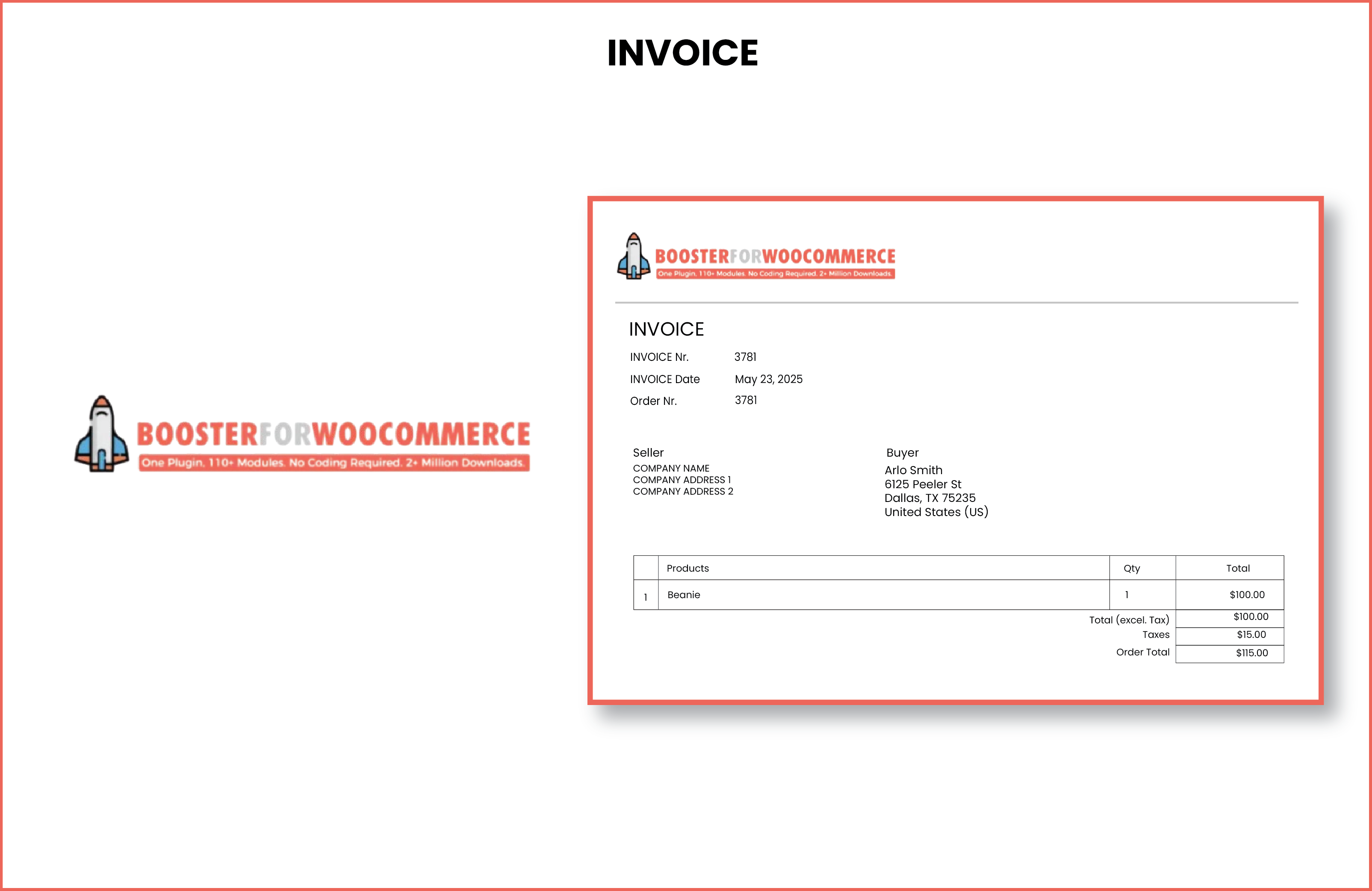
Booster for WooCommerce - PDF Invoice Example.

Booster for WooCommerce - Currency Switcher in Action.
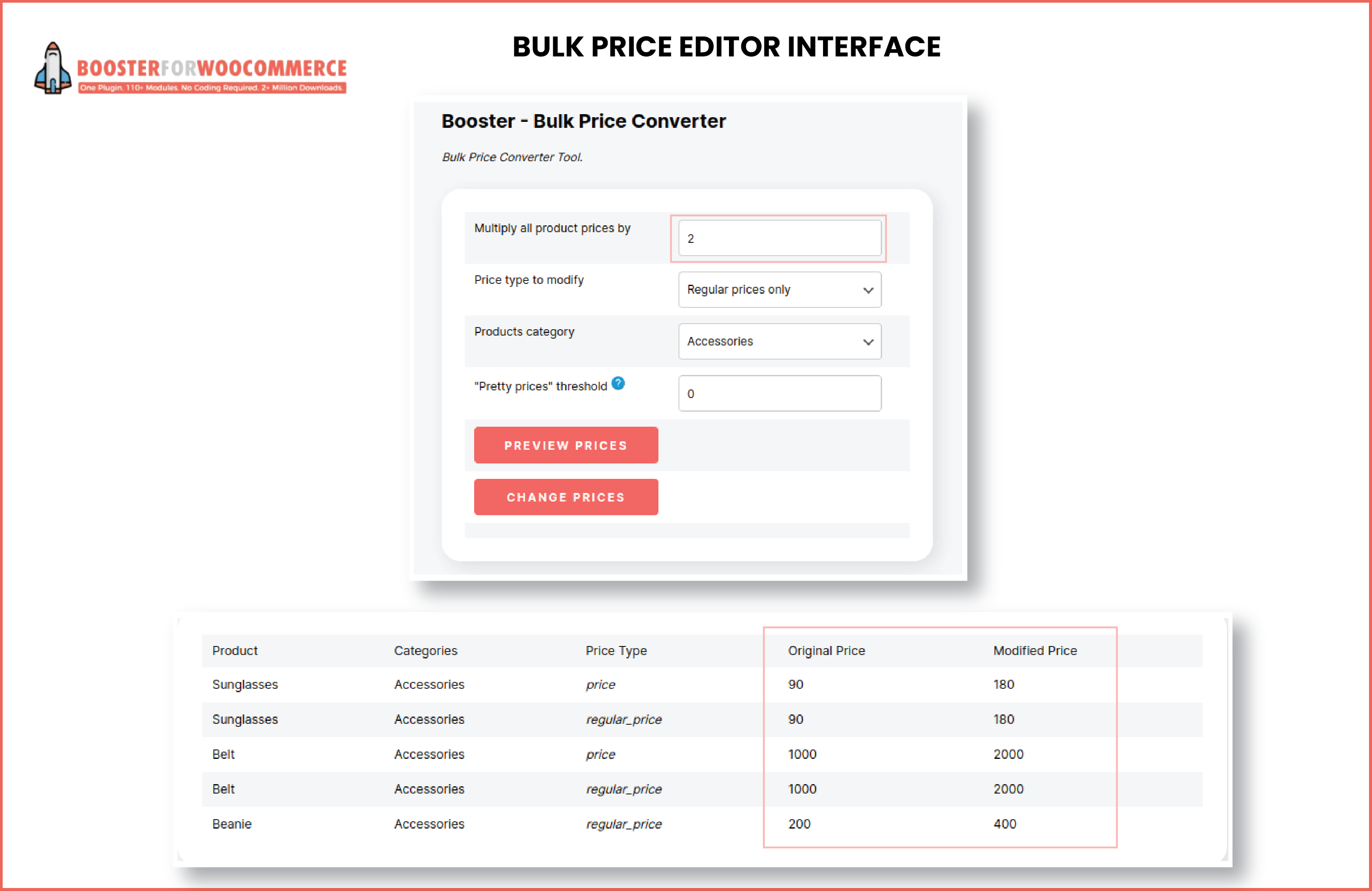
Booster for WooCommerce - Bulk Price Editor Interface.
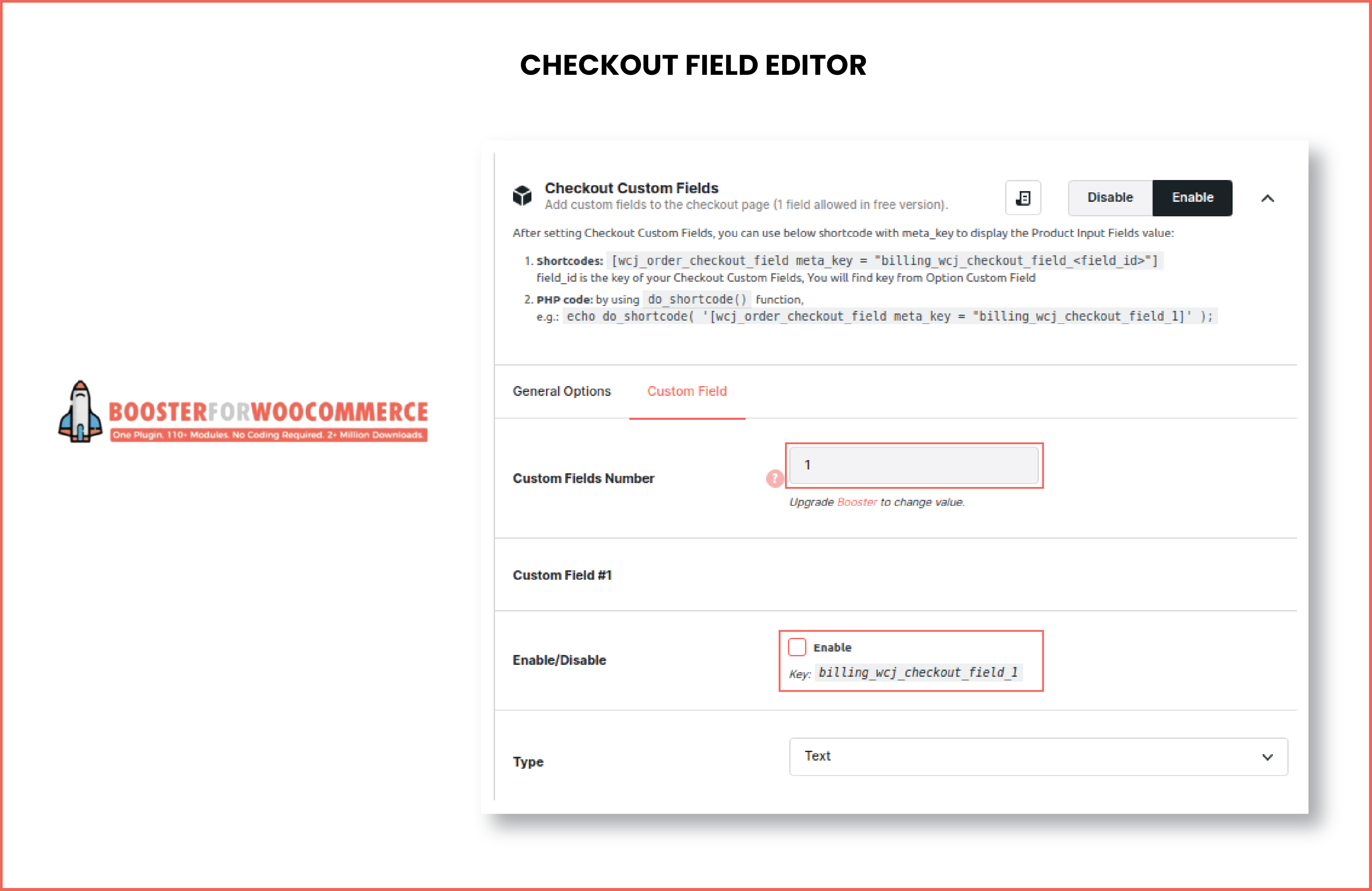
Booster for WooCommerce - Checkout Field Editor.
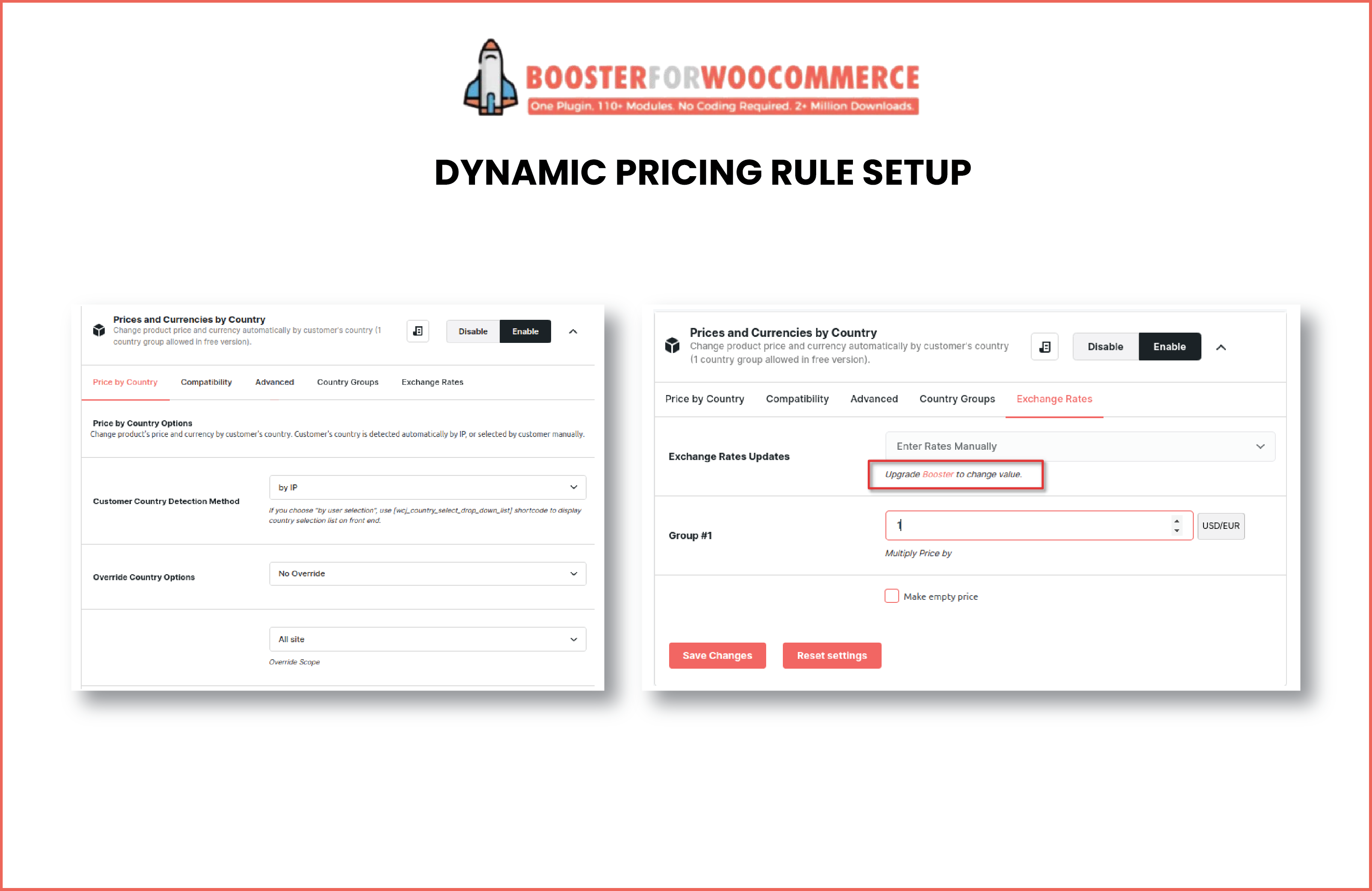
Booster for WooCommerce - Dynamic Pricing Rule Setup.
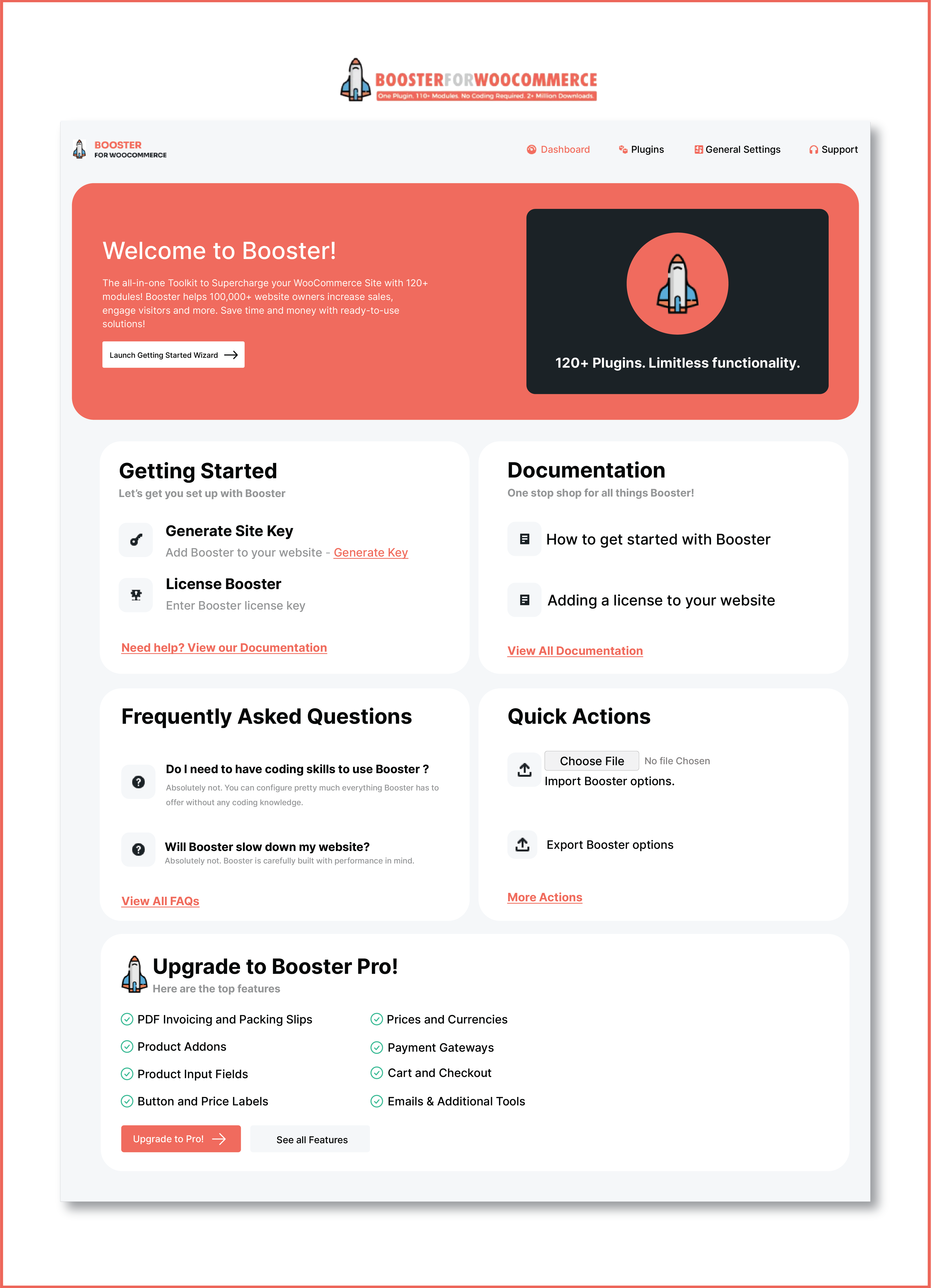
Booster for WooCommerce - Dashboard Overview.
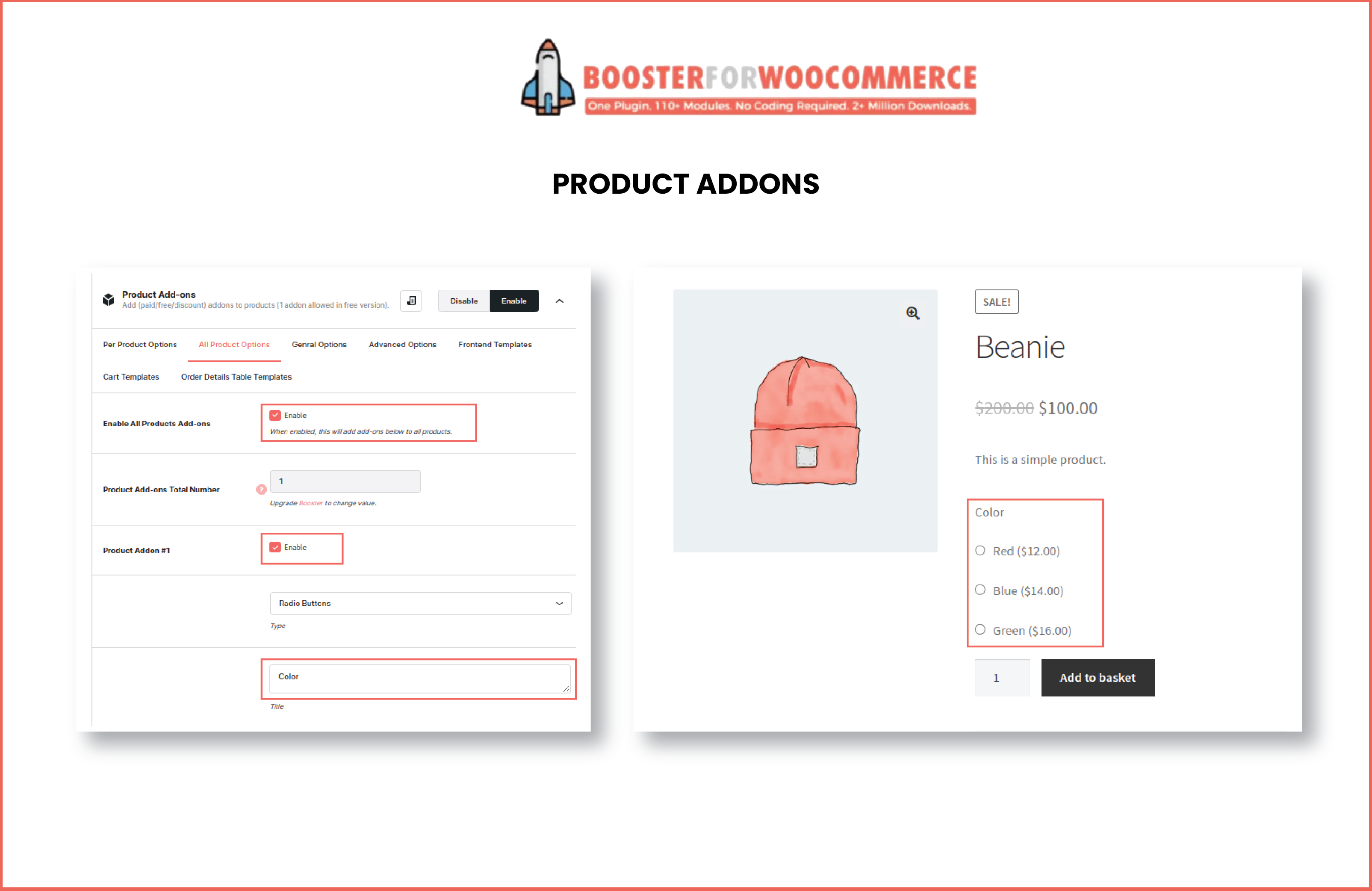
Booster for WooCommerce - Product Addons Example.
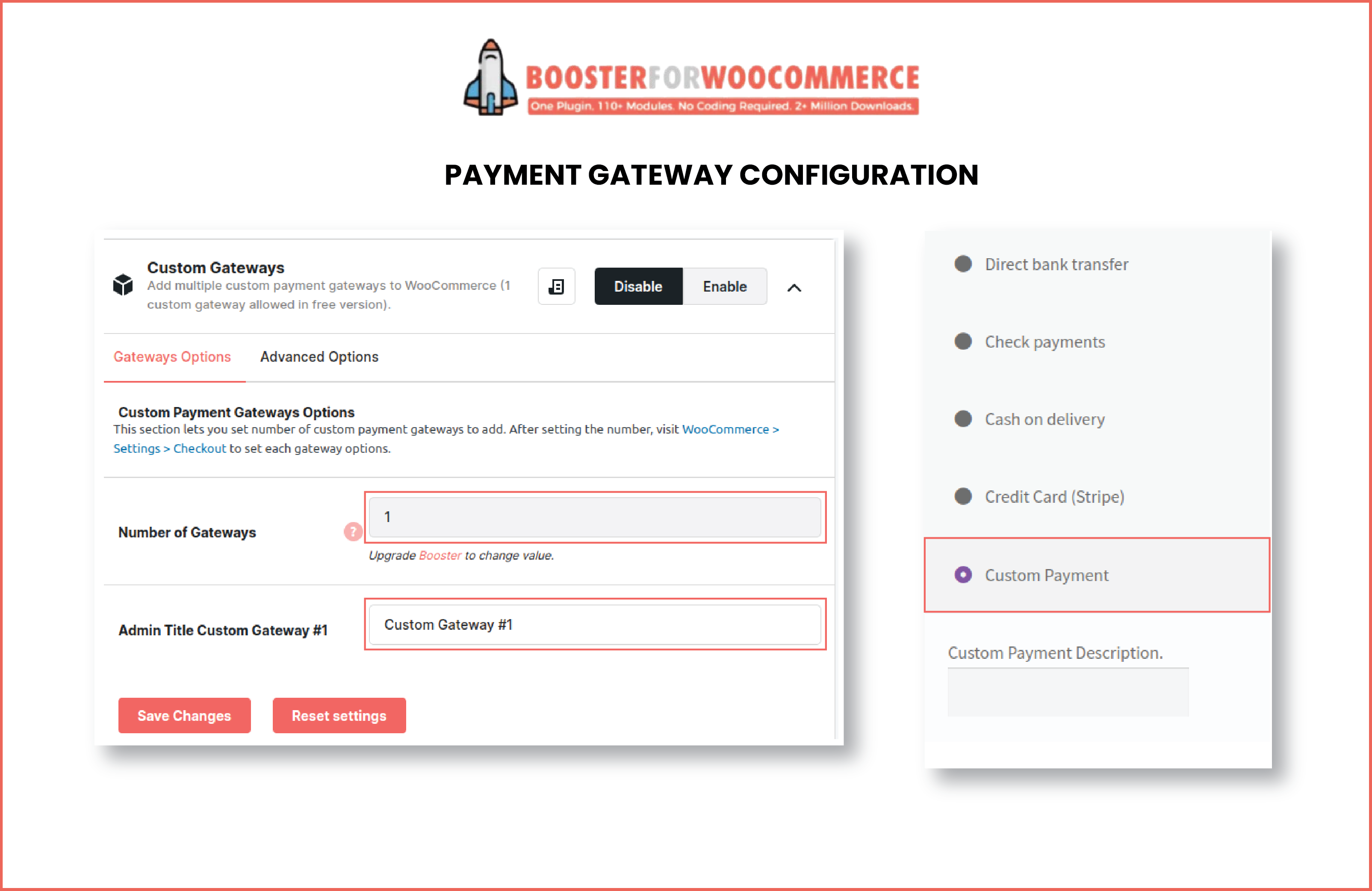
Booster for WooCommerce - Payment Gateway Configuration.
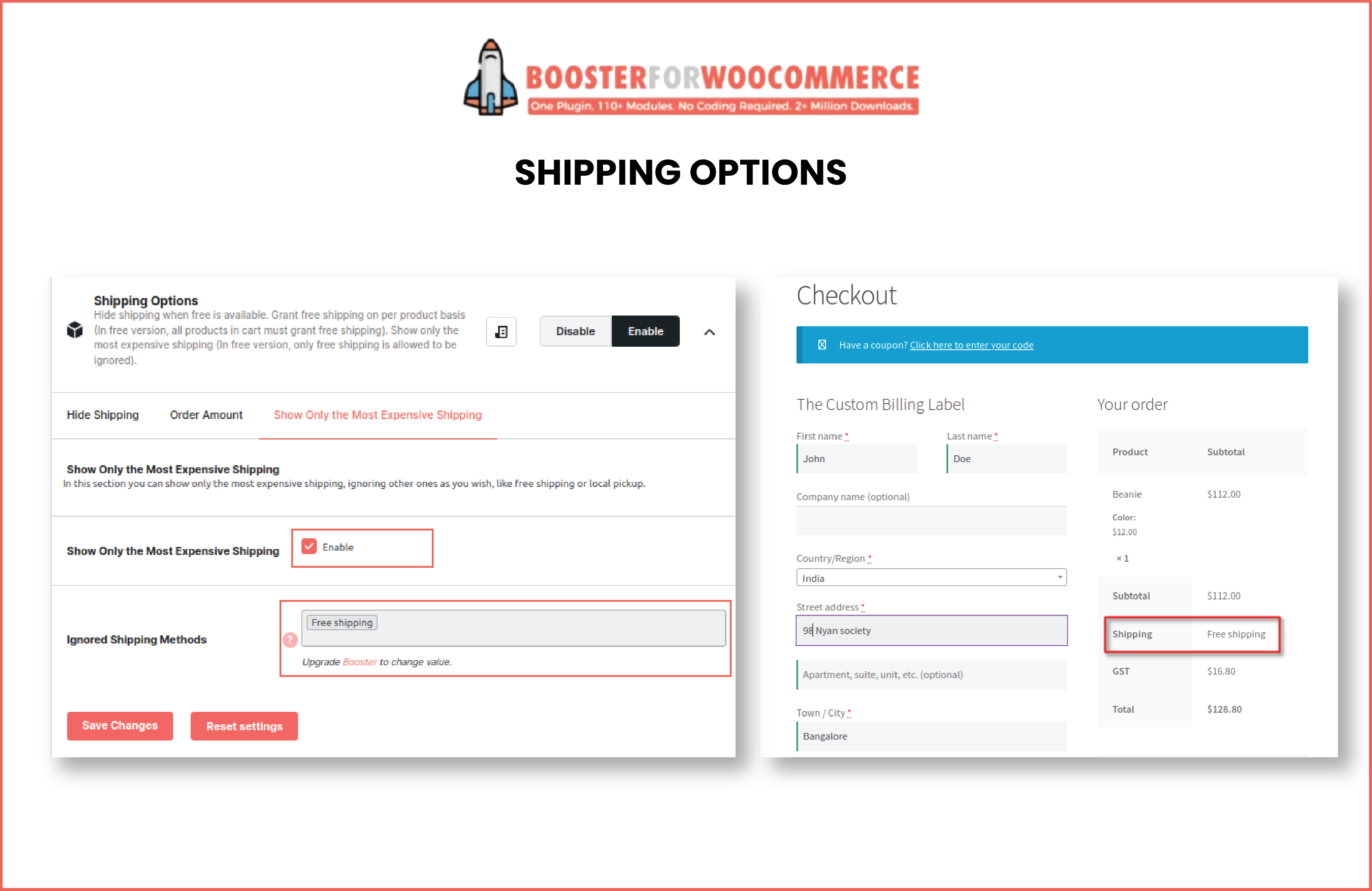
Booster for WooCommerce - Shipping Options.
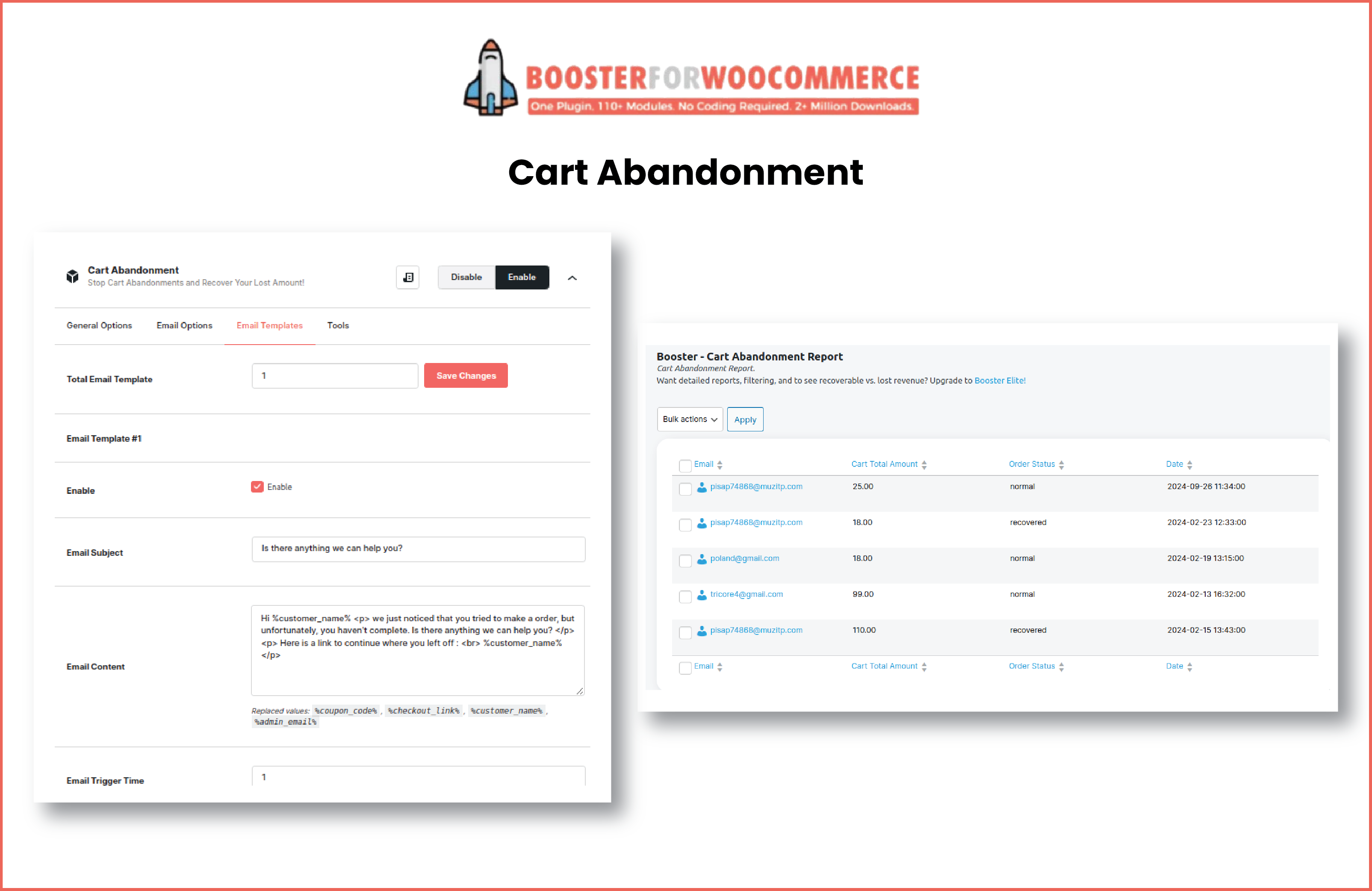
Booster for WooCommerce - Cart Abandonment.
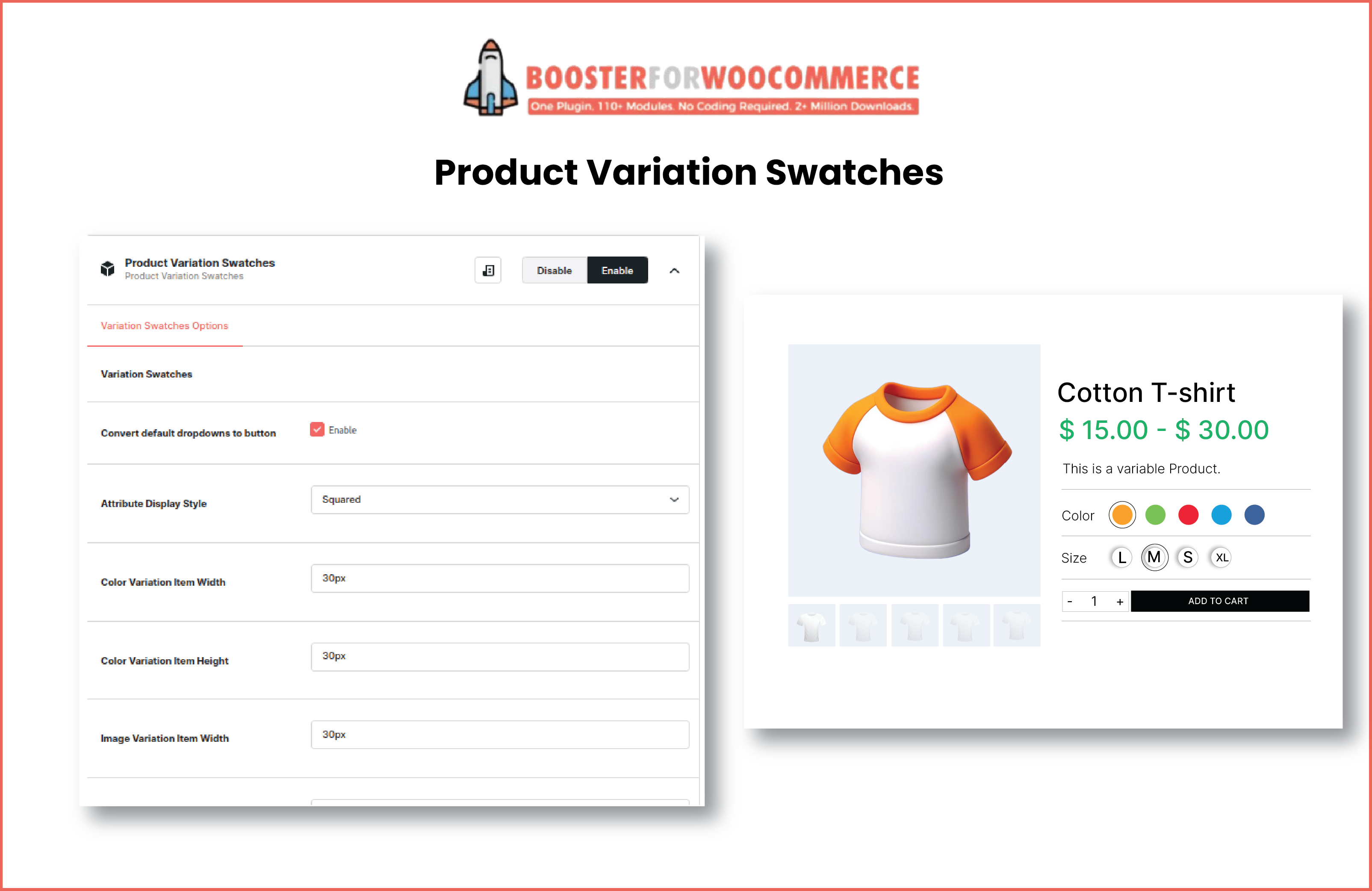
Booster for WooCommerce - Product Variation Swatches.
Plugins semelhantes


Adicione facilmente uma variedade de campos personalizados a produtos WooCommerce, desde caixas de texto até seletores de data, permitindo que os clientes personalizem seus pedidos.