Crie, imprima & envie automaticamente por e-mail faturas em PDF ou XML & notas de embalagem em PDF para pedidos do WooCommerce.

Print Invoice & Delivery Notes for WooCommerce
Hospedagem WordPress com plugin Print Invoice & Delivery Notes for WooCommerce
Onde hospedar o plugin Print Invoice & Delivery Notes for WooCommerce?
Este plugin pode ser hospedado em qualquer servidor que tenha WordPress configurado. Recomendamos utilizar um provedor de hospedagem seguro, com servidores adaptados para WordPress, como o serviço de hospedagem da MCO2.
Hospedando o plugin Print Invoice & Delivery Notes for WooCommerce em um provedor seguro
A MCO2, além de instalar o WordPress na versão mais atual para seus clientes, oferece o plugin WP SafePress, um sistema singular que assegura e otimiza seu site ao mesmo tempo.
Por que a Hospedagem WordPress funciona melhor na MCO2?
A Hospedagem WordPress funciona melhor pois a MCO2 possui servidores otimizados para WordPress. A instalação de WordPress é diferente de uma instalação trivial, pois habilita imediatamente recursos como otimização automática de imagens, proteção da página de login, bloqueio de atividades suspeitas diretamente no firewall, cache avançado e HTTPS ativado por padrão. São plugins que potencializam seu WordPress para a máxima segurança e o máximo desempenho.
Print Invoice & Delivery Notes for WooCommerce helps store owners generate printable PDF invoices, delivery notes, receipts, credit notes, and packing slips directly from WooCommerce orders.
Store admins can print order documents individually or in bulk, attach invoice PDFs to WooCommerce emails, and customize invoice templates with company branding, invoice numbering, billing details, and footer content.
Customers can access and download invoices from the WooCommerce My Account page and order emails, making it easier to manage order records without contacting store support.
Ideal for WooCommerce stores that need a simple solution for invoice management, order fulfilment, customer records, and accounting workflows.
Key Features
Generate and Print WooCommerce Invoices
Generate printable invoices, delivery notes, receipts, credit notes, and packing slips directly from WooCommerce orders.
The plugin adds:
- An Order Printing panel to the Edit Order page
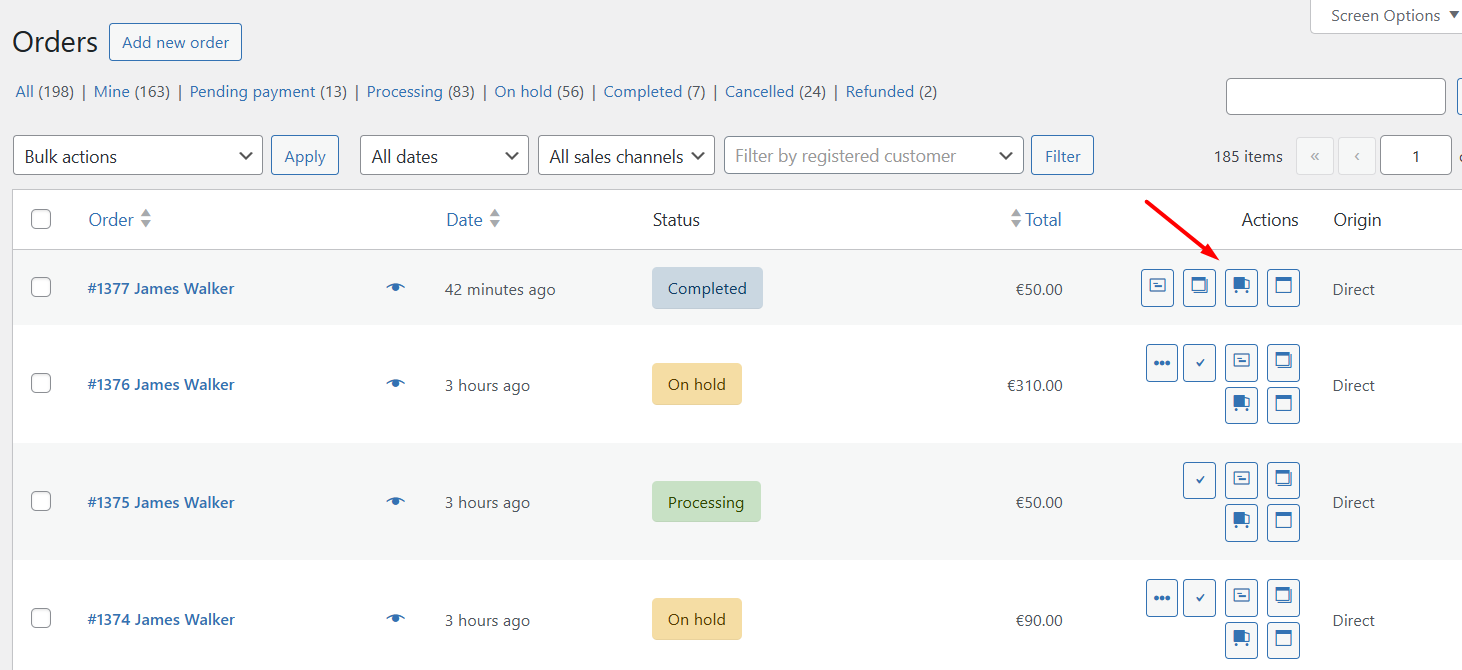
- Print actions on the WooCommerce Orders screen
- Quick access to print order documents while managing orders
This helps streamline WooCommerce order processing and fulfillment workflows.
Send Invoice PDFs in WooCommerce Emails
Add invoice and delivery note print links to WooCommerce order emails sent to customers and store admins.
Choose which order statuses — such as Processing or Completed — should include invoice print links in emails.
Customers and admins can open, print, or download invoice PDFs directly from WooCommerce emails.
Customize Invoice and Delivery Note Templates
Customize invoice, receipt, and delivery note templates to match your WooCommerce store branding and business requirements.
Available customization options include:
- Company logo, name, and address
- Invoice titles and invoice numbering formats
- Billing and shipping details
- Payment information
- Footer text and store policies
- Customer notes and contact details
The plugin includes two built-in invoice layouts and a live preview option to review changes before saving.
Bulk Print WooCommerce Invoices
Bulk print invoices, receipts, delivery notes, and packing slips directly from the WooCommerce Orders page.
Select multiple orders and generate printable order documents using WooCommerce Bulk Actions without opening each order individually.
Useful for WooCommerce stores managing high order volumes, warehouse operations, and fulfillment workflows.
Allow Customers to Download WooCommerce Invoices
Customers can access invoices and receipts from:
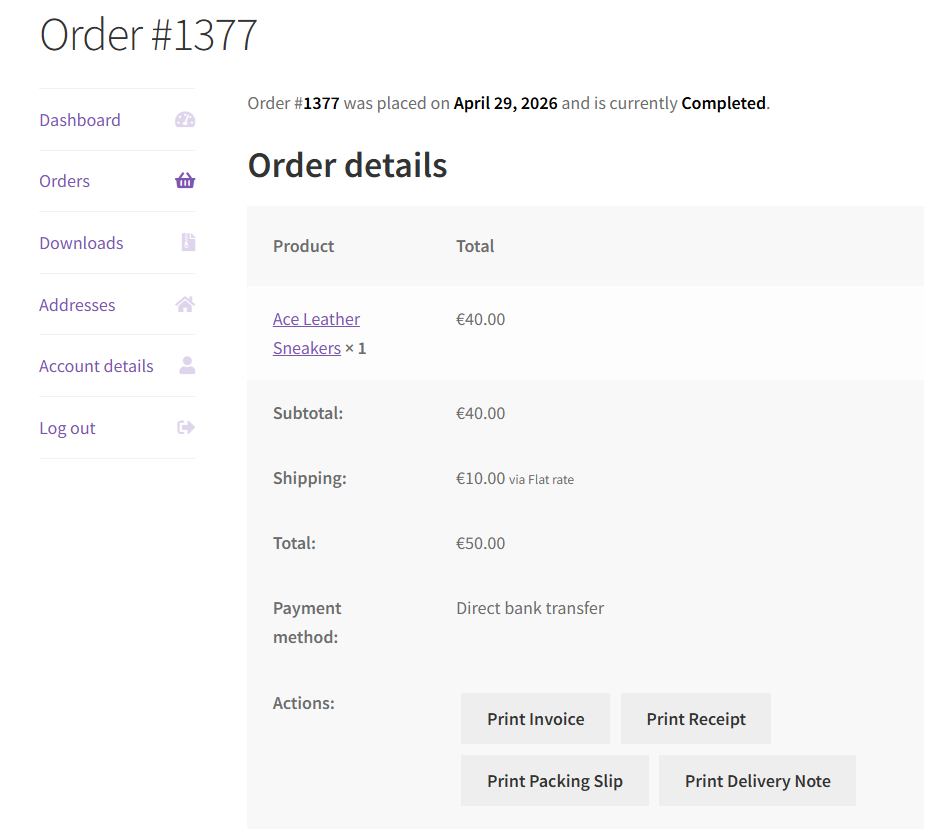
- My Account Orders page
- WooCommerce order confirmation emails
- Order-related email notifications
This improves the post-purchase experience and reduces customer support requests related to invoice downloads and order records.
Additional Features
- Live preview – see changes in real-time before saving
- Adjust logo size – set custom length and height for your company logo
- Company logo, name, and address added to invoices
- Customize invoice numbering with prefix and suffix
- Display print links in emails based on order status
- Store PDF files for a configurable duration
- Supports Sequential & Custom Invoice Numbers
- Keeps invoices accurate when orders are refunded in WooCommerce
- Offers advanced customization support via hooks and filters
Developer Support and Extensibility
The plugin includes hooks and filters for developers who want to customize templates and invoice numbers.
Need Help?
- Visit the WordPress support forums
- Check the documentation for common answers
If you find the plugin useful, a ⭐⭐⭐⭐⭐ rating is always appreciated — it helps other store owners discover the plugin.
Contributing
If you have a patch, or stumbled upon an issue with the source code that isn’t a WooCommerce issue, you can contribute this back on GitHub.
Translating
When your language is missing you can contribute a translation to the GitHub repository.
Some of our Pro plugins:
Some of our other free plugins:
External Services
This plugin communicates with our tracking server to send usage data only if the user has explicitly opted in to usage tracking. For detailed information about what is tracked, please refer to our usage tracking documentation.
Capturas de tela
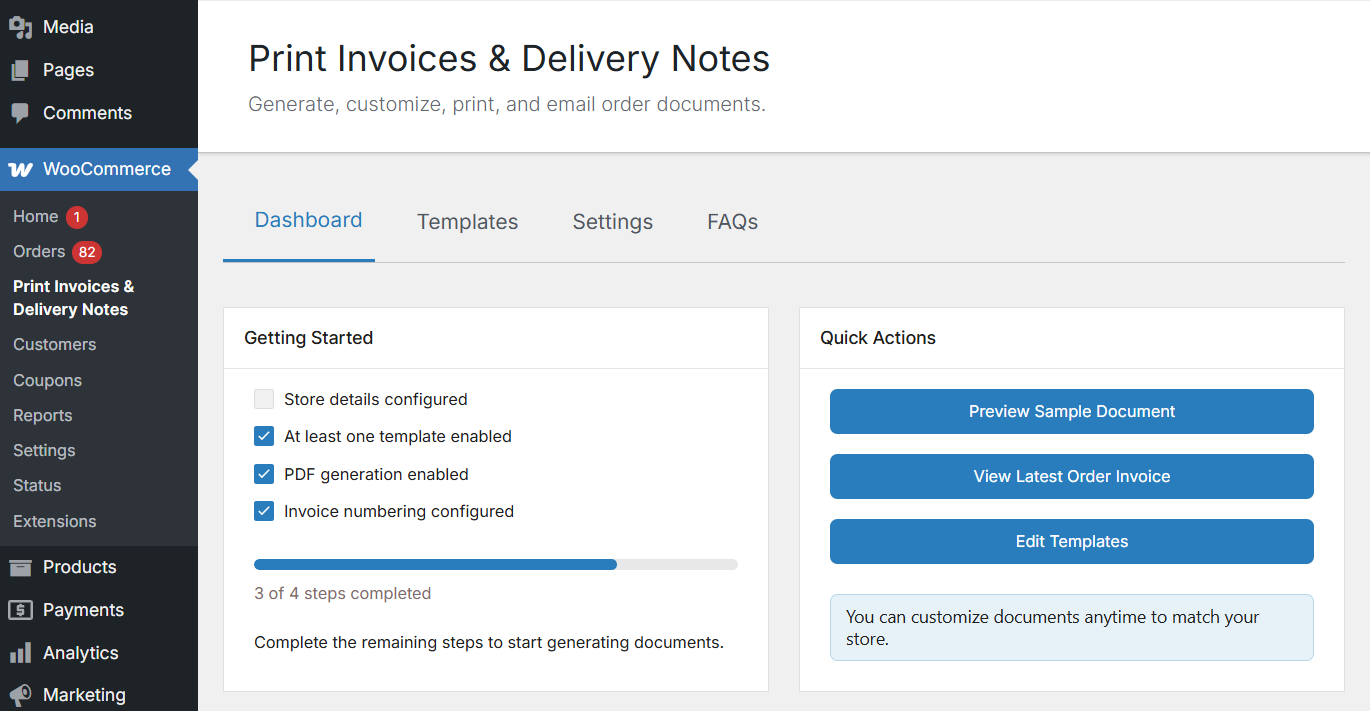
Dashboard – setup checklist and quick actions
Templates – list of all five document types with enable/disable toggles
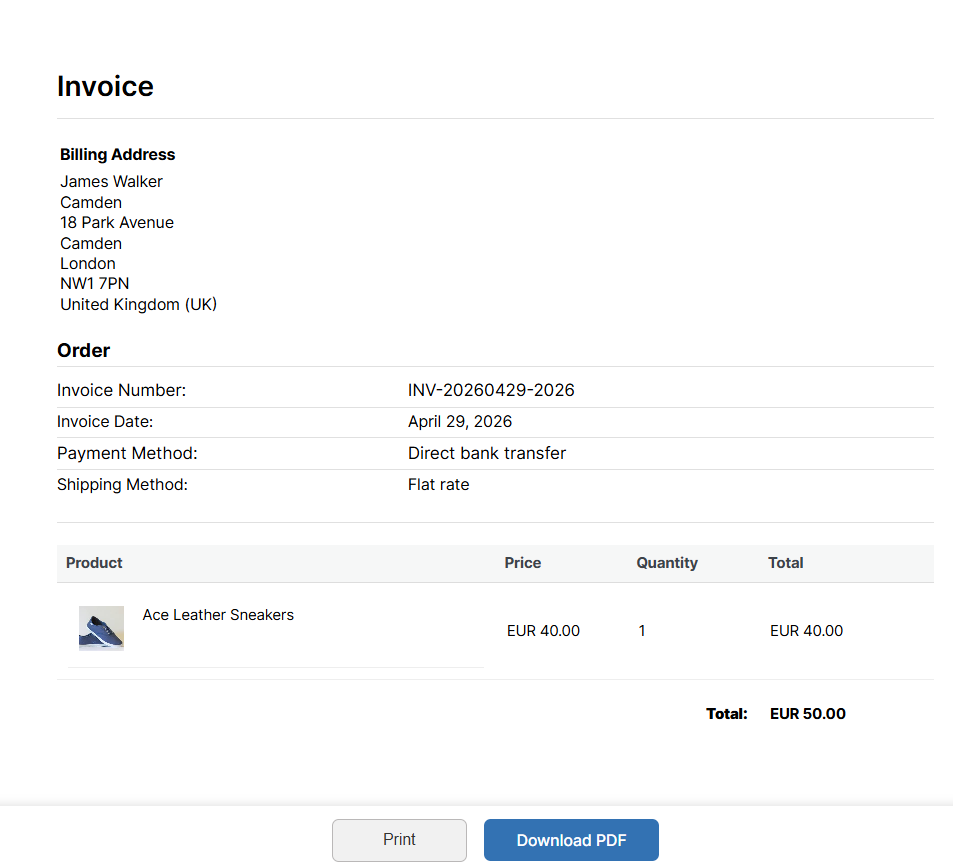
Template Editor – customise sections, fonts, colours, and layout with live preview
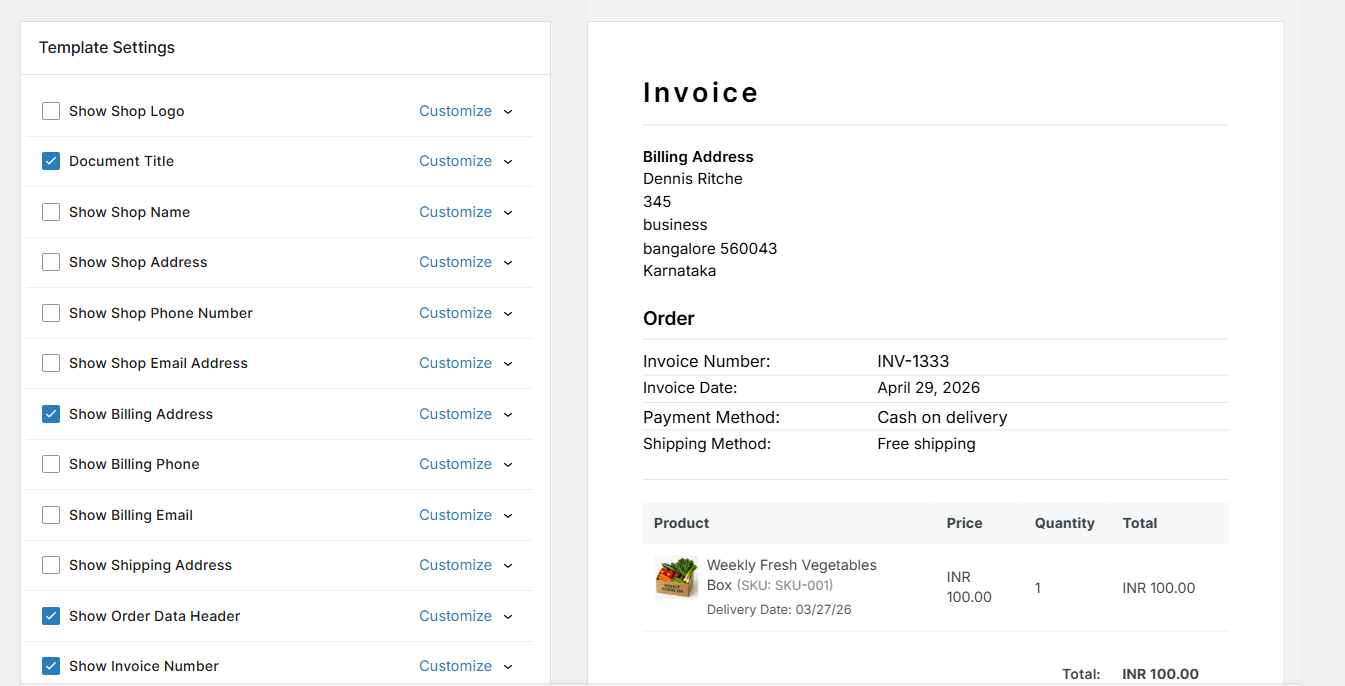
Watermark Settings – configure watermark text, opacity, angle, and repeat style
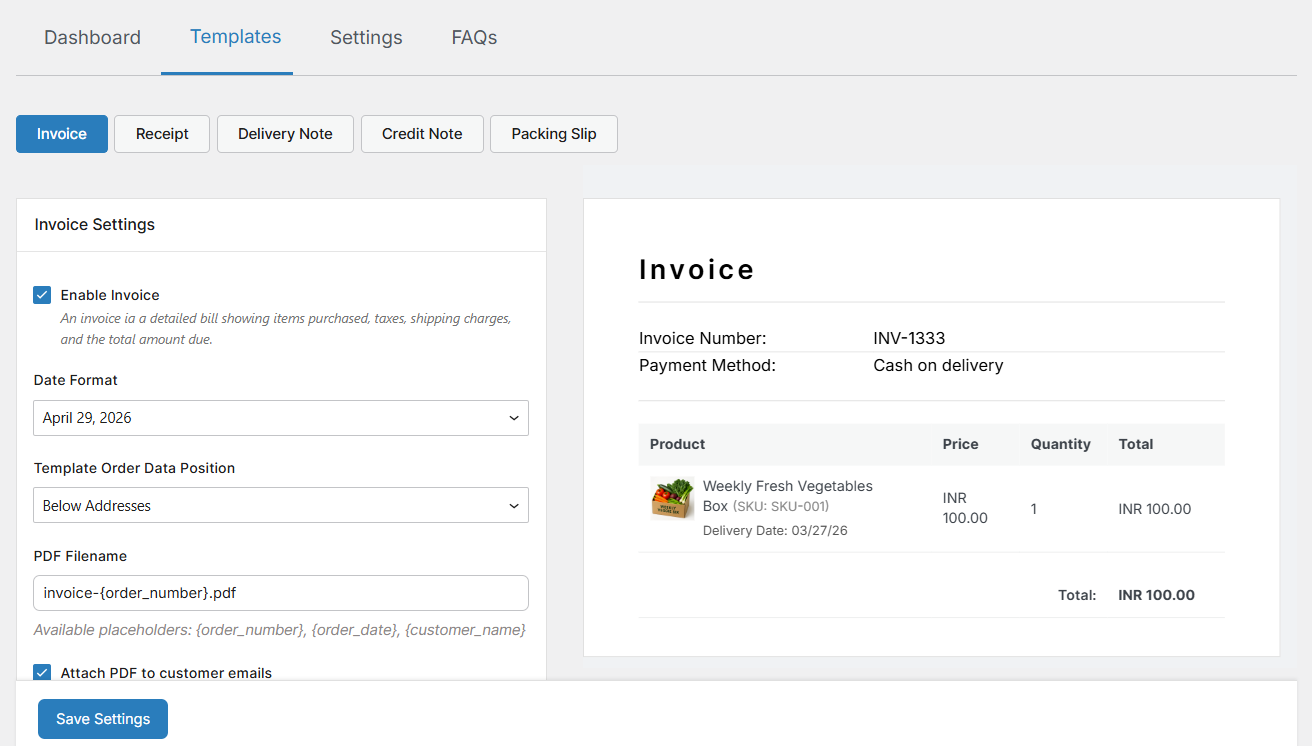
Invoice Numbering – sequential numbering with format placeholders and yearly reset
PDF Settings – enable PDF storage, set expiration, and configure filename format
Plugins semelhantes


O CRM para pequenas empresas. Gerencie leads, faturamento, cobrança, marketing por e-mail, clientes, contatos, cotações e automação. Também funciona com o WooCommerce.
WooCommerce PDF invoices made simple. EU VAT validation, reverse charge invoice, proforma invoices, MOSS / OSS support, invoices in bulk and more.

Payments & Invoicing plugin for WordPress to quickly and easily sell online. Create Buy Now buttons or inline checkout forms in seconds to accept …

The best invoicing plugin for WordPress. See how you can get paid faster without those hidden service fees.

Gerencie eficientemente seus pagamentos e despesas e envie faturas profissionais em várias moedas com facilidade, usando o Ever Accounting.
Do mesmo author (tychesoftwares)

Set fees and discounts for WooCommerce payment gateways.

Track abandoned carts and send automated, customizable abandoned cart recovery emails. Reduce cart abandonment, recover lost revenue & increase sales.

Allow customers to "Request a quote" or "Call for price" for WooCommerce products. You can show or hide the product price globally or per product.

Arconix Shortcodes provides a number of useful design elements like buttons, boxes, tabs and toggles to help compliment any website.

Add product addons (fields) to WooCommerce products. Personalise with various product options for WooCommerce. Create product forms for WooCommerce.