

Wicked Folders – Folder Organizer for Pages, Posts, and Custom Post Types
Hospedagem WordPress com plugin Wicked Folders
Onde hospedar o plugin Wicked Folders?
Este plugin pode ser hospedado em qualquer hospedagem que possua WordPress instalado. Recomendamos fortemente utilizar uma empresa de hospedagem de confiança, com servidores otimizados para WordPress, como o serviço de hospedagem WordPress da MCO2.
Hospedando o plugin Wicked Folders em uma empresa de hospedagem confiável
A MCO2, além de instalar o WordPress na versão mais atual para seus clientes, fornece o WP SafePress, um sistema exclusivo que assegura e otimiza seu site ao mesmo tempo.
Por que a Hospedagem WordPress funciona melhor na MCO2?
A Hospedagem WordPress funciona melhor pois a MCO2 possui servidores otimizados para WordPress. A instalação de WordPress é diferente de uma instalação trivial, pois habilita imediatamente recursos como otimização de imagens, proteção da página de login, bloqueio de atividades suspeitas diretamente no firewall, cache avançado e HTTPS ativado por padrão. São plugins que potencializam seu WordPress para a máxima segurança e o máximo desempenho.
Ever wished you could use folders to organize your WordPress site’s pages, posts, and custom post types to make things easier to find? If so, Wicked Folders is the plugin you’ve been looking for!
Wicked Folders makes it easy to organize pages, posts, and custom post types into folders. With our pro version, you can organize your media library, users, WooCommerce products, orders, and coupons, Gravity Forms forms and entries, and more!
Compare Free vs. Pro | 🚀 Get Wicked Folders Pro
🕺 Features
Organize Pages and Posts Into Folders
Easily create folders and drag-and-drop pages or blog posts into folders. Create unlimited folders. Drag and drop to organize folders any way you like.
Organize Custom Post Types Using Folders
Wicked Folders can also be used with most custom post types out-of-the-box to organize them into folders just like pages and posts.
Folder Colors
Assign colors to folders to make it even easier to identify folders and decorate your folder tree. Define your own color palette and add as many colors as you want.
Unassigned Items Folder
See at a glance which items haven’t been assigned to a folder.
Store Items in Multiple Folders
Assign items to more than one folder if desired for maximum organization and flexibility.
Dynamic Folders
Our one-of-a-kind dynamic folders feature lets you filter content by author, date, category, and more. The best part is Wicked Folders remembers the last dynamic folder you selected so when you return to the screen later you won’t have to filter your content again. Imagine being able to focus on posts in a specific category or by a specific author without needing to filter the posts each time you return to the list.
Page Hierarchy Dynamic Folder
A unique feature that lets you browse your pages as if each parent page were a folder showing you only the child folders of the selected page. Great for when you want to focus on a specific sub-section of your site.
Clone Folders
Easily duplicate folders. Choose whether or not to clone child folders as well.
Folder Context Menu
Access common folder actions via a handy context menu.
Bulk Delete Folders
Select folders in bulk and delete them all at once.
Folder Search
Quickly search the folder tree to find the folder(s) you’re looking for.
Folder Item Count
See how many items are in each folder (including number of unassigned items).
Resizable Folder Pane
Make the folder pane as wide or narrow as you want.
Show/Hide Folder Pane
Hide the folder pane when needed to reduce clutter and save space. When you want to see the folders again, simply toggle the folder pane open again.
Folder Breadcrumbs
Breadcrumbs displayed at the top of page, post, and custom post type lists make it easy to see the hierarchy of the selected folder and offer another way to navigate to parent folders.
Media Library Folders (Pro)
Organize your site’s media into folders with media library folders. Filter and organize media by folder anywhere the media library appears in WordPress including when selecting images in the WordPress editor, inserting images in Elementor or Divi (or any other page builder), and inserting images from an Advanced Custom Fields image or gallery field.
Media Extension Dynamic Folder (Pro)
Instantly view media by file extension. For example, view all PDF files (.pdf) without having to sift through images and other media.
Folder Permissions (Pro)
Control which roles can create, view, edit, and delete folders and which roles can view other users’ content. Great for marketplace sites and sites where users manage their own content.
Separate Folders for Each User (Pro)
Use folder permissions to give each user their own unique set of folders that only they can see.
WooCommerce Integration (Pro)
Organize your store’s products, orders, coupons, and reviews into folders.
Gravity Forms Integration (Pro)
Organize Gravity Forms forms and entries into folders.
User Folders (Pro)
Organize your site’s users into folders.
Plugin Folders (Pro)
Organize your site’s plugins into folders
🤩 More Reasons to Love Wicked Folders
Save Time
Sifting through lots of pages or posts on a large site trying to find what you’re looking for can be time-consuming. Wicked Folders saves you time by allowing you to organize your content into folders in a way that makes sense to you.
Organize Without Fear of Breaking Your Site
Wicked Folders doesn’t change your page or post’s URL so you can organize them into folders without having to worry about your site breaking.
Clean Modern Interface That Blends Into WordPress
Wicked Folders is designed to blend into the WordPress admin so it feels like a native feature. A modern interface makes it comfortable and intuitive to use.
Lightweight and Built for Performance
Wicked Folders is a lightweight plugin that won’t bloat or slow down your site. Folders are only loaded in the admin and dynamic folders (which are generated on the fly) are lazy loaded.
WPML and Polylang Support
Wicked Folders works with WPML and Polylang.
Works With Your Favorite Page Builder
Wicked Folders seamlessly integrates with all popular page builders including Elementor, Divi, WPBakery, Beaver Builder, and others.
REST API, Filters, and Object-Oriented Architecture
For power users, Wicked Folders includes a REST API for interacting with folders. Filters and an easy-to-understand object-oriented architecture facilitate advanced customizations.
Fast Helpful Support
We’re here to help! Post a message in the support forum or contact us and we’ll get back to you ASAP.
🚀 Get Wicked Folders Pro
Ready to take your WordPress organization to the next level? Upgrade to Wicked Folders Pro and unlock powerful features beyond basic folders. Organize your entire media library, users, plugins, WooCommerce products, orders, coupons, and reviews, Gravity Forms forms and entries, TablePress tables, and so much more. Plus get powerful features like folder permissions and private folder structures.
Other Plugins by Wicked Plugins
🤖 Wicked Alt Text AI
An AI image alt text generator. Save time, improve accessibility, and boost SEO by using AI to automatically generate high-quality alt text for images.
Learn more about Wicked Alt Text AI
🔨 Wicked Block Builder
Build native WordPress blocks without needing to know React.
Learn more about Wicked Block Builder
Need Help?
Please see the FAQ section for common questions, check out the documentation or, visit the support forum if you have a question or need help.
Capturas de tela
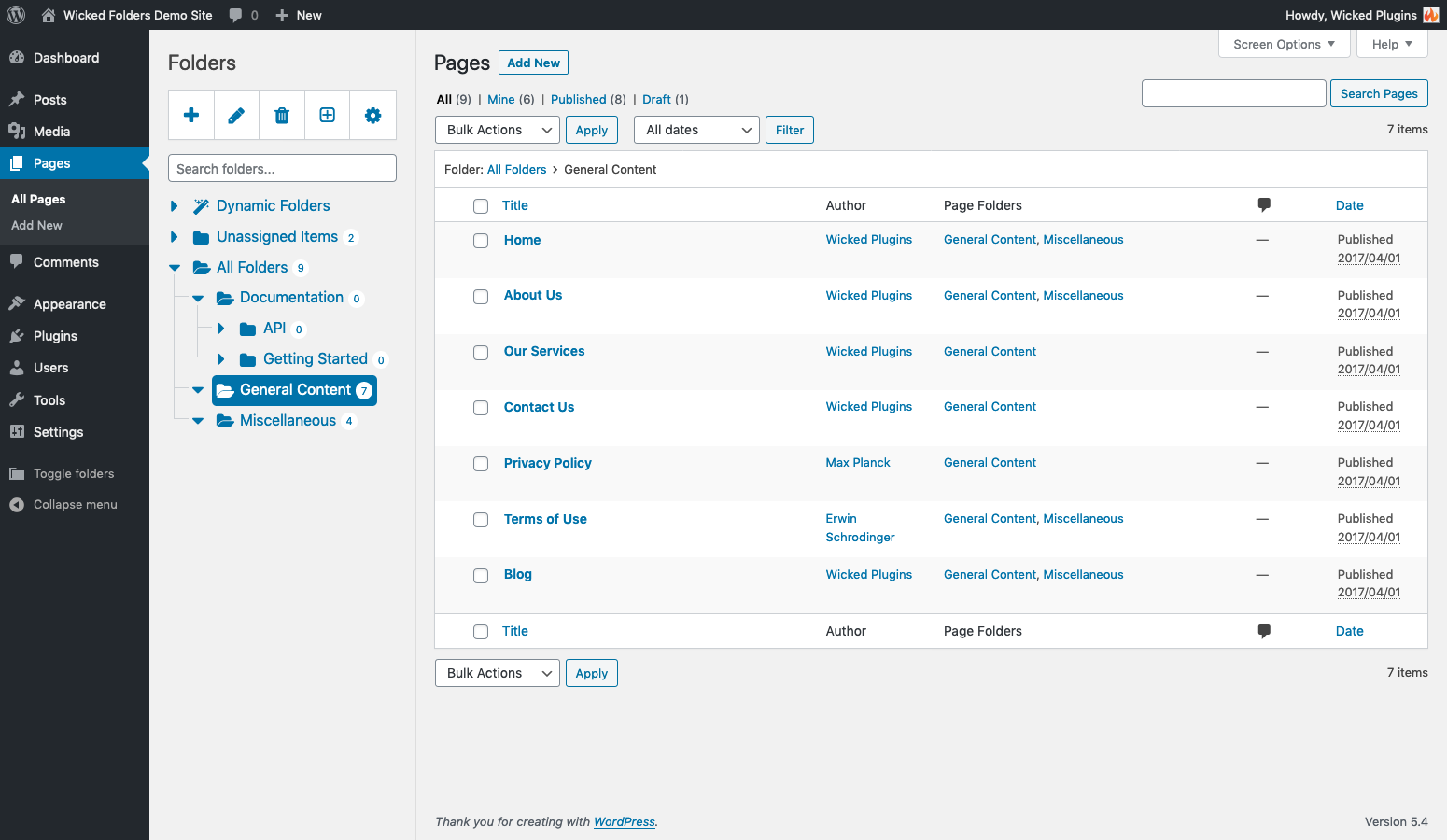
Page folders
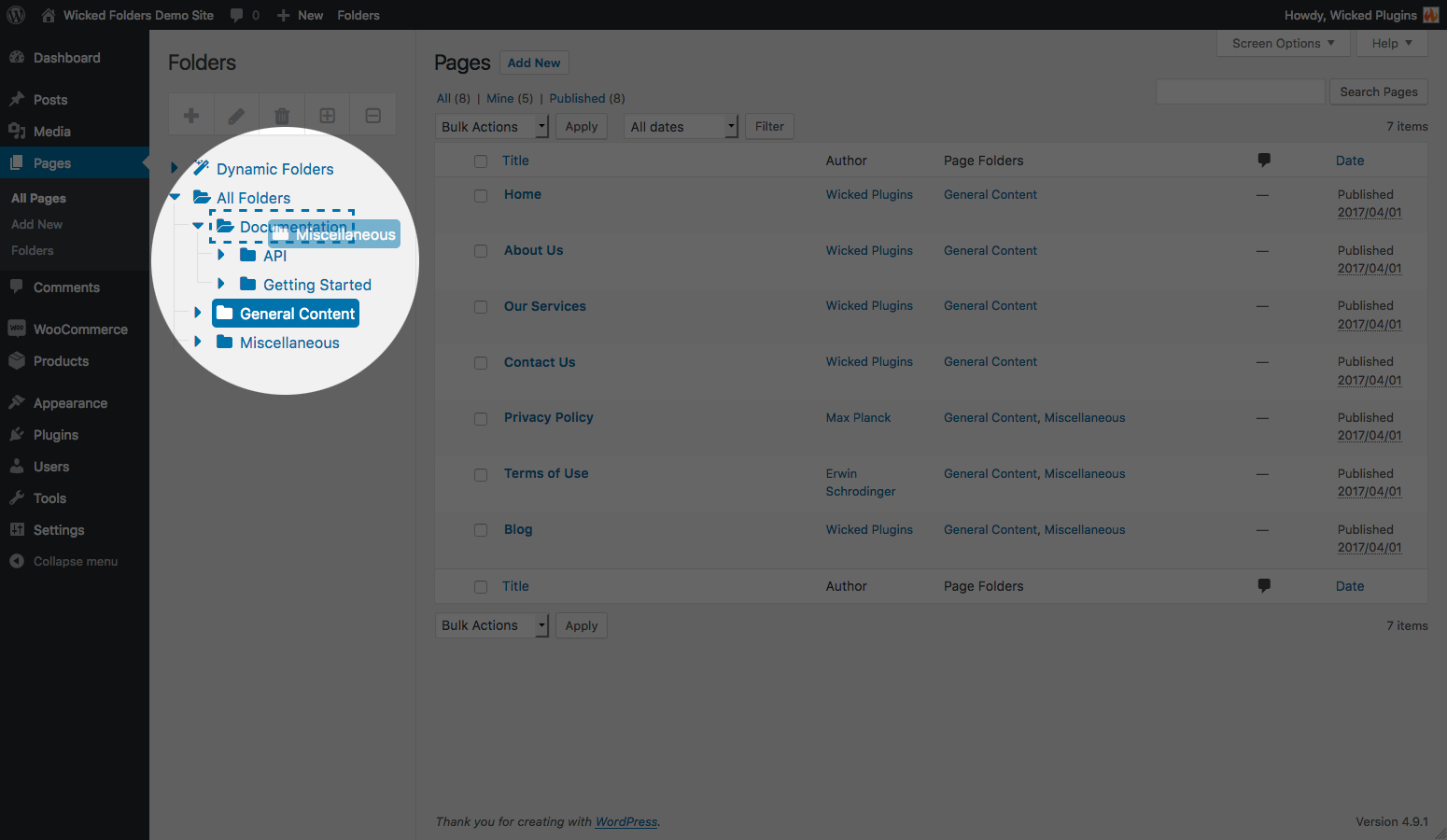
Easily drag and drop folders to rearrange
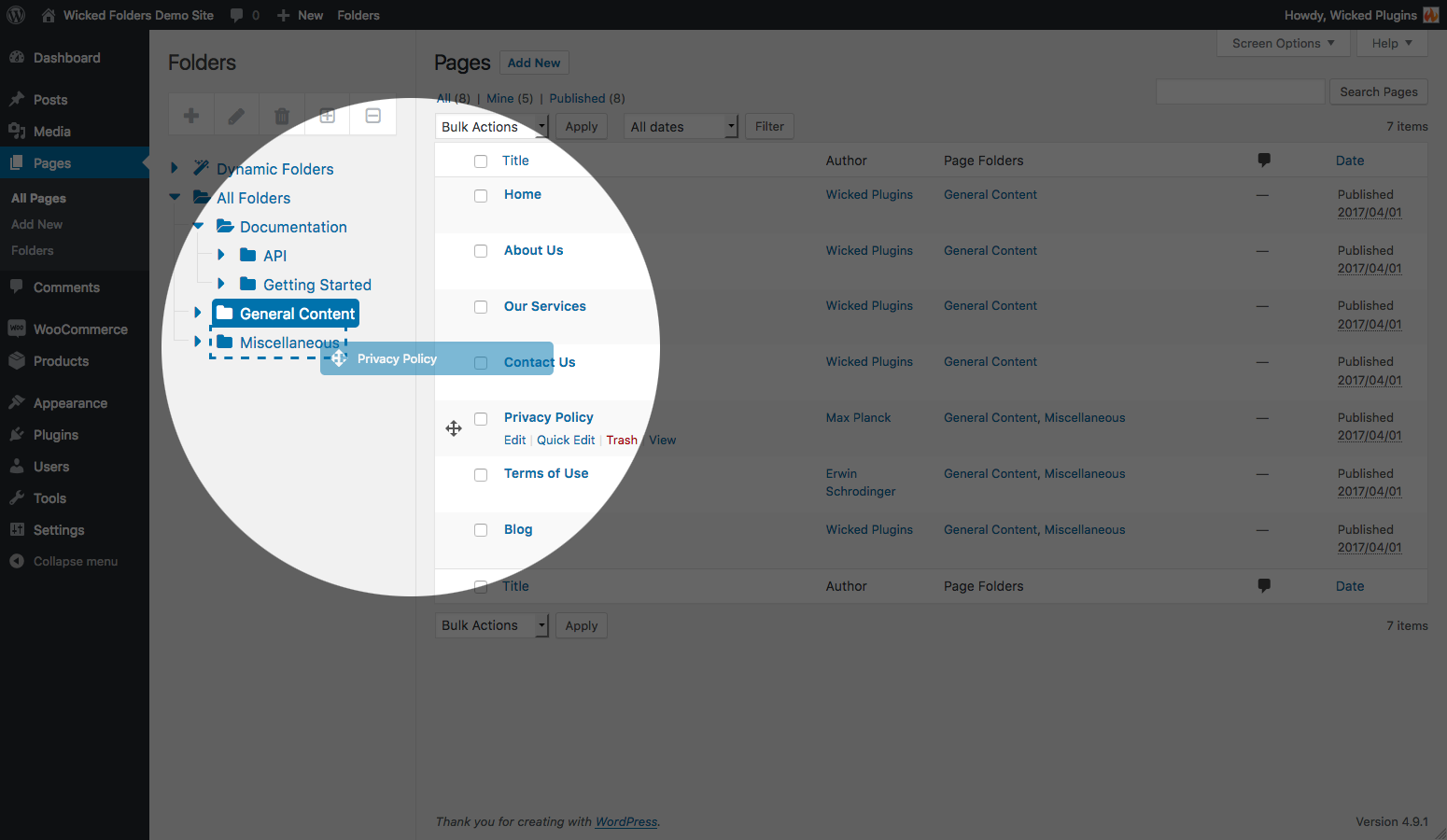
Drag and drop pages to quickly move pages into folders

Bulk move pages to folders
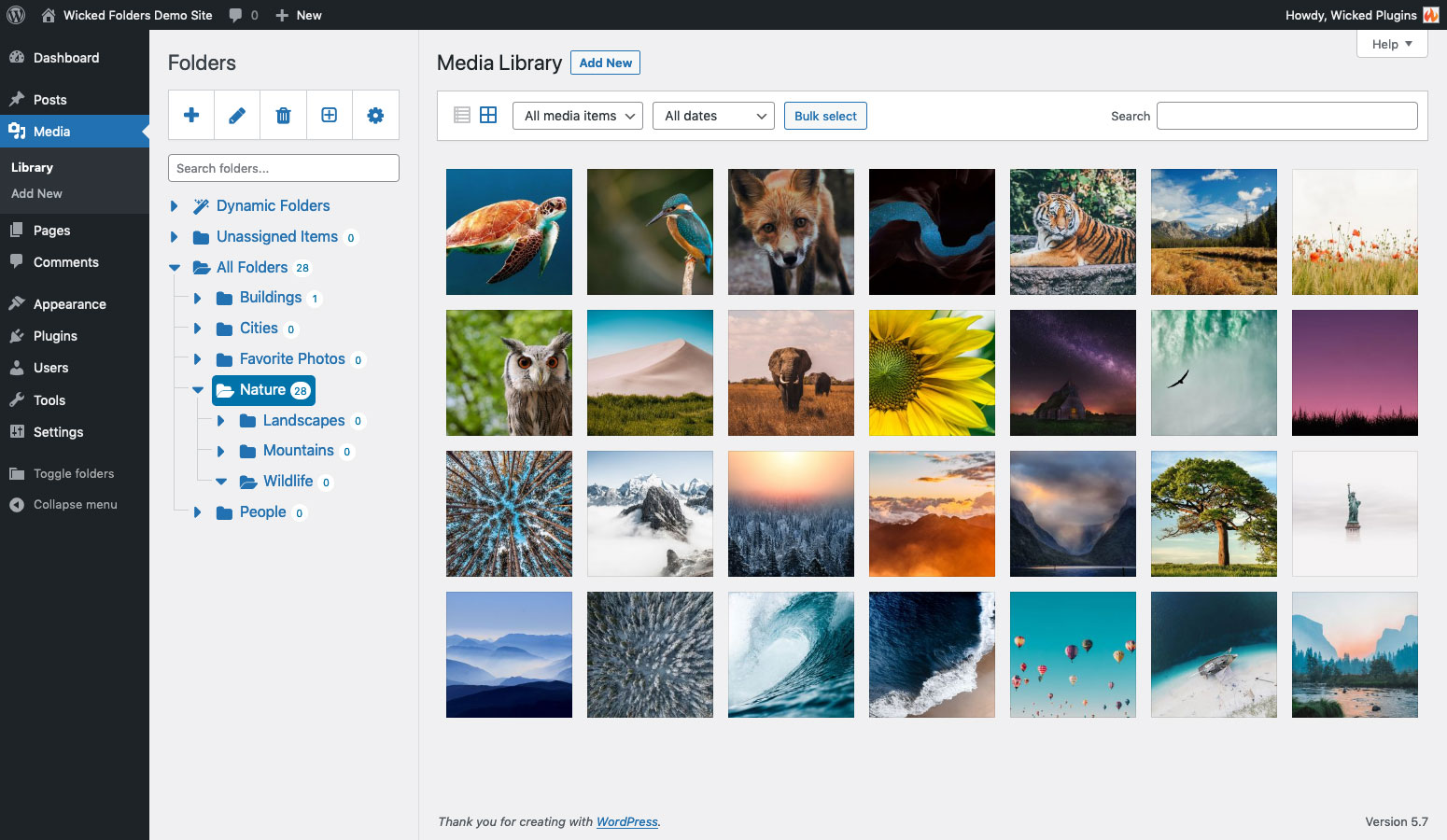
Pro feature: media library folders

Pro feature: folder permissions