

Age Verification & Identity Verification by Token of Trust
Hospedagem WordPress com plugin Age Verification & Identity Verification by Token of Trust
Onde devo hospedar o plugin Age Verification & Identity Verification by Token of Trust?
Este plugin pode ser hospedado em qualquer servidor que tenha WordPress instalado. Recomendamos fortemente escolher um provedor de hospedagem seguro, com servidores otimizados para WordPress, como o serviço de hospedagem WordPress da MCO2.
Hospedando o plugin Age Verification & Identity Verification by Token of Trust em um provedor confiável
A MCO2, além de configurar e instalar o WordPress na versão mais atualizada para seus clientes, oferece o WP SafePress, um sistema exclusivo que assegura e otimiza seu site conjuntamente.
Por que a Hospedagem WordPress funciona melhor na MCO2?
A Hospedagem WordPress funciona melhor pois a MCO2 possui servidores otimizados para WordPress. A instalação de WordPress é diferente de uma instalação trivial, pois habilita imediatamente recursos como otimização automática de imagens, proteção da página de login, bloqueio de atividades maliciosas diretamente no firewall, cache avançado e HTTPS ativado por padrão. São plugins que potencializam seu WordPress para a máxima segurança e o máximo desempenho.
Age Verification and Identity Verification for WordPress and WooCommerce
Token of Trust helps WordPress and WooCommerce businesses verify customer age and identity using identity-backed verification.
Add age verification to WooCommerce checkout, verify customers using government-issued ID, and configure when verification is required for age-restricted products and customer journeys.
Built for businesses selling vape, tobacco, nicotine, alcohol, and other age-restricted products, with identity verification and KYC capabilities for businesses that need to verify more than age.
Start using Token of Trust for free. No credit card required.
Get free verifications when you create your Token of Trust account. Set up your WordPress or WooCommerce integration, run live verifications, and explore Token of Trust’s verification features at your own pace.
Keep track of your remaining free verifications in your account. When you need more, choose a paid plan to keep verifying.
More Than an Age Gate
A basic age gate asks visitors to confirm their age by clicking a button or entering a birth date.
Token of Trust helps businesses verify age using identity-backed verification when greater assurance is needed. Depending on the verification workflow, Token of Trust can use customer information and identity verification methods to help determine whether a customer meets the required age threshold.
That makes Token of Trust a fit for WooCommerce businesses selling age-restricted products that need more than a simple 18+ or 21+ popup.
Add age verification to your customer journey, configure when verification is required, and access additional identity verification capabilities when your business needs them.
Who Is Token of Trust For?
Token of Trust is designed for WordPress and WooCommerce businesses that need to verify customer age, identity, or both.
Common use cases include:
- Vape, tobacco, and nicotine ecommerce
- Alcohol ecommerce and other age-restricted products
- Adult and age-restricted content
- Customer identity verification
- KYC and higher-assurance verification workflows
How Token of Trust Works With WordPress and WooCommerce
Getting started is straightforward:
- Install and activate the Token of Trust plugin.
- Create or connect your Token of Trust account. New accounts receive a free verification quota that can be used to test your verification workflow.
- Configure your verification requirements.
- Add age or identity verification to the appropriate customer journey.
- Customers complete verification when required.
- Review verification results through your Token of Trust and WooCommerce workflow.
Verification can be triggered during WooCommerce checkout, for selected products using product categories or tags, or for specific WordPress pages.
Previously verified customers can securely reuse an existing verification by confirming access to the email address associated with that verification.
Age Verification Features
Token of Trust gives WordPress and WooCommerce businesses flexible control over how and when customers are verified.
- Identity-backed age verification using government-issued ID
- Flexible verification rules based on minimum age, customer location, and selected WooCommerce products
- WooCommerce checkout verification with verification status available on customer orders
- Reusable verification that lets eligible returning customers securely confirm and reuse a previous verification
- On-demand verification for WooCommerce orders that require an additional check
- Optional Age Gate for self-declared age confirmation before visitors access your site
Identity Verification and KYC
Token of Trust can also support businesses that need to verify more than age.
- Identity verification using government-issued ID and customer information
- KYC workflows for businesses that need to verify customer identity as part of onboarding
- Identity validation to evaluate customer information against verification requirements
- Higher-assurance workflows when additional identity verification is required
This gives businesses access to broader identity assurance capabilities when their requirements go beyond age verification.
Start With Free Verifications
See how Token of Trust works on your WordPress or WooCommerce site with 25 free verifications.
No credit card required. Set up your verification workflow, run live age and identity verifications, and test your integration today.
Keep track of your remaining free verifications right from your account. When you’re ready for more, choose a plan that fits your verification needs.
Privacy-Focused Verification
Verification often involves sensitive customer information.
Token of Trust is designed to help businesses verify customer eligibility and identity while limiting unnecessary friction and supporting privacy-conscious verification workflows.
Instead of treating every visitor the same, businesses can configure verification experiences appropriate to their use case and customer journey.
Need Help?
Have questions about setting up age verification or identity verification with Token of Trust? Contact us and our team can help.
Using Token of Trust With Member Management Plugins
Token of Trust works alongside member management systems that set up user profiles, membership tiers, and custom pages in WordPress. Common plugins include:
- BuddyPress
- Ultimate Member
Other Integrations
Discover Token of Trust’s WordPress Integration Options for details on advanced scenarios and additional plugin compatibility.
Languages
Token of Trust has been translated into:
- English (US)
- Spanish
- French
- Additional languages available upon request
Capturas de tela
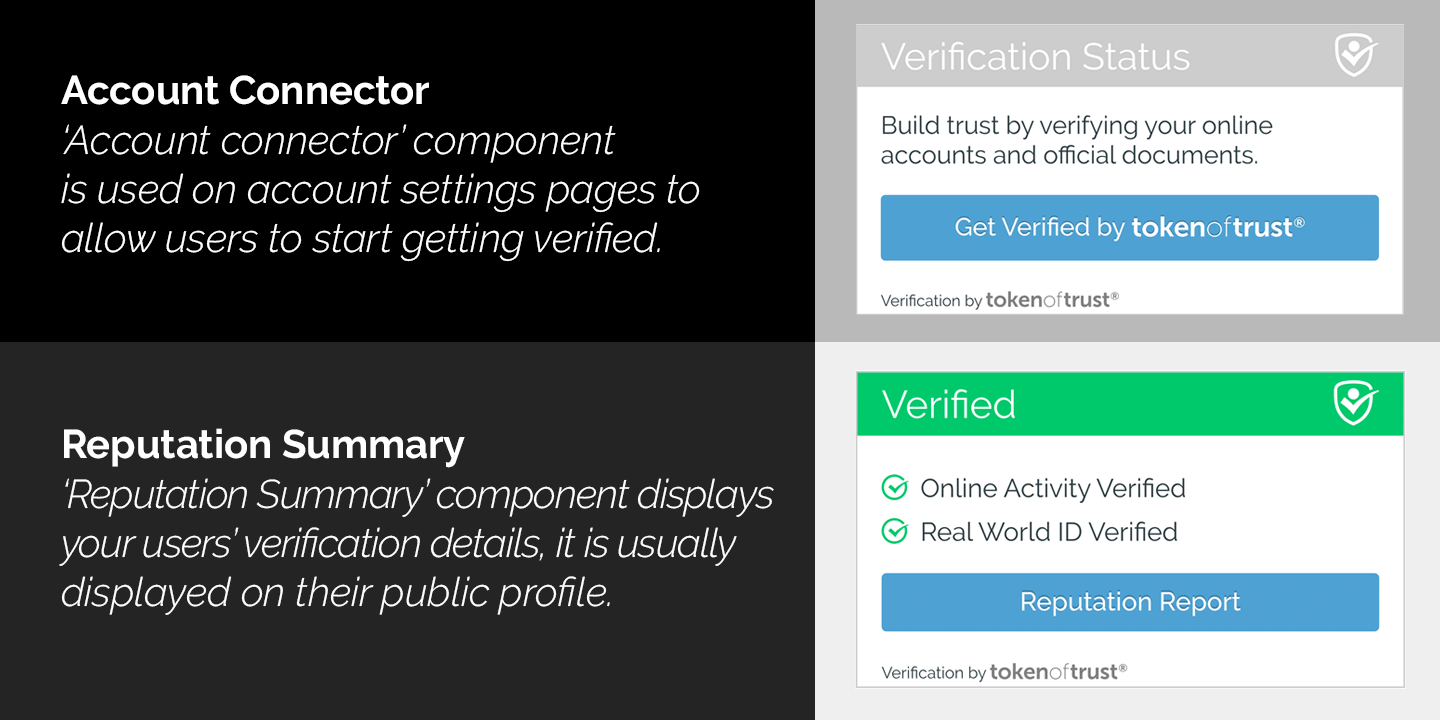
Verification Workflow - The "account connector" initiates the Token of Trust age verification and identity verification process, ensuring proper age-gating for your WordPress site. The "reputation summary" displays the current verification status, showing whether users meet your minimum age requirements (18+, 19+, 21+, etc.).
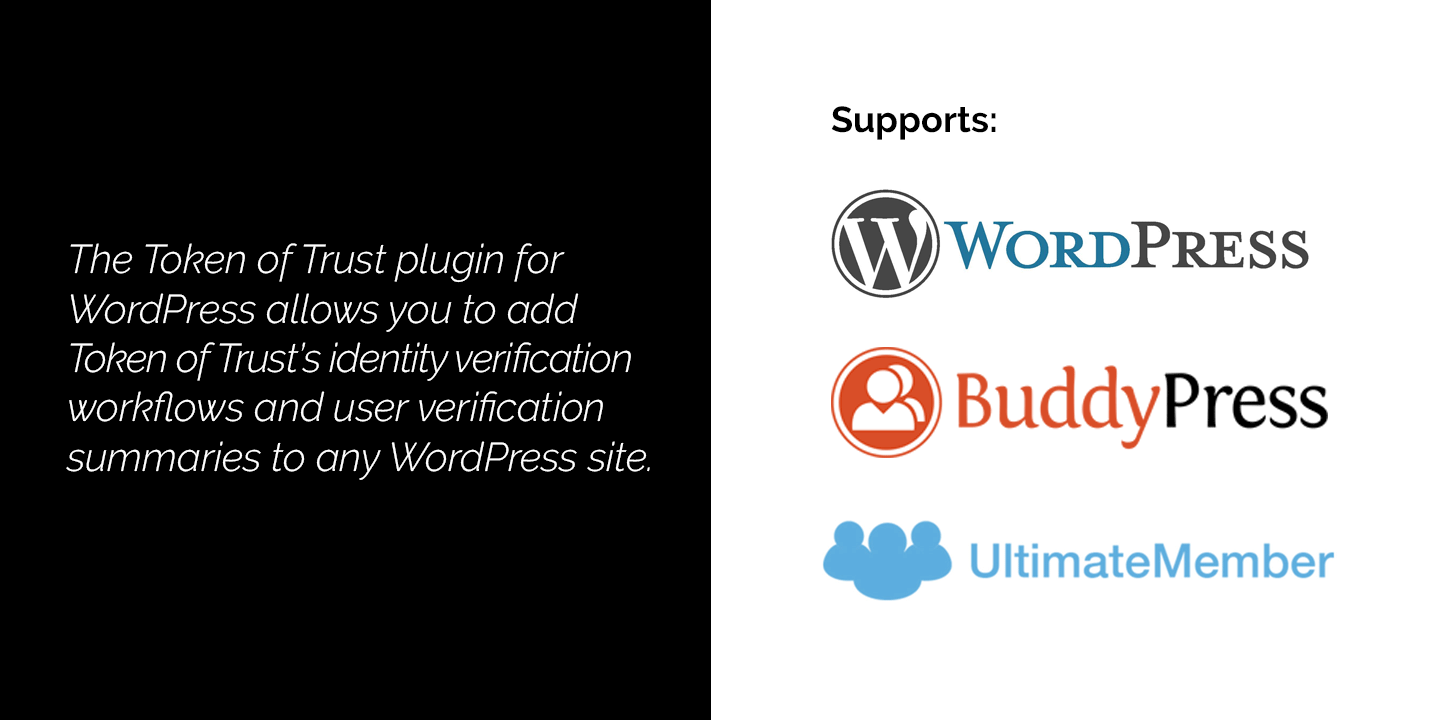
Token of Trust: AI-powered Age Verification, Identity Verification and KYC for WordPress works with WordPress core and integrates with popular Member Management Plugins.
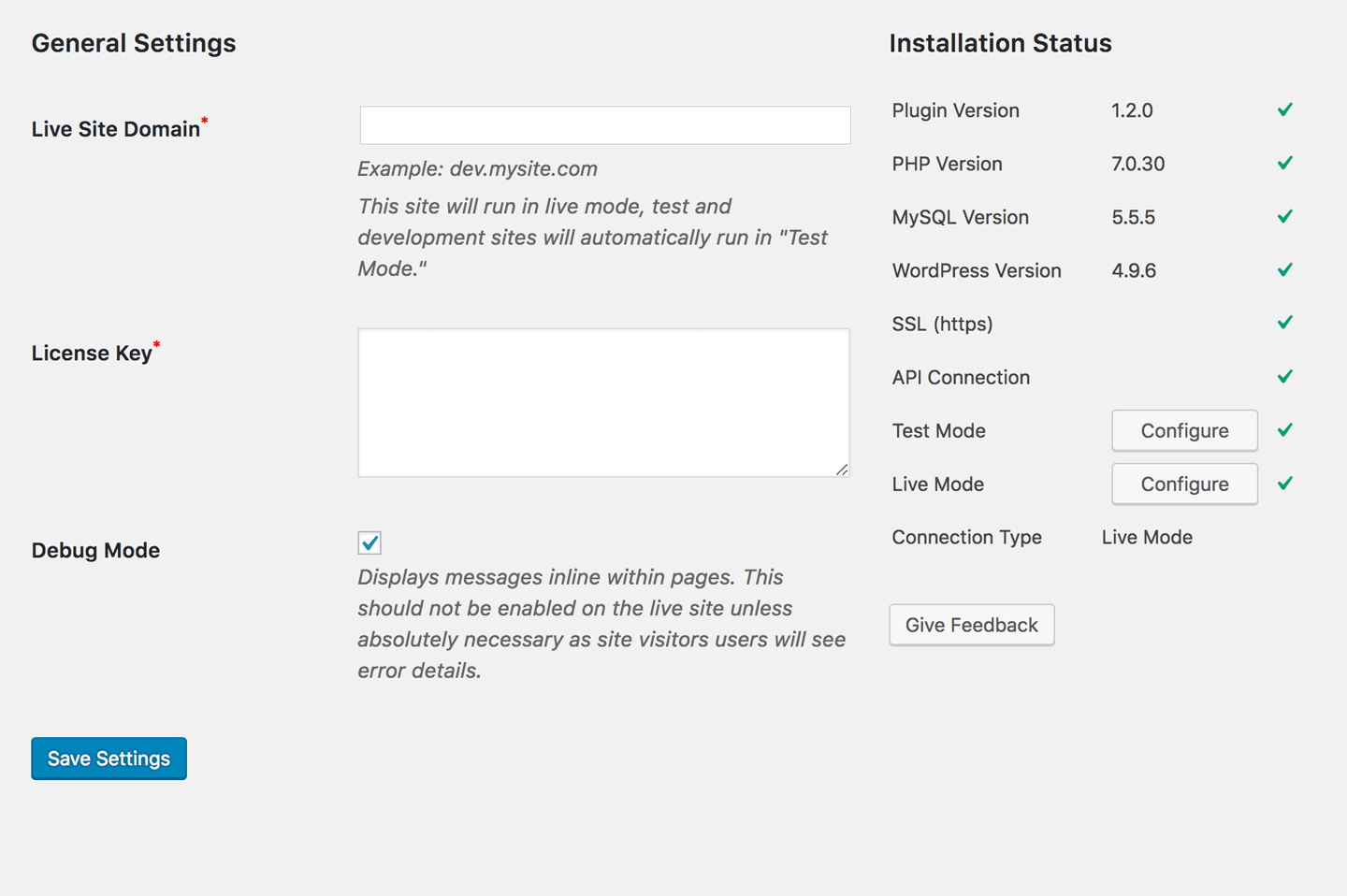
The Token of Trust settings page allows website admins to configure both age verification and identity verification rules, enter their License Key, and check integration status.