
O plugin de Mailchimp nº 1 para WordPress. Com ele, você pode adicionar vários tipos de formulários de inscrição para newsletters ao seu site de forma fácil e prática.

Themify Popup
Hospedagem WordPress com plugin Themify Popup
Onde posso hospedar o plugin Themify Popup?
Este plugin pode ser hospedado em qualquer servidor que tenha WordPress instalado. Recomendamos fortemente optar por uma hospedagem confiável, com servidores otimizados para WordPress, como o serviço de hospedagem WordPress da MCO2.
Hospedando o plugin Themify Popup em um provedor seguro
A MCO2, além de configurar e instalar o WordPress na versão mais atualizada para seus clientes, fornece o WP SafePress, um mecanismo exclusivo que assegura e otimiza seu site conjuntamente.
Por que a Hospedagem WordPress funciona melhor na MCO2?
A Hospedagem WordPress funciona melhor pois a MCO2 possui servidores otimizados para WordPress. A instalação de WordPress é diferente de uma instalação trivial, pois habilita imediatamente recursos como otimização de imagens, proteção da página de login, bloqueio de atividades suspeitas diretamente no firewall, cache avançado e HTTPS ativado por padrão. São plugins que potencializam seu WordPress para a máxima segurança e o máximo desempenho.
Themify Popup allows you to display beautifully responsive pop up windows on any page of your website. You can use it to showcase newsletter subscription forms, promotional announcements, or general lightbox content. You can allow popups to show on the entire site, or on certain posts, pages, categories, specific user roles, or even at specific times (so you don’t have to manually disable the popups). It’s fully integrated with the Themify Builder allowing you to design any popup layout on the frontend with the drag & drop interface and live preview.
Popup Styles:
- Auto Close
- Classic Center
- Fullscreen
- Time Delay
- Slide-out Bottom
- Slide-out Right
- WordPress Editor Content
- Manual Launch
Please visit this page for demos: https://themify.me/popup/.
Features:
- Classic Popup – Show popup with a classic overlay with option to set the popup position
- Slide-out – Slide the popup from either top, left, bottom or right edge
- Fullscreen – Be extreme! Show the popup fullscreen that covers that entire screen
- Schedule Popup – Set the date and time for when the popup with appear. Great for showing promotional popups!
- Guests or Admins – Show popups to either guest visitors, logged-in users, or both
- Time Delay – Set exactly (in seconds) when the popup will appear
- Page Viewed – Show popup when viewer has visited a certain number of pages on the site
- Scroll Position – Show popup when viewer scrolls to certain position of the page
- Launch Popup Button – Insert a button to launch popup manually (like a lightbox link button)
- Popup Dimensions – Enter custom popup dimensions for each popup and set custom overlay color
- Animation – Over 40+ animations to choose for opening and closing popup transitions
- Show Popup Once – Do not show the same popup to the same visitor for a certain number of days
- Auto Close – Close popup automatically after a number of seconds it is opened
- Mobile Disable – Options to disable popup on mobile devices (to avoid SEO mobile penalty by Google)
- Themify Builder Integration – Design any popup with Themify Builder or the free Builder Lite plugin. It comes with a few sample popup layouts
Check out our documentation page here – https://themify.me/docs/popup-documentation
Capturas de tela
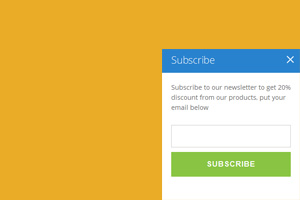
An example of Slide-Out-Right popup, a panel shows up in the bottom right of screen.
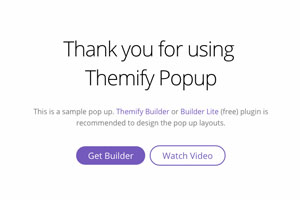
Any content can be added to the popup.
Plugins semelhantes


🤩 Crie pop-ups e formulários de adesão para obter mais assinantes de boletins informativos por e-mail, leads e vendas – mais usado plugin de edição de pop-ups🚀

Lance e amplie suas campanhas de e-mail marketing com facilidade usando a Hostinger Reach. Colete contatos, gerencie assinantes e envie e-mails – tudo em um só lugar, com tecnologia de IA.

Want to boost sales & marketing efforts? Use your favorite forms & builder. Unlimited popups & impressions, keep your data, no monthly subscription.

Increase Sales, Lead Generation, Conversion rates and receive good Call to Action rates with smart WordPress popup plugin.

Formerly Easy Fancybox. The most popular WordPress lightbox plugin. Simple, fast, and responsive. Opens images, videos, PDFs, and custom popups.
Do mesmo author (themifyme)

This plugin enables you to set conditional menus per posts, pages, categories, archive pages, etc.