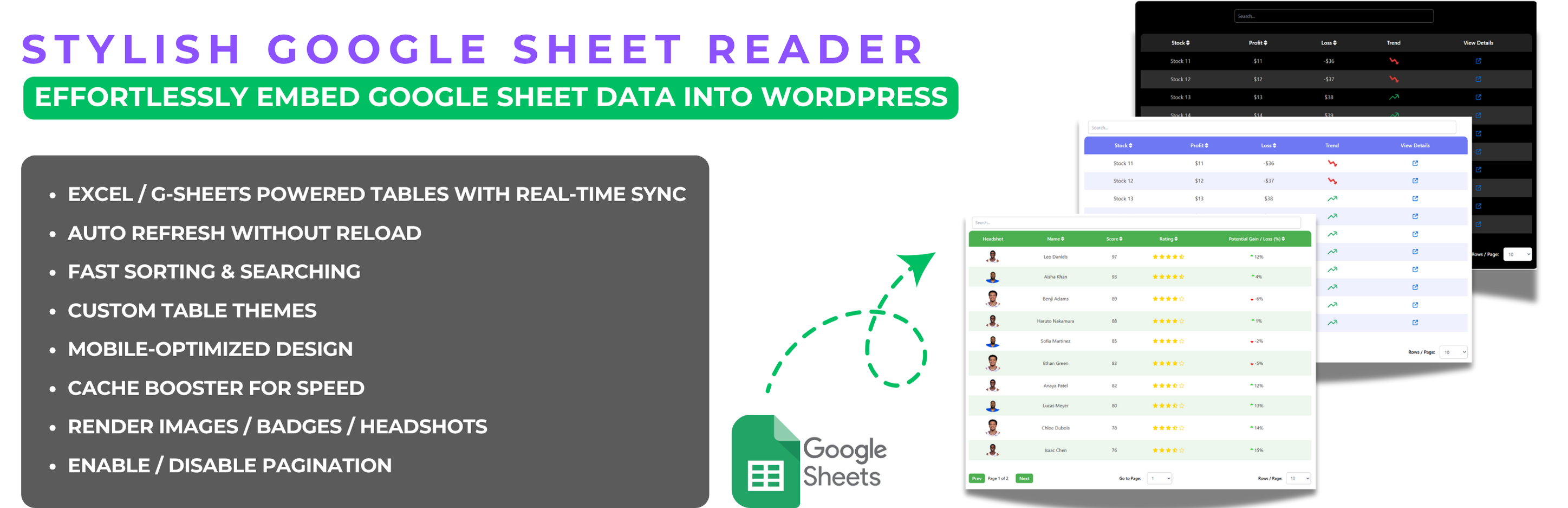

Stylish Google Sheet Reader – Embed Google Sheets as Interactive Tables with Built-in Form Submissions
Hospedagem WordPress com plugin Stylish Google Sheet Reader – Embed Google Sheets As Responsive Data Tables
Onde devo hospedar o plugin Stylish Google Sheet Reader – Embed Google Sheets As Responsive Data Tables?
Este plugin pode ser hospedado em qualquer provedor que tenha WordPress instalado. Recomendamos fortemente escolher uma hospedagem de confiança, com servidores especializados para WordPress, como o serviço de hospedagem da MCO2.
Hospedando o plugin Stylish Google Sheet Reader – Embed Google Sheets As Responsive Data Tables em um provedor confiável
A MCO2, além de instalar o WordPress na versão mais nova para seus clientes, disponibiliza o plugin WP SafePress, um sistema singular que salvaguarda e otimiza seu site simultaneamente.
Por que a Hospedagem WordPress funciona melhor na MCO2?
A Hospedagem WordPress funciona melhor pois a MCO2 possui servidores otimizados para WordPress. A instalação de WordPress é diferente de uma instalação trivial, pois habilita imediatamente recursos como otimização de imagens, proteção da página de login, bloqueio de atividades maliciosas diretamente no firewall, cache avançado e HTTPS ativado por padrão. São recursos que potencializam seu WordPress para a máxima segurança e o máximo desempenho.
Effortlessly create responsive, searchable, auto-refreshable data tables — now with built-in form submissions to receive orders or inquiries directly.
Create Fully Customizable, Responsive, and Up-to-date Data Tables from Google Sheets
The Stylish Google Sheet Reader plugin for WordPress makes it easy to convert Google Sheets data into fully responsive, interactive data tables on your website. The new Version 5.0 comes with enhanced features, allowing you to personalize the look of your tables, manage multiple sheets effortlessly, and customize every detail to match your website’s theme.
Key Features of Version 5.1
- Theme Customization: Choose between different themes such as White or Black, and further tweak background colors, text colors, and table styles to perfectly fit your website’s design.
- Manage Multiple Sheets: Easily add, edit, and organize all your Google Sheets from one central menu.
- Advanced Styling Options: Adjust elements like border-radius, shadow effects, and custom scrollbars for a more modern and sleek table design.
- Mobile Responsiveness: Ensure your tables are fully functional and easy to read on any device, with enhanced mobile-friendly features.
- Cache Booster: Activate the cache booster for faster loading times, especially beneficial for large datasets.
- Auto Refresh: Enable auto-refresh for live data updates.
- Rich Content Support: Display images, badges, and hyperlinks within your tables to enhance the presentation and interactivity.
- Form Submissions (NEW): Add dropdowns, input fields, and checkboxes directly inside your tables. Users can select rows, enter details, and submit orders, inquiries, or feedback through the built-in submission form — no third-party forms required.
- Powerful Sorting & Searching: Efficiently sort and search through large datasets, even with thousands of rows, ensuring quick access to the information you need.
Who Can Use Form Submissions?
The new built-in submission feature opens up powerful possibilities:
- E-commerce stores – Allow customers to select products from your datatable, specify quantities, and send an order form directly.
- Service providers – Collect bookings, appointments, or project details directly from a service listing table.
- Educational platforms – Let students select courses or training sessions and submit their enrollment details.
- Event organizers – Enable participants to choose sessions or ticket options and confirm attendance with a simple form.
- Internal teams – Use it as a lightweight internal tool to collect team inputs, inventory requests, or approvals without needing a separate form builder.
Full Documentation:
Explore our extensive documentation for the Stylish Google Sheet Reader plugin. You’ll find detailed guides, advanced features, and troubleshooting tips to help you maximize the plugin’s potential. Whether you’re just getting started or looking to dive into advanced capabilities, our documentation provides everything you need to create and manage responsive, dynamic data tables with ease.
View the Stylish Google Sheet Reader Documentation
Why Upgrade to Stylish Google Sheet Reader Pro?
For users who need more advanced functionalities, Stylish Google Sheet Reader Pro offers:
- Unlimited Sheets Integration: No limits on the number of Google Sheets you can connect and manage.
- Pro-Level Customization: Gain access to premium styling options, including skin changes and more detailed customization controls.
- Priority Support: Enjoy priority access to our support team and live chat for any help or troubleshooting.
Plugin Usage Data
To ensure continuous improvement, the plugin may collect non-sensitive usage data, helping us to identify and resolve issues effectively.
Capturas de tela
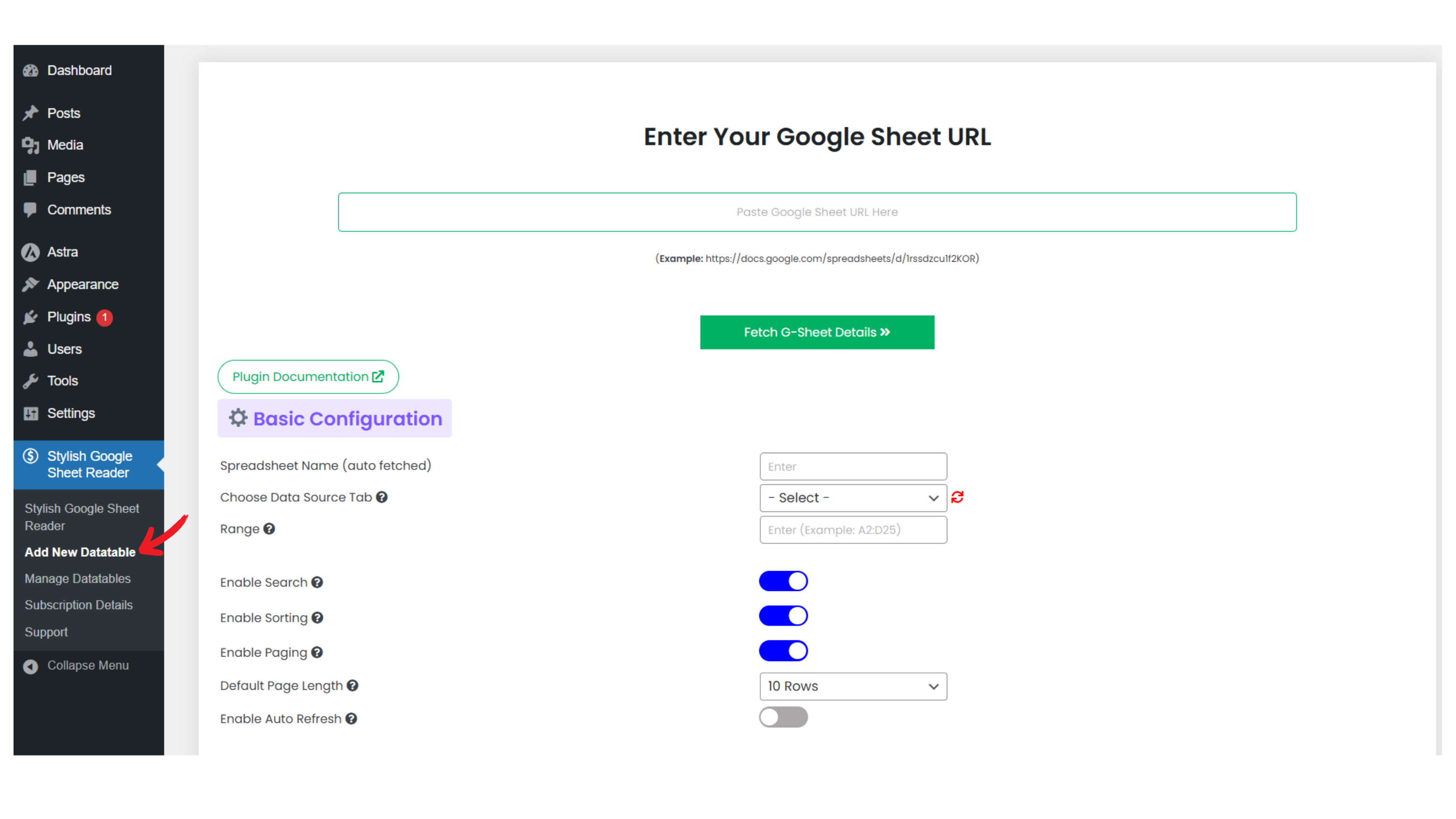
Adding New Datatable
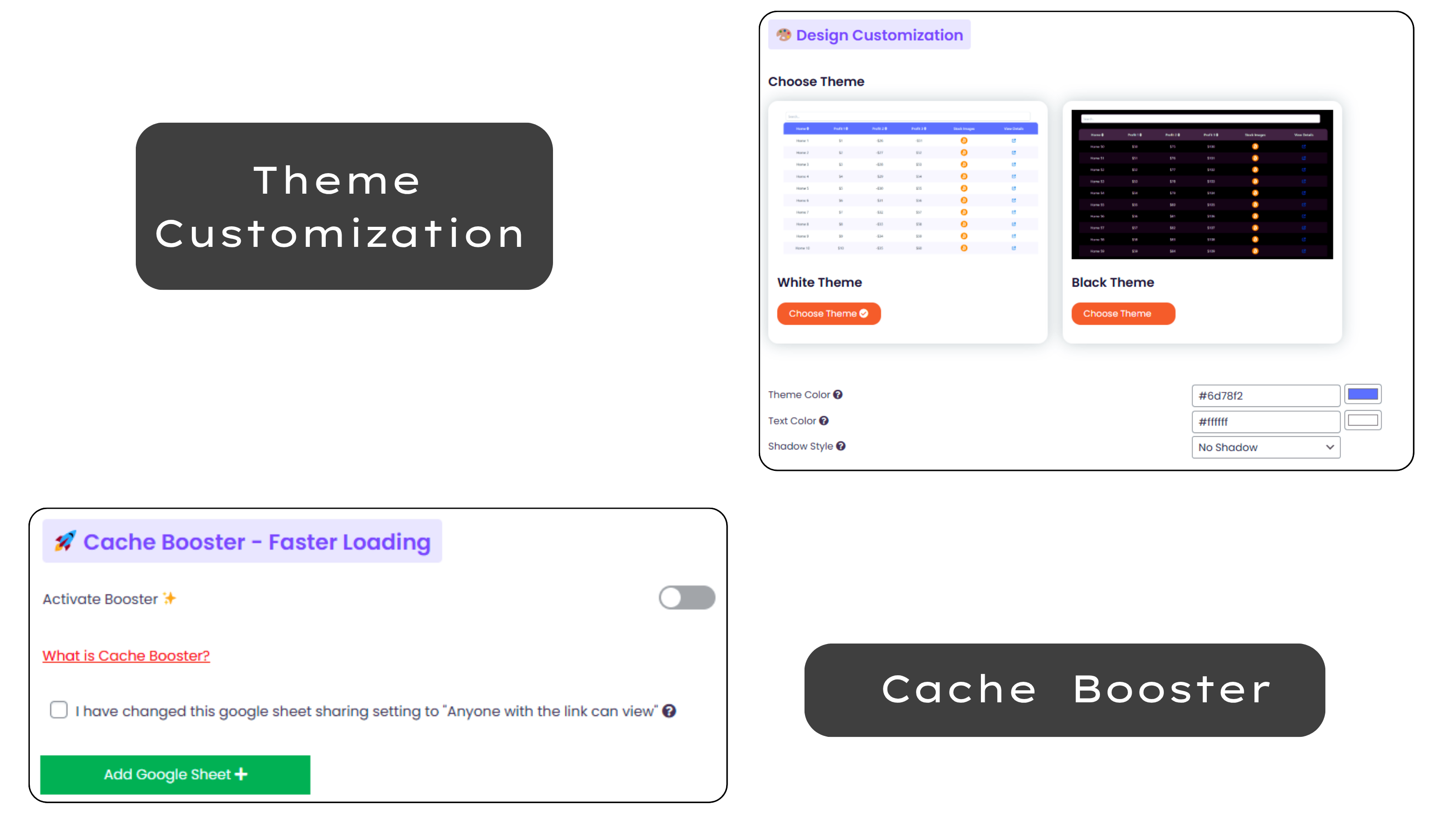
Manage options: Sorting, filtering, exporting data to other formats
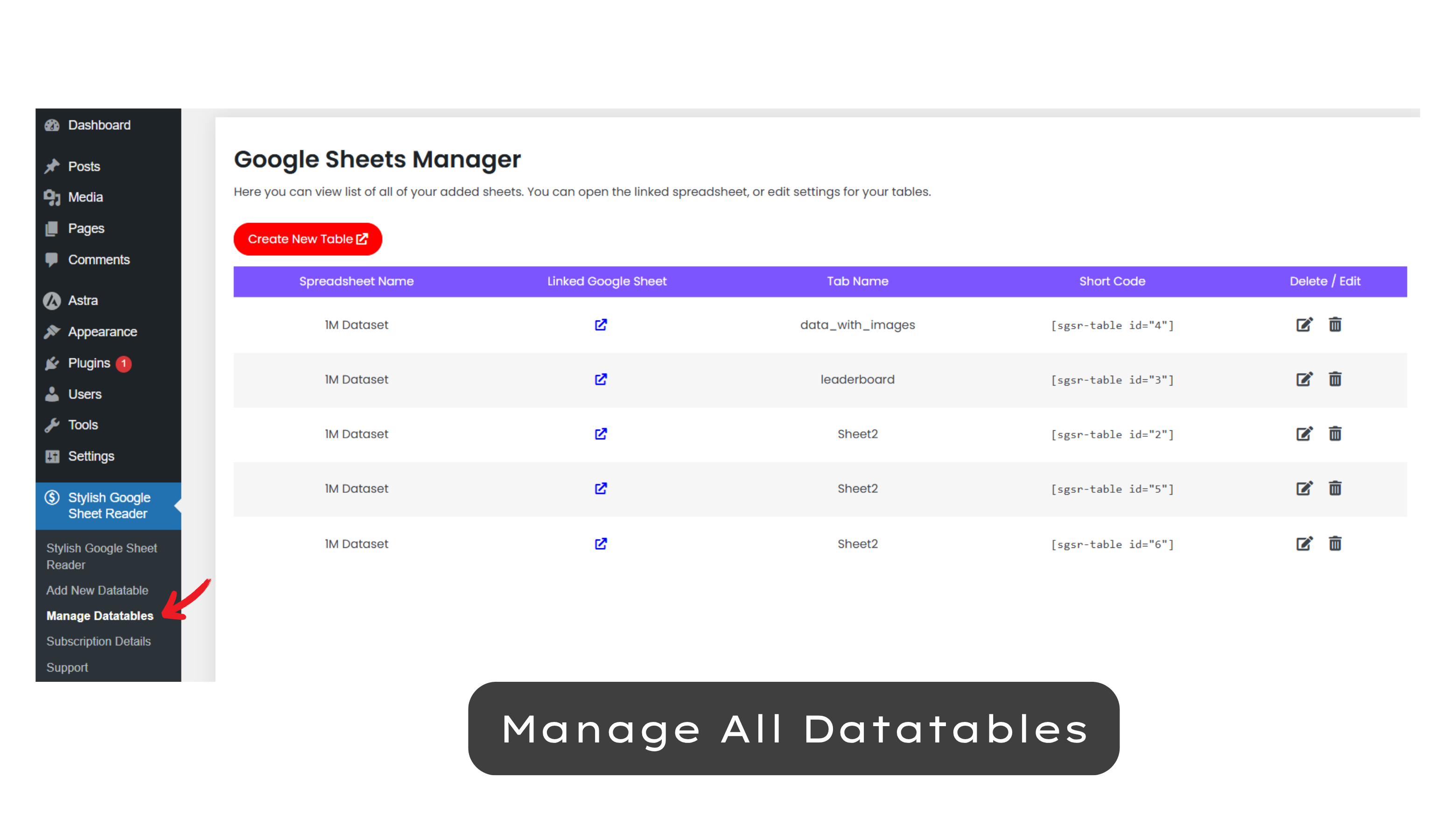
Manage all google sheets from one dashboard.
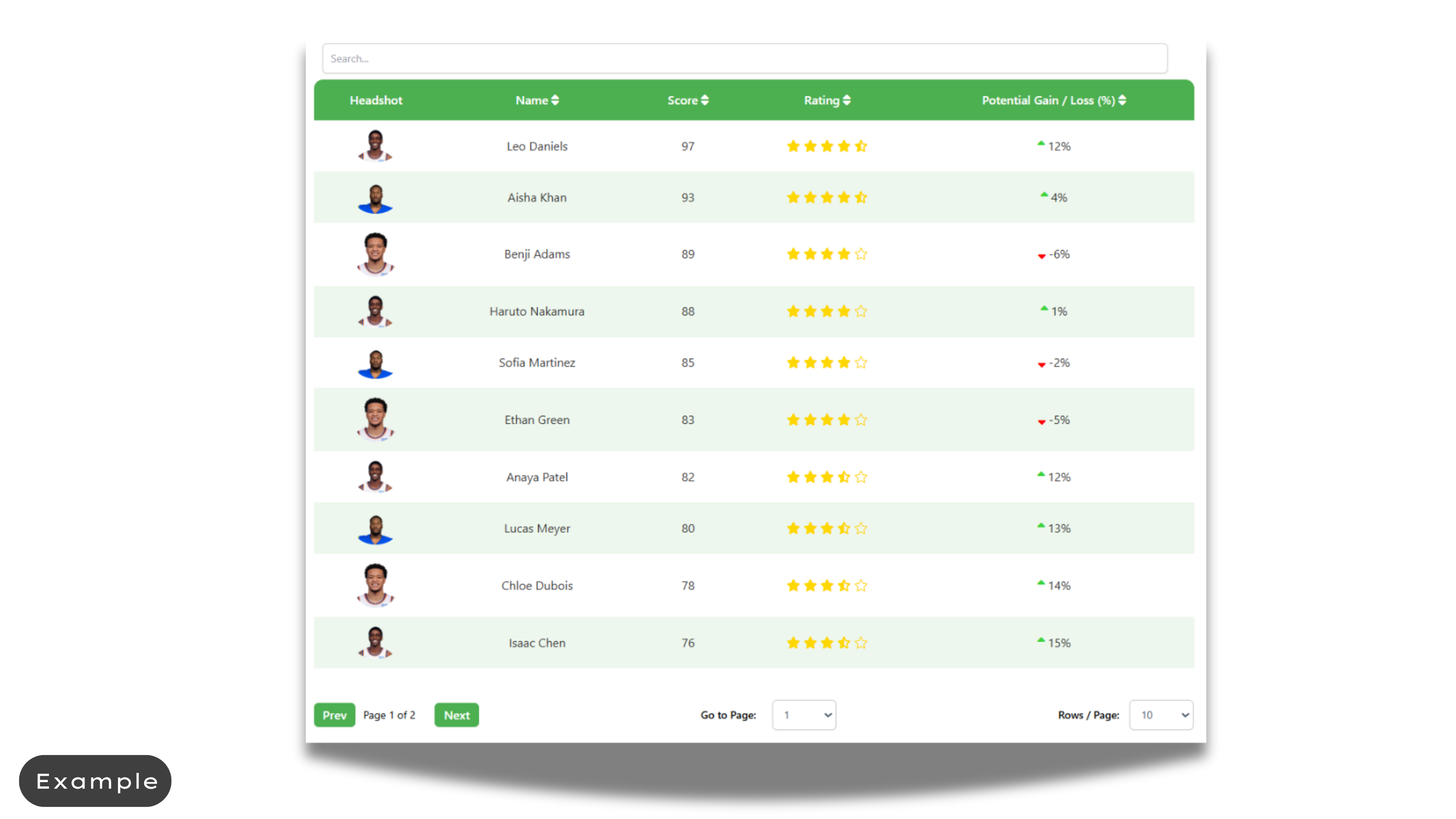
Example 1
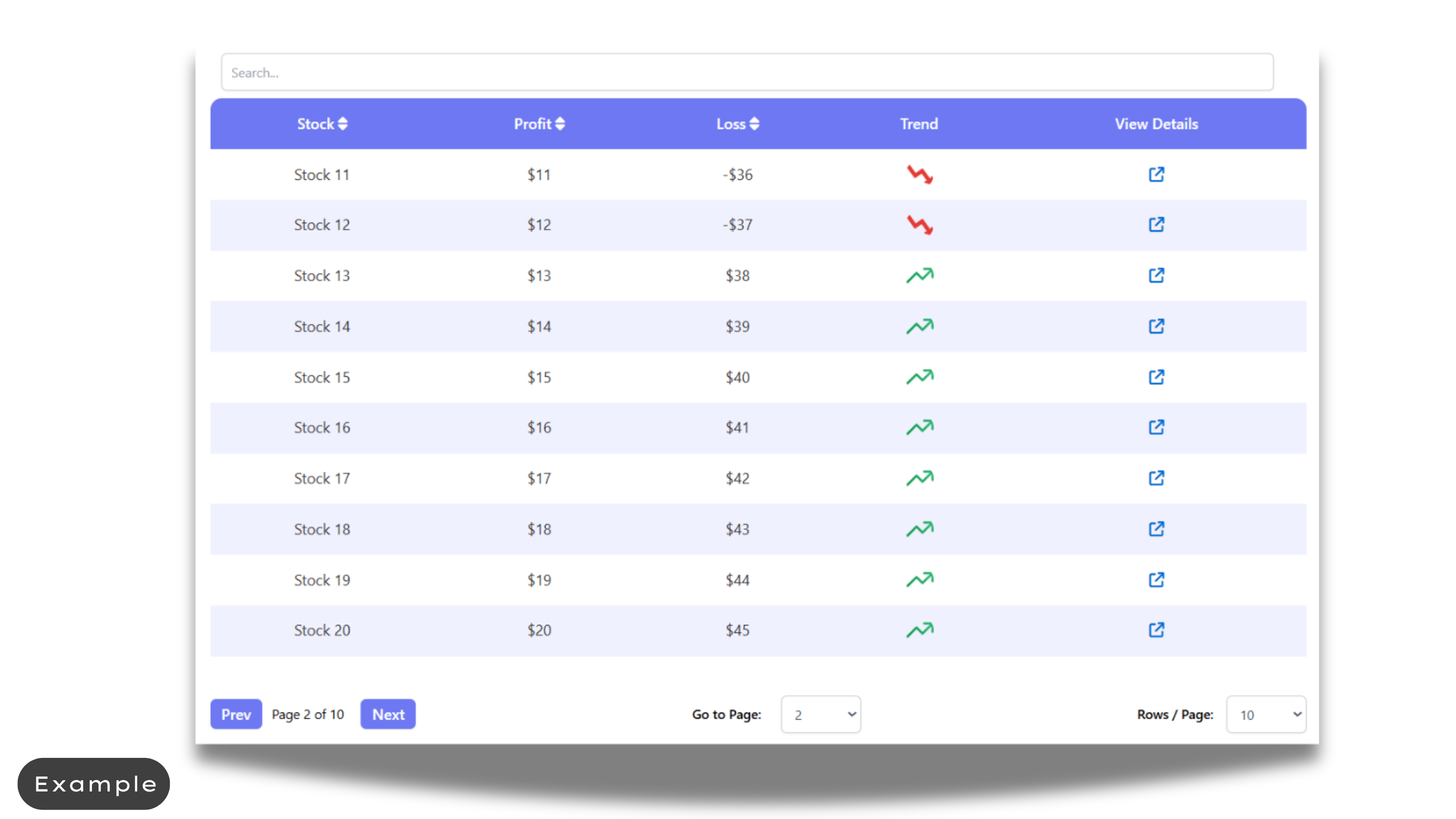
Example 2
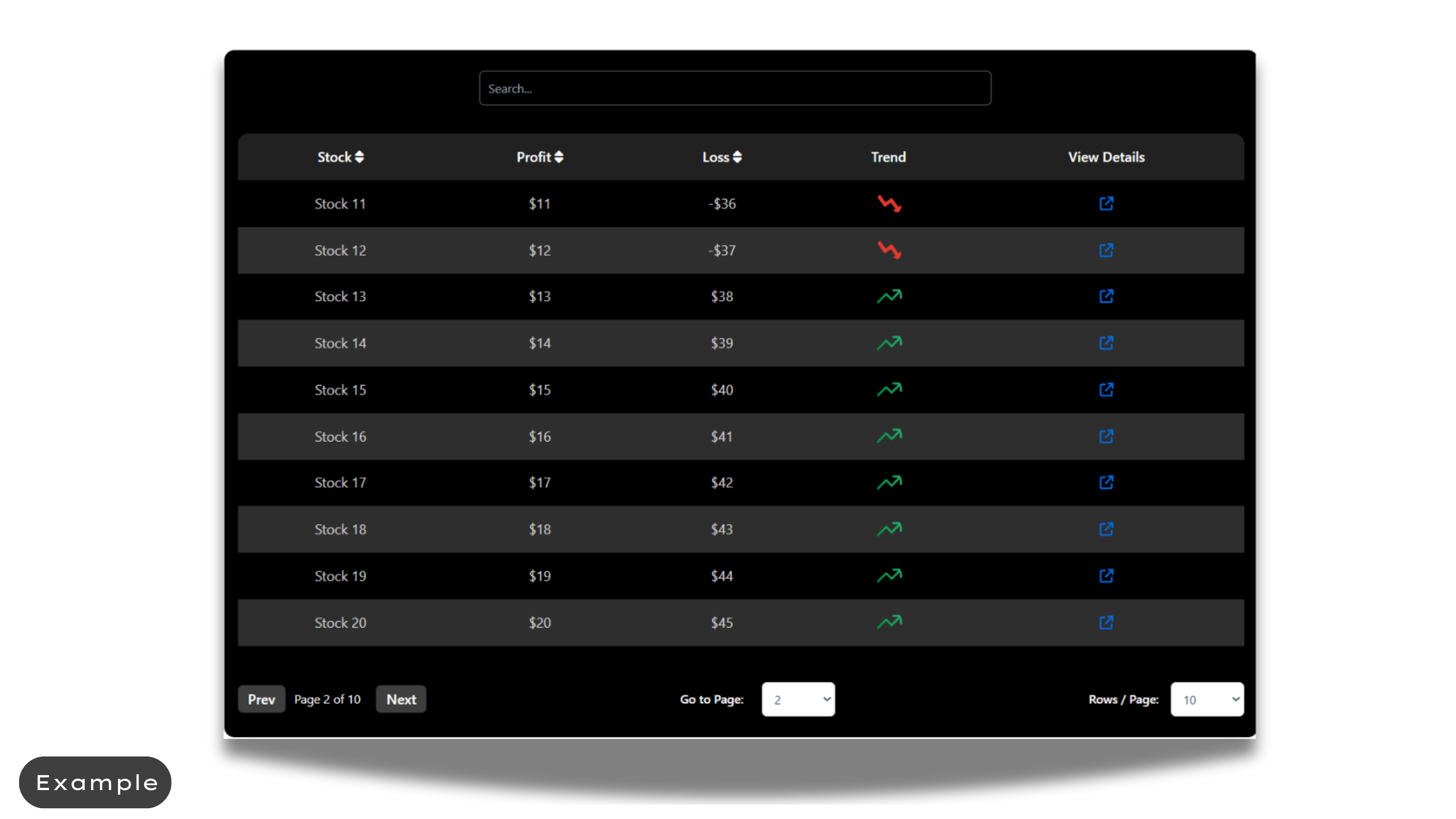
Example 3