
Easy add site-wide, category and article specific custom code before the closing </head> and </body>, or after opening <body> tag.

Stock Ticker
Hospedagem WordPress com plugin Stock Ticker
Onde hospedar o plugin Stock Ticker?
Este plugin pode ser hospedado em qualquer provedor que possua WordPress instalado. Recomendamos fortemente utilizar um provedor de hospedagem confiável, com servidores adaptados para WordPress, como o serviço de hospedagem WordPress da MCO2.
Hospedando o plugin Stock Ticker em um provedor seguro
A MCO2, além de instalar o WordPress na versão mais atualizada para seus clientes, fornece o plugin WP SafePress, um mecanismo singular que protege e otimiza seu site conjuntamente.
Por que a Hospedagem WordPress funciona melhor na MCO2?
A Hospedagem WordPress funciona melhor pois a MCO2 possui servidores otimizados para WordPress. A instalação de WordPress é diferente de uma instalação trivial, pois habilita imediatamente recursos como otimização de imagens, proteção da página de login, bloqueio de atividades suspeitas diretamente no firewall, cache avançado e HTTPS ativado por padrão. São recursos que potencializam seu WordPress para a máxima segurança e o máximo desempenho.
A simple and easy configurable plugin for WordPress that allows you to insert a stock ticker with stock price information to posts, pages, widgets, or even to template files. Insertion is enabled by a shortcode or multi-instance widget.
Stock data is fetched by the API from Alpha Vantage. You’ll need an AlphaVantage.co API Key.
Stock Ticker is an advanced variation of the Stock Quote plugin.
Multisite WordPress is not supported yet.
IMPORTANT: Stock Ticker does not have its Gutenberg Block. You can use Shortcode Block or Common Block to insert the Stock Ticker within the post/page content.
Aviso Legal
All stock data used in Stock Ticker is provided by Alpha Vantage, displayed for informational and educational purposes only and should not be considered as investment advice.
As of the end of 2023, AlphaVantage limited the Free API tier to 5 requests per minute and 25 requests per day.
Before presenting stock data on your website publicly, ensure that you comply with the Alpha Vantage Terms of Service and have a valid commercial license!
The author of the Stock Ticker plugin does not accept liability or responsibility for your use of the plugin, including but not limited to trading and investment results. Additionally, the author of the Stock Ticker plugin can not guarantee that stock prices are always accurate, as they are provided by a third-party service for free.
funcionalidades
- Set a global set of symbols you’ll use site-wide.
- Configure the default set of stock symbols that will be displayed in the ticker inserted by the empty shortcode.
- Configure the default presence of the company as Company Name or as a Stock Symbol.
- Configure colours for unchanged quote, negative and positive changes with the colour picker.
- Disable scrolling ticker and make it static.
- Define custom names for companies to be used instead of the symbols.
- Define custom elements as a part of the visible value.
You can set a custom template for a visible change value. Default format is %company% %price% %change% %changep%. As macro keywords, you can use:
%exch_symbol%– Symbol with exchange, like NASDAQ:AAPL%symbol%– Company symbol, like AAPL%company%– Company name after filtered by custom names, like Apple Inc.%price%– Price value, like 125.22%change%– Change value, like -5.53%changep%– Change percentage, like -4.23%%ltrade%– Last trade day (like 2020-09-25), which can be followed by the PHP date format to customise date output, separate by pipe character, eg |l, jS \of F Y
For help, use the official WordPress support forum.
How To Use
You can add a Stock Ticker to posts, pages or widgets by shortcode or widget (Appearance -> Widgets).
Código curto
Use the simple shortcode [stock_ticker] without any parameters in a post or page to display the ticker with default settings. You can tweak a single shortcode with parameters:
symbols– string with asingle or comma-separated array of stock symbolsshow– a string that defines how the company will be represented on the ticker; can be thenamefor Company Name, or asymbolfor Stock Symbolnumber_format– override default number format for values (default from this settings page used if no custom set by shortcode). Valid options are:cdfor 0.000,00;dcfor 0,000.00;sdfor 0 000.00 andscfor 0 000,00decimals– override default number of decimal places for values (default from this settings page used if no custom set by shortcode). Valid values are:1,2,3and4static– (boolean) to enable static unordered list instead of scrolling ticker, set to1ortrueprefill– (boolean) to start with pre-filled instead of an empty ticker set to1ortrueduplicate– (boolean) if there are fewer items than visible on the ticker, set this to1ortrueto make it continuousspeed– (integer) tune speed of StockTicker block rendered by shortcodeclass– (optional) customise block look and feel, set custom CSS class
Examples
- Scrolling ticker
[stock_ticker symbols=”BABA,EURGBP,LLOY.LON” show=”symbol”] - Static unordered list
[stock_ticker symbols=”BABA,EURGBP,LLOY.LON” show=”symbol” static=”1″]
Supported Stock Exchange Markets
Alpha Vantage provide stock data for the following stock exchange markets:
- BOM – Bombay Stock Exchange
- TSE – Canadian/Toronto Securities Exchange
- FRA – Deutsche Börse Frankfurt Stock Exchange
- ETR – Deutsche Börse Frankfurt Stock Exchange
- AMS – Euronext Amsterdam
- EBR – Euronext Brussels
- ELI – Euronext Lisbon
- EPA – Euronext Paris
- LON – London Stock Exchange
- NASDAQ – NASDAQ Exchange
- CPH – NASDAQ OMX Copenhagen
- HEL – NASDAQ OMX Helsinki
- ICE – NASDAQ OMX Iceland
- NYSE – New York Stock Exchange
- SHA – Shanghai Stock Exchange
- SHE – Shenzhen Stock Exchange
- TPE – Taiwan Stock Exchange
- TYO – Tokyo Stock Exchange
Not supported:
- MCX – Moscow Exchange (since December 2018) – eg.
MCX:GAZP - ASX – Australian Securities Exchange (since May 2020) – eg,
ASX:MSB - SGX – Singapore Exchange (since July 13th 2020) – eg,
C29.SI - NSE – National Stock Exchange of India (since July 2020) – eg,
NSE:VB - STO – NASDAQ OMX Stockholm (since October 2021) – eg,
STO:ATCO-A - BIT – Borsa Italiana Milan Stock Exchange (since December 2023) – eg,
BIT:OLI
Hall of Fame
Kudos to:
- Patchstack and Wordfence researchers for early reporting of vulnerabilities.
- fellow alpha testers @flexer, @khunmax, @k2_1971, and @vijaleshk, for release v3.0.0.
- @eigood, who pointed me to AlphaVantage.co as an alternative to Google Finance.
- @rbrodrecht for helping with Alpha Vantage entitlement implementation.
Capturas de tela

Global plugin settings page (version 3.23.5)
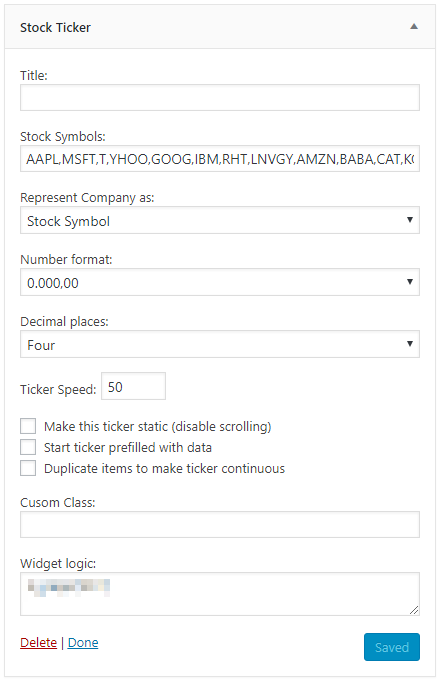
Widget settings
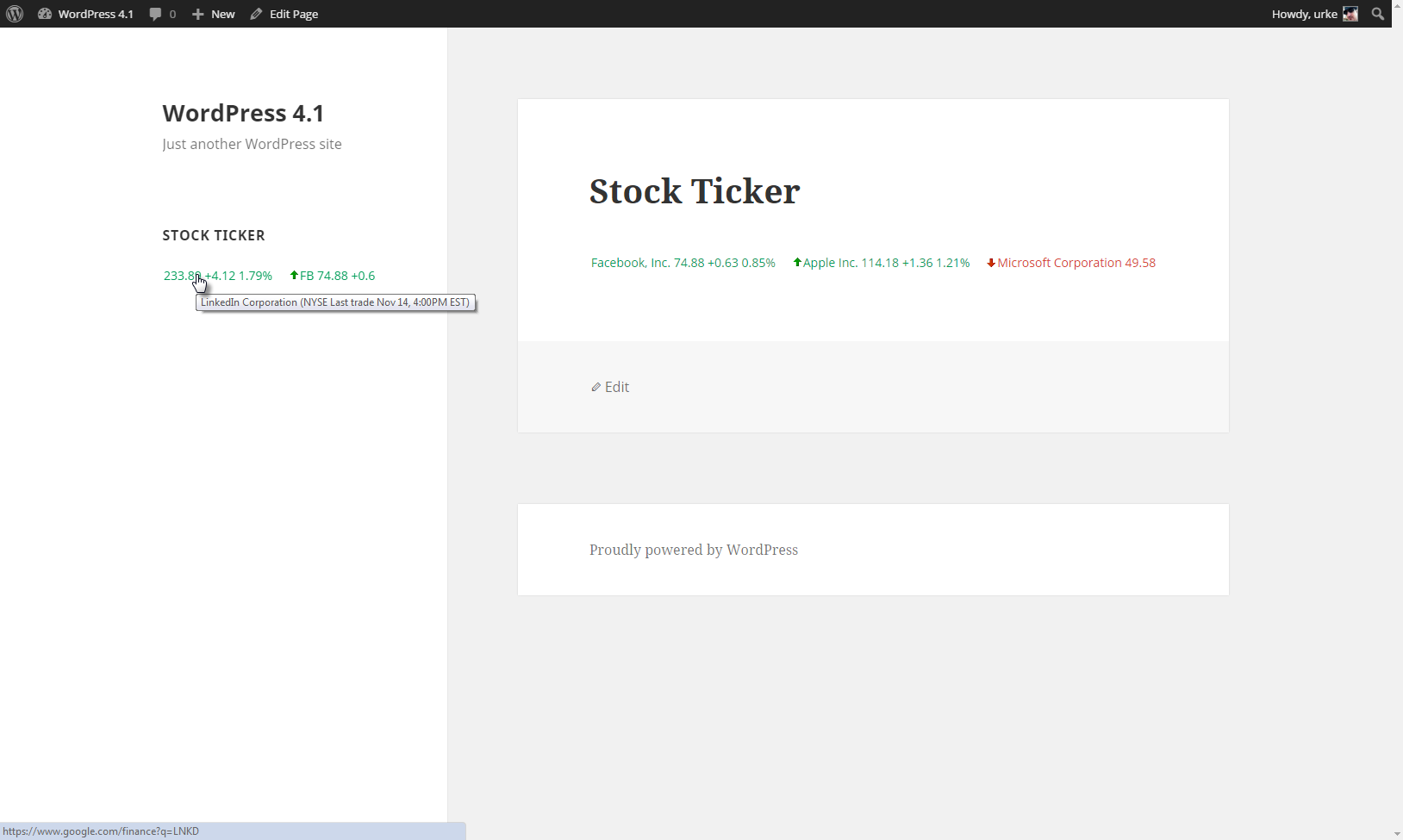
Stock ticker in action
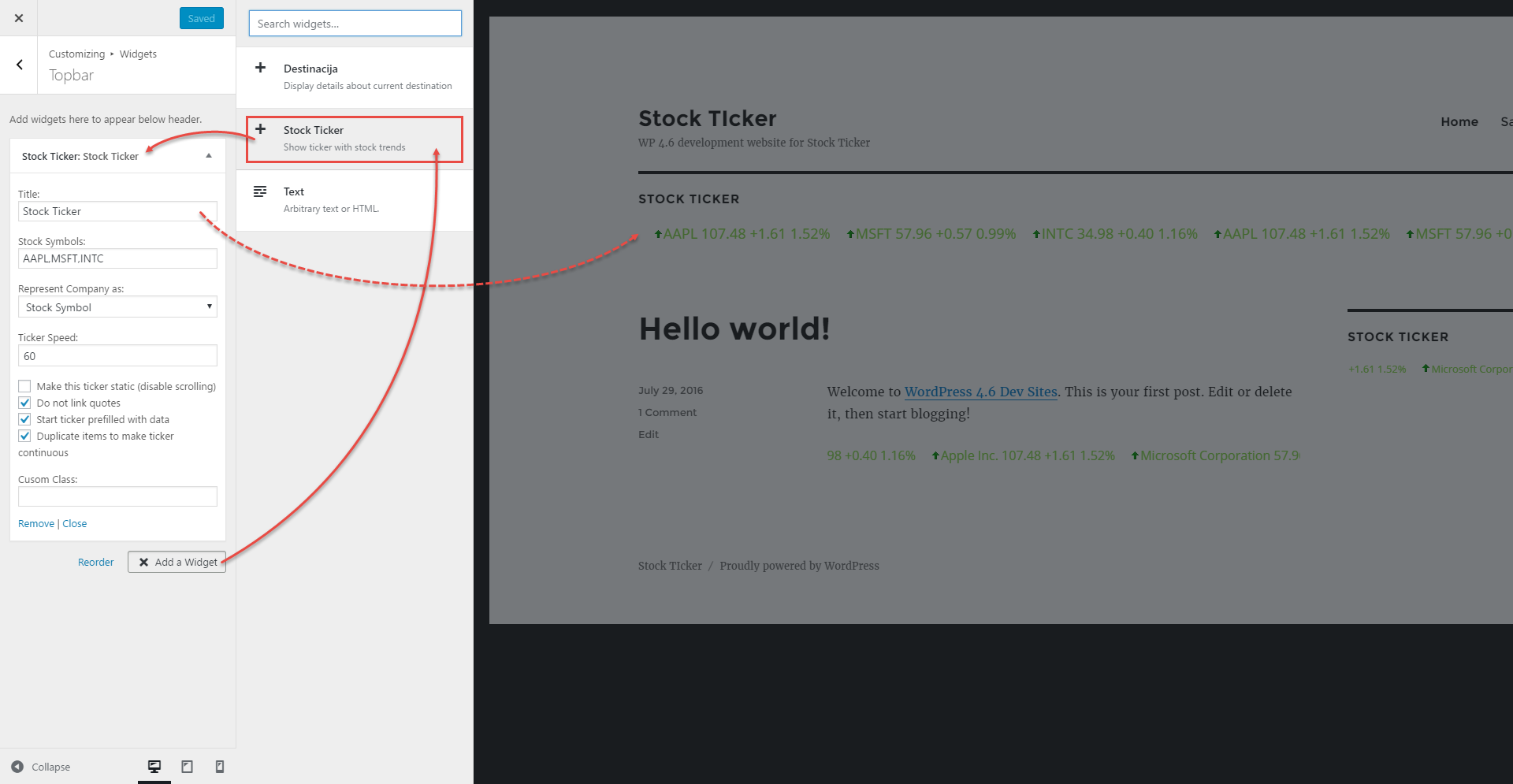
Stock ticker in Customizer > top Widgets top
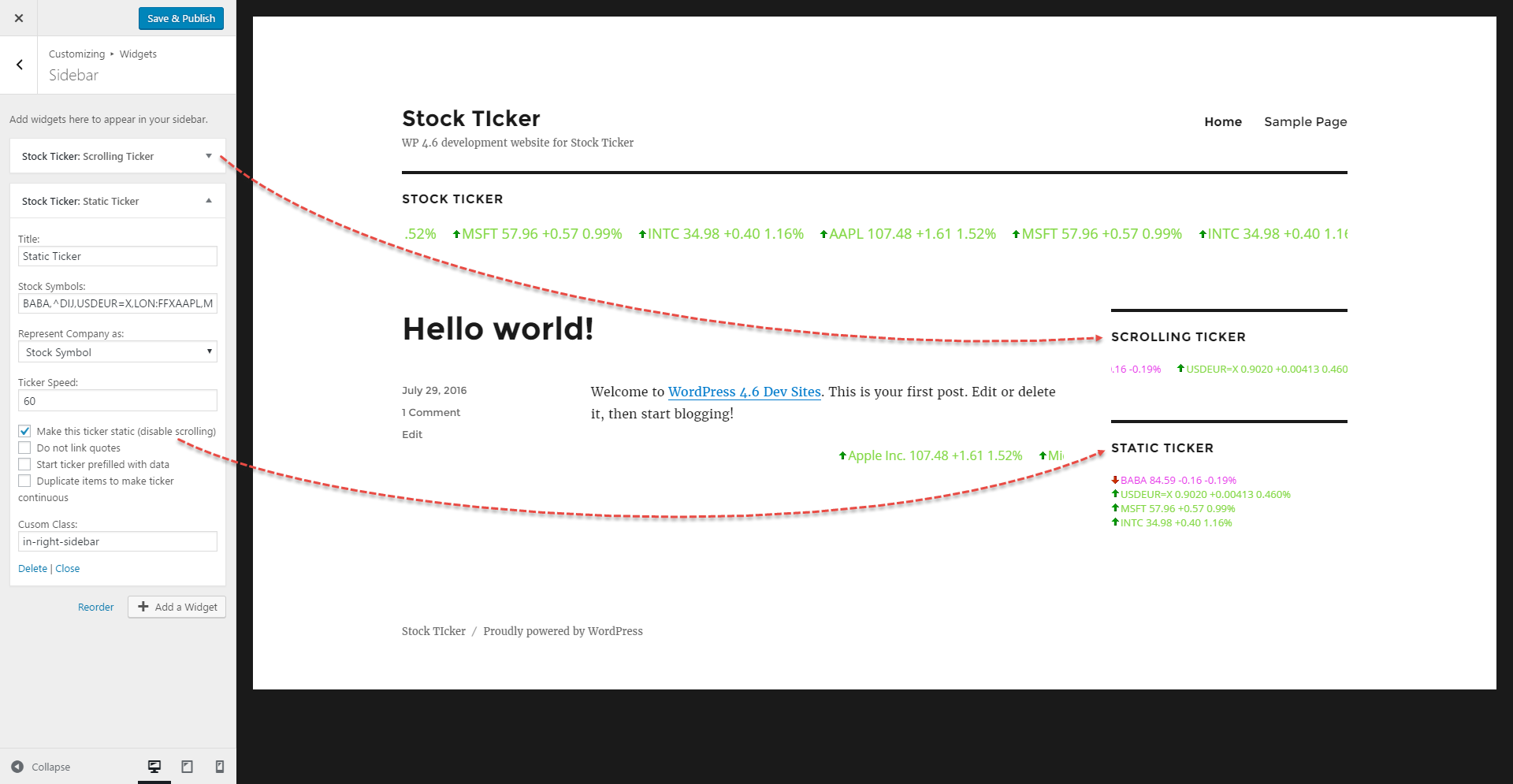
Stock ticker in Customizer > sidebar Widgets
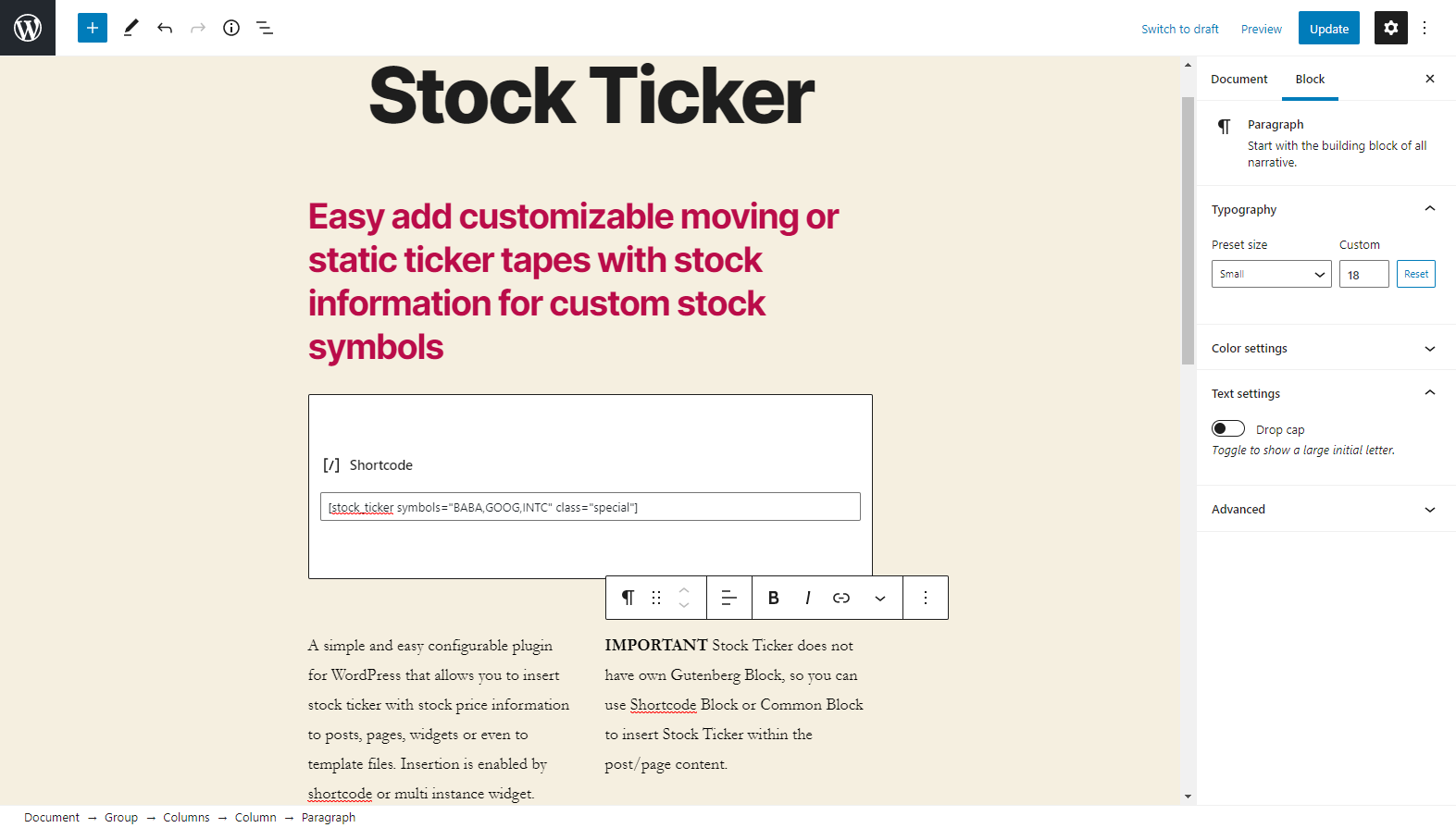
Stock ticker through Gutenberg Código curto block
Do mesmo author (Aleksandar Urošević)
