
Grow your business with Meta for WordPress!

Social Media Feather
Hospedagem WordPress com plugin Social Media Feather | social media sharing
Onde posso hospedar o plugin Social Media Feather | social media sharing?
Este plugin pode ser hospedado em qualquer hospedagem que tenha WordPress configurado. Recomendamos fortemente optar por uma empresa de hospedagem de confiança, com servidores otimizados para WordPress, como o serviço de hospedagem de sites da MCO2.
Hospedando o plugin Social Media Feather | social media sharing em um provedor confiável
A MCO2, além de configurar e instalar o WordPress na versão mais atual para seus clientes, oferece o WP SafePress, um mecanismo singular que assegura e otimiza seu site simultaneamente.
Por que a Hospedagem WordPress funciona melhor na MCO2?
A Hospedagem WordPress funciona melhor pois a MCO2 possui servidores otimizados para WordPress. A instalação de WordPress é diferente de uma instalação trivial, pois habilita imediatamente recursos como otimização automática de imagens e fotos, proteção da página de login, bloqueio de atividades suspeitas diretamente no firewall, cache avançado e HTTPS ativado por padrão. São plugins que potencializam seu WordPress para a máxima segurança e o máximo desempenho.
Social Media Feather is a lightweight WordPress plugin that helps you add social sharing and follow buttons to your site in minutes. It is built for performance, simplicity, and clean design.
You can automatically display social buttons on posts, pages, and custom post types, or insert them manually using widgets, shortcodes, or template tags.
The plugin supports both sharing and follow features across major social networks, plus share buttons for AI assistants such as ChatGPT, Claude and Perplexity. It also includes Retina-ready icons for high resolution displays.
Why choose Social Media Feather?
- Fast and lightweight with minimal impact on page load
- Clean and modern icon styles
- Easy setup with automatic or manual placement
- Works with posts, pages, and custom post types
- Optional AI assistant share buttons for ChatGPT, Claude, Copilot, Gemini, Grok, and Perplexity
- Flexible customization with shortcodes and widgets
Sharing Features
Allow visitors to share your content on:
- Twitter / X
- Tumblr
Or ask an AI assistant about your content:
- ChatGPT
- Claude
- Copilot
- Gemini
- Grok
- Perplexity
AI Assistant Sharing
The AI assistant buttons hand the visitor a prompt asking for a summary of the page, along with the post title and URL.
ChatGPT, Claude, Grok, and Perplexity open a new chat with the prompt already filled in. Copilot and Gemini accept no prompt in a URL, so their buttons copy the prompt to the clipboard and open a blank chat for the visitor to paste into.
All six are off by default. To turn one on, go to Settings > Social Media > Service Providers and set that provider’s Service option to Share.
Follow Features
Display links to your social profiles:
- Twitter / X
- YouTube
- Tumblr
- Flickr
- Foursquare
- Vimeo
- RSS
Additional Features
- Retina and high resolution icon support
- Enable or disable individual social providers
- Custom titles and URLs per provider
- Built-in widgets for sharing and following
- Shortcodes for full control
- Multiple icon skins included
- Optional effects like fade and grayscale
- Optional add-ons for share counters
Custom Display Control
You can disable buttons on specific posts using custom fields:
synved_social_exclude_share= yessynved_social_exclude_follow= yessynved_social_exclude= yes
Enable Custom Fields in Screen Options to use this feature.
Example Shortcodes
Basic sharing buttons:
[feather_share]
Limit networks and order:
[feather_share show=”twitter, facebook” hide=”reddit, pinterest, linkedin, tumblr, mail”]
Only the AI assistant buttons (they must be enabled in settings first):
[feather_share show=”chatgpt, claude, copilot, gemini, grok, perplexity” hide=”facebook, twitter, reddit, pinterest, linkedin, tumblr, mail”]
Change icon skin:
[feather_share skin=”wheel”]
Set icon size:
[feather_share size=”64″]
Add custom class:
[feather_share class=”myclass”]
Follow buttons:
[feather_follow]
Follow buttons with skin and size:
[feather_follow skin=”balloon” size=”64″]
Custom share URL:
[feather_share url=”http://www.example.org”]
Template Tags
For developers:
Sharing buttons:
if (function_exists(‘synved_social_share_markup’)) echo synved_social_share_markup();
Follow buttons:
if (function_exists(‘synved_social_follow_markup’)) echo synved_social_follow_markup();
Related Links
- Plugin homepage: https://socialmediafeather.com/
By installing this plugin you agree to the Privacy Policy and Terms of Service:
https://sharethis.com/privacy/
Capturas de tela
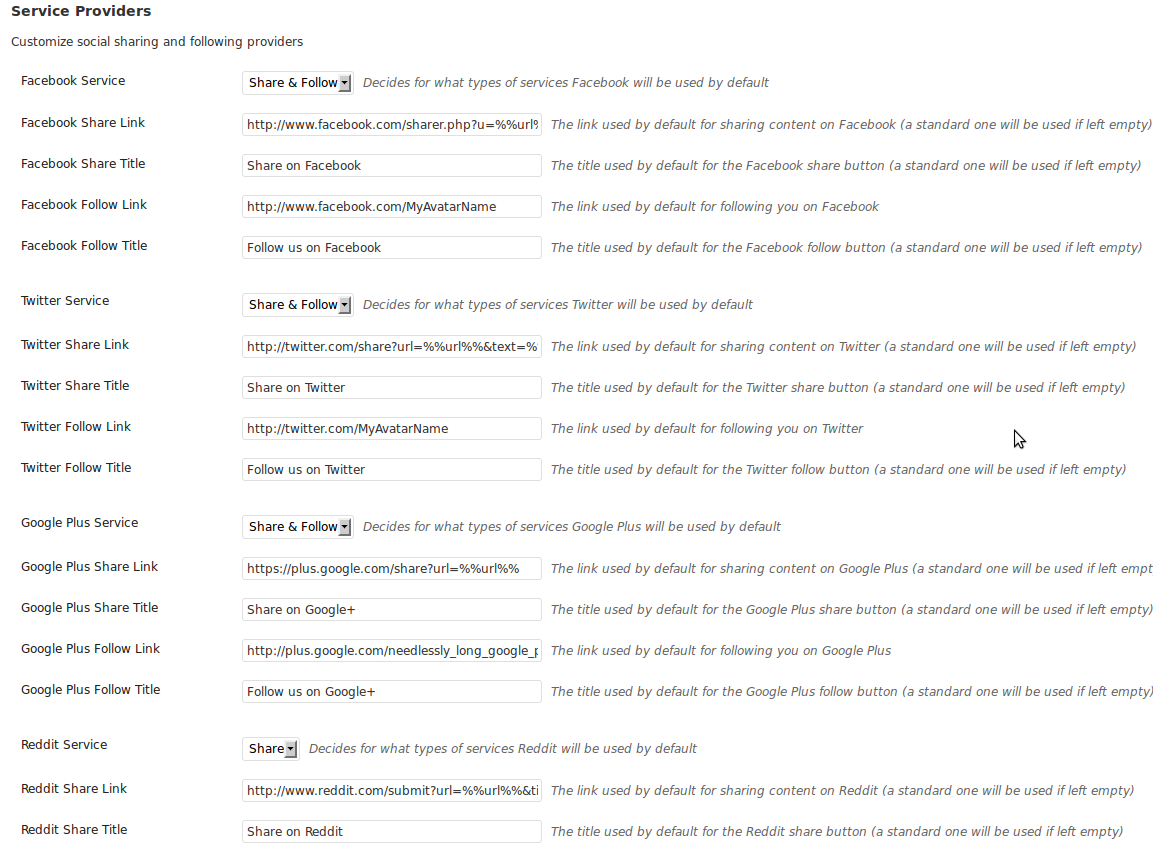
Social provider settings
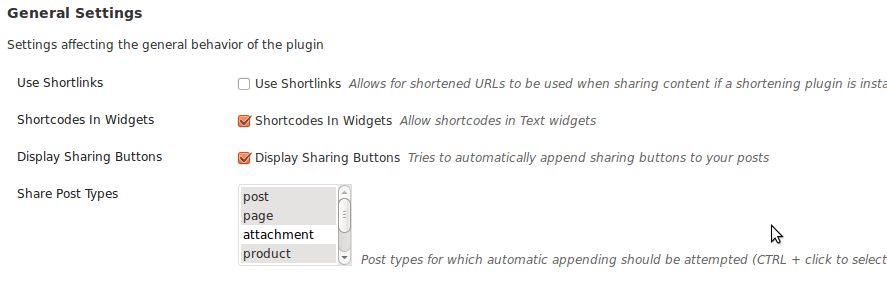
Plugin configuration panel
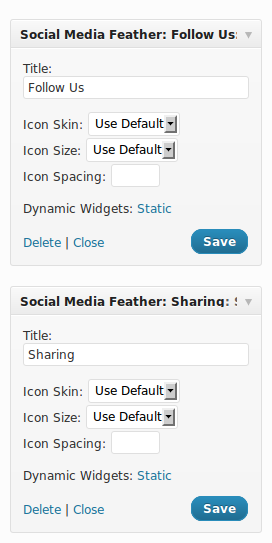
Widget settings

Sharing buttons example

Follow buttons example
Plugins semelhantes


Reach more customers and drive sales on Facebook, Instagram and WhatsApp with the official Meta for WooCommerce plugin.

Share buttons for WordPress including the AddToAny button, Facebook, Bluesky, Mastodon, WhatsApp, Pinterest, Reddit, many more, and follow icons too.

Antigo "Custom Facebook Feed Pro". Exiba feeds do Facebook totalmente personalizáveis de uma página do Facebook. Oferece suporte a oEmbeds do Facebook.

One click registration & login plugin for Facebook, Google, X (formerly Twitter) and more. Quick setup and easy configuration.

Quickest solution to add widgets like Address, Social Profiles and List icons on a website built with Astra.