
Tudo o que você precisa para lançar uma loja on-line em poucos dias e mantê-la em crescimento por anos. Desde a sua primeira venda até milhões em receita, o Woo está com você.

Smart Variations Images & Swatches for WooCommerce
Hospedagem WordPress com plugin Smart Variations Images & Swatches for WooCommerce
Onde hospedar o plugin Smart Variations Images & Swatches for WooCommerce?
Este plugin pode ser hospedado em qualquer servidor que possua WordPress instalado. Recomendamos fortemente optar por um provedor de hospedagem seguro, com servidores adaptados para WordPress, como o serviço de hospedagem da MCO2.
Hospedando o plugin Smart Variations Images & Swatches for WooCommerce em uma empresa de hospedagem confiável
A MCO2, além de instalar o WordPress na versão mais atualizada para seus clientes, disponibiliza o WP SafePress, um sistema exclusivo que protege e melhora seu site ao mesmo tempo.
Por que a Hospedagem WordPress funciona melhor na MCO2?
A Hospedagem WordPress funciona melhor pois a MCO2 possui servidores otimizados para WordPress. A instalação de WordPress é diferente de uma instalação trivial, pois habilita imediatamente recursos como otimização automática de imagens e fotos, proteção da página de login, bloqueio de atividades maliciosas diretamente no firewall, cache avançado e HTTPS ativado por padrão. São recursos que potencializam seu WordPress para a máxima segurança e o máximo desempenho.
Smart Variations Images & Swatches gives variable products a gallery experience designed around the attributes shoppers use to choose: color, size, material, and their combinations. Create a gallery once, assign it to the relevant attribute values, and reuse it across every matching variation.
WooCommerce now includes native galleries for individual variations. SVI is built for stores where multiple variations share the same visual assets: assign one gallery to a color or attribute combination instead of recreating it for every SKU. On the storefront, customers can browse galleries, choose variations from images and swatches, and see their selection reflected immediately.
SVI complements native WooCommerce variation galleries. When a product has no matching SVI gallery, SVI can use the selected variation’s native WooCommerce gallery, so existing product data remains useful.
Make the smart choice! Read the article
Features
Free Features
- Reusable galleries for attributes and attribute combinations, reducing repeated image setup across matching variations
- Unlimited additional images with drag-and-drop sorting
- Gallery changes when shoppers choose a single attribute, such as color
- Color, image, and label variation swatches
- Image clicks can update matching variation selections
- Static, stacked, and slider gallery layouts with navigation arrows
- Variation thumbnails below product selectors and image showcases on product loop pages
- Magnifier lens and lightbox support
- Option to hide thumbnails until a variation is chosen
- Native WooCommerce variation-gallery fallback when no SVI gallery matches
- Responsive, WPML-aware, page-builder, theme, and swatches-plugin compatibility
Premium Features
Live Demo | Upgrade to PRO | Support
- All Free Features plus:
- Video Support
- Advanced Slider/Lightbox/Magnifier Lens options
- Stacked Layout
- Trigger image swap on specific attribute change
- Add variation image to Cart / Email / Admin order Edit / Order details
- API actions
- Import/Export handling
- Filter Attribute Animation (Sliding effect on hover for Diagonal, Vertical, and Horizontal layouts)
- And much more…
Capturas de tela
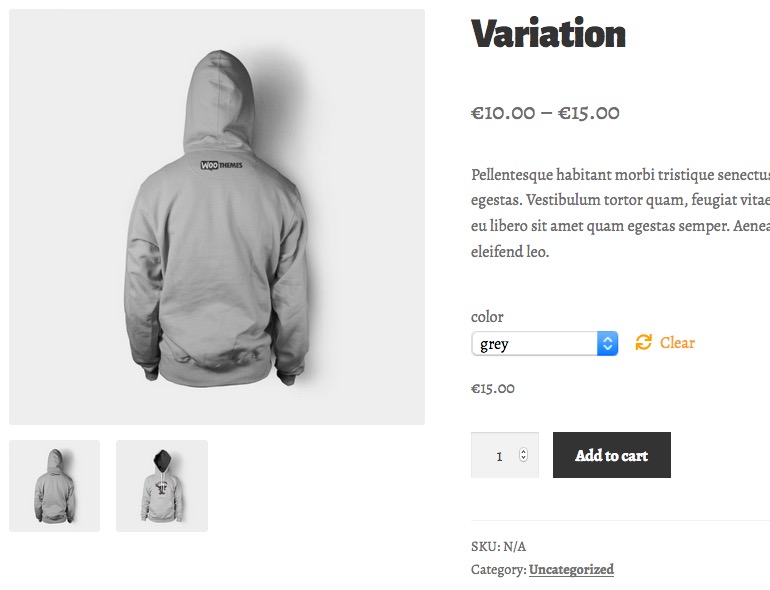
Display Images according to variation

Lightbox
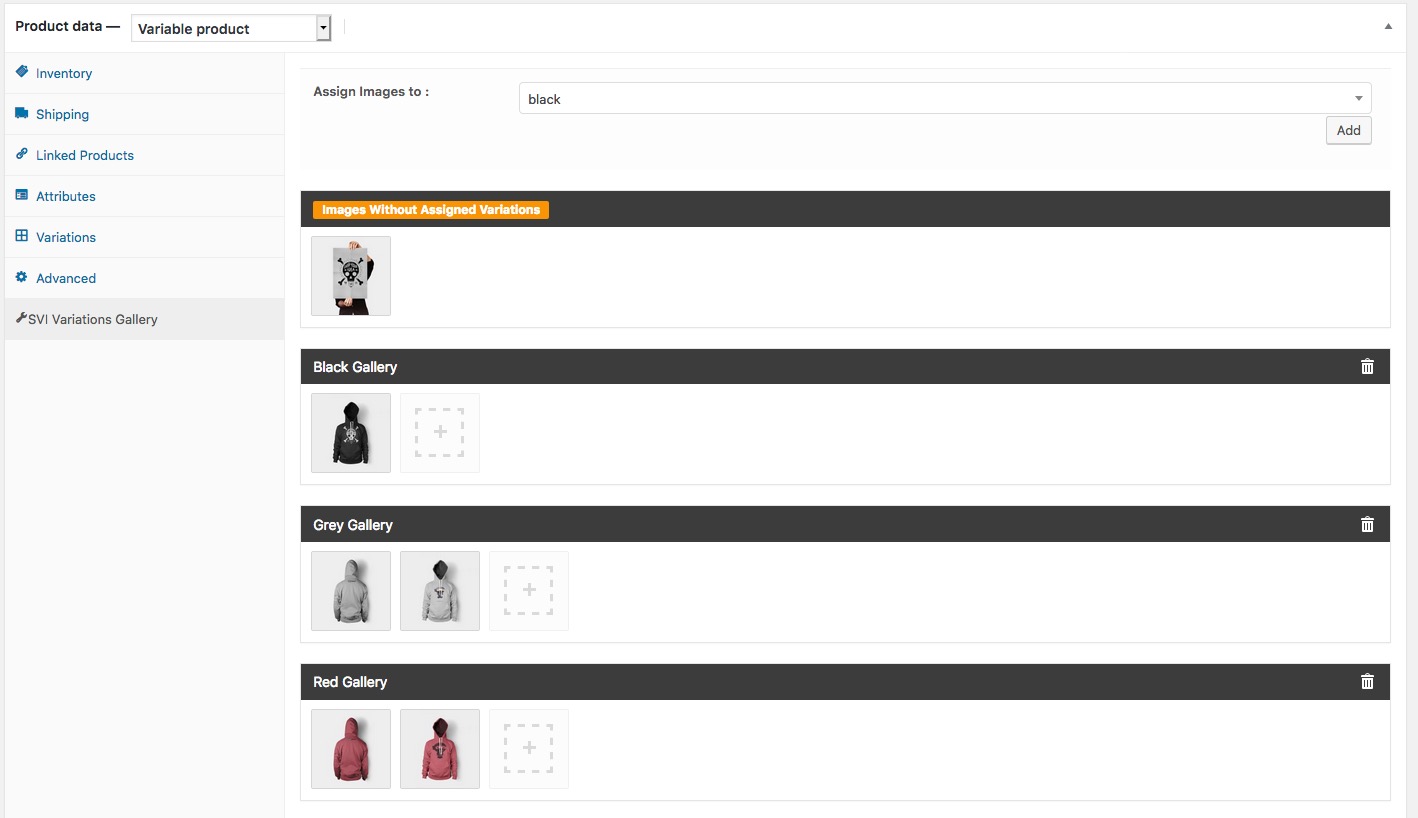
Set up the combinations

Display variations under Variations Select

Display variations on Product Loop Pages

Replace dropdown fields for your variable products with Swatches

Setup swatches on Product > Attributes

Plugins semelhantes


PayPal's latest payment processing solution. Accept PayPal, Pay Later, credit/debit cards, alternative digital wallets and bank accounts.

Native integration with Google that allows merchants to easily display their products across Google’s network.

Want to boost sales & marketing efforts? Use your favorite forms & builder. Unlimited popups & impressions, keep your data, no monthly subscription.

We’re here to help with tax rates: collect accurate sales tax, automatically.

The WooCommerce Legacy REST API, which is now part of WooCommerce itself but will be removed in WooCommerce 9.0.