O plugin “User Role Editor” do WordPress facilita a alteração de funções e permissões de usuários. Edite, adicione ou exclua funções e permissões de usuários do WordPress.

Smart User Slug Hider
Hospedagem WordPress com plugin Smart User Slug Hider
Onde posso hospedar o plugin Smart User Slug Hider?
Este plugin pode ser hospedado em qualquer provedor que possua WordPress instalado. Recomendamos utilizar uma empresa de hospedagem confiável, com servidores adaptados para WordPress, como o serviço de hospedagem WordPress da MCO2.
Hospedando o plugin Smart User Slug Hider em um provedor seguro
A MCO2, além de instalar o WordPress na versão mais nova para seus clientes, oferece o WP SafePress, um mecanismo singular que protege e aumenta a performance do seu site ao mesmo tempo.
Por que a Hospedagem WordPress funciona melhor na MCO2?
A Hospedagem WordPress funciona melhor pois a MCO2 possui servidores otimizados para WordPress. A instalação de WordPress é diferente de uma instalação trivial, pois habilita imediatamente recursos como otimização automática de imagens, proteção da página de login, bloqueio de atividades maliciosas diretamente no firewall, cache avançado e HTTPS ativado por padrão. São plugins que potencializam seu WordPress para a máxima segurança e o máximo desempenho.
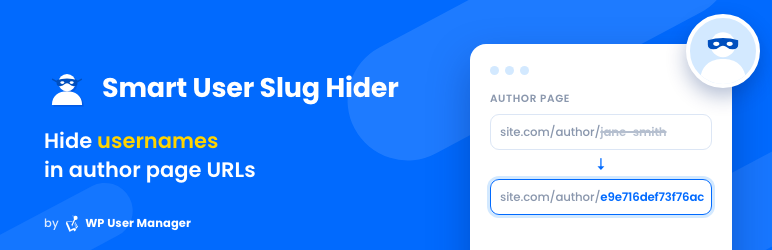
The Smart User Slug Hider Plugin hides usernames in Author Pages URLs to enhance Security
Originally created by Peter Raschendorfer, maintained by WP User Manager since October 2026.
Questions or problems? Ask in the support forum.
Usage
The plugin automatically replaces user names with 16 digits coded strings. There are no settings. Just install and forget. Deactivating the Plugin restores the default WordPress behavior.
Why use this plugin?
WordPress uses the pattern example.com/author/name for author page URLs where name represents the users login name.
This means that the login names from all your users are publicly visible which is a serious security flaw.
The Smart User Slug Hider Plugin changes all author page URLs from e.g. example.com/author/john to something like example.com/author/e9e716def73f76ac.
The codes are generated automatically and its impossible to make conclusions about the user names. The WordPress default URLs will cause a 404 (not found) error.
Shortcodes
The plugin adds three shortcodes you can use in your posts:
[smart_user_slug]– the user slug of the post author – e.g. e9e716def73f76ac[smart_user_url]– the url of the post author’s profile page – e.g. example.com/author/e9e716def73f76ac[smart_user_link]– adds a link to the post author’s profile page
Theme Functions
The plugin adds two functions that can be used in theme files:
get_smart_user_slug( $author_id )to get the user slug for the author – the parameter $author_id is optional, if omitted the author`s ID of the current post is usedthe_smart_user_slug( $author_id )to display the user slug for the author – the parameter $author_id is optional, if omitted the author`s ID of the current post is used
Plugin Privacy Information
- This plugin does not set cookies
- This plugin does not collect or store any data
- This plugin does not send any data to external servers
Plugins semelhantes


Instant switching between user accounts in WordPress and WooCommerce.
Edit the permalink of custom post type.

Allows an admin (or capable user) to edit the author slug of a user, and change the author base.

Adiciona um campo de envio de avatares aos perfis de usuário. Gera os tamanhos necessários sob demanda, assim como o Gravatar!

A powerful WordPress plugin for full URL control. Set custom permalinks, auto-redirects, and use dynamic tags for ideal site structure and SEO.
Do mesmo author (WP User Manager)

Registration forms, a frontend login form, user profiles and a member directory for WordPress. Add Stripe payments and content restriction.

Completely remove unwanted Archive Pages from your Blog

Completely remove Attachment Pages from your Blog