Adds breadcrumb navigation showing the visitor's path to their current location.

Simple Floating Menu
Hospedagem WordPress com plugin Simple Floating Menu
Onde hospedar o plugin Simple Floating Menu?
Este plugin pode ser hospedado em qualquer provedor que possua WordPress instalado. Recomendamos fortemente optar por uma hospedagem confiável, com servidores especializados para WordPress, como o serviço de hospedagem de sites da MCO2.
Hospedando o plugin Simple Floating Menu em uma empresa de hospedagem de confiança
A MCO2, além de instalar o WordPress na versão mais atualizada para seus clientes, fornece o WP SafePress, um mecanismo singular que salvaguarda e otimiza seu site conjuntamente.
Por que a Hospedagem WordPress funciona melhor na MCO2?
A Hospedagem WordPress funciona melhor pois a MCO2 possui servidores otimizados para WordPress. A instalação de WordPress é diferente de uma instalação trivial, pois habilita imediatamente recursos como otimização automática de imagens, proteção da página de login, bloqueio de atividades suspeitas diretamente no firewall, cache avançado e HTTPS ativado por padrão. São recursos que potencializam seu WordPress para a máxima segurança e o máximo desempenho.
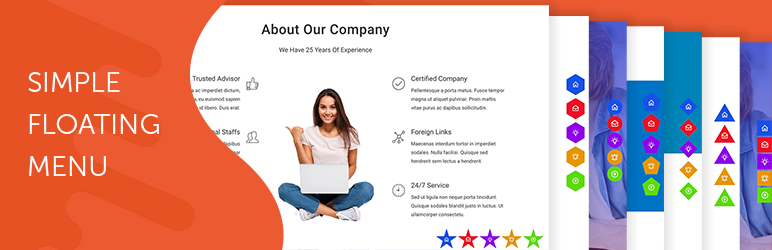
Give visitors a quick way to reach you, follow you or move around the page, without hunting through your menu. Simple Floating Menu adds a sticky bar of icon buttons that stays on screen as people scroll: call, WhatsApp, email, your social profiles, back to top, your shop, or any link you like.
Pick a ready made design, choose your icons, colours and position, and switch it on. No code, and it works alongside any theme.
Try the dashboard in a free sandbox
Great for
- Contact buttons — call, WhatsApp, email or your contact page, one tap away on every page
- Social profiles — Facebook, Instagram, YouTube, LinkedIn and more, always in view
- One page sites — buttons that scroll to a section, back to the top or down to the bottom
- Shops — quick links to the cart, the account page or today’s offer
- Campaigns — a bar on your landing pages only, and nowhere else
Everything in the free version
Buttons that look the part
- 5 icon packs with more than 12,000 icons
- 9 button shapes, with your own button size, icon size and shadow
- Colour every button at once, or give any button its own colours, with hover colours for buttons, icons and tooltips
- Tooltips in any of 1,400+ Google fonts with full typography settings, or turned off per button
Right where you want them
- 8 positions on the screen, with your own offsets
- Run a bar down the side of the screen or across it
- Show a menu on every page, or only on the pages, posts, archives, search results or 404 page you choose, for menus built on the Floating Menus screen
Quick to build
- Three ready made designs to start from, each with a preview
- Unlimited buttons, and as many menus as you like on one site
- A builder screen with the button list and the selected button’s settings side by side
- A live preview beside the settings on the Simple Floating Menu screen, so you see every change as you make it
- Buttons that open a link in the same tab or a new one, or scroll to a section, the top or the bottom
- A label, a title attribute and CSS classes on any button
- Switch a menu off and on again without losing your setup
- Export, import and duplicate a menu to move it between sites
Good to know
- Serve Google fonts from your own server, to help with GDPR
- A shortcut to the settings on the menu itself, shown to administrators only
- Hooks for developers, and translation ready
Two ways to build a menu
The Floating Menus screen. Open Simple Floating Menu > Floating Menus and build as many separate bars as you like, each with its own buttons, design and pages to appear on. Start from one of the three ready made designs and change whatever you want.
The Simple Floating Menu screen. Build one bar with a live preview beside it, so you see every change as you make it.
Both run on the same front end and can be used together.
Want more than a floating bar?
Super Floating & Flying Menu is the premium version. It keeps everything above and turns it into a complete menu toolkit:
- 100+ ready made menus, browsed by category with a screenshot of each and imported in one click
- Side panel, full screen, skew panel and icon rail menus, with submenus
- Circular fans and a one page navigation indicator that highlights the section in view
- Animation that gets noticed: 74 panel entrance and exit effects, wave transitions and eye catching trigger buttons
- The right menu for the right visitor: by login state, user role, device or language, or on a schedule
Your menus come with you. The premium version reads the menus you build on the Floating Menus screen exactly as they are, so upgrading never means starting again.
Get Super Floating & Flying Menu | See the live demos | Browse the 100+ templates
Free and premium at a glance
- Kinds of menu — Free: a floating button bar. Premium: floating bars, circular fans, a one page navigation indicator, side panels, skew panels, full screen menus and icon rails.
- Ready made designs — Free: 3. Premium: over 100, imported in one click.
- Floating bar styles — Free: 3. Premium: 10, plus quarter, half and full circular fans.
- Submenus — Free: a flat row of buttons. Premium: multi level submenus, with 7 ways to open them.
- Icons — Free: 5 packs, 12,000+ icons. Premium: 7 packs, 13,000+ icons, 16 animated hamburger icons, or your own images.
- Button shapes — Free: 9. Premium: 11.
- Animation — Free: none. Premium: bar, trigger button, panel and full screen animations.
- Where it appears — Free: every page, or chosen pages, posts, archives, search results and the 404 page. Premium: the same, plus login state, user role, device and language.
- When it appears — Free: always. Premium: after the visitor scrolls, hidden while they scroll down, or on a schedule.
- Tablet and mobile — Free: one set of sizes. Premium: separate sizes and spacing for each.
- Panel contents — Free: buttons and tooltips. Premium: logo, search, social icons, footer text, badges, or a panel built in Elementor.
- Support — Free: the WordPress.org forum. Premium: premium support from HashThemes.
The same comparison is inside the plugin, under Simple Floating Menu > Free vs Pro.
Premium Upgrade
Everything in Super Floating & Flying Menu, the premium version of this plugin.
Start from 100+ ready made menus
- Over 100 finished menus, imported in one click and yours to edit
- Browse them by category or search by name, with a screenshot of each
- Try any template live in the online template gallery before you choose
- Restyle a menu you already have from a template, keeping its items
Every kind of menu
- Floating bars in 10 styles, plus quarter, half and full circular fans
- A one page navigation indicator in 13 styles that highlights the section in view
- Side panels on the left or right, slanted skew panels, and icon rails that open on click or hover
- Full screen menus laid out in one, two or three columns
- Submenus up to three levels deep, with 7 ways to open them
- Build a menu on its own, or on a WordPress nav menu you already have
Animation that gets noticed
- 12 ways for a floating bar to appear
- 29 hover and 12 idle animations for the trigger button
- 37 entrance and 37 exit animations for panels
- 6 wave transitions and a Morphin effect for full screen menus
- 16 animated hamburger icons
Panels with real content
- A header with your logo, site title and tagline, or the logged in visitor’s avatar and name
- A search form, a row of social icons, and footer text with HTML and shortcodes
- Item descriptions and badges such as “New” or “Sale”
- Colour, image or YouTube video backgrounds, with an overlay
- Build the panel in Elementor, or show any WordPress page inside it
- Four Elementor widgets: an animated hover menu, a multi level menu, a breadcrumb menu and a close button
The right menu for the right visitor
- Choose pages, post types, archives, search results and the 404 page
- Show a menu to logged in or logged out visitors, or to chosen user roles
- Run a menu on a schedule of dates and days of the week, for offers that run themselves
- Reveal a menu after the visitor scrolls, and hide it while they scroll down
- Hide a menu on desktop, tablet or mobile
- Show a different menu per language with Polylang
Made for real sites
- 7 icon packs with more than 13,000 icons, or your own image icons
- 11 button shapes, with separate sizes and spacing for tablet and mobile
- Over 1,400 Google fonts on every text element, served from your own server if you prefer
- Import, export and duplicate any menu, even as the other menu type
- Scripts and styles load only on pages where a menu shows
- RTL ready, with menu text translatable through WPML
- One click updates and premium support from HashThemes
Your free menus come with you
Upgrading never means starting again. The premium version reads the menus you built on the Floating Menus screen exactly as they are, and this plugin steps aside by itself while the premium one is active.
Get Super Floating & Flying Menu | See the live demos | Browse the 100+ templates
Questions before you buy? Email support@hashthemes.com
Capturas de tela
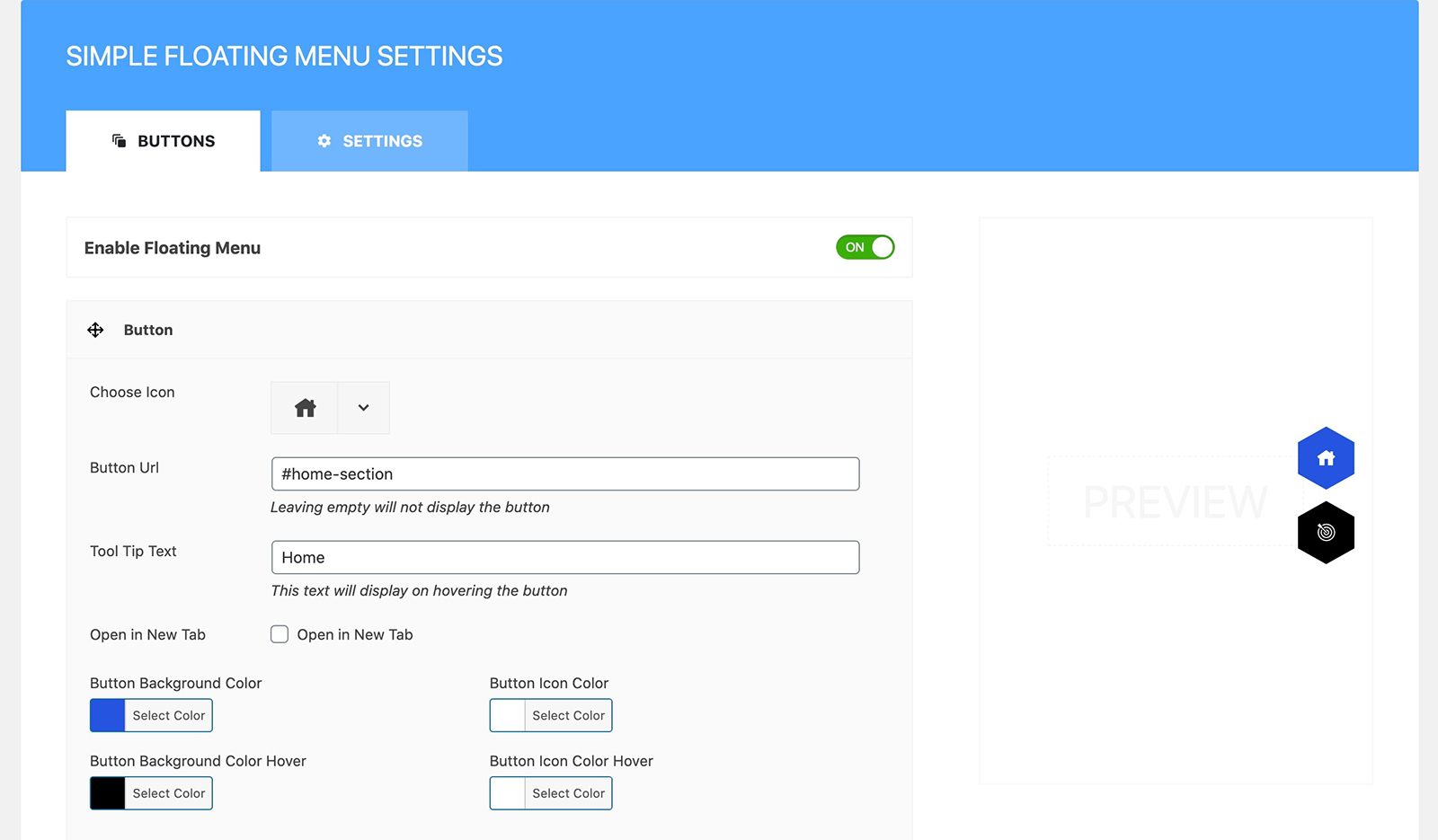
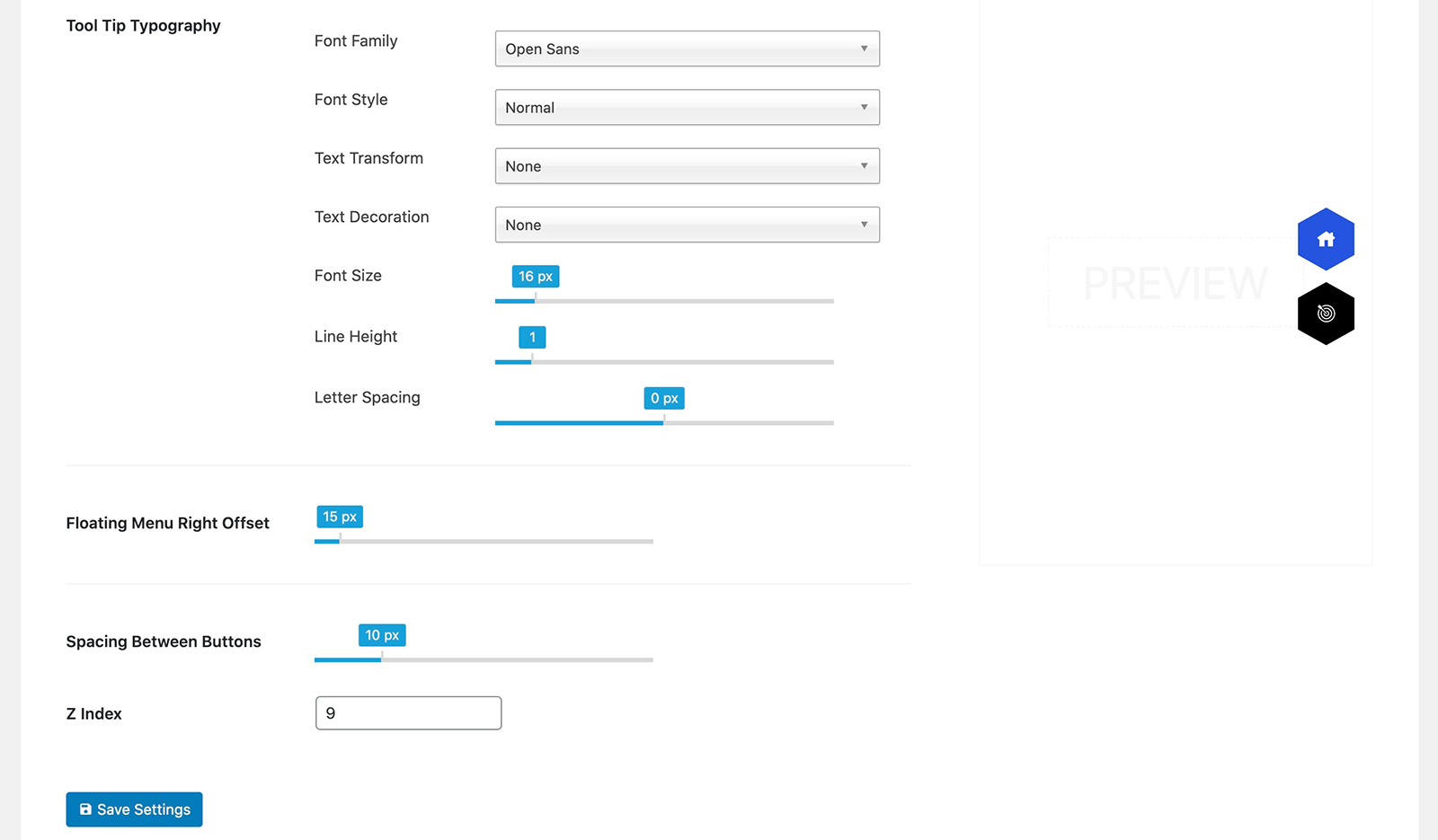
Admin Panel of Simple Floating Menu
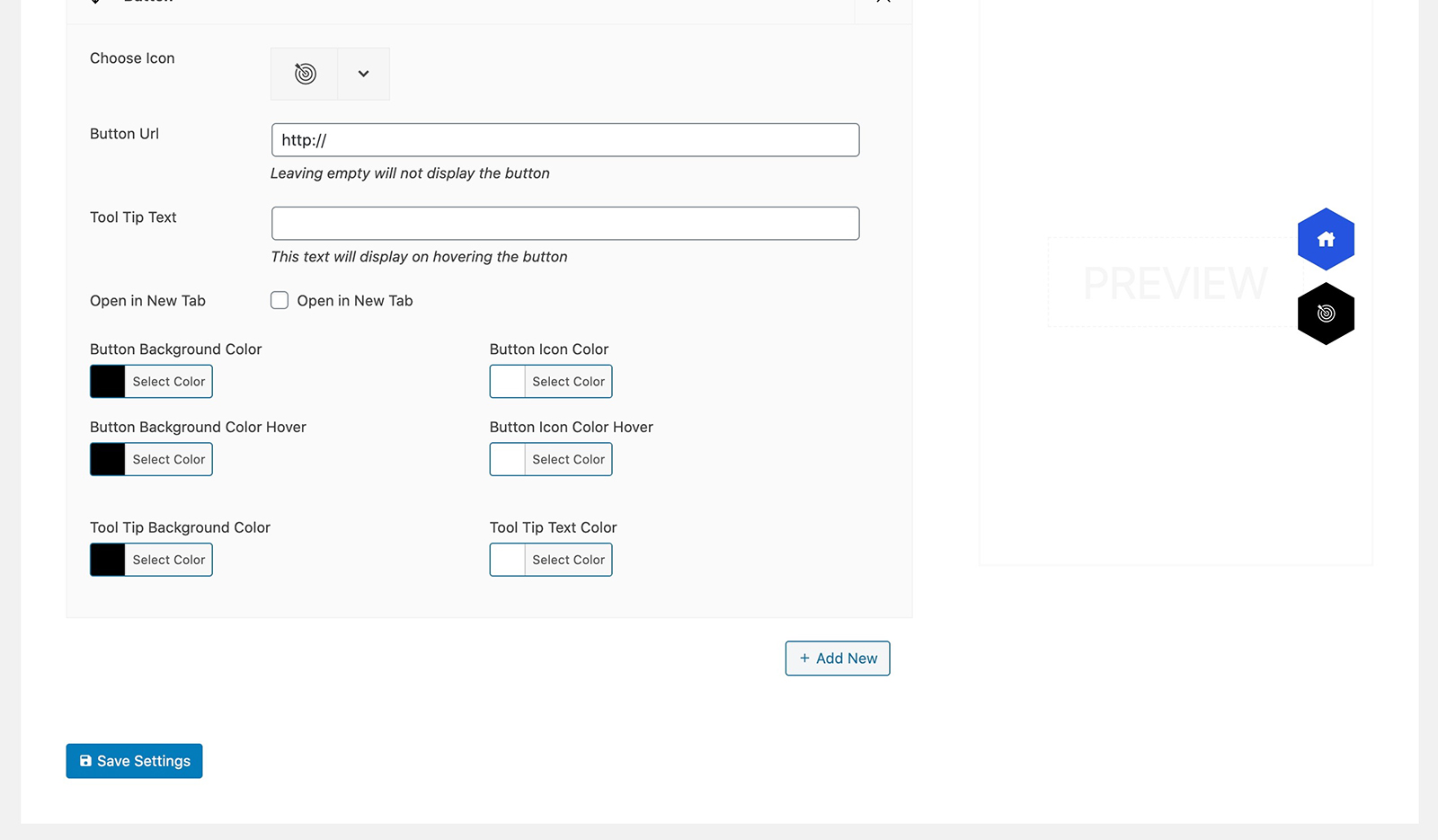
Admin Panel of Simple Floating Menu
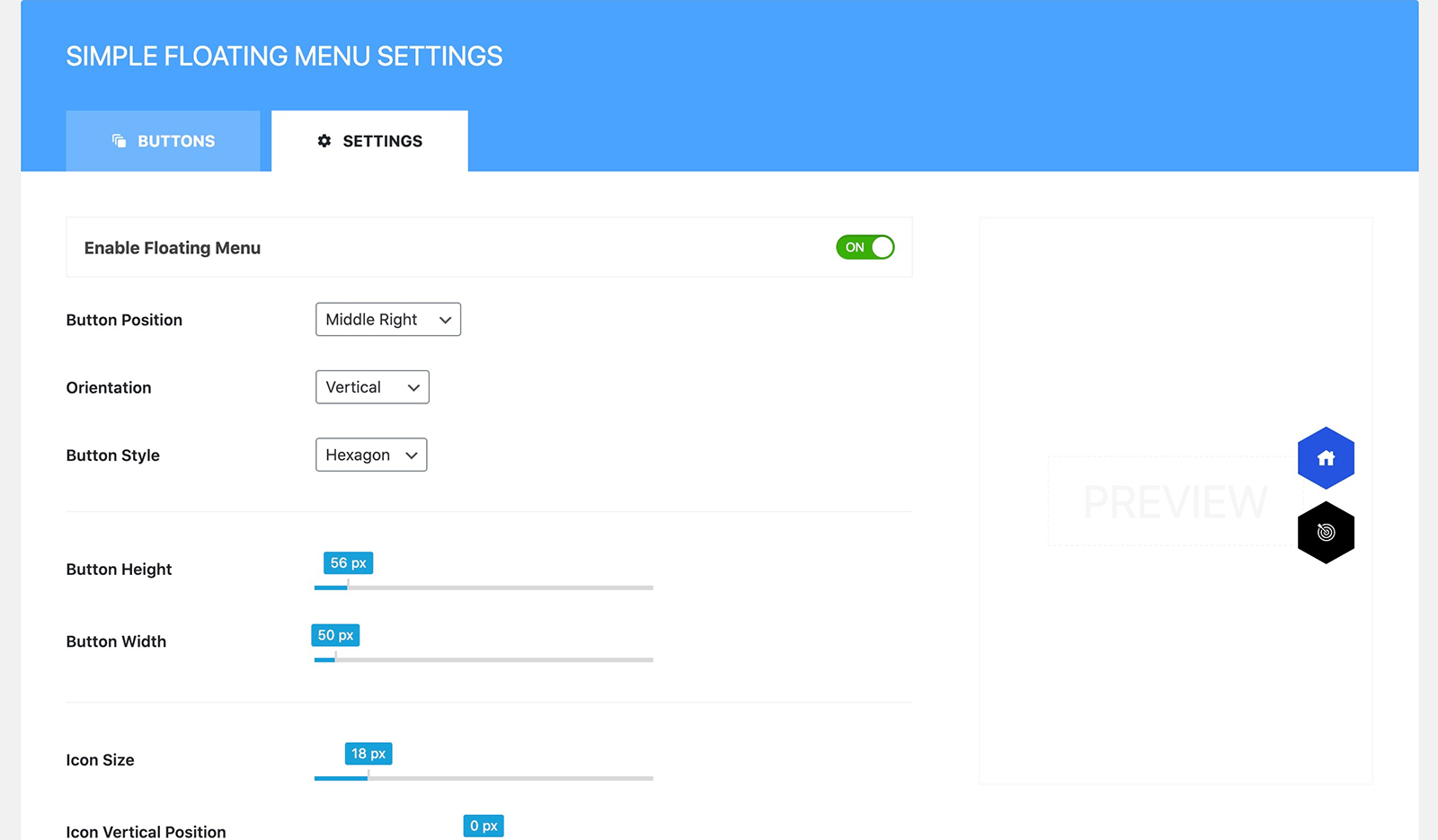
Admin Panel of Simple Floating Menu
Plugins semelhantes


An easy to use mega menu plugin. Written the WordPress way.

Lets you edit the WordPress admin menu. You can re-order, hide or rename menus, add custom menus and more.
Create a welcome notification bar for your website. Also, My Sticky Bar plugin can make your menu or header sticky to the top when scrolled 📌

Add icons to WordPress navigation menus easily — pick from Font Awesome, Dashicons, image icons & more. Style menu items with custom colors & sizes.

Adds an image or icon in the menu items. You can choose the position of the image (after, before, above, below) or even hide the menu item title.