

Custom Query Blocks
Hospedagem WordPress com plugin Custom Query Blocks
Onde hospedar o plugin Custom Query Blocks?
Este plugin pode ser hospedado em qualquer servidor que tenha WordPress instalado. Recomendamos utilizar uma hospedagem confiável, com servidores adaptados para WordPress, como o serviço de hospedagem de sites da MCO2.
Hospedando o plugin Custom Query Blocks em um provedor confiável
A MCO2, além de instalar o WordPress na versão mais nova para seus clientes, fornece o WP SafePress, um sistema singular que assegura e melhora seu site ao mesmo tempo.
Por que a Hospedagem WordPress funciona melhor na MCO2?
A Hospedagem WordPress funciona melhor pois a MCO2 possui servidores otimizados para WordPress. A instalação de WordPress é diferente de uma instalação trivial, pois habilita imediatamente recursos como otimização automática de imagens e fotos, proteção da página de login, bloqueio de atividades suspeitas diretamente no firewall, cache avançado e HTTPS ativado por padrão. São recursos que potencializam seu WordPress para a máxima segurança e o máximo desempenho.
Plugin Up for Adoption Before Closure
Custom Query Blocks will be removed / deprecated from WordPress.org on October 1, 2026 if I can’t find a new owner . Please find a replacement before the closure date.
Adoption Form | GitHub
A WordPress plugin for displaying posts and terms (e.g., categories) using a Gutenberg block. Works well with posts, pages, custom post types, taxonomies, and terms.
Bonus: archive mapping.
Archive Pages Pro is here: Map post types, terms, authors, and more to pages. Learn more about Archive Pages Pro
- Map your post type archives to a page for customization of the post type archive page.
- Map your category archives to a page for customization of the term archive page.
- Map your 404 template to a page and easily customize your 404 page.
View Documentation and Overview
The plugin currently has three blocks:
Post Type Archive Mapping
This plugin allows you to map your custom post type archive pages. Just create a page and go to Settings->Reading to set the page for your archive.
Ensure your post types have has_archive set to true.
- Select a Public page to use as your post type archive page.
- View the archive and you will see the page content instead of the archive content.
- Use page templates on your pages for flexibility.
- Custom Gutenberg block for showing your posts.
Term Archive Mapping
This plugin also allows you to map your term archives to a page. Just create a page and go edit your term to set the archive page.
- Create a public page to use as your term archive.
- Visit the edit term page and select the page.
- View the term and you will see your selected page.
- Use Gutenberg on your public page to customize the archive.
404 Page Mapping
This plugin allows you to map a page to your 404 template, so you can customize a 404 page as needed.
Development is on GitHub
Archive Pages Pro
Archive Pages Pro has all the mapping feature of this plugin and more. You can map post types, terms, authors, and more to pages. Learn more about Archive Pages Pro
Capturas de tela
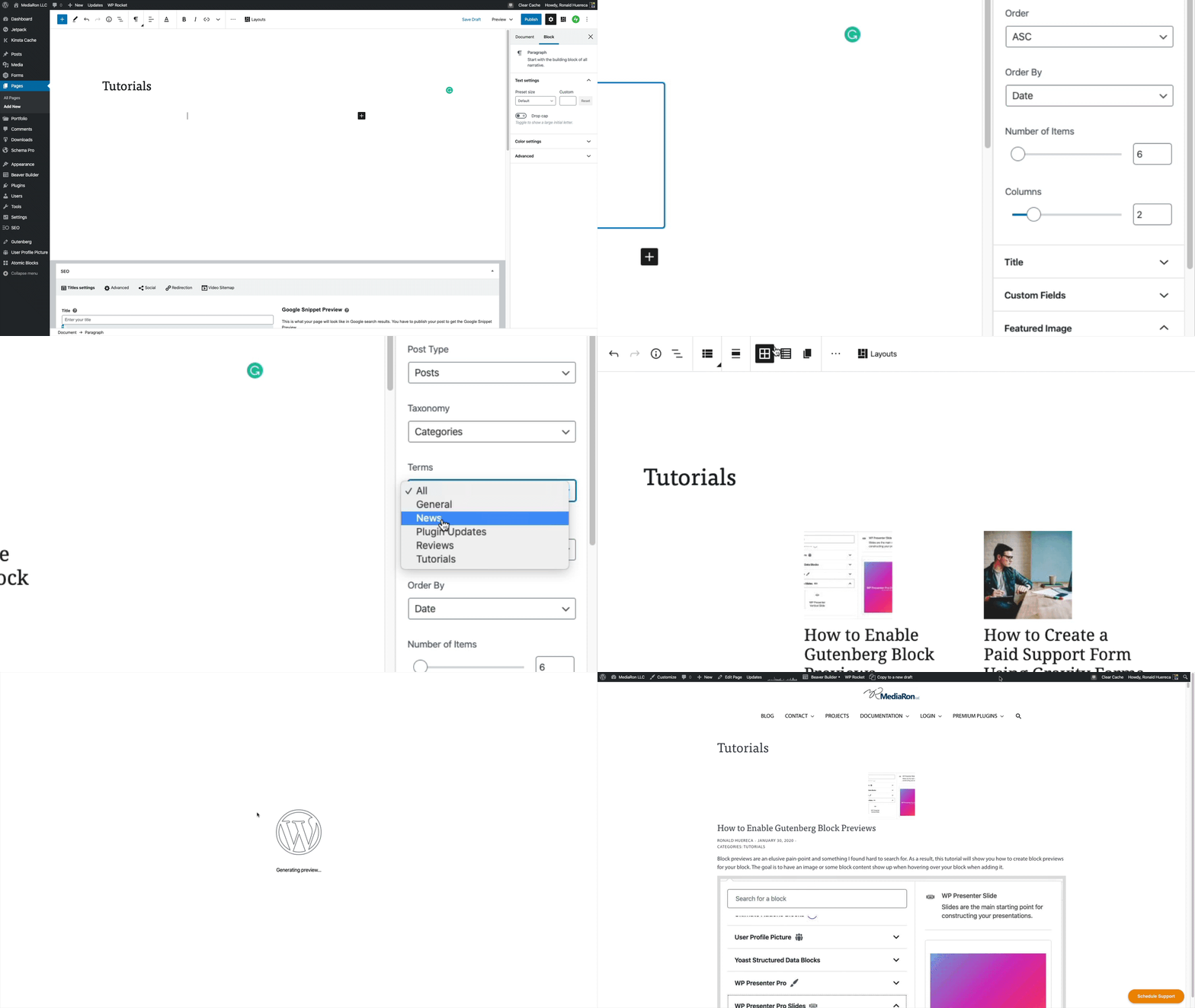
Setting up the custom post types block.
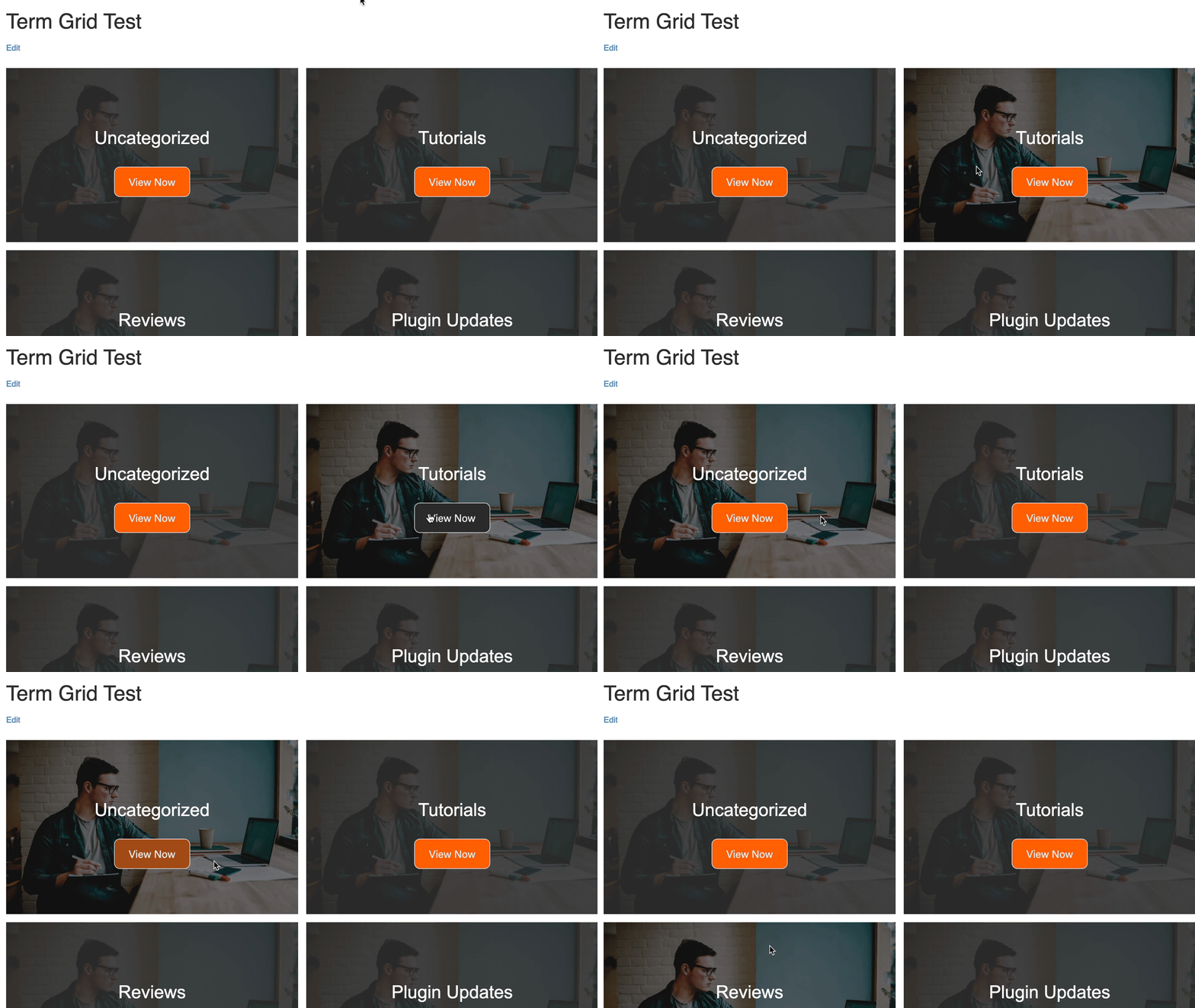
New Term Grid Block.
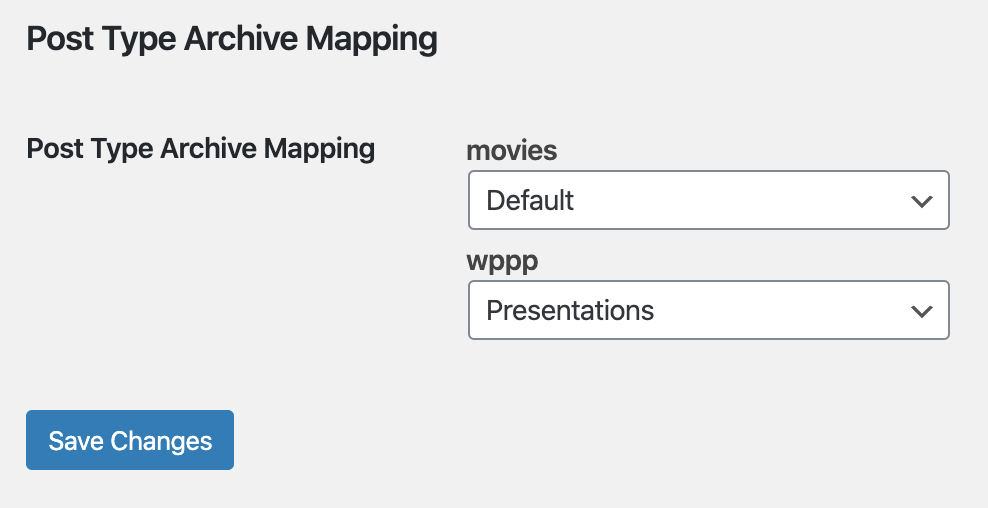
Settings->Reading option.
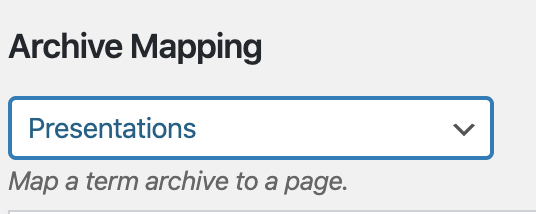
Term archive option.