
O melhor plugin de backup e migração do WordPress. Faça backup, migre, copie, mova ou clone seu site de um local para outro de forma rápida e fácil.

Post Duplicator
Hospedagem WordPress com plugin Post Duplicator
Onde hospedar o plugin Post Duplicator?
Este plugin pode ser hospedado em qualquer provedor que tenha WordPress instalado. Recomendamos fortemente optar por um provedor de hospedagem confiável, com servidores especializados para WordPress, como o serviço de hospedagem de sites da MCO2.
Hospedando o plugin Post Duplicator em uma empresa de hospedagem de confiança
A MCO2, além de instalar o WordPress na versão mais atual para seus clientes, oferece o WP SafePress, um mecanismo exclusivo que assegura e aumenta a performance do seu site simultaneamente.
Por que a Hospedagem WordPress funciona melhor na MCO2?
A Hospedagem WordPress funciona melhor pois a MCO2 possui servidores otimizados para WordPress. A instalação de WordPress é diferente de uma instalação trivial, pois habilita imediatamente recursos como otimização automática de imagens, proteção da página de login, bloqueio de atividades maliciosas diretamente no firewall, cache avançado e HTTPS ativado por padrão. São plugins que potencializam seu WordPress para a máxima segurança e o máximo desempenho.
Save Time. Work Smarter. Duplicate Any Post Type with Ease.
Post Duplicator is the ultimate WordPress plugin for quickly creating exact duplicates of any post type in your WordPress site. Whether you’re working with standard posts, pages, or custom post types, this plugin makes it effortless to clone content while preserving all taxonomies, custom fields, and metadata.
Key Features:
- Universal Post Type Support – Works with every post type WordPress supports, including custom post types from your favorite plugins and themes
- Complete Data Preservation – Automatically copies all taxonomies, custom fields, metadata, and featured images
- Bulk Duplication – Select and duplicate multiple posts at once with individual settings per post
- Multiple Clones – Create multiple copies of a single post simultaneously (up to 50 clones)
- Flexible Duplication Options – Customize title, slug, status, author, date, post type, and parent for each duplicate
- Featured Image Management – Set, replace, or remove featured images directly in the duplication modal
- Smart Defaults – Configure default settings that apply to all duplications (draft status, current user as author)
- Post Types Configuration – Control which post types can be duplicated and which appear in the “Post Type” dropdown menu
- Permission Control – Granular control over who can duplicate posts with role-based permissions
- Modern Interface – Beautiful modal interface with live editing and expandable settings
- Cross-Post Type Duplication – Convert posts to different post types during duplication
- Hierarchical Post Support – Set parent posts for pages and hierarchical custom post types
- One-Click Operation – Duplicate posts from the posts list, edit screen, or block editor toolbar
Perfect For:
- Developers – Quickly generate test content and dummy data for development using bulk or multiple clone features
- Content Managers – Create content templates and variations efficiently with one-click duplication
- Bloggers – Repurpose successful posts with different angles or formats using multiple clones
- E-commerce – Duplicate product variations and bulk duplicate similar listings across categories
- Content Marketers – Create A/B testing variations with the multiple clones feature
- Site Migrations – Bulk duplicate posts when restructuring or migrating content
- Multilingual Sites – Works seamlessly with WPML and Polylang for multilingual content
What Gets Duplicated:
- Post content and formatting
- Title and slug (with customizable suffixes or full editing)
- All custom fields and metadata
- Categories, tags, and custom taxonomies
- Featured images (with ability to change or remove)
- Post format and excerpt
- Comment and ping status
- Menu order
- Post parent (for hierarchical post types)
What Doesn’t Get Duplicated:
- Comments (by design – prevents duplicate comment threads)
- Post ID and GUID (new unique identifiers assigned)
How to Use:
- Single Duplication: Hover over any post and click “Duplicate [Post Type]” in the row actions, or click the “Duplicate Post” button in the Gutenberg editor
- Multiple Clones: In the duplication modal, click the copy icon to create multiple copies of a single post (up to 50 clones)
- Bulk Duplication: Select multiple posts using checkboxes, choose “Duplicate” from the Bulk Actions dropdown, then configure each post individually
- Customize Settings: Edit title, slug, status, author, date, post type, featured image, and parent for each duplicate
- Configure Defaults: Go to Settings > Post Duplicator to set default status, author, date, and title/slug suffixes
- Configure Post Types: Go to Settings > Post Duplicator > Post Types to control which post types can be duplicated and which appear in the “Post Type” dropdown menu
Default Settings:
The plugin works immediately with sensible defaults:
* Duplicated posts are created as Drafts (prevents accidental publishing)
* Title suffix: “Copy”
* Slug suffix: “copy”
* Author: Current User
* Date: Current Time
All defaults can be customized in Settings > Post Duplicator.
Integration:
Post Duplicator works seamlessly with:
* WPML and Polylang (multilingual support)
* WooCommerce (excludes review counts automatically)
* ACF (Advanced Custom Fields) – preserves all field data
* WP Customer Area (special file duplication support)
* All custom post types and taxonomies
Security:
- Users without
publish_postscapability cannot publish duplicates (forced to Pending) - Non-authors cannot duplicate unpublished posts from other users
- Granular permission system controls who can duplicate posts
- All data is sanitized and validated before duplication
Developer-Friendly:
Includes hooks and filters for easy customization:
* mtphr_post_duplicator_created action
* mtphr_post_duplicator_meta_{$key}_enabled filter
* mtphr_post_duplicator_meta_value filter
Capturas de tela
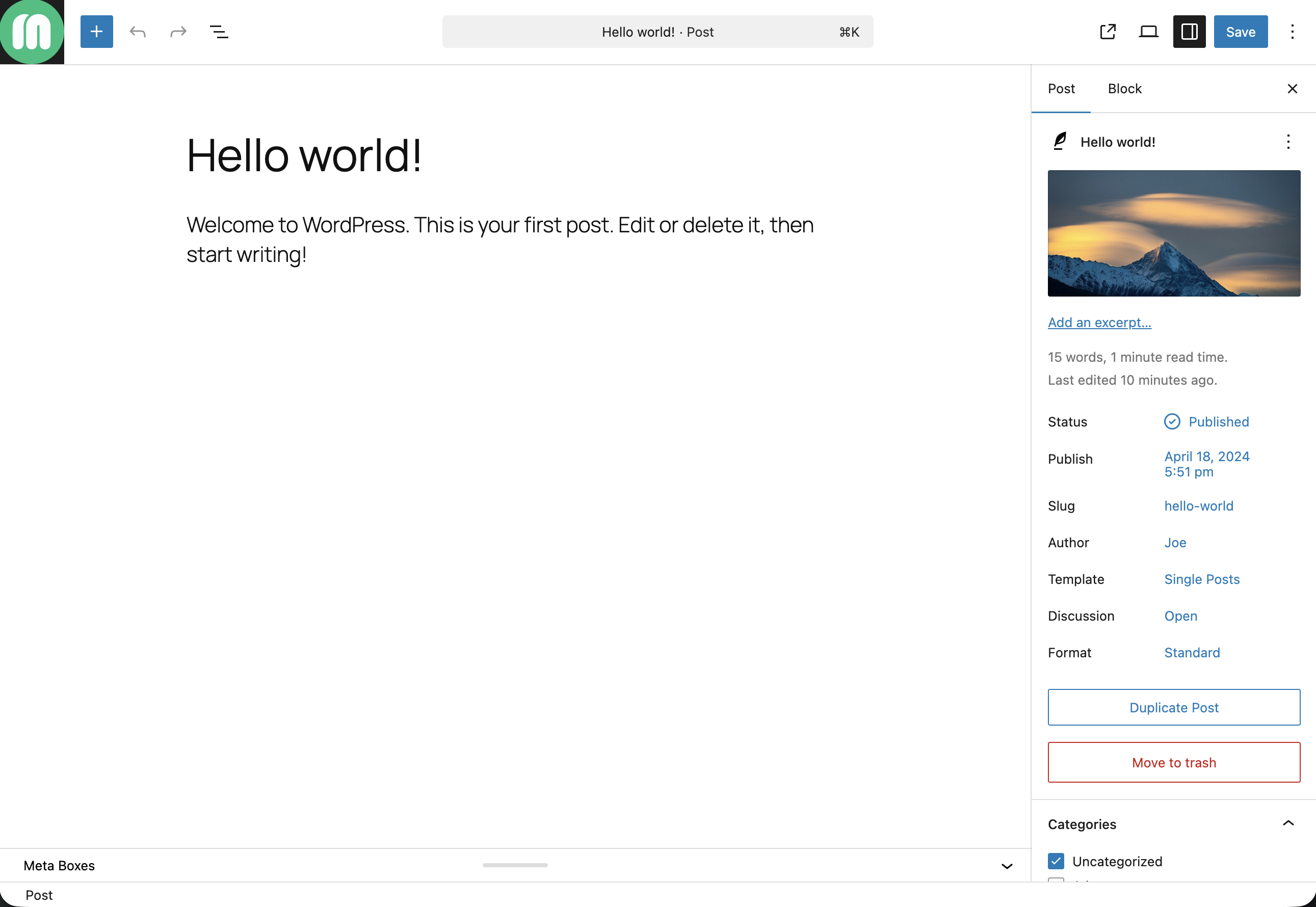
Single post duplicate button
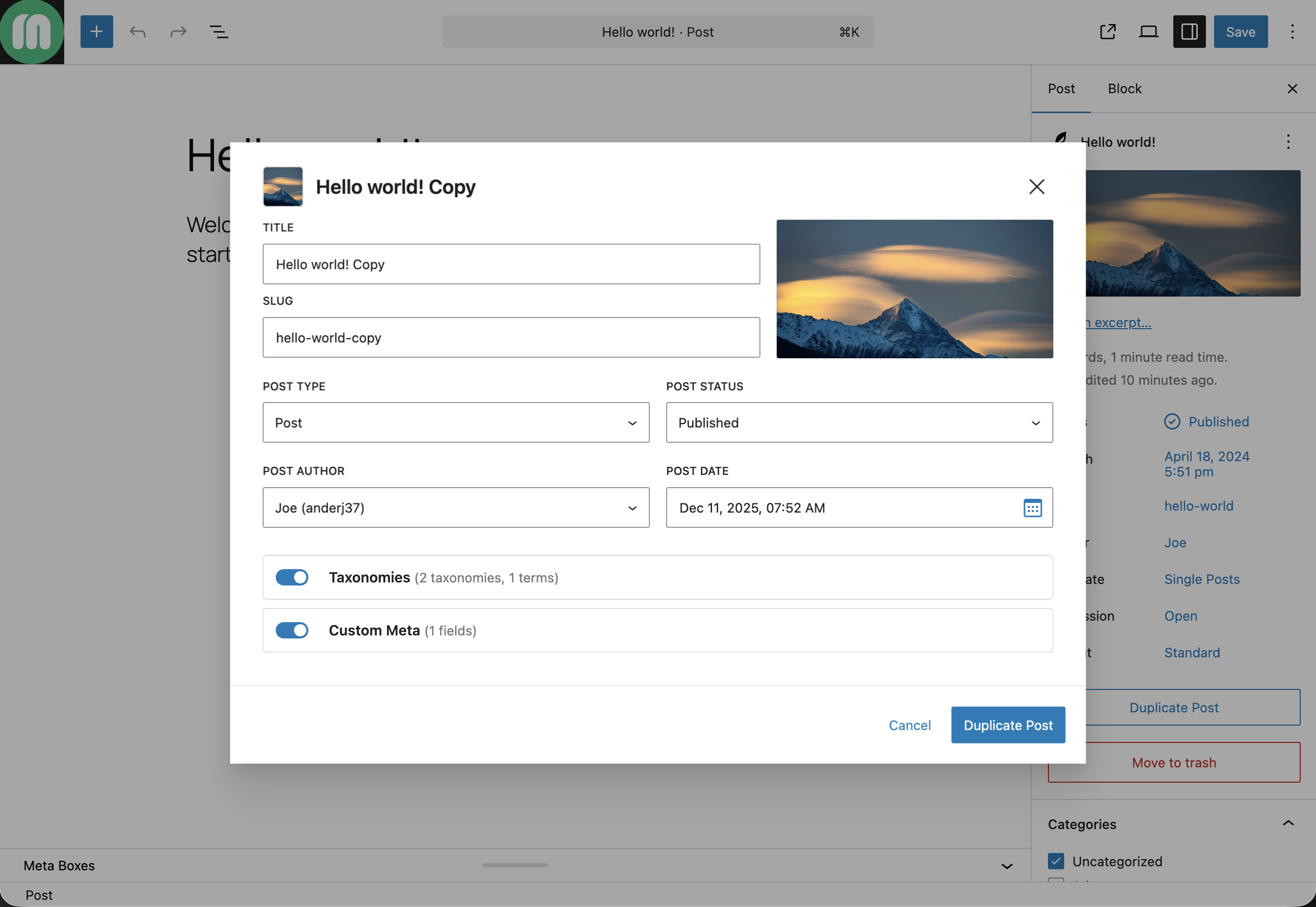
Duplicate post modal

Duplicate post complete
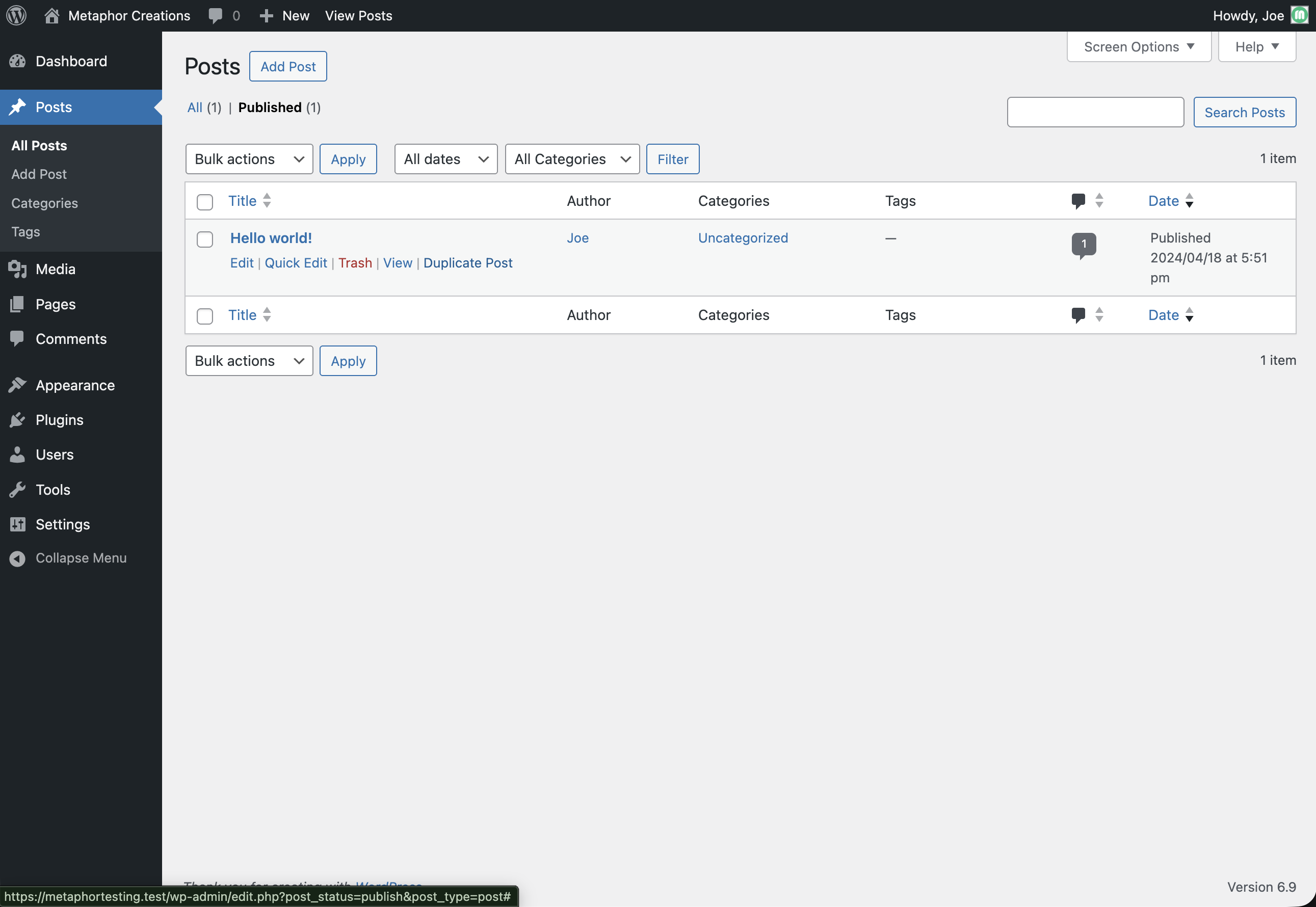
Posts list duplicate link
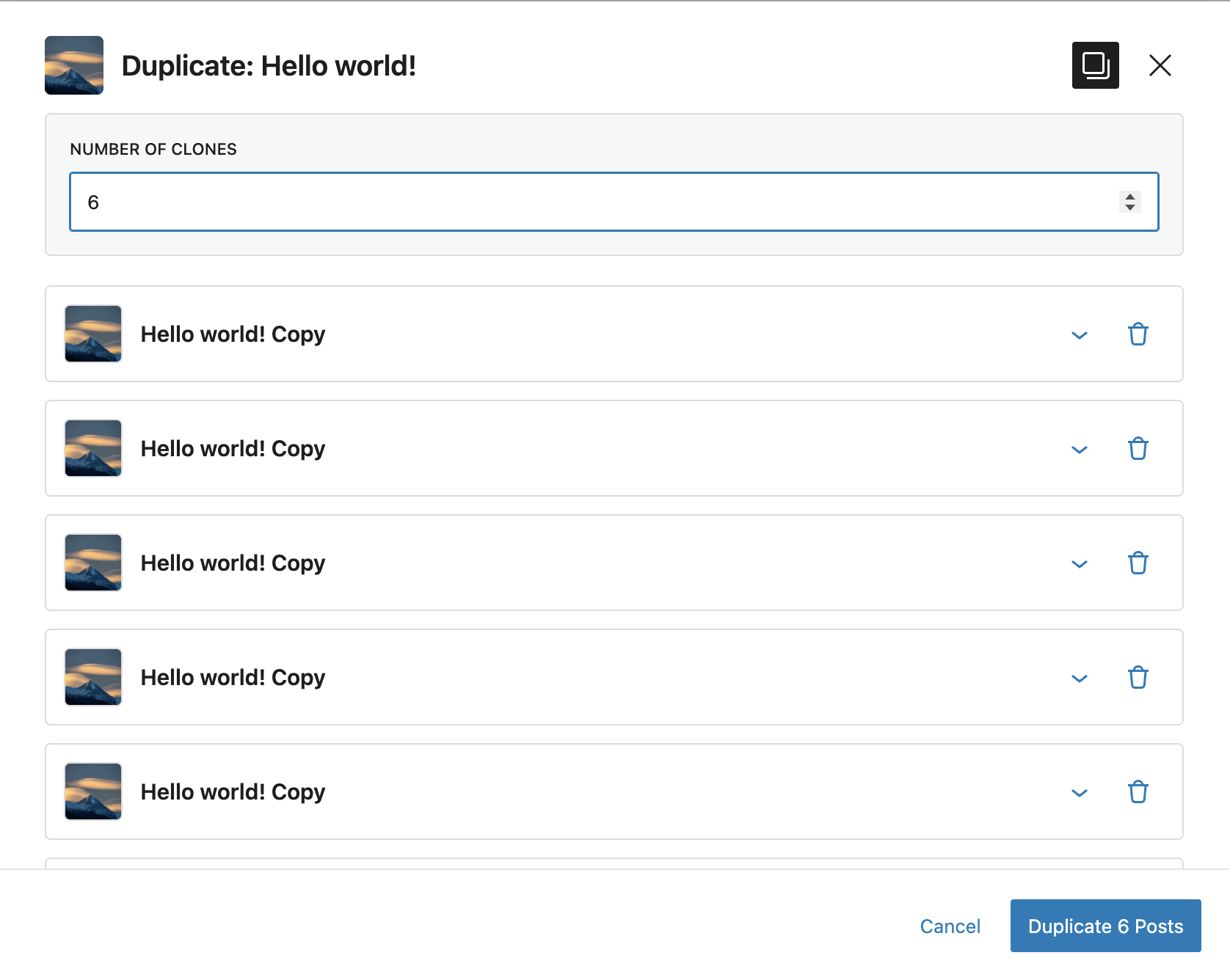
Duplicate multiple clones
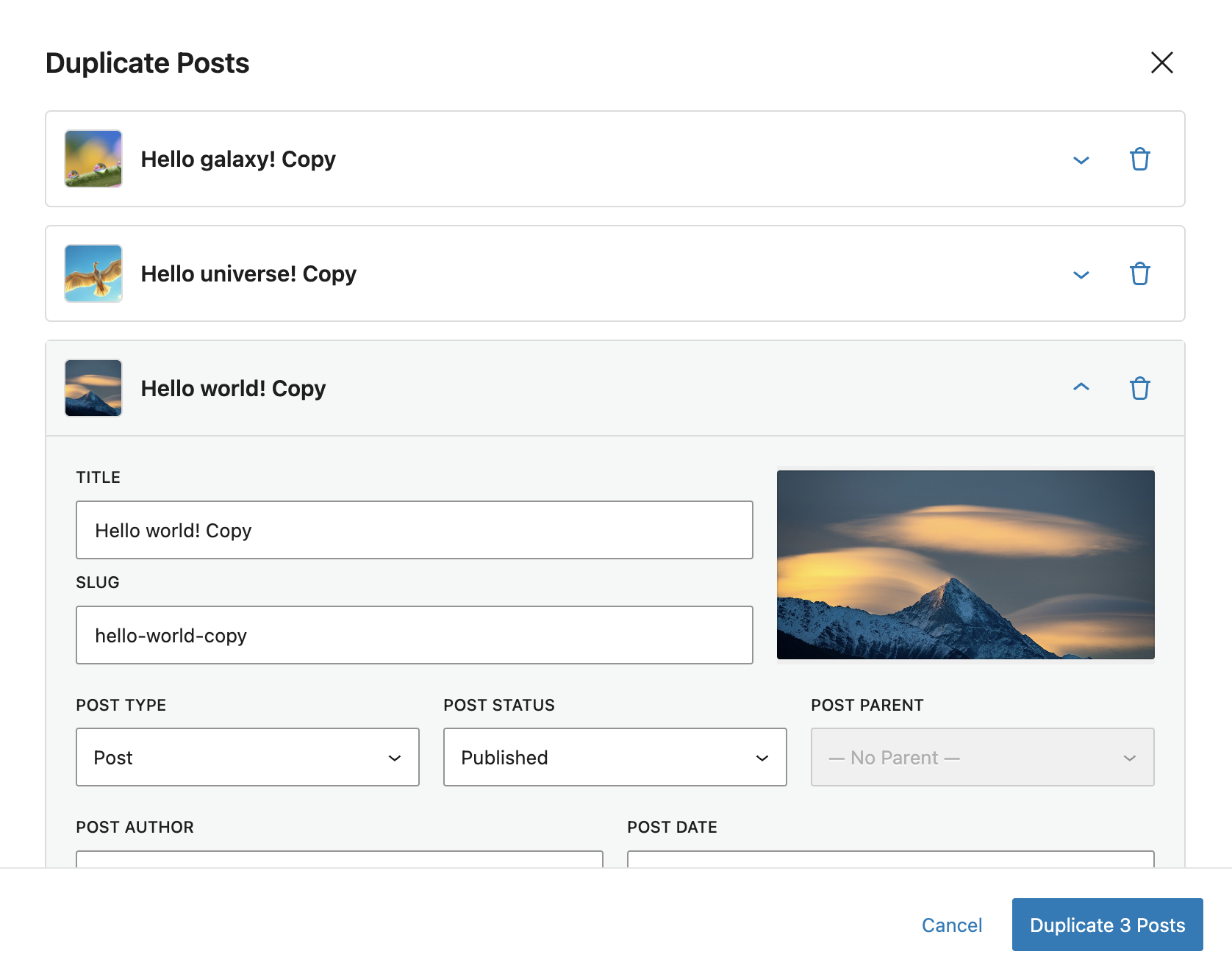
Bulk post duplication
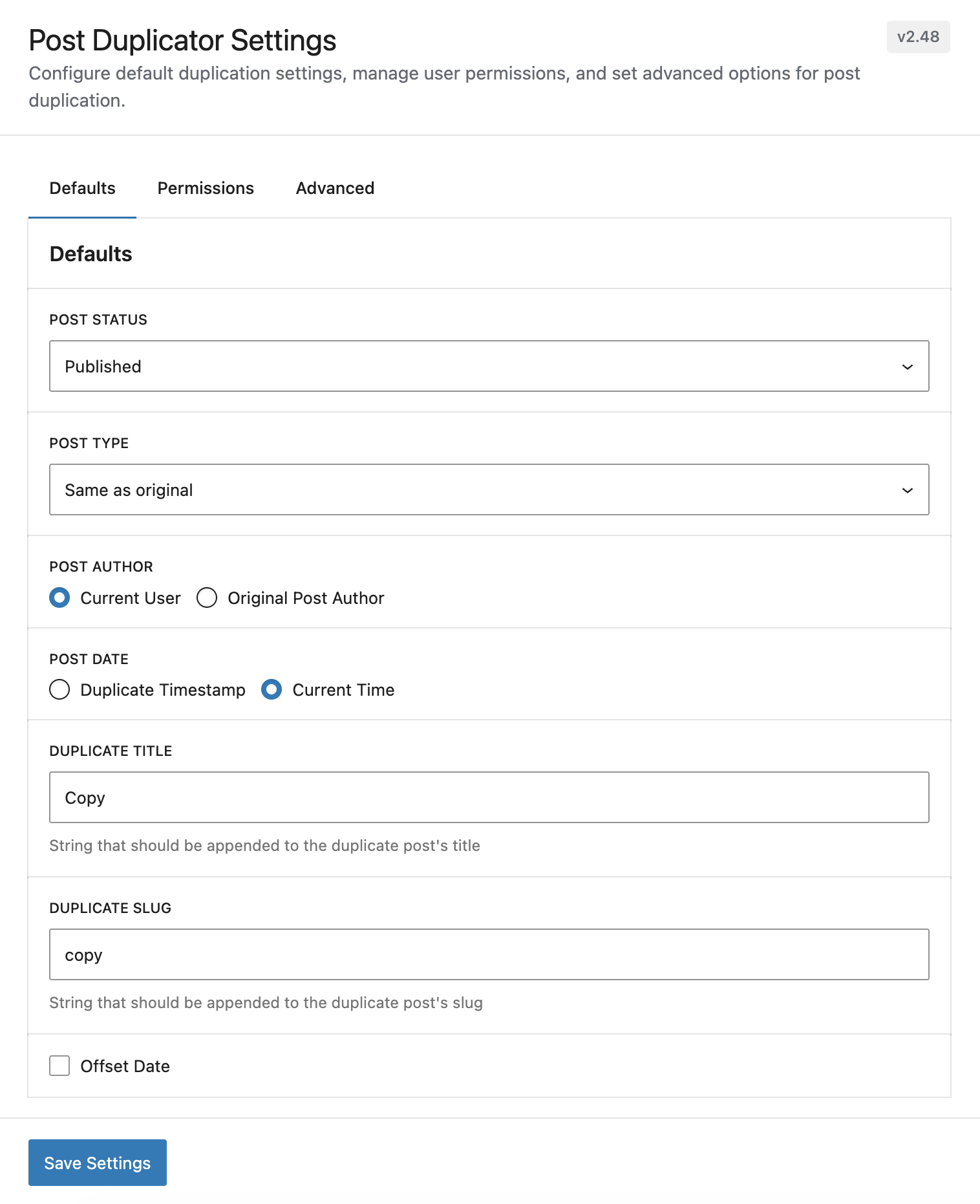
Default settings
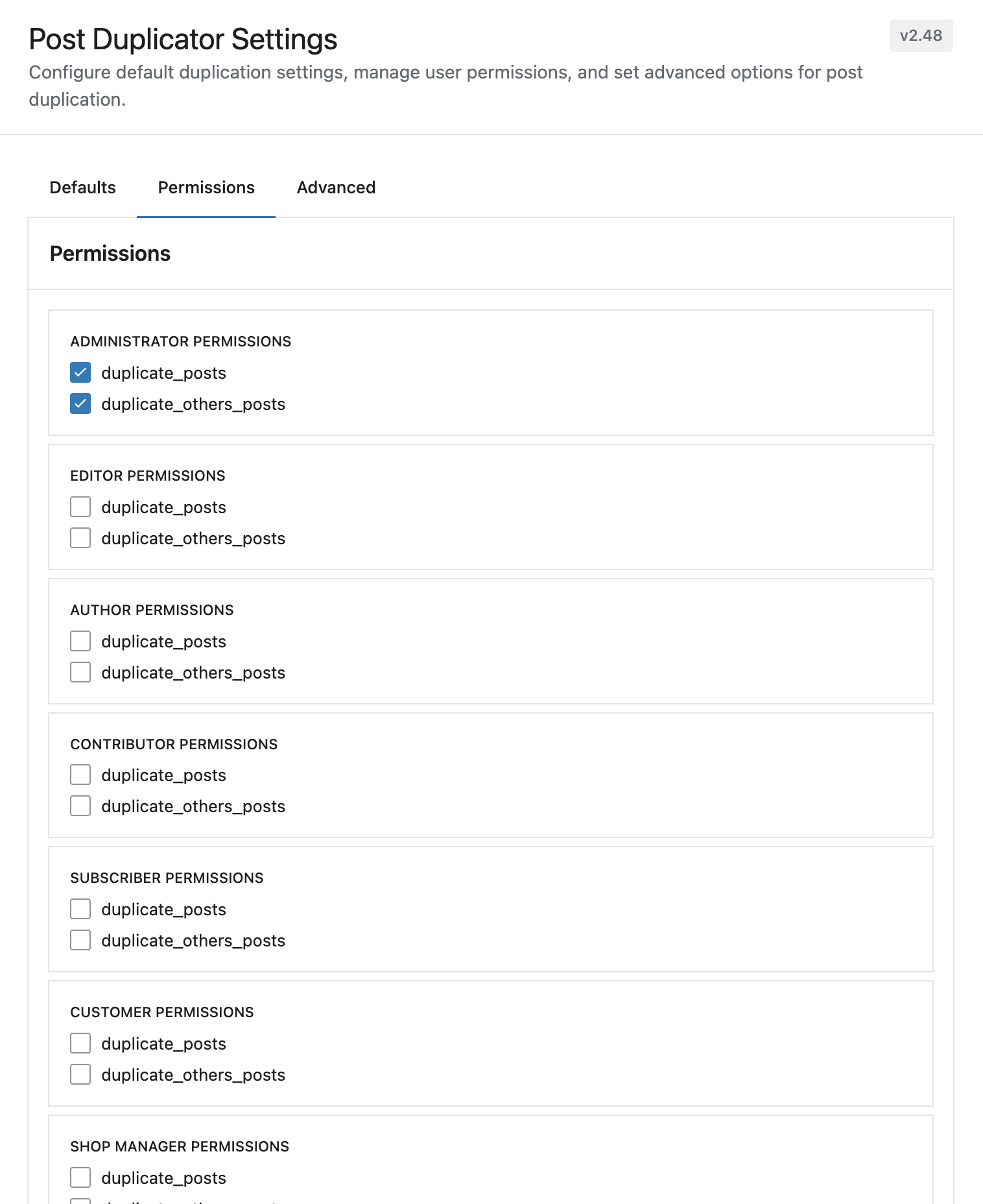
Permission settings
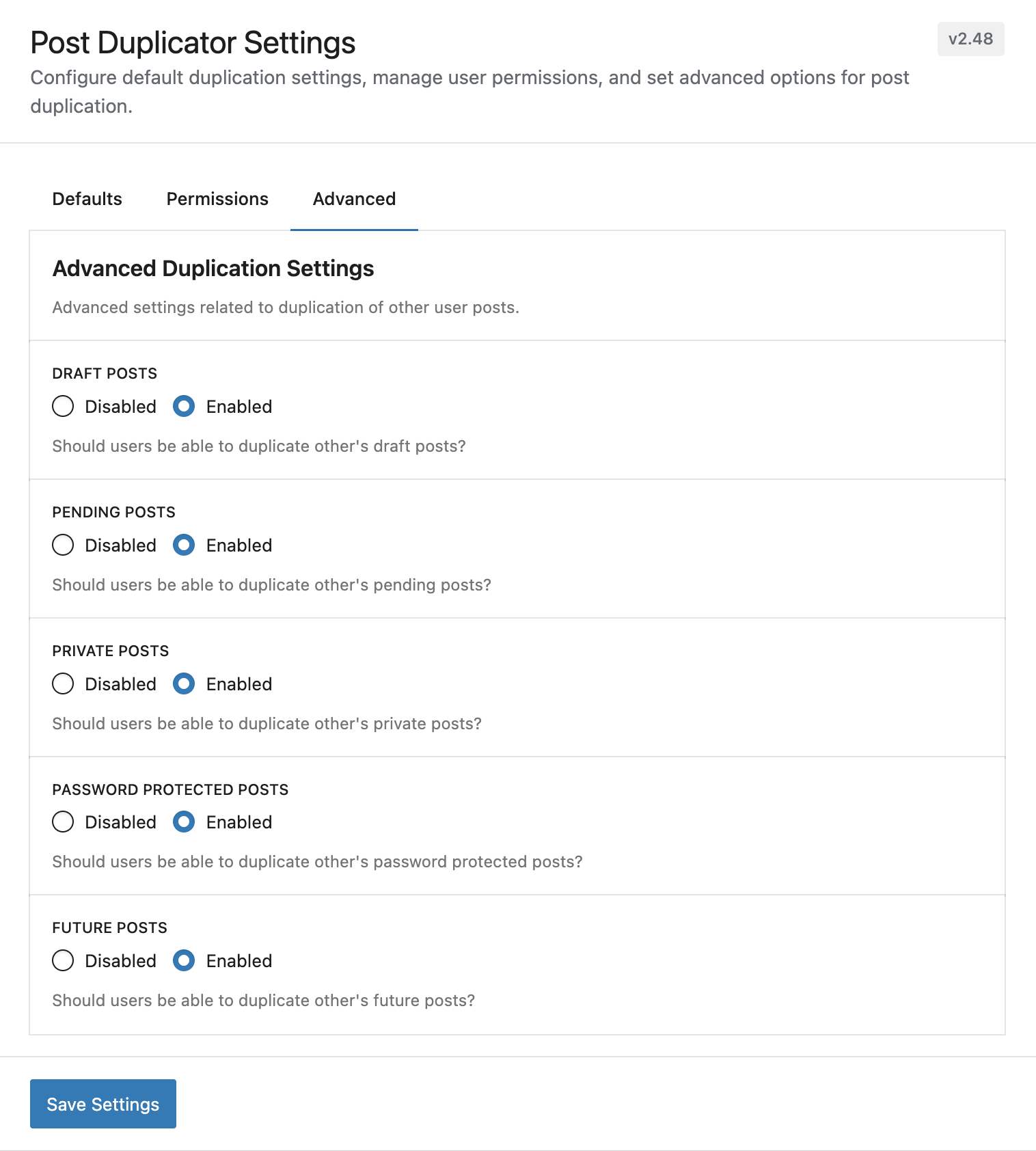
Advanced settings
Plugins semelhantes


Migração, ambiente de teste e backup do WordPress, tudo em um só lugar.

Create tabs, accordions, buttons, sliders, boxes and reusable content elements with 50+ WordPress shortcodes.

Um jeito simples de mudar o tipo de um post no WordPress

Coloque aqui os Scripts que vão no código-fonte do Cabeçalho e/ou do Rodapé plugin allows you to add scripts to WordPress site's and just before closing tag.

The best WordPress plugin for displaying related posts. Simple and flexible, with a powerful proven algorithm and inbuilt caching.
Do mesmo author (metaphorcreations)

Ditty offers a range of content display options, including its signature news ticker and customizable layouts.