
Popup Box – Easily Create WordPress Popups
Hospedagem WordPress com plugin Popup Box – new WordPress popup plugin
Onde hospedar o plugin Popup Box – new WordPress popup plugin?
Este plugin pode ser hospedado em qualquer provedor que possua WordPress instalado. Recomendamos escolher um provedor de hospedagem confiável, com servidores otimizados para WordPress, como o serviço de hospedagem da MCO2.
Hospedando o plugin Popup Box – new WordPress popup plugin em uma empresa de hospedagem de confiança
A MCO2, além de instalar o WordPress na versão mais atual para seus clientes, fornece o plugin WP SafePress, um mecanismo exclusivo que assegura e aumenta a performance do seu site conjuntamente.
Por que a Hospedagem WordPress funciona melhor na MCO2?
A Hospedagem WordPress funciona melhor pois a MCO2 possui servidores otimizados para WordPress. A instalação de WordPress é diferente de uma instalação trivial, pois habilita imediatamente recursos como otimização de imagens, proteção da página de login, bloqueio de atividades maliciosas diretamente no firewall, cache avançado e HTTPS ativado por padrão. São recursos que potencializam seu WordPress para a máxima segurança e o máximo desempenho.
📚 Documentation | 🚀 Try Pro Demo
Popup Box is a lightweight yet powerful WordPress popup plugin that helps you create, customize, and manage stunning popups without coding. Perfect for email subscription popups, promotional popups, special offers, announcement popups, and interactive content popups.
Design your popup with a live preview builder and choose placements. Use flexible triggers like on load, scroll, or click, and control exactly where your popups appear with advanced targeting rules.
Popup Box is a powerful yet lightweight WordPress plugin that lets you easily create, customize, and manage popups with a real-time live preview. Perfect for special offers, email signups, promotions, or boosting user interaction.
🌟 Key Benefits
- Effortlessly create stunning popups with live preview.
- Improve engagement and grow conversions.
- Lightweight and optimized for speed.
- Simple setup – works with any theme.
✅ Engage visitors and increase conversions with Popup Box — the ultimate WordPress popup solution!
Main Features
🎨 Customization & Design
- Live Preview Editor: Instantly see changes as you build.
- Unlimited Popups: No limits—create as many popups as you need.
- Customizable Styles: Fonts, colors, backgrounds, borders, shadows, and more.
- 9 Placement Options: Position your popups exactly where you want.
- Advanced Close Button: Customize look and behavior.
🔥 Triggers & Behavior
- Flexible Triggers: Show popups on page load, scroll, click, or delay.
- Display Targeting: Show popups on specific posts, pages, or across your site.
- Popup Frequency Control: Limit popups to appear once per session.
- Overlay & Shadow Effects: Make your popups more attractive.
- Custom Backgrounds: Use images or solid colors.
📦 Content & Shortcode Support
- Embed rich content: Forms (like Contact Form 7), videos, shortcodes, and more.
⚡ Performance & Compliance
- No jQuery dependencies – lightweight and fast.
- GDPR compliant – cookie-free tracking.
—
Ideal Uses for Popup Box
- Email subscription forms.
- Special offers and promotions.
- Lead generation.
- Announcement popups.
- Interactive content popups.
—
Pro Version
Unlock advanced popup features with Popup Box Pro:
🎨 More Design Flexibility
- Hover Trigger: Show popups on hover.
- Right-Click Trigger: Open popups on right-click.
- Text Selection Trigger: Trigger popups when text is highlighted.
- Exit Intent: Capture visitors as they are about to leave.
- Loop Popups: Repeatedly show popups at random intervals.
- Auto Close: Set a timer for automatic popup closure.
- Page Redirect: Redirect users after popup close.
- Video Popups: Embed YouTube, Vimeo videos inside popups.
🔥 Advanced Display Rules
- URL Parameters Activation: Show popups based on URL query strings.
- Referrer URL Targeting: Target users coming from specific sources.
- Geotargeting: Show popups based on user location.
- User Role Targeting: Different popups for different user roles.
- Device-Based Visibility: Different popups for desktop or mobile.
- Browser-Specific Control: Enable or disable popups for specific browsers.
- Multi-Language Targeting: Display popups based on language preference.
- Scheduling: Schedule popups for specific dates or times.
✨ Animation & Effects
- 28 Entrance Animations: Choose beautiful transition effects.
- Forced Interaction: Temporarily disable popup close button for critical actions (use carefully).
✅ Upgrade to Popup Box Pro and unlock full potential!
—
🚀 Maximize Results with Complementary Plugins
Expand your site’s functionality with these companion plugins:
- Flexi Menu – Create Floating, Sticky, Dropdown & Icon Menus Easily.
- Buttons – Create powerful call-to-action buttons.
- Counter Box – Add dynamic counters and timers.
- Calculator Builder – Insert interactive calculators inside popups.
✅ Boost engagement and conversions by combining Popup Box with these free tools!
Support
Need help? Ask questions and get quick answers in our support center.
Capturas de tela
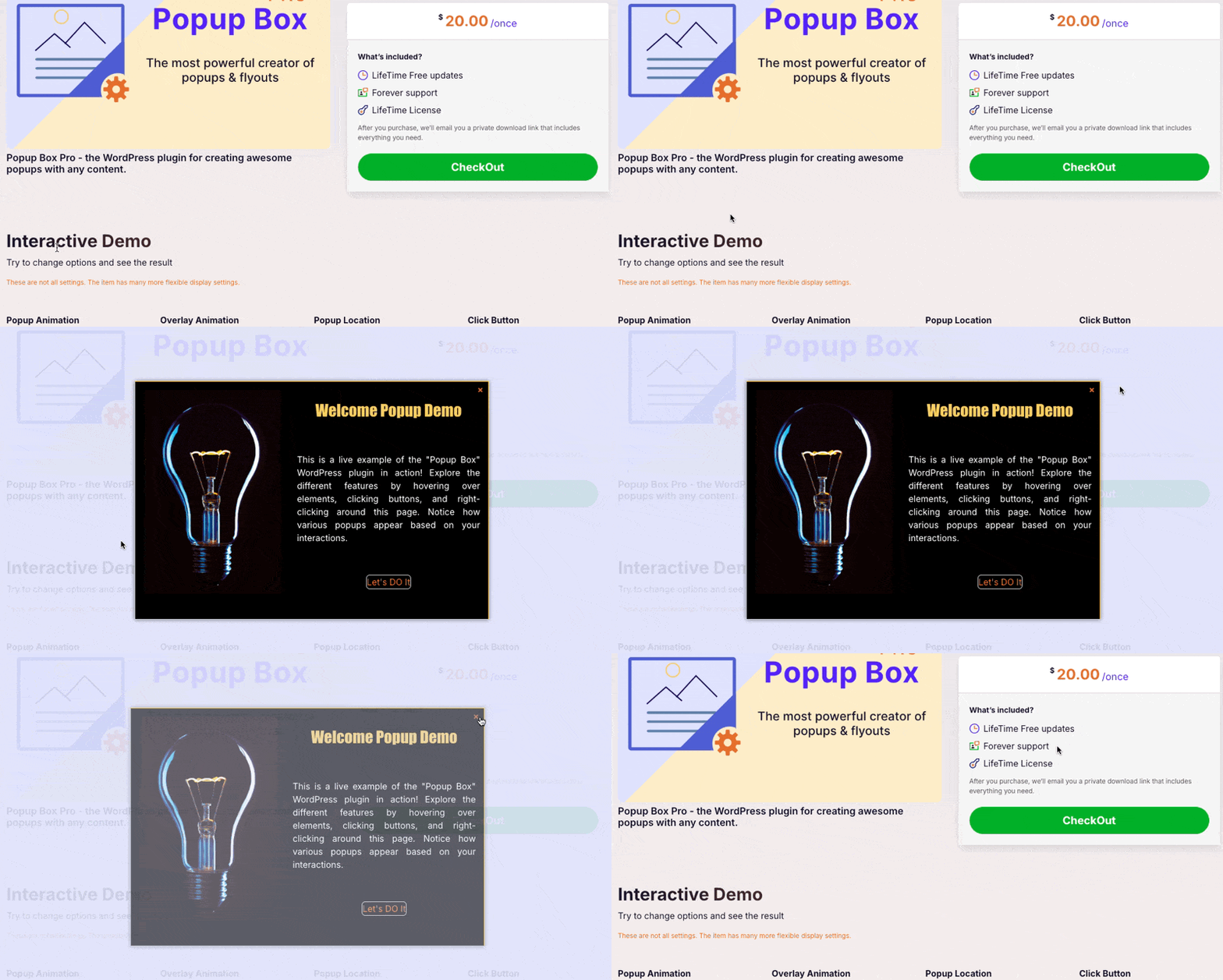
Frontend example of a popup in action.
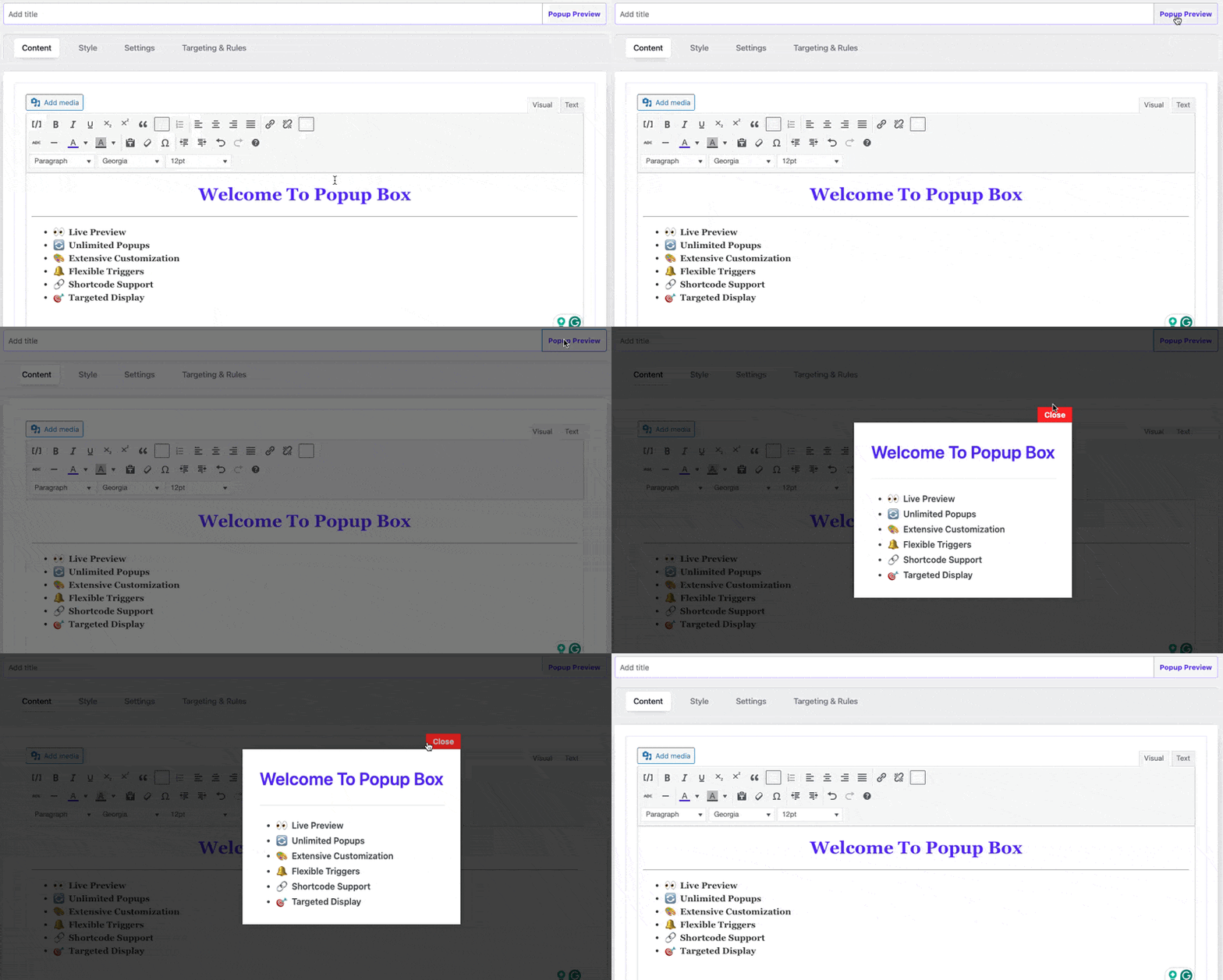
Popup content editor for customization.
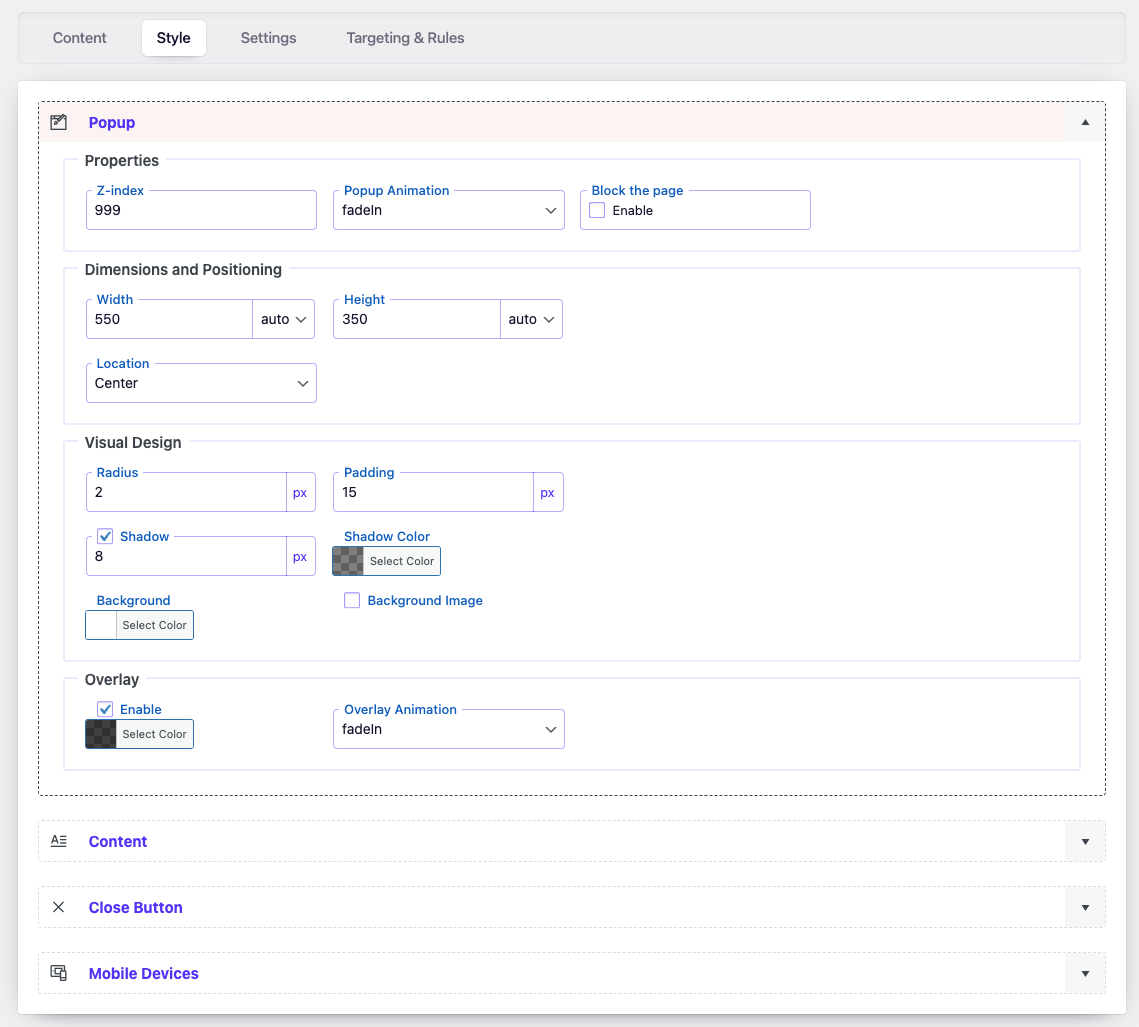
Popup style customization options.
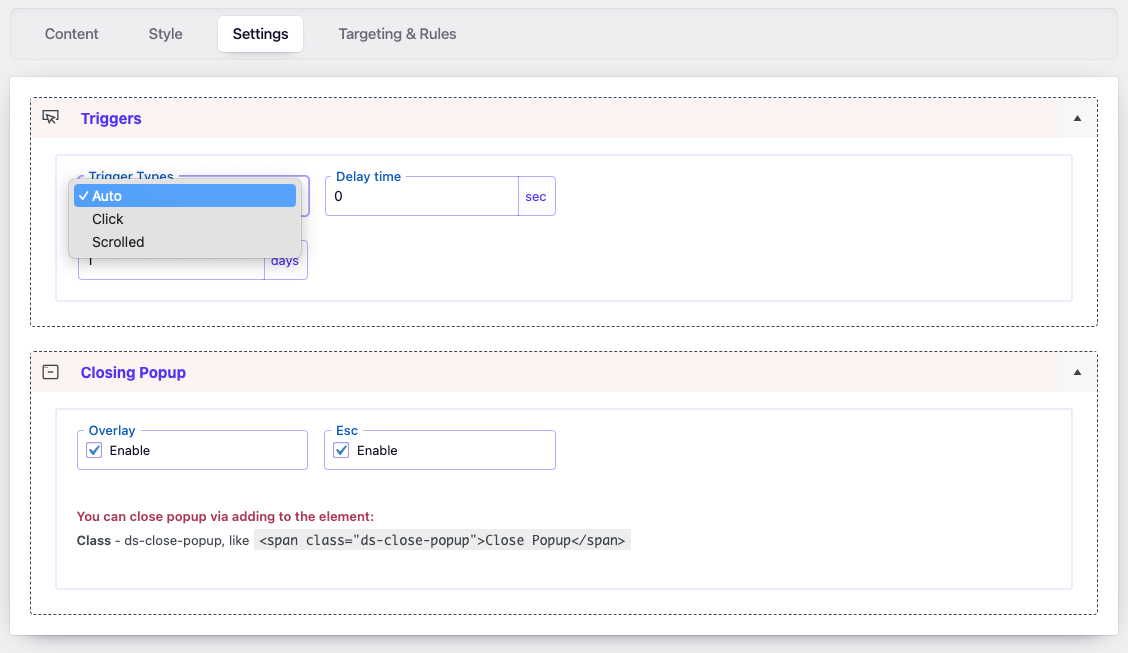
Settings page for popup controls.
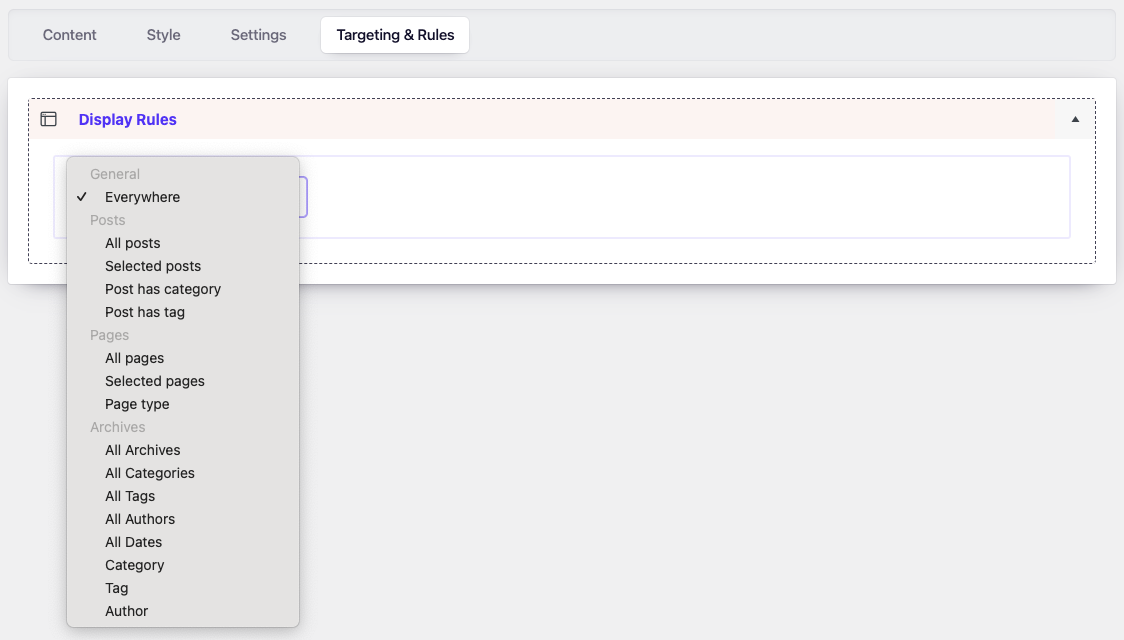
Advanced display rules and targeting options.