Export WooCommerce orders to Excel, CSV, XML, JSON, PDF and HTML. Best free order export plugin for WooCommerce.

Order Approval for Woocommerce
Hospedagem WordPress com plugin Order Approval for Woocommerce
Onde devo hospedar o plugin Order Approval for Woocommerce?
Este plugin pode ser hospedado em qualquer hospedagem que possua WordPress instalado. Recomendamos fortemente utilizar uma hospedagem seguro, com servidores otimizados para WordPress, como o serviço de hospedagem de sites da MCO2.
Hospedando o plugin Order Approval for Woocommerce em um provedor seguro
A MCO2, além de configurar e instalar o WordPress na versão mais nova para seus clientes, fornece o WP SafePress, um mecanismo exclusivo que salvaguarda e melhora seu site ao mesmo tempo.
Por que a Hospedagem WordPress funciona melhor na MCO2?
A Hospedagem WordPress funciona melhor pois a MCO2 possui servidores otimizados para WordPress. A instalação de WordPress é diferente de uma instalação trivial, pois habilita imediatamente recursos como otimização automática de imagens e fotos, proteção da página de login, bloqueio de atividades maliciosas diretamente no firewall, cache avançado e HTTPS ativado por padrão. São recursos que potencializam seu WordPress para a máxima segurança e o máximo desempenho.
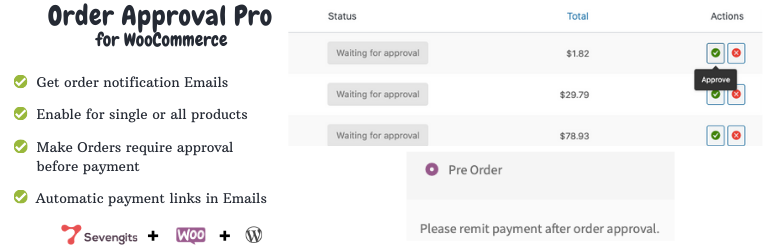
Order Approval for WooCommerce lets store owners review, approve, or reject WooCommerce orders before payment is processed. Customers can place an order without paying upfront. After the order is reviewed, the customer receives an email with the next steps.
Use WooCommerce order approval for Cash on Delivery (COD) orders, high-value purchases, custom orders, and stores that need manual order verification before payment.
Multivendor Support: Dokan and WCFM
Since version 2.2.0, Dokan and WCFM multivendor support is built into the main Order Approval for WooCommerce plugin. Enable one integration in Order Approval Settings Multivendor Support, then install the required marketplace plugin. Do not enable Dokan and WCFM together.
Free Order Approval Plugin
- Approve or reject WooCommerce orders manually before payment.
- Automatically email customers when an order is approved or rejected.
- Include a secure WooCommerce payment link in the approval email.
- Support enabled WooCommerce payment gateways without additional gateway configuration.
- Block checkout payment until the order is approved.
- Edit order details directly before approval with a lightweight setup.
Order Approval Pro
- Includes all free order approval features.
- Set order approval rules for specific products, product categories, and tags, including category-and-tag combinations.
- Add Approve and Reject buttons to admin emails.
- Support multilingual stores with translation-ready strings.
Get Order Approval Pro | Read the documentation | View the demo | Contact support
How It Works
- A customer places a WooCommerce order without completing payment.
- The order waits for manual review by the store owner or admin.
- The admin reviews the order in the WooCommerce Orders dashboard and approves or rejects it.
- If approved, the customer receives an email with a secure payment link. If rejected, the customer receives a cancellation email.
More WooCommerce Plugins by Sevengits
Sevengits develops WooCommerce plugins for store management, checkout, location selection, WhatsApp messaging, and automation.
- Notiqoo – WhatsApp for WooCommerce: Free | Premium version | Demo. Automate WooCommerce WhatsApp messaging and customer notifications.
- Checkout Location Picker for WooCommerce: Free | Premium version | Demo. Let customers select a delivery location at checkout.
- Map to Address: Free | Premium version | Demo. Convert map locations into address fields.
Capturas de tela
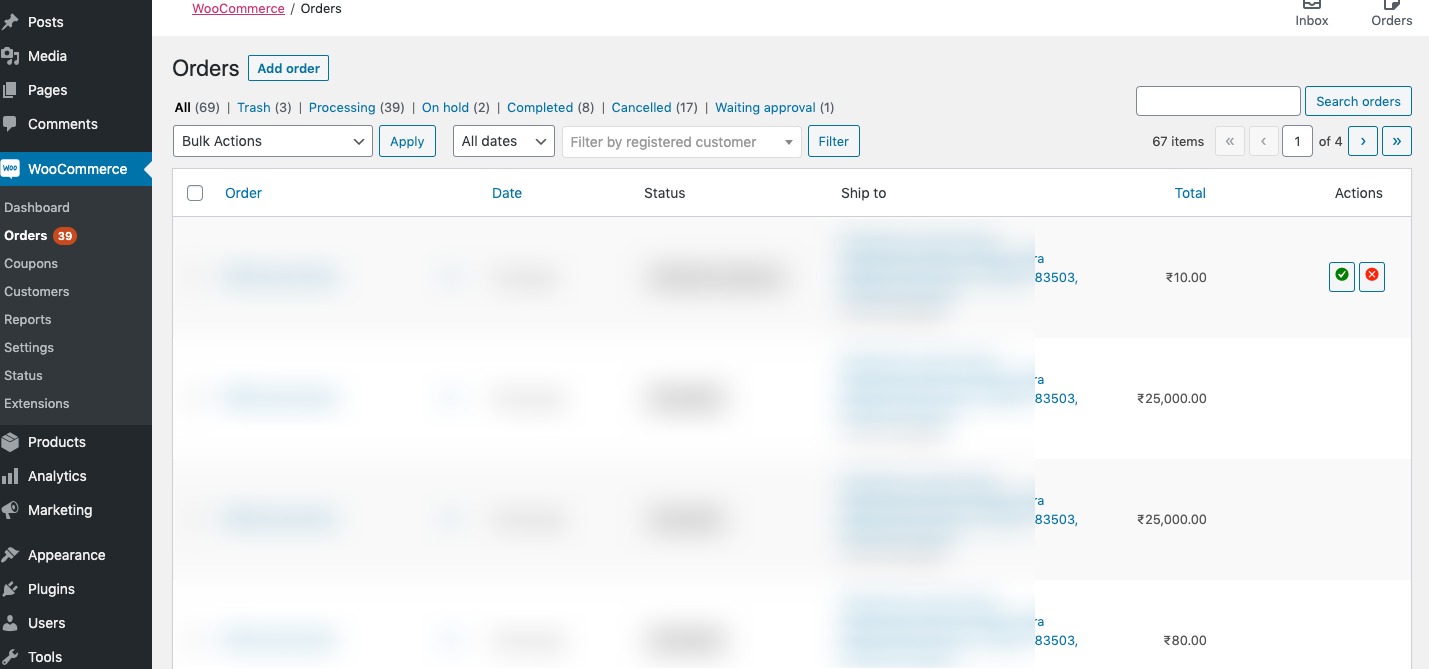
Admin order screen for approval.
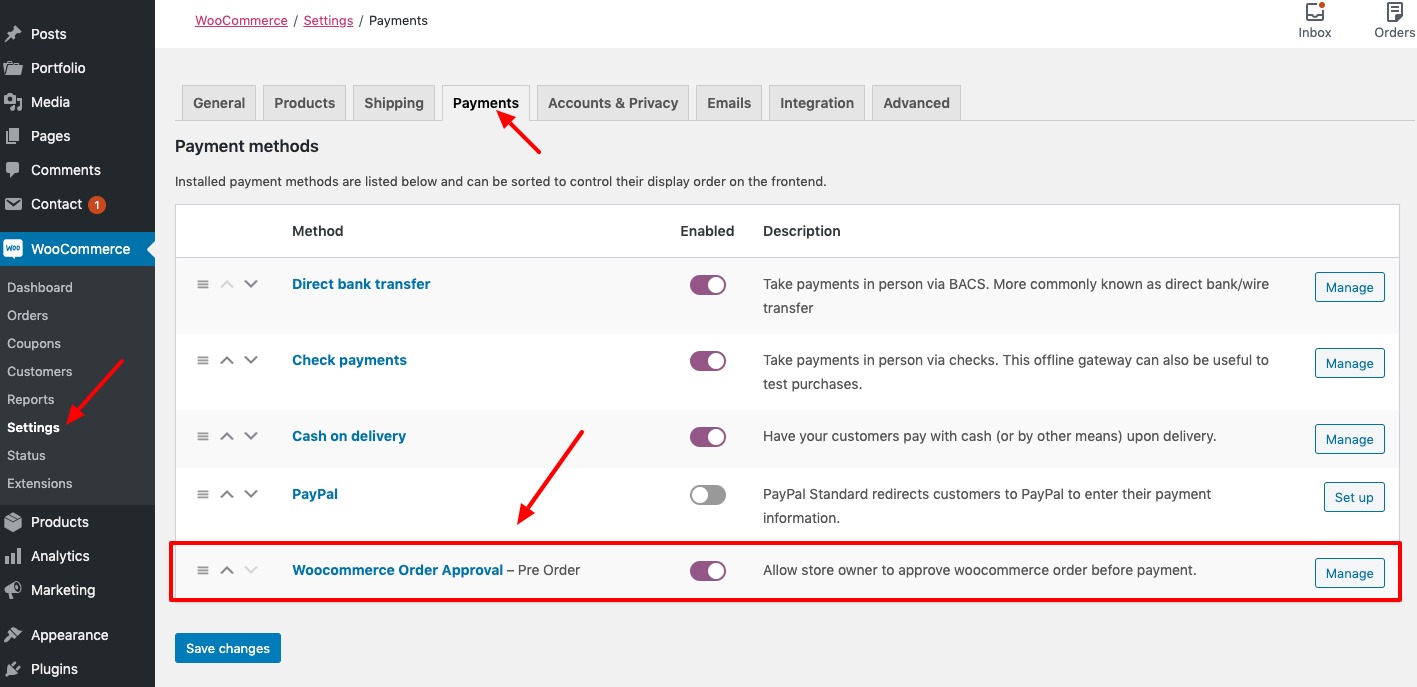
WooCommerce payment gateway settings.
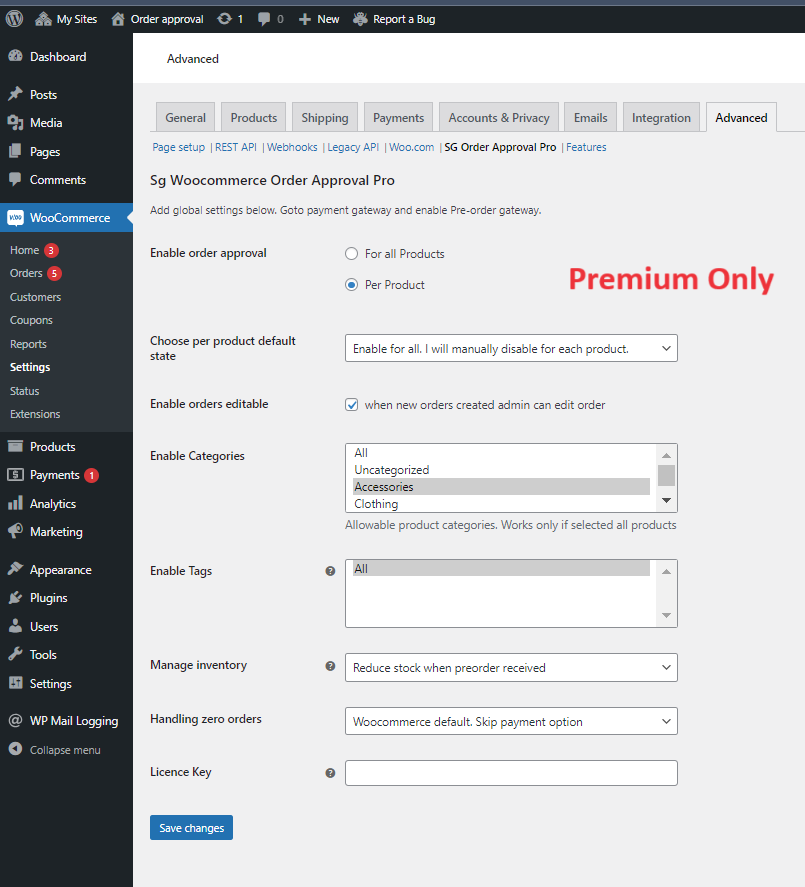
Product-level order approval settings in Pro.
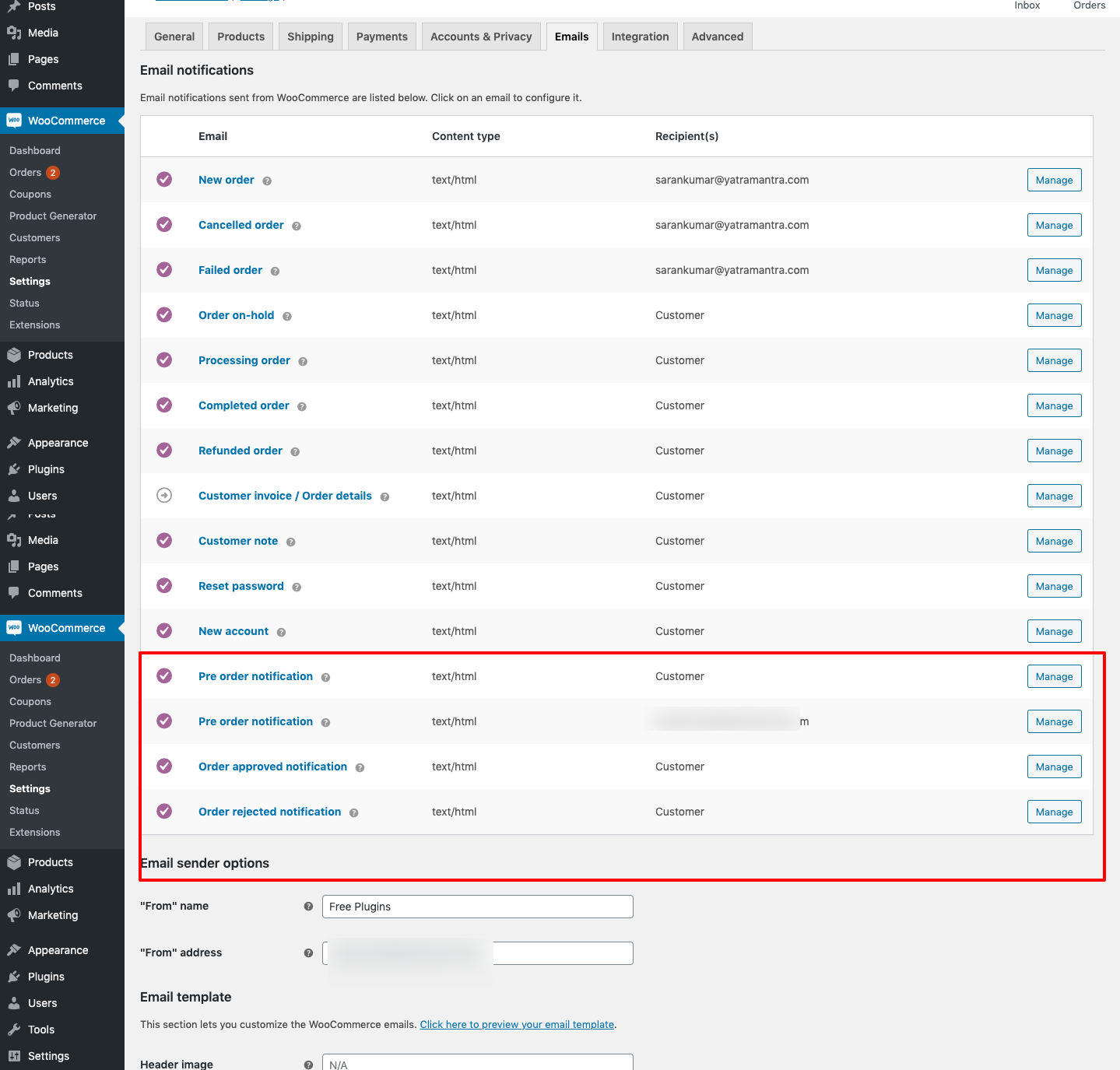
Available customer email notifications.
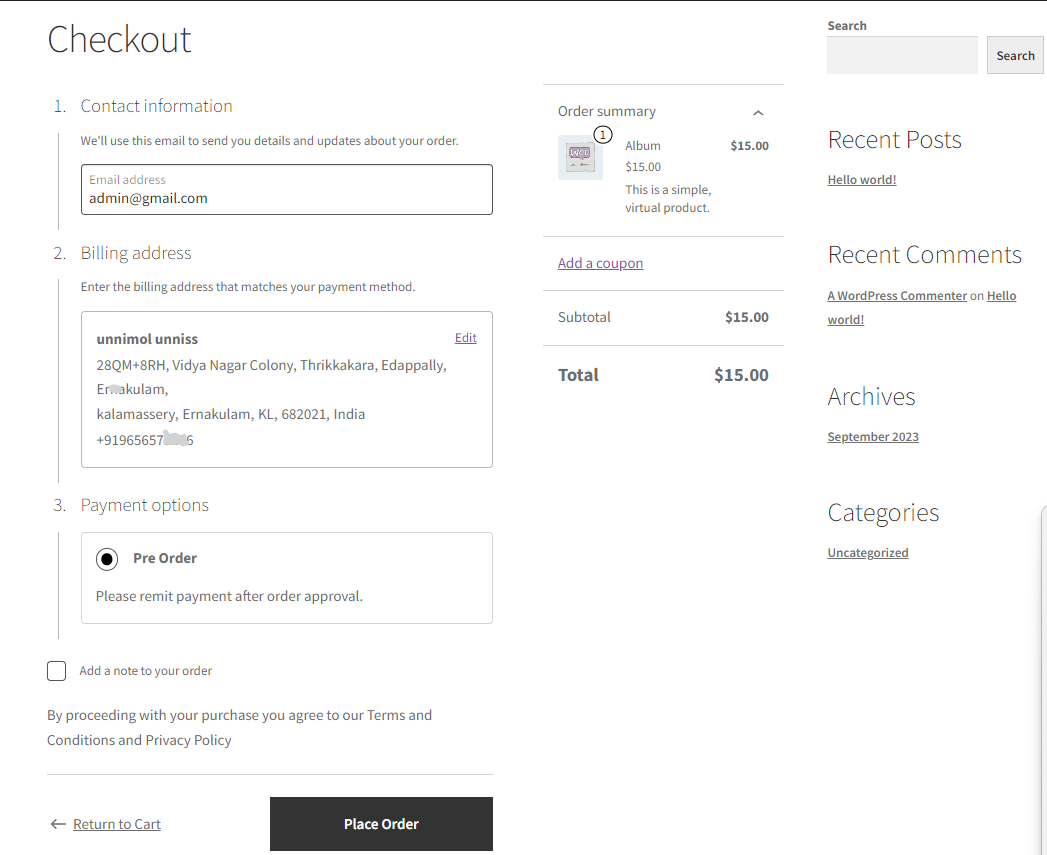
Blocked checkout during order placement.
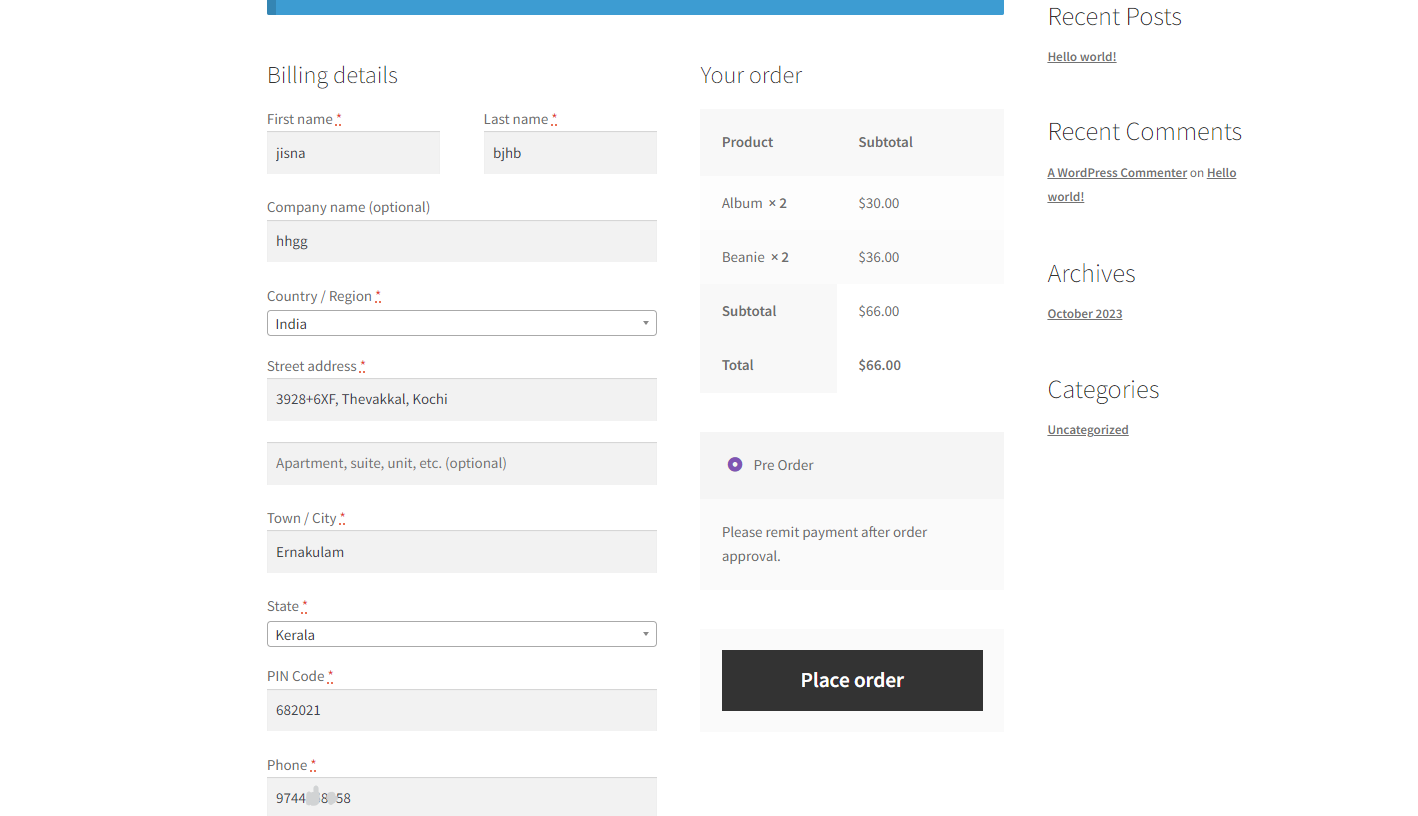
Classic checkout order placement.
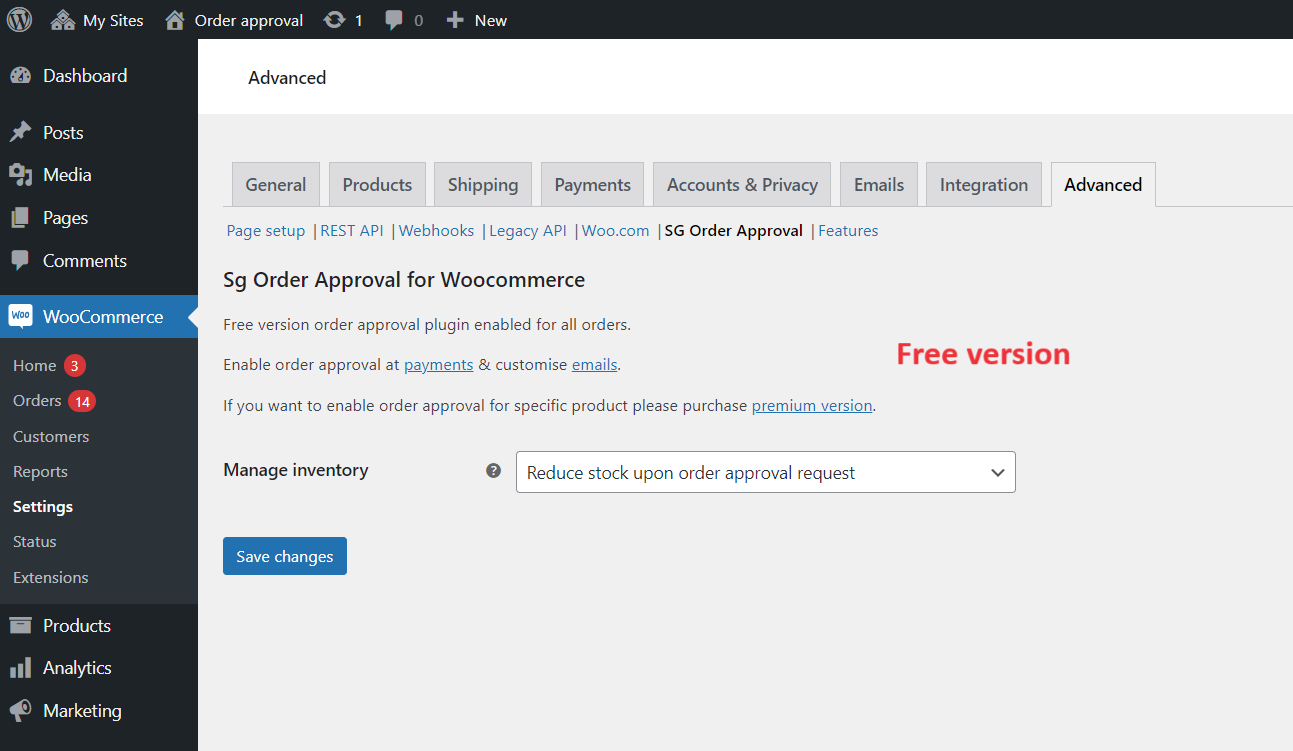
Free version order approval settings.
Plugins semelhantes


Order your pages and other custom post types that support "page-attributes" with drag and drop right from the standard page list.

The best order export import plugin for WooCommerce. Easily import and export WooCommerce orders and WooCommerce coupons using CSV.

Ultimate Pre-Orders Plugin for WooCommerce.

Automate WooCommerce order statuses. Beautifully.