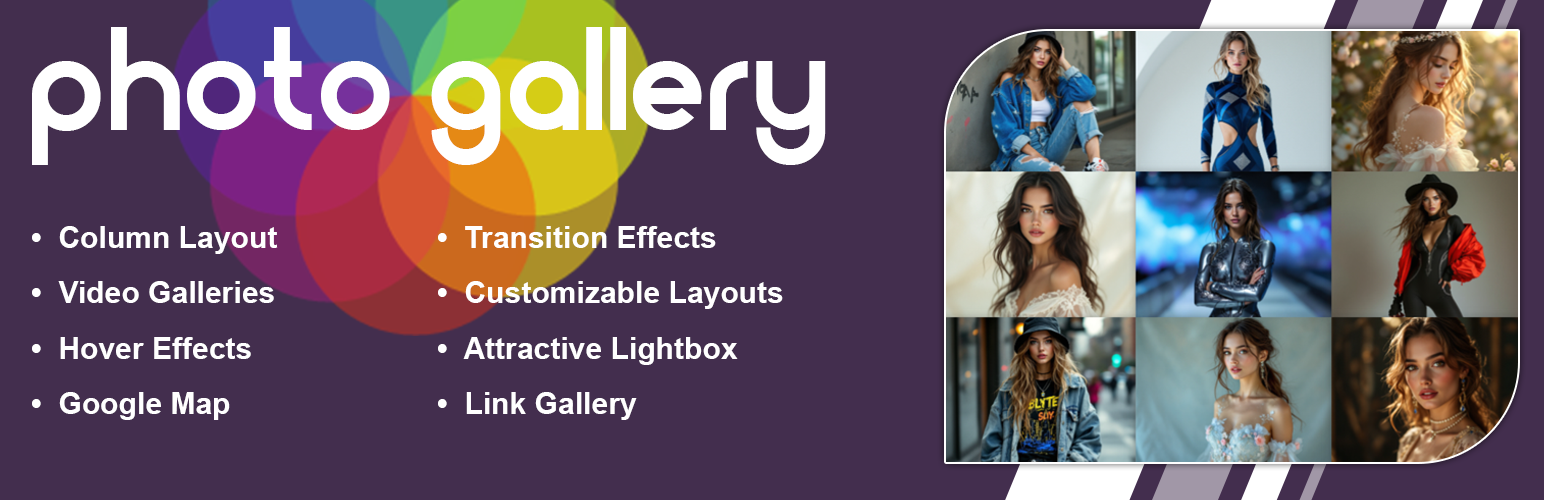

New Photo Gallery

Por A WP Life
(14 avaliações)
Baixar

Hospedagem WordPress com plugin Photo Gallery – Responsive Photo Gallery, Image Gallery, Portfolio Gallery, Logo Gallery And Team Gallery

Onde hospedar o plugin Photo Gallery – Responsive Photo Gallery, Image Gallery, Portfolio Gallery, Logo Gallery And Team Gallery?

Este plugin pode ser hospedado em qualquer servidor que possua WordPress configurado. Recomendamos optar por uma hospedagem seguro, com servidores adaptados para WordPress, como o serviço de hospedagem WordPress da MCO2.

Hospedando o plugin Photo Gallery – Responsive Photo Gallery, Image Gallery, Portfolio Gallery, Logo Gallery And Team Gallery em um provedor confiável

A MCO2, além de configurar e instalar o WordPress na versão mais atual para seus clientes, disponibiliza o WP SafePress, um mecanismo singular que salvaguarda e otimiza seu site ao mesmo tempo.

Por que a Hospedagem WordPress funciona melhor na MCO2?

A Hospedagem WordPress funciona melhor pois a MCO2 possui servidores otimizados para WordPress. A instalação de WordPress é diferente de uma instalação trivial, pois habilita imediatamente recursos como otimização automática de imagens, proteção da página de login, bloqueio de atividades suspeitas diretamente no firewall, cache avançado e HTTPS ativado por padrão. São recursos que potencializam seu WordPress para a máxima segurança e o máximo desempenho.

New Photo Gallery offers a versatile solution for creating and managing image collections on your WordPress website. This plugin enables you to build responsive photo galleries that adjust seamlessly to different screen resolutions, ensuring a consistent viewing experience across desktop and mobile devices.

The core functionality centers on a grid-based display that keeps your images organized. When a visitor clicks on an item, it opens in a lightbox, providing a focused view of the image or video. This feature is particularly useful for portfolios, product showcases, or event albums where visual detail is important.

Beyond standard images, the plugin supports video content from YouTube and Vimeo, allowing you to create mixed media galleries. You can also utilize the layout options to present team members or partner logos in a structured format. The interface is designed to be intuitive, letting you upload media and generate shortcodes without complex configuration.

Demos

Photo Gallery Free | Photo Gallery Premium

What You Can Create

  • Photo Gallery – Organize your images in a clean, structured grid layout.
  • Portfolio Showcase – Present your work professionally with optional hover effects.
  • Lightbox Display – Enable users to view images in a full-screen overlay.
  • Video Gallery – Integrate content directly from YouTube and Vimeo.
  • Team Layouts – Introduce team members with photos and bios.
  • Brand Displays – Show client logos or partner brands effectively.

Key Features (Free Version)

  • Responsive grid system that adapts to any screen size.
  • Lightbox functionality for viewing images and videos without leaving the page.
  • Create unlimited galleries with no restriction on the number of images.
  • Support for YouTube and Vimeo video embedding.
  • Image protection for gallery
  • Grayscale effect for images.
  • Options to add titles and descriptions to your media.
  • Multiple column configurations (ranging from 2 to 6 columns).
  • Hover effects for gallery thumbnails.
  • Shortcode system for easy insertion into posts and pages.
  • Translation support for multilingual websites.

Premium Features

Upgrade to the premium version for additional capabilities:

  • Masonry Layout – Utilize a dynamic Pinterest-style grid for varied image aspect ratios.
  • Advanced Hover Effects – Choose from 30 distinct animation styles for thumbnails.
  • Load More Pagination – Implement a “Load More” button for large collections.
  • Map Integration – Associate images with location data on a map.
  • Custom Links – Attach specific URLs to individual gallery items.
  • Fixed Dimension Lightbox – maintain consistent sizing for the lightbox viewer.
  • Transition Effects – Smooth 2D animations when enhanced gallery navigation.
  • Visual Enhancements – Apply shadow and glow effects to thumbnails.
  • Interface Customization – Adjust colors for the lightbox tool and background.
  • Custom CSS – Apply your own style rules for precise control.
  • Priority Support – Receive direct assistance for technical inquiries.

Get Photo Gallery Premium

How to Use

  1. Navigate to Photo Gallery > Add New in your WordPress dashboard.
  2. Provide a title for your new gallery.
  3. Upload your desired images using the standard media uploader.
  4. Adjust the gallery settings, such as column count and spacing.
  5. Copy the shortcode generated by the plugin.
  6. Paste this shortcode into any page or post editor.
  7. Publish the page to view your live gallery.

Capturas de tela

Photo Gallery With Spacing

Photo Gallery With Spacing

Photo Gallery Without Spacing

Photo Gallery Without Spacing

Photo Gallery With Thumbnail

Photo Gallery With Thumbnail

Photo Gallery Without Thumbnail

Photo Gallery Without Thumbnail

Photo Gallery Tool Settings Option

Photo Gallery Tool Settings Option

Video Gallery With Spacing

Video Gallery With Spacing

Video Gallery Without Spacing

Video Gallery Without Spacing

YouTube Thumbnail Video gallery

YouTube Thumbnail Video gallery

Vimeo Thumbnail Video gallery

Vimeo Thumbnail Video gallery

Column Layout Settings

Column Layout Settings

Full Width Photo Gallery

Full Width Photo Gallery

Photo Gallery Settings

Photo Gallery Settings

Plugins semelhantes

Photo Gallery, Sliders, Proofing and Themes – NextGEN Gallery
(4.332 avaliações)

The most popular gallery plugin that lets you create galleries and albums in seconds.

Photo Gallery by 10Web – Mobile-Friendly Image Gallery
(1.562 avaliações)

Photo Gallery is a powerful image gallery plugin with a list of advanced options for creating responsive image galleries with beautiful lightbox.

Gallery by FooGallery
(958 avaliações)

Photo Gallery, Image Gallery by FooGallery — fast, responsive, SEO-optimized, and packed with beautiful layouts.

Plugin de galeria para o WordPress – Envira Photo Gallery
(1.586 avaliações)

O Envira Gallery é a galeria de imagens mais rápida, fácil e avançado do WordPress. Lightbox com editor de arrastar e soltar que ajuda você a criar belos …

Galeria de Imagens – Grade de Fotos e Galeria de Vídeos
(592 avaliações)

Crie galerias de imagens responsivas com o construtor de grade do tipo "arrastar e soltar". Layouts personalizados, suporte a vídeos e otimização por IA. Funciona com qualquer tema.

Visual Portfolio, Photo Gallery & Post Grid
(317 avaliações)

Modern photo gallery and portfolio plugin with advanced layouts editor. Clean gallery styles with powerful settings in the Gutenberg block.

Do mesmo author (A WP Life)

Image Gallery
(33 avaliações)

Create responsive image galleries with lightbox, grid & masonry layouts. Easy shortcode display for posts and pages.

Album Gallery
(28 avaliações)

Create stunning photo and video albums with responsive layouts, lightbox display, and customizable hover effects.

Pricing Table – Responsive & Easy
(27 avaliações)

Display pricing plans with responsive tables. Unlimited packages, 4 templates, shortcode support. Works with Elementor and Gutenberg.

Slider for Photos Images Videos
(14 avaliações)

Create responsive image and video sliders with thumbnails, navigation, autoplay, and carousel layouts for your site.

Responsive Slider Gallery – Image Slideshow Maker
(13 avaliações)

Create a responsive Slider Gallery and slideshows for your site. A simple, drag-and-drop slideshow creator for carousels and photo sliders.

Animated Live Wall Gallery
(14 avaliações)

Create animated gallery walls with image-switching effects. Display photos from Instagram, Flickr, or media uploads.